Home Articles Books Search About
日本語
Updating Drupal on Sakura Rental Server

Updating Drupal on Sakura Rental Server

Overview This is a note on the procedure for updating Drupal on Sakura rental server. First, we referred to the following site. https://www.drupal.org/docs/updating-drupal/updating-drupal-core-via-drush However, it contained the following note: Use Composer to manage Drupal dependencies. Drush 9 and newer no longer supports updating Drupal. We also referred to the following: https://drupalfan.com/drupal10を最新版にアップデートする/ Procedure ! This may contain incorrect or unnecessary steps. Please use it as a reference only. Navigate to the directory where Drupal was downloaded. ...
Drupal Module Development: Searching with Variant Characters in Mind

Drupal Module Development: Searching with Variant Characters in Mind

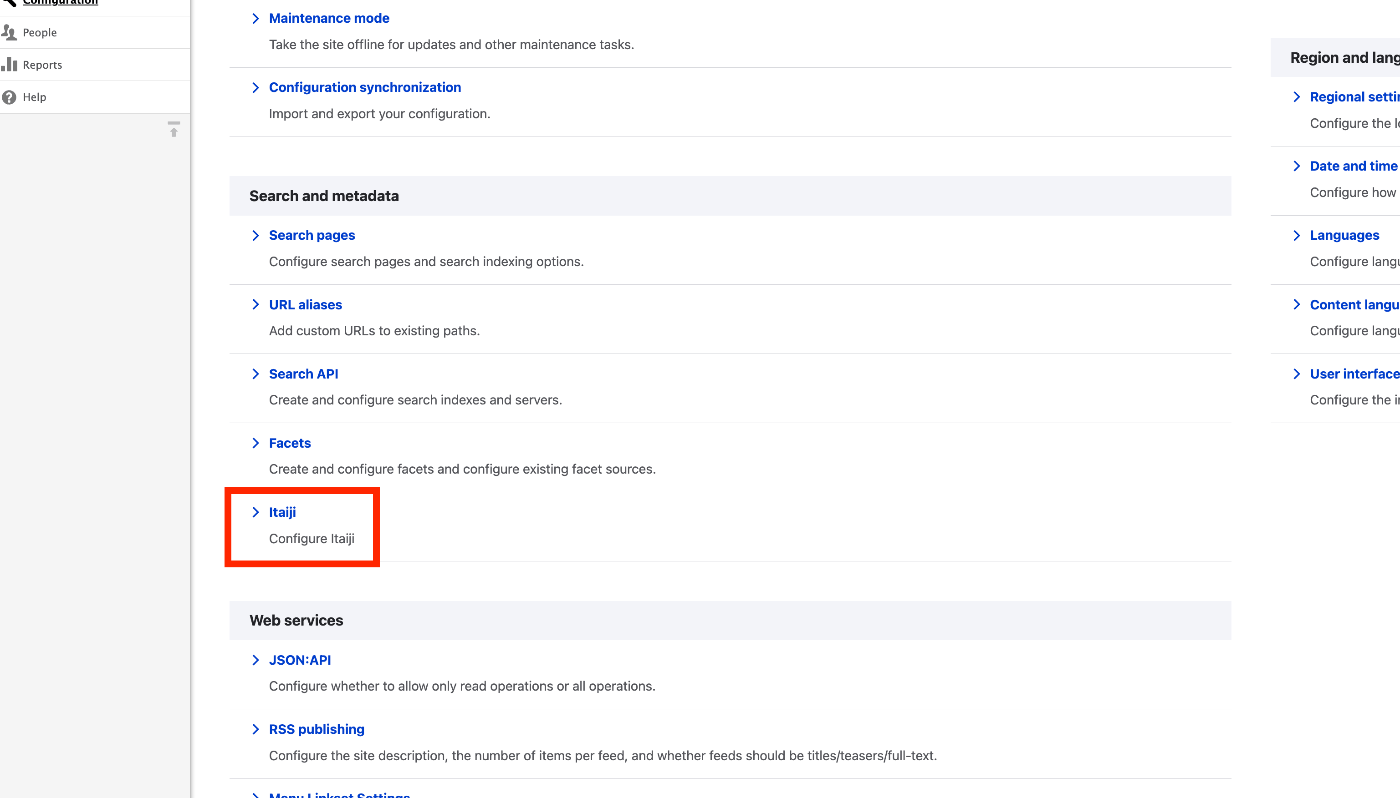
Overview While developing a system using Drupal, I needed to implement search functionality that considers variant characters (itaiji), so I created a custom module to achieve this. (There may already be an existing module that does the same thing, but I was unable to find one.) It is published in the following repository: https://github.com/nakamura196/Drupal-module-itaiji Usage Configuration Access /admin/config and click the Itaiji link under the Search and metadata section. ...

Drush Command Cheat Sheet

Drush Command Cheat Sheet

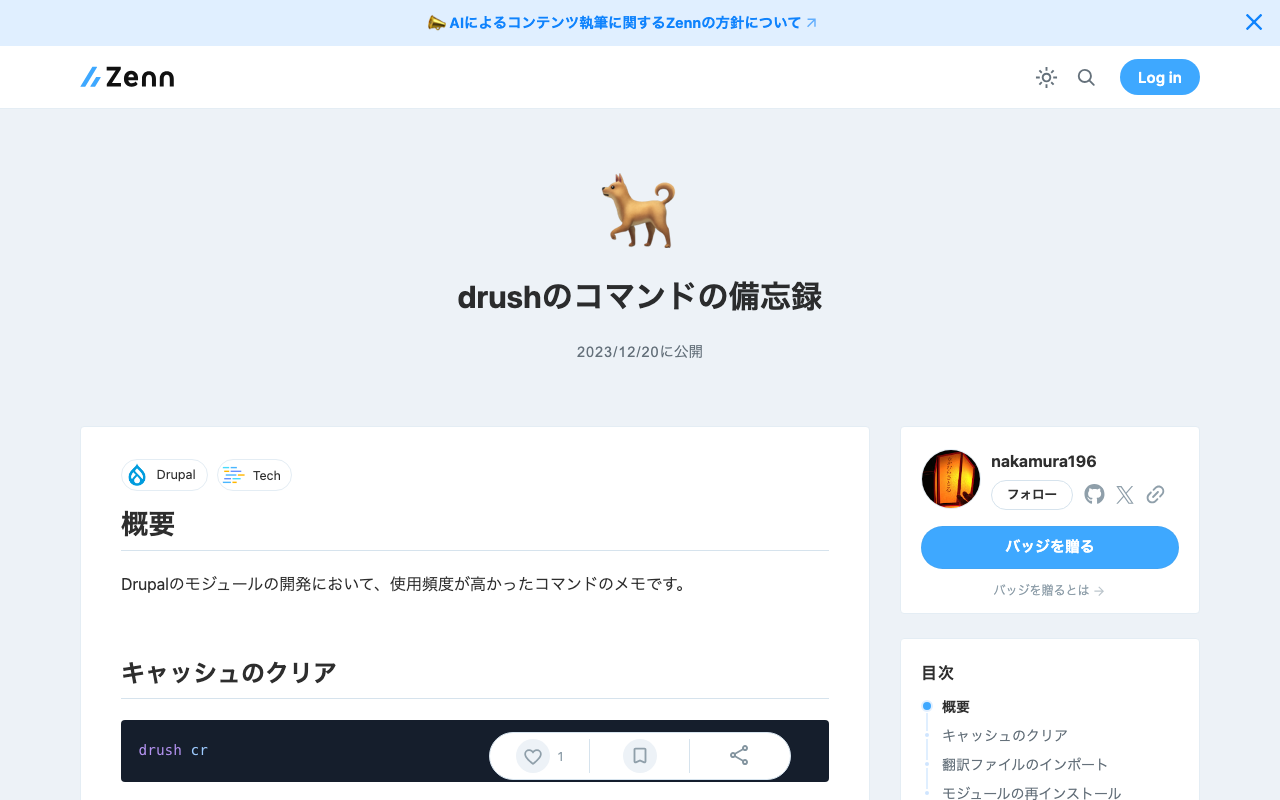
Overview These are notes on frequently used commands during Drupal module development. Clearing Cache drush cr Importing Translation Files The following is an example of importing a Japanese language file for a module called itaiji. drush locale:import ja /app/web/modules/custom/Drupal-module-itaiji/translations/itaiji.ja.po Reinstalling a Module drush pm-uninstall itaiji && drush en itaiji

Pagination Error When Using JSON:API Search API in Drupal

Pagination Error When Using JSON:API Search API in Drupal

When using the JSON:API Search API in Drupal, an error occurred when adding query parameters such as page[limit]. https://www.drupal.org/project/jsonapi_search_api Specifically, the following error message was displayed. Input value “page” contains a non-scalar value. Upon investigation, this was also mentioned in the following issue. https://www.drupal.org/project/jsonapi_search_api/issues/3403107 Since it was fixed in the development version 8.x-1.x-dev, I replaced it with the following. https://www.drupal.org/project/jsonapi_search_api/releases/8.x-1.x-dev As a result, the error was resolved. Whether to use the development version of the module requires consideration, but I hope this is helpful for those experiencing the same issue. ...

Drupal: Registering Multiple Values and Skip Processing Using the Feeds Tamper Module

Drupal: Registering Multiple Values and Skip Processing Using the Feeds Tamper Module

Overview I attempted to register a CSV like the following using Drupal’s Feeds module. id title target xxx aaa 9600023 When you want to register multiple values in a single field like this, the Feeds Tamper module can be used. https://www.drupal.org/project/feeds_tamper The following article was helpful. https://acret.jp/drupal/articles/456 By configuring as follows, I was able to batch register multiple values. However, when the target column contains empty rows like the following, ...

Drupal: Displaying UUIDs

Drupal: Displaying UUIDs

Overview This is a note on how to display UUIDs for content, as shown below. Module Installation The following module was used. https://www.drupal.org/project/uuid_extra Usage Select the “Manage display” tab for the content type where you want to display UUIDs, and move the UUID field as shown below. Summary I hope this serves as a useful reference.

Making Field Values Selectable in Drupal

Making Field Values Selectable in Drupal

Purpose This article explains how to make field value input selectable, as shown below. Below, I’ll explain both the text case and the entity reference case. Text Case Create a field called age. Here, select “List (text)”. Enter the choices as follows. As a result, the field can be edited in a “Select list” format as shown below. Furthermore, from the content type list page, click “Manage form display”. ...

Enabling Search by ID and Title When Referencing Other Content in Drupal

Enabling Search by ID and Title When Referencing Other Content in Drupal

Introduction For example, suppose you create a content type called “Organization” in Drupal and create content items for “The University of Tokyo” and “Kyoto University.” At this point, assume that IDs from the Research Organization Registry (ROR) are also registered as follows. Title ID The University of Tokyo 057zh3y96 Kyoto University 02kpeqv85 Now, let’s try referencing this content from another content type (for example, a “Researcher” content type) using an affiliation field. When you type something like “University,” the two registered content items are displayed as shown below. ...

Drupal: Handling Errors When Updating the `uid` Field via API

Drupal: Handling Errors When Updating the `uid` Field via API

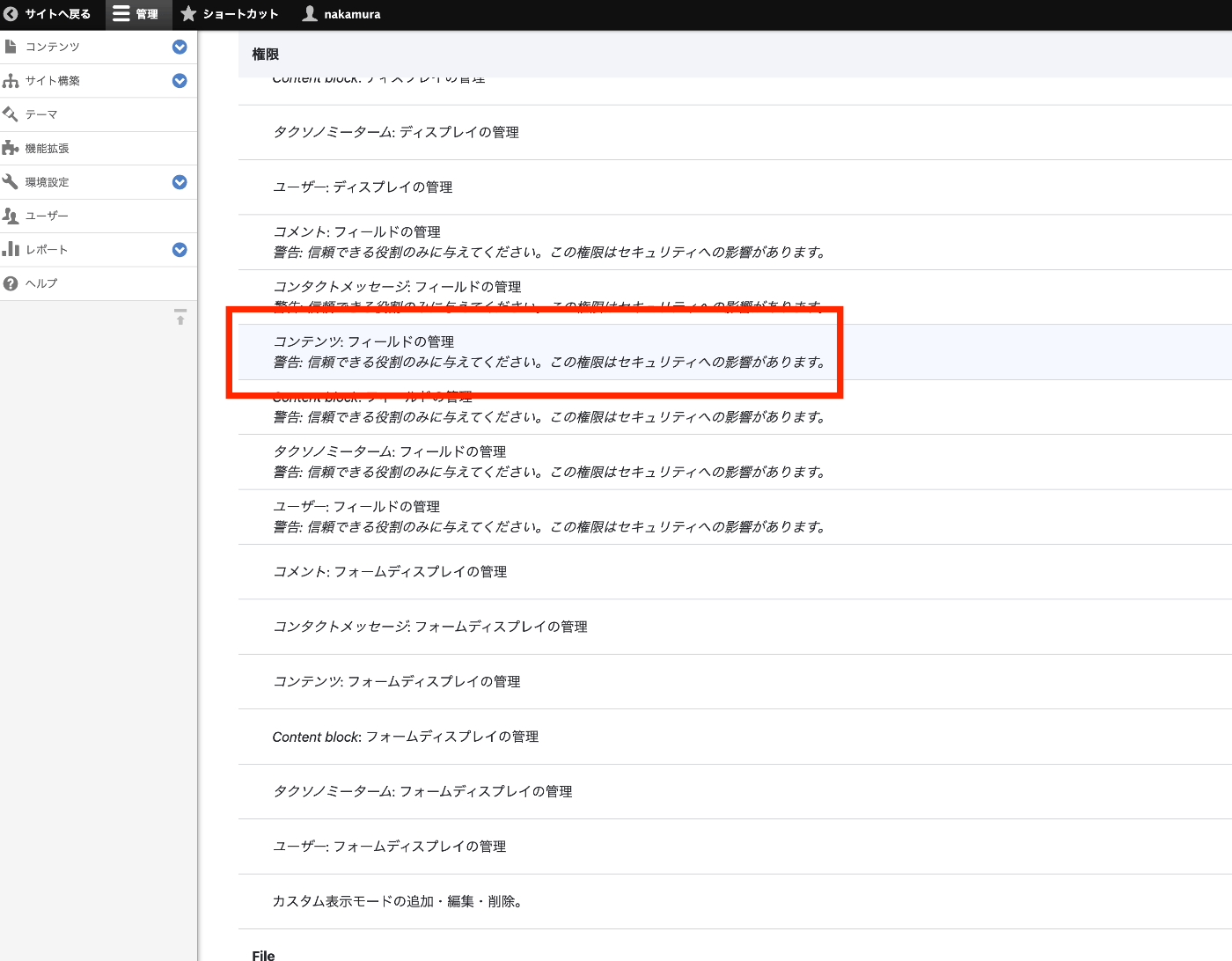
When attempting to update a node’s uid field using Drupal’s JSONAPI, the following error occurred: The current user is not allowed to PATCH the selected field (uid). The 'administer nodes' permission is required. This was resolved by changing the permissions. Specifically, the issue was resolved by enabling the Administer content checkbox under Node. However, please note the following warning that was displayed: Warning: Give to trusted roles only; this permission has security implications. Promote, change ownership, edit revisions, and perform other tasks across all content types. ...

Handling "Some resources have been omitted because of insufficient autho..." in Drupal

Handling "Some resources have been omitted because of insufficient autho..." in Drupal

When using Drupal’s JSON API, I tried to retrieve field_name from a field ID using a query like the following, but got zero results. https://xxx/jsonapi/field_config/field_config?fields[field_config–field_config]=label%2Cfield_name&filter[name-filter][condition][path]=field_name&filter[name-filter][condition][operator]=IN&filter[name-filter][condition][value][1]=field_xxx1&filter[name-filter][condition][value][2]=field_xxx2&filter[name-filter][condition][value][3]=field_xxx3&filter[bundle]=yyy The meta field in the returned result indicated a permissions issue. { "jsonapi": { "version": "1.0", "meta": { "links": { "self": { "href": "http://jsonapi.org/format/1.0/" } } } }, "data": [], "meta": { "omitted": { "detail": "Some resources have been omitted because of insufficient authorization.", ... } }, ... } By changing the permissions for Content: Administer fields under Field UI as shown in the figure below, the permissions issue was resolved. ...

Installing drush on Drupal Built with Lando

Installing drush on Drupal Built with Lando

I set up a Drupal development environment using Lando, referring to the following site. https://www.acquia.com/jp/blog/how-to-use-lando-for-building-drupal-local-environment For installing drush on it, the following was helpful. https://docs.lando.dev/drupal/getting-started.html#quick-start By running the following command, drush became available. # Install a site local drush lando composer require drush/drush I hope this serves as a useful reference for others.

How to Disable Twig Cache in Drupal 10.1.0 and Later

How to Disable Twig Cache in Drupal 10.1.0 and Later

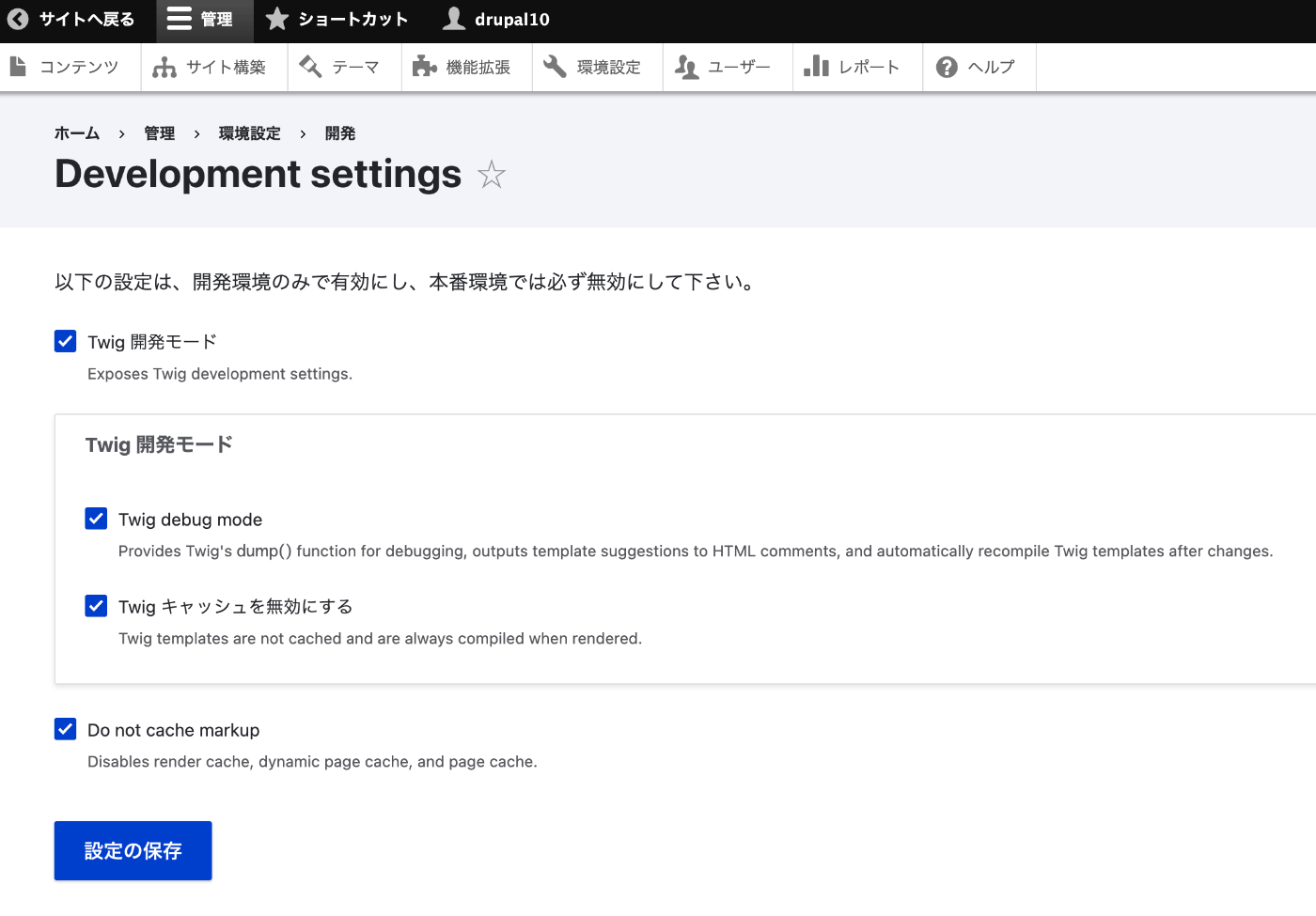
The instructions were found at the following page. https://www.drupal.org/docs/develop/development-tools/disable-caching#s-disabling-twig-caching-the-easy-way Access the following path: /admin/config/development/settings Checking the boxes on the following screen disables the cache. I hope this is helpful for others.

Displaying Images Referenced by URL in Drupal Views

Displaying Images Referenced by URL in Drupal Views

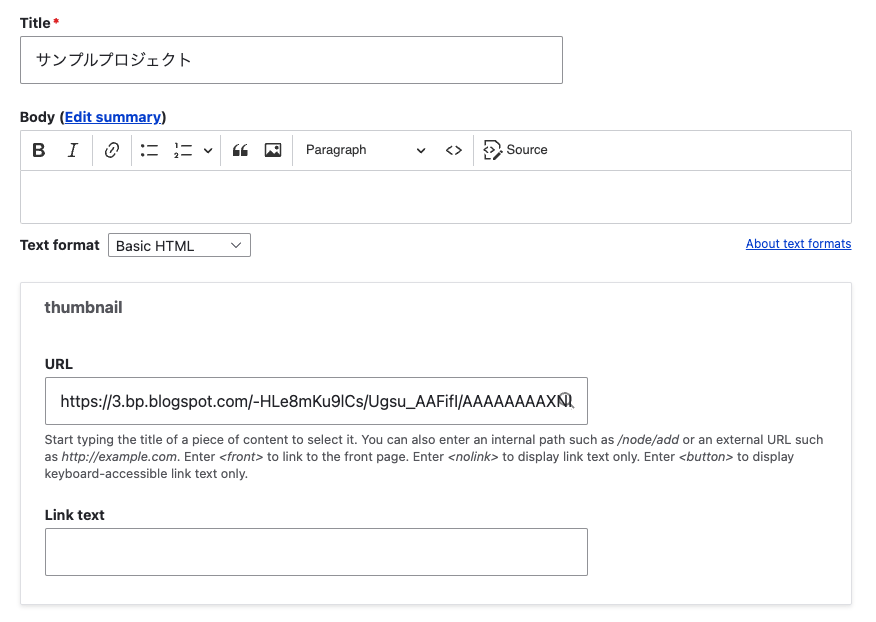
Background Consider the case where you enter an image URL in a field called thumbnail with the Field type set to Link, as shown below. This time, I’ll use the following image from Irasutoya. https://3.bp.blogspot.com/-HLe8mKu9lCs/Ugsu_AAFifI/AAAAAAAAXNI/-yW12EVgQ5s/s800/book_yoko.png Here are my notes on displaying such data in Views like the following. Views I configured the following in the Views Rewrite results settings. <img src="{{ field_thumbnail__uri }}" alt="Image" /> When the Field type is set to Link, the following Replacement patterns were needed. ...

Enabling OpenAPI in Drupal

Enabling OpenAPI in Drupal

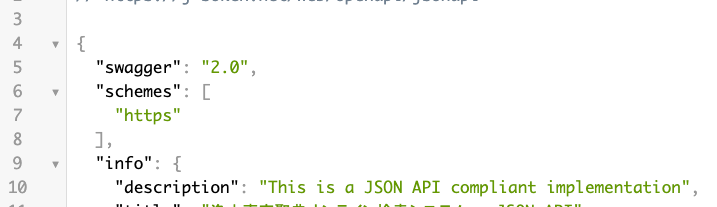
Overview I had the opportunity to enable OpenAPI in Drupal, so this is a memo. Note that the JSON:API module has already been enabled. Installing Modules Install the following two modules. https://www.drupal.org/project/openapi https://www.drupal.org/project/openapi_jsonapi As a result, JSON can be obtained from the following URL. /openapi/jsonapi Accessing the following displays “No UI …”. Next, let’s add a UI. /admin/config/services/openapi Adding a UI Install the following two modules. https://www.drupal.org/project/openapi_ui https://www.drupal.org/project/openapi_ui_redoc ...

Handling CORS Errors with Drupal's JSON:API

Handling CORS Errors with Drupal's JSON:API

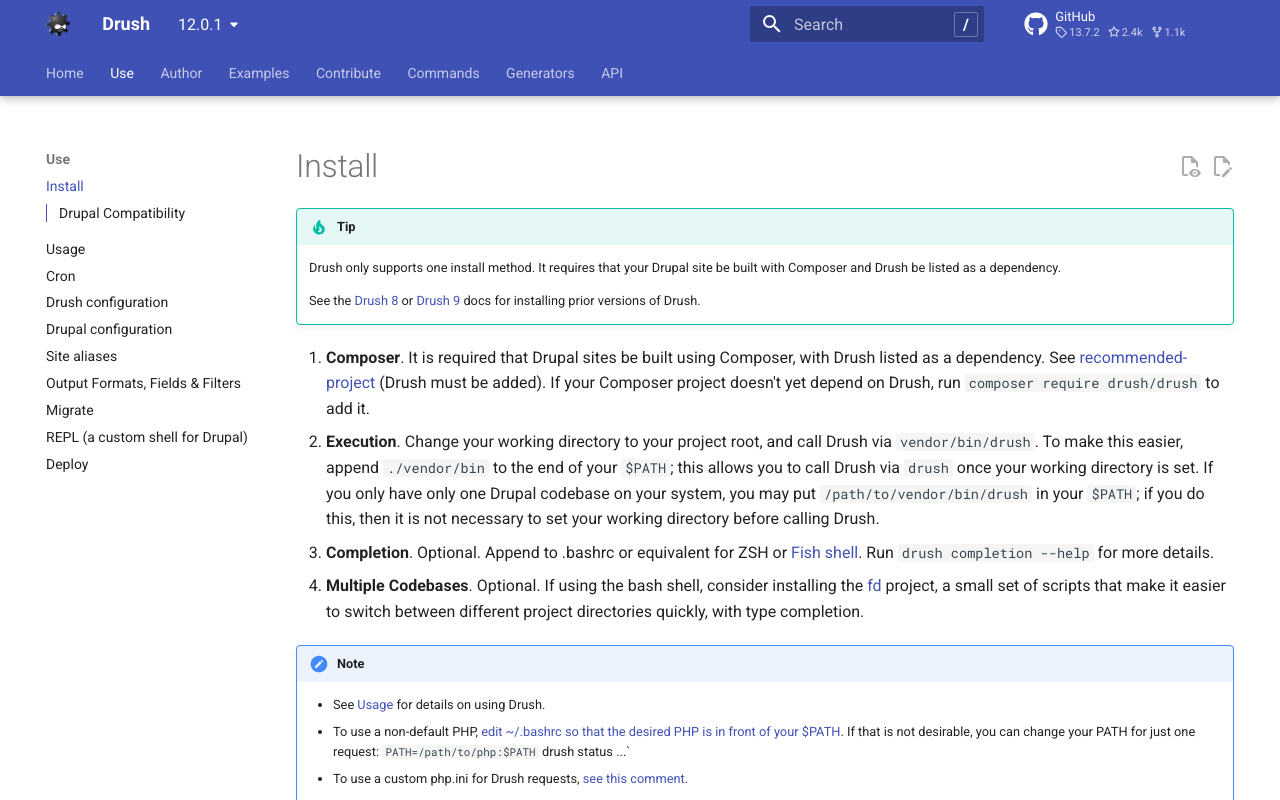
Overview When using the output from Drupal’s JSON:API in a separate application, a CORS error occurred. Here, I explain how to resolve the CORS error. Solution Copy the following file: /web/sites/default/default.services.yml cp /web/sites/default/default.services.yml /web/sites/default/services.yml Then, set enabled to true in cors.config: # Configure Cross-Site HTTP requests (CORS). # Read https://developer.mozilla.org/en-US/docs/Web/HTTP/Access_control_CORS # for more information about the topic in general. # Note: By default the configuration is disabled. cors.config: enabled: false # Change this to true! # Specify allowed headers, like 'x-allowed-header'. allowedHeaders: [] As a result, the CORS error was resolved. ...

Troubleshooting JSON:API Related Errors

Troubleshooting JSON:API Related Errors

Overview The following JSON:API related error occurred. This is a note on how to resolve it. サイトに予期せぬエラーが起こりました。しばらくたってから再度お試しください。 TypeError: Drupal\jsonapi_search_api_facets\Plugin\facets\facet_source\JsonApiFacets::__construct(): Argument #6 ($index) must be of type Drupal\search_api\IndexInterface, null given, called in /home/j-soken/drupal/web/modules/contrib/jsonapi_search_api/modules/jsonapi_search_api_facets/src/Plugin/facets/facet_source/JsonApiFacets.php on line 61 in Drupal\jsonapi_search_api_facets\Plugin\facets\facet_source\JsonApiFacets->__construct() (line 48 of modules/contrib/jsonapi_search_api/modules/jsonapi_search_api_facets/src/Plugin/facets/facet_source/JsonApiFacets.php). Drupal\jsonapi_search_api_facets\Plugin\facets\facet_source\JsonApiFacets::create() (Line: 21) Drupal\Core\Plugin\Factory\ContainerFactory->createInstance() (Line: 83) Drupal\Component\Plugin\PluginManagerBase->createInstance() (Line: 251) facets_system_breadcrumb_alter() (Line: 545) Drupal\Core\Extension\ModuleHandler->alter() (Line: 94) Drupal\Core\Breadcrumb\BreadcrumbManager->build() (Line: 72) Drupal\system\Plugin\Block\SystemBreadcrumbBlock->build() (Line: 171) Drupal\block\BlockViewBuilder::preRender() call_user_func_array() (Line: 101) ... Solution First, enable error display. Add the following to the configuration file. ...

Disable UI: Using Drupal as a Headless CMS

Disable UI: Using Drupal as a Headless CMS

I had the opportunity to use Drupal as a headless CMS and tried the Disable UI module, which restricts UI access to administrators and similar roles. https://www.drupal.org/project/disable_ui As a result, access to the top page was displayed as follows. On the other hand, the enabled JSON:API was accessible to non-logged-in users. /jsonapi/ We hope this serves as a useful reference when using Drupal as a headless CMS.

How to Use Drupal JSON:API (include and Multilingual Support)

How to Use Drupal JSON:API (include and Multilingual Support)

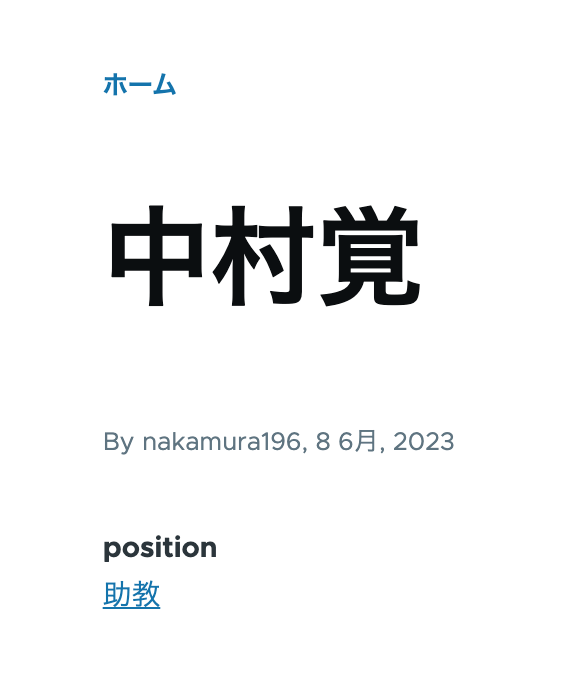
Overview This is a personal note on how to use Drupal’s JSON:API. This time, I will cover the use of include for taxonomies and multilingual processing. Data As shown below, the taxonomy “Assistant Professor” has been assigned to the position field. /node/5 Additionally, content multilingualization is enabled, so the English versions of the title and position are also displayed as shown below. /en/node/5 JSON:API Since the above content was created with the content type “faculty”, the data list can be retrieved from the following URL. ...

Content Registration and Multilingual Support Using Drupal Key Auth

Content Registration and Multilingual Support Using Drupal Key Auth

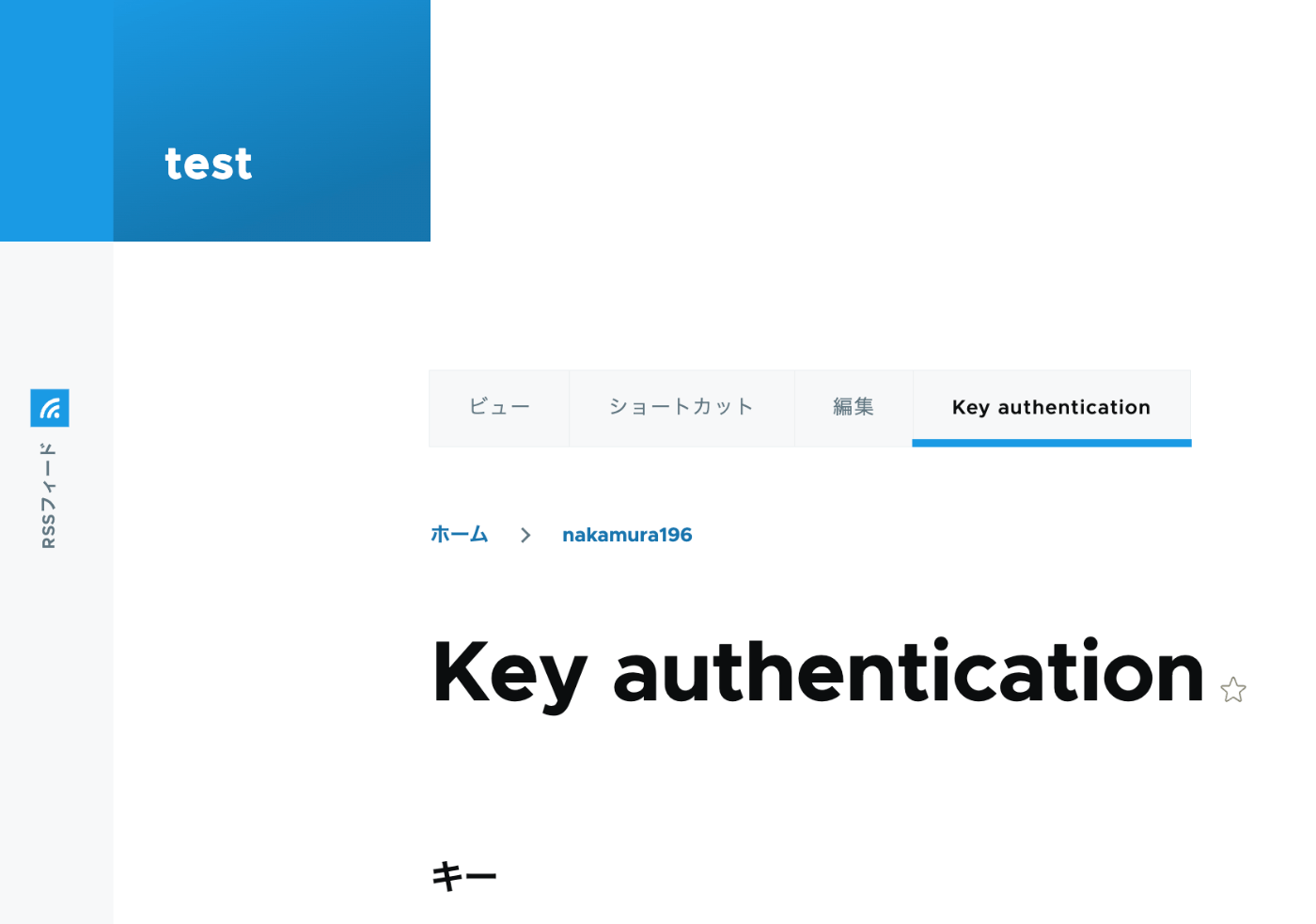
Overview In the following article, I performed content registration using Python with Basic authentication. This time, I tried API Key Authentication, referring to the following article. https://designkojo.com/post-drupal-using-jsonapi-vuejs-front-end API Key Authentication The following module was used. https://www.drupal.org/project/key_auth A “Key authentication” tab appeared on the user edit screen, allowing an API key to be generated. When using the API key, the following program can be used. import requests endpoint = 'http://{IP address or domain name}/jsonapi/node/article' key = '{API key}' headers = { 'Accept': 'application/vnd.api+json', 'Content-Type': 'application/vnd.api+json', "api-key": key } payload = { "data": { "type": "node--article", "attributes": { "title": "What's up from Python", "body": { "value": "Be water. My friends.", "format": "plain_text" } } } } r = requests.post(endpoint, headers=headers, json=payload) r.json() Notes on Multilingual Support As a note, it appears that creating translation data is not supported. ...

Fixing TypeError: array_keys()... in Drupal

Fixing TypeError: array_keys()... in Drupal

The following error occurred in the graphql module. The website encountered an unexpected error. Please try again later. TypeError: array_keys(): Argument #1 ($array) must be of type array, null given in array_keys() (line 40 of /bitnami/drupal/modules/contrib/graphql/graphql.install). I fixed the source code referring to the following article. https://www.drupal.org/project/google_tag/issues/3319621 Specifically, by rewriting as follows, the error was resolved. // $negotiation = $languageTypes->get('negotiation'); $negotiation = $languageTypes->get('negotiation') ?? []; This should be fixed in the latest version, but we hope this is helpful for anyone encountering a similar error. ...