Home Articles Books Search About
日本語
Creating a CSV File Containing a List of Image URLs from a IIIF Manifest File

Creating a CSV File Containing a List of Image URLs from a IIIF Manifest File

Overview This is a note about creating an app that generates a CSV file containing a list of image URLs from a IIIF manifest file. You can access it from the following. https://iiif-demo-next.vercel.app/csv-converter Usage We will use “Koigenshimonogatari, Volume 1” from the National Diet Library collection as the target. https://dl.ndl.go.jp/api/iiif/3437686/manifest.json Enter the manifest file URL in the form below and press the “Download CSV” button. As a result, a CSV file containing URL and size information is downloaded as follows. ...

Developed a Simple Viewer for CSV Files Published on the Internet

Developed a Simple Viewer for CSV Files Published on the Internet

Overview I developed a simple viewer for CSV files published on the internet. You can try it at the following URL: https://nakamura196.github.io/csv_viewer/ Here is an example with a CSV file actually loaded: https://nakamura196.github.io/csv_viewer/?u=https%3A%2F%2Fraw.githubusercontent.com%2Fomeka-j%2FOmeka-S-module-BulkImport-Sample-Data%2Frefs%2Fheads%2Fmain%2Fitem.csv Repository It is published in the following repository: https://github.com/nakamura196/csv_viewer/ Summary While there are many similar services available, I hope this serves as a useful reference for quickly viewing CSV files published on the internet.

Configuration Example for Using BulkImport in Omeka S

Configuration Example for Using BulkImport in Omeka S

Overview When performing bulk data registration using Omeka S’s BulkImport, you can configure various settings for the registration method. While these settings can be configured each time you upload, using pre-registered settings can help reduce errors made by operators. Here, I introduce a configuration example for bulk registration when associating IIIF images with already registered items. Item Example Create an item with sample as the dcterms:identifier as shown below: ...

Bulk Exporting Registered Content in CSV Format from Drupal

Bulk Exporting Registered Content in CSV Format from Drupal

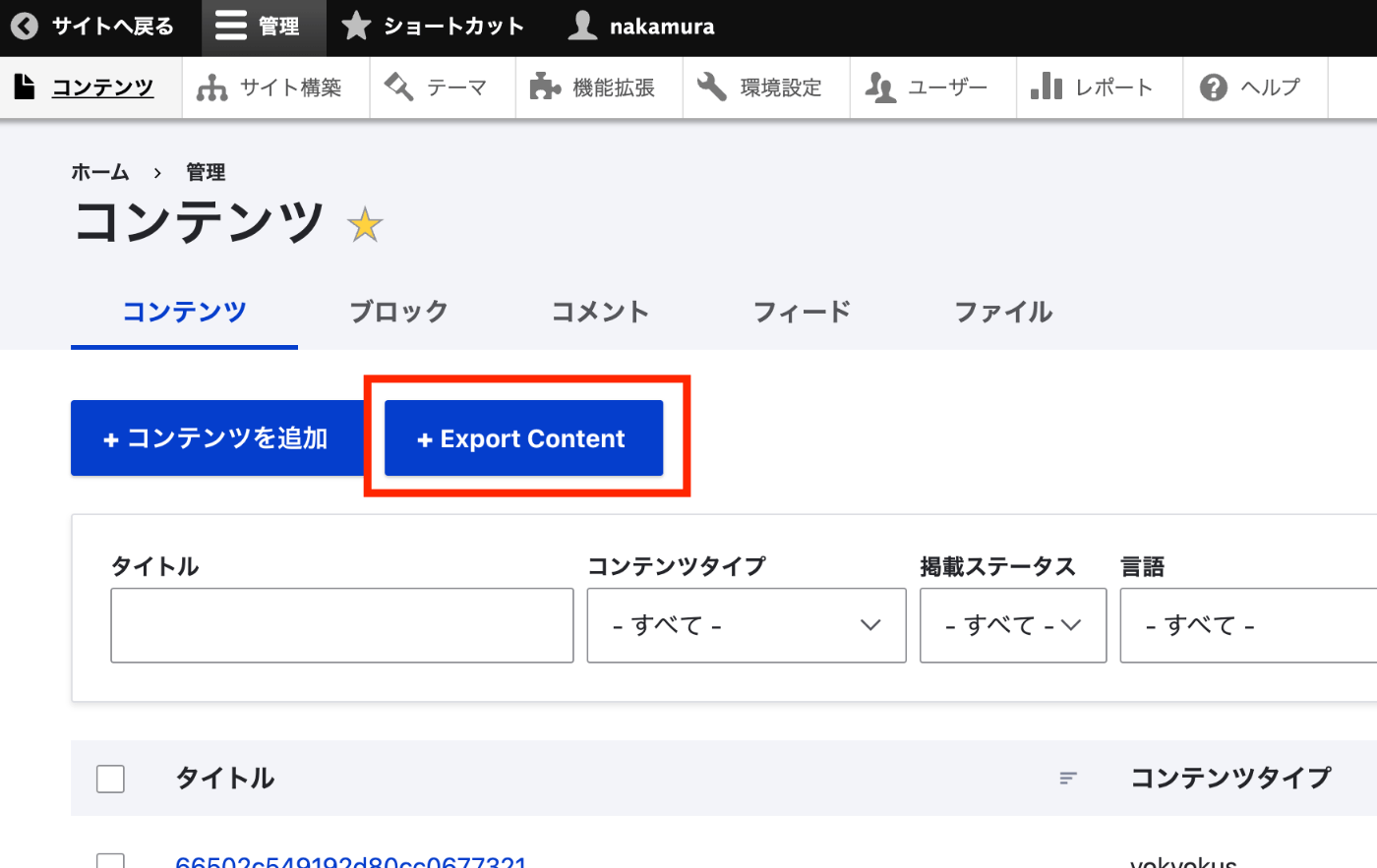
Overview I had the opportunity to export registered content from Drupal in CSV format, so here are my notes. I used the following module. https://www.drupal.org/project/content_export_csv Installation It could be installed using the standard method. composer require 'drupal/content_export_csv:^4.7' ./vendor/bin/drush en content_export_csv Usage After installation, navigating to Administration > Content > Content displays the “Export Content” button. On the next screen, by selecting the content type you want to export, I was able to export a list of content of the specified content type. ...

Trying QuickStatements on wikibase.cloud

Trying QuickStatements on wikibase.cloud

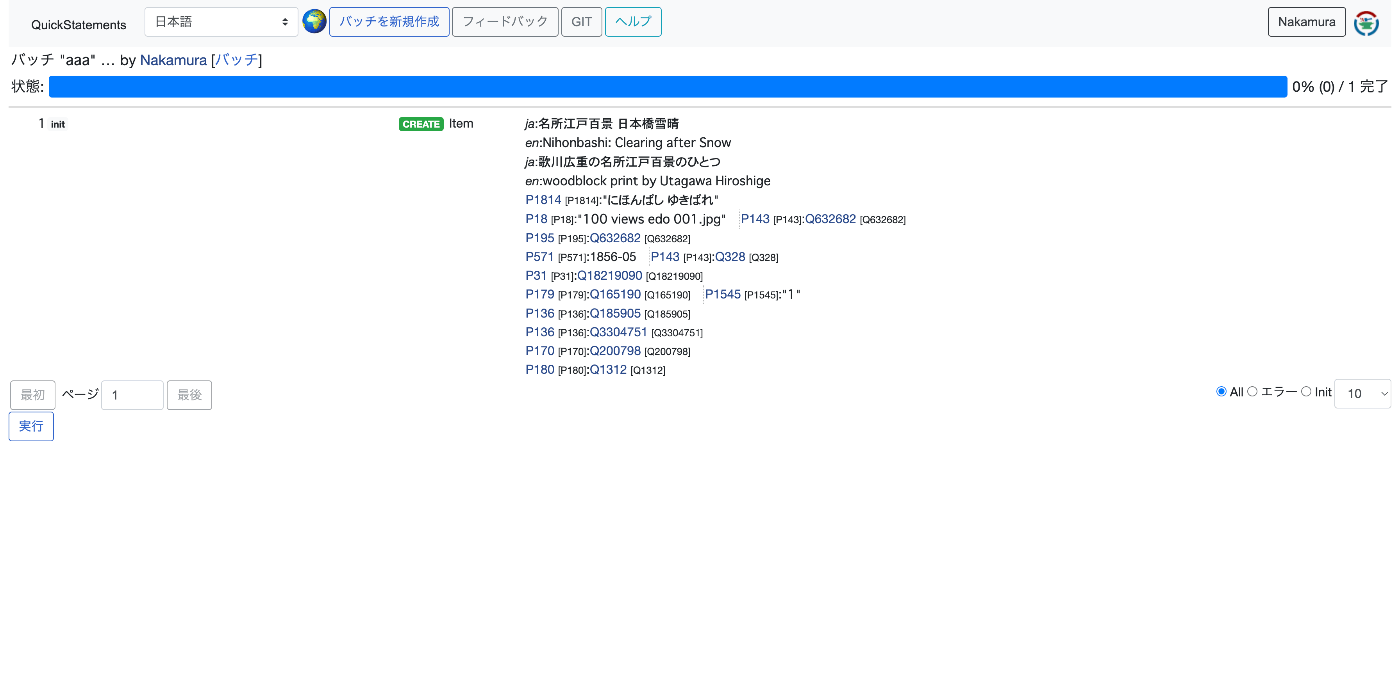
Overview I tried QuickStatements on wikibase.cloud, so here are my notes. I referred to the following article. https://qiita.com/higa4/items/10affb47215def42d8e0 Adding Data Following the article above, I imported a CSV file. However, the following error occurred. The cause was that the required properties were not registered on the independently set up wikibase instance. Property [[Property:P1814|P1814]] not found It turned out that properties (especially those with the same IDs as wikidata) need to be registered in advance using WikibaseSync or similar tools. ...

Drupal: Example of Bulk Registration and Updates Using Feeds

Drupal: Example of Bulk Registration and Updates Using Feeds

Overview In the following article, I investigated search methods for nested fields using Strapi. This time, as a preparation for doing the same thing in Drupal, this is a note on how to perform bulk registration and updates of content. To set up a structure similar to the above article, we will work with two content types: Book and Author. Creating Content Types Create the Book and Author content types. ...

How to Register, Update, and Delete researchmap Achievements Using CSV Files

How to Register, Update, and Delete researchmap Achievements Using CSV Files

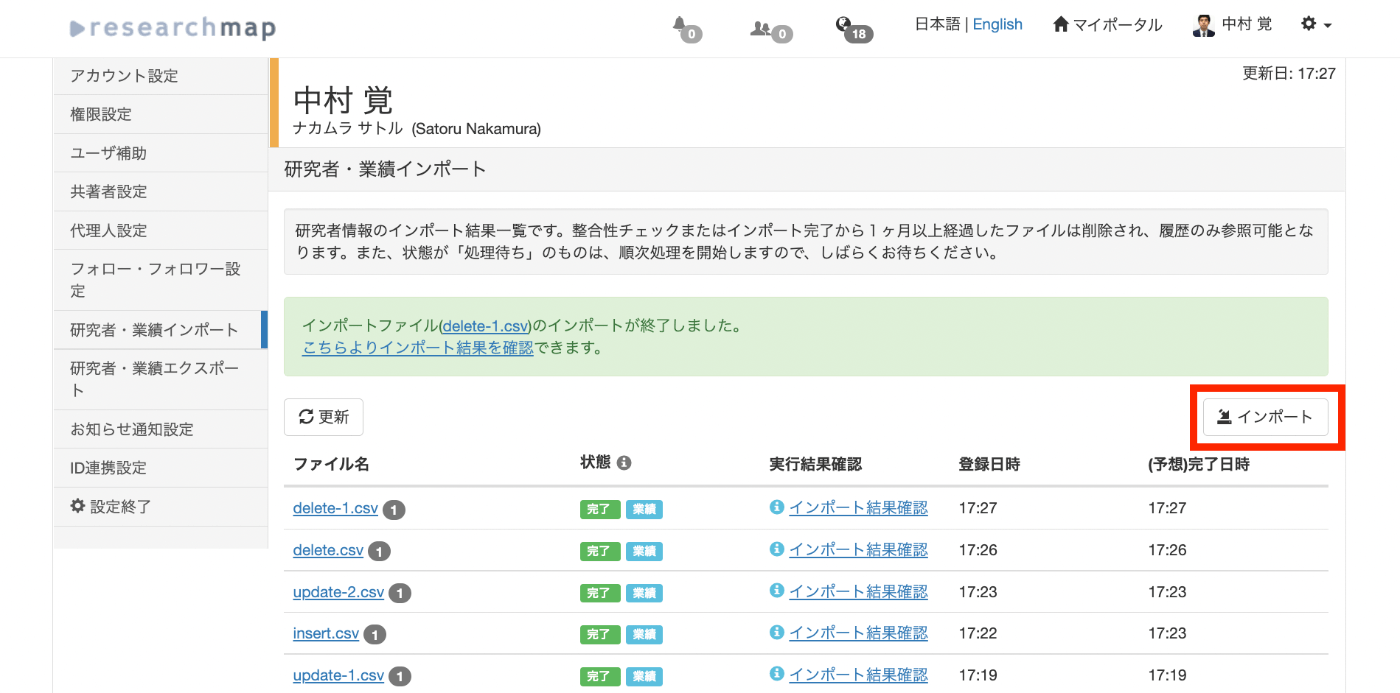
Overview I performed new registration, updating, and deletion of achievements on researchmap using CSV files. This article shares the method and the data used. Sample data used this time https://github.com/ldasjp8/researchmap New Registration First, click the “Import” button. When the import dialog appears, select the CSV file for new registration and press the “Consistency Check” button. An example CSV file for registration is stored below. This is an example of new registration to “published_papers.” ...