Home Articles Books Search About
日本語
Japanese Translation Example of the Archivematica AIP README File

Japanese Translation Example of the Archivematica AIP README File

The AIP created by Archivematica includes a README.html file. I translated this file using DeepL (with some manual corrections). There may be many errors, but I hope you find it helpful. Archivematica AIP Structure This Readme file describes the basic structure of the Archival Information Package (AIP) generated by Archivematica. Acronyms AIP = Archival Information Package METS = Metadata Encoding and Transmission Standard OAIS = Open Archival Information System PDI = Preservation Description Information ...

Trying the Archivematica API (Archivematica API - Transfer)

Trying the Archivematica API (Archivematica API - Transfer)

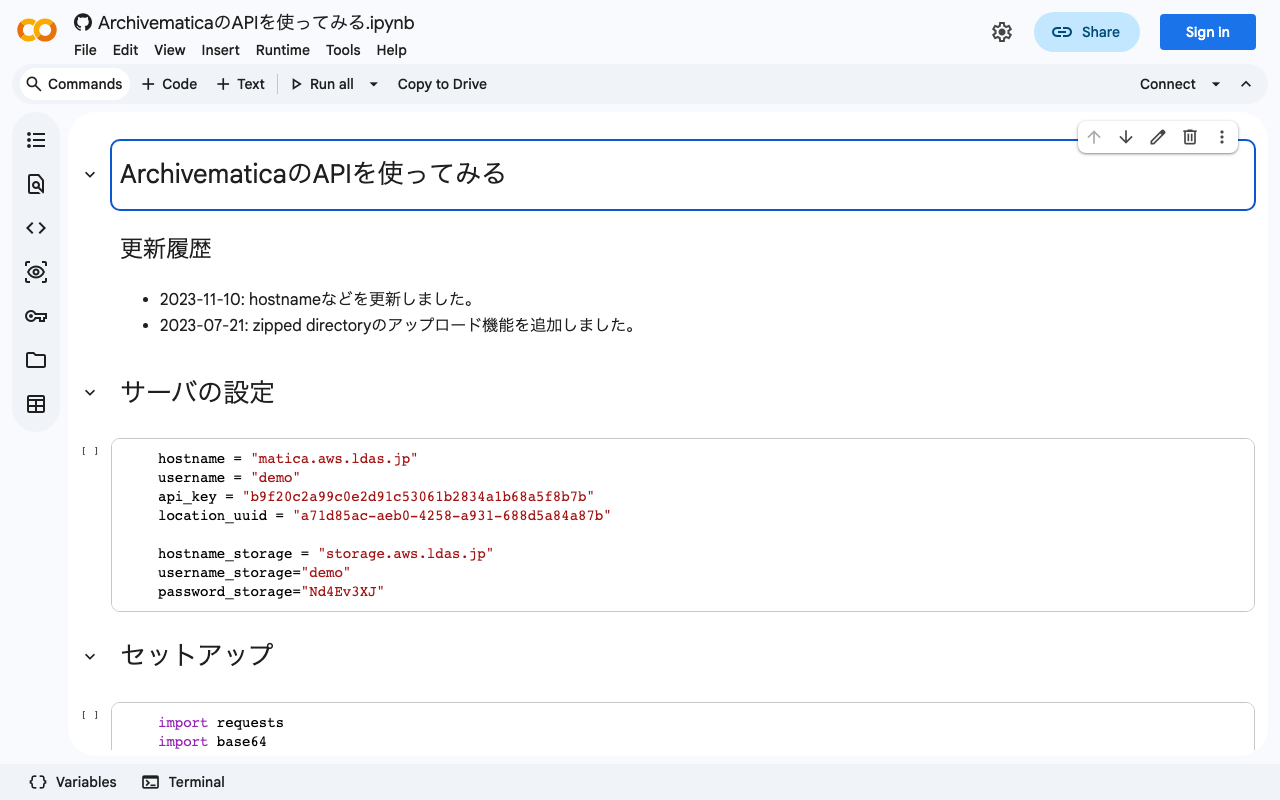
Overview This is the Archivematica API section of “Trying the Archivematica API.” (There is also a separate “Storage Service API” section.) https://www.archivematica.org/en/docs/archivematica-1.13/dev-manual/api/api-reference-archivematica/#api-reference-archivematica This time, I will try the following “Transfer” API. https://www.archivematica.org/en/docs/archivematica-1.13/dev-manual/api/api-reference-archivematica/#transfer Usage You can try it with the following notebook. https://colab.research.google.com/github/nakamura196/ndl_ocr/blob/main/ArchivematicaのAPIを使ってみる.ipynb The following configuration was required. The location UUID was confirmed from the storage service. ## Server settings endpoint = "http://<domain>:81/api" username = "<username>" api_key = "<API key>" location_uuid = "<location UUID>" ## Transfer settings name = "mc_api_transfer" type = "standard" accession = "2023-1234" paths = ["files/movie_test"] row_ids = [""] ## Encode to base64 import base64 paths_encoded = [] for path in paths: path_encoded = base64.b64encode(f"{location_uuid}:{path}".encode()).decode() paths_encoded.append(path_encoded) ## POST import requests data = { "name": name, "type": type, "accession": accession, "paths[]": paths_encoded, "row_ids[]": row_ids } headers = {'Authorization': f'ApiKey {username}:{api_key}'} response = requests.post(f'{endpoint}/transfer/start_transfer/', headers=headers, data=data) Summary This time I only tried Start Transfer, but APIs are provided for various operations, enabling a wide range of system integrations. ...

Trying the Archivematica API (Storage Service API)

Trying the Archivematica API (Storage Service API)

Overview The Archivematica Storage Service API is documented on the following page. I tried using some of these APIs, and this is a memo of my experience. https://www.archivematica.org/en/docs/archivematica-1.13/dev-manual/api/api-reference-storage-service/ If basic authentication is required, please use the following credentials: Username: demo Password: Nd4Ev3XJ PACKAGE A package is a bundle of one or more files transferred from an external service; for example, a package may be an AIP, a backlogged transfer, or a DIP. Each package is stored in a location. ...

Setting Up Archivematica on Amazon EC2

Setting Up Archivematica on Amazon EC2

Overview Archivematica is open-source software for long-term preservation of digital data. https://www.archivematica.org/en/ I had the opportunity to set up Archivematica on Amazon EC2, so this is a memo. Installation The installation instructions are described on the following page. https://www.archivematica.org/en/docs/archivematica-1.13/admin-manual/installation-setup/installation/installation/ There are several options, but this time I tried “CentOS 7 64-bit, Installing Archivematica on CentOS/Red Hat.” https://www.archivematica.org/en/docs/archivematica-1.13/admin-manual/installation-setup/installation/install-centos/#install-pkg-centos EC2 Instance Since CentOS 7 was specified, I selected the following Amazon Machine Image (AMI). ...