Home Articles Books Search About
日本語
Handling App Store Rejection and Resubmission Entirely via API

Handling App Store Rejection and Resubmission Entirely via API

After getting rejected in App Store review, I completed the entire fix-and-resubmit workflow using the App Store Connect API. No browser interaction was needed. Rejection Details The initial submission of JPS Explorer (a Japan Search cultural resource exploration app) was rejected for two issues: The Tip Jar screen displayed an error because the In-App Purchase products had not been registered in App Store Connect. The camera search “Capture” button caused a crash because NSCameraUsageDescription was missing from the iOS Info.plist. Fixes Camera Crash Added camera and photo library usage descriptions to Info.plist: ...

Observed Timing: Apple Sales Reports API Data Availability and YouTube API Quota Reset

When automating daily data collection with external APIs, knowing when data becomes available or when quotas reset helps with scheduling. This post documents the observed timings for two APIs: Apple App Store Connect Sales Reports and YouTube Data API v3. Apple App Store Connect Sales Reports API What the official documentation says According to Apple’s official documentation, daily sales reports are available “by 8:00 AM Pacific Time” the following day. ...

How Japan Search's Image Similarity Search API Works

How Japan Search's Image Similarity Search API Works

Japan Search (https://jpsearch.go.jp) provides an “Image AI Search” feature that supports both text-based motif search and image upload similarity search. The official API guide documents text search (text2image parameter) and searching by existing item ID (image parameter), but says nothing about searching by uploading an image file. Inspecting the Web UI’s network traffic revealed that image upload search is implemented through a 3-step API flow. The 3-step API flow Step 1: Extract a feature vector from the image Endpoint: POST https://jpsearch.go.jp/dl/api/imagefeatures/ ...

How to Submit an iOS App Update for Review Using the App Store Connect API

How to Submit an iOS App Update for Review Using the App Store Connect API

TL;DR I submitted an iOS app update for review—build → upload → build association → whatsNew → review submission—entirely from the command line using the App Store Connect REST API. Unlike the initial release, metadata and screenshots carry over from the previous version, so the required operations are minimal. Prerequisite: This guide assumes you’ve already completed the setup from Complete Guide to Submitting an iOS App for Review Using Only the App Store Connect API (API key, JWT generation, helper functions). ...

Complete Guide to Adding a Tip Jar (In-App Purchase) to Your iOS App with App Store Connect API

Complete Guide to Adding a Tip Jar (In-App Purchase) to Your iOS App with App Store Connect API

TL;DR I added a Tip Jar feature to my iOS app. The app side was implemented with SwiftUI + StoreKit 2, and the App Store Connect REST API was used to complete product registration, localization, pricing, review screenshots, territory availability, and TestFlight distribution entirely from the command line. This article documents the full procedure in a reproducible manner. Prerequisites: This is a follow-up to Complete Guide to Submitting an iOS App for Review Using Only the App Store Connect API. It assumes you have already set up API key retrieval and JWT generation. ...

Migrating to DTS (Distributed Text Services) 1.0 ― Updating a TEI/XML Text API

Introduction In February 2026, the v1.0 of the Distributed Text Services (DTS) specification was officially released — a standard API for accessing text collections. This article documents the changes required to migrate the Kouigenji Monogatari Text Database DTS API from 1-alpha to 1.0. https://github.com/distributed-text-services/specifications/releases/tag/v1.0 What is DTS? DTS defines a standard API for accessing text collections such as TEI/XML. It consists of four endpoints: Endpoint Purpose Entry Point Returns URLs for each API endpoint Collection Inter-text navigation (listing collections and resources) Navigation Intra-text navigation (exploring citation structures) Document Retrieving text content (full or partial TEI/XML) Target Project A TypeScript/Express.js implementation of DTS for the Kouigenji Monogatari Text Database. ...

Submitting an iOS App for Review Using Only the App Store Connect API

Submitting an iOS App for Review Using Only the App Store Connect API

TL;DR Using the App Store Connect REST API, I completed nearly all the tasks required for iOS app review submission—metadata, screenshots, age ratings, build association, encryption compliance, pricing, and URL configuration—from the command line. This article documents the procedure in a reproducible way. Note: As of March 2026, “App Privacy” (data usage declarations) cannot be configured via API and must be set through the App Store Connect web interface. Prerequisites Enrolled in the Apple Developer Program API key issued in App Store Connect Bundle ID registered A build archived and uploaded via Xcode (can be uploaded with xcodebuild -exportArchive) Python 3 + PyJWT + cryptography installed pip install PyJWT cryptography 1. Preparing the API Key 1.1 Issuing an API Key Go to App Store Connect → Users and Access → Integrations → App Store Connect API and generate a new key. ...

How to Bulk Unpublish Hatena Blog Articles (AtomPub API)

How to Bulk Unpublish Hatena Blog Articles (AtomPub API)

When you want to bulk unpublish old articles after migrating your Hatena Blog articles to another site. Important Note: You Cannot Revert to Draft With the Hatena Blog AtomPub API, you cannot revert published articles back to draft. Sending <app:draft>yes</app:draft> via a PUT request results in a 400 Cannot Change into Draft error. Therefore, there are two approaches: Method 1: Replace the Article Body with “This Article Has Moved” You can rewrite the article’s <content> using the AtomPub API’s PUT method. ...

Exporting Web Annotations via the Hypothes.is API and Converting to TEI/XML

Exporting Web Annotations via the Hypothes.is API and Converting to TEI/XML

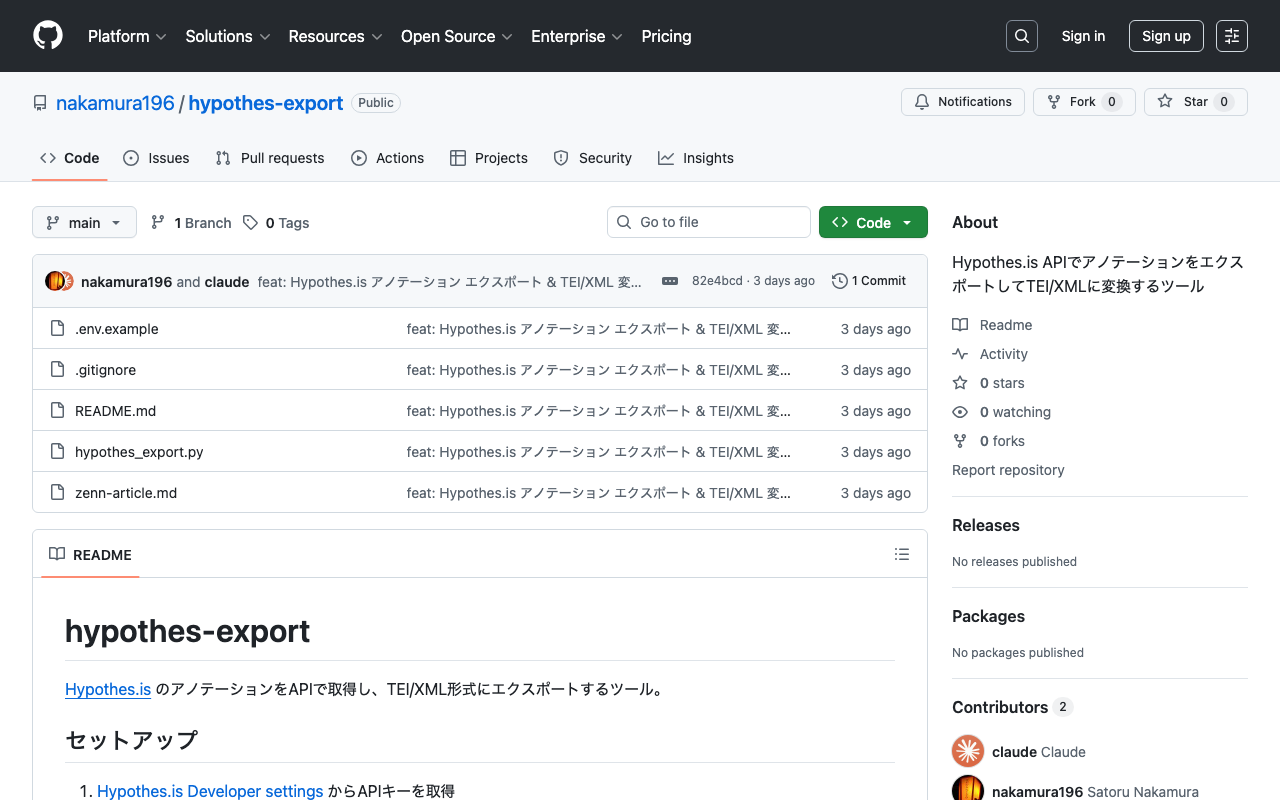
Introduction Hypothes.is is an open-source annotation tool that allows you to add highlights and comments on web pages. It can be easily used through browser extensions or JavaScript embedding, but there are cases where you may want to back up accumulated annotations or utilize them in other formats such as TEI/XML. This article introduces how to export annotations using the Hypothes.is API and convert them to TEI/XML. Obtaining an API Key Log in to Hypothes.is Go to Developer settings Generate an API key with “Generate your API token” Save the obtained key in a .env file. ...

Operating GakuNin RDM API with Node.js — From Project Creation to GitHub + Vercel Auto-Deploy

Operating GakuNin RDM API with Node.js — From Project Creation to GitHub + Vercel Auto-Deploy

Overview GakuNin RDM is a research data management platform provided by the National Institute of Informatics (NII). It is built on the Open Science Framework (OSF) and allows automating project operations through its API. This article introduces how to perform the following operations using the GakuNin RDM API from Node.js. Creating and configuring projects Creating and updating wikis Adding members GitHub integration + automatic deployment with Vercel Prerequisites Obtaining a Personal Access Token Log in to GakuNin RDM Navigate to Settings > Personal Access Tokens Create a new token (scopes: osf.full_read, osf.full_write) Project Initialization mkdir rdm && cd rdm npm init -y npm install dotenv Save the token in a .env file. ...

GakuNin RDM Search API (`/api/v1/search/`) Investigation Memo

GakuNin RDM Search API (`/api/v1/search/`) Investigation Memo

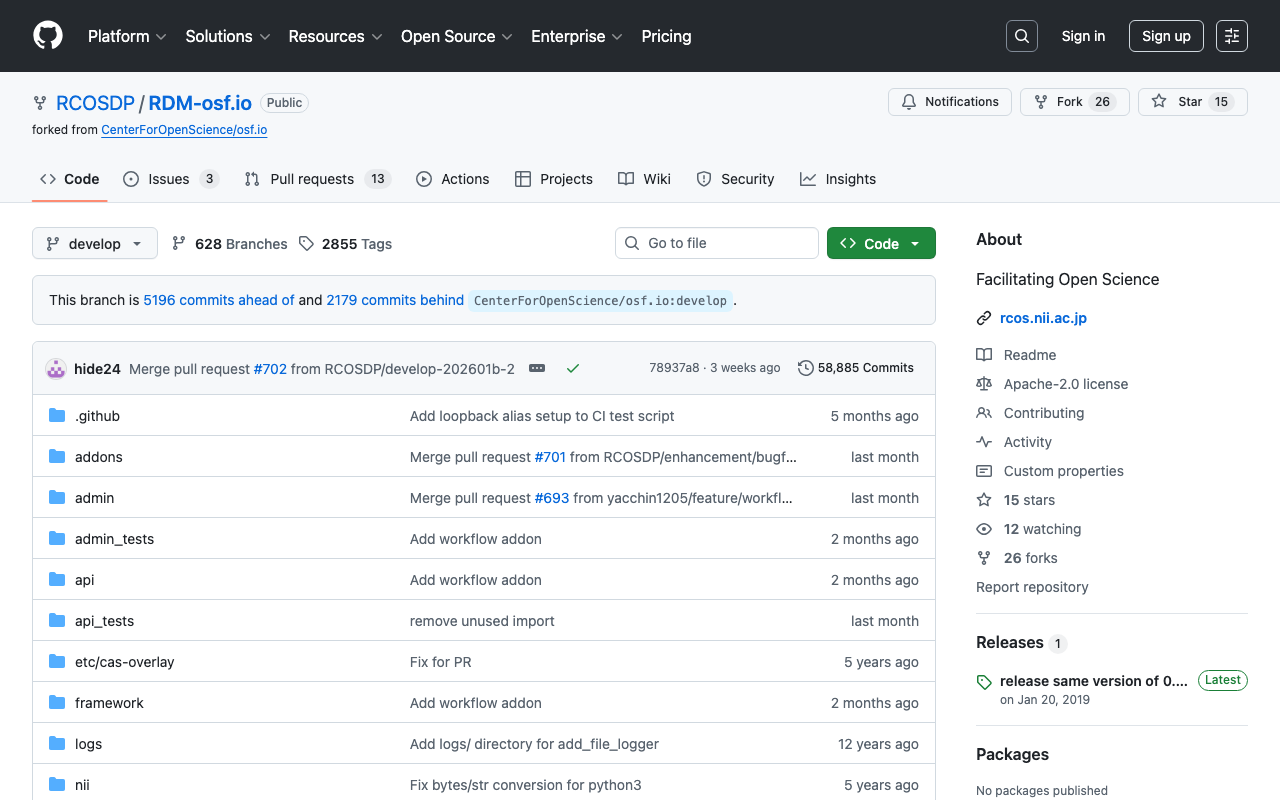
Investigation date: 2026-02-24 Target: GakuNin RDM (GRDM) Search API Source code: RCOSDP/RDM-osf.io (website/search/ directory) Developer guide: RCOSDP/RDM-developer-guide Note: Official documentation for the Search API could not be found. This article is an investigation record based on both the actual API behavior and the source code. Overview GakuNin RDM is a fork of OSF (Open Science Framework), and its source code is available on GitHub (RCOSDP/RDM-osf.io). The search functionality implementation is in the website/search/ directory and consists mainly of the following files. ...

Starting Alfresco with Docker and Experiencing the Records Management Lifecycle via REST API

Starting Alfresco with Docker and Experiencing the Records Management Lifecycle via REST API

Overview In this article, we will start the latest version (25.3.0) of Alfresco Governance Services Community Edition (hereinafter AGS) with Docker and experience the entire records management lifecycle using the REST API. Specifically, we assume the following business scenario. Scenario: Contract Management The business department creates and registers a contract The records manager declares it as a record and classifies it in the file plan A retention schedule is configured After the contract ends, a cutoff (active to inactive) is executed After the retention period (3 years) has elapsed, disposal is performed If litigation arises, a hold (freeze) is placed to stop disposal The following builds on the previous article and introduces setup procedures and API usage for the latest version. ...

How to Use the KAKEN OpenSearch API

How to Use the KAKEN OpenSearch API

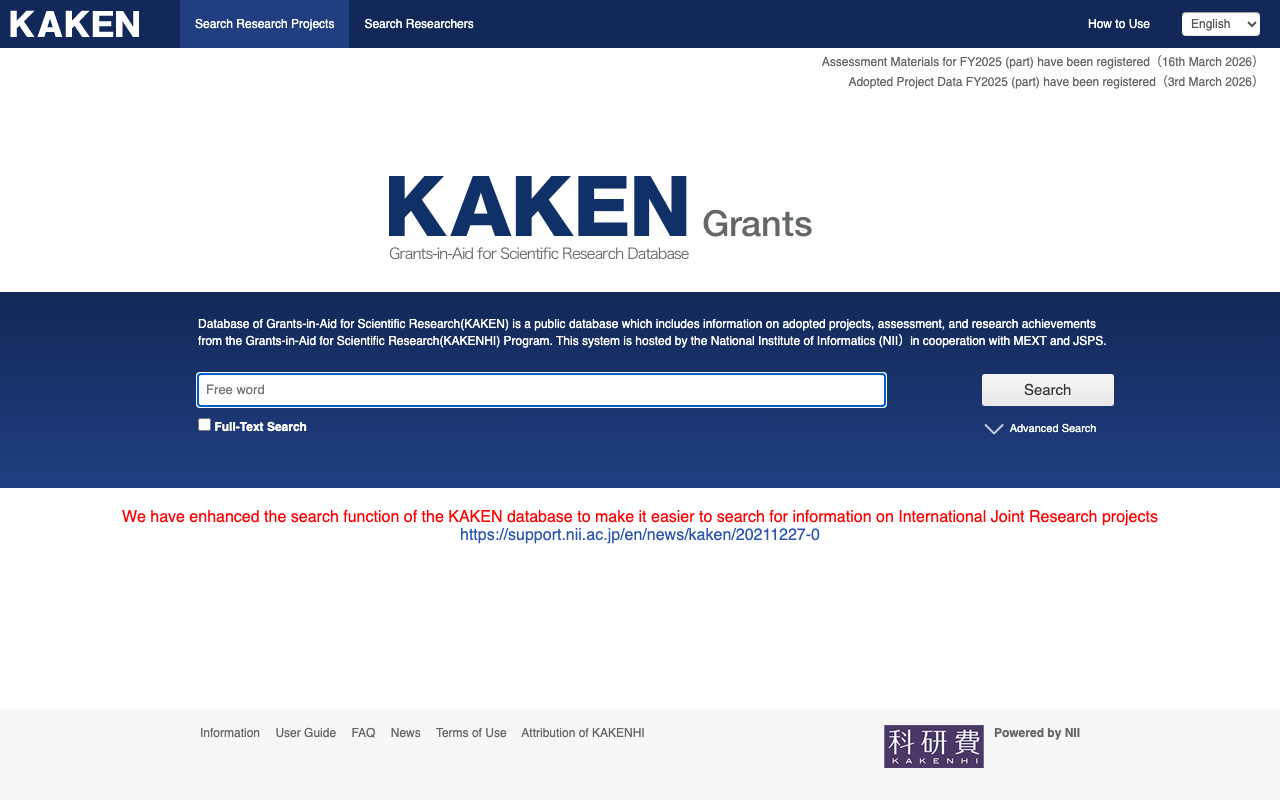
This article explains how to programmatically retrieve information from the KAKEN (Grants-in-Aid for Scientific Research) database. 1. Introduction KAKEN is a database for Grants-in-Aid for Scientific Research provided by the National Institute of Informatics (NII). By using the OpenSearch API, you can programmatically retrieve information about research projects. 2. Preparation: Obtaining an Application ID To use the KAKEN API, you need to obtain an Application ID from CiNii. Access the CiNii API Registration page Fill in the required information and submit your registration request After approval, you will receive an Application ID (appid) by email Note: It may take some time from registration to approval. ...

Building an API Server for Searching the Koui Genji Monogatari Text DB

Building an API Server for Searching the Koui Genji Monogatari Text DB

Overview I built an API server for searching the Koui Genji Monogatari (Collated Tale of Genji) Text DB, so here are my notes. https://genji-api.aws.ldas.jp/ Background The following page publishes the text data of “Koui Genji Monogatari” in a TEI/XML-compliant format. https://kouigenjimonogatari.github.io/ This text data is registered in Elasticsearch to create an API that enables searching by text segments. Usage The usage documentation page using OpenAPI and Swagger is accessible at the following URL: ...

Applying Filters to created and changed Fields in Drupal's JSON:API

Applying Filters to created and changed Fields in Drupal's JSON:API

Overview This is a memo on how to apply filters to created and changed fields in Drupal’s JSON:API. Background The following was used as a reference. https://www.drupal.org/docs/core-modules-and-themes/core-modules/jsonapi-module/filtering For example, when trying to filter only items updated on or after June 2, the following query did not work correctly. ?filter[a-label][condition][path]=changed&filter[a-label][condition][operator]=%3E%3D&filter[a-label][condition][value]=2025-06-02 Correct Method The following article was helpful. https://www.reddit.com/r/drupal/comments/1bdvu61/json_api_drupal_filter_on_date/ Note that timestamp fields (like created or changed) currently must use a timestamp for filtering: ...

Developing a DTS (Distributed Text Services) Viewer

Developing a DTS (Distributed Text Services) Viewer

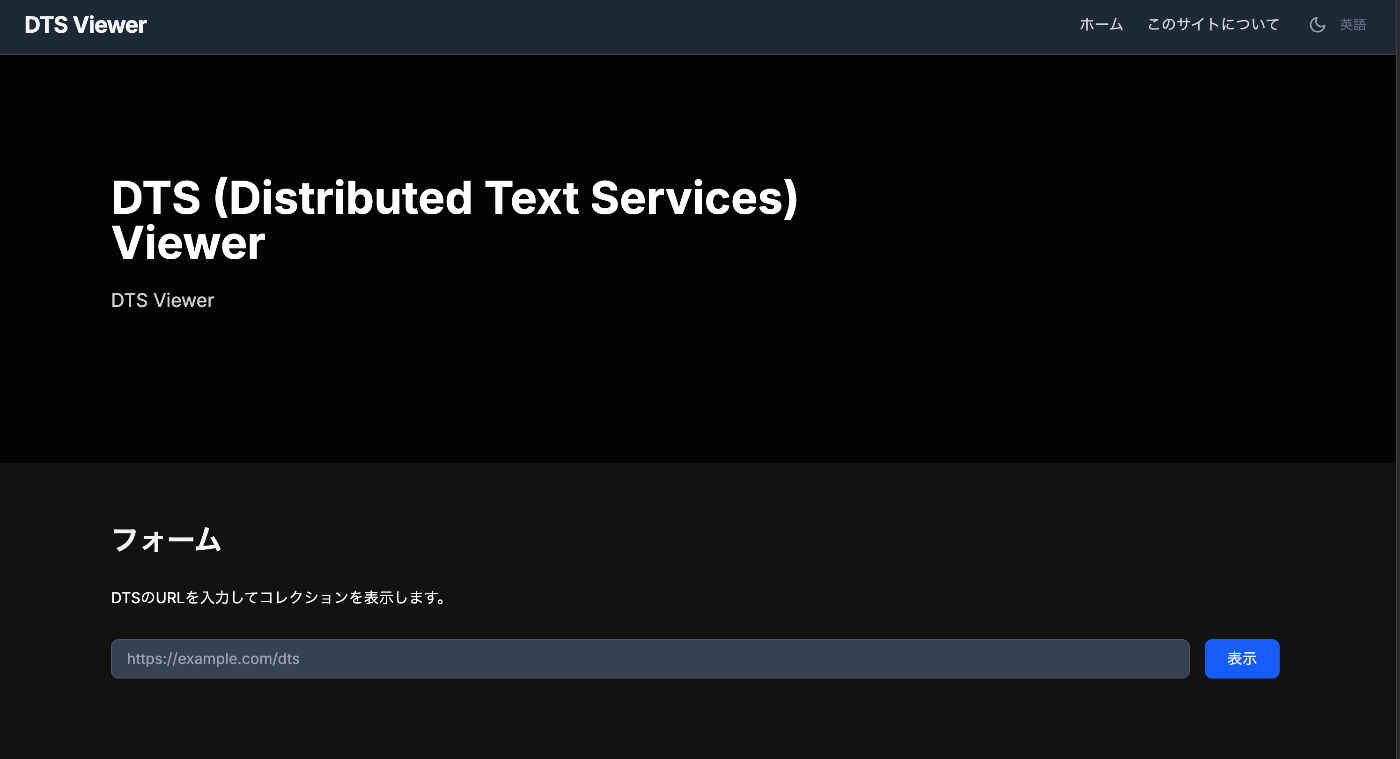
Overview I developed a viewer for DTS (Distributed Text Services), so this is a memo of the process. You can try it at the following URL. https://dts-viewer.vercel.app/ja/ Background The official page for DTS (Distributed Text Services) is below. https://distributed-text-services.github.io/specifications/ I also covered this in the following article. This time, I developed a viewer that partially conforms to this DTS specification. Usage The following is the top page. Enter the DTS URL in the form. Examples are provided at the bottom of the page. Technically, it uses the Entry point. ...

Searching Files in Linked Storage Using the GakuNin RDM API

Searching Files in Linked Storage Using the GakuNin RDM API

Overview In the following article, I introduced building applications using the GakuNin RDM API. In this article, I introduce how to search files in linked storage using the GakuNin RDM API. Implementation Example I implemented the search API as follows. Since directly accessing https://rdm.nii.ac.jp/api/v1/search/file/ from the client caused CORS errors, I implemented it as a Next.js API Route. import { NextResponse } from "next/server"; import { authOptions } from "@/app/api/auth/[...nextauth]/authOptions"; import { getServerSession } from "next-auth"; export async function GET(req: Request) { const session = await getServerSession(authOptions); // Get query parameters from URL const url = new URL(req.url); const query = url.searchParams.get("filter[fulltext]") || ""; const offset = parseInt(url.searchParams.get("page[offset]") || "0", 10); const size = parseInt(url.searchParams.get("page[limit]") || "20", 10); const accessToken = session?.accessToken; const apiUrl = "https://rdm.nii.ac.jp/api/v1/search/file/"; const params = { api_version: { vendor: "grdm", version: 2 }, sort: "created_desc", highlight: "title:30,name:30,user:30,text:124,comments.*:124", elasticsearch_dsl: { query: { filtered: { query: { query_string: { default_field: "_all", fields: [ "_all", "title^4", "description^1.2", "job^1", "school^1", "all_jobs^0.125", "all_schools^0.125", ], query, analyze_wildcard: true, lenient: true, }, }, }, }, from: offset, size, }, }; const res = await fetch(apiUrl, { method: "POST", headers: { "Content-Type": "application/json", Authorization: `Bearer ${accessToken}`, }, body: JSON.stringify(params), }); const data = await res.json(); return NextResponse.json(data); } Usage Example You can try it at the following URL. (Login to GakuNin RDM is required.) ...

Using Filters with the GakuNin RDM (OSF) API

Using Filters with the GakuNin RDM (OSF) API

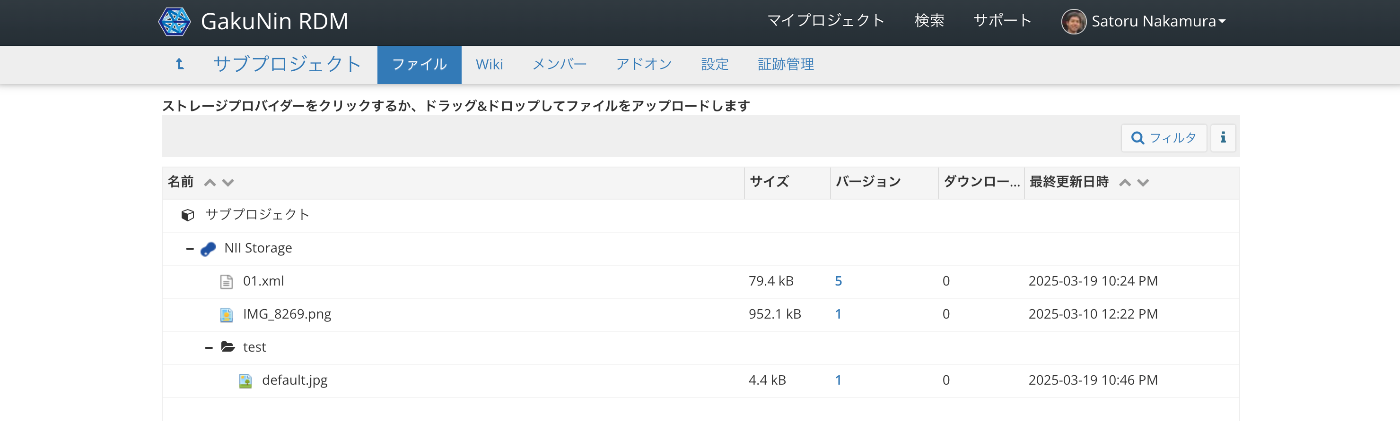
Overview This is a memo on how to use filters with the GakuNin RDM (OSF) API. Target Data We target “NII Storage” with the following file structure. Via the API, we target data accessible at URLs like the following. https://api.rdm.nii.ac.jp/v2/nodes/wzv9g/files/osfstorage/ An example of the JSON data is shown below. { "data": [ { "id": "67ce5b0b2fe4740010f753c0", "type": "files", "attributes": { "guid": "ungd3", "checkout": null, "name": "IMG_8269.png", "kind": "file", "path": "/67ce5b0b2fe4740010f753c0", "size": 952107, "provider": "osfstorage", "materialized_path": "/IMG_8269.png", "last_touched": null, "date_modified": "2025-03-10T03:22:51.750550Z", "date_created": "2025-03-10T03:22:51.750550Z", "extra": { "hashes": { "md5": "e57192b30103a7e995597ceaea39cbbf", "sha256": "5e282187067a53aaab0f1f00daaefb9519d60b064831403e671662cfbcf6f41f" }, "downloads": 0 }, "tags": [], "current_user_can_comment": true, "current_version": 1 }, "relationships": { "parent_folder": { "links": { "related": { "href": "https://api.rdm.nii.ac.jp/v2/files/674034a483bdc200108b8a95/?format=json", "meta": {} } }, "data": { "id": "674034a483bdc200108b8a95", "type": "files" } }, "versions": { "links": { "related": { "href": "https://api.rdm.nii.ac.jp/v2/files/67ce5b0b2fe4740010f753c0/versions/?format=json", "meta": {} } } }, "comments": { "links": { "related": { "href": "https://api.rdm.nii.ac.jp/v2/nodes/wzv9g/comments/?format=json&filter%5Btarget%5D=ungd3", "meta": {} } } }, "metadata_records": { "links": { "related": { "href": "https://api.rdm.nii.ac.jp/v2/files/67ce5b0b2fe4740010f753c0/metadata_records/?format=json", "meta": {} } } }, "node": { "links": { "related": { "href": "https://api.rdm.nii.ac.jp/v2/nodes/wzv9g/?format=json", "meta": {} } }, "data": { "id": "wzv9g", "type": "nodes" } }, "target": { "links": { "related": { "href": "https://api.rdm.nii.ac.jp/v2/nodes/wzv9g/", "meta": { "type": "node" } } }, "data": { "type": "node", "id": "wzv9g" } } }, "links": { "info": "https://api.rdm.nii.ac.jp/v2/files/67ce5b0b2fe4740010f753c0/", "move": "https://files.rdm.nii.ac.jp/v1/resources/wzv9g/providers/osfstorage/67ce5b0b2fe4740010f753c0", "upload": "https://files.rdm.nii.ac.jp/v1/resources/wzv9g/providers/osfstorage/67ce5b0b2fe4740010f753c0", "delete": "https://files.rdm.nii.ac.jp/v1/resources/wzv9g/providers/osfstorage/67ce5b0b2fe4740010f753c0", "download": "https://rdm.nii.ac.jp/download/ungd3/", "render": "https://mfr.rdm.nii.ac.jp/render?url=https://rdm.nii.ac.jp/download/ungd3/?direct%26mode=render", "html": "https://rdm.nii.ac.jp/wzv9g/files/osfstorage/67ce5b0b2fe4740010f753c0", "self": "https://api.rdm.nii.ac.jp/v2/files/67ce5b0b2fe4740010f753c0/" } }, { "id": "67da847416000900109e0454", "type": "files", "attributes": { "guid": "b45mp", "checkout": null, "name": "01.xml", "kind": "file", "path": "/67da847416000900109e0454", "size": 79397, "provider": "osfstorage", "materialized_path": "/01.xml", "last_touched": null, "date_modified": "2025-03-19T13:24:27.868078Z", "date_created": "2025-03-19T08:46:44.636107Z", "extra": { "hashes": { "md5": "a3824b2f49471842d1046a2abe623284", "sha256": "83d18a6e52a52597ebac6fa1eb8a137ed6e1e64b9c0e2c1a0b49cf746a777d0a" }, "downloads": 0 }, "tags": [], "current_user_can_comment": true, "current_version": 5 }, "relationships": { "parent_folder": { "links": { "related": { "href": "https://api.rdm.nii.ac.jp/v2/files/674034a483bdc200108b8a95/?format=json", "meta": {} } }, "data": { "id": "674034a483bdc200108b8a95", "type": "files" } }, "versions": { "links": { "related": { "href": "https://api.rdm.nii.ac.jp/v2/files/67da847416000900109e0454/versions/?format=json", "meta": {} } } }, "comments": { "links": { "related": { "href": "https://api.rdm.nii.ac.jp/v2/nodes/wzv9g/comments/?format=json&filter%5Btarget%5D=b45mp", "meta": {} } } }, "metadata_records": { "links": { "related": { "href": "https://api.rdm.nii.ac.jp/v2/files/67da847416000900109e0454/metadata_records/?format=json", "meta": {} } } }, "node": { "links": { "related": { "href": "https://api.rdm.nii.ac.jp/v2/nodes/wzv9g/?format=json", "meta": {} } }, "data": { "id": "wzv9g", "type": "nodes" } }, "target": { "links": { "related": { "href": "https://api.rdm.nii.ac.jp/v2/nodes/wzv9g/", "meta": { "type": "node" } } }, "data": { "type": "node", "id": "wzv9g" } } }, "links": { "info": "https://api.rdm.nii.ac.jp/v2/files/67da847416000900109e0454/", "move": "https://files.rdm.nii.ac.jp/v1/resources/wzv9g/providers/osfstorage/67da847416000900109e0454", "upload": "https://files.rdm.nii.ac.jp/v1/resources/wzv9g/providers/osfstorage/67da847416000900109e0454", "delete": "https://files.rdm.nii.ac.jp/v1/resources/wzv9g/providers/osfstorage/67da847416000900109e0454", "download": "https://rdm.nii.ac.jp/download/b45mp/", "render": "https://mfr.rdm.nii.ac.jp/render?url=https://rdm.nii.ac.jp/download/b45mp/?direct%26mode=render", "html": "https://rdm.nii.ac.jp/wzv9g/files/osfstorage/67da847416000900109e0454", "self": "https://api.rdm.nii.ac.jp/v2/files/67da847416000900109e0454/" } }, { "id": "67daca9916000900109e1d98", "type": "files", "attributes": { "guid": null, "checkout": null, "name": "test", "kind": "folder", "path": "/67daca9916000900109e1d98/", "size": null, "provider": "osfstorage", "materialized_path": "/test/", "last_touched": null, "date_modified": null, "date_created": null, "extra": { "hashes": { "md5": null, "sha256": null } }, "tags": [], "current_user_can_comment": true, "current_version": 1 }, "relationships": { "parent_folder": { "links": { "related": { "href": "https://api.rdm.nii.ac.jp/v2/files/674034a483bdc200108b8a95/?format=json", "meta": {} } }, "data": { "id": "674034a483bdc200108b8a95", "type": "files" } }, "files": { "links": { "related": { "href": "https://api.rdm.nii.ac.jp/v2/nodes/wzv9g/files/osfstorage/67daca9916000900109e1d98/?format=json", "meta": {} } } }, "node": { "links": { "related": { "href": "https://api.rdm.nii.ac.jp/v2/nodes/wzv9g/?format=json", "meta": {} } }, "data": { "id": "wzv9g", "type": "nodes" } }, "target": { "links": { "related": { "href": "https://api.rdm.nii.ac.jp/v2/nodes/wzv9g/", "meta": { "type": "node" } } }, "data": { "type": "node", "id": "wzv9g" } } }, "links": { "info": "https://api.rdm.nii.ac.jp/v2/files/67daca9916000900109e1d98/", "move": "https://files.rdm.nii.ac.jp/v1/resources/wzv9g/providers/osfstorage/67daca9916000900109e1d98/", "upload": "https://files.rdm.nii.ac.jp/v1/resources/wzv9g/providers/osfstorage/67daca9916000900109e1d98/", "delete": "https://files.rdm.nii.ac.jp/v1/resources/wzv9g/providers/osfstorage/67daca9916000900109e1d98/", "new_folder": "https://files.rdm.nii.ac.jp/v1/resources/wzv9g/providers/osfstorage/67daca9916000900109e1d98/?kind=folder", "self": "https://api.rdm.nii.ac.jp/v2/files/67daca9916000900109e1d98/" } } ], "links": { "first": null, "last": null, "prev": null, "next": null, "meta": { "total": 3, "per_page": 10 } } } Search Examples Since it conforms to JSON:API, the filter parameter is used. ...

Registering Objects Using the AtoM (Access to Memory) API

Registering Objects Using the AtoM (Access to Memory) API

Overview This is a memo on how to register objects using the AtoM (Access to Memory) API. Enabling the API Access the following. /sfPluginAdminPlugin/plugins Enable arRestApiPlugin. Obtaining an API Key The following explains how to generate an API key. https://www.accesstomemory.org/en/docs/2.9/dev-manual/api/api-intro/#generating-an-api-key-for-a-user While it appears you can also connect to the API with a username and password, this time I issued a REST API Key. Endpoints AtoM provides multiple menus such as “Authority records” and “Functions,” but it appears that only the following are available via the API. ...

Uploading Files and More Using the GakuNin RDM API

Uploading Files and More Using the GakuNin RDM API

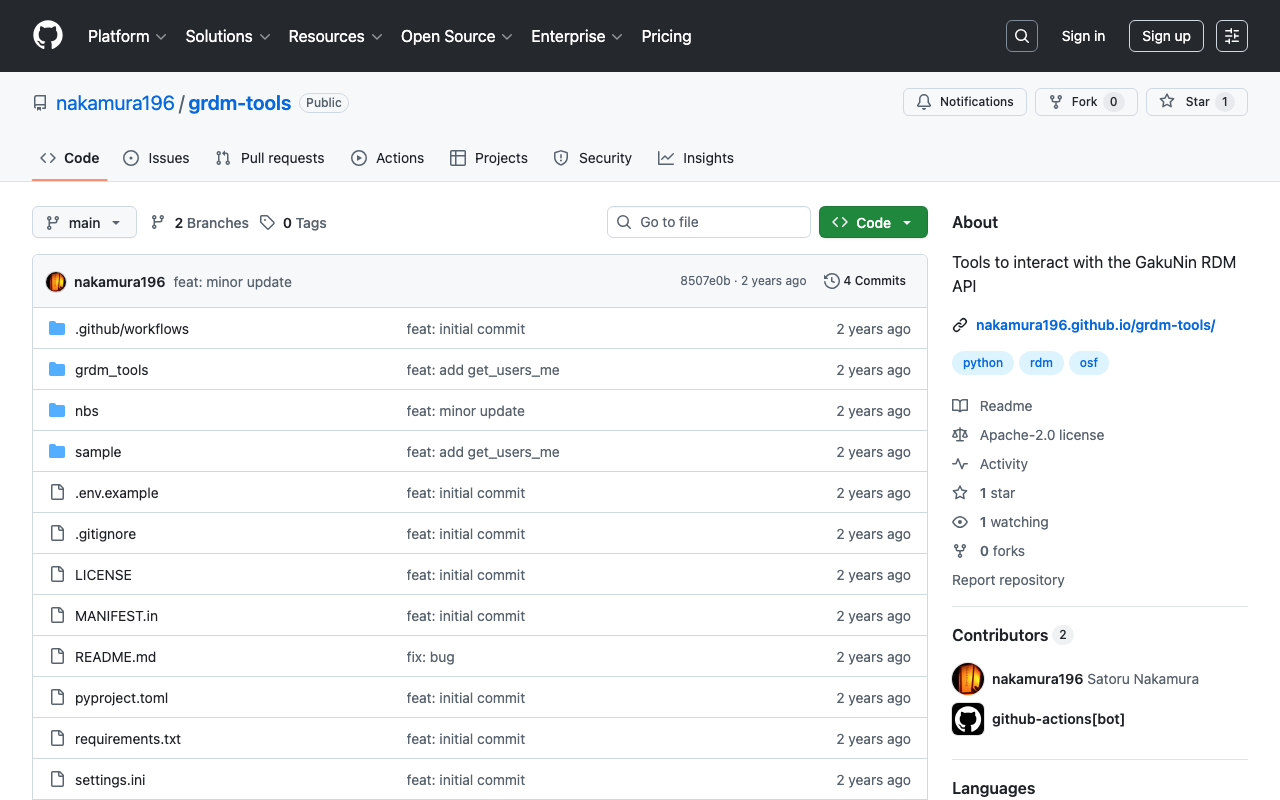
Background These are notes on how to upload files and perform other operations using the GakuNin RDM API. References The following article explains how to obtain a PAT (Personal Access Token). The following article introduces a method using OAuth (Open Authorization). If you are using it from a web application, this may be helpful. Method I created the following repository using nbdev. https://github.com/nakamura196/grdm-tools The documentation can be found here. ...