Home Articles Books Search About
RSS 日本語
Guide to the IIIF Mirador 2 Annotation Interface

Guide to the IIIF Mirador 2 Annotation Interface

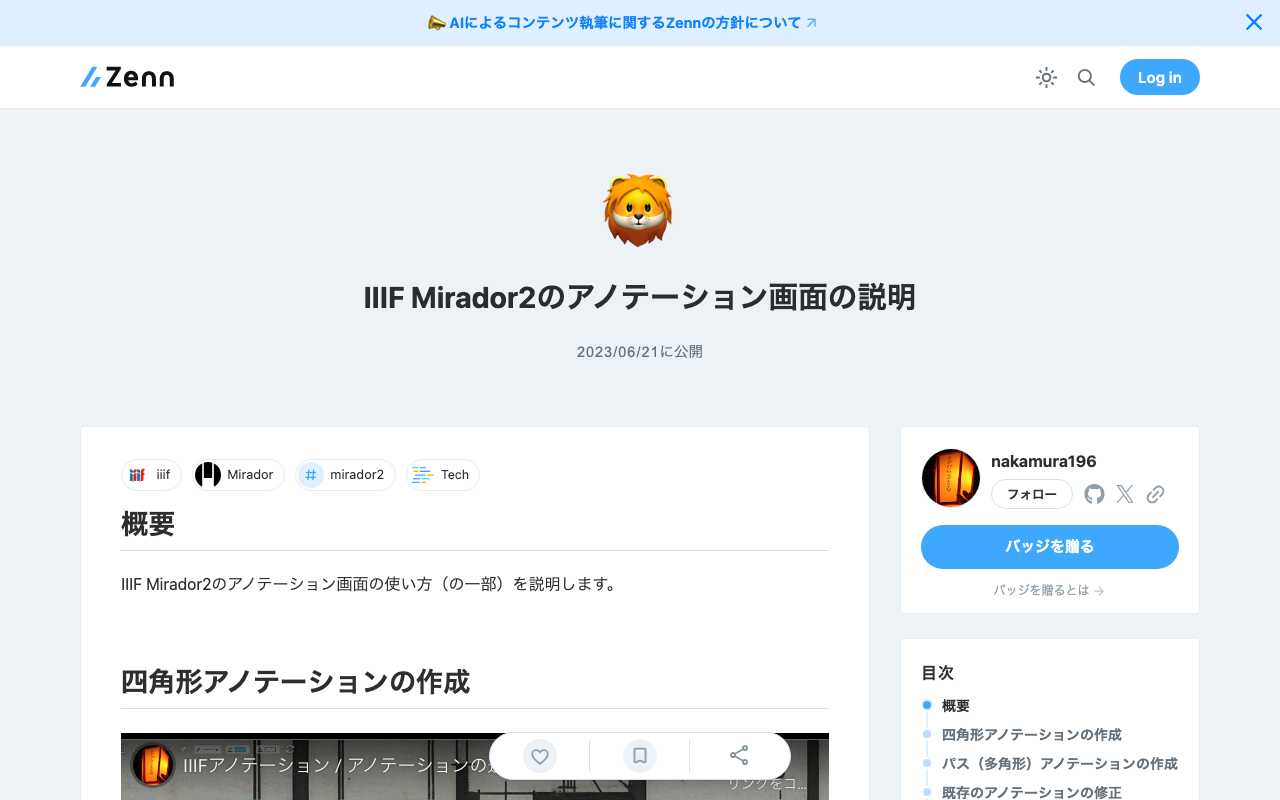
Overview This article explains (part of) how to use the annotation interface in IIIF Mirador 2. Creating Rectangle Annotations https://www.youtube.com/watch?v=jny09nLZvLU Creating Path (Polygon) Annotations To finish an annotation, double-click. https://www.youtube.com/watch?v=4cM-6-rXL9M Editing Existing Annotations https://www.youtube.com/watch?v=HlE36inbgq4 Deleting Existing Annotations https://www.youtube.com/watch?v=STk2vjLc_-k Summary I hope this is helpful when creating annotations using IIIF Mirador 2.

Trying Out bagit-python

Trying Out bagit-python

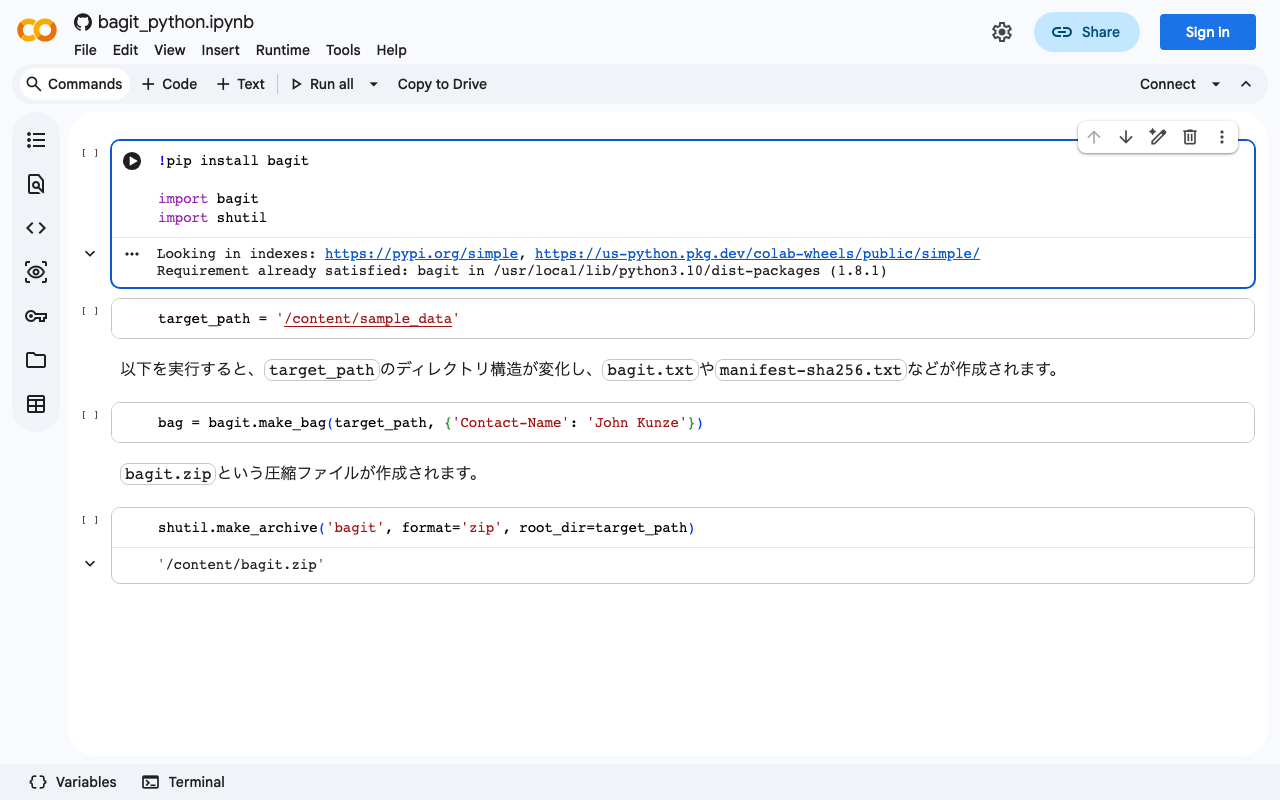
bagit is described as follows: bagit is a Python library and command line utility for working with BagIt style packages. I created a Google Colab notebook for trying out this library. https://colab.research.google.com/github/nakamura196/ndl_ocr/blob/main/bagit_python.ipynb I hope this serves as a useful reference for using bagit.

Getting the File Path of an Uploaded File Using Django's ModelForm

Getting the File Path of an Uploaded File Using Django's ModelForm

I had the opportunity to get the file path of an uploaded file using Django’s ModelForm, so I am making a note of it. Assume the following model. class Document(models.Model): file = models.FileField(upload_to='documents/') With the above, the path could be accessed using the following views. from django.shortcuts import render, redirect from .forms import DocumentForm def upload_file(request): if request.method == 'POST': form = DocumentForm(request.POST, request.FILES) if form.is_valid(): document = form.save() file_url = document.file.url # Correct field name used here full_path = document.file.path # Correct field name used here return redirect('some-view') else: form = DocumentForm() return render(request, 'upload.html', {'form': form}) This may be basic, but I hope you find it helpful. ...

Connecting Django with AWS OpenSearch

Connecting Django with AWS OpenSearch

Overview These are notes on how to connect Django with AWS OpenSearch. The following article was helpful. https://testdriven.io/blog/django-drf-elasticsearch/ However, since the above article targets Elasticsearch, changes corresponding to OpenSearch were needed. Changes Changes for OpenSearch were needed starting from the Elasticsearch Setup section of the article. https://testdriven.io/blog/django-drf-elasticsearch/#elasticsearch-setup Specifically, the following two libraries were required. (env)$ pip install opensearch-py (env)$ pip install django-opensearch-dsl After that, by replacing django_elasticsearch_dsl with django-opensearch-dsl and elasticsearch_dsl with opensearchpy, I was able to proceed as described in the article. ...

Bulk Registration with Django REST Framework

Bulk Registration with Django REST Framework

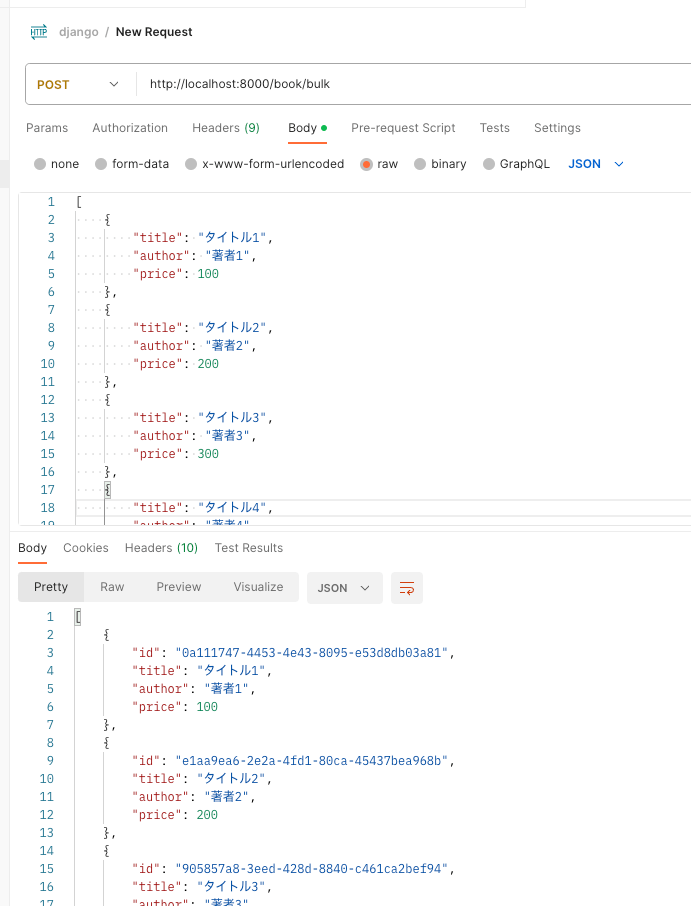
Overview I looked into how to perform bulk registration with Django REST framework, so here are my notes. By following the article below, I was able to create an endpoint for bulk registration. https://qiita.com/Utena-lotus/items/c7bde7f663cfc4aabff1 Postman I sent the following request using Postman. As a result, I was able to perform bulk registration as shown below. Summary I hope this serves as a helpful reference.

Using JWT in Django (djangorestframework-simplejwt)

Using JWT in Django (djangorestframework-simplejwt)

Overview I wanted to use JWT with Django, so I tried djangorestframework-jwt. https://github.com/jpadilla/django-rest-framework-jwt I followed the instructions on the following site. https://dev-yakuza.posstree.com/django/jwt/ However, when I added 'rest_framework_jwt.authentication.JSONWebTokenAuthentication', the following error occurred. ImportError: cannot import name 'smart_text' from 'django.utils.encoding' Upon investigation, I found the following article. https://stackoverflow.com/questions/72102911/could-not-import-rest-framework-jwt-authentication-jsonwebtokenauthentication It suggested using djangorestframework-simplejwt instead. https://github.com/jazzband/djangorestframework-simplejwt Below are my notes on how to use it. djangorestframework-simplejwt I was able to verify its operation by following the page below. ...

Using the Archivematica API to Perform Transfer Through AIP Download

Using the Archivematica API to Perform Transfer Through AIP Download

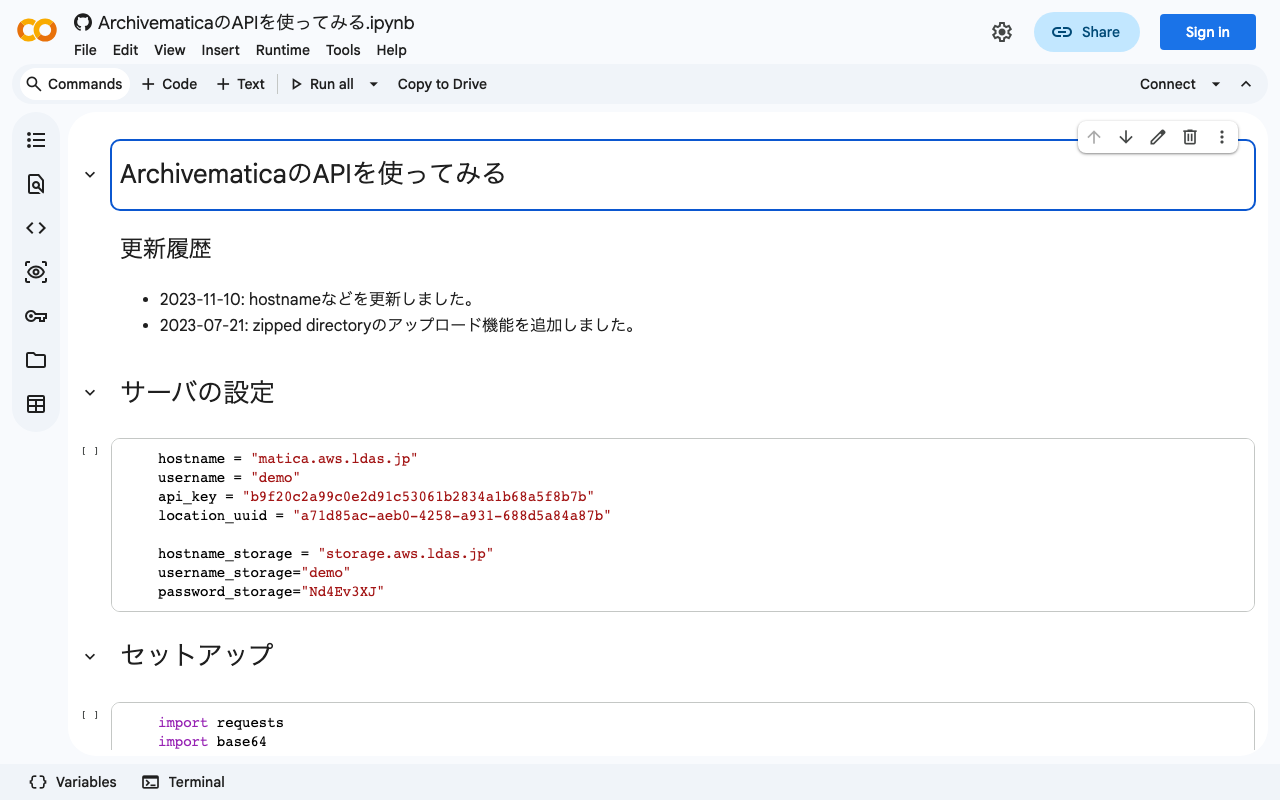
Background I was able to perform the process from Transfer through AIP download using the Archivematica API, so I am documenting it here. Previously, I wrote separate articles about using the Archivematica API and the Storage Service API. This time, I combine the above to perform the process from Transfer through AIP download. Method I documented the method in the following notebook. https://colab.research.google.com/github/nakamura196/ndl_ocr/blob/main/ArchivematicaのAPIを使ってみる.ipynb Summary I hope this serves as a helpful reference for using the Archivematica API. ...

Setting Default Sort Order for Items Displayed on Per-Item-Set Pages in Omeka S

Setting Default Sort Order for Items Displayed on Per-Item-Set Pages in Omeka S

Overview This article describes how to set the default sort order for items displayed on per-item-set pages in Omeka S. Specifically, this concerns the initial sort order for screens like the following. By default, it is set to “Date created” in “Descending” order. The method differs between Omeka v4 and v3, so I’ll explain each below. v4 Access the following per-site settings screen. /admin/site/s/#site-settings Then, set the field and ascending/descending order in the “Item browse defaults” section below. ...

Sorting and Pagination in Strapi v4 GraphQL

Sorting and Pagination in Strapi v4 GraphQL

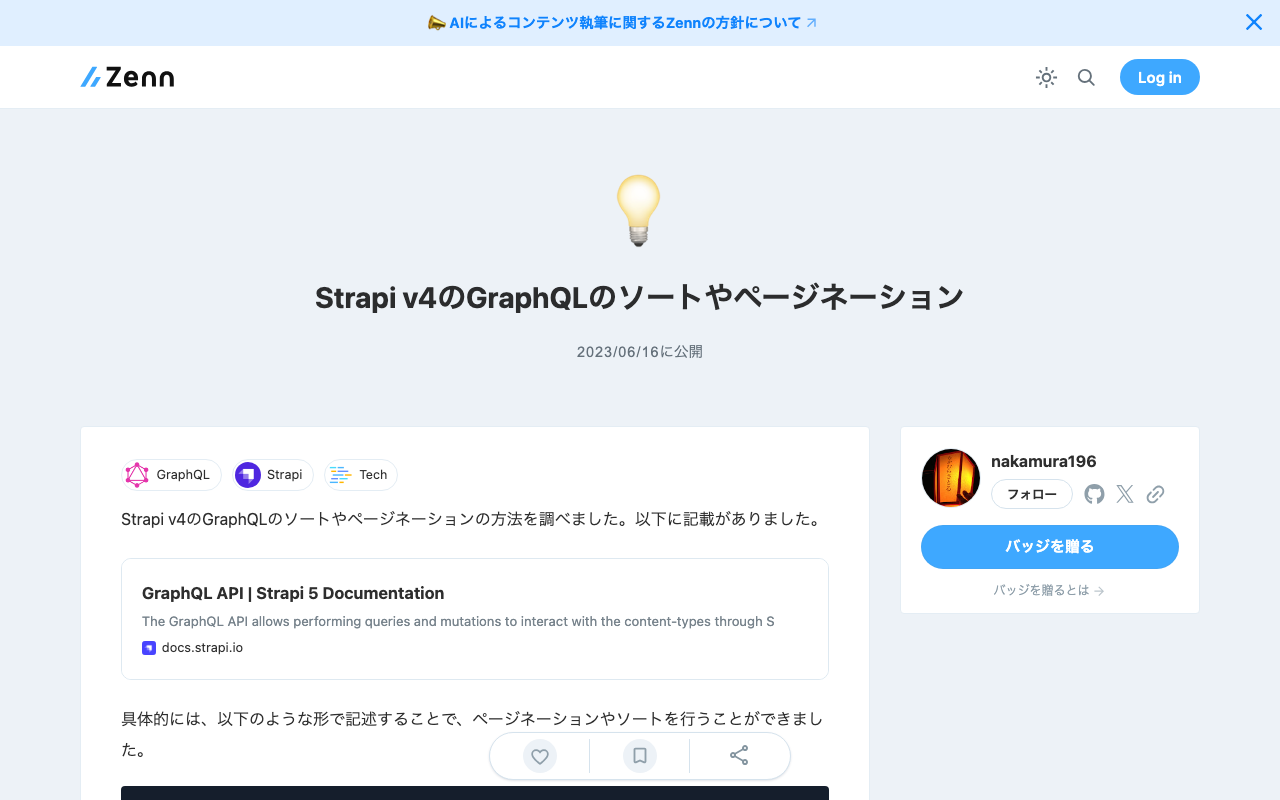
I looked into how to perform sorting and pagination with Strapi v4’s GraphQL. Documentation was found at the following location. https://docs.strapi.io/dev-docs/api/graphql Specifically, pagination and sorting could be performed by writing queries like the following. query { blogPosts(pagination: {page: 1, pageSize: 10}, sort: "createdAt:desc") { meta { pagination { total } } data { id attributes { createdAt } } } } I hope this serves as a helpful reference.

Enabling OpenAPI in Drupal

Enabling OpenAPI in Drupal

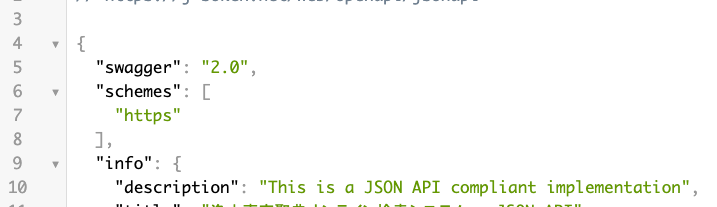
Overview I had the opportunity to enable OpenAPI in Drupal, so this is a memo. Note that the JSON:API module has already been enabled. Installing Modules Install the following two modules. https://www.drupal.org/project/openapi https://www.drupal.org/project/openapi_jsonapi As a result, JSON can be obtained from the following URL. /openapi/jsonapi Accessing the following displays “No UI …”. Next, let’s add a UI. /admin/config/services/openapi Adding a UI Install the following two modules. https://www.drupal.org/project/openapi_ui https://www.drupal.org/project/openapi_ui_redoc ...

Using OpenSeadragon and OpenSeadragon SVG Overlay with Nuxt3

Using OpenSeadragon and OpenSeadragon SVG Overlay with Nuxt3

Overview I created examples of using OpenSeadragon and OpenSeadragon SVG Overlay with Nuxt3. The image used is (Catfish with Ofuda on Kaname-ishi) “National Diet Library Collection”. OpenSeadragon https://nuxt3-demo-nine.vercel.app/osd OpenSeadragon SVG Overlay https://nuxt3-demo-nine.vercel.app/osd-svg Method A key point was preparing a plugin file as shown below. This resolved issues that occurred during SSR. https://github.com/nakamura196/nuxt3-demo/blob/main/plugins/osd.client.js For the SVG overlay implementation, I referenced the following. https://github.com/openseadragon/svg-overlay/blob/master/openseadragon-svg-overlay.js Summary There may be better ways to write this, but I hope it is helpful for using OpenSeadragon with Nuxt3. ...

Handling CORS Errors with Drupal's JSON:API

Handling CORS Errors with Drupal's JSON:API

Overview When using the output from Drupal’s JSON:API in a separate application, a CORS error occurred. Here, I explain how to resolve the CORS error. Solution Copy the following file: /web/sites/default/default.services.yml cp /web/sites/default/default.services.yml /web/sites/default/services.yml Then, set enabled to true in cors.config: # Configure Cross-Site HTTP requests (CORS). # Read https://developer.mozilla.org/en-US/docs/Web/HTTP/Access_control_CORS # for more information about the topic in general. # Note: By default the configuration is disabled. cors.config: enabled: false # Change this to true! # Specify allowed headers, like 'x-allowed-header'. allowedHeaders: [] As a result, the CORS error was resolved. ...

Troubleshooting JSON:API Related Errors

Troubleshooting JSON:API Related Errors

Overview The following JSON:API related error occurred. This is a note on how to resolve it. サイトに予期せぬエラーが起こりました。しばらくたってから再度お試しください。 TypeError: Drupal\jsonapi_search_api_facets\Plugin\facets\facet_source\JsonApiFacets::__construct(): Argument #6 ($index) must be of type Drupal\search_api\IndexInterface, null given, called in /home/j-soken/drupal/web/modules/contrib/jsonapi_search_api/modules/jsonapi_search_api_facets/src/Plugin/facets/facet_source/JsonApiFacets.php on line 61 in Drupal\jsonapi_search_api_facets\Plugin\facets\facet_source\JsonApiFacets->__construct() (line 48 of modules/contrib/jsonapi_search_api/modules/jsonapi_search_api_facets/src/Plugin/facets/facet_source/JsonApiFacets.php). Drupal\jsonapi_search_api_facets\Plugin\facets\facet_source\JsonApiFacets::create() (Line: 21) Drupal\Core\Plugin\Factory\ContainerFactory->createInstance() (Line: 83) Drupal\Component\Plugin\PluginManagerBase->createInstance() (Line: 251) facets_system_breadcrumb_alter() (Line: 545) Drupal\Core\Extension\ModuleHandler->alter() (Line: 94) Drupal\Core\Breadcrumb\BreadcrumbManager->build() (Line: 72) Drupal\system\Plugin\Block\SystemBreadcrumbBlock->build() (Line: 171) Drupal\block\BlockViewBuilder::preRender() call_user_func_array() (Line: 101) ... Solution First, enable error display. Add the following to the configuration file. ...

Disable UI: Using Drupal as a Headless CMS

Disable UI: Using Drupal as a Headless CMS

I had the opportunity to use Drupal as a headless CMS and tried the Disable UI module, which restricts UI access to administrators and similar roles. https://www.drupal.org/project/disable_ui As a result, access to the top page was displayed as follows. On the other hand, the enabled JSON:API was accessible to non-logged-in users. /jsonapi/ We hope this serves as a useful reference when using Drupal as a headless CMS.

How to Use Drupal JSON:API (include and Multilingual Support)

How to Use Drupal JSON:API (include and Multilingual Support)

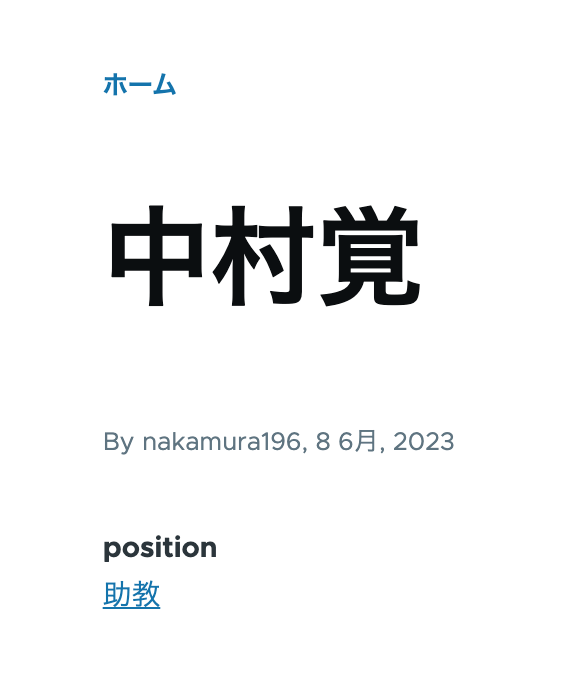
Overview This is a personal note on how to use Drupal’s JSON:API. This time, I will cover the use of include for taxonomies and multilingual processing. Data As shown below, the taxonomy “Assistant Professor” has been assigned to the position field. /node/5 Additionally, content multilingualization is enabled, so the English versions of the title and position are also displayed as shown below. /en/node/5 JSON:API Since the above content was created with the content type “faculty”, the data list can be retrieved from the following URL. ...

Content Registration and Multilingual Support Using Drupal Key Auth

Content Registration and Multilingual Support Using Drupal Key Auth

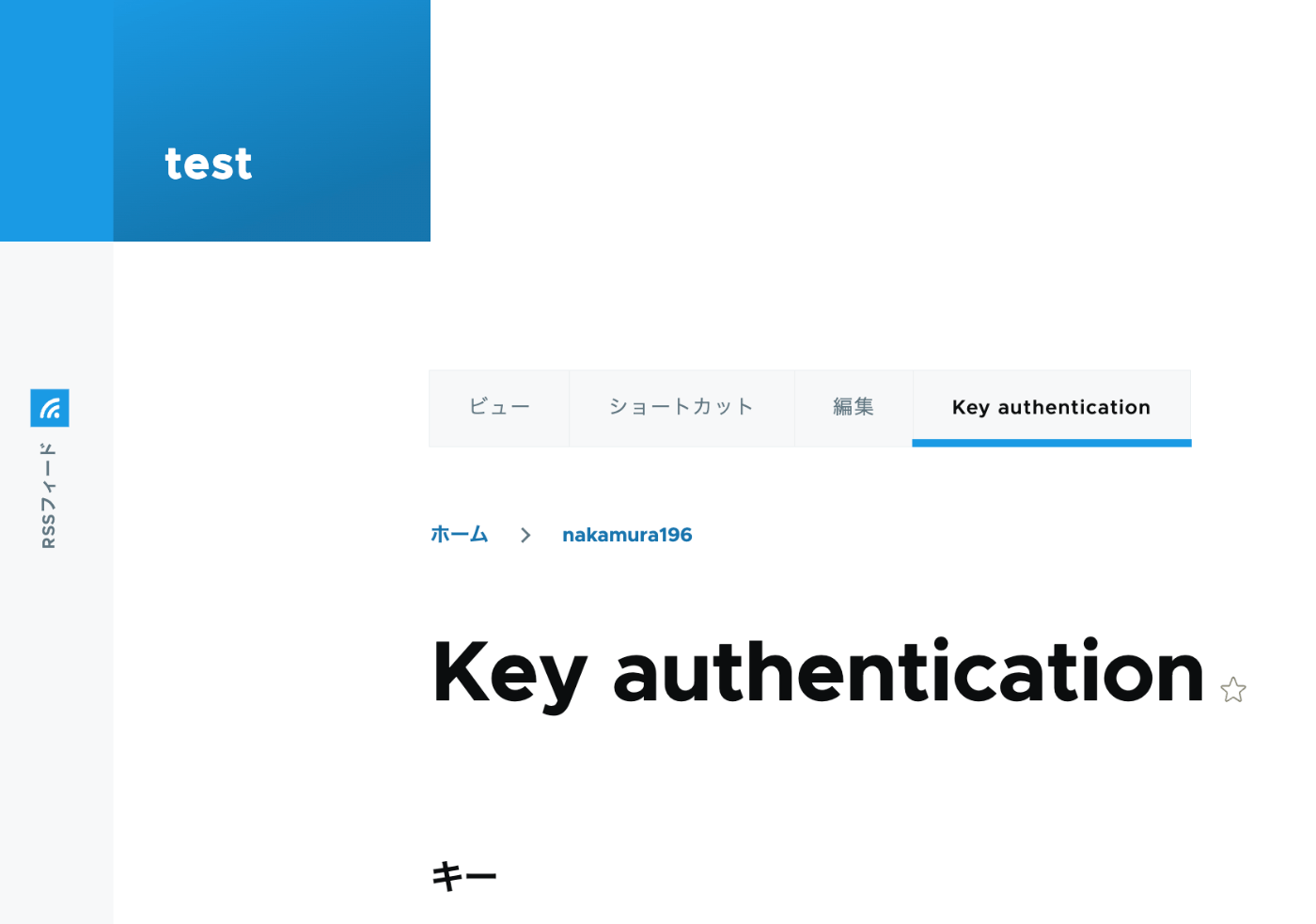
Overview In the following article, I performed content registration using Python with Basic authentication. This time, I tried API Key Authentication, referring to the following article. https://designkojo.com/post-drupal-using-jsonapi-vuejs-front-end API Key Authentication The following module was used. https://www.drupal.org/project/key_auth A “Key authentication” tab appeared on the user edit screen, allowing an API key to be generated. When using the API key, the following program can be used. import requests endpoint = 'http://{IP address or domain name}/jsonapi/node/article' key = '{API key}' headers = { 'Accept': 'application/vnd.api+json', 'Content-Type': 'application/vnd.api+json', "api-key": key } payload = { "data": { "type": "node--article", "attributes": { "title": "What's up from Python", "body": { "value": "Be water. My friends.", "format": "plain_text" } } } } r = requests.post(endpoint, headers=headers, json=payload) r.json() Notes on Multilingual Support As a note, it appears that creating translation data is not supported. ...

Trying Wagtail

Trying Wagtail

Overview I tried Wagtail, so here are my notes on issues I encountered. I basically followed the tutorial below: https://docs.wagtail.org/en/v5.0.1/getting_started/tutorial.html Search Feature When I added a page with the Japanese title “My First Article,” the following search did not return any results. http://localhost:8000/admin/pages/search/?q=はじめて On the other hand, the following search did return results. It appeared that partial matching for Japanese is not supported by default. http://localhost:8000/admin/pages/search/?q=はじめての記事 Wagtail API Information about the API is available here: ...

Causes and Solutions When Browse Does Not Work in Archivematica

Causes and Solutions When Browse Does Not Work in Archivematica

Overview I encountered a bug where clicking Browse in Archivematica did not allow me to view folders or files. Here I introduce the cause and solution. /transfer/ Symptom /administration/storage/ Error retrieving locations: is the storage server running? Please contact an administrator. Accessing the following returned this JSON: /transfer/locations/ { "message": "Error retrieving source directories", "status": "Failure" } Solution Accessing the following showed that the Storage Service was inaccessible. /administration/general/ ...

Bulk Deleting Amazon ECR Repositories

Bulk Deleting Amazon ECR Repositories

Overview I had an opportunity to bulk delete Amazon ECR repositories, so here are my notes. Please exercise caution when running these commands. Creating a List of Repositories I referenced the following article. https://qiita.com/fk_2000/items/bffd3b1ad6f3ab109766 Run the following command. aws ecr describe-repositories --output json | jq -re ".repositories[].repositoryName" > repository.list On macOS, if you don’t have the jq command, install it with brew install jq. Deletion Run the following command. The --force flag is used to delete even if images exist. ...

Customizing Views for Custom Models in Django REST Framework JSON:API (DJA)

Customizing Views for Custom Models in Django REST Framework JSON:API (DJA)

Overview Let’s customize the views for the model added in the following article. Sort Let’s add ordering_fields. ... class UserInfoViewset(ModelViewSet): ordering_fields = ("user_name", ) # Added here queryset = UserInfo.objects.all() serializer_class = UserInfoSerializer def get_object(self): entry_pk = self.kwargs.get("entry_pk", None) if entry_pk is not None: return Entry.objects.get(id=entry_pk).blog return super().get_object() ... As a result, only user_name became selectable in the “Filters” display. For example, sorting by age returned a validation error. Filter ... class UserInfoViewset(ModelViewSet): queryset = UserInfo.objects.all() serializer_class = UserInfoSerializer ordering_fields = ("user_name", ) # Added from here below # override the default filter backends in order to test QueryParameterValidationFilter # without breaking older usage of non-standard query params like `page_size`. filter_backends = ( QueryParameterValidationFilter, OrderingFilter, DjangoFilterBackend, SearchFilter, ) rels = ( "exact", "iexact", "contains", "icontains", "gt", "gte", "lt", "lte", "in", "regex", "isnull", ) filterset_fields = { "id": ("exact", "in"), "user_name": rels } search_fields = ("user_name", ) ... ... With the above, the following filter became possible. ...