Home Articles Books Search About
RSS 日本語
Trying the Docker Version of Cantaloupe

Trying the Docker Version of Cantaloupe

Overview While trying the Docker version of TEI Publisher, I found that a Docker version of Cantaloupe was being used, so I created a repository for using it standalone. https://github.com/nakamura196/docker_cantaloupe Usage instructions are provided in the README of the above repository. The following Docker image is used. https://hub.docker.com/r/islandora/cantaloupe Reference: Images That Can Be Served by Cantaloupe This is explained on the following page. https://cantaloupe-project.github.io/manual/5.0/images.html For high-resolution images, JPEG2000 or Pyramidal Tiled TIFF is recommended. ...

Drupal: Registering Files from URLs Using the Feeds Module

Drupal: Registering Files from URLs Using the Feeds Module

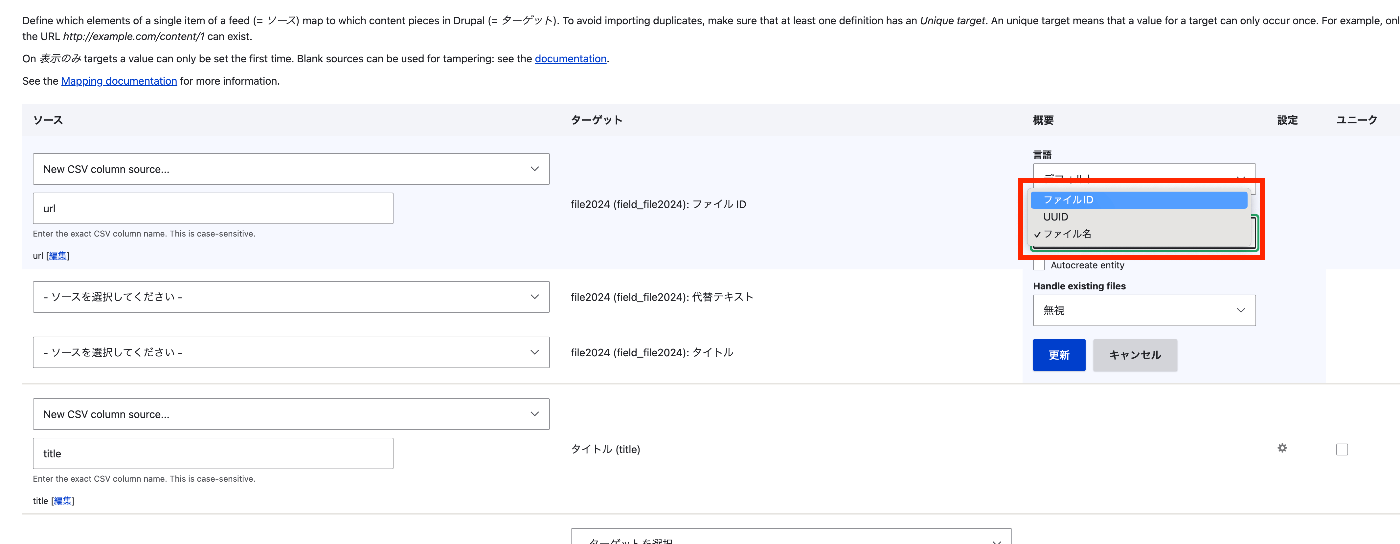
Overview This describes how to register files from URLs using the Feeds module. The following was helpful. https://www.drupal.org/docs/contributed-modules/feeds/feeds-howtos/importing-files Method Find the file field from the dropdown list and create a mapping target for the file or image field. For “File ID,” specify a mapping to the full URL (including the http/https prefix). Select “File ID” under “Reference by.” Configure the action so that the feed processes existing files. After configuring these changes, save the mapping. ...

How to Bulk Delete Files in Drupal

How to Bulk Delete Files in Drupal

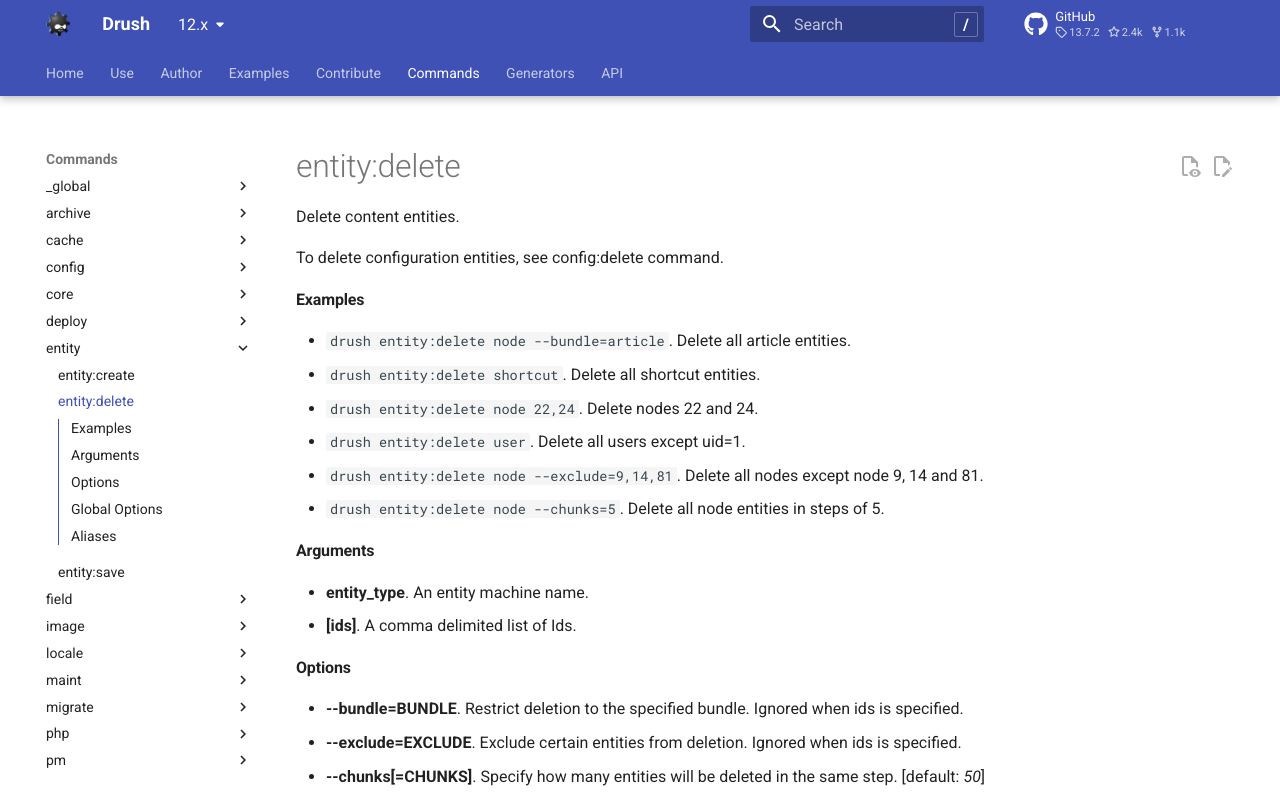
This is a memo on how to bulk delete files in Drupal. The following was helpful. https://www.drush.org/12.x/commands/entity_delete/ drush entity:delete file I hope this serves as a useful reference for situations such as when files can no longer be viewed due to errors like Drupal\Core\File\Exception\InvalidStreamWrapperException.

Sending Email Notifications for GitHub Actions Results: Using Gmail

Sending Email Notifications for GitHub Actions Results: Using Gmail

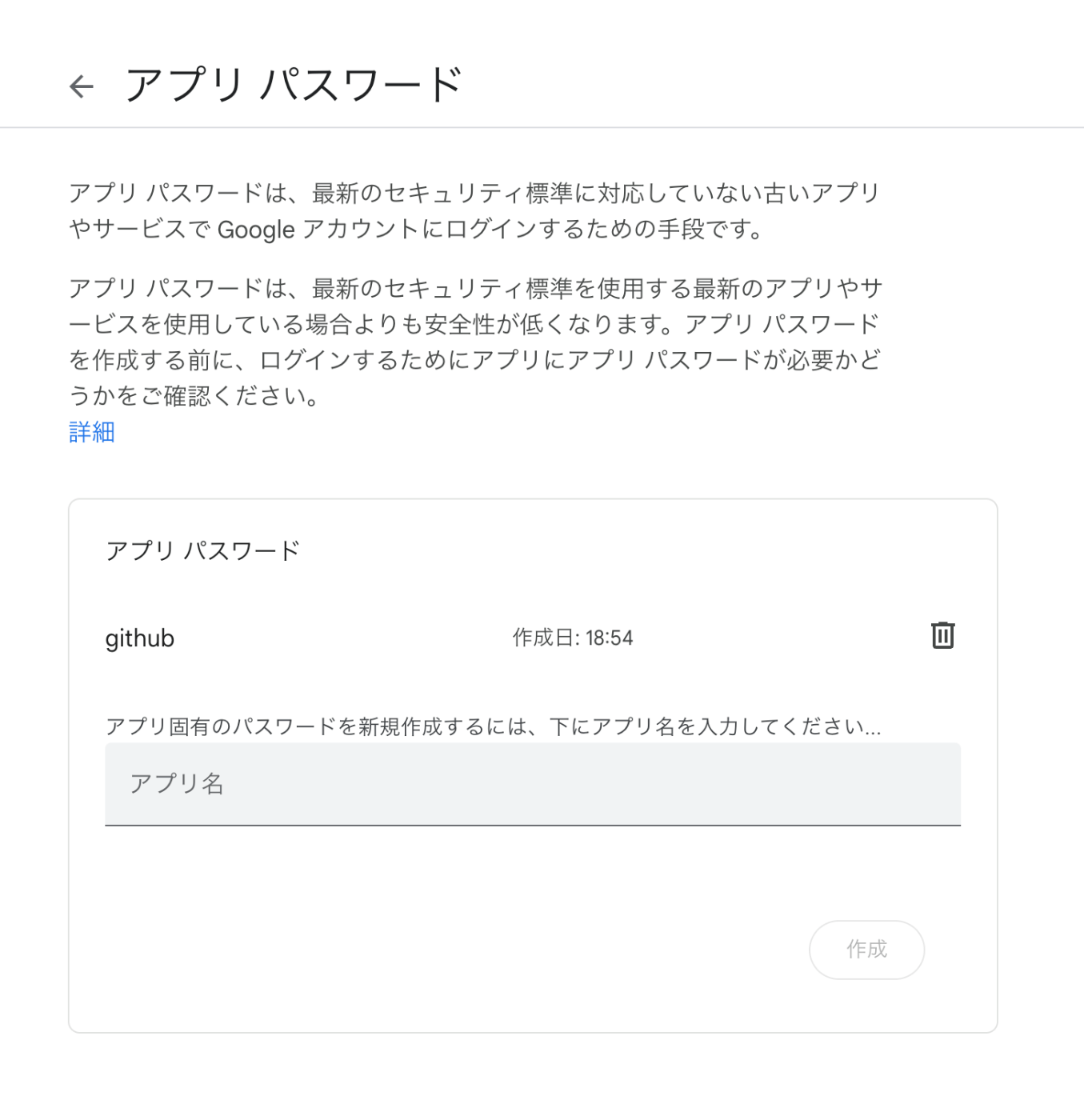
Overview I had the opportunity to send email notifications for GitHub Actions processing results, so here are my notes. This time we’ll use Gmail. The following was helpful as a reference. https://stackoverflow.com/questions/69947109/sending-email-with-github-actions Gmail Configuration The details are described at the following link. Enable two-factor authentication and create an app password. https://github.com/dawidd6/action-send-mail?tab=readme-ov-file#gmail Here is an example of app password configuration. Local Testing Use act to run GitHub Actions in a local environment. ...

Handling Private Files in Omeka S

Handling Private Files in Omeka S

Overview In Omeka S, you can set public/private settings for each resource (item sets, items, media, etc.), but for files such as images associated with media, even if the private setting is applied, anyone who knows the file URL can access it. Typically, the URL follows this pattern: <Omeka installation directory>/files/original/<hash value>.jpg If the private setting is applied to the media, it would be rare for this file URL to be known, but there are cases where you want to avoid a situation where “anyone with the link” can access it. ...

Sending Emails via Amazon SES from Omeka S on Amazon Lightsail

Sending Emails via Amazon SES from Omeka S on Amazon Lightsail

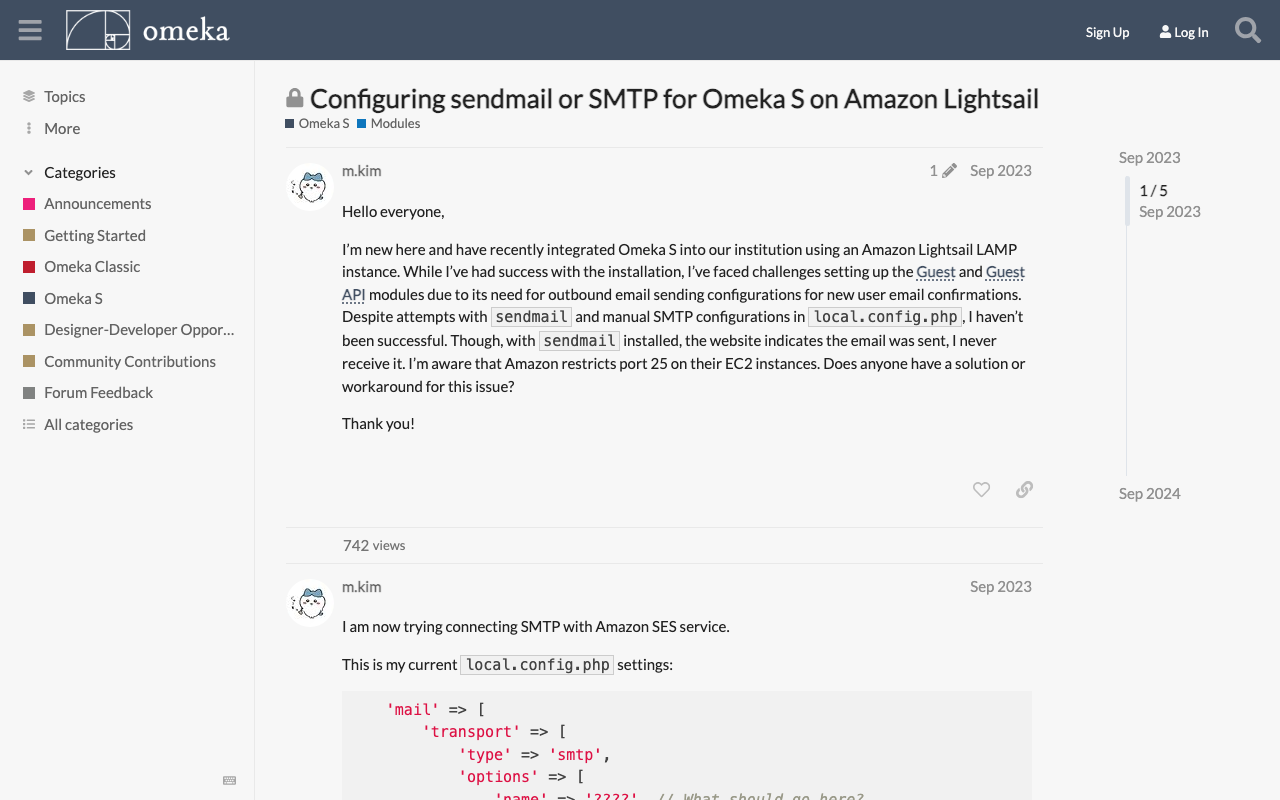
Overview To send emails from Omeka S running on Amazon Lightsail, it appears that email sending configuration is required. This article introduces how to use Amazon SES. https://aws.amazon.com/jp/ses/ The following forum discussion was helpful. https://forum.omeka.org/t/configuring-sendmail-or-smtp-for-omeka-s-on-amazon-lightsail/19335/1 Amazon SES Configuration Configure Amazon SES by referring to the following site. https://qiita.com/Shun_konno/items/f51ae599b68e0d2d36ea Omeka S Configuration Edit the Omeka S local.config.php file as follows. <?php return [ 'logger' => [ // Log settings (as needed) ], 'mail' => [ 'transport' => [ 'type' => 'smtp', // Use SMTP 'options' => [ 'name' => 'ses-smtp-user', // Any name 'host' => 'email-smtp.us-east-1.amazonaws.com', // SES SMTP server endpoint 'port' => 587, // Port supported by SES (e.g., 587) 'connection_class' => 'plain', // Authentication type 'connection_config' => [ 'username' => 'your-ses-smtp-username', // SES SMTP username 'password' => 'your-ses-smtp-password', // SES SMTP password 'ssl' => 'tls', // SSL type ('tls' recommended) 'use_complete_quit' => true, ], ], ], ], // Other settings... ]; For host, specify the Amazon SES SMTP server endpoint corresponding to the AWS region you are using. The example uses the us-east-1 region endpoint, but change it as needed. For username and password, use the SMTP credentials generated in Amazon SES. Summary We hope this is helpful when using Omeka S with Amazon Lightsail. ...

Created a Page to Visually Browse Omeka S Themes

Created a Page to Visually Browse Omeka S Themes

Overview I created a page for visually browsing Omeka S themes. https://satoru196.notion.site/satoru196/6f898ed1352e4c9fa013eee635cbabf4?v=02cab757b6cf4df6bfbedfeb85eca0a5 The following site is convenient for searching Omeka S themes: https://daniel-km.github.io/UpgradeToOmekaS/omeka_s_themes.html However, I thought it would be even more convenient to be able to see the appearance of themes and their star counts in a list view. Using the source data from the site above, I created this new page: https://github.com/Daniel-KM/UpgradeToOmekaS/blob/master/_data/omeka_s_themes.csv How It Was Created GitHub I used the GitHub API to retrieve the last update date and star count for each repository. To use the GitHub API, I created a Personal Access Token (PAT): ...

Aligning the Collated Tale of Genji with Modern Japanese Translations in Digital Genji Monogatari

Aligning the Collated Tale of Genji with Modern Japanese Translations in Digital Genji Monogatari

Overview “Digital Genji Monogatari” is a site that aims to propose an environment to support research on The Tale of Genji as well as education and research activities using classical texts, by collecting and creating various related data about The Tale of Genji and linking them together. https://genji.dl.itc.u-tokyo.ac.jp/ One of the features provided by this site is the “alignment of the Collated Tale of Genji with modern Japanese translations.” As shown below, the corresponding sections between the “Collated Tale of Genji” and Yosano Akiko’s translation published on Aozora Bunko are highlighted. ...

Trying ro-crate-py

Trying ro-crate-py

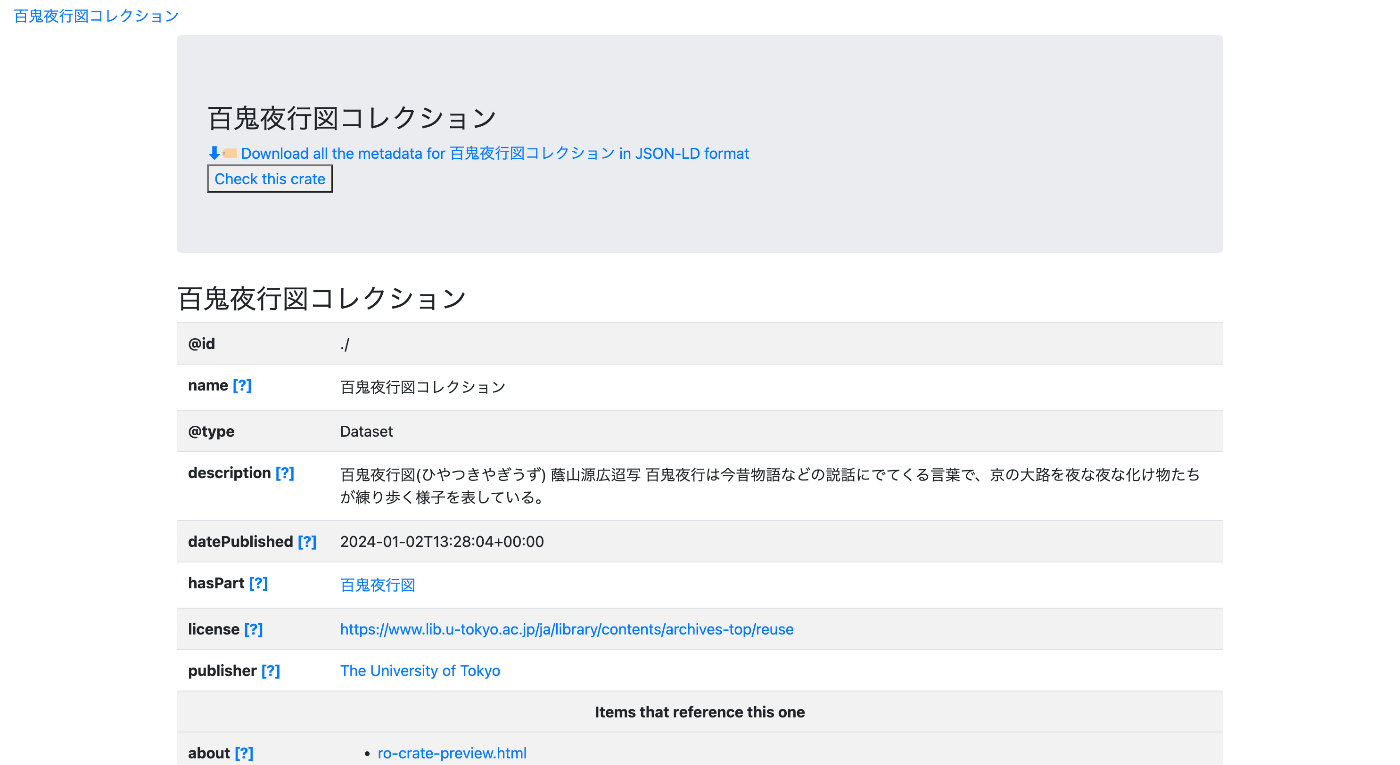
Overview ro-crate-py is a Python library for creating and consuming Research Object Crates (RO-Crate). https://doi.org/10.5281/zenodo.3956493 ro-crate-py is a Python library to create and consume Research Object Crates. It currently supports the RO-Crate 1.1 specification. Goal The goal is to create a page like the one shown below. https://nakamura196.github.io/rocrate_demo/crate/test/data/ro-crate-preview.html Dataset Page Individual Item Page JSON Data We will create JSON data like the following. https://nakamura196.github.io/rocrate_demo/crate/test/data/ro-crate-metadata.json For the item ID, we use the following OAI-PMH record. ...

Linking a GitHub Repository with Zenodo

Linking a GitHub Repository with Zenodo

Overview I recently published a plugin for comparing annotations in Mirador 3: https://github.com/nakamura196/mirador-compare-plugin This time, I connected this repository with Zenodo. As a result, a DOI is now automatically assigned each time a release is created: https://zenodo.org/doi/10.5281/zenodo.10449856 Zenodo Configuration Access the following and select the GitHub repository to link: /account/settings/github/ GitHub The following is not required, but prepares the GitHub repository for integration with Zenodo. Creating CITATION.cff By creating this, the ORCID ID appears to be displayed under Creators: ...

Trying OAuth2 Authentication for REST Resources Using Drupal's simple_oauth Module

Trying OAuth2 Authentication for REST Resources Using Drupal's simple_oauth Module

Overview Drupal’s Simple OAuth (OAuth2) & OpenID Connect module is described as an implementation of the OAuth 2.0 Authentication Framework RFC. https://www.drupal.org/project/simple_oauth For related articles, please also refer to examples of cookie authentication and JWT authentication. Installation There appear to be version 5.x and 6.x of the simple_oauth module, but this time version 5.x is used. Install with the following: composer.phar require 'drupal/simple_oauth:^5.2' However, when using Sakura Rental Server, the following error occurred. PHP's sodium extension was required. ...

Trying the Drupal Social Auth GitHub Module

Trying the Drupal Social Auth GitHub Module

Overview I will try the Drupal Social Auth GitHub module. https://www.drupal.org/project/social_auth_github/ This module is described as follows: Social Auth GitHub allows users to register and login to your Drupal site with their GitHub account. The goal is to enable login using a GitHub account as shown below. Installation composer.phar require 'drupal/social_auth_github:^4.0' vendor/bin/drush en social_auth_github The above installation also enables social_auth and social_api. Configuration Follow the configuration instructions on the following page. ...

Testing Drupal REST Resource Cookie Authentication Using Postman

Testing Drupal REST Resource Cookie Authentication Using Postman

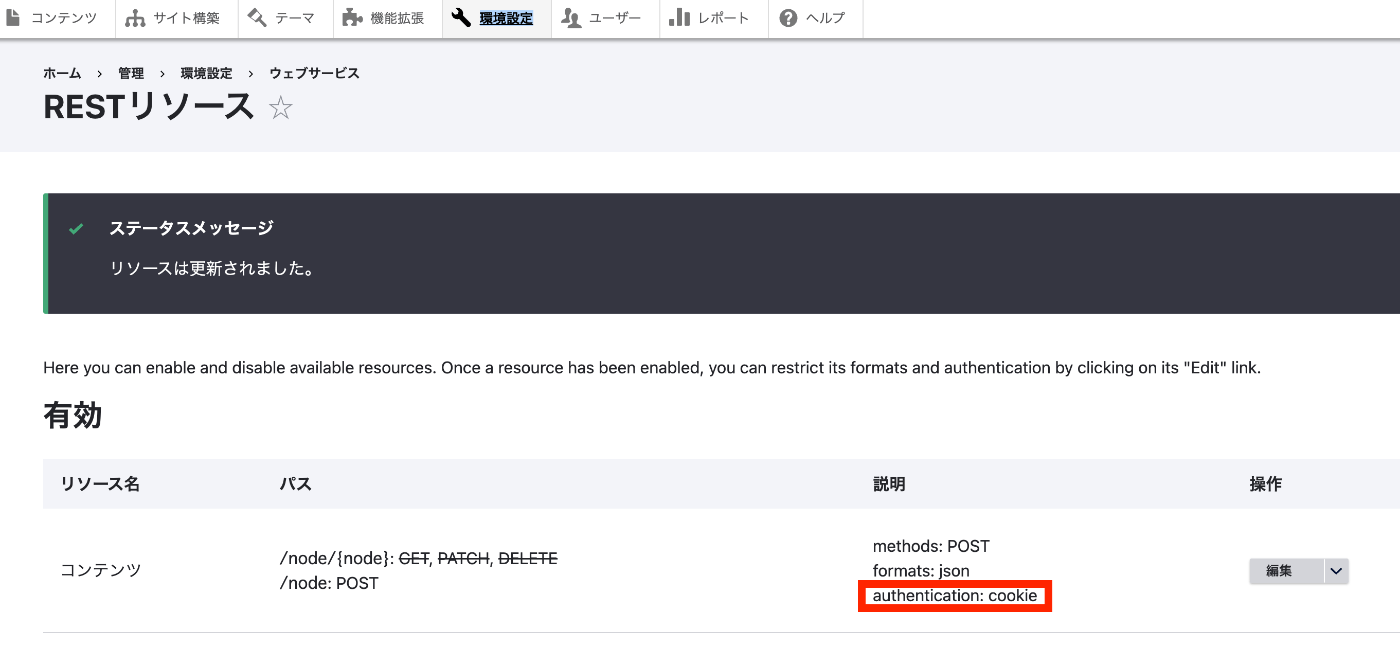
Overview In the following article, I tried JWT authentication using the JWT module. This time, I will try cookie authentication. Installation If the restui module is not installed, install and enable it with a command like the following. composer.phar require 'drupal/restui:^1.21' vendor/bin/drush en restui Configuration This time, I will use cookie authentication as shown below. For details on the configuration method, please refer to the related article at the beginning. ...

Trying the Drupal JSON Web Token Authentication Module

Trying the Drupal JSON Web Token Authentication Module

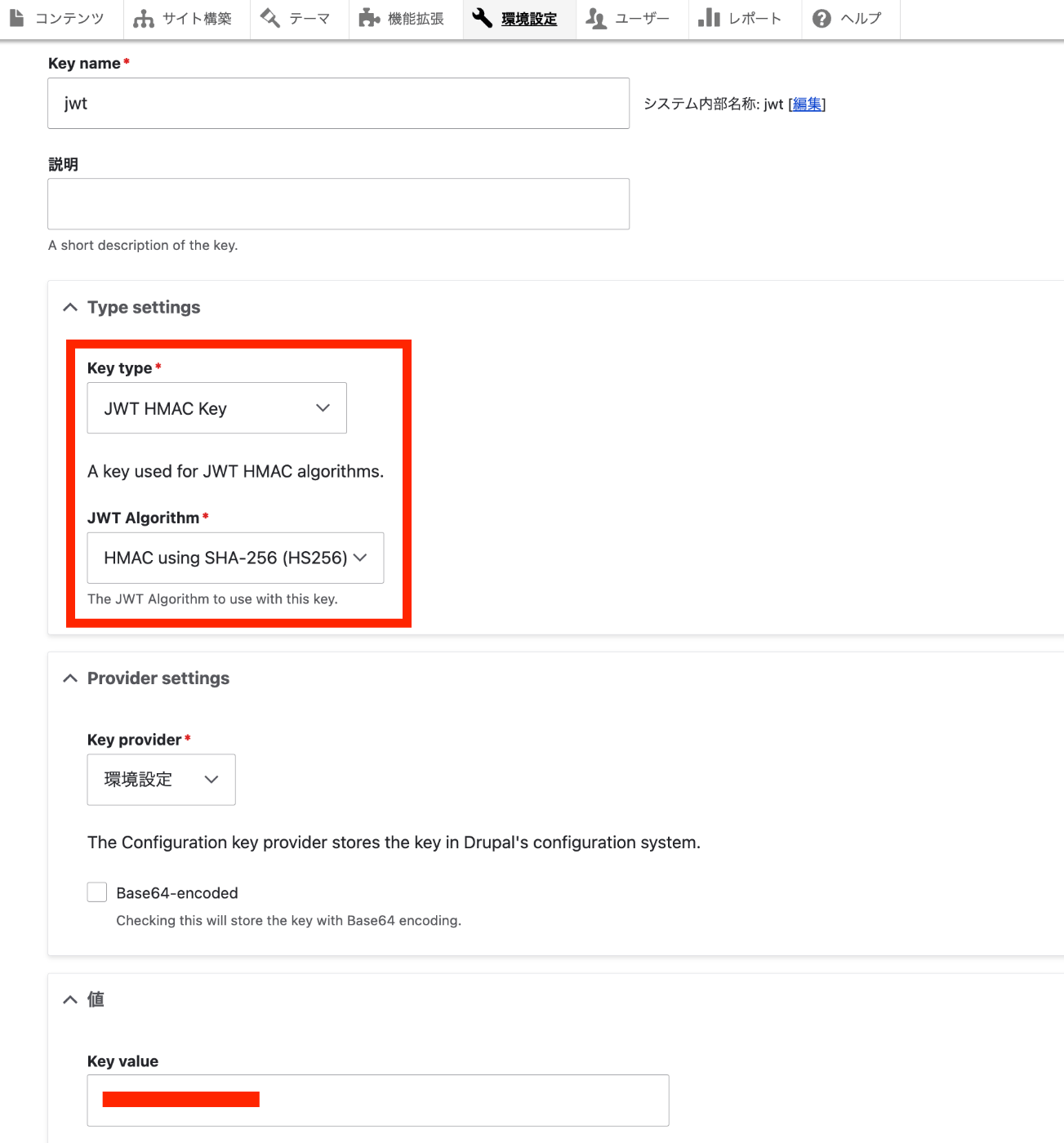
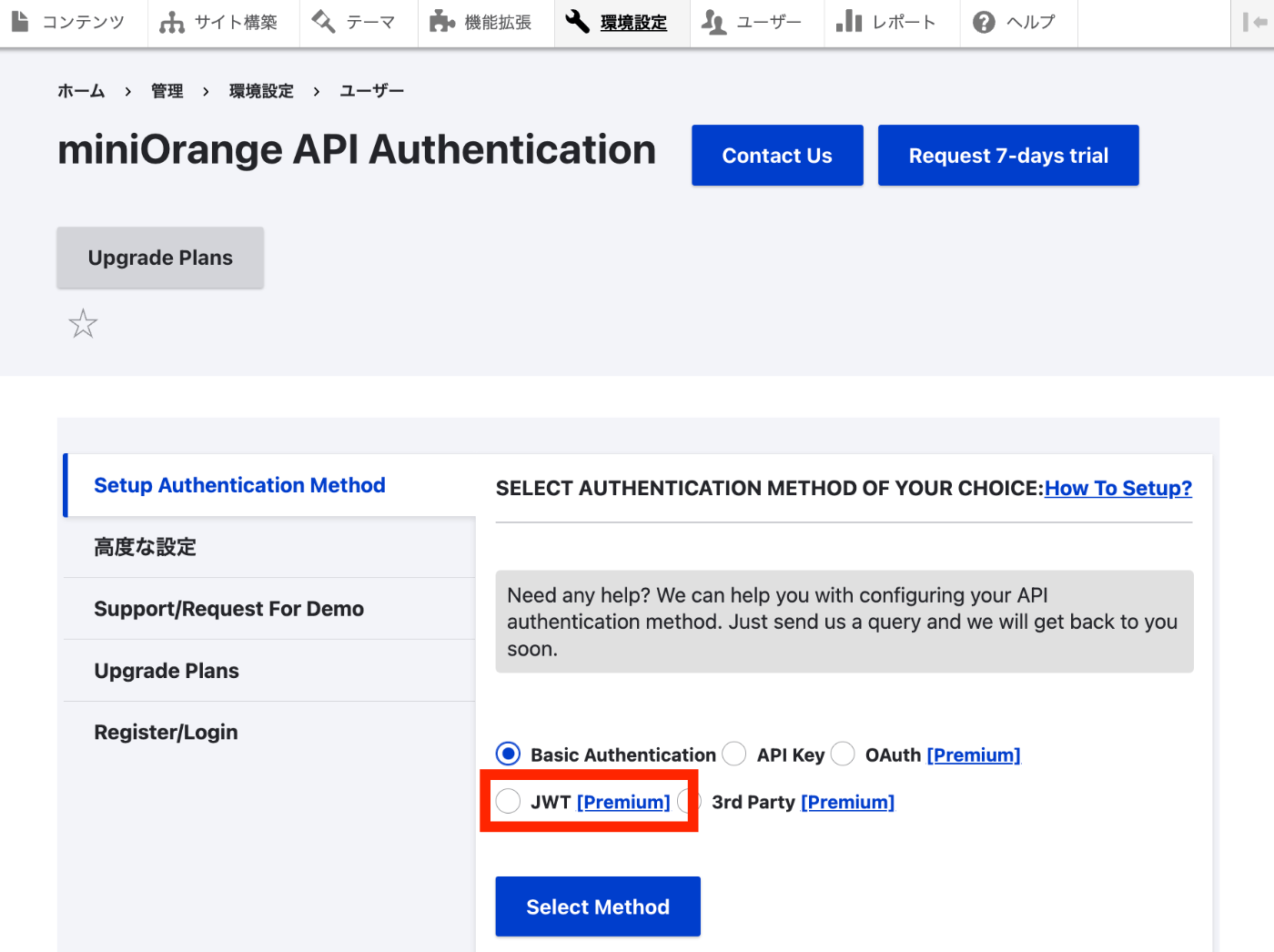
Overview I will try the Drupal JSON Web Token Authentication module. https://www.drupal.org/project/jwt I referenced the following page. https://preston.so/writing/decoupled-drupal-authentication-with-json-web-tokens/ Note that the following is a similar module. https://www.drupal.org/project/rest_api_authentication JWT authentication using the above module is described here. https://www.drupal.org/docs/contributed-modules/api-authentication/jwt-authentication However, as described in the following article, it appears that using JWT authentication with the above module requires a paid plan. Therefore, this time I will try the jwt module instead. Installation and Activation jwt module ...

Investigation of the Drupal REST & JSON API Authentication Module

Investigation of the Drupal REST & JSON API Authentication Module

Overview I will try JWT authentication, referencing the following article. https://www.drupal.org/docs/contributed-modules/api-authentication/jwt-authentication However, after trying it, it appeared that a paid plan subscription was required to use JWT authentication, and the investigation stopped there. Prerequisite: Download and Installation Install and enable the following two modules. https://www.drupal.org/project/rest_api_authentication https://www.drupal.org/project/restui composer.phar require 'drupal/rest_api_authentication:^2.0' composer.phar require 'drupal/restui:^1.21' vendor/bin/drush en rest_api_authentication Steps to Configure JWT-Based API Authentication Follow the instructions below to enable the API and set up JWT-based API authentication. ...

Updating Drupal on Sakura Rental Server

Updating Drupal on Sakura Rental Server

Overview This is a note on the procedure for updating Drupal on Sakura rental server. First, we referred to the following site. https://www.drupal.org/docs/updating-drupal/updating-drupal-core-via-drush However, it contained the following note: Use Composer to manage Drupal dependencies. Drush 9 and newer no longer supports updating Drupal. We also referred to the following: https://drupalfan.com/drupal10を最新版にアップデートする/ Procedure ! This may contain incorrect or unnecessary steps. Please use it as a reference only. Navigate to the directory where Drupal was downloaded. ...

Drupal Module Development: Searching with Variant Characters in Mind

Drupal Module Development: Searching with Variant Characters in Mind

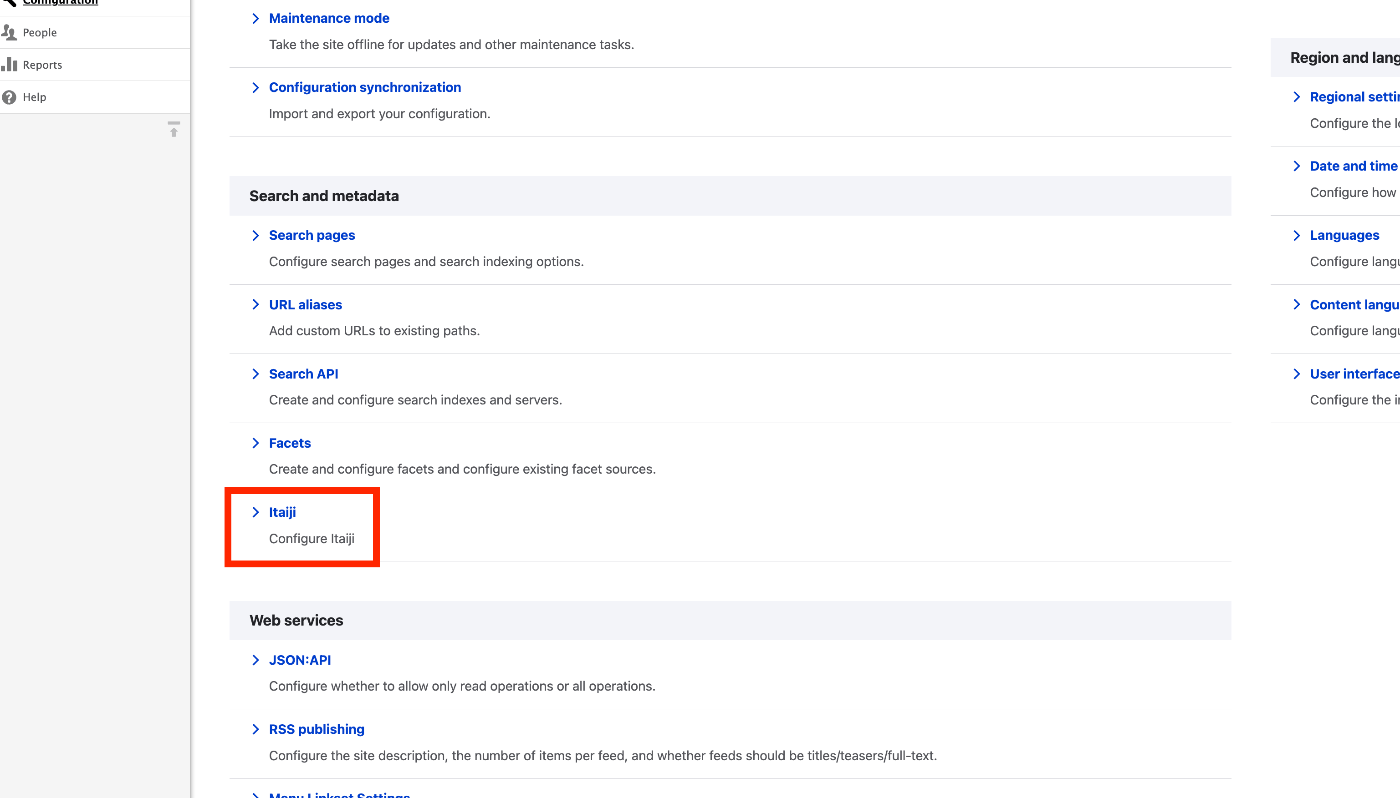
Overview While developing a system using Drupal, I needed to implement search functionality that considers variant characters (itaiji), so I created a custom module to achieve this. (There may already be an existing module that does the same thing, but I was unable to find one.) It is published in the following repository: https://github.com/nakamura196/Drupal-module-itaiji Usage Configuration Access /admin/config and click the Itaiji link under the Search and metadata section. ...

Troubleshooting Errors When Running lando start

Troubleshooting Errors When Running lando start

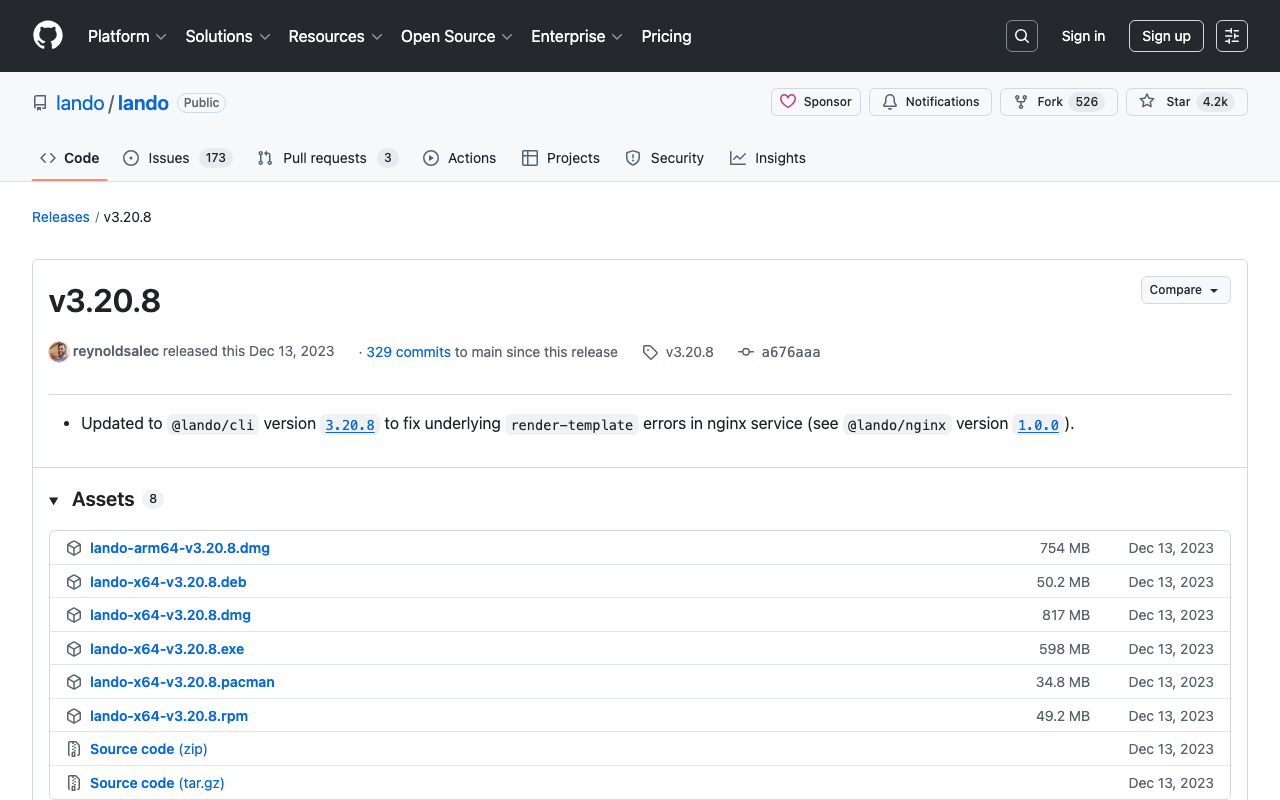
While developing Drupal and Omeka modules using Lando, a local development environment tool, the following error occasionally occurred. lando start __ __ __ __ ___ _ __ __ __ ______ / / / /__ ___/ /__ _/ /____ / _ |_ _____ _(_) /__ _/ / / /__ / / / / / /_/ / _ \/ _ / _ `/ __/ -_) / __ | |/ / _ `/ / / _ `/ _ \/ / -_)_/_/_/ \____/ .__/\_,_/\_,_/\__/\__/ /_/ |_|___/\_,_/_/_/\_,_/_.__/_/\__(_|_|_) /_/ Updating helps us provide the best support and saves us tons of time Use the link below to get the latest and greatest https://github.com/lando/lando/releases/tag/v3.20.8 Lando is FREE and OPEN SOURCE software that relies on contributions from developers like you! If you like Lando then help us spend more time making, updating and supporting it by contributing at the link below https://github.com/sponsors/lando If you would like to customize the behavior of this message then check out: https://docs.lando.dev/config/releases.html Let's get this party started! Starting app my-lando-app... ERROR ==> connect ENOENT /var/run/docker.sock ██╗ ██╗██╗ ██╗ ██████╗ ██╗ ██╗██╗ ██║ ██║██║ ██║ ██╔═══██╗██║ ██║██║ ██║ ██║███████║ ██║ ██║███████║██║ ██║ ██║██╔══██║ ██║ ██║██╔══██║╚═╝ ╚██████╔╝██║ ██║ ╚██████╔╝██║ ██║██╗ ╚═════╝ ╚═╝ ╚═╝ ╚═════╝ ╚═╝ ╚═╝╚═╝ An error occurred while starting up your app! Here are a few things you can try to get back into a good state: ■ Try running lando rebuild ■ Try restarting in debug mode lando restart -vvv ■ Try checking the logs with lando logs If those fail then consult the troubleshooting materials: ■ https://docs.lando.dev/help/logs.html ■ https://docs.lando.dev/help/updating.html Or post your issue to Slack or GitHub ■ Slack - https://launchpass.com/devwithlando ■ GitHub - https://github.com/lando/lando/issues/new/choose ERROR ==> connect ENOENT /var/run/docker.sock This issue was mentioned in the following GitHub issue. ...

Drush Command Cheat Sheet

Drush Command Cheat Sheet

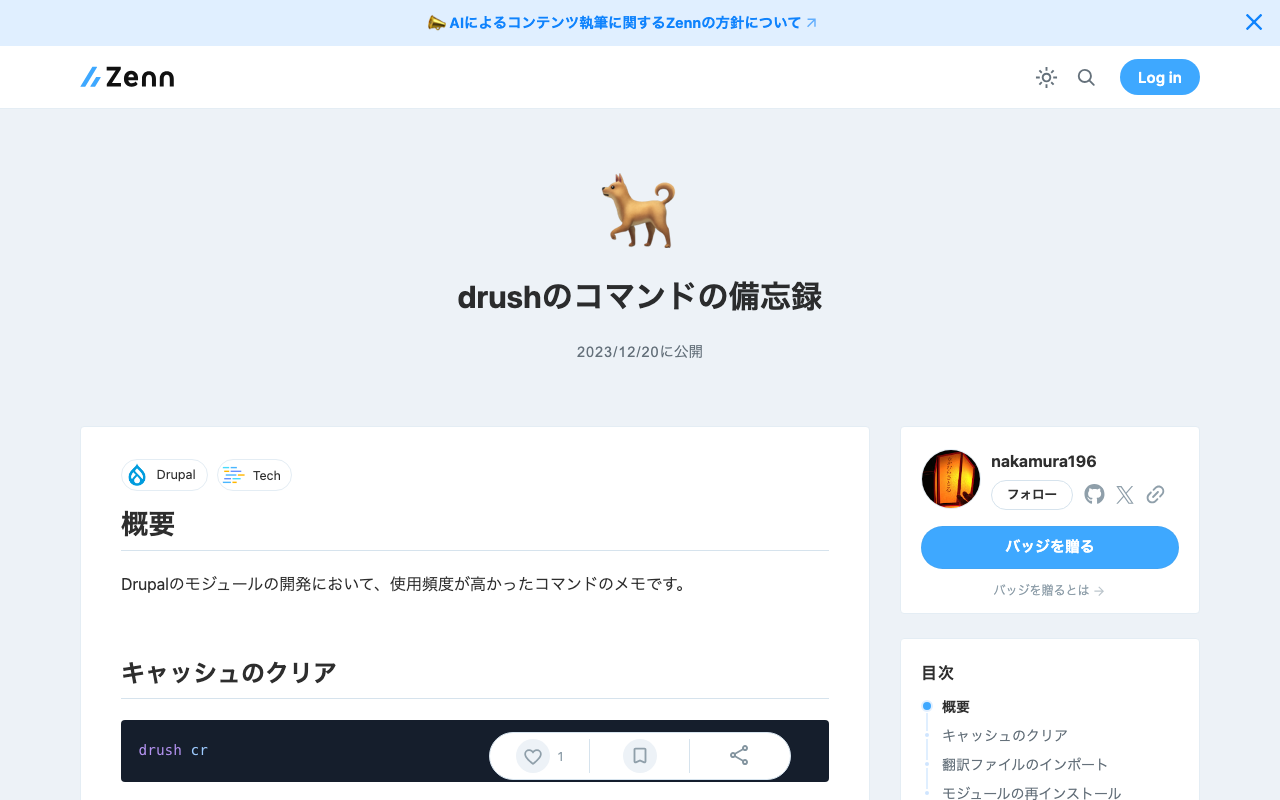
Overview These are notes on frequently used commands during Drupal module development. Clearing Cache drush cr Importing Translation Files The following is an example of importing a Japanese language file for a module called itaiji. drush locale:import ja /app/web/modules/custom/Drupal-module-itaiji/translations/itaiji.ja.po Reinstalling a Module drush pm-uninstall itaiji && drush en itaiji

Pagination Error When Using JSON:API Search API in Drupal

Pagination Error When Using JSON:API Search API in Drupal

When using the JSON:API Search API in Drupal, an error occurred when adding query parameters such as page[limit]. https://www.drupal.org/project/jsonapi_search_api Specifically, the following error message was displayed. Input value “page” contains a non-scalar value. Upon investigation, this was also mentioned in the following issue. https://www.drupal.org/project/jsonapi_search_api/issues/3403107 Since it was fixed in the development version 8.x-1.x-dev, I replaced it with the following. https://www.drupal.org/project/jsonapi_search_api/releases/8.x-1.x-dev As a result, the error was resolved. Whether to use the development version of the module requires consideration, but I hope this is helpful for those experiencing the same issue. ...