Home Articles Books Search About
RSS 日本語
Trying cwrc's wikidata-entity-lookup

Trying cwrc's wikidata-entity-lookup

Overview This is a continuation of the following article. One of the features of LEAF-WRITER is described as follows: the ability to look up and select identifiers for named entity tags (persons, organizations, places, or titles) from the following Linked Open Data authorities: DBPedia, Geonames, Getty, LGPN, VIAF, and Wikidata. This feature uses libraries such as the following. https://github.com/cwrc/wikidata-entity-lookup I tried out this feature. Usage npm packages are published at the following locations. ...

Trying the CWRC XML Validator API

Trying the CWRC XML Validator API

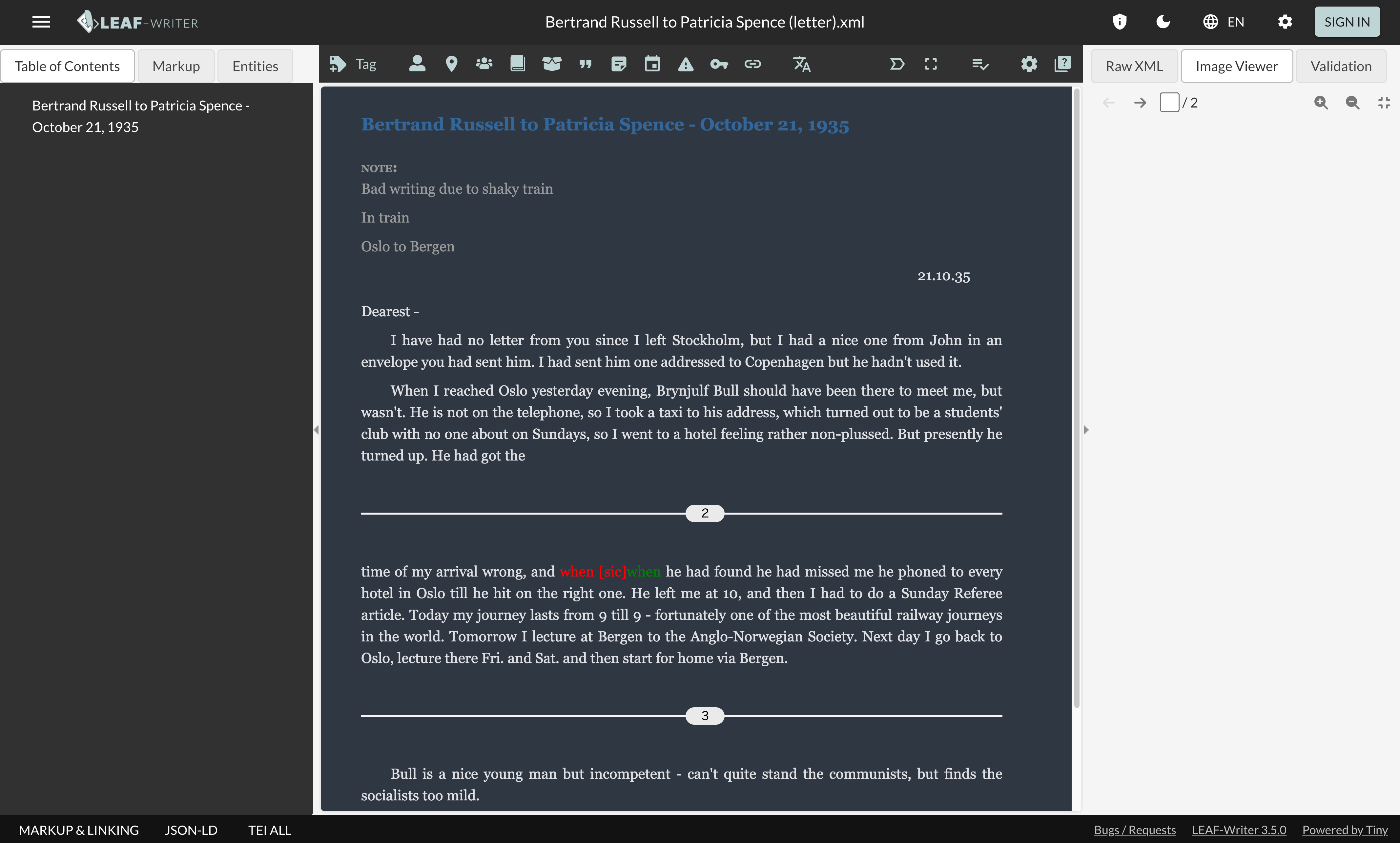
Overview One of the editors for TEI/XML is LEAF-WRITER. https://leaf-writer.leaf-vre.org/ It is described as follows: The XML & RDF online editor of the Linked Editing Academic Framework The GitLab repository is below. https://gitlab.com/calincs/cwrc/leaf-writer/leaf-writer One of the features of this tool is described as: continuous XML validation This validation appears to use the following API. https://validator.services.cwrc.ca/ The library seems to be: https://www.npmjs.com/package/@cwrc/leafwriter-validator This time, I tried the above API. ...

RELAX NG and Schematron

RELAX NG and Schematron

Overview When creating TEI/XML with oXygen XML Editor, the following template is generated. <?xml version="1.0" encoding="UTF-8"?> <?xml-model href="http://www.tei-c.org/release/xml/tei/custom/schema/relaxng/tei_all.rng" type="application/xml" schematypens="http://relaxng.org/ns/structure/1.0"?> <?xml-model href="http://www.tei-c.org/release/xml/tei/custom/schema/relaxng/tei_all.rng" type="application/xml" schematypens="http://purl.oclc.org/dsdl/schematron"?> <TEI xmlns="http://www.tei-c.org/ns/1.0"> <teiHeader> <fileDesc> <titleStmt> <title>Title</title> </titleStmt> <publicationStmt> <p>Publication Information</p> </publicationStmt> <sourceDesc> <p>Information about the source</p> </sourceDesc> </fileDesc> </teiHeader> <text> <body> <p>Some text here.</p> </body> </text> </TEI> I was curious about the following difference, so I am sharing the results of querying GPT-4. <?xml-model href="http://www.tei-c.org/release/xml/tei/custom/schema/relaxng/tei_all.rng" type="application/xml" schematypens="http://relaxng.org/ns/structure/1.0"?> <?xml-model href="http://www.tei-c.org/release/xml/tei/custom/schema/relaxng/tei_all.rng" type="application/xml" schematypens="http://purl.oclc.org/dsdl/schematron"?> Answer The difference between the 2nd and 3rd lines is the namespace specified in the schematypens attribute. Details are explained below. ...

TEI Publisher ODD Configuration Examples (1)

TEI Publisher ODD Configuration Examples (1)

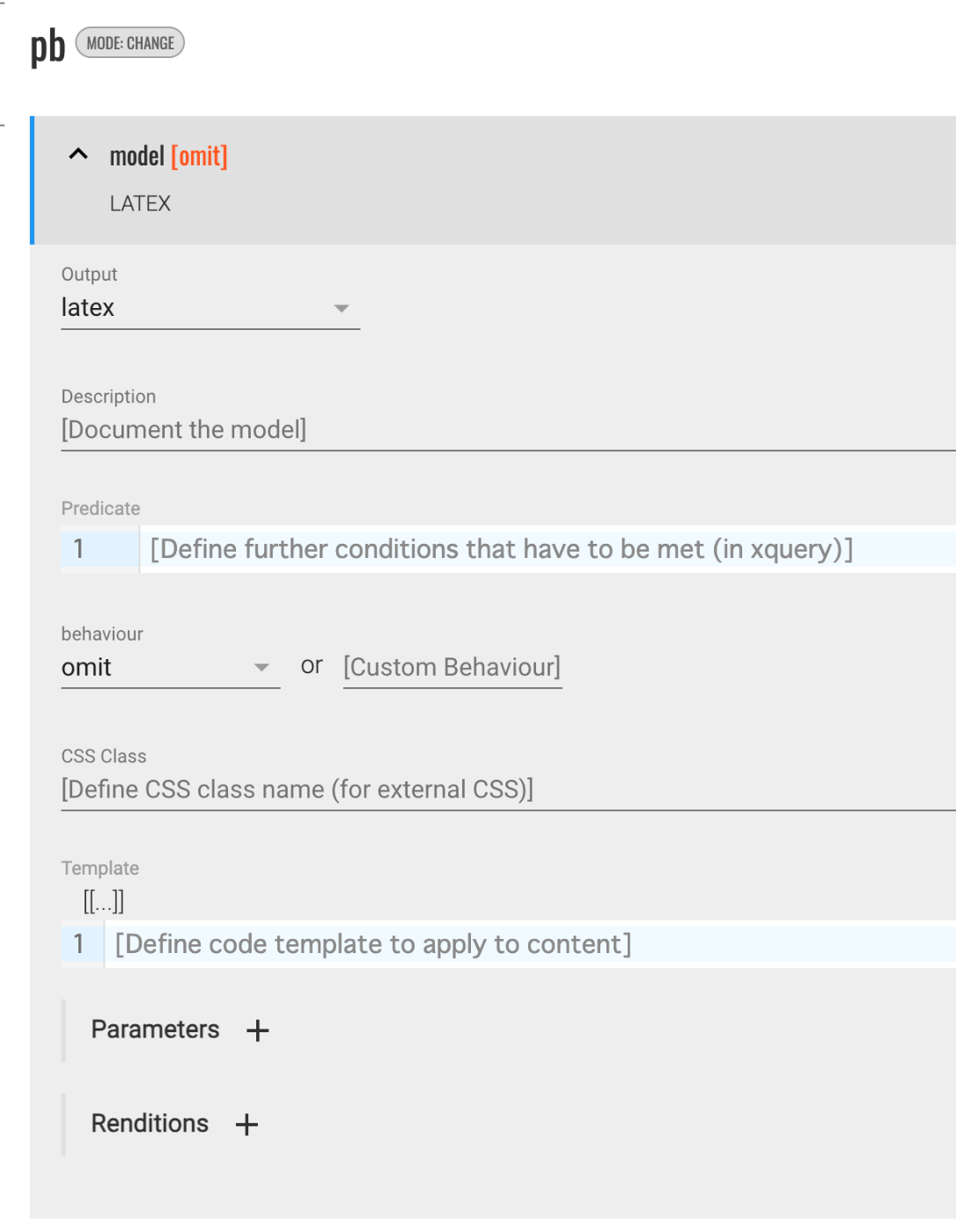
Overview This is a memo on configuring ODD settings in TEI Publisher. Hiding Elements in the Output The following was helpful as a reference. https://teipublisher.com/exist/apps/tei-publisher/documentation/odd-customization-other-behaviours Select omit for the behaviour. This caused the pb element to be hidden in the output (in the above example, latex). Adding Line Breaks with lb This may be specific to LaTeX conversion, but by selecting paragraph for the behaviour, a blank line was inserted where lb tags appeared. ...

Using the Docker Version of TEI Publisher

Using the Docker Version of TEI Publisher

Overview I had an opportunity to use the Docker version of TEI Publisher, so here are my notes. https://teipublisher.com/exist/apps/tei-publisher-home/index.html TEI Publisher is described as follows. TEI Publisher facilitates the integration of the TEI Processing Model into exist-db applications. The TEI Processing Model (PM) extends the TEI ODD specification format with a processing model for documents. That way intended processing for all elements can be expressed within the TEI vocabulary itself. It aims at the XML-savvy editor who is familiar with TEI but is not necessarily a developer. ...

Formatting XML Strings in Python

Formatting XML Strings in Python

Overview Notes on programs for formatting XML strings in Python. Program 1 I referenced the following. https://hawk-tech-blog.com/python-learn-prettyprint-xml/ I added processing to remove unnecessary blank lines. from xml.dom import minidom import re def prettify(rough_string): reparsed = minidom.parseString(rough_string) pretty = re.sub(r"[\t ]+\n", "", reparsed.toprettyxml(indent="\t")) # Remove unnecessary line breaks after indentation pretty = pretty.replace(">\n\n\t<", ">\n\t<") # Remove unnecessary blank lines pretty = re.sub(r"\n\s*\n", "\n", pretty) # Replace consecutive line breaks (including blank lines) with a single line break return pretty Program 2 I referenced the following. https://qiita.com/hrys1152/items/a87b4ca3c74ec4997f66 When processing TEI/XML, I recommend registering the namespace. ...

How to Convert CMYK Color Images Without Color Inversion

How to Convert CMYK Color Images Without Color Inversion

Overview For example, when delivering images via IIIF, performing the following conversion on CMYK color images using ImageMagick would sometimes result in inverted colors. convert source_image.tif -alpha off -define tiff:tile-geometry=256x256 -compress jpeg 'ptif:output_image.tif' Original image (Using an image published on Nuno LAB..) Display example in Image Annotator (created by Masahide Kanzaki) This is not a problem with image servers such as Cantaloupe Image Server or IIPImage, nor with viewers like Image Annotator, Mirador, or Universal Viewer. Rather, the issue lies in the generated tiled TIFF images. ...

Counting Triples in an RDF Store 2: Co-occurrence Frequency

Counting Triples in an RDF Store 2: Co-occurrence Frequency

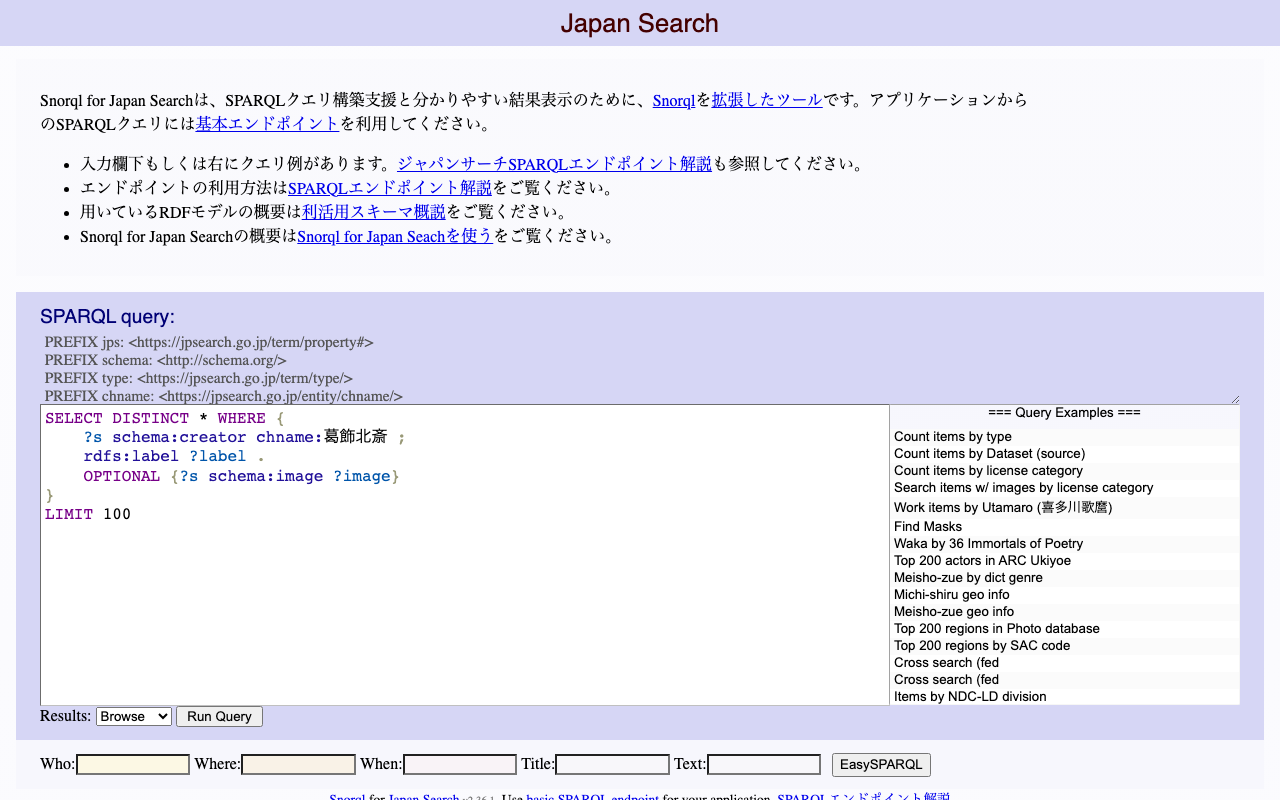
Overview I had the opportunity to count co-occurrence frequencies for RDF triples, so here are my notes. Following the previous article, I will again use the Japan Search RDF store as an example. Example 1 The following query counts the number of triples among sword-type instances that share a common creator (schema:creator). The filter avoids counting identical instances and prevents duplicate counting. select (count(*) as ?count) where { ?entity1 a type:刀剣; schema:creator ?value . ?entity2 a type:刀剣; schema:creator ?value . FILTER(?entity1 != ?entity2 && ?entity1 < ?entity2) } https://jpsearch.go.jp/rdf/sparql/easy/?query=select+(count(*)+as+%3Fcount)+where+{ ++%3Fentity1+a+type%3A刀剣%3B +++++++++++++schema%3Acreator+%3Fvalue+. ++%3Fentity2+a+type%3A刀剣%3B +++++++++++++schema%3Acreator+%3Fvalue+. ++FILTER(%3Fentity1+!%3D+%3Fentity2+%26%26+%3Fentity1+<+%3Fentity2) } ...

Counting the Number of Triples in an RDF Store

Counting the Number of Triples in an RDF Store

Overview Here are my notes on how to count the number of triples in an RDF store. This time, we will use the Japan Search RDF store as an example. https://jpsearch.go.jp/rdf/sparql/easy/ Number of Triples The following query counts the number of triples: SELECT (COUNT(*) AS ?NumberOfTriples) WHERE { ?s ?p ?o . } The result is: https://jpsearch.go.jp/rdf/sparql/easy/?query=SELECT+(COUNT(*)+AS+%3FNumberOfTriples) WHERE+{ ++%3Fs+%3Fp+%3Fo+. } At the time of writing this article (May 6, 2024), there were 1,280,645,565 triples (approximately 1.28 billion). ...

Case-Insensitive Search in Drupal's Search API

Case-Insensitive Search in Drupal's Search API

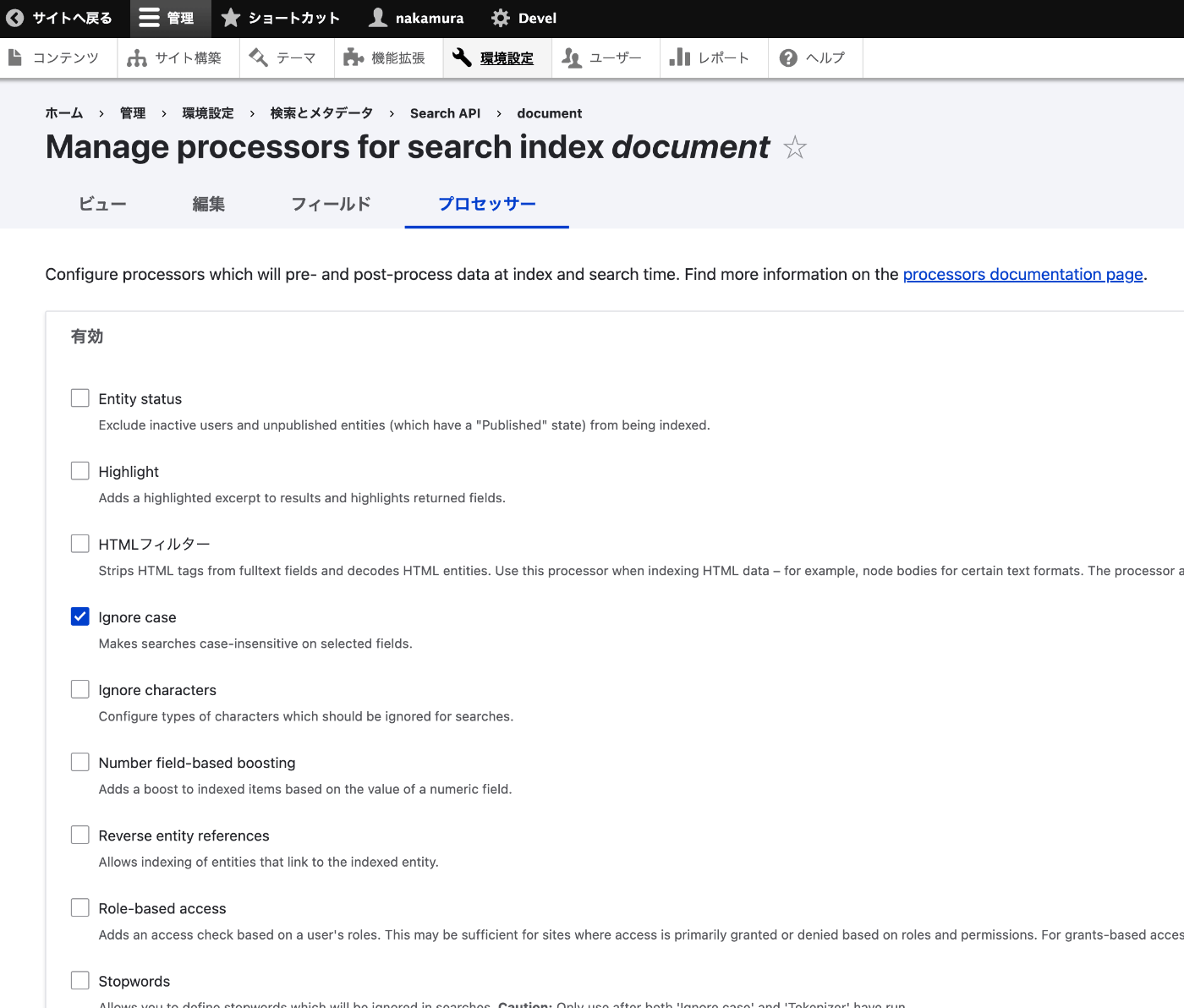
Overview This is a memo on performing case-insensitive search when using Drupal’s Search API. Method Access the following page and check “Ignore case.” /admin/config/search/search-api/index/<content_type>/processors Furthermore, in the Processor settings at the bottom of the screen, select the fields to which you want to apply this processing. It was also possible to select all fields as shown below. By performing reindexing, the above settings will be reflected. Summary I hope this serves as a helpful reference. ...

Trying Out TEIGarage

Trying Out TEIGarage

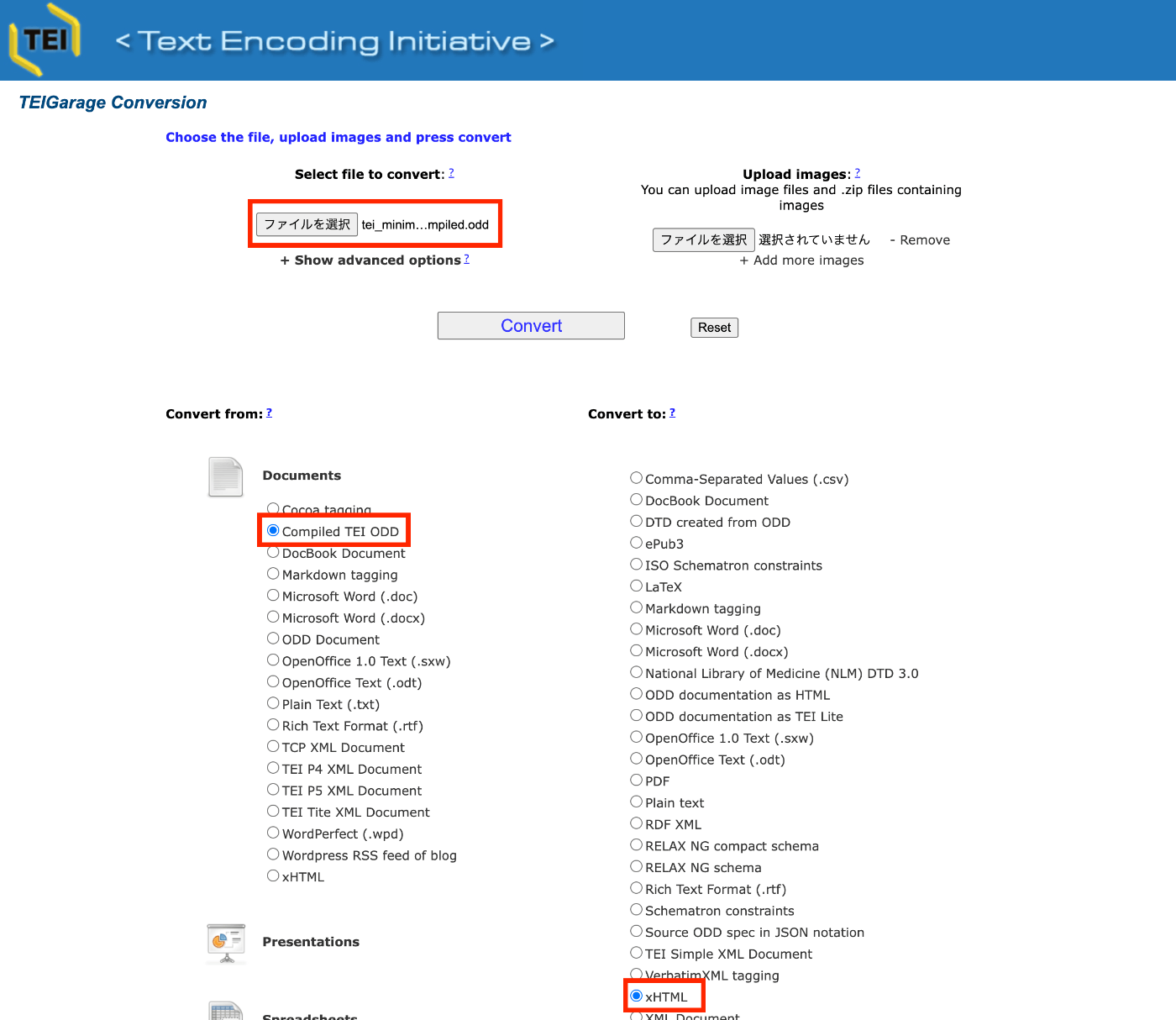
Overview TEIGarage is described as follows. https://github.com/TEIC/TEIGarage/ TEIGarage is a webservice and RESTful service to transform, convert and validate various formats, focussing on the TEI format. TEIGarage is based on the proven OxGarage. Trying It Out You can try it out on the following page. https://teigarage.tei-c.org/ We will use the “TEI Minimal” ODD file published at the following URL. This file is also used as one of the presets in Roma. ...

(Machine Translation) The TEI Archive

(Machine Translation) The TEI Archive

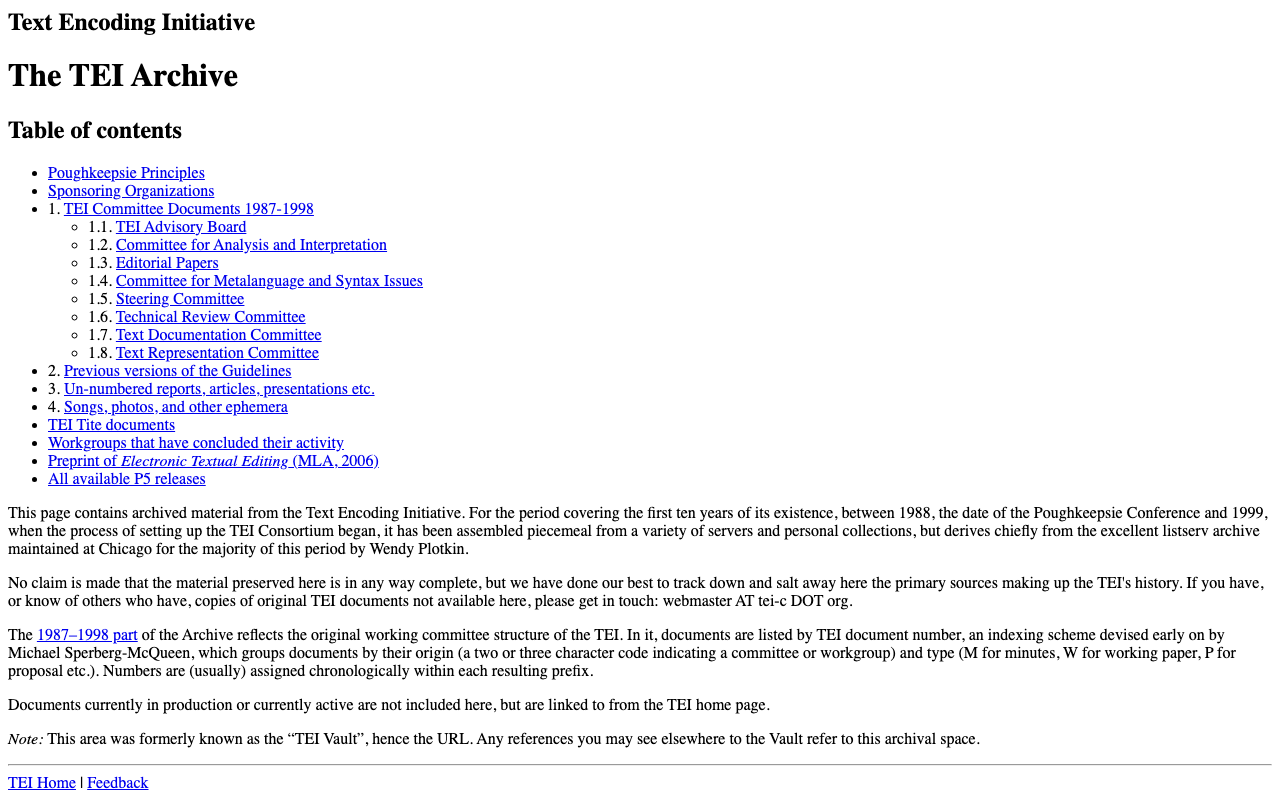
The following is a machine translation of “The TEI Archive” page. https://tei-c.org/Vault/ Text Encoding Initiative (TEI) The TEI Archive Table of Contents Poughkeepsie Principles Sponsoring Organizations 1. TEI Committee Documents 1987-1998 TEI Advisory Committee Analysis and Interpretation Committee Edited Papers Metalanguage and Syntax Issues Committee Steering Committee Technical Review Committee Text Documentation Committee Text Representation Committee 2. Previous Versions of the Guidelines 3. Unnumbered Reports, Articles, Presentations, etc. 4. Songs, Photos, and Other Ephemera TEI Tite Documents Workgroups That Have Completed Their Work Preliminary Drafts of Electronic Text Editing (MLA, 2006) All Available P5 Releases This page contains archival materials from the Text Encoding Initiative. Spanning the first ten years from the Poughkeepsie Conference of 1988 to the beginning of the process of establishing the TEI Consortium in 1999, these materials were collected from fragments across various servers and personal collections, though much of it derives from the excellent Listserv archive maintained by Wendy Plotkin in Chicago. ...

Prototyping Digital Archive Tools: Mainly IIIF Usage Support

Prototyping Digital Archive Tools: Mainly IIIF Usage Support

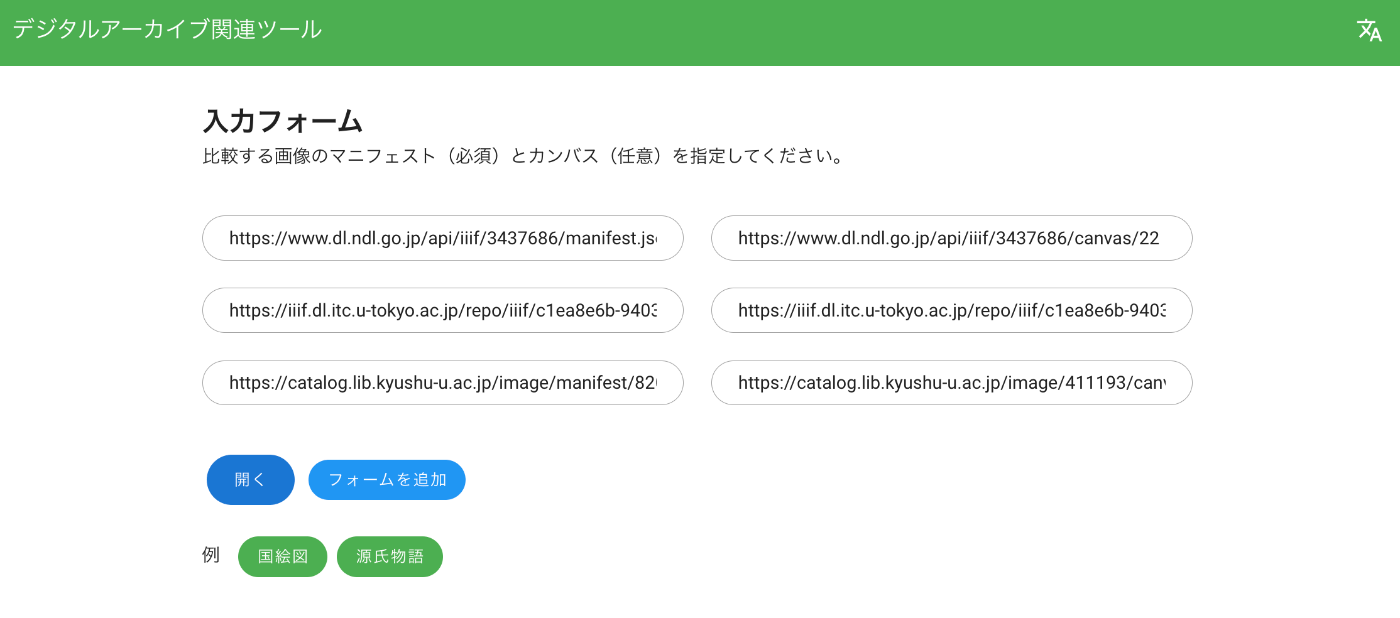
Overview I created “Digital Archive Tools.” It mainly provides support features for using IIIF (International Image Interoperability Framework). https://nakamura196.github.io/viewer/ Feature 1: Image Comparison with Mirador 3 https://nakamura196.github.io/viewer/input You specify the URLs of the manifest files and the canvas IDs you want to compare, as shown below. As a result, you can compare images as follows. Feature 2: Page Number Specification Tool ! This only supports IIIF Presentation API Version 2. ...

Handling the Error: Input value "page" contains a non-scalar value

Handling the Error: Input value "page" contains a non-scalar value

Overview I addressed the same error in the following article. However, there were cases where the error could not be resolved even after applying the above fix, so I describe additional measures here. Error Details The error details are as follows. In particular, it occurred when jsonapi_search_api_facets was enabled. { "jsonapi": { "version": "1.0", "meta": { "links": { "self": { "href": "http://jsonapi.org/format/1.0/" } } } }, "errors": [ { "title": "Bad Request", "status": "400", "detail": "Input value \"page\" contains a non-scalar value.", "links": { "via": { "href": "http://localhost:61117/web/jsonapi/index/document?page%5Blimit%5D=24&sort=field_id" }, "info": { "href": "http://www.w3.org/Protocols/rfc2616/rfc2616-sec10.html#sec10.4.1" } }, "source": { "file": "/app/vendor/symfony/http-kernel/HttpKernel.php", "line": 83 }, "meta": { "exception": "Symfony\\Component\\HttpFoundation\\Exception\\BadRequestException: Input value \"page\" contains a non-scalar value. in /app/vendor/symfony/http-foundation/InputBag.php:38\nStack trace:\n#0 /app/web/modules/contrib/facets/src/Plugin/facets/url_processor/QueryString.php(92): Symfony\\Component\\HttpFoundation\\InputBag->get('page')\n#1 /app/web/modules/contrib/facets/src/Plugin/facets/processor/UrlProcessorHandler.php(76): Drupal\\facets\\Plugin\\facets\\url_processor\\QueryString->buildUrls(Object(Drupal\\facets\\Entity\\Facet), Array)\n#2 /app/web/modules/contrib/facets/src/FacetManager/DefaultFacetManager.php(339): ... Solution I modified the buildUrls method in the file mentioned above. ...

Bulk Deleting S3 Buckets Using AWS CLI

Bulk Deleting S3 Buckets Using AWS CLI

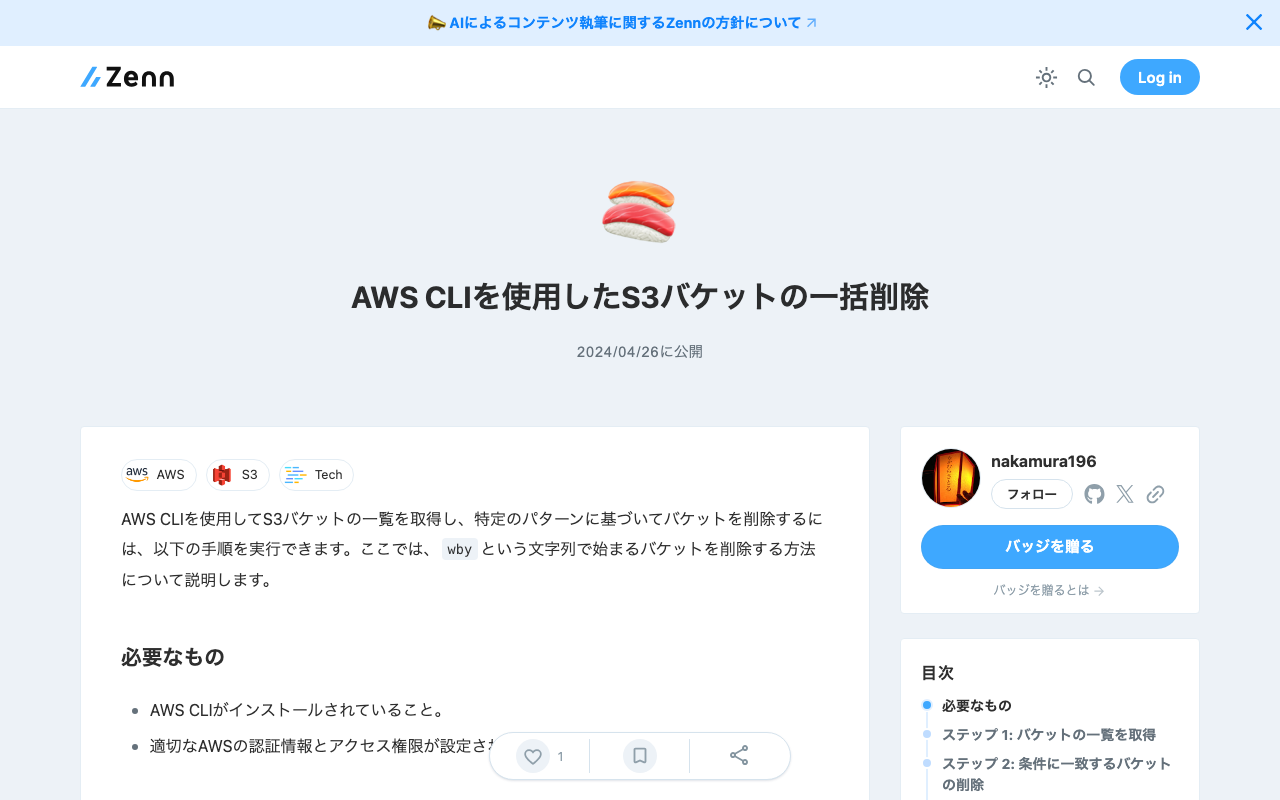
To list S3 buckets using AWS CLI and delete buckets based on a specific pattern, you can follow the steps below. Here, we explain how to delete buckets whose names start with wby. Prerequisites AWS CLI is installed. Appropriate AWS credentials and access permissions are configured. Step 1: List Buckets First, use the installed AWS CLI to list all S3 buckets: aws s3 ls Step 2: Delete Matching Buckets To delete buckets starting with wby, use a shell script to filter matching buckets and delete them. ...

Trying NDLTSR (NDL Table Structure Recognition)

Trying NDLTSR (NDL Table Structure Recognition)

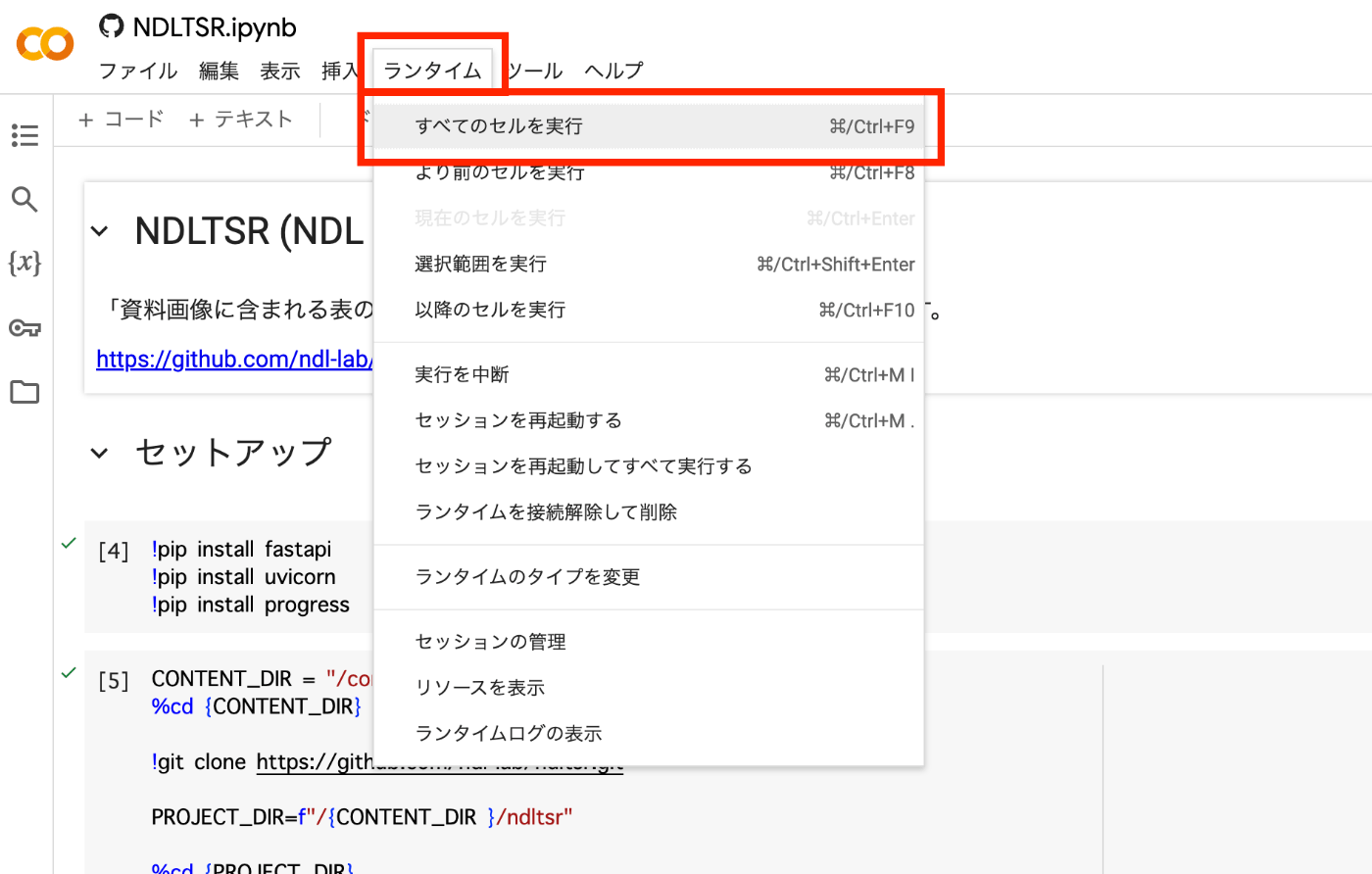
Overview NDLTSR (NDL Table Structure Recognition) is described as follows. A program for recognizing the structure of tables contained in document images is publicly available. By combining it with OCR text data with coordinates, it can be used to structure text data contained in tables. Reference (external link): Addition of new functionality (table structuring) to the Next Generation Digital Library and publication of source code and dataset for the new functionality. This program enables inference of table structures using a machine learning model trained on the NDLTableSet published by the National Diet Library, and also allows retraining with user-provided datasets using the same method as LORE-TSR (external link). ...

An Example Analysis of Texts Published in "SAT Daizokyo Text Database 2018"

An Example Analysis of Texts Published in "SAT Daizokyo Text Database 2018"

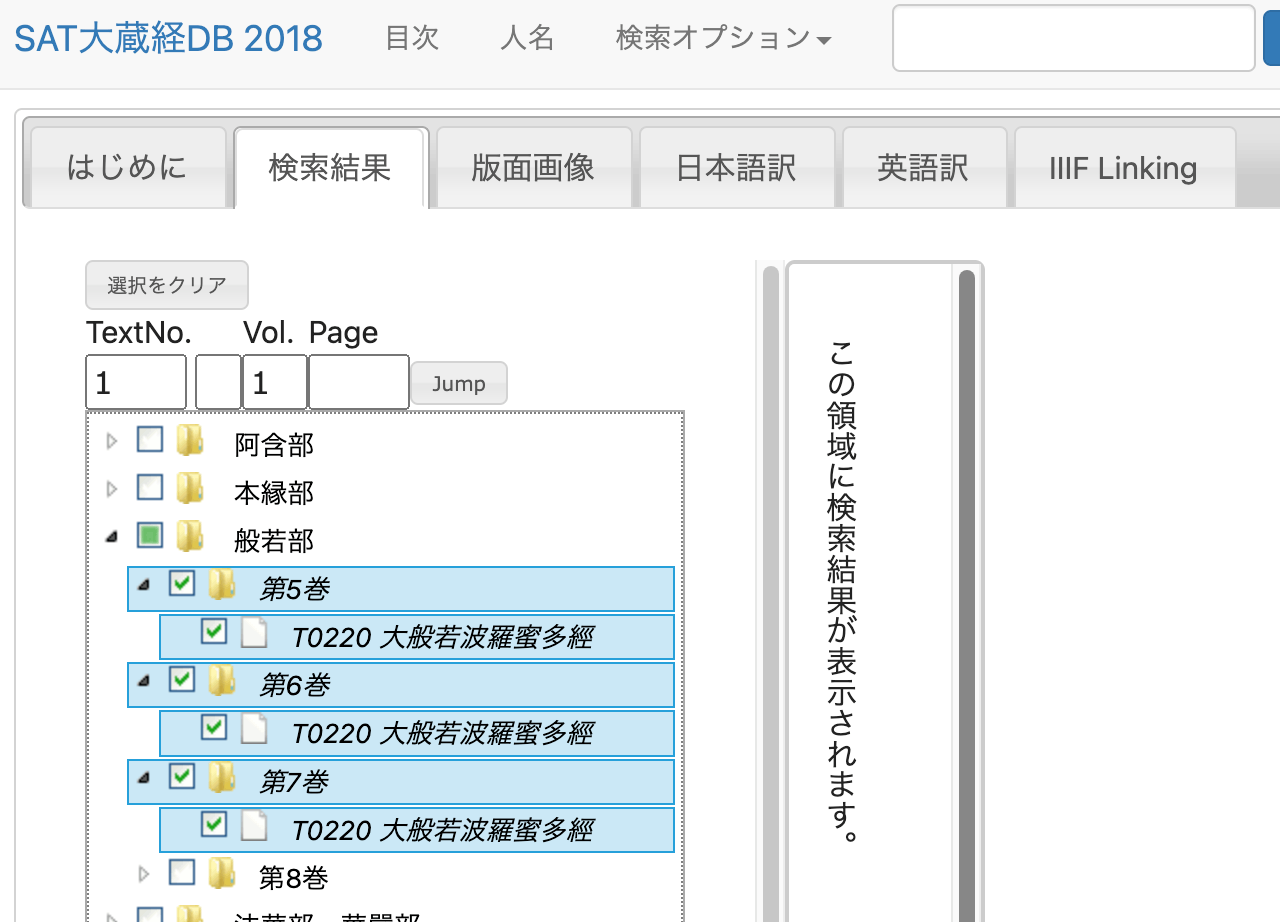
Overview “SAT Daizokyo Text Database 2018” is described as follows. https://21dzk.l.u-tokyo.ac.jp/SAT2018/master30.php This site is the 2018 version of the digital research environment provided by the SAT Daizokyo Text Database Research Society. Since April 2008, the SAT Daizokyo Text Database Research Society has provided a full-text search service for all 85 volumes of the text portion of the Taisho Shinshu Daizokyo, while enhancing usability through collaboration with various web services and exploring the possibilities of web-based humanities research environments. In SAT2018, we have incorporated new services including collaboration with high-resolution images via IIIF using recently spreading machine learning technology, publication of modern Japanese translations understandable by high school students with linkage to the original text. We have also updated the Chinese characters in the main text to Unicode 10.0 and integrated most functions of the previously published SAT Taisho Image Database. However, this release also provides a framework for collaboration, and going forward, data will be expanded along these lines to further enhance usability. The web services provided by our research society rely on services and support from various stakeholders. For the new services in SAT2018, we received support from the Institute for Research in Humanities regarding machine learning and IIIF integration, and from the Japan Buddhist Federation and Buddhist researchers nationwide for creating modern Japanese translations. We hope that SAT2018 will be useful not only for Buddhist researchers but also for various people interested in Buddhist texts. Furthermore, we would be delighted if the approach to applying technology to cultural materials presented here serves as a model for humanities research. ...

Parsing XML Strings in Node.js

Parsing XML Strings in Node.js

Overview To parse XML strings and extract information from them in Node.js, I recommend using the xmldom library. This allows you to work with XML in a way similar to how you manipulate the DOM in a browser. Below is how to set up a function to parse XML and extract elements, focusing on “PAGE” tags, using xmldom. Install the xmldom library: First, install xmldom, which is needed to parse XML strings. npm install xmldom Use xmldom to parse XML and extract the required elements. const { DOMParser } = require('xmldom'); const xmlString = "..."; // DOMParserを使用してXML文字列を解析 const parser = new DOMParser(); const xmlDoc = parser.parseFromString(xmlString, 'text/xml'); // 全てのPAGE要素を取得 const pages = xmlDoc.getElementsByTagName('PAGE'); // 発見されたPAGE要素の数をログに記録(例) console.log('PAGE要素の数:', pages.length); In this example, the basic function logs the XML string, parses it into a document, iterates over each “PAGE” element, and logs its attributes and content. The processing within the loop can be customized based on specific requirements, such as extracting particular details from each page. ...

Adding Links to Publications on researchmap

Adding Links to Publications on researchmap

Overview This article explains how to add links to publications and other items on researchmap. On the edit screen for each item, click the “Enter more detailed information” link. Additional input forms such as URL fields will be displayed as shown below. I hope this is helpful when using researchmap.

LlamaIndex+GPT4+gradio

LlamaIndex+GPT4+gradio

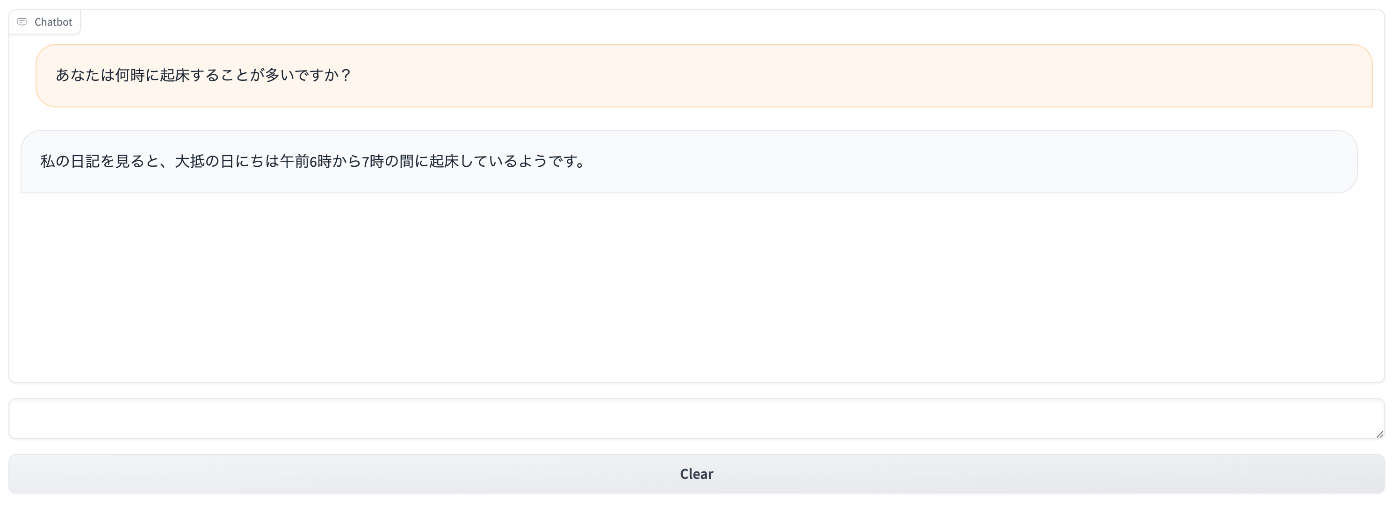
Overview I had the opportunity to use LlamaIndex, GPT4, and gradio together, so this is a memo of the process. Since the text used was small in size, the results are accordingly modest, but I prototyped a chatbot for Shibusawa Eiichi. Background I referred to the following article. https://qiita.com/DeepTama/items/1a44ddf6325c2b2cd030 Based on the above, I made modifications to work with libraries as of April 20, 2024. The notebook is published at the following location. ...