Overview
I developed an additional feature for the Omeka S IIIF Server module that adds a table of contents to IIIF manifests. This feature is available from ver 3.6.5.3 onward.
This article explains how to add a table of contents using this module. A video tutorial is also available. I hope it serves as a useful reference.
Details
Setup
The official documentation is available at:
https://github.com/Daniel-KM/Omeka-S-module-IiifServer#config-options-for-manifest
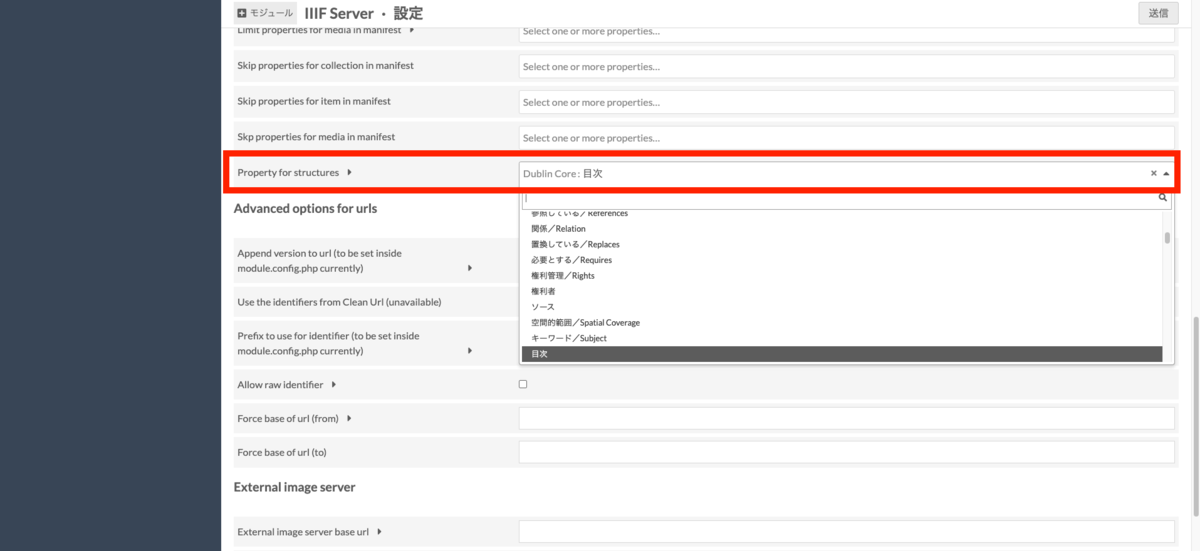
First, on the module’s settings screen, select the property to specify for “Property for structures.” By entering table of contents information as the value of the selected property, the table of contents information will be reflected in the IIIF manifest. Here, for example, select “Dublin Core: Table of Contents.”
Data Registration
For this example, we will use a portion of “Koui Genji Monogatari” (Textual Variants of The Tale of Genji), which is available from the National Diet Library.
Here, I will also introduce how to register items and batch-register IIIF images using Bulk Import. For instructions on using Bulk Import, please refer to the following article:
Item Registration
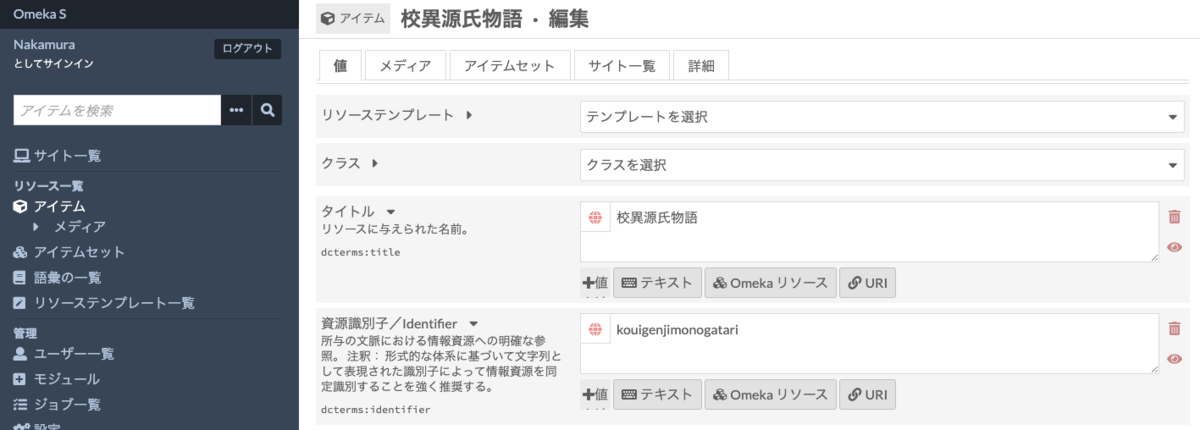
First, register an item. Select “Items” from the left menu, and click “Add new item” at the top right of the items screen. As a minimum, enter “Koui Genji Monogatari” as the title and “kouigenjimonogatari” as the identifier (dcterms:identifier).
Registering Images (Media)
Next, register the images. Here, I will show an example of registering IIIF images. Specifically, we register a portion (the first 35 frames) of the IIIF images distributed by the National Diet Library.
Prepare a CSV file like the following for batch registration. The key point is to provide the IIIF image service URL in the “iiif” column and the previously entered “kouigenjimonogatari” in the “item” column.
https://github.com/omeka-j/Omeka-S-module-BulkImport-Sample-Data/blob/main/media_iiif.csv
For batch registration, use Bulk Import. Click “Bulk Import” from the left menu, then click “CSV - Medias.” Upload the CSV file created earlier and press “Continue.” On the next settings screen “Start import,” leave the defaults and select “Continue” > “Start import” to batch register the images.
From the item list screen, you can confirm that the “Koui Genji Monogatari” registered earlier now has 35 images.
Registering the Table of Contents
We will add table of contents information for these 35 images. Here, we assign: frame 1 as Cover (id: cover), frames 4-6 as Preface (id: jyo), frames 6-15 as Notes (id: legend), frames 16-18 as General Catalog (id: catalogue), frames 19-20 as Table of Contents (id: toc), frames 20-35 as “Kiritsubo” (id: ch1), and frame 35 as “Hahakigi” (id: ch2).
Specifically, as shown below, add the “Table of Contents” property and enter information based on the following format for each line:
{id}, {label}, {canvasIndexOrRangeId1};{canvasIndexOrRangeId2};...; {canvasIndexOrRangeIdN}
Or:
{id}, {label}, {canvasIndex1}-{canvasIndexN}
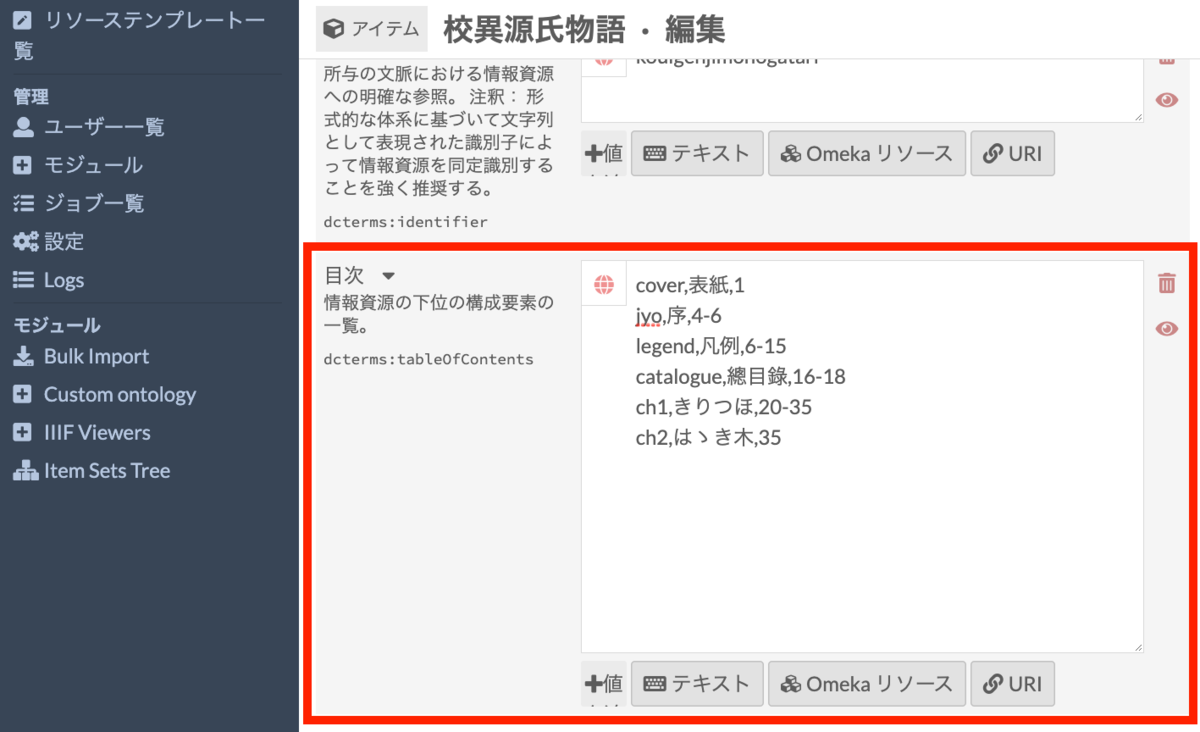
Specifically, enter the following:
cover,Cover,1
jyo,Preface,4-6
legend,Notes,6-15
catalogue,General Catalog,16-18
toc,Table of Contents,19-20
ch1,Kiritsubo,20-35
ch2,Hahakigi,35
After this, navigate to the item’s public page and check the Universal Viewer to confirm that the table of contents has been set correctly.
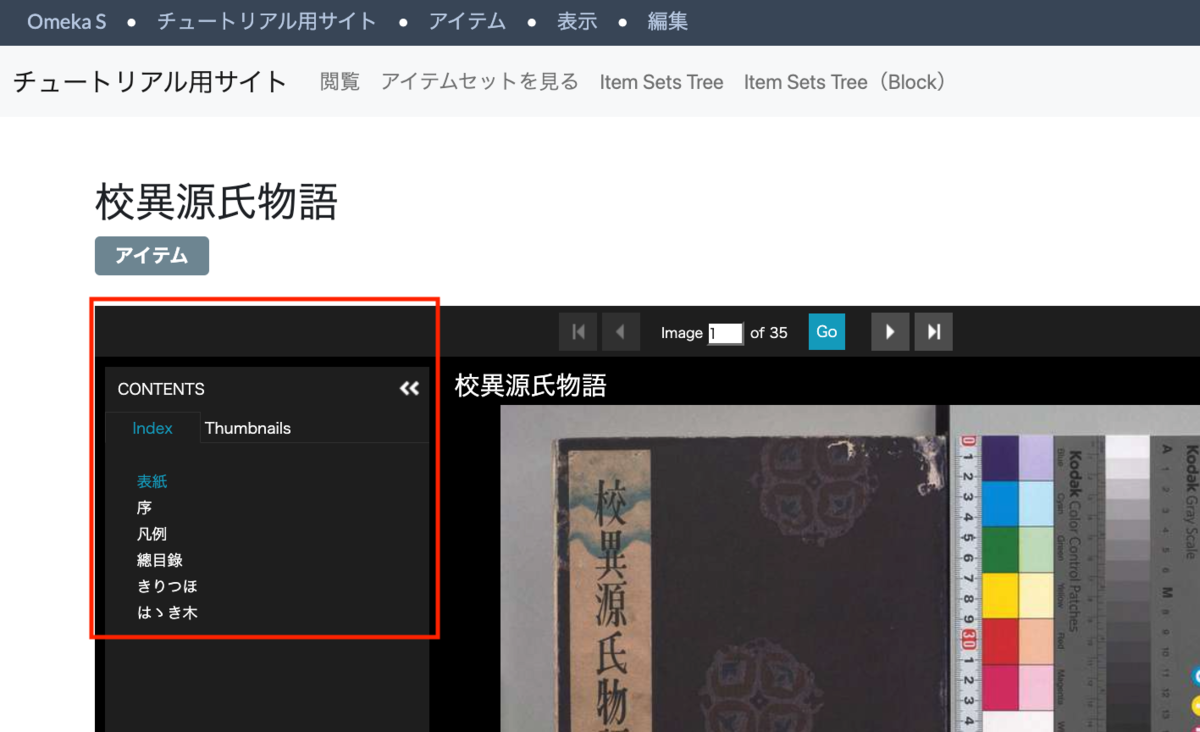
https://diyhistory.org/nakamura196/s/main/item/52
This article covers the explanation up to this point. While this article introduced how to create a flat table of contents, it is also possible to create hierarchical tables of contents. For instructions on registering hierarchical tables of contents, please refer to the following article:
Summary
This article introduced how to add table of contents information using the Omeka S IIIF Server module. I hope this article is helpful for IIIF delivery using Omeka S.
The merge request for this feature development is available at:
Initially, I submitted a merge request to add flat table of contents information for IIIF Presentation API version 2. After that, the maintainer Daniel-KM further developed the feature, adding support for version 3 and hierarchical tables of contents. As a result, the source code I had added was almost entirely rewritten by him.