Overview
In the following article, I introduced how to use Mirador 3 with Vue.
Following up on that, I created a GitHub repository demonstrating how to use Mirador 3 with Nuxt.js.
In the above repository, I have prepared examples of displaying Mirador full-page as well as embedding it in a specific area within a page.
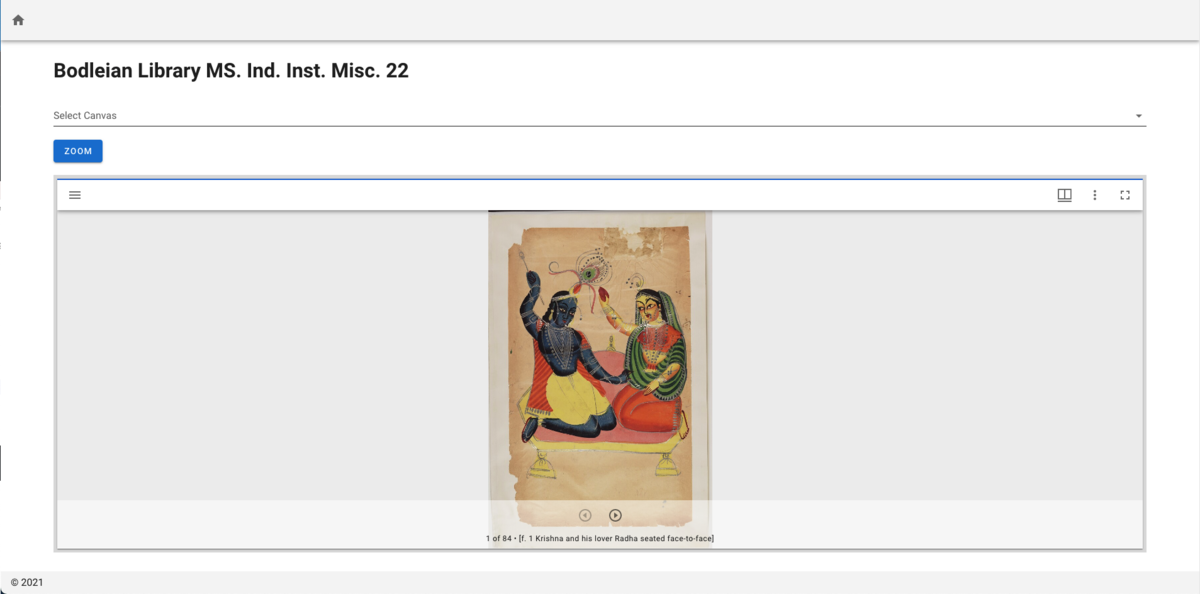
https://nakamura196.github.io/nuxt-mirador/embedded
This article provides an explanation of the above page and introduces some aspects of how to use Mirador.
Details
The above page is intended to demonstrate the following:
- Embedding Mirador in part of a page
- Programmatically specifying a canvas
- Programmatically performing zoom
Each is explained below.
The source code can be viewed at:
https://github.com/nakamura196/nuxt-mirador/blob/master/pages/embedded.vue
Embedding Mirador in Part of a Page
When embedding Mirador in a page, you specify the ID of the element where Mirador will be displayed (e.g., “mirador”). By applying the following CSS, it can be embedded as part of the page:
#mirador {
  height: 600px;
  position: relative;
  width: 100%;
}
The key point is “position: relative;”. Without this, even if you specify height and other properties, Mirador will display in full screen.
I also configured the Config based on the Stanford University Library’s Mirador 3 embedding example:
https://dlmenetwork.org/library/catalog/oai:N%2FA:Manchester~18~18~162~225617
const config = {
    id: "mirador",
    windows: [
        {
            id: 'known-window-id',
            manifestId: this.manifestId,
        },
    ],
    window: {
        allowClose: false,
        allowMaximize: false,
        allowFullscreen: true,
        hideWindowTitle: true,
    },
    workspaceControlPanel: {
        enabled: false,
    },
}
Key points include setting “workspaceControlPanel” to “enabled: false” and setting “allowClose” and “allowMaximize” to false. Customize as needed.
Official documentation for the Config is available at:
https://github.com/ProjectMirador/mirador/wiki/M3-Configuration-Recipes
Programmatically Specifying a Canvas
Official documentation is available at:
In this program, a canvas list is prepared as a select box, and the feature to navigate to the canvas selected by the user is implemented.
Programmatically Performing Zoom
Official documentation is available at:
In this program, a feature is implemented where pressing the Zoom button zooms to a pre-configured area.
Summary
This article introduced how to use Mirador 3 with Nuxt.js. It also explained aspects of using Mirador, such as embedding it in part of a page.
I hope this article is helpful when using Mirador 3.