Overview
In the following article, I introduced the “BulkImport” module for batch registering metadata and images using CSV files.
That article introduced how to create and register CSV files. While this works without issues on macOS, there were reports of the following error occurring when creating CSV files on Windows and registering them in Omeka S:
File “media_template.csv” has media type “application/vnd.ms-excel”, not “text/csv”.
This error was resolved by registering with an ODS file instead.
Below, I explain the details of this issue.
Issue 1
The above error occurred with CSV files, but a similar error also occurred with TSV files:
File “media_template.tsv” has media type “application/octet-stream”, not “text/tab-separated-values”.
Solution 1
For this issue, the following Issue was found on GitHub. It is in French, so please use translation tools as needed:
The above recommends using ODS (OpenDocument Spreadsheet). When I tried registering with an ODS file, the error no longer appeared.
Note that ODS files can be selected as one of the save/export formats in Microsoft Excel and Google Sheets.
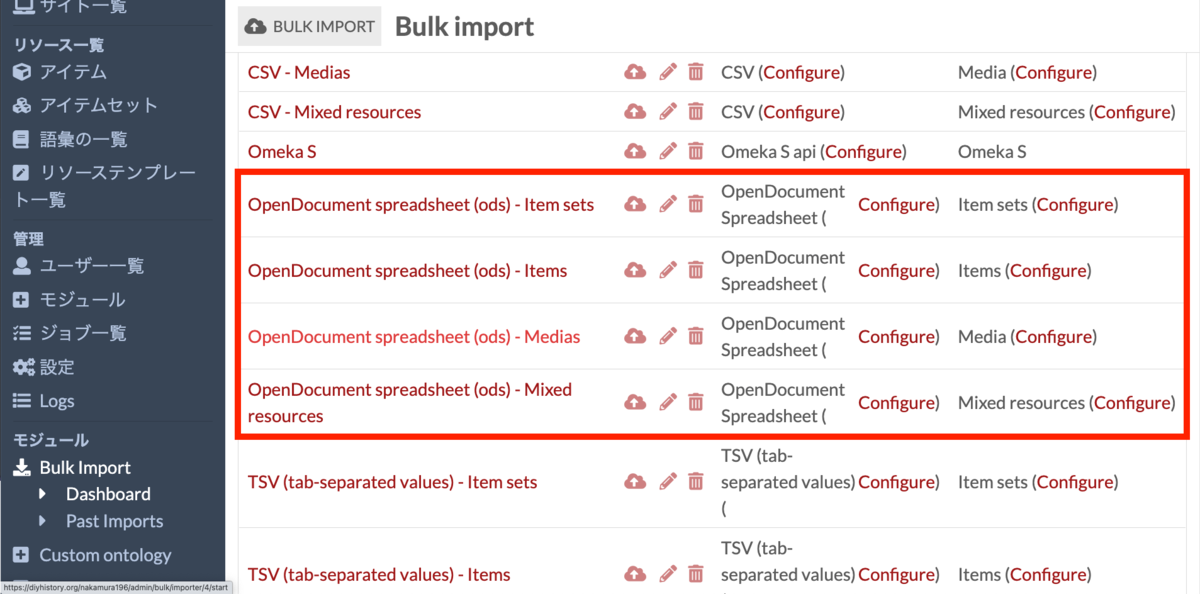
For registration using ODS files with the Bulk Import module, select the option shown in the figure below. The subsequent settings are the same as when using CSV files.
Issue 2
While registering with ODS files eliminated the error message, it was observed that when creating ODS files with Microsoft Excel on Windows, some (particularly) Japanese strings were dropped.
The detailed cause is unknown, and it has not been confirmed whether this issue occurs on all Windows machines, but similar problems were reported in multiple projects using Omeka S.
Solution 2
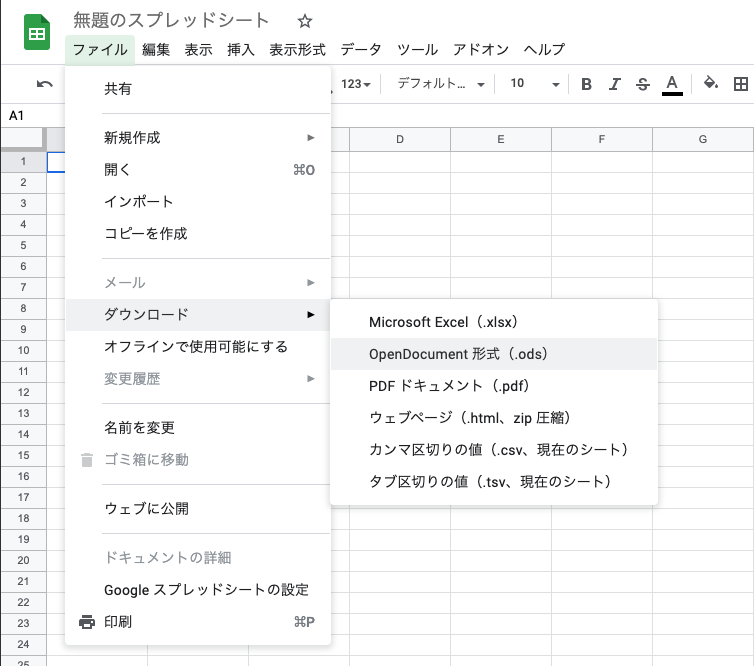
As a temporary workaround for this issue, creating data with Google Sheets and downloading it in ODS format resolved the problem of some strings being dropped.
I am not sure if this is the best solution, but if you are experiencing similar issues, I hope you will try this method.
Summary
This article introduced issues and temporary solutions when using the BulkImport module on Windows.
If the method introduced here “worked” or “did not work” for you, I would appreciate it if you could share that information.
Also, if you have any better methods, I would be grateful if you could let me know.