Overview
In the latest version of Omeka S, you can configure whether new items registered in Omeka S are automatically added as resources to each site.
The official manual documents this at:
https://omeka.org/s/docs/user-manual/sites/site_settings/#general-settings
Since Omeka S is designed to manage multiple sites, you can change the items (resources) that are searchable on a per-site basis.
However, when using Omeka S to manage only a single site, it is more efficient to have items automatically added to the site as searchable resources when they are registered in Omeka S.
This article explains this setting.
Configuration
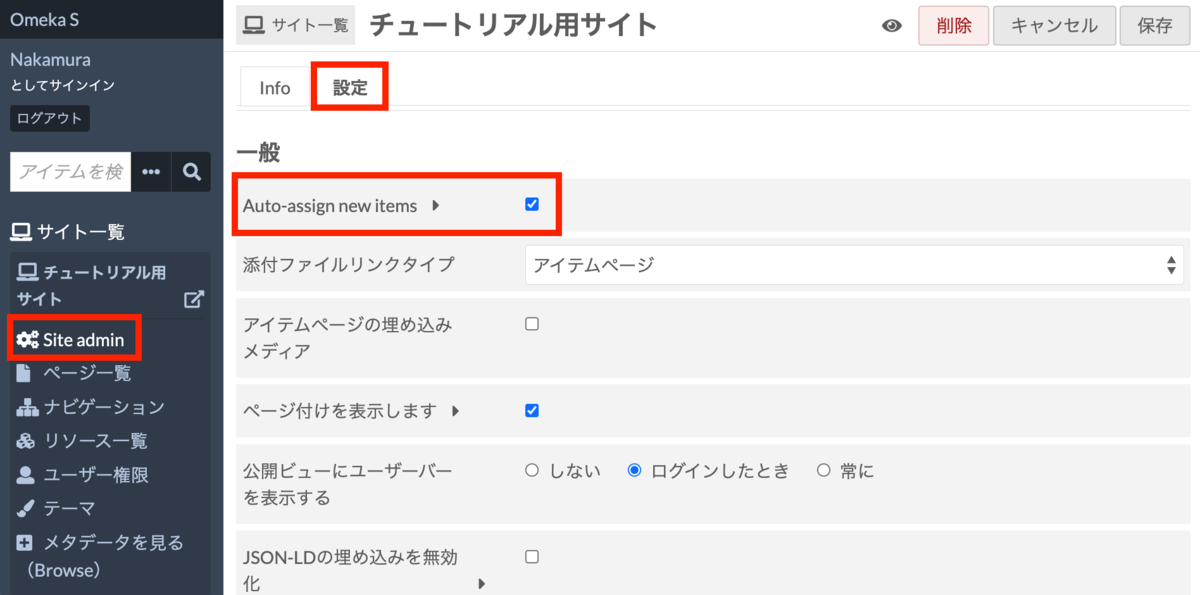
Specifically, on each site’s settings screen, configure the “Auto-assign new items” option. Enabling this will automatically add new items as searchable resources for that site.
Reference
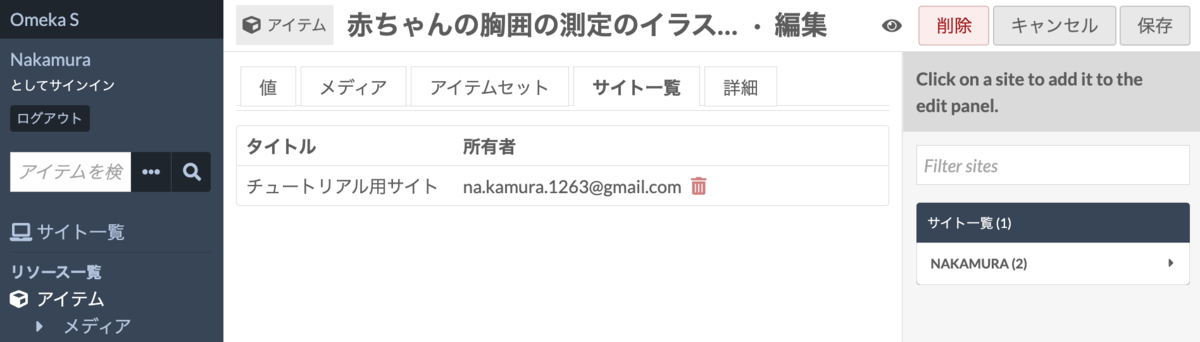
It is also possible to specify which sites to add items to on a per-item basis, as shown in the screen below.
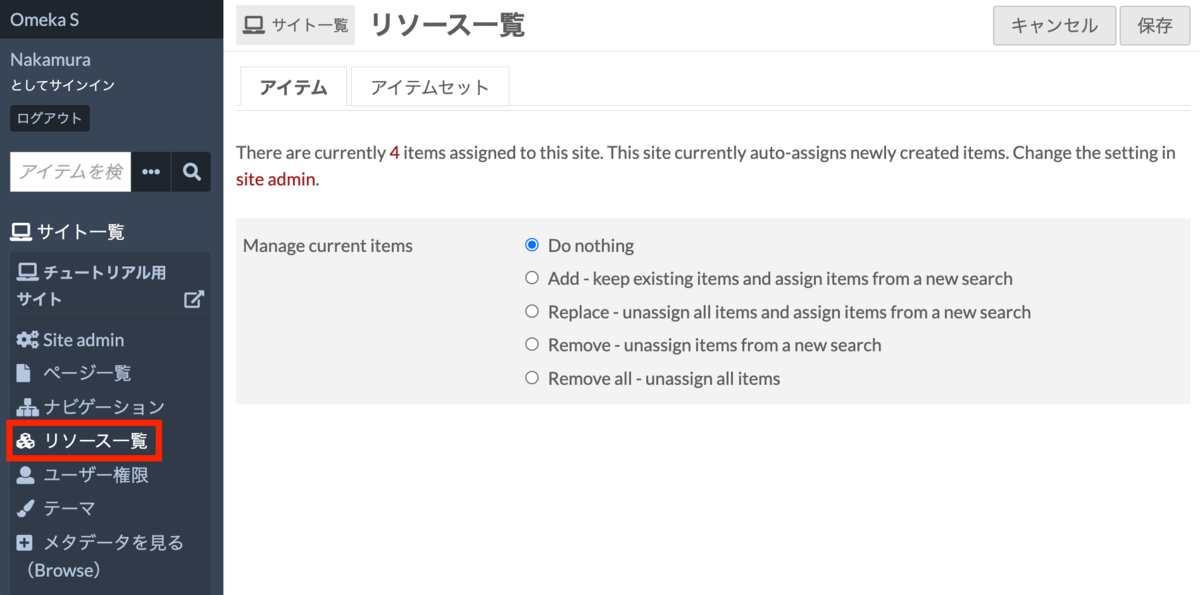
Additionally, batch registration with specified conditions is possible from the resource list of each site.
Summary
I hope this article is helpful for those who are having trouble with items not appearing on their site after registering them in Omeka S.