Overview
This article introduces the “Metadata Browse” module, which adds links to item detail pages in Omeka S that allow searching for items with the same metadata.
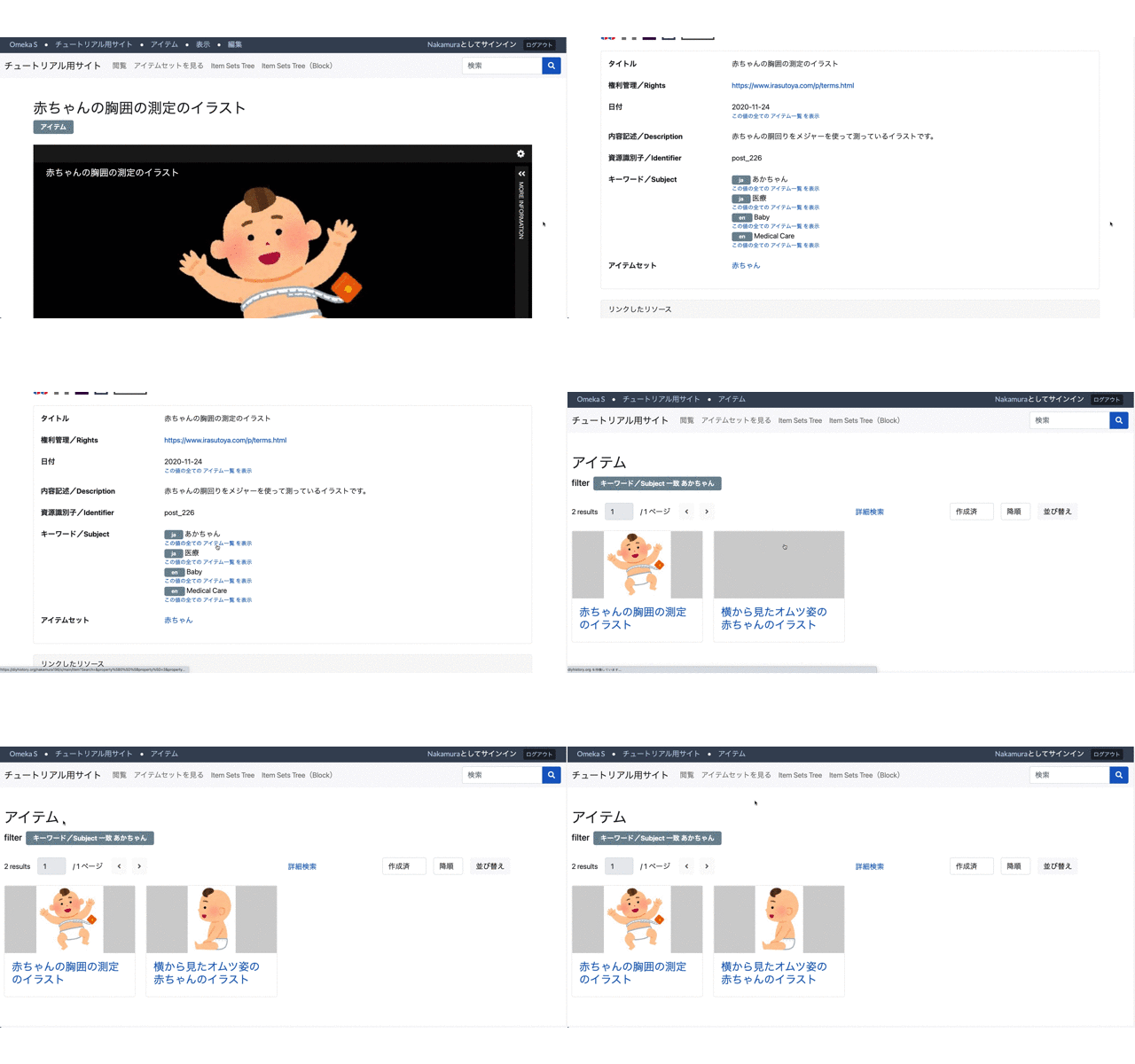
For example, the following becomes possible: a “See all items with this value” link is added to the “Subject” value on the item detail page, and clicking this link navigates to a search results page showing items with the same metadata.
Settings
After installing this module, or from the module’s settings screen, the following settings screen is displayed.
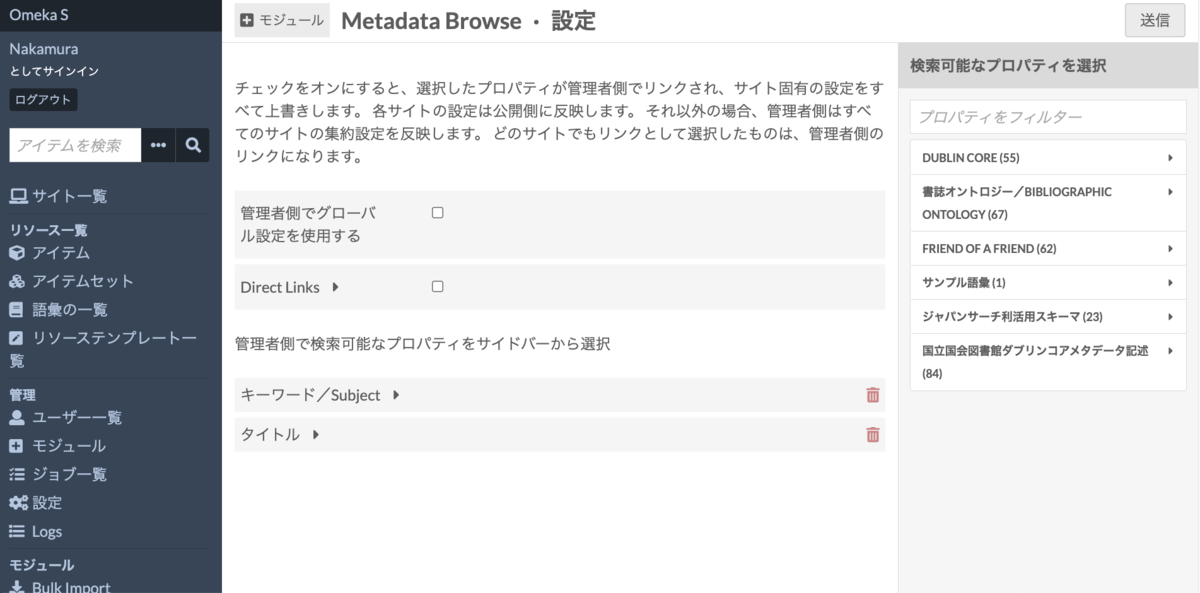
This settings screen can basically be left as-is.
While this may be confusing for first-time users of the module, regarding “Use global setting on admin side”: if this is unchecked, the admin interface will use the searchable properties configured for each individual site. When checked, the properties set on this settings screen become the search properties. Properties can be specified by selecting the required ones from the panel on the right side of the screen.
For “Direct Links”: when unchecked, a “See all items with this value” link is displayed below the values of properties configured as searchable. When checked, the link is applied directly to the value. Below is an example with Direct Links enabled.
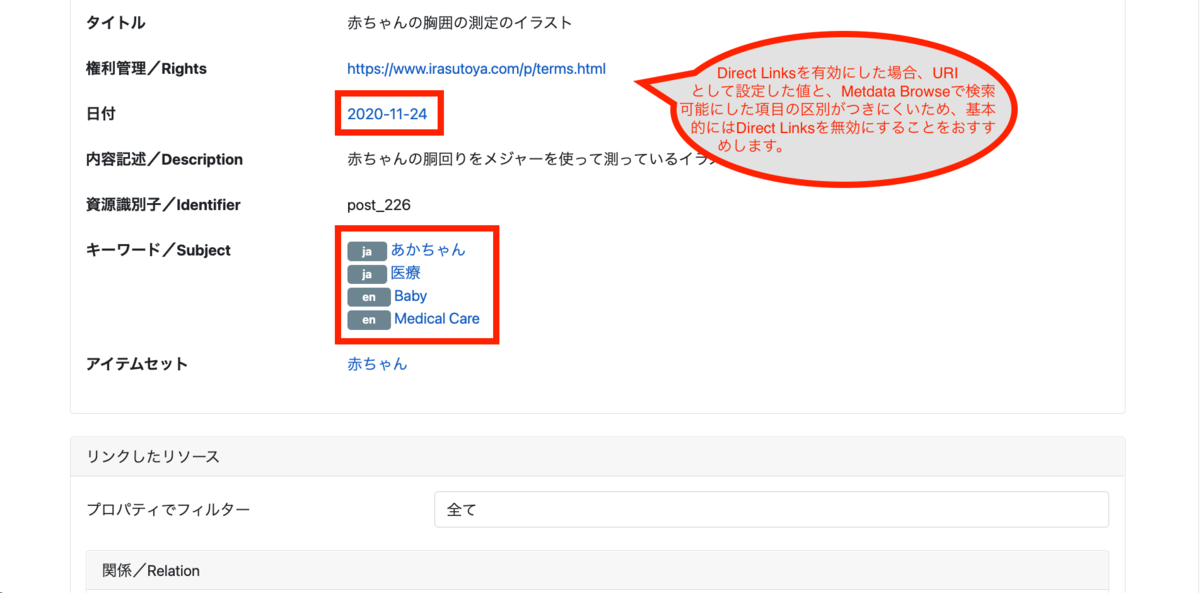
As noted in the figure, when Direct Links is enabled, it becomes difficult to distinguish between values set as URIs and items made searchable by Metadata Browse. Therefore, I generally recommend disabling Direct Links.
Site-Specific Settings
Searchable properties (metadata) can be specified for each site. Select the site you want to configure from the “Sites” list, then select “Metadata Browse” from the left menu.
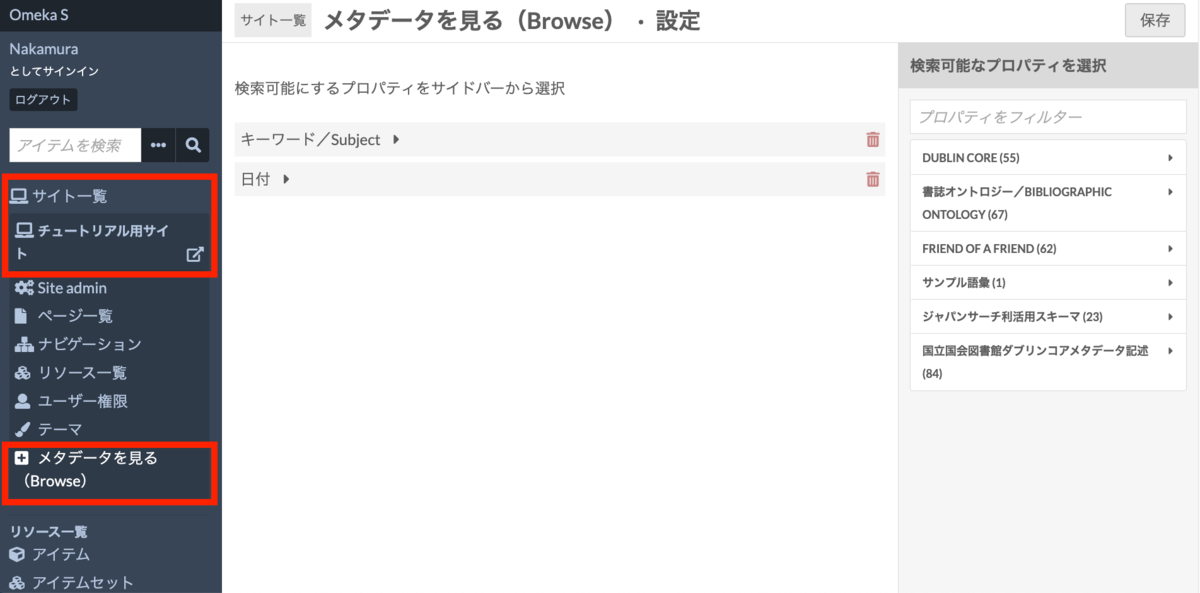
On the above screen, select the required properties (metadata) from the panel on the right side.
Summary
With this module, you can add links to item detail pages like the following that enable searching for items with the same metadata.
This module is used in the Engineering Historical Materials Curation Database at the University of Tokyo Engineering and Information Science & Technology Library.
curation.library.t.u-tokyo.ac.jp
I hope this helps improve the usability of sites built with Omeka S.