We created a project that adds Japanese and English bilingual subtitles to the Digital Tale of Genji tutorial videos and publishes them as IIIF v3 manifests.
Target Videos
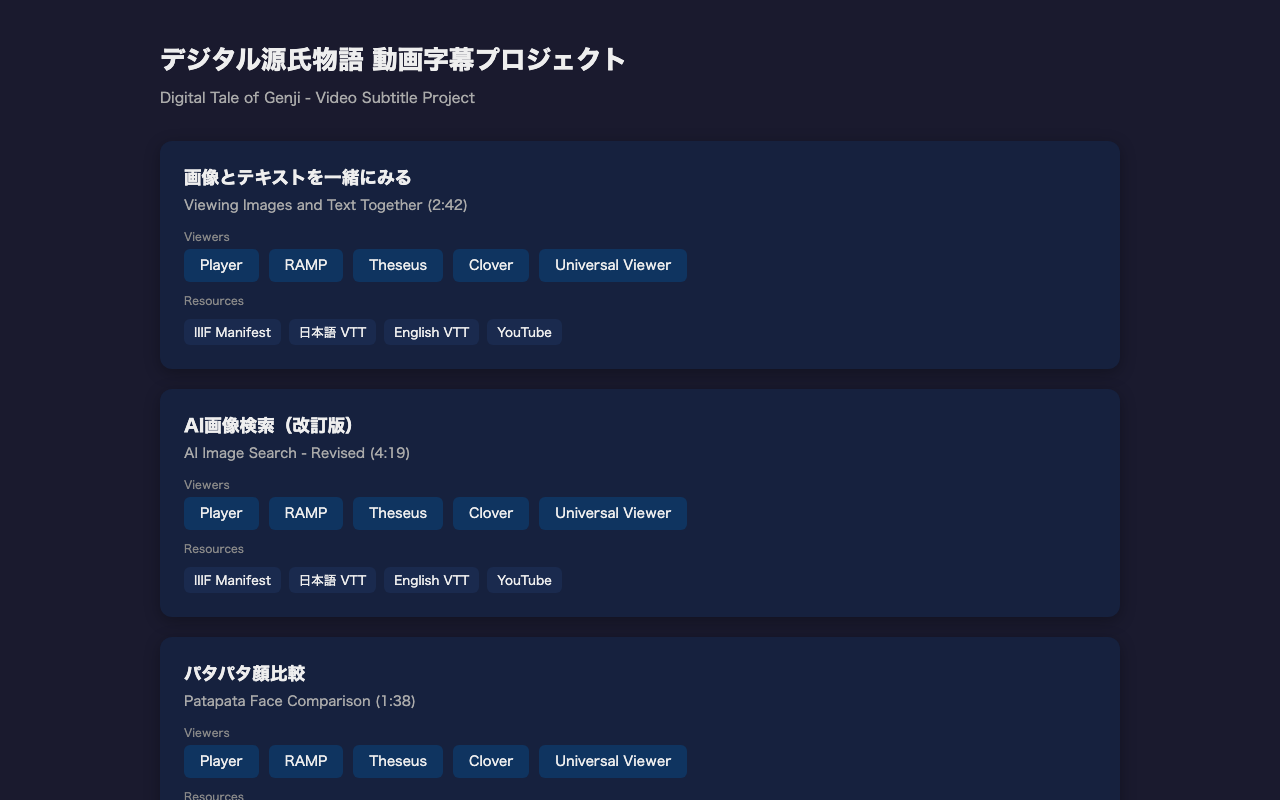
We added subtitles to the following three tutorial videos:
| Video | Duration | Description |
|---|---|---|
| Viewing Images and Text Together | 2:42 | How to use the Parallel Text Viewer with TEI & IIIF |
| AI Image Search (Revised) | 4:19 | Cross-searching manuscript images using kuzushiji OCR and similarity scoring |
| Patapata Face Comparison | 1:38 | Comparing Genji Hyakunin Isshu illustrations using vdiff.js |
Bilingual Subtitles
Each video has Japanese and English WebVTT subtitle files. Subtitles are split into single-sentence units for readability.
The VTT files can also be directly uploaded as YouTube subtitles.
IIIF v3 Manifests
Each video has a manifest file compliant with the IIIF Presentation API 3.0. Videos are described as painting Annotations, and subtitles as supplementing Annotations.
{
  "annotations": [{
    "type": "AnnotationPage",
    "items": [
      {
        "type": "Annotation",
        "motivation": "supplementing",
        "label": { "ja": ["日本語"] },
        "body": {
          "id": "https://example.com/ja.vtt",
          "type": "Text",
          "format": "text/vtt",
          "language": "ja"
        }
      },
      {
        "type": "Annotation",
        "motivation": "supplementing",
        "label": { "en": ["English"] },
        "body": {
          "id": "https://example.com/en.vtt",
          "type": "Text",
          "format": "text/vtt",
          "language": "en"
        }
      }
    ]
  }]
}
Compatible with Multiple IIIF Viewers
Since we use IIIF v3 manifests, the videos can be displayed directly in the following IIIF-compatible viewers:
| Viewer | Video | Subtitles | Language Switch | Notes |
|---|---|---|---|---|
| Player (this project) | ○ | ○ | ○ | Includes Web Speech API text-to-speech |
| RAMP | ○ | ○ | ○ | Best for AV materials |
| Theseus | ○ | ○ | ○ | General-purpose IIIF viewer |
| Clover | ○ | ○ | △ | Developed by Samvera/Northwestern |
| Universal Viewer | ○ | △ | - | Improved AV support in v4 |
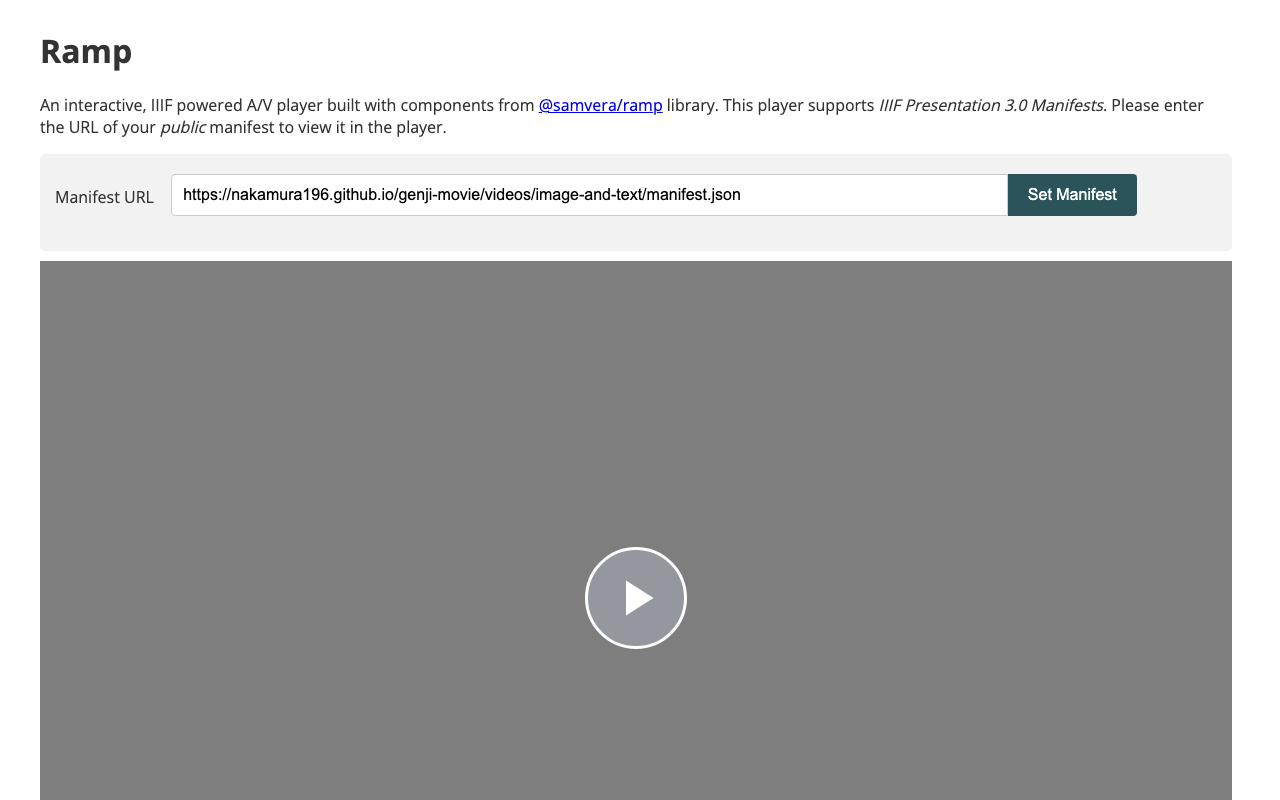
Links to each viewer are provided on the demo page for each video.
RAMP Viewer Example
Custom Player Features
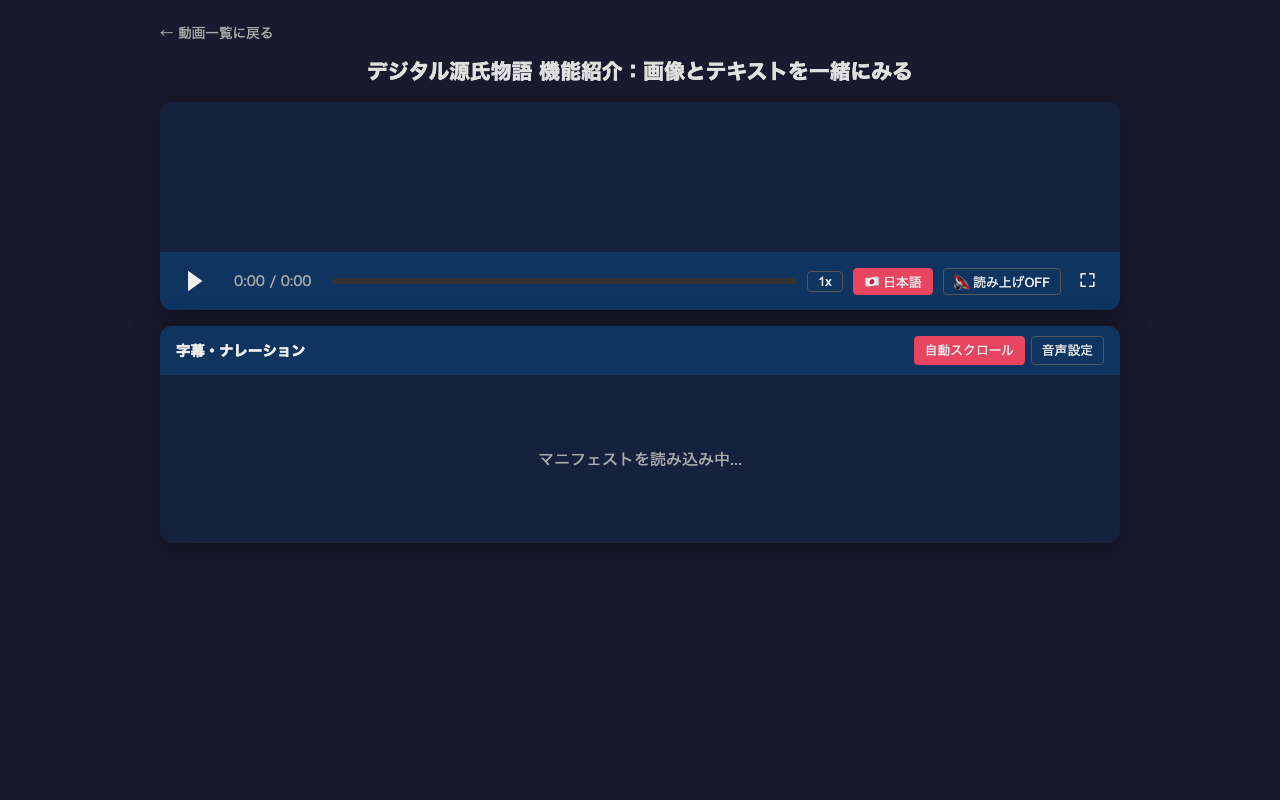
The Player in this project is a custom HTML player that loads IIIF v3 manifests to play videos with subtitles.
- Manifest loading: Specified via URL parameter
?manifest=path/to/manifest.json - Language switching: Button or keyboard
Lto toggle between Japanese and English - Text-to-speech: Automatic reading using Web Speech API (free, built into browser)
- Subtitle list panel: Highlights current subtitle with auto-scroll
- Click to jump: Click any subtitle in the list to jump to that time
- Playback speed: 0.5x to 2x adjustment
- Keyboard controls: Space (play/pause), ←→ (3s skip), T (TTS), L (language)
How Subtitles Were Generated
Subtitles were generated using Claude Code with the following steps. See the detailed how-to article for more.
- Scene change detection: Auto-detect screen transitions using ffmpeg
- Frame extraction: Extract frames at scene change points as images
- Image analysis: Read each frame’s content using Claude Code’s multimodal capability
- VTT creation: Create single-sentence VTT files in Japanese and English based on timestamps
Uploading Subtitles to YouTube
The VTT files can be directly uploaded as YouTube subtitles:
- YouTube Studio → Select video → Subtitles
- “Add subtitles” → “Upload file” → Select “With timing”
- Upload
ja.vtt→ Set language to “Japanese” - Similarly upload
en.vttas “English”