Introduction
The IIIF viewer Mirador has a search feature that can highlight search results for manifests supporting the IIIF Search API. However, there are cases where you want to highlight arbitrary regions even for manifests that do not support the Search API.
This article introduces a method to achieve highlighting based on annotation information from external data sources by using Mirador’s internal API.
Demo
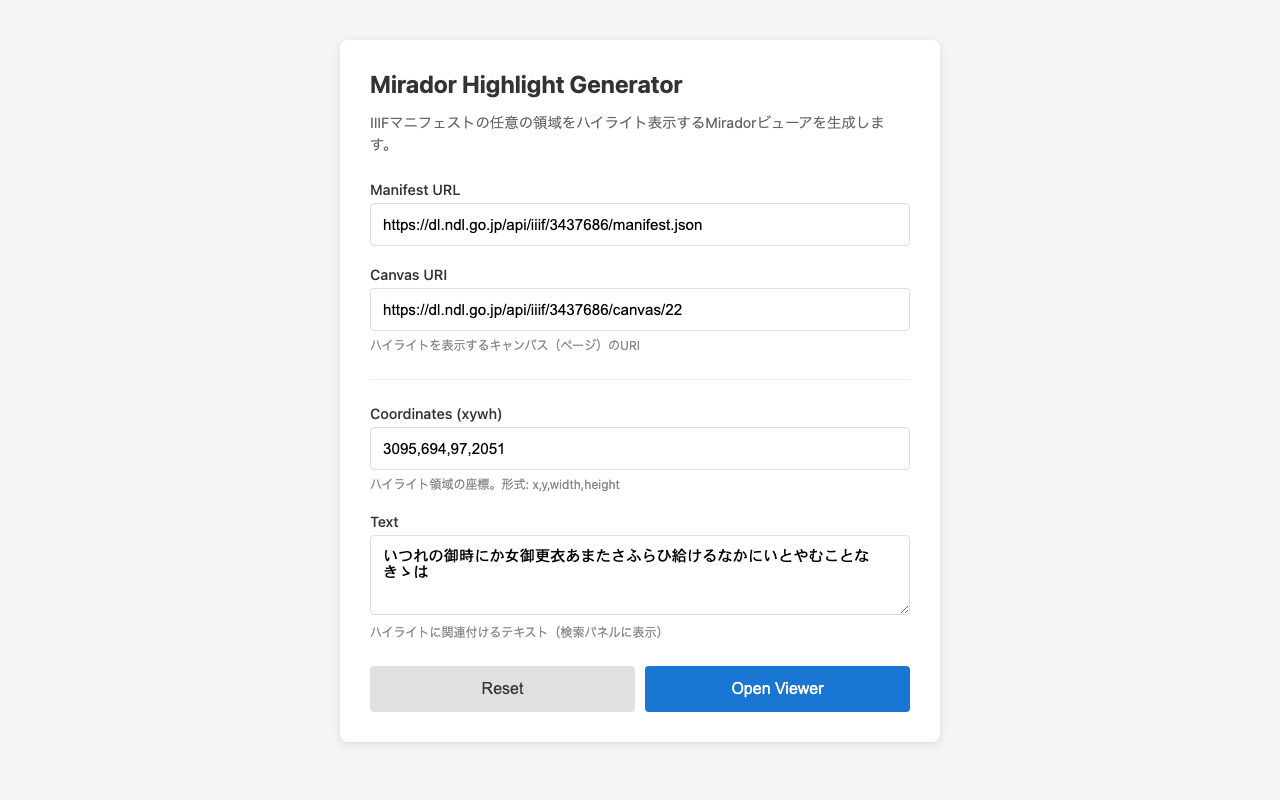
- Highlight Generator Form - Generate highlights from a form
Use Cases
- Highlighting text regions extracted by a custom OCR system
- Displaying regions of objects detected by machine learning
- Visualizing annotations stored in an external database
- Displaying search results for IIIF servers that do not support the Search API
Implementation
Basic Mechanism
Mirador uses Redux internally, and search results can be registered through the receiveSearch action. By passing IIIF Search API format JSON to this action, highlights from any data source can be displayed.
Required Information
Three pieces of information are needed to display a highlight:
- Canvas URI - The URI of the page where the highlight should be displayed
- Coordinates (xywh) - The position and size of the highlight area (x, y, width, height)
- Text - Text to associate with the highlight (displayed in the search panel)
Sample Code
The following is a sample that highlights the opening passage of the Tale of Genji from the National Diet Library Digital Collection.
<!DOCTYPE html>
<html lang="ja">
<head>
  <meta charset="UTF-8">
  <meta name="viewport" content="width=device-width, initial-scale=1.0">
  <title>Mirador Custom Highlight Sample</title>
  <style>
    body { margin: 0; padding: 0; }
    #mirador-viewer { width: 100%; height: 100vh; }
  </style>
</head>
<body>
  <div id="mirador-viewer"></div>

  <script src="https://unpkg.com/mirador@4.0.0-alpha.15/dist/mirador.min.js"></script>
  <script>
    // Configuration parameters
    const config = {
      manifestUrl: 'https://dl.ndl.go.jp/api/iiif/3437686/manifest.json',
      canvasId: 'https://dl.ndl.go.jp/api/iiif/3437686/canvas/22',
      highlights: [
        {
          xywh: '3095,694,97,2051',
          text: 'いつれの御時にか女御更衣あまたさふらひ給けるなかにいとやむことなきゝは',
        },
      ],
    };

    // Initialize Mirador
    const miradorViewer = Mirador.viewer({
      id: 'mirador-viewer',
      selectedTheme: 'light',
      language: 'ja',
      windows: [{
        id: 'window-1',
        manifestId: config.manifestUrl,
        canvasId: config.canvasId,
        thumbnailNavigationPosition: 'far-right',
      }],
      window: {
        allowFullscreen: true,
        allowClose: false,
        allowMaximize: false,
        sideBarOpen: true,
      },
      workspaceControlPanel: {
        enabled: false,
      },
    });

    // Function to add highlights
    function addHighlights(viewer, canvasId, highlights) {
      // Build a IIIF Search API format response
      const searchResponse = {
        '@context': 'http://iiif.io/api/search/1/context.json',
        '@id': canvasId + '/search',
        '@type': 'sc:AnnotationList',
        within: {
          '@type': 'sc:Layer',
          total: highlights.length,
        },
        resources: highlights.map((highlight, index) => ({
          '@id': canvasId + '/highlight-' + index,
          '@type': 'oa:Annotation',
          motivation: 'sc:painting',
          resource: {
            '@type': 'cnt:ContentAsText',
            chars: highlight.text,
          },
          on: canvasId + '#xywh=' + highlight.xywh,
        })),
      };

      // Add search panel to the right side
      const addAction = Mirador.addCompanionWindow('window-1', {
        content: 'search',
        position: 'right',
      });
      viewer.store.dispatch(addAction);

      // Get companionWindowId
      const state = viewer.store.getState();
      const searchCompanionWindowId = Object.keys(state.companionWindows).find(
        id => state.companionWindows[id].content === 'search'
      );

      if (searchCompanionWindowId) {
        // Register search results
        const searchAction = Mirador.receiveSearch(
          'window-1',
          searchCompanionWindowId,
          canvasId + '/search',
          searchResponse
        );
        viewer.store.dispatch(searchAction);
      }
    }

    // Monitor manifest loading and add highlights when complete
    let highlightAdded = false;
    const unsubscribe = miradorViewer.store.subscribe(() => {
      if (highlightAdded) return;

      const state = miradorViewer.store.getState();
      const manifests = state.manifests || {};
      const manifest = manifests[config.manifestUrl];

      if (manifest && !manifest.isFetching && manifest.json) {
        highlightAdded = true;
        unsubscribe();
        addHighlights(miradorViewer, config.canvasId, config.highlights);
      }
    });
  </script>
</body>
</html>
Code Explanation
1. Configuration Parameters
const config = {
  manifestUrl: 'https://dl.ndl.go.jp/api/iiif/3437686/manifest.json',
  canvasId: 'https://dl.ndl.go.jp/api/iiif/3437686/canvas/22',
  highlights: [
    {
      xywh: '3095,694,97,2051',
      text: 'いつれの御時にか...',
    },
  ],
};
manifestUrl: URL of the IIIF manifestcanvasId: URI of the canvas where highlights should be displayedhighlights: Array of highlight information; multiple highlights can be added
2. Building the IIIF Search API Format Response
const searchResponse = {
  '@context': 'http://iiif.io/api/search/1/context.json',
  '@type': 'sc:AnnotationList',
  resources: highlights.map((highlight, index) => ({
    '@type': 'oa:Annotation',
    motivation: 'sc:painting',
    resource: {
      '@type': 'cnt:ContentAsText',
      chars: highlight.text,
    },
    on: canvasId + '#xywh=' + highlight.xywh,
  })),
};
The key is the on property, which specifies the highlight region in the format canvasURI#xywh=x,y,width,height.
3. Detecting Manifest Load Completion
Since Mirador uses Redux, state changes can be monitored with store.subscribe(). Highlights are added when the manifest’s isFetching becomes false and json exists. This is more reliable than using setTimeout.
4. Registration with Mirador
// Add search panel
const addAction = Mirador.addCompanionWindow('window-1', {
  content: 'search',
  position: 'right',
});
viewer.store.dispatch(addAction);

// Register search results
const searchAction = Mirador.receiveSearch(
  'window-1',
  searchCompanionWindowId,
  canvasId + '/search',
  searchResponse
);
viewer.store.dispatch(searchAction);
The receiveSearch action is used to register the constructed response with Mirador.
Application Examples
Multiple Highlights
highlights: [
  { xywh: '100,200,300,400', text: 'Region 1' },
  { xywh: '500,600,200,300', text: 'Region 2' },
  { xywh: '800,900,150,250', text: 'Region 3' },
]
Fetching Data from an API
async function loadHighlightsFromAPI(canvasId) {
  const response = await fetch(`/api/annotations?canvas=${encodeURIComponent(canvasId)}`);
  const data = await response.json();
  return data.annotations.map(anno => ({
    xywh: anno.coordinates,
    text: anno.text,
  }));
}
Dynamic Generation from URL Parameters
The viewer.html in this repository receives highlight information from URL parameters and dynamically generates the viewer.
How to Obtain Coordinates
- IIIF Image API Region specification - Measure coordinates with image editing software
- OCR engine output - Coordinate information from Tesseract, etc.
- Annotation tools - Use IIIF-compatible annotation creation tools
- Machine learning model output - Bounding boxes from object detection models
Summary
By leveraging Mirador’s receiveSearch action, you can highlight arbitrary regions even for manifests that do not support the IIIF Search API. This method is data source independent, uses the same UI as the Search API, supports multiple highlights, and provides reliable timing control via store.subscribe().
File Structure
mirador-highlight/
├── README.md                    # Project description
├── LICENSE                      # MIT License
├── CONTRIBUTING.md              # Contribution guide
├── mirador-custom-highlight.md  # This document
└── docs/                        # For GitHub Pages
    ├── index.html               # Highlight generator form
    └── viewer.html              # Mirador viewer