Overview
Drupal’s Simple OAuth (OAuth2) & OpenID Connect module is described as an implementation of the OAuth 2.0 Authentication Framework RFC.
https://www.drupal.org/project/simple_oauth
For related articles, please also refer to examples of cookie authentication and JWT authentication.
Installation
There appear to be version 5.x and 6.x of the simple_oauth module, but this time version 5.x is used. Install with the following:
composer.phar require 'drupal/simple_oauth:^5.2'
However, when using Sakura Rental Server, the following error occurred. PHP's sodium extension was required.
composer.phar require 'drupal/simple_oauth:^5.2'
./composer.json has been updated
Running composer update drupal/simple_oauth
Loading composer repositories with package information
Updating dependencies
Your requirements could not be resolved to an installable set of packages.

  Problem 1
    - steverhoades/oauth2-openid-connect-server v2.4.0 requires lcobucci/jwt 4.1.5 -> satisfiable by lcobucci/jwt[4.1.5].
    - steverhoades/oauth2-openid-connect-server[v2.6.0, ..., v2.6.1] require lcobucci/jwt 4.1.5|^4.2|^4.3|^5.0 -> satisfiable by lcobucci/jwt[4.1.5, ..., 4.4.x-dev, 5.0.0, ..., 5.3.x-dev].
    - steverhoades/oauth2-openid-connect-server v2.5.0 requires lcobucci/jwt 4.1.5|^4.2 -> satisfiable by lcobucci/jwt[4.1.5, ..., 4.4.x-dev].
    - drupal/simple_oauth[5.2.0, ..., 5.x-dev] require drupal/core ^8 || ^9 -> found drupal/core[8.0.0-beta6, ..., 8.9.x-dev, 9.0.0-alpha1, ..., 9.5.x-dev] but the package is fixed to 10.2.0 (lock file version) by a partial update and that version does not match. Make sure you list it as an argument for the update command.
    - lcobucci/jwt[4.1.5, ..., 4.4.x-dev, 5.0.0, ..., 5.3.x-dev] require ext-sodium * -> it is missing from your system. Install or enable PHP's sodium extension.
    - drupal/simple_oauth[5.2.3, ..., 5.2.x-dev] require steverhoades/oauth2-openid-connect-server ^2.4 -> satisfiable by steverhoades/oauth2-openid-connect-server[v2.4.0, v2.5.0, v2.6.0, v2.6.1].
    - Root composer.json requires drupal/simple_oauth ^5.2 -> satisfiable by drupal/simple_oauth[5.2.0, ..., 5.x-dev].

To enable extensions, verify that they are enabled in your .ini files:
    - /usr/local/php/8.1/etc/php.ini
    - /usr/local/php/8.1/etc/conf.d/apcu.ini
    - /usr/local/php/8.1/etc/conf.d/imagick.ini
    - /usr/local/php/8.1/etc/conf.d/mcrypt.ini
    - /usr/local/php/8.1/etc/conf.d/opcache.ini
You can also run `php --ini` in a terminal to see which files are used by PHP in CLI mode.
Alternatively, you can run Composer with `--ignore-platform-req=ext-sodium` to temporarily ignore these required extensions.

Use the option --with-all-dependencies (-W) to allow upgrades, downgrades and removals for packages currently locked to specific versions.

Installation failed, reverting ./composer.json and ./composer.lock to their original content.
Therefore, following the reference below, I added the PHP-sodium extension.
https://qiita.com/tomcat0090/items/2564baa9179747b4d855
However, since the above site targets PHP version 8.0.x while the PHP version I am using is 8.1.24, I made some changes to the “3. Download and Compile PHP Extension” section.
# 1. Create Working Directories
mkdir -p {~/usr/local/src,~/usr/local/php/extension}

# 2. Download and Compile libsodium
cd ~/usr/local/src
wget https://download.libsodium.org/libsodium/releases/libsodium-1.0.18.tar.gz
tar xzvf libsodium-1.0.18.tar.gz
cd libsodium-1.0.18
./configure --prefix=$HOME/usr/local
make && make check
make install

# 3. Download and Compile PHP Extension
cd ~/usr/local/src
wget https://www.php.net/distributions/php-8.1.24.tar.bz2  # Adjust link for the correct PHP 8.1.24 source
tar -xjf php-8.1.24.tar.bz2
cd php-8.1.24/ext/sodium
/usr/local/php/8.1/bin/phpize  # Ensure this points to your PHP 8.1 binary
./configure --with-php-config=/usr/local/php/8.1/bin/php-config --with-sodium PKG_CONFIG_PATH=$HOME/usr/local/lib/pkgconfig/ LDFLAGS=-L$HOME/usr/local/lib/
make
gmake test

# 4. Install the PHP Extension
cp modules/sodium.so ~/usr/local/php/extension/
cat <<EOF >> $HOME/www/php.ini
extension=$HOME/usr/local/php/extension/sodium.so
EOF

# 5. Verify Installation
php -c ~/www/php.ini -m | grep sodium
sodium
After performing the above, running the following again resulted in successful module installation.
composer.phar require 'drupal/simple_oauth:^5.2'
Then, the module was enabled with the following.
./vendor/bin/drush en simple_oauth
Creating an OAuth Client
I was unable to find documentation on configuring the simple_oauth module, but this time I will reference the following “Next.js for Drupal” documentation.
https://next-drupal.org/learn/preview-mode/create-oauth-client
Since the operating procedures are described in the above documentation, I will provide screenshots and notes below.
1. Create Role
/admin/people/roles
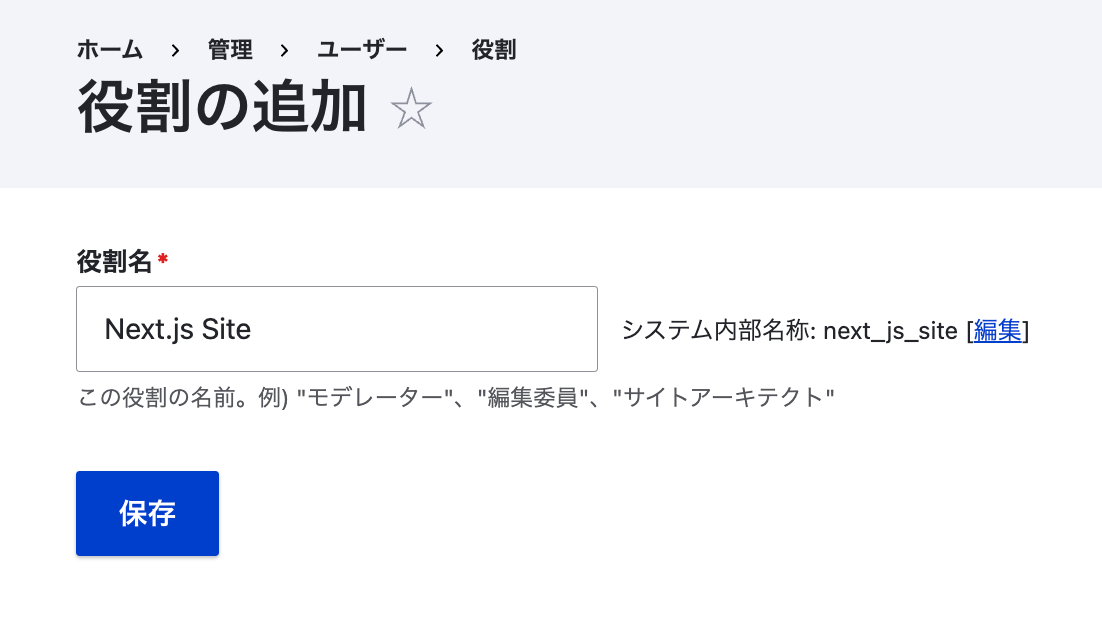
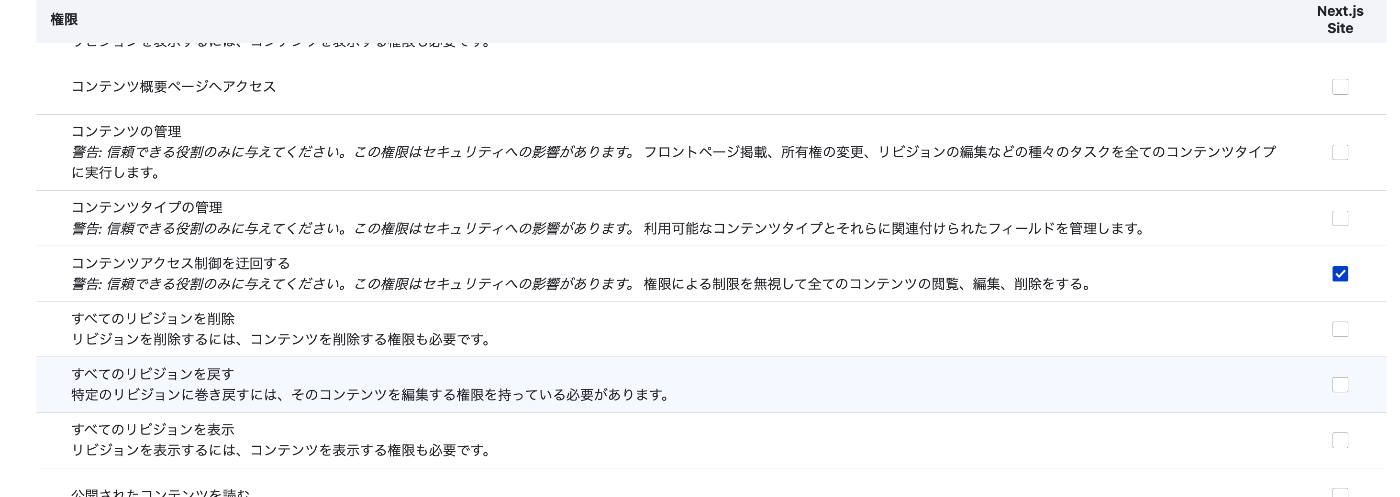
2. Assign Permissions
In particular, Bypass content access control appeared to be a necessary item for the subsequent process.
3. Create User
/admin/people/create
This time, I created a user named next.

4. Generate Keys
/admin/config/people/simple_oauth
For Generate keys, ../ is given as an example, but when using Sakura Rental Server, a path like /home/{username}/.ssh/drupal is more appropriate.
Therefore, first create a folder with a command like the following:
mkdir -p /home/{username}/.ssh/drupal
Enter the above path in the form displayed when clicking the Generate keys button.
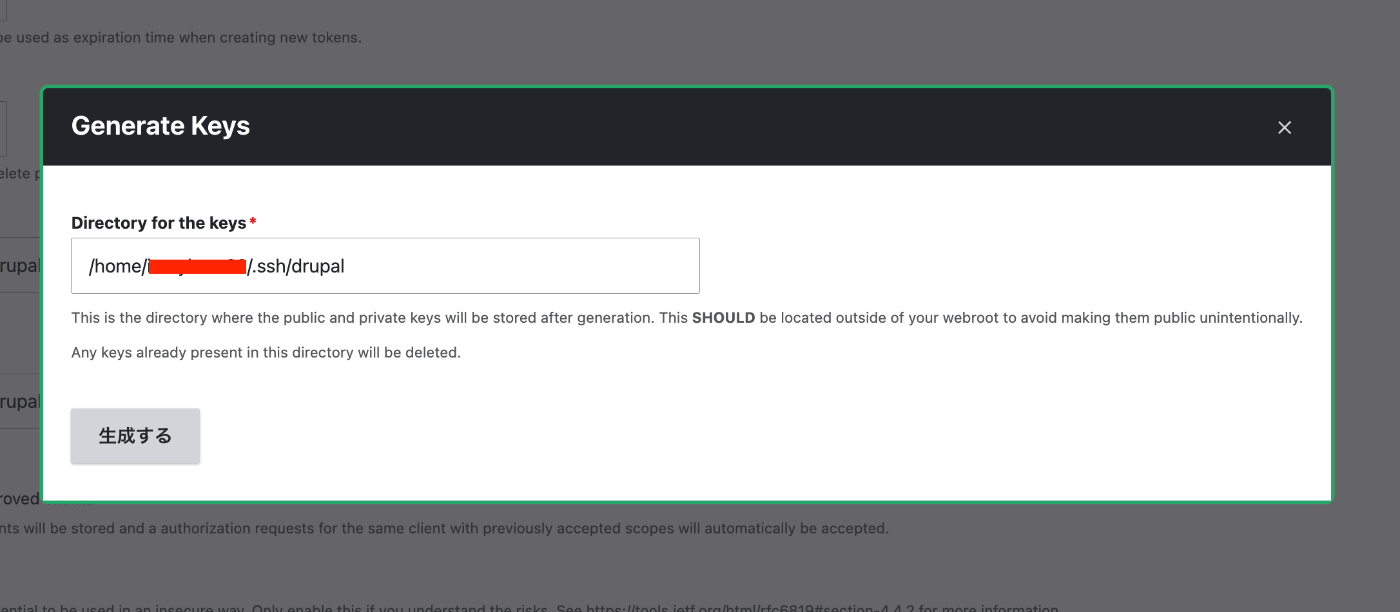
After that, click the “Save configuration” button to save the settings.
5. Create Consumer
/admin/config/services/consumer/add
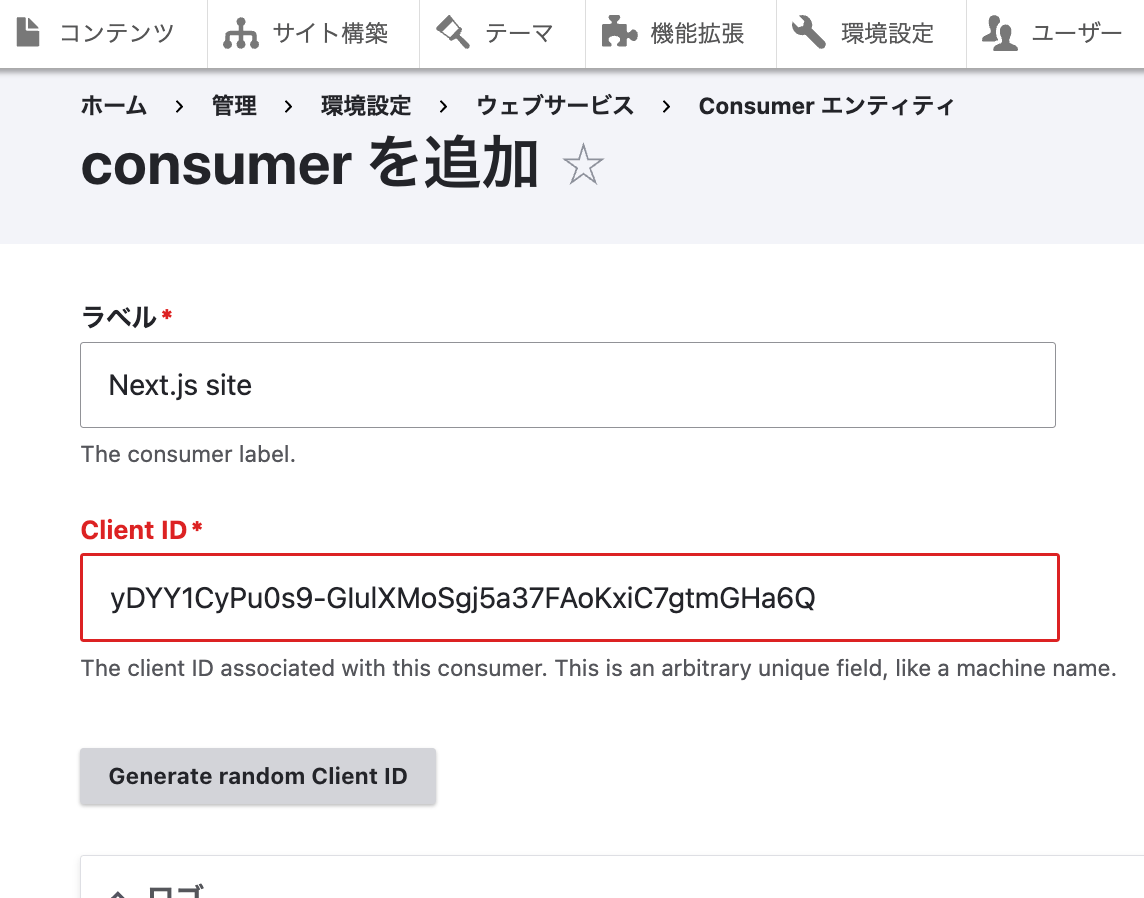
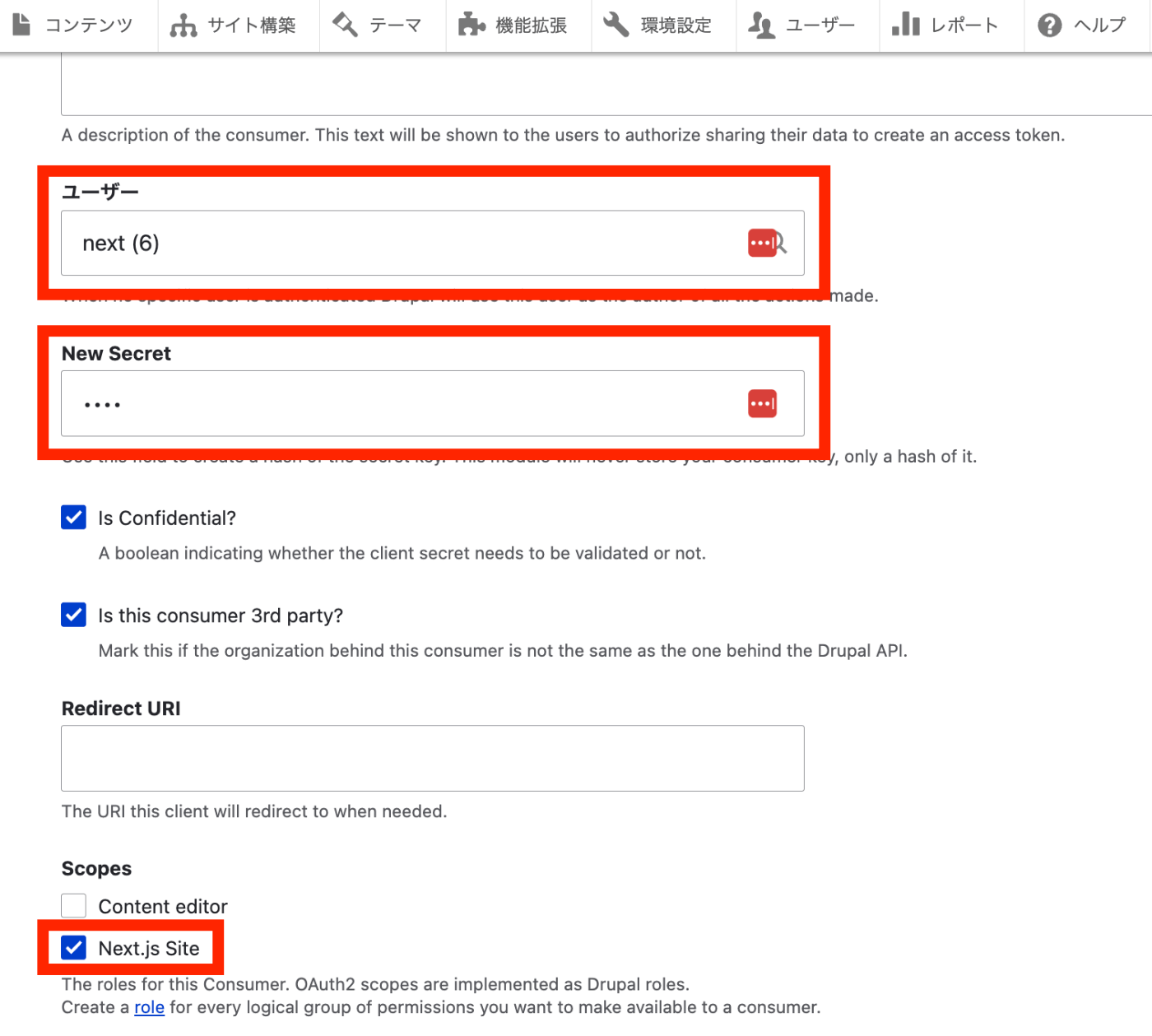
The OAuth client creation is now complete.
Testing with Postman
Specify POST with {DRUPAL path}/oauth/token.
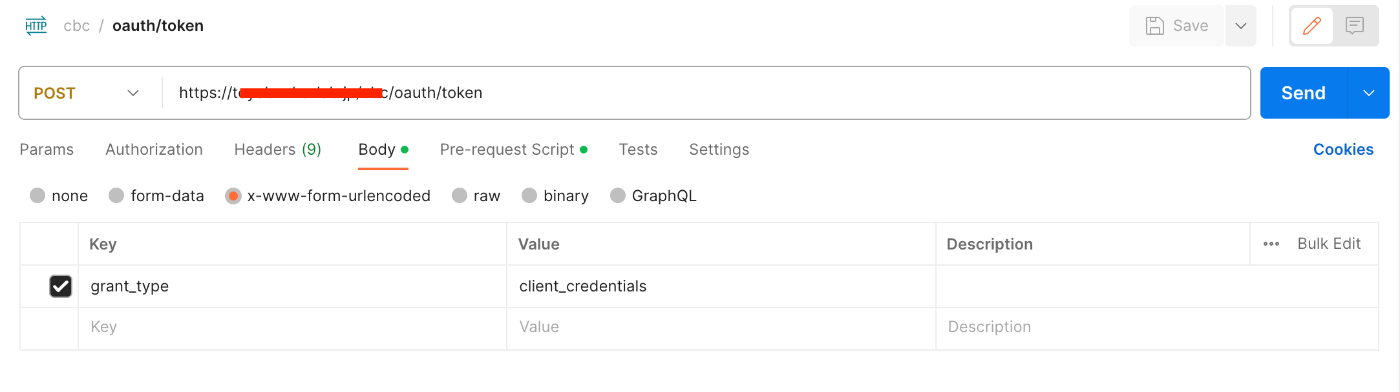
In Body, specify x-www-form-urlencoded, with Key as grant_type and Value as client_credentials.
Also, specify the following in Pre-request Script.
const DRUPAL_CLIENT_ID = "{the CLIENT_ID you just created}"
const DRUPAL_CLIENT_SECRET = "{the CLIENT_SECRET you just set}"
const myString = `${DRUPAL_CLIENT_ID}:${DRUPAL_CLIENT_SECRET}`; // String to encode
const encodedString = btoa(myString); // Base64 encode using btoa function
postman.setEnvironmentVariable("encodedAuth", encodedString);

As a result, the following JSON data can be obtained.
{
    "token_type": "Bearer",
    "expires_in": 300,
    "access_token": "eyJ0eXAiOiJKV1QiLCJhbGciOiJSUzI1NiIsImp0aSI6..."
}
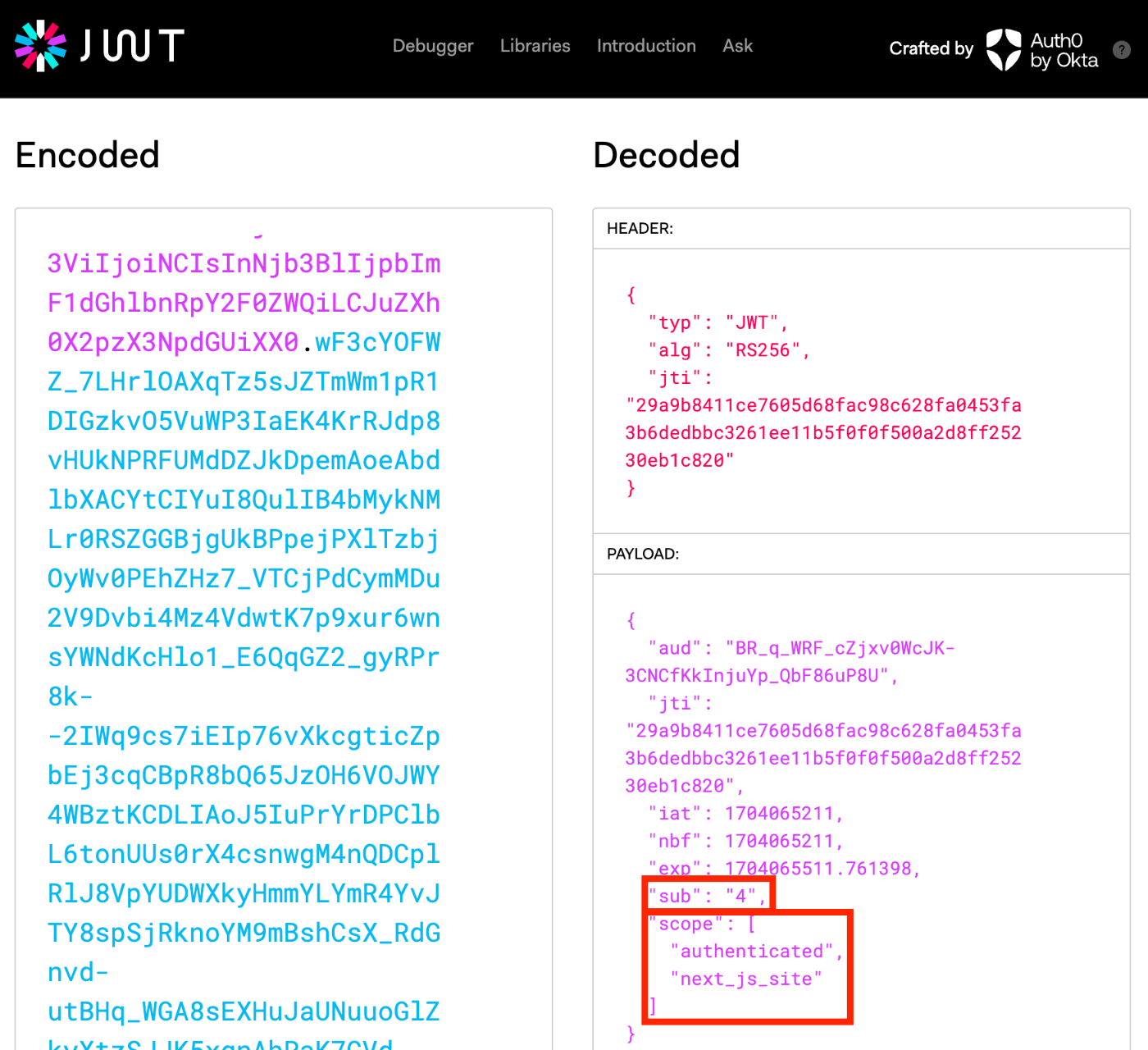
When verifying the above access_token with jwt.io, it can be confirmed that the User ID is 4, and the scope is set to “authenticated user” and the previously specified “Next.js Site.”
Trying OAuth2 Authentication with Drupal’s REST UI
Drupal Configuration
For how to use Postman, please also refer to the following article.
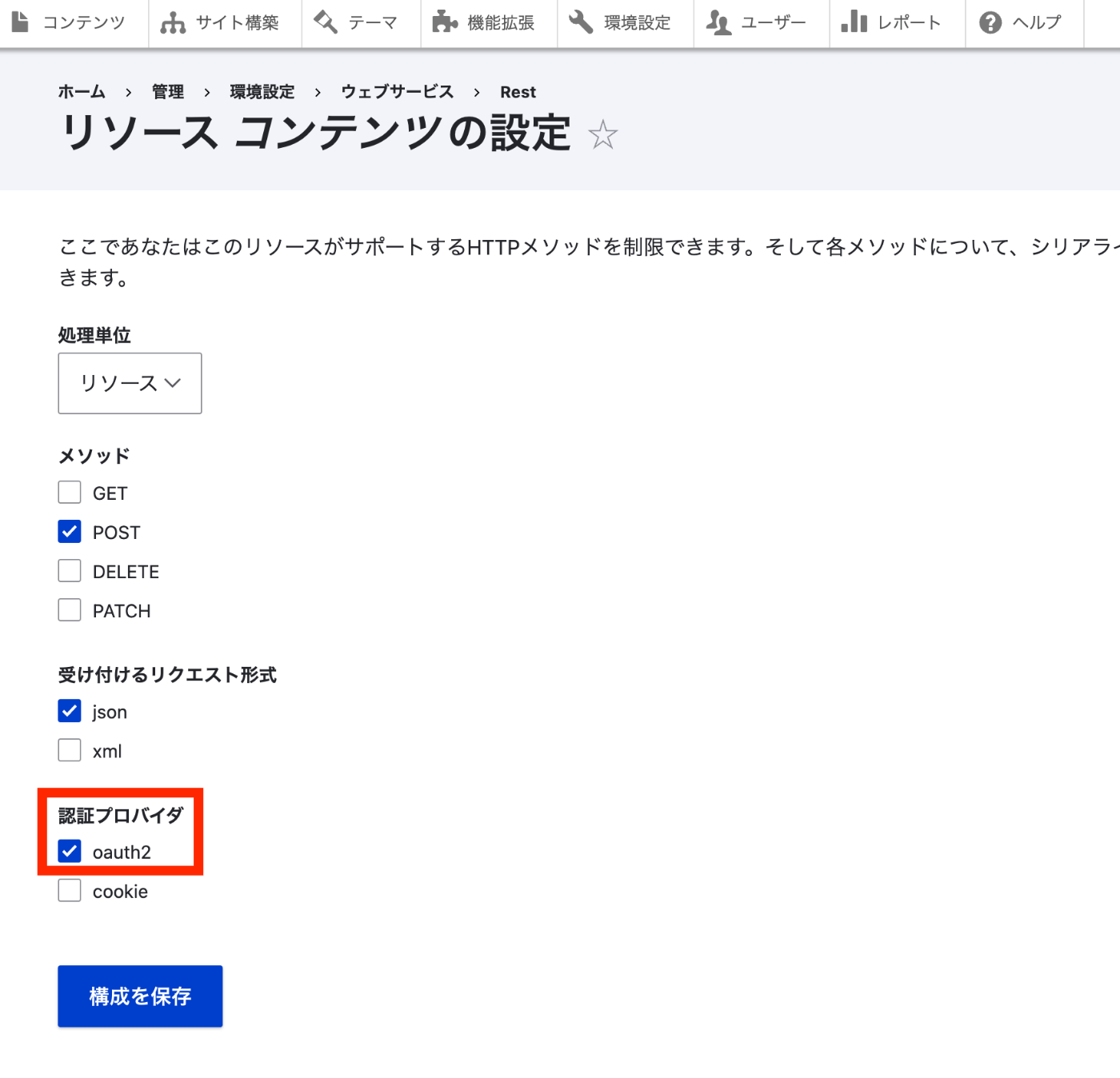
Access /admin/config/services/rest/resource/entity%3Anode/edit and select “oauth2” as the authentication provider.
Postman Operations (JSON:API)
Try sending a POST request as follows.
{path where DRUPAL is installed}/jsonapi/node/article
{
    "data": {
        "type": "node--article",
        "attributes": {
            "title": "Page Title"
        }
    }
}
At this time, select Bearer Token in Authorization and enter the token obtained earlier.
As a result, the content was added correctly.
When the token has expired, the following “Unauthorized” result was returned.
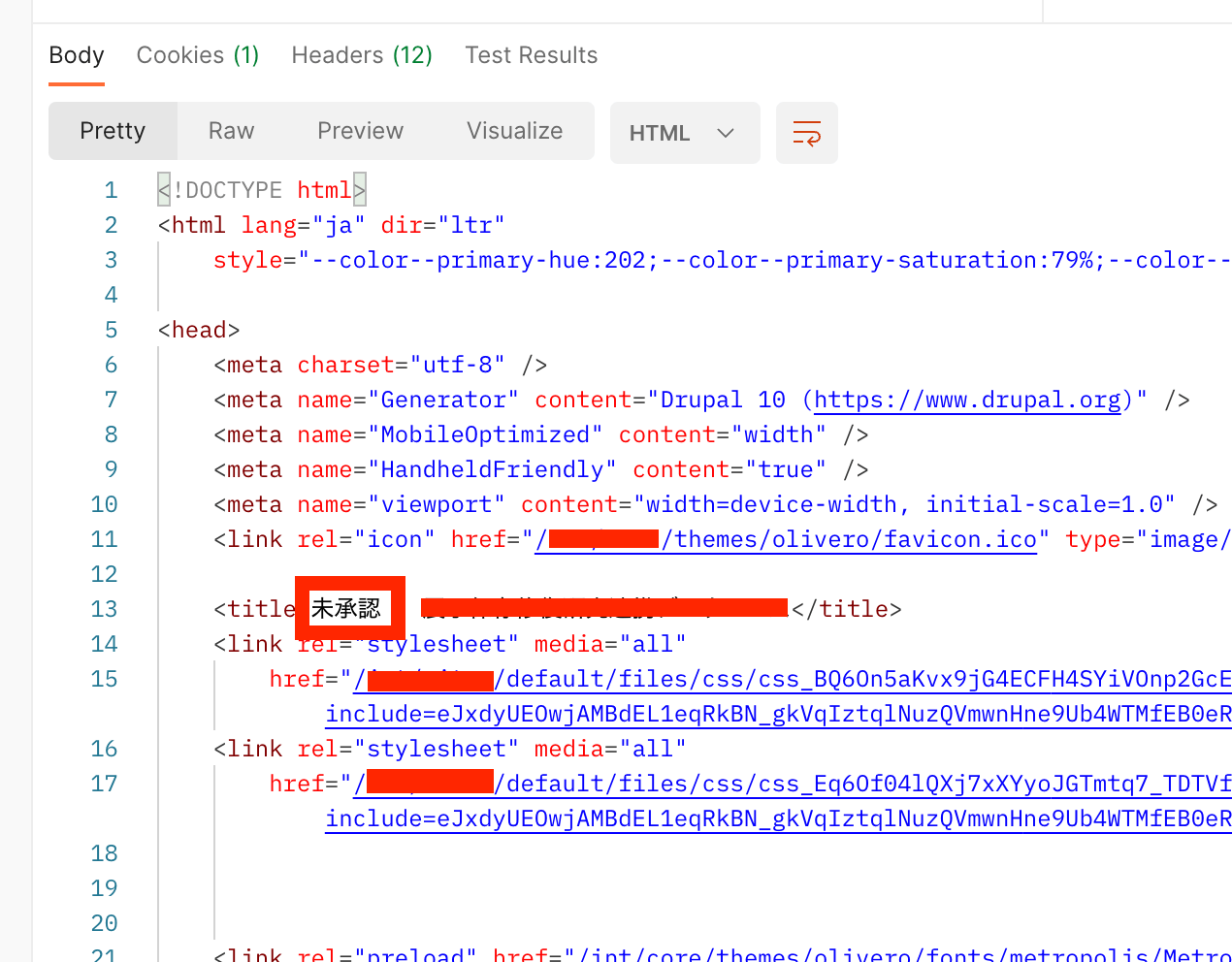
Postman Operations (Non-JSON:API)
On the other hand, when requesting {path where DRUPAL is installed}/node?_format=json, the following result was returned.
{
    "message": "Access token could not be verified"
}
Since it worked when using the JSON Web Token Authentication module, there may be an error somewhere in the configuration. I would like to continue investigating.
Summary
I introduced a usage example of the simple_oauth module. There may be some errors, but we hope this serves as a useful reference.