Introduction
In the previous article, the Kouigenji Monogatari Text Database DTS API was updated to the 1.0 specification, including the addition of a waka (tanka poem) Citation Tree.
This article covers improvements made to the viewer application “DTS Viewer” that consumes this API.
Three main improvements were made:
- Multiple Citation Tree support ― Correct
treeparameter passing - Hierarchical navigation display ― Switching from card grid to table layout
- Inline XML display ― Leveraging the
mediaTypeparameter
1. Multiple Citation Tree Support
Problem
DTS 1.0 allows defining multiple Citation Trees per resource. Kouigenji Monogatari has two trees: “page/line” and “waka” (poems).
However, the viewer’s navigation links did not include the tree parameter, so clicking a waka tree link would display the default (page/line) navigation instead.
Solution
Track each Citation Tree’s identifier and append &tree=${identifier} to navigation URLs.
const getNavigationUrl = (navigation: string, url: string, level: number, tree?: string) => {
  navigation = decodeURIComponent(navigation);
  navigation = removeVars(navigation) + `&down=${level}`;
  if (tree) {
    navigation += `&tree=${tree}`;
  }
  const combined = getDomain(url) + navigation;
  return encodeURIComponent(combined);
};
Tree Structure Visualization
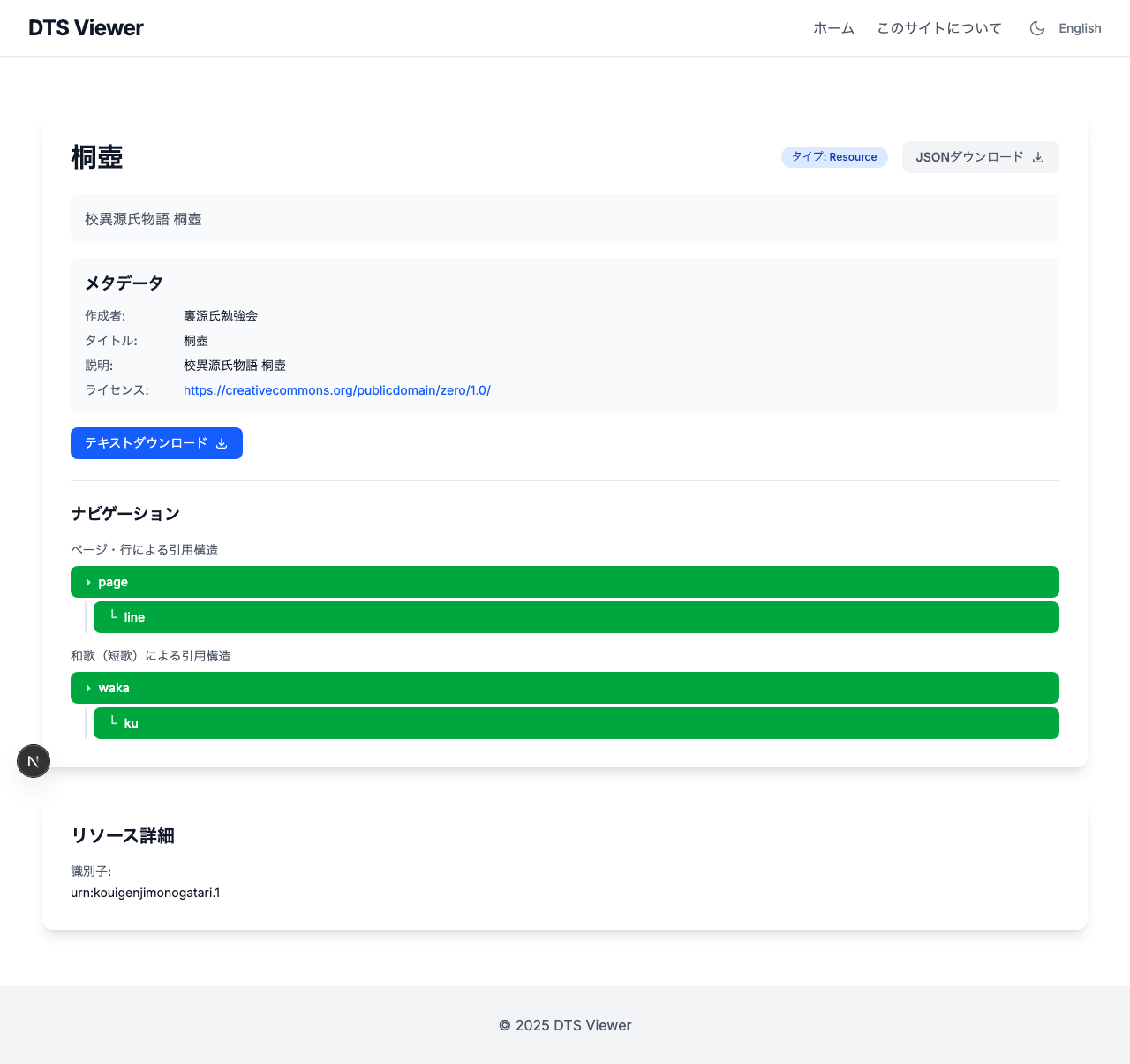
Each Citation Tree is displayed in a tree format with description labels for distinction.
Resource detail page showing two citation structures: “Page/line citation structure” and “Waka (tanka) citation structure” visually separated.
The renderCiteStructure recursive function supports structures of any depth.
const renderCiteStructure = (
  citeStructures: unknown[],
  treeIdentifier: string | undefined,
  level: number,
): React.ReactNode => {
  return citeStructures.map((cs, index) => {
    const citeType = (cs as { citeType: string }).citeType;
    const children = (cs as { citeStructure?: unknown[] }).citeStructure;
    return (
      <div key={index} className={level > 1 ? 'ml-4 border-l-2 pl-2' : ''}>
        <Link href={`/?base=${base}&url=${getNavigationUrl(...)}`}>
          <span>{level > 1 ? '└' : '▸'}</span> {citeType}
        </Link>
        {children && (
          <div className="mt-1">
            {renderCiteStructure(children, treeIdentifier, level + 1)}
          </div>
        )}
      </div>
    );
  });
};
2. Hierarchical Navigation Display
Problem
When fetching multi-level data with down=2, the DTS API indicates parent-child relationships via the parent field.
{
  "member": [
    { "identifier": "waka-001", "level": 1, "parent": null, "citeType": "waka" },
    { "identifier": "waka-001.1", "level": 2, "parent": "waka-001", "citeType": "ku" },
    { "identifier": "waka-001.2", "level": 2, "parent": "waka-001", "citeType": "ku" }
  ]
}
The original viewer displayed all members as a flat card grid, making parent-child relationships invisible and creating an extremely long page.
Solution
Switched from cards to a table layout, using the parent field to express hierarchy through indentation.
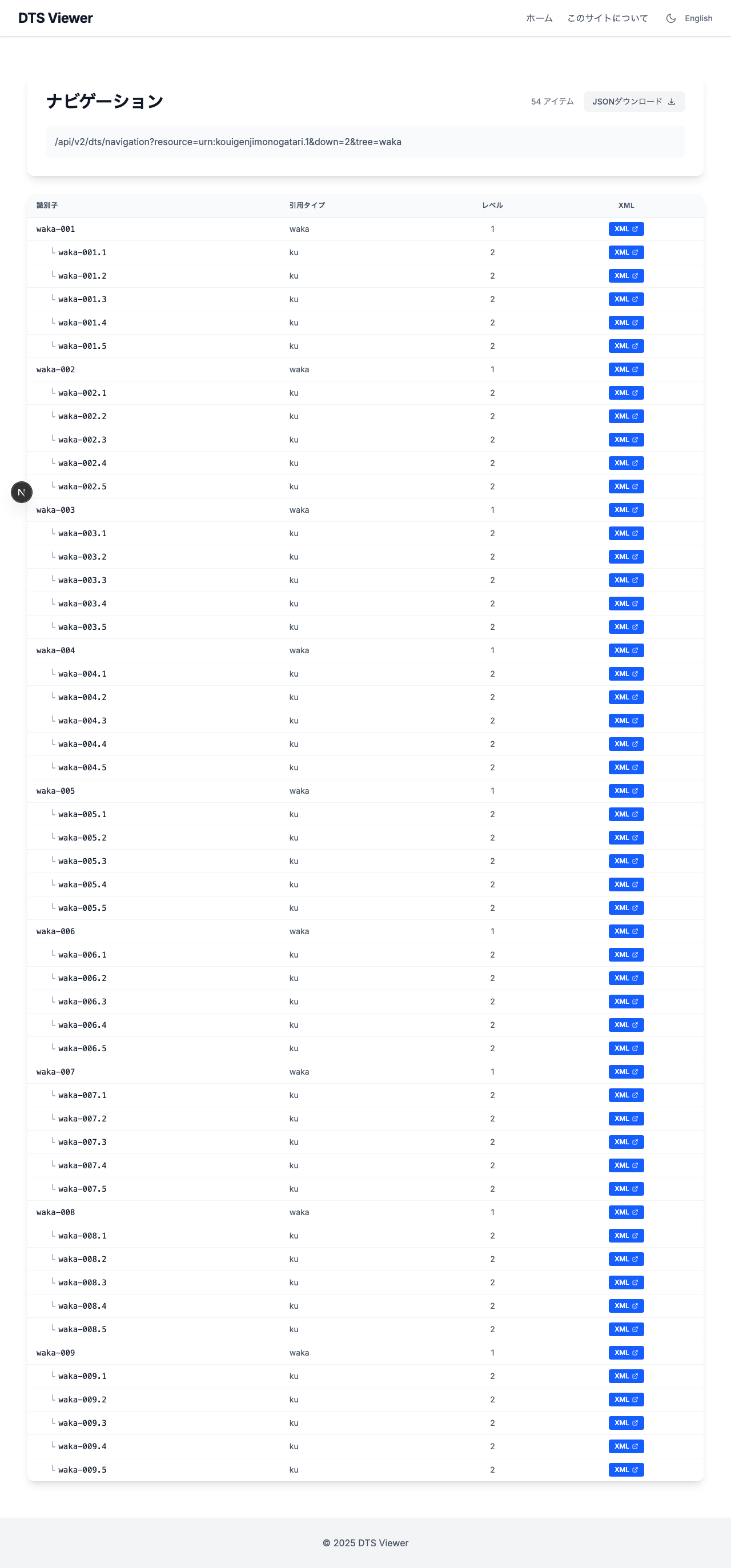 Waka navigation results. ku (verses) are displayed indented under their parent waka (poem).
The recursive renderTreeRows function handles hierarchy of any depth.
const renderTreeRows = (parentMembers: ReferenceData[], depth: number): React.ReactNode => {
  return parentMembers.map((member, index) => {
    const children = childrenByParent.get(member.identifier) || [];
    return (
      <React.Fragment key={`${depth}-${index}`}>
        <tr>
          <td>
            <span style={{ paddingLeft: `${depth * 1.5}rem` }}>
              {depth > 0 && <span>└</span>}
              {member.identifier}
            </span>
          </td>
          <td>{member.citeType}</td>
          <td>{member.level}</td>
          <td><a href={getPassage(member.identifier)}>XML</a></td>
        </tr>
        {children.length > 0 && renderTreeRows(children, depth + 1)}
      </React.Fragment>
    );
  });
};
Simple single-level navigation results (down=1) also use the same table format.
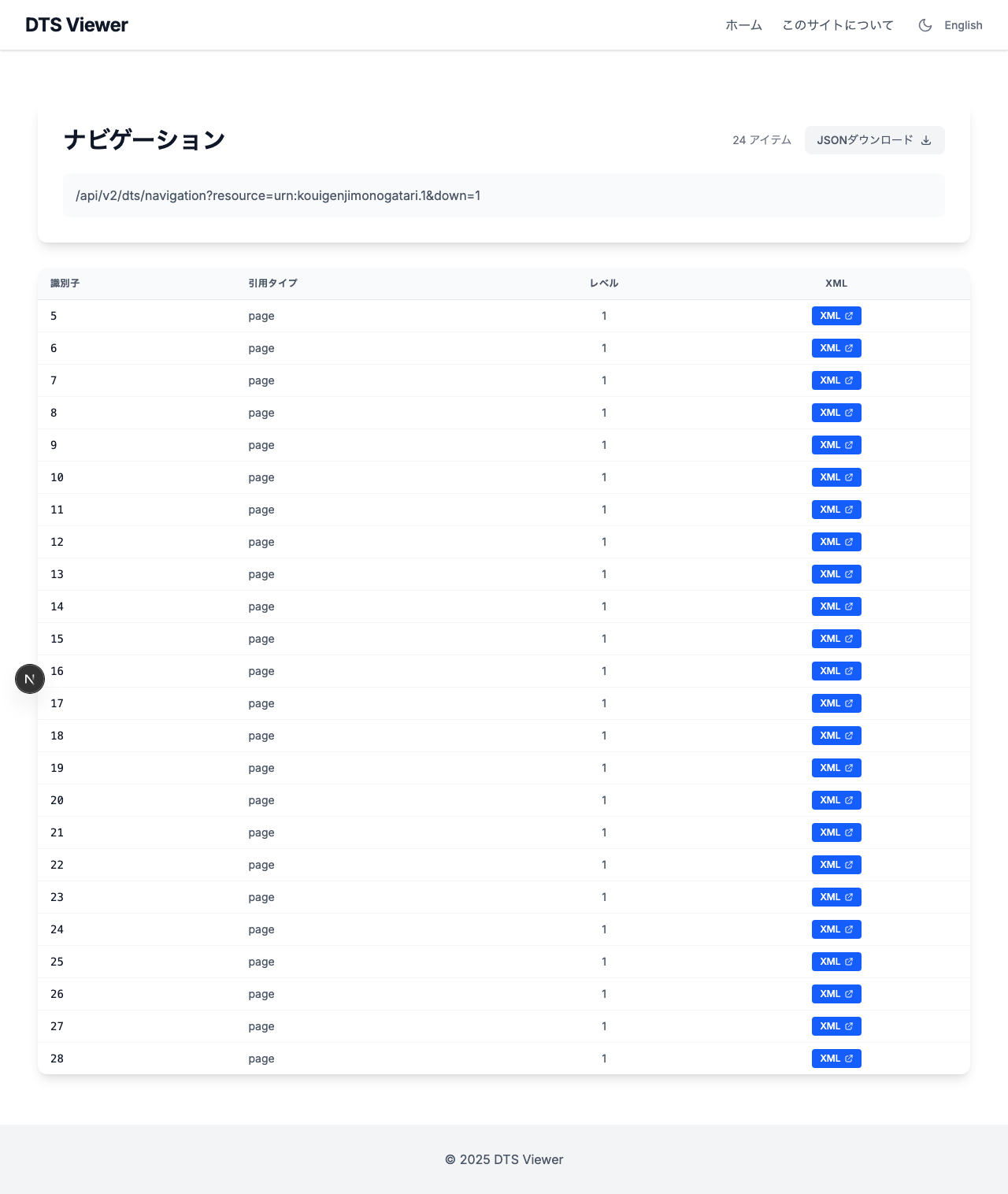 Page navigation results displayed as a flat table.
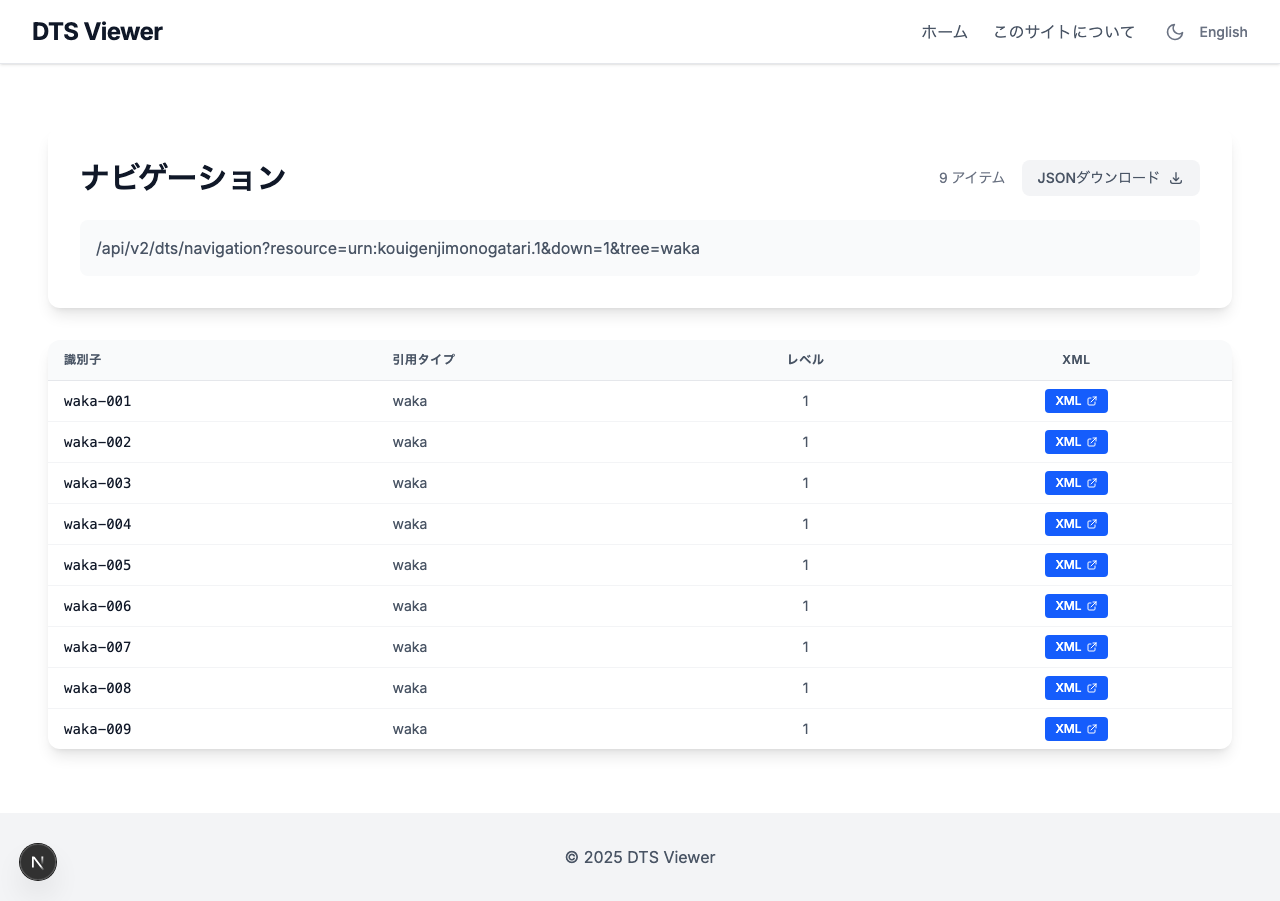 Waka listing from
 tree=waka navigation.
3. Inline XML Display in Browser
Problem
The DTS 1.0 Document endpoint returns Content-Type: application/tei+xml. While correct per specification, browsers don’t recognize this MIME type and trigger a file download.
Solution (API side)
The DTS 1.0 mediaType parameter was leveraged — it exists in the specification precisely for this use case.
// document.ts
const { ref, resource, start, end, tree, mediaType } = req.query;

const allowedMediaTypes = ["application/tei+xml", "application/xml", "text/xml"];
let contentType = "application/tei+xml"; // DTS 1.0 default

if (requestedMediaType) {
  if (allowedMediaTypes.includes(requestedMediaType)) {
    contentType = requestedMediaType;
  } else {
    res.status(406).json({ error: `Unsupported mediaType` });
    return;
  }
}

res.set("Content-Type", contentType);
- Default (no
mediaType):application/tei+xml(DTS 1.0 compliant) mediaType=application/xml: Returns XML with a browser-recognized type- Unsupported
mediaType:406 Not Acceptable
Solution (Viewer side)
Document links from the viewer automatically append &mediaType=application/xml, and <Link> was changed to <a target="_blank">.
// Navigation.tsx - getPassage()
// Specify mediaType for browser display
result = result + '&mediaType=application/xml';
Next.js <Link> is for internal routing, so using it for external URLs could trigger downloads. Switching to a regular <a> tag opens XML in a new browser tab.
Collection List Display
 Collection list. Each volume’s resource shows page/line and waka navigation links.
Changed Files
DTS API (dts-typescript)
| File | Changes |
|---|---|
src/api/v2/document.ts | mediaType parameter support, dynamic Content-Type |
DTS Viewer (dts-viewer)
| File | Changes |
|---|---|
src/lib/collection.ts | Added identifier, description fields to CitationTree type |
src/lib/navigation.ts | Added parent field to ReferenceData type |
src/components/page/Collections.tsx | tree parameter, tree-style Citation Tree display |
src/components/page/Resource.tsx | Same as above |
src/components/page/Navigation.tsx | Table layout, hierarchy, tree propagation, mediaType, <a> tag |
Conclusion
The tree and mediaType parameters in DTS 1.0 exist precisely to solve the challenges encountered here. By implementing spec-compliant behavior on the API side and properly utilizing these parameters in the viewer, the browsing experience for text collections with multiple citation structures was significantly improved.