Overview
In the following article, I performed XML file validation using jingtrang and RNG files.
Since this jingtrang library can create RNG files from XML files, I decided to try it out.
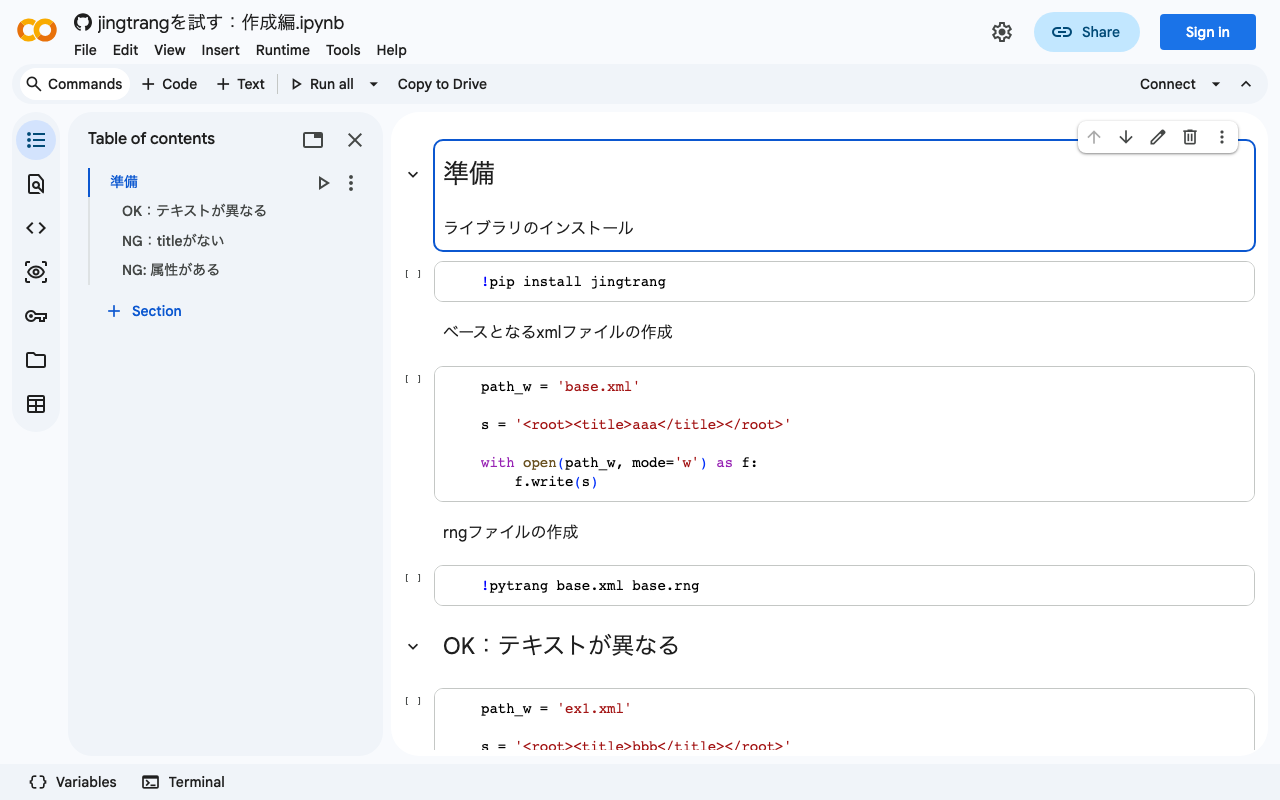
I also prepared a Google Colab notebook.
https://colab.research.google.com/github/nakamura196/ndl_ocr/blob/main/jingtrangを試す:作成編.ipynb
Creating an RNG File
As the source file for creating the RNG file, I prepared the following:
<root><title>aaa</title></root>
For the above file, execute the following:
pytrang base.xml base.rng
As a result, the following file was created:
<?xml version="1.0" encoding="UTF-8"?>
<grammar ns="" xmlns="http://relaxng.org/ns/structure/1.0" datatypeLibrary="http://www.w3.org/2001/XMLSchema-datatypes">
  <start>
    <element name="root">
      <element name="title">
        <data type="NCName"/>
      </element>
    </element>
  </start>
</grammar>
I tested against this RNG file as follows.
OK: Different text content
<root><title>bbb</title></root>
pyjing base.rng ex1.xml
NG: Missing title
<root><aaa>bbb</aaa></root>
pyjing base.rng ex2.xml
/content/ex2.xml:1:12: error: element "aaa" not allowed anywhere; expected element "title"
/content/ex2.xml:1:28: error: element "root" incomplete; missing required element "title"
NG: Has attributes
<root><title lang="en">aaa</title></root>
pyjing base.rng ex3.xml
/content/ex3.xml:1:24: error: found attribute "lang", but no attributes allowed here
Summary
As shown above, it was possible to create an RNG file from a given XML file. While further study is needed on how to write RNG files, having a mechanism to experiment with concrete examples like these is valuable.
We hope this serves as a useful reference for learning about RNG files.