Overview
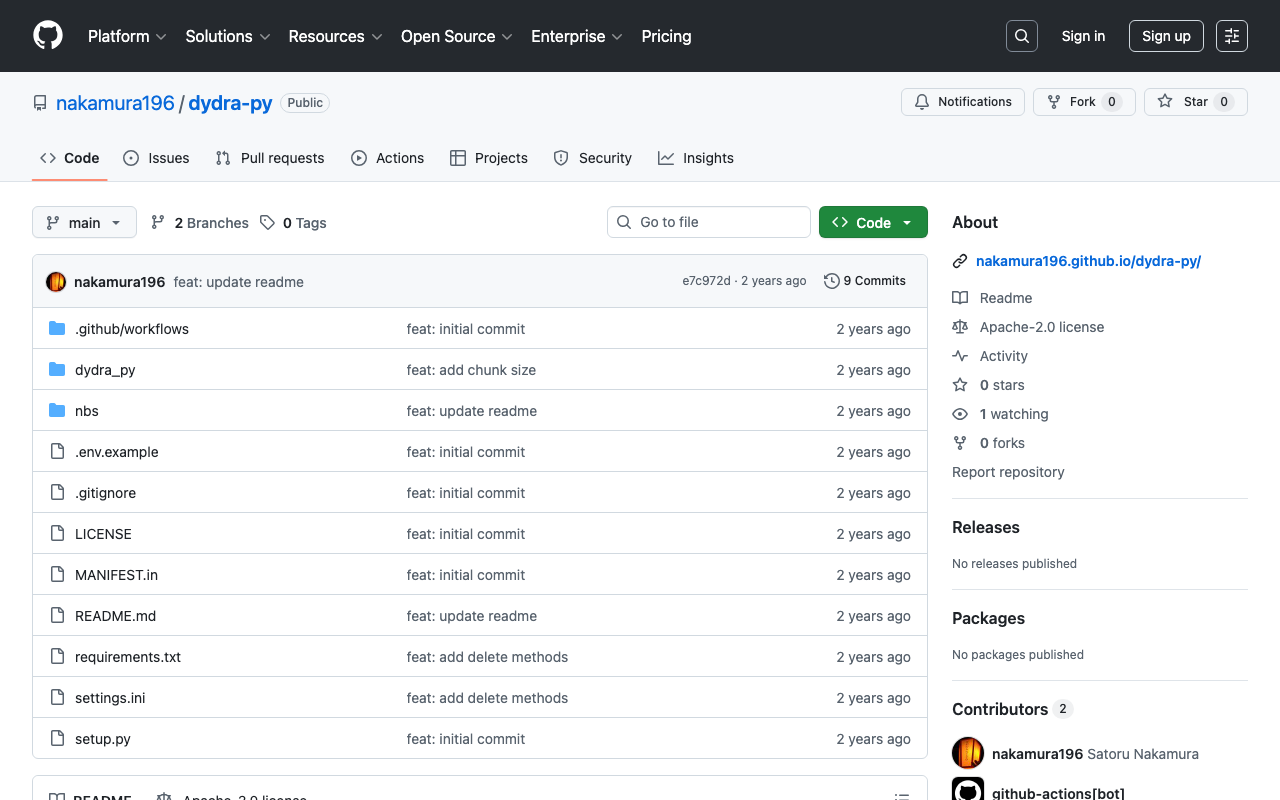
I created a library for registering RDF data to Dydra using Python.
https://github.com/nakamura196/dydra-py
It includes some incomplete implementations, but we hope it proves useful in some situations.
Implementation Details
The import is performed in the following file.
https://github.com/nakamura196/dydra-py/blob/main/dydra_py/api.py#L55
It uses the SPARQL INSERT DATA operation as follows.
    def import_by_file(self, file_path, format, graph_uri=None, verbose=False):
        """
        Imports RDF data from a file into the Dydra store.

        Args:
            file_path (str): The path to the RDF file to import.
            format (str): The format of the RDF file (e.g., 'xml', 'nt').
            graph_uri (str, optional): URI of the graph where data will be inserted. Defaults to None.
        """

        headers = {
            "Authorization": f"Bearer {self.api_key}",
            "Content-Type": "application/sparql-update"
        }

        files = self._chunk_rdf_file(file_path, format=format)

        print("Number of chunks: ", len(files))

        for file in tqdm(files):

            # RDFファイルの読み込み
            graph = rdflib.Graph()
            graph.parse(file, format=format)  # フォーマットはファイルに応じて変更

            nt_data = graph.serialize(format='nt')

            if graph_uri is None:
                query = f"""
                INSERT DATA {{
                {nt_data}
                }}
                """

            else:
                query = f"""
                INSERT DATA {{
                GRAPH <{graph_uri}> {{
                    {nt_data}
                }}
                }}
                """

            if verbose:
                print(query)

            response = requests.post(self.endpoint, data=query, headers=headers)
            if response.status_code == 200:
                print("Data successfully inserted.")
            else:
                print(f"Error: {response.status_code} {response.text}")
Key Design Decision
One notable design decision was handling large RDF files. When uploading large RDF files all at once, there were cases where the process would stop midway.
Therefore, I added a process to split RDF files and upload them in multiple requests.
    def _chunk_rdf_file(self, input_file, output_dir=None, chunk_size=500*1024, format='turtle'):
        if output_dir is None:
            output_dir = tempfile.mkdtemp()

        self.output_dir = output_dir

        self._clear_output_dir(output_dir)

        """RDF ファイルを指定されたサイズのチャンクに分割する"""
        g = Graph()
        g.parse(input_file, format=format)

        current_chunk = Graph()
        current_size = 0
        chunk_index = 1

        count = 0

        files = []

        print("Triple count: ", len(g))

        for s, p, o in tqdm(g):
            count += 1

            # 一時的なグラフにトリプルを追加
            current_chunk.add((s, p, o))

            if count % 1000 == 0:

                # シリアライズしてサイズを確認
                temp_serialized = current_chunk.serialize(format=format)
                temp_size = len(temp_serialized)

                # 現在のチャンクサイズが設定値を超えたらシリアライズしてファイルに保存
                if temp_size >= chunk_size:
                    path = self._serialize_chunk(current_chunk, chunk_index, format=format)
                    files.append(path)
                    current_chunk = Graph()  # 新しいグラフを開始
                    chunk_index += 1

        # 最後のチャンクを保存
        if len(current_chunk) > 0:
            path = self._serialize_chunk(current_chunk, chunk_index, format=format)
            files.append(path)

        return files
Summary
We hope this serves as a useful reference for using RDF and Dydra.