Overview
ro-crate-py is a Python library for creating and consuming Research Object Crates (RO-Crate).
https://doi.org/10.5281/zenodo.3956493
ro-crate-py is a Python library to create and consume Research Object Crates. It currently supports the RO-Crate 1.1 specification.
Goal
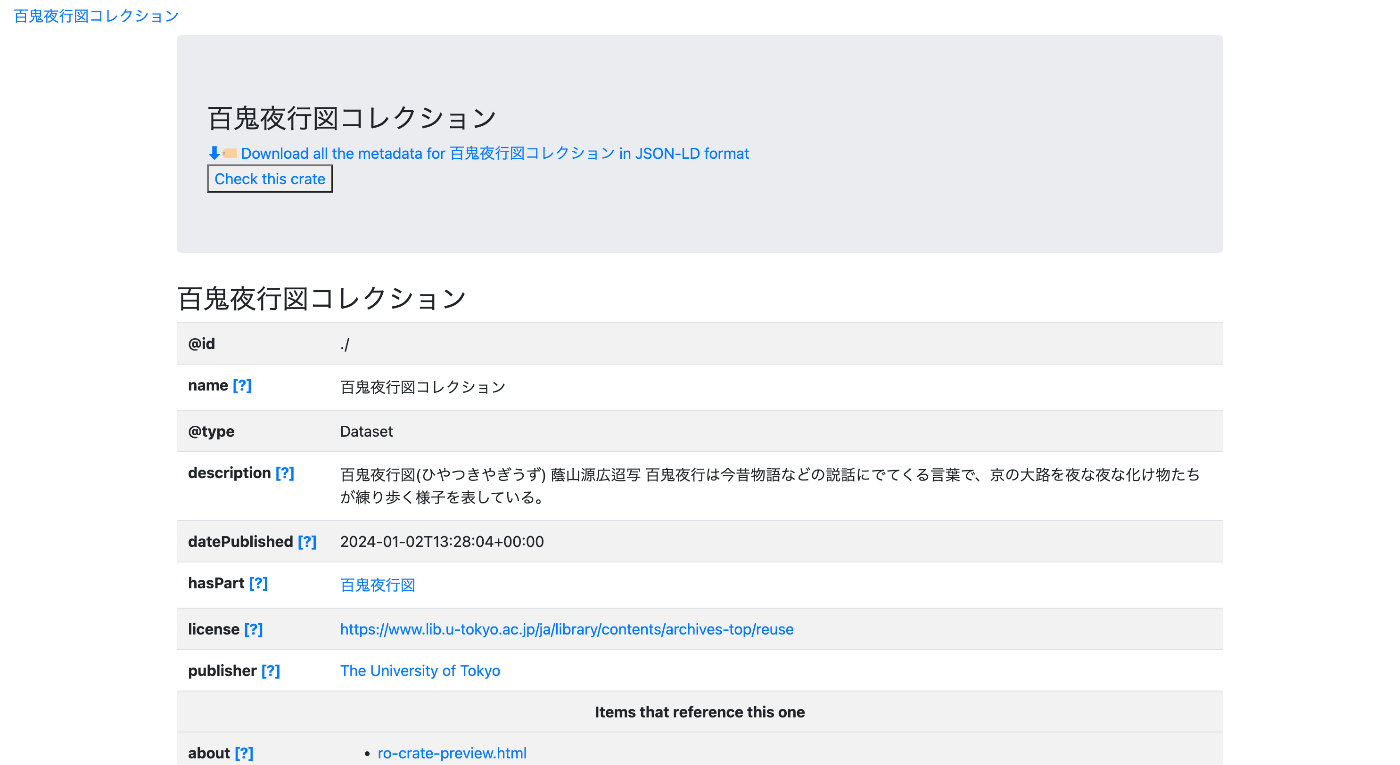
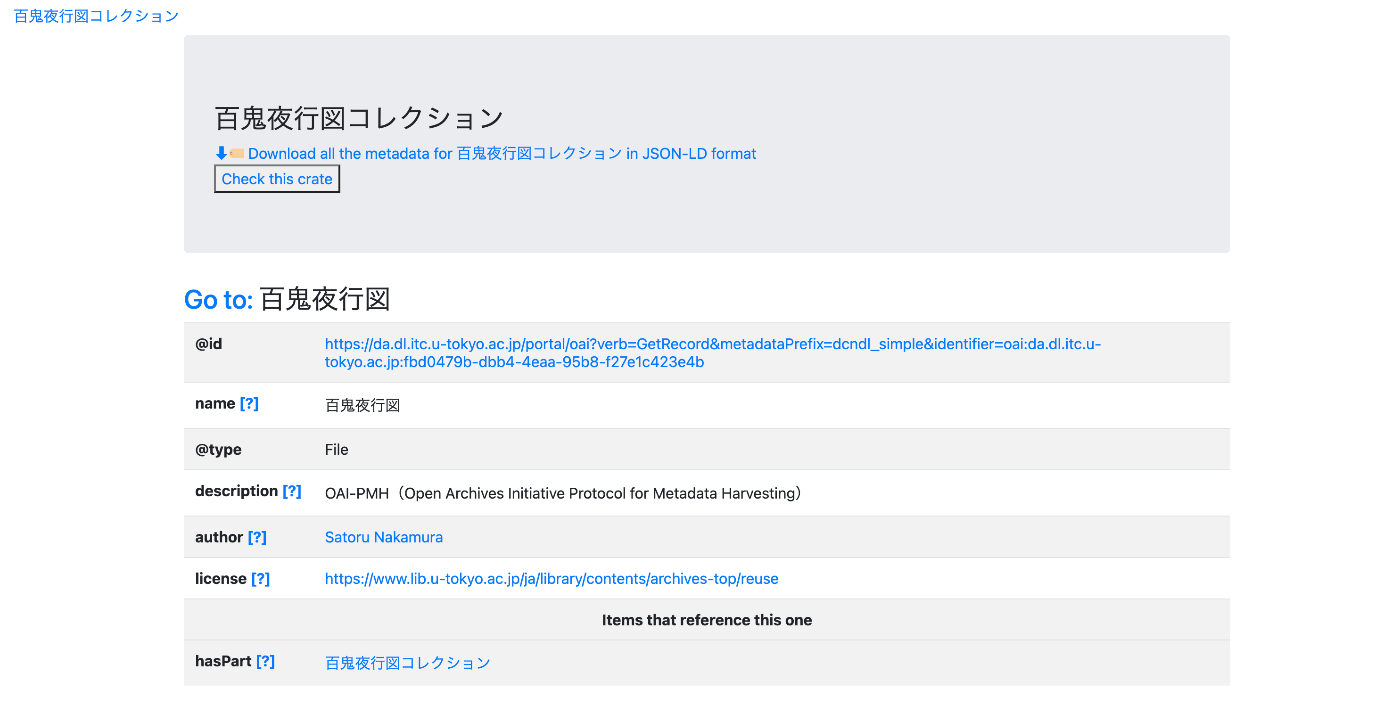
The goal is to create a page like the one shown below.
https://nakamura196.github.io/rocrate_demo/crate/test/data/ro-crate-preview.html
Dataset Page
Individual Item Page
JSON Data
We will create JSON data like the following.
https://nakamura196.github.io/rocrate_demo/crate/test/data/ro-crate-metadata.json
For the item ID, we use the following OAI-PMH record.
For the item creator, we specify an ORCID ID (as a dummy value).
https://orcid.org/0000-0001-8245-7925
For the data publisher, we specify the University of Tokyo’s Research Organization Registry (ROR).
Installing Libraries
bagit is not required by rocrate, but we use it here to output the final result in BagIt format.
pip install rocrate
pip install bagit
from rocrate.rocrate import ROCrate
from rocrate.model.person import Person
from rocrate.model.contextentity import ContextEntity
import os
import bagit
import shutil
import json
Data
dataset_name = "百鬼夜行図コレクション"
dataset_description = "百鬼夜行図(ひやつきやぎうず) 蔭山源広迢写 百鬼夜行は今昔物語などの説話にでてくる言葉で、京の大路を夜な夜な化け物たちが練り歩く様子を表している。"
dataset_license = "https://www.lib.u-tokyo.ac.jp/ja/library/contents/archives-top/reuse"

item_id = "https://da.dl.itc.u-tokyo.ac.jp/portal/oai?verb=GetRecord&metadataPrefix=dcndl_simple&identifier=oai:da.dl.itc.u-tokyo.ac.jp:fbd0479b-dbb4-4eaa-95b8-f27e1c423e4b"
item_name = "百鬼夜行図"
item_description = "OAI-PMH(Open Archives Initiative Protocol for Metadata Harvesting)"
item_license = "https://www.lib.u-tokyo.ac.jp/ja/library/contents/archives-top/reuse"

person_id = "https://orcid.org/0000-0001-8245-7925"
person_name = "Satoru Nakamura"

org_id = "https://ror.org/057zh3y96"
org_name = "The University of Tokyo"
Creating an ROCrate Instance
By setting gen_preview=True, a preview.html file is automatically created when saving.
crate = ROCrate(gen_preview=True)
Creating root_dataset Metadata
root_dataset = crate.root_dataset
root_dataset["name"] = dataset_name
root_dataset["description"] = dataset_description
root_dataset["license"] = dataset_license
Creating an Item
Here, we add remote entities.
https://github.com/ResearchObject/ro-crate-py?tab=readme-ov-file#adding-remote-entities
item = crate.add_file(item_id, properties={
    "name": item_name,
    "description": item_description,
    "license": item_license
})
Adding a Creator
person = Person(crate, person_id, properties={
    "name": person_name})
crate.add(person)
Add the Person as the item’s author.
item["author"] = person
Adding a Publishing Organization
class Organization(ContextEntity):

    def __init__(self, crate, identifier=None, properties=None):
        super(Organization, self).__init__(crate, identifier, properties)

    def _empty(self):
        val = {
            "@id": self.id,
            "@type": 'Organization'
        }
        return val
org = Organization(crate, org_id, properties={
    "name": org_name})

crate.add(org)
root_dataset["publisher"] = org
Output
Here, we set the output directory to docs/crate/test.
output_dir = f"docs/crate/test"

if os.path.exists(output_dir):
    shutil.rmtree(output_dir)

crate.write(output_dir)
You can also save as a compressed file using write_zip.
crate.write_zip(output_dir)
Japanese Character Support
By default, Japanese characters are escaped, so set ensure_ascii to False.
output_path = f"{output_dir}/ro-crate-metadata.json"

# Load the escaped JSON file
with open(output_path, 'r', encoding='utf-8') as f:
    data = json.load(f)

# Write back as unescaped JSON
with open(output_path, 'w', encoding='utf-8') as f:
    json.dump(data, f, ensure_ascii=False, indent=4)
Creating a BagIt Archive
bag = bagit.make_bag(output_dir, {"Contact-Name": org_name})
shutil.make_archive(f'docs/bagit/test', format='zip', root_dir=output_dir)
Additional Notes
While ROCrate(gen_preview=True) can generate a preview.html, using the following module allows you to create a preview.html like the one shown at the beginning of this article.
npm install ro-crate-html-js
node node_modules/ro-crate-html-js/roc-html.js {output_path}
Summary
We hope this serves as a useful reference for working with RO-Crate.