Introduction
Reading kuzushiji — the cursive script used in pre-modern Japanese texts — is challenging even for trained scholars. While AI-powered OCR has made machine recognition possible in recent years, as far as I could find, no tool previously offered offline kuzushiji recognition on a smartphone.
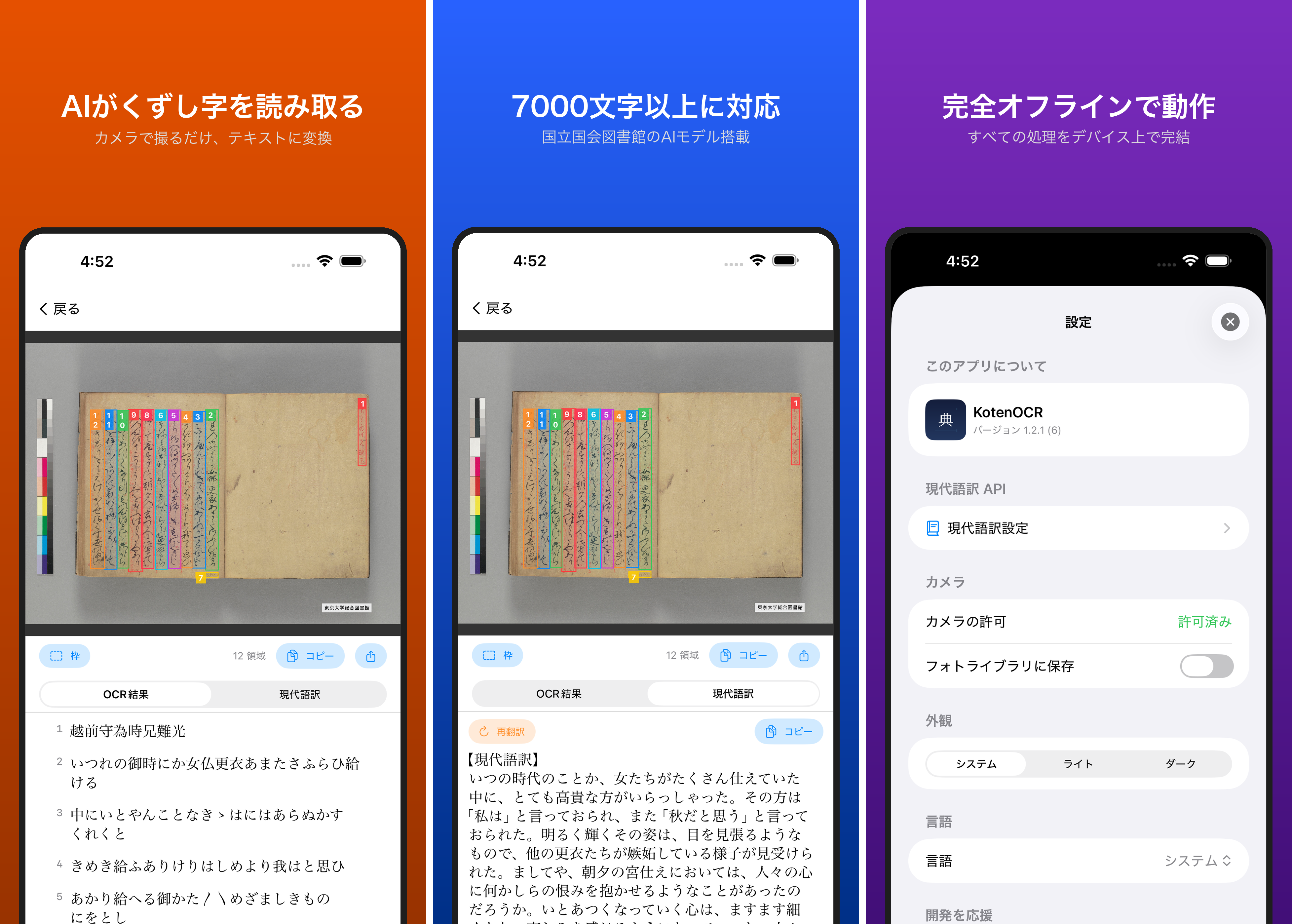
KotenOCR brings the National Diet Library’s lightweight kuzushiji OCR model (NDL Koten OCR-Lite) to iOS, letting you recognize classical Japanese text simply by taking a photo — with no internet connection required.
Free on the App Store: https://apps.apple.com/jp/app/kotenocr/id6760045646
Background: Existing Tools
The National Diet Library (NDL) released NDL Koten OCR-Lite, a lightweight kuzushiji OCR model that lowered the barrier to classical text recognition. The landscape of existing tools at the time looked like this:
| Tool | Form Factor | Internet Required |
|---|---|---|
| NDL Koten OCR-Lite | Desktop / Web / CLI | No (desktop) |
| miwo (CODH) | Mobile app | Yes |
| Komonjo Camera (TOPPAN) | Mobile app | Yes |
Mobile apps existed but all required cloud connectivity. NDL Koten OCR-Lite worked offline but only on desktop environments.
This led to the idea of running the NDL Koten OCR-Lite model directly on the smartphone, enabling fully offline kuzushiji recognition.
Features
- Fully offline — All processing happens on-device. No network connection needed.
- iPhone and iPad — Supports iOS 16.0 and later.
- Free — Available at no cost on the App Store.
- Scan history — Save and manage recognition results.
- TXT / PDF export — Export recognized text as files.
- Area trimming — Select specific regions for recognition.
How It Works
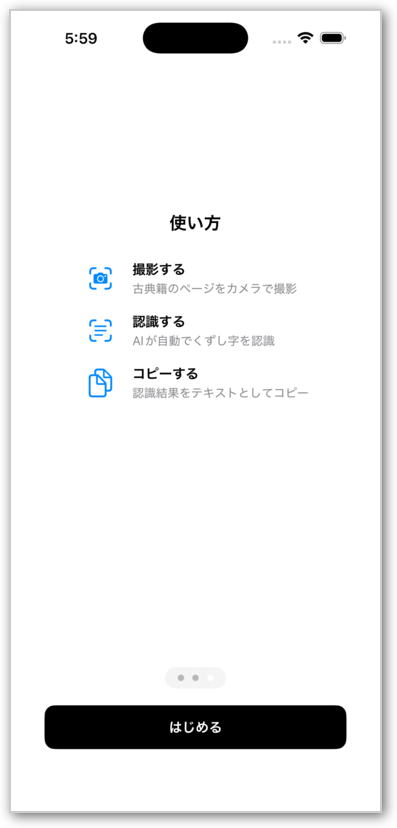
- Take a photo of a classical Japanese text (or select from your photo library).
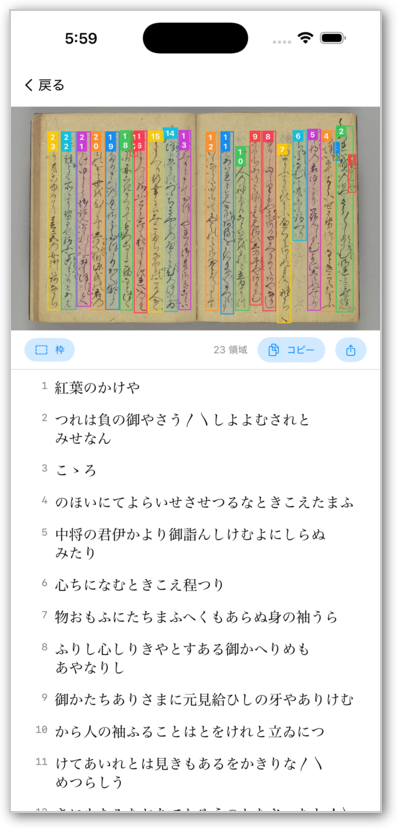
- The AI automatically recognizes the kuzushiji.
- Copy or export the recognized text.
OCR Pipeline
The recognition pipeline follows these stages:
Photo → Crop → Text Region Detection → Character Recognition → Reading Order → Display
- Text region detection: An RTMDet model locates text regions within the image.
- Character recognition: A PARSeq model recognizes characters in each detected region (7,141 characters from the NDLmoji character set).
- Reading order: Results are sorted according to the traditional Japanese reading order — top to bottom, right to left.
Technical Details
Inference with ONNX Runtime
The models are provided in ONNX format. On iOS, ONNX Runtime executes inference directly — no Core ML conversion is needed. The ONNX files are used as-is.
The combined model size is approximately 80 MB, bundled within the app.
Modern Translation
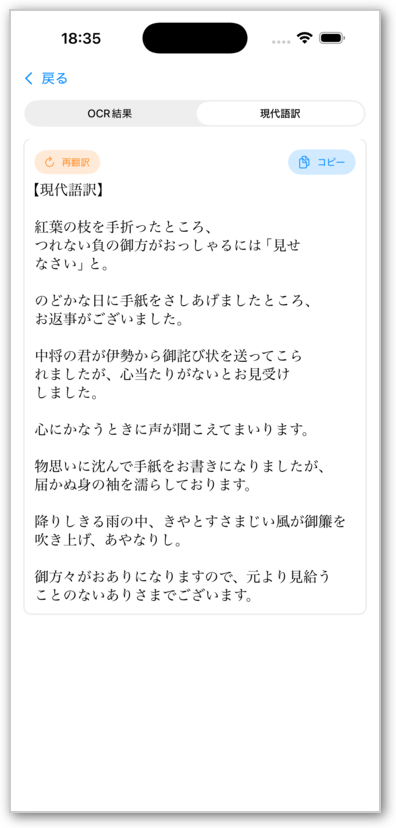
KotenOCR can also translate recognized classical Japanese into modern Japanese:
- Local AI (Apple Foundation Models): Available offline on iOS 26 and later.
- Cloud API (OpenAI-compatible): Requires an API key. Offers three detail levels for translation output.
AI-Assisted Development
This app was developed with the help of AI coding tools, including Claude Code.
App Store Automation
The review submission process is automated using the App Store Connect API.
What’s Next
A Flutter version is currently in development, which will bring KotenOCR to Android devices.
Links
- App Store: KotenOCR
- NDL Koten OCR-Lite (GitHub): https://github.com/ndl-lab/ndlkotenocr-lite
- Demo video: Google Drive