Overview
I created apps using the Azure OpenAI Assistants API with Gradio and Next.js, so here are my notes.
Target Data
I used articles published on Zenn as the target data. First, I bulk downloaded them with the following code.
import requests
from bs4 import BeautifulSoup
import os
from tqdm import tqdm

page = 1
urls = []

while 1:
    url = f"https://zenn.dev/api/articles?username=nakamura196&page={page}"
    response = requests.get(url)
    data = response.json()
    articles = data['articles']
    if len(articles) == 0:
        break
    for article in articles:
        urls.append("https://zenn.dev" + article['path'])
    page += 1

for url in tqdm(urls):
    text_opath = f"data/text/{url.split('/')[-1]}.txt"
    if os.path.exists(text_opath):
        continue
    response = requests.get(url)
    soup = BeautifulSoup(response.text, "html.parser")
    html = soup.find(class_="znc")
    txt = html.get_text()
    os.makedirs(os.path.dirname(text_opath), exist_ok=True)
    with open(text_opath, "w") as f:
        f.write(txt)
Registering to the Vector Store
Upload data files with the following code.
import os
from dotenv import load_dotenv
from openai import AzureOpenAI
from glob import glob
from tqdm import tqdm

load_dotenv(override=True)
client = AzureOpenAI(
  azure_endpoint = os.getenv("AZURE_OPENAI_ENDPOINT_ZENN"),
  api_key=os.getenv("AZURE_OPENAI_API_KEY_ZENN"),
  api_version="2024-05-01-preview"
)

# Create or retrieve vector store
is_create_vector_store = True
vector_store_name = "Vector Store"
if is_create_vector_store:
    vector_store = client.beta.vector_stores.create(name=vector_store_name) # Create a vector store caled "Financial Statements"
vector_stores = client.beta.vector_stores.list()
for vector_store in vector_stores:
    if vector_store.name == vector_store_name:
        vector_store_id = vector_store.id
        break

# Get registered data files
response = client.files.list(purpose="assistants")
items = response.data
filenames = []
for item in items:
    filename = item.filename
    filenames.append(filename)
filenames.sort()

# Upload
## Constant settings
BATCH_SIZE = 100
vector_store_id = "vs_UELnIBkcROD3o4XKX2CcpVjo"

## Get and sort file list
files = glob("./data/text/*.txt")
files.sort()

## Assume already-uploaded files are confirmed
file_streams = []

for file in tqdm(files):
    filename = os.path.basename(file)
    if filename in filenames:  # Skip already-uploaded files
        continue

    ## Open file as stream
    file_streams.append(open(file, "rb"))

    ## Upload when batch size is reached
    if len(file_streams) == BATCH_SIZE:
        try:
            client.beta.vector_stores.file_batches.upload_and_poll(
                vector_store_id=vector_store_id, files=file_streams
            )
        except Exception as e:
            print(f"Error processing batch: {e}")
        finally:
            file_streams = []  # Reset streams

## Process remaining files
if file_streams:
    try:
        client.beta.vector_stores.file_batches.upload_and_poll(
            vector_store_id=vector_store_id, files=file_streams
        )
    except Exception as e:
        print(f"Error processing remaining files: {e}")
Assistant Playground
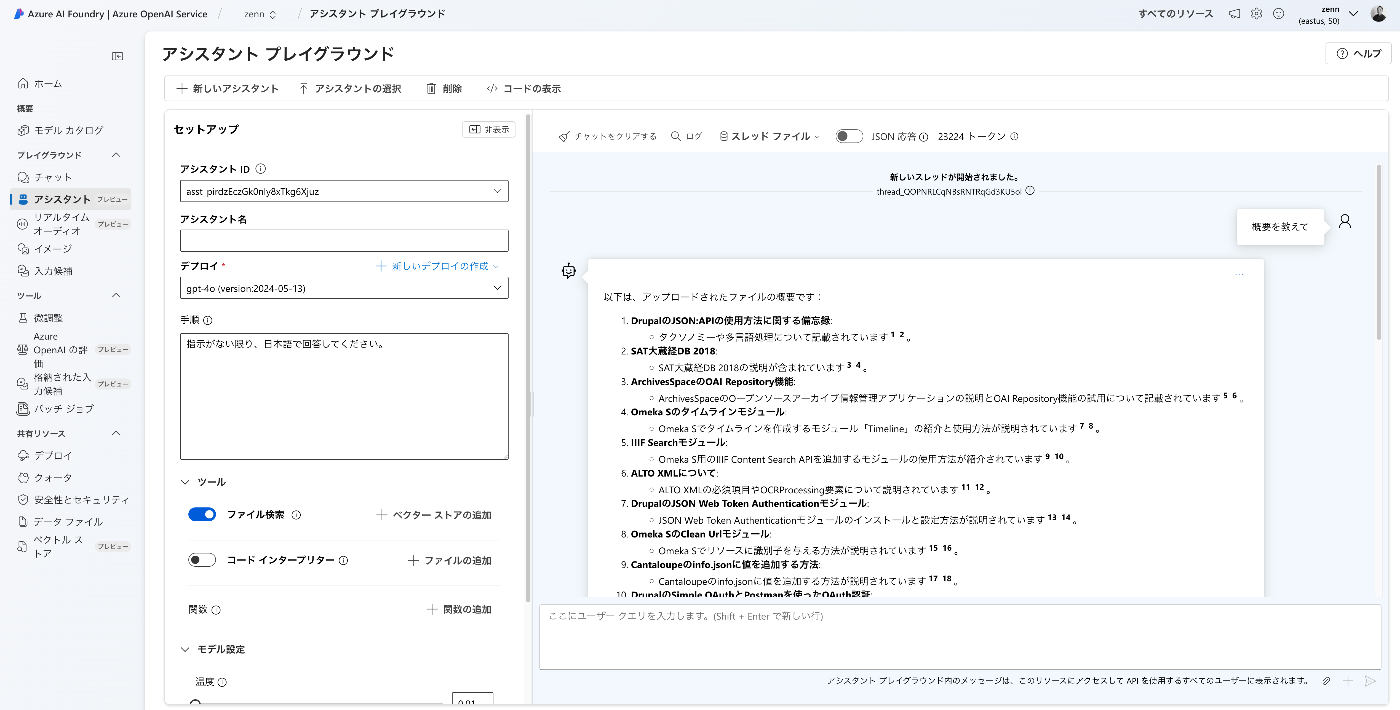
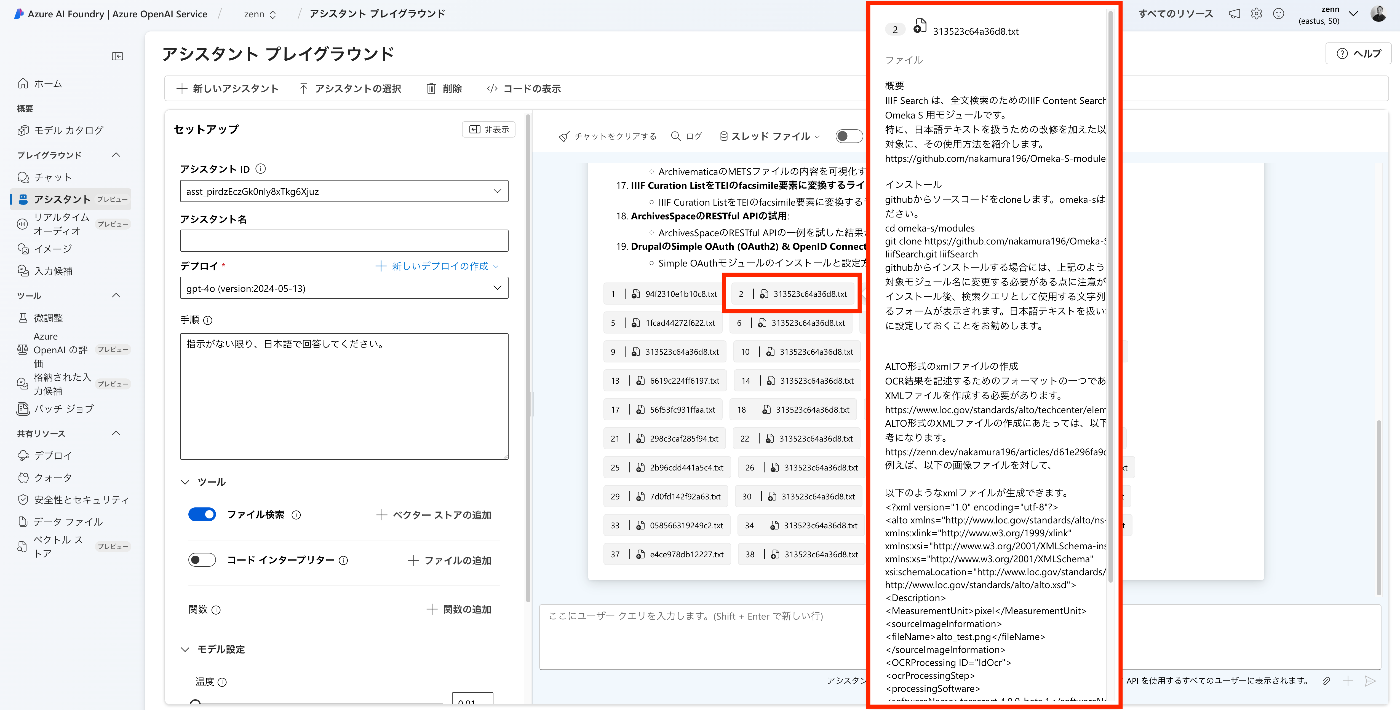
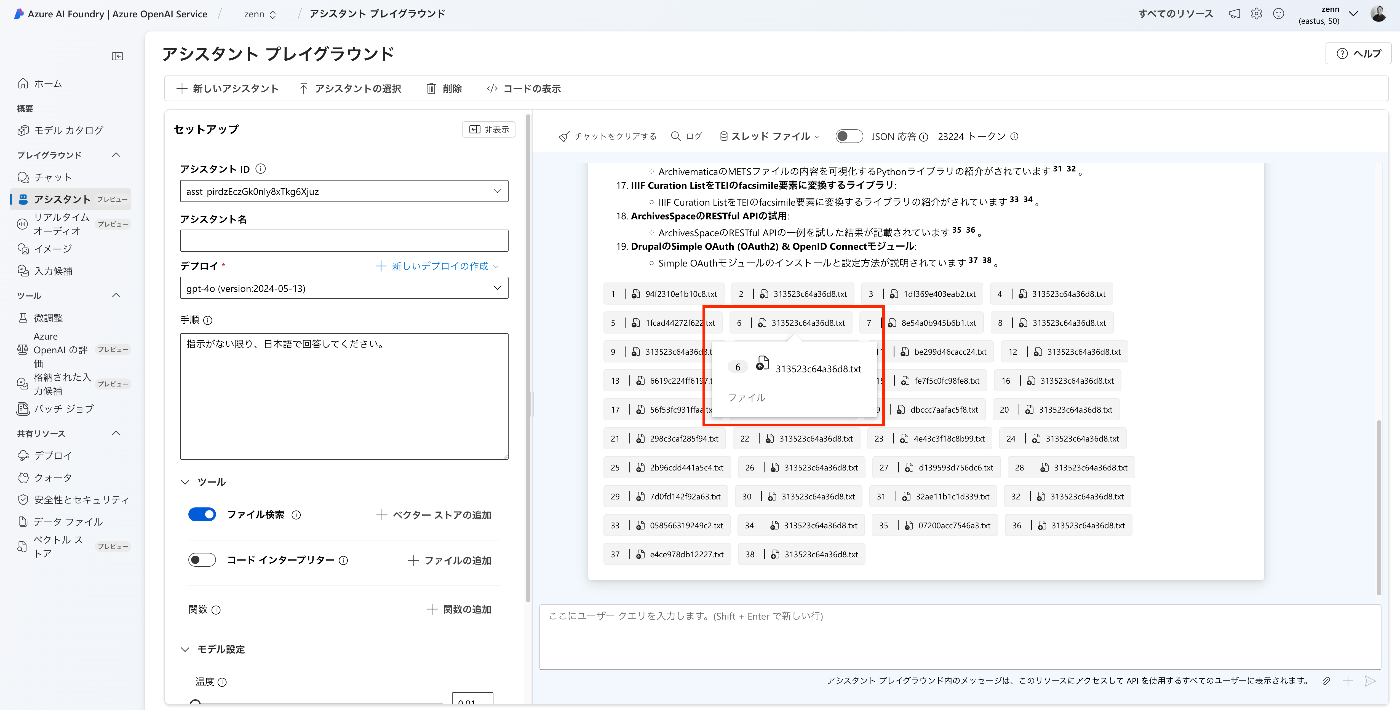
I used the “Assistant Playground” to verify behavior.
One behavior that caught my attention was that when the same file was cited multiple times, the second citation onwards appeared with empty content.
Gradio
I prototyped an app using the Azure OpenAI Assistants API and Gradio. You can try it from the following Spaces.
https://huggingface.co/spaces/nakamura196/zenn
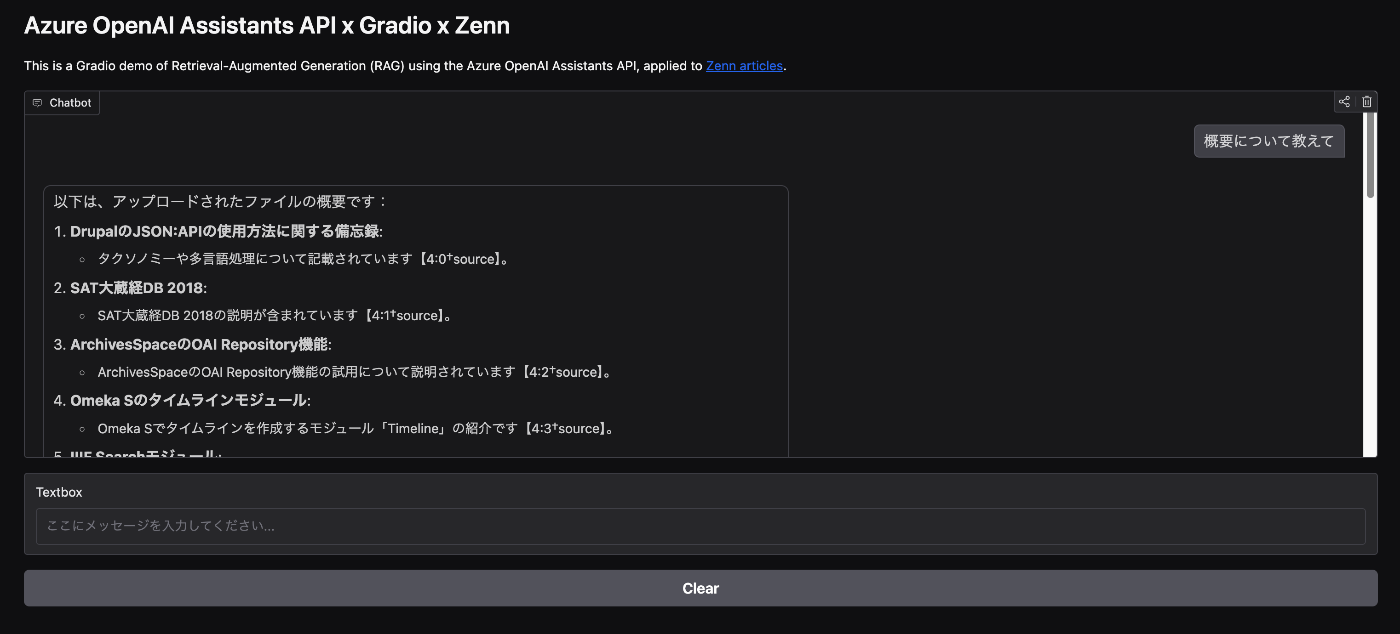
Please check the following for the implementation details.
https://huggingface.co/spaces/nakamura196/zenn/tree/main
There are some unconventional implementation aspects when combining Gradio’s Chatbot with the Azure OpenAI Assistants API, but I hope it serves as a useful reference.
Next.js
Similarly, I also prototyped an app using openai-assistants-quickstart. You can try it at the following link.
https://openai-assistants-quickstart-zenn.vercel.app/examples/basic-chat
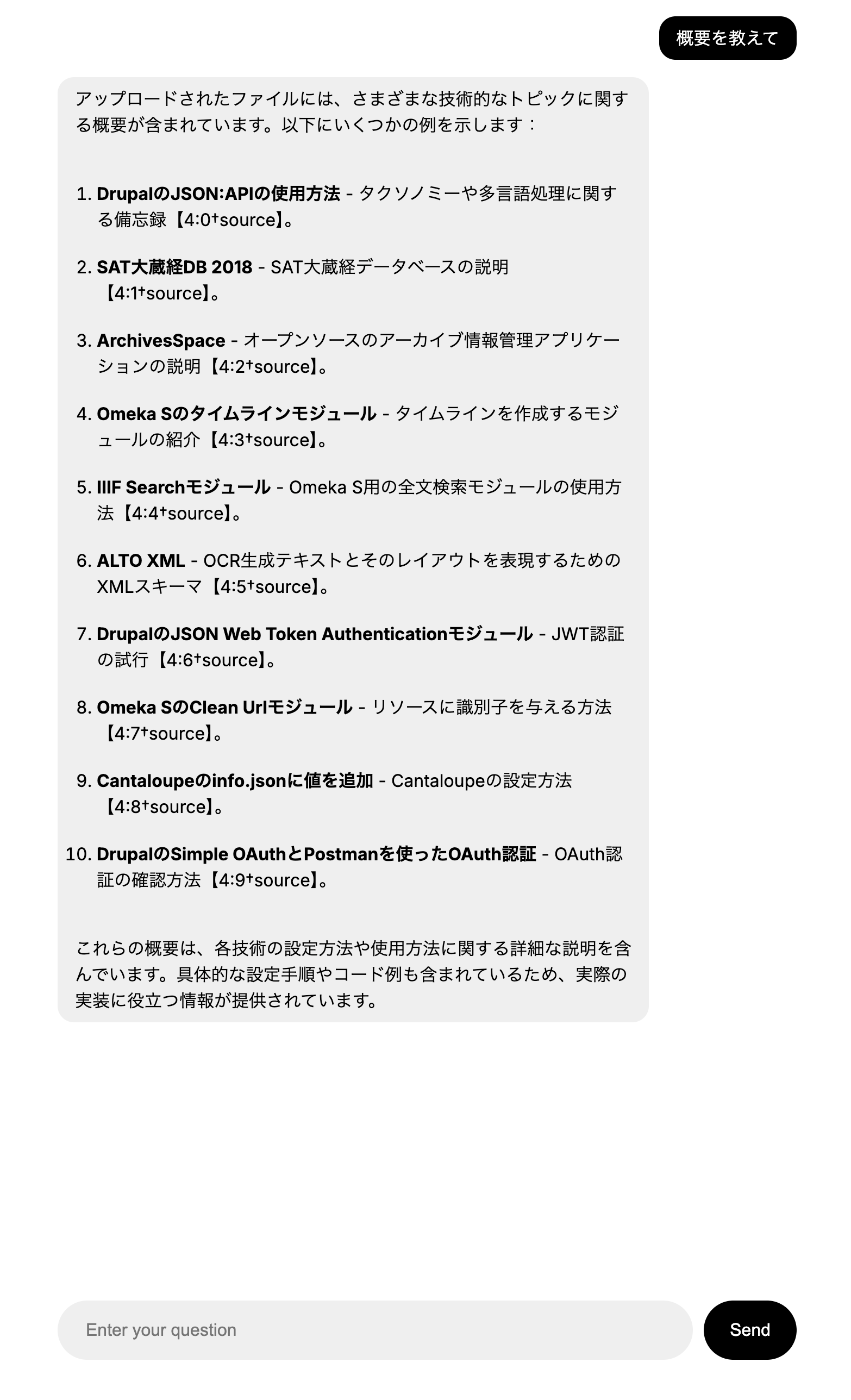
The repository is as follows.
https://github.com/nakamura196/openai-assistants-quickstart_zenn
To use Azure OpenAI Service with openai-assistants-quickstart, I modified the openai.ts file as follows.
import { AzureOpenAI } from "openai";
export const openai = new AzureOpenAI({
  endpoint: process.env.OPENAI_ENDPOINT,
  apiKey: process.env.OPENAI_API_KEY,
  deployment: "gpt-4o",
  apiVersion: "2024-05-01-preview",
});
Issues
In both Gradio and Next.js, the following error occurred and I was unable to retrieve the content of Citation files.
I plan to continue investigating this issue.
Summary
I hope this serves as a useful reference for using the Azure OpenAI Assistants API.