Overview
I had the opportunity to send email notifications for GitHub Actions processing results, so here are my notes.
This time we’ll use Gmail. The following was helpful as a reference.
https://stackoverflow.com/questions/69947109/sending-email-with-github-actions
Gmail Configuration
The details are described at the following link. Enable two-factor authentication and create an app password.
https://github.com/dawidd6/action-send-mail?tab=readme-ov-file#gmail
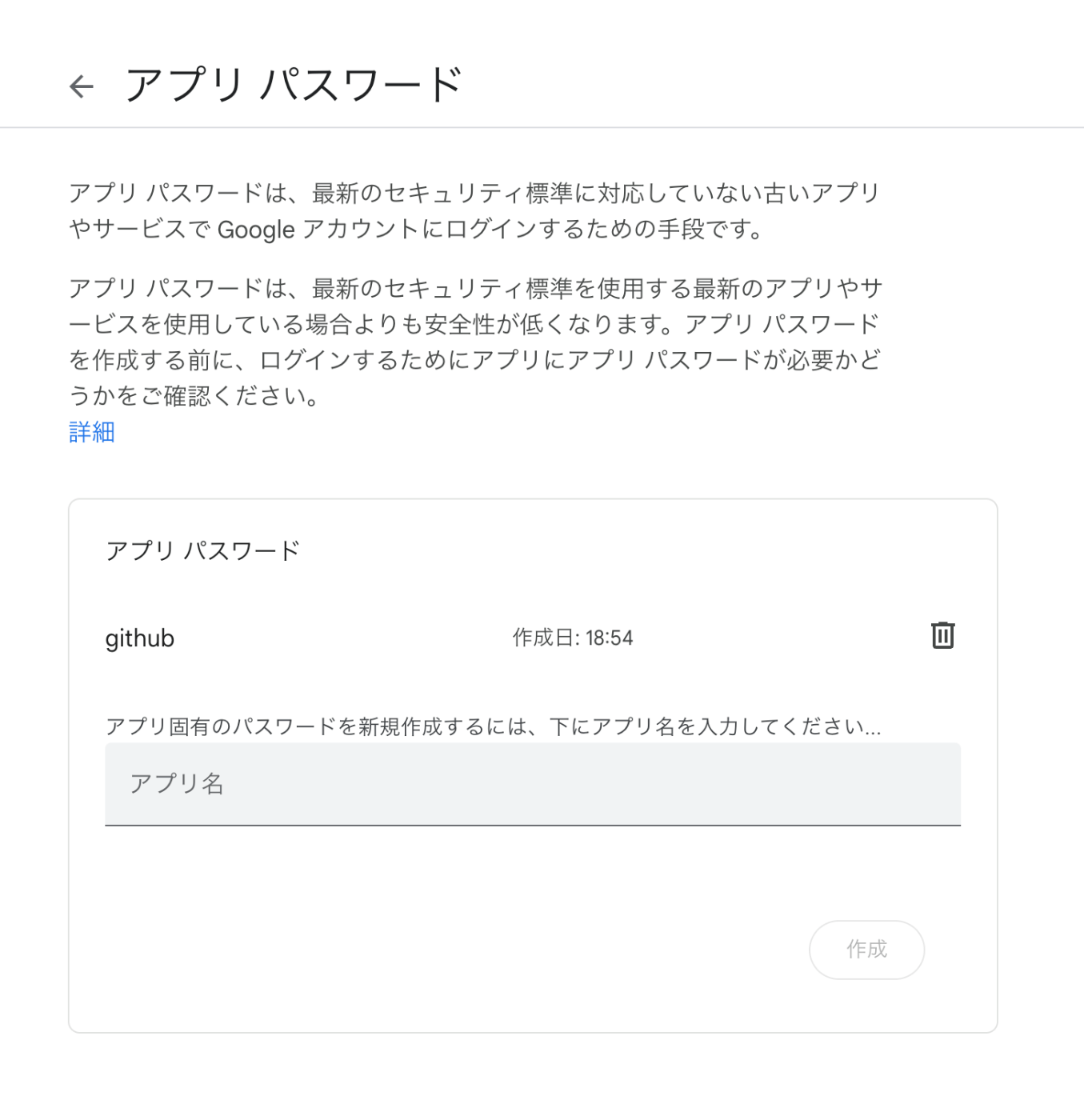
Here is an example of app password configuration.

Local Testing
Use act to run GitHub Actions in a local environment.
Create a file like the following in a repository.
name: Notification Workflow

on: [push]

jobs:
  send-mail:
    runs-on: ubuntu-latest
    steps:

        -   name: Send mail
            if: success() # This line ensures the email is only sent if deployment succeeds
            uses: dawidd6/action-send-mail@v3
            with:
                server_address: smtp.gmail.com
                server_port: 465
                username: ${{secrets.MAIL_USERNAME}}
                password: ${{secrets.MAIL_PASSWORD}}
                subject: Deployment Completed - ${{ github.repository }}
                to: ${{secrets.MAIL_TO}}
                from: ${{ secrets.MAIL_FROM }}
                body: |
                    Hello,

                    The deployment process for the repository ${{ github.repository }} has been successfully completed.

                    Commit: ${{ github.sha }}
                    Commit link: https://github.com/${{ github.repository }}/commit/${{ github.sha }}
                    Branch: ${{ github.ref }}

                    Best regards,
                    ${{ secrets.MAIL_FROM }}
I was able to use secrets with the following command.
act push --secret-file .secrets
So prepare a file like the following.
MAIL_USERNAME=xxx@gmail.com
MAIL_PASSWORD=aaaa bbbb cccc dddd
MAIL_TO=abc@example.org,def@example.org
MAIL_FROM=Sender Name
As a result, I was able to send emails as follows.
% act push --secret-file .secrets
WARN  ⚠ You are using Apple M-series chip and you have not specified container architecture, you might encounter issues while running act. If so, try running it with '--container-architecture linux/amd64'. ⚠
[Notification Workflow/send-mail] 🚀  Start image=catthehacker/ubuntu:act-latest
[Notification Workflow/send-mail]   🐳  docker pull image=catthehacker/ubuntu:act-latest platform= username= forcePull=true
[Notification Workflow/send-mail] using DockerAuthConfig authentication for docker pull
[Notification Workflow/send-mail]   🐳  docker create image=catthehacker/ubuntu:act-latest platform= entrypoint=["tail" "-f" "/dev/null"] cmd=[]
[Notification Workflow/send-mail]   🐳  docker run image=catthehacker/ubuntu:act-latest platform= entrypoint=["tail" "-f" "/dev/null"] cmd=[]
[Notification Workflow/send-mail]   ☁  git clone 'https://github.com/dawidd6/action-send-mail' # ref=v3
[Notification Workflow/send-mail] ⭐ Run Main Send mail
[Notification Workflow/send-mail]   🐳  docker cp src=/xxx/.cache/act/dawidd6-action-send-mail@v3/ dst=/var/run/act/actions/dawidd6-action-send-mail@v3/
[Notification Workflow/send-mail]   🐳  docker exec cmd=[node /var/run/act/actions/dawidd6-action-send-mail@v3/main.js] user= workdir=
[Notification Workflow/send-mail]   ✅  Success - Main Send mail
[Notification Workflow/send-mail] 🏁  Job succeeded
Deployment Completed - xxx
xxx <xxx@gmail.com>	2024年1月19日 19:52
To: xxx
Hello,

The deployment process for the repository xxx has been successfully completed.

Commit: xxx
Commit link: https://github.com/nakamura196/ge_editor/commit/xxx
Branch: refs/heads/main

Best regards,
Verifying Failure Behavior
For verifying failure behavior, using run: exit 1 as follows seemed to work well.
name: Notification Workflow

on: [push]

jobs:
  send-mail:
    runs-on: ubuntu-latest
    steps:

        -   name: Intentional Fail
            run: exit 1

        -   name: Send mail
            if: success() # This line ensures the email is only sent if deployment succeeds
            (omitted)

        -   name: Send Failure Mail
            if: failure()
            uses: dawidd6/action-send-mail@v3
            with:
                server_address: smtp.gmail.com
                server_port: 465
                username: ${{ secrets.MAIL_USERNAME }}
                password: ${{ secrets.MAIL_PASSWORD }}
                subject: Deployment Failed - ${{ github.repository }}
                to: ${{ secrets.MAIL_TO }}
                from: ${{ secrets.MAIL_FROM }} # <user@example.com>
                body: |
                    Hello,

                    There was a failure in the deployment process for the repository ${{ github.repository }}.

                    Commit: ${{ github.sha }}
                    Commit link: https://github.com/${{ github.repository }}/commit/${{ github.sha }}
                    Branch: ${{ github.ref }}

                    Please check the GitHub Actions logs for more details.

                    Best regards,
                    ${{ secrets.MAIL_FROM }}
Registering Secrets
After finishing local testing, push the changes to GitHub. At that time, I registered secrets using the GitHub CLI gh command as follows.
gh secret set MAIL_USERNAME --body "xxx@gmail.com"
gh secret set MAIL_PASSWORD --body "aaaa bbbb cccc dddd"
gh secret set MAIL_TO --body "abc@example.org,def@example.org"
gh secret set MAIL_FROM --body "Sender Name"
Summary
While sending notifications to Slack may be more common, I hope this serves as a useful reference.