Overview
An extension has been developed that enables TEI editing in MediaWiki.
https://www.mediawiki.org/wiki/Extension:TEI
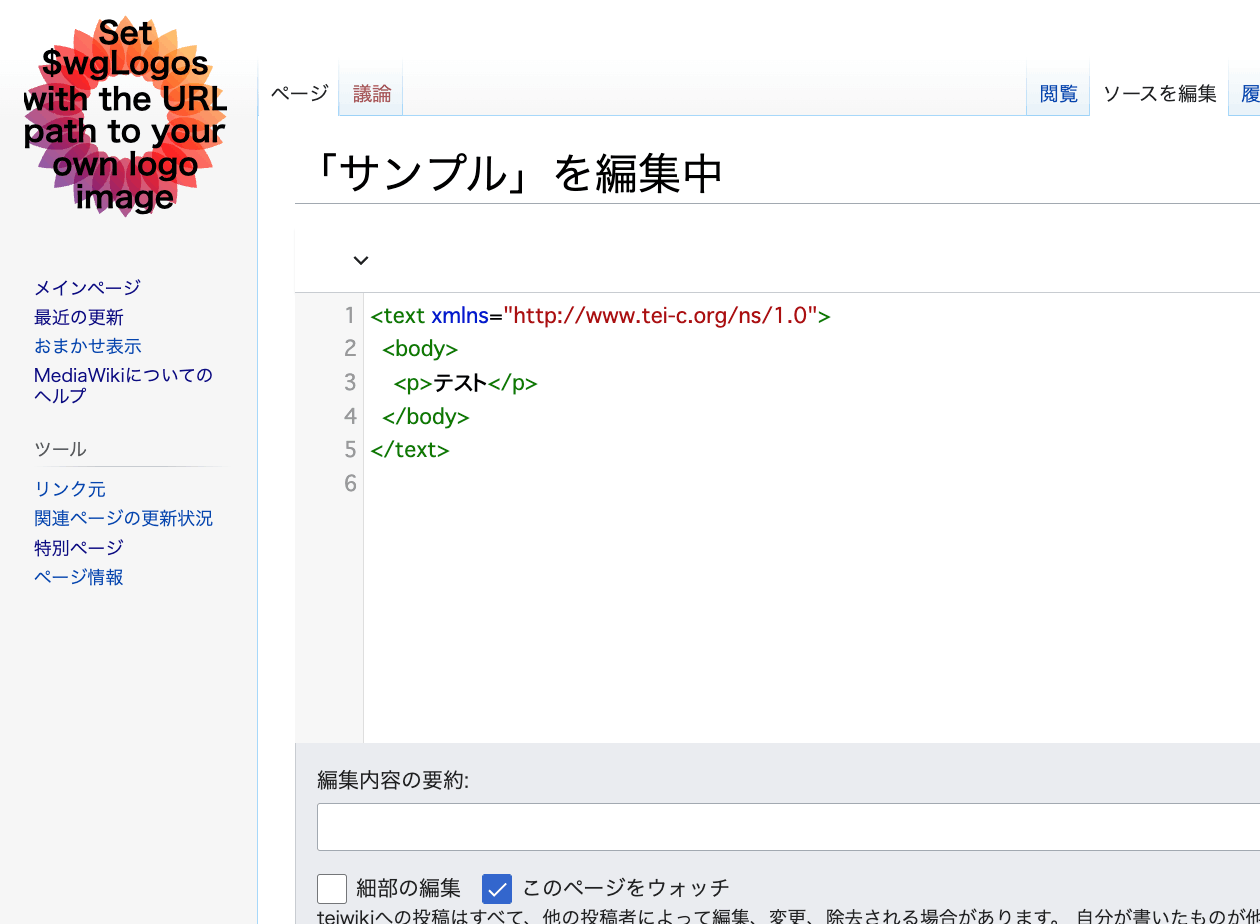
An example of the editing screen is shown below.
Scripto, a transcription support module for Omeka S, enables transcription of image data registered in Omeka S by linking Omeka S with MediaWiki.
https://omeka.org/s/modules/Scripto/
I tried combining this environment with the TEI extension mentioned above to see if TEI-compliant transcription could be achieved. However, as a result, I was unable to get the TEI extension to work properly this time.
Below are my notes on this effort.
As a note, the following is a tool that allows online editing of TEI. I hope this is also useful as a reference.
https://digital-editing.fas.harvard.edu/editor/
Setting Up MediaWiki
I installed MediaWiki on a LAMP environment created using AWS Lightsail. Since there are many existing articles and official documentation about this installation method, I defer the explanation to those resources.
https://www.mediawiki.org/wiki/Manual:Installing_MediaWiki/ja
Installing the TEI Extension
Add the extension following the Installation section on the following page.
https://www.mediawiki.org/wiki/Extension:TEI
The steps are:
- Download the files and place them in a directory within the extensions/ folder.
- Add the following code to the bottom of
LocalSettings.php.
wfLoadExtension ( 'TEI' );
- Done – Navigate to Special:Version on your wiki to verify that the extension was installed successfully.
The Special:Version page can be accessed at the following path when using Japanese settings:
/index.php?title=特別:バージョン情報
The following screen is displayed.


Then, add the following additional entries to LocalSettings.php.
define( 'NS_TEI', 100 );
define( 'NS_TEI_TALK', 101 );
$wgExtraNamespaces[NS_TEI] = 'TEI';
$wgExtraNamespaces[NS_TEI_TALK] = 'TEI_Talk';
$wgNamespaceContentModels[NS_TEI] = 'tei';
Additional Steps
After completing the above, TEI was not yet enabled. The following additional steps were required.
Adding CodeMirror
The following extension was needed.
https://www.mediawiki.org/wiki/Extension:CodeMirror
After installing it, add the following to LocalSettings.php.
wfLoadExtension (  'CodeMirror'  );
wfLoadExtension (  'Math'  );
wfLoadExtension (  'VisualEditor'  );
In the above, in addition to CodeMirror, Math and VisualEditor, which are installed by default, are also enabled.
Changing the Content Model from wikitext to TEI
Access the following page:
/index.php?title=Special:ChangeContentModel
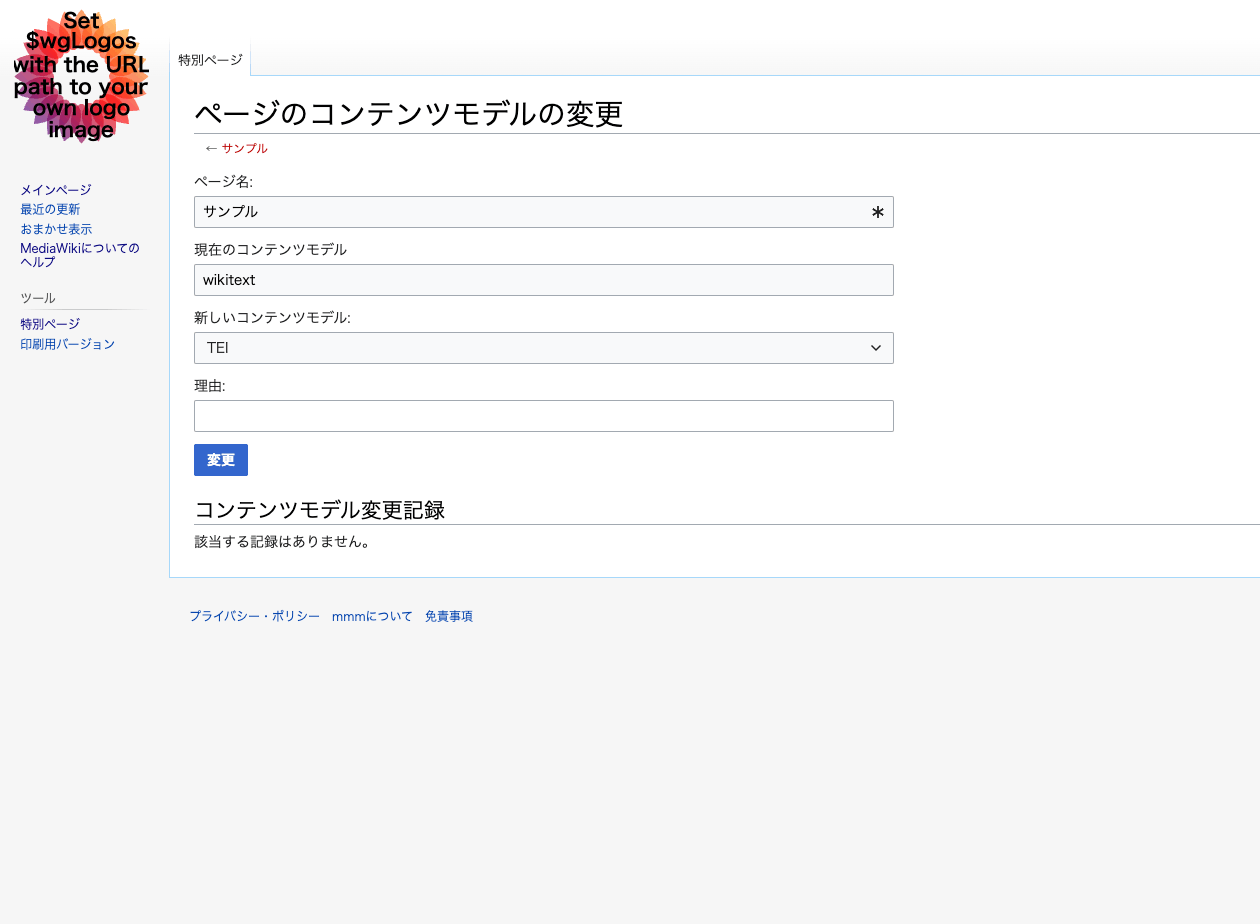
Enter the title of the target page (in this case, “Sample”).
The following page will appear, instructing you to change the content model from wikitext to TEI. Press the “Change” button.
As a result, XML editing became possible as shown below.
However, inserting two p tags, for example, caused errors, and the intended editing did not work properly.
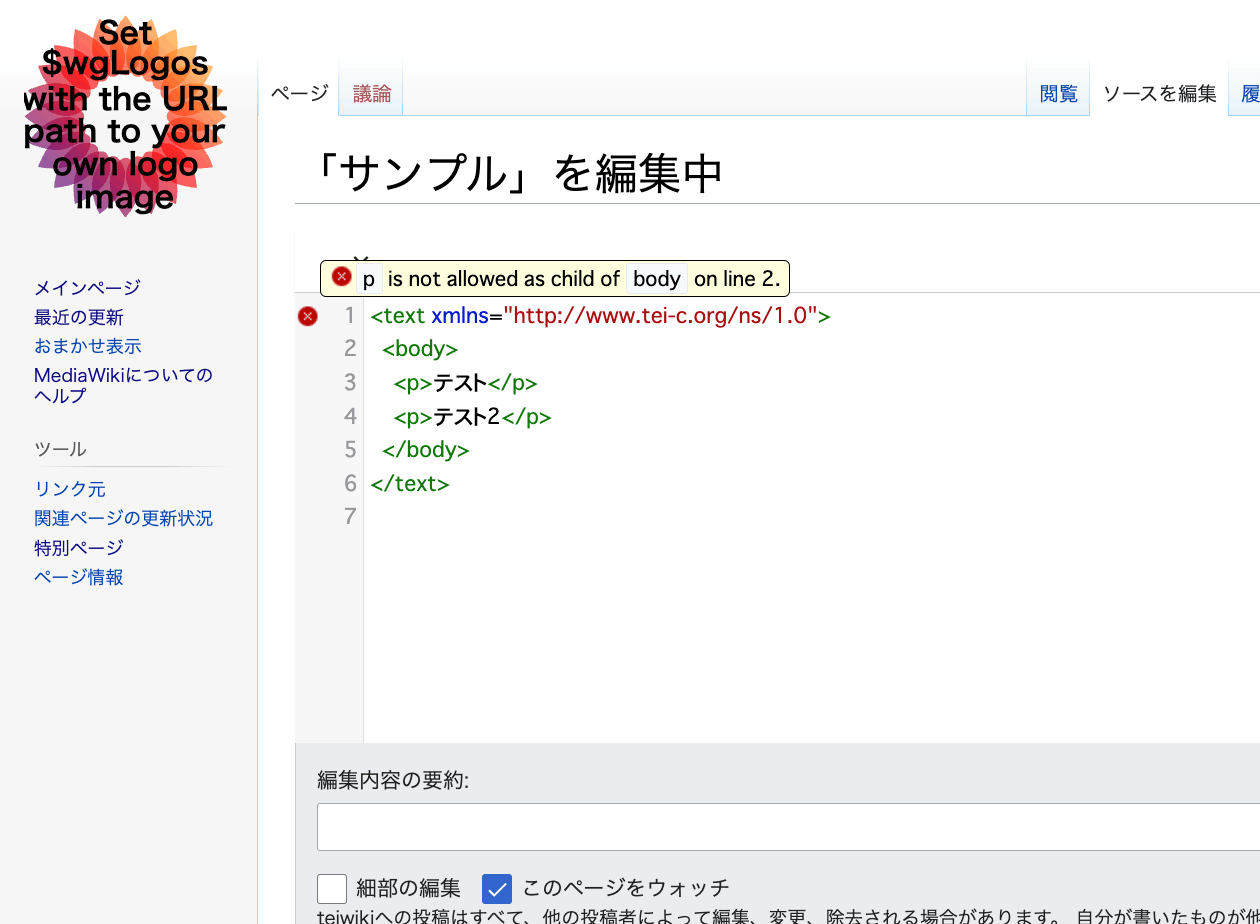
Further investigation is needed to determine whether this is a version-related issue or whether TEI ODD customization is required.
Summary
I tried the extension that enables TEI editing in MediaWiki. While it did not work in this attempt, an environment that allows creating TEI/XML using wiki mechanisms would be valuable, so I plan to continue investigating.
A description of this extension is available at the following link. Please refer to it as well.