Overview
In Omeka S, visibility can be set at the field level (public/private). These are notes on how to achieve this in Drupal.
Installation
composer.phar require 'drupal/field_permissions:^1.4'
./vendor/bin/drush en field_permissions
Configuration
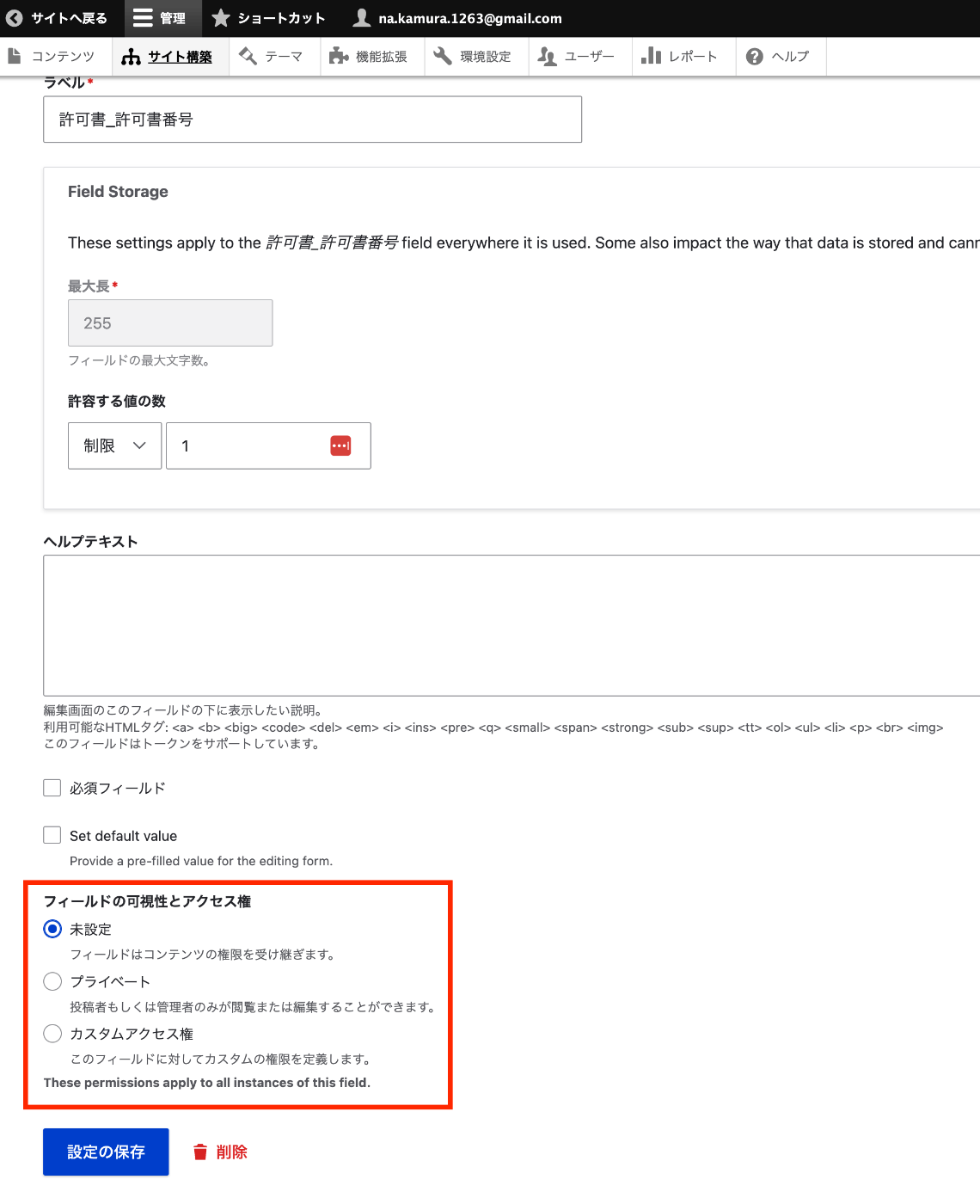
Navigate to the edit page for a specific field of a content type, such as:
/admin/structure/types/manage/bib_1/fields/node.bib_1.field_003_permission_number
As shown below, you can configure the field visibility.
Programmatic Access
Field view permissions can be checked using the access function as follows.
// Get the logged-in user's account
    $current_user = \Drupal::currentUser();

    $fieldDefinitions = \Drupal::service('entity_field.manager')->getFieldDefinitions('node', $nodeType);

    foreach ($fieldDefinitions as $fieldName => $definition) {


      $field = $nodeEntity->get($fieldName);

      // Check field view permission
      if (!$field->access('view', $current_user)) {
        continue;
      }
        ...
Summary
There may be better approaches, but I hope this serves as a helpful reference for setting field-level visibility in Drupal.