Overview
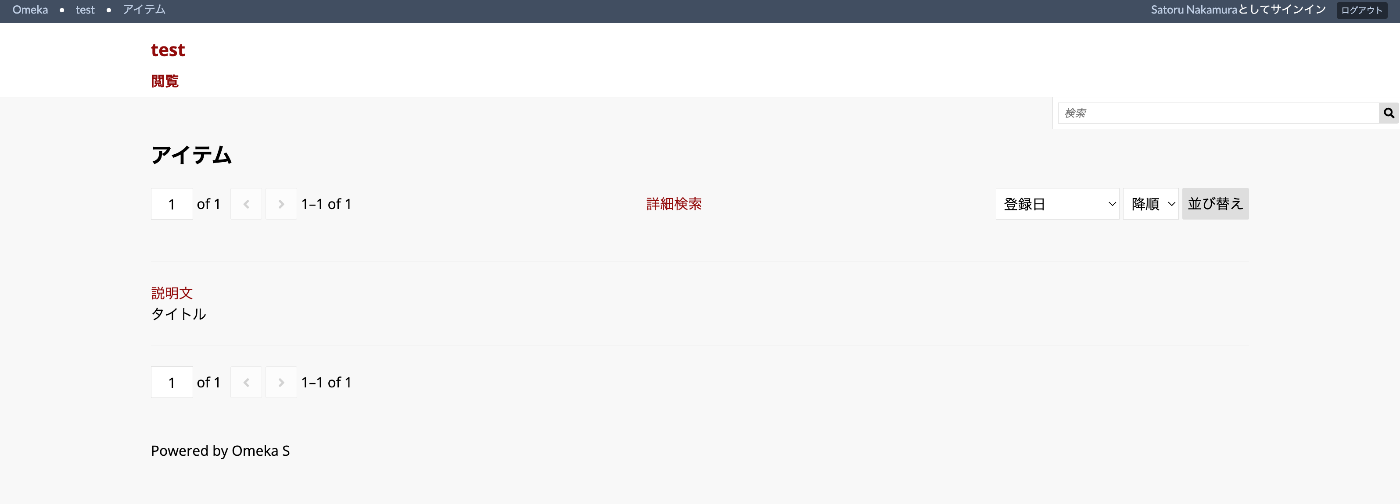
This article explains how to specify which items to display in search results, as shown below.
Configuration
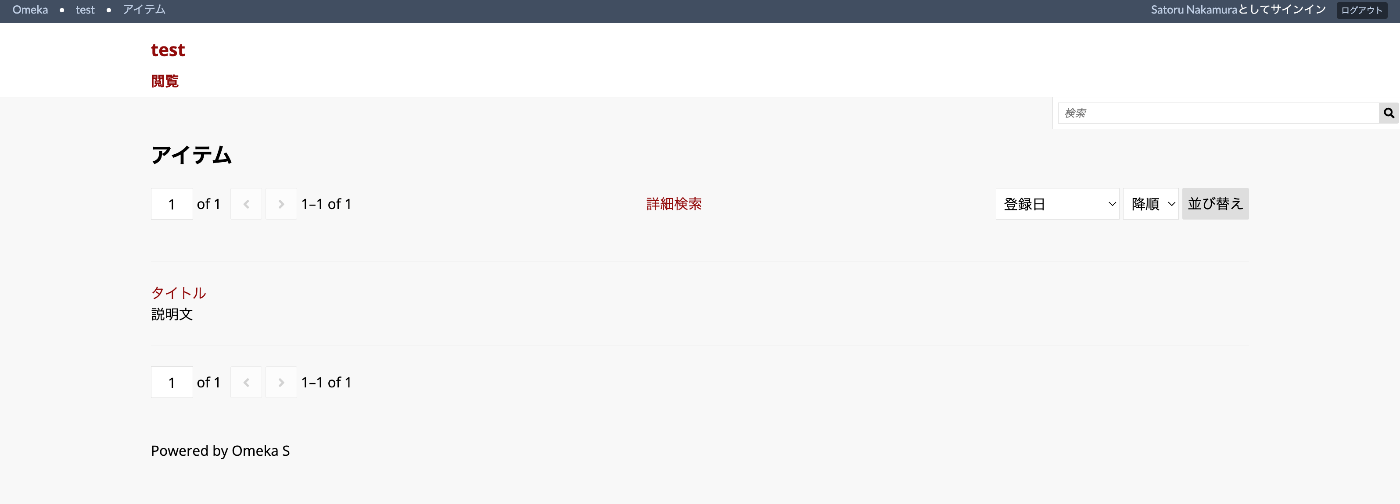
In the default settings, the “Heading” displays the title (dcterms:title) and the “Body” displays the description (dcterms:description), as shown below.
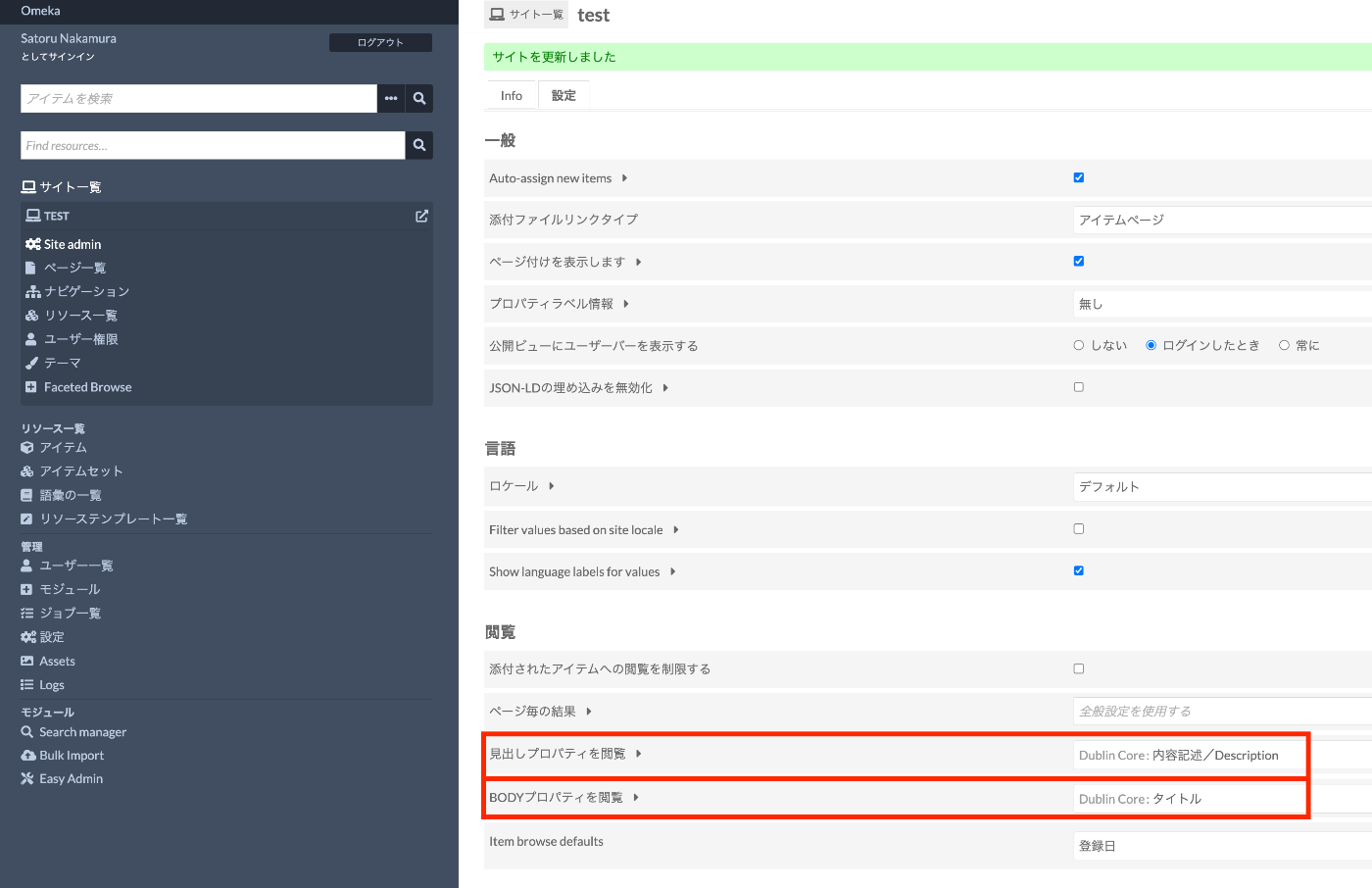
You can configure which items to display for “Heading” and “Body” respectively by changing the following section in the per-site settings screen.
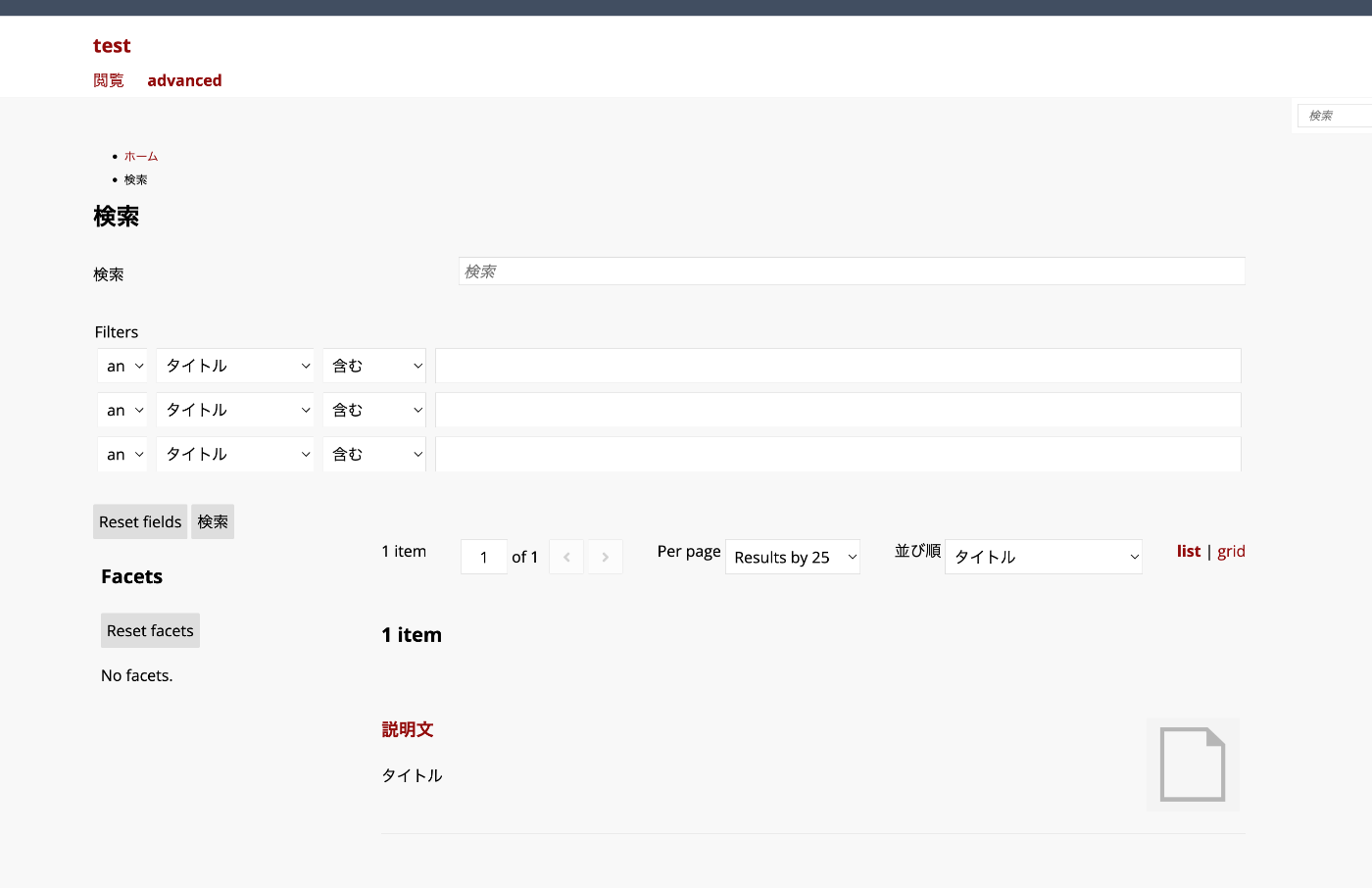
For Advanced Search
Even when using the Advanced Search module, these settings are inherited.
You can check the source code at the following link.
The display items are specified based on the browse_heading_property_term and browse_body_property_term settings.
<?php
...

$headingTerm = $setting('browse_heading_property_term');
$bodyTerm = $setting('browse_body_property_term');

...
?>

<?php if ($title): ?>
<h3><?= $escape($title) ?></h3>
<?php endif; ?>
<ul class="resource-list search-results-list<?= $gridListMode === 'list_only' ? ' list' : ($gridListMode === 'grid_only' ? ' grid' : '') ?>">
    <?php /** @var \Omeka\Api\Representation\AbstractResourceEntityRepresentation $resource */
    foreach ($resources as $resource):
        ...
        $heading = $headingTerm ? $resource->value($headingTerm, ['lang' => $langValue]) : null;
        $heading = $heading ? $heading->asHtml() : $escape($resource->displayTitle($untitled, $lang));
        $body = $bodyTerm ? $resource->value($bodyTerm, ['lang' => $langValue]) : null;
        $body = $body ? $body->asHtml() : $escape($resource->displayDescription(null, $lang));
    ?>

    <li class="resource <?= $resourceType ?>">
        <div class="resource-thumbnail">
            <?= $hyperlink->raw($resourceThumbnail, $resourceUrl, ['class' => 'resource-link']) ?>
        </div>
        <div class="resource-metadata">
            <h4><?= $resource->linkRaw($heading) ?></h4>
            <div class="description">
                <?= $body ?>
            </div>
        </div>
    </li>

    <?php endforeach; ?>
</ul>
Summary
I hope this serves as a helpful reference for specifying items to display in Omeka S search results.