Overview
AtoM (Access to Memory) is an open-source web application for archival institutions. It is used worldwide by libraries, archives, and museums for managing archival descriptions.
AtoM is typically operated through the Web UI, but the REST API enables integration with external systems and batch processing. In this article, we walk through the APIs following a realistic business scenario and verify the results in the Web UI.
For the development background and implementation details of the API plugin, see the separate article Developing a Plugin to Extend AtoM’s REST API.
APIs Used
- arRestApiPlugin (AtoM standard): CRUD for Information Objects (archival descriptions)
- arExtendedApiPlugin (custom development): Operations for repositories, authority records, accession records, taxonomies, function descriptions, and digital objects
See the development article for the complete list of 28 endpoints.
Prerequisites
# AtoM URL (adjust for your environment)
export ATOM_URL="http://localhost:63001"

# API key (set in Admin > Settings > Global > API key)
export API_KEY="your-api-key-here"
The API key can be set and verified in AtoM’s admin interface (Settings > Global).
Business Scenario: “Building Hashimoto City Library’s Digital Archive”
Story
Hashimoto City Library builds a digital archive from a collection of historical photographs of Hashimoto City (Meiji to Showa periods) donated by local history researcher Hanako Yamada.
The following steps execute a series of tasks needed for archive construction via the API.
| Step | Task | API |
|---|---|---|
| 0 | Check initial state | GET /api/summary |
| 1 | Register the repository | POST /api/repositories |
| 2 | Verify repository information | GET /api/repositories/:slug |
| 3 | Add contact information | PUT /api/repositories/:slug |
| 4 | Register the donor | POST /api/actors |
| 5 | Verify donor information | GET /api/actors/:slug |
| 6 | Create an accession record | POST /api/accessions |
| 7 | Update processing status | PUT /api/accessions/:slug |
| 8 | Check taxonomies (controlled vocabularies) | GET /api/taxonomies |
| 9 | Add subject classification | POST /api/taxonomies/:id/terms |
| 10 | Correct classification name | PUT /api/taxonomies/terms/:id |
| 11 | Create archival description | POST /api/informationobjects |
| 12 | Attach digital image | POST /api/informationobjects/:slug/digitalobject |
| 13 | Check final state | GET /api/summary |
After completing the scenario, the “Additional Features” section also covers:
- Function description (ISDF) management: POST /api/functions
- Place taxonomy management: POST /api/taxonomies/42/terms
- Hierarchical archival description: POST /api/informationobjects (with parent_id)
- Repository logo image: POST /api/repositories/:slug/logo
All curl commands below have been executed, and responses are actual data.
Step 0: Check Initial State
First, check the number of records currently registered in AtoM.
curl -s -H "REST-API-Key: $API_KEY" \
  $ATOM_URL/api/summary | python3 -m json.tool
{
    "information_objects": 1,
    "repositories": 1,
    "actors": 0,
    "accessions": 0,
    "terms": 322,
    "digital_objects": 3
}
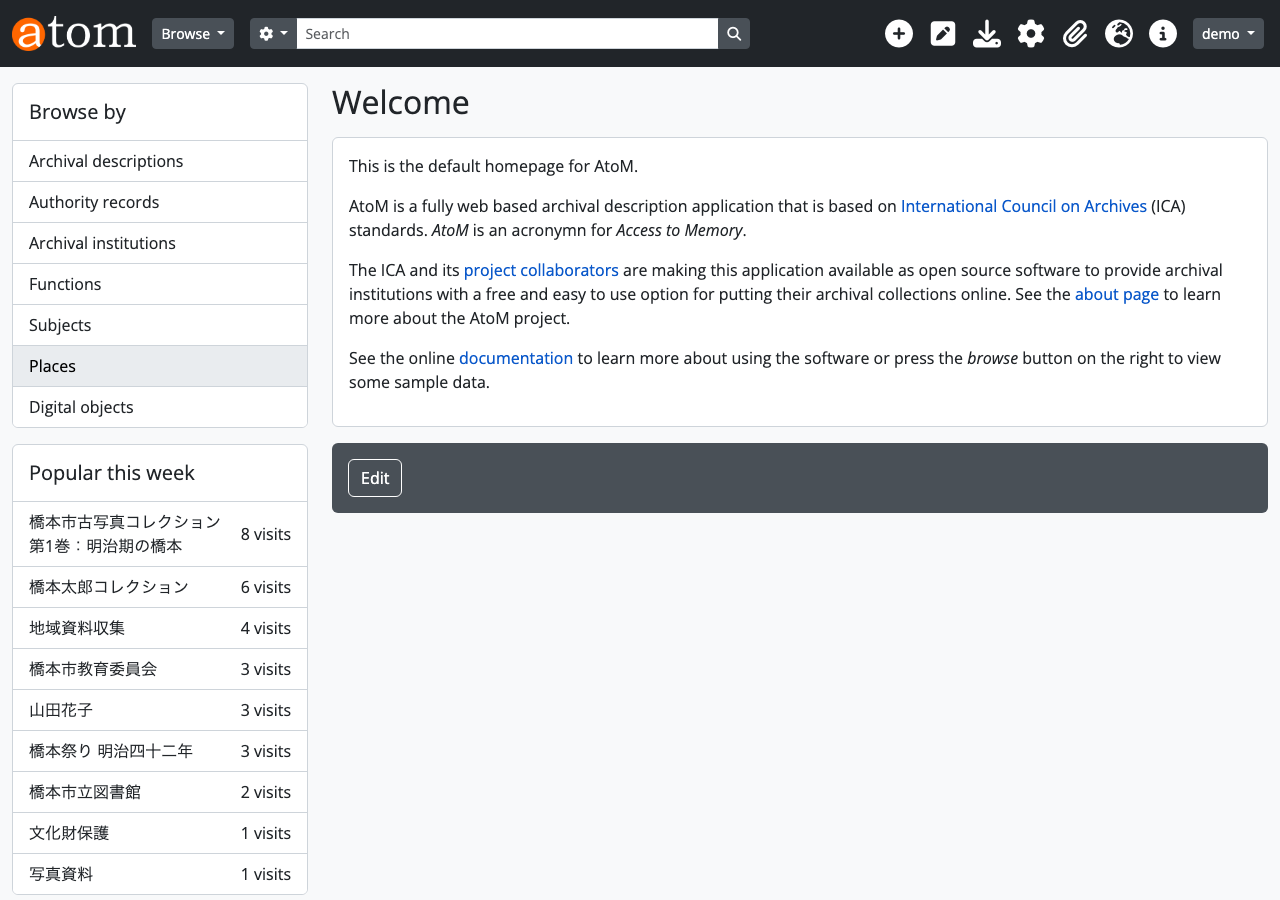
Web UI verification: Top page
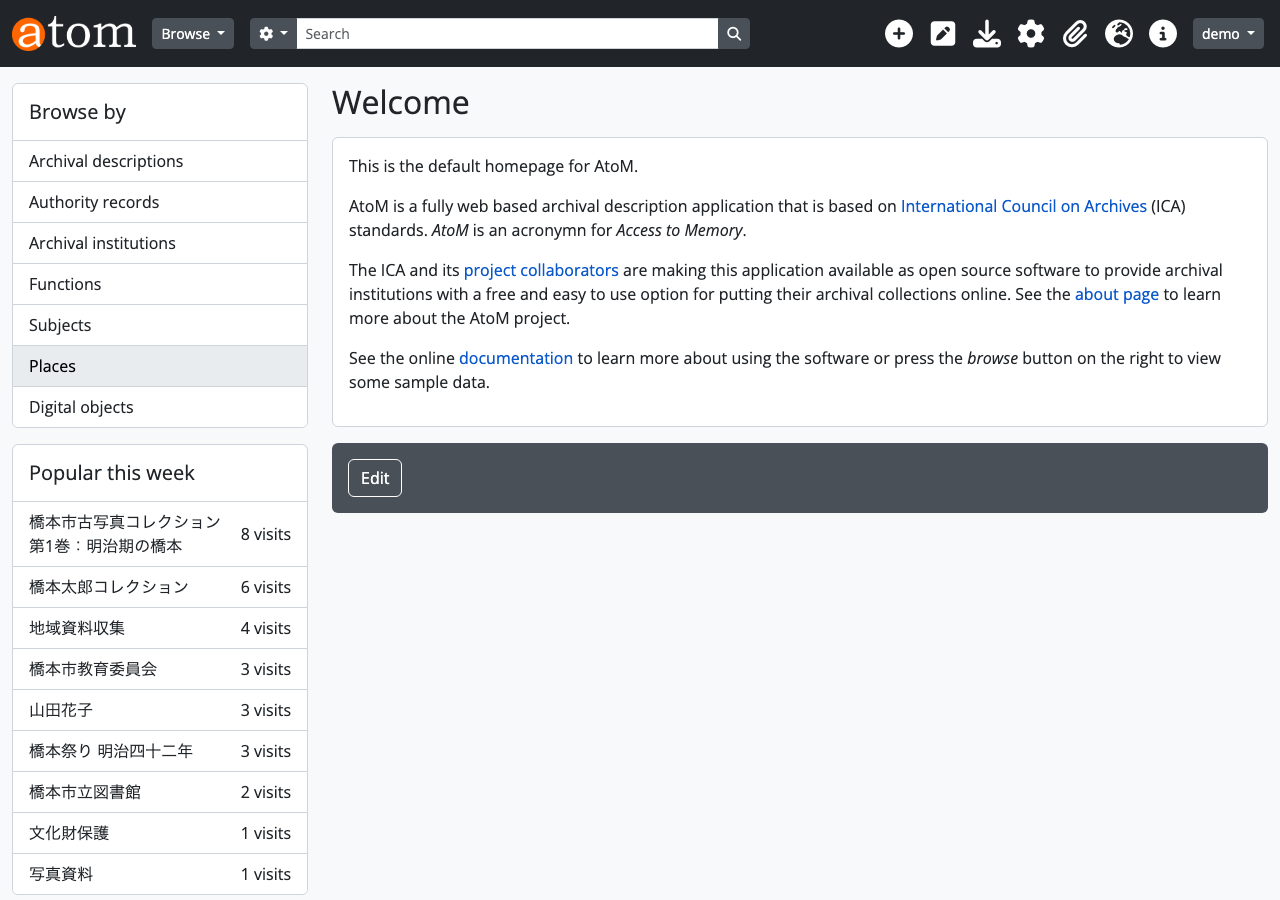
Step 1: Register the Repository
Register Hashimoto City Library as an archival repository.
curl -s -X POST \
  -H "REST-API-Key: $API_KEY" \
  -H "Content-Type: application/json" \
  -d '{
    "authorized_form_of_name": "橋本市立図書館",
    "identifier": "hashimoto-library",
    "desc_detail_id": 233,
    "desc_status_id": 230,
    "history": "橋本市立図書館は1965年に設立された公共図書館です。2020年より歴史資料のデジタルアーカイブ事業を開始しました。",
    "geocultural_context": "和歌山県橋本市",
    "mandates": "図書館法に基づく公共図書館",
    "internal_structures": "デジタルアーカイブ室",
    "collecting_policies": "橋本市および周辺地域の歴史資料、古文書、写真資料を収集対象とする。"
  }' \
  $ATOM_URL/api/repositories
{
    "id": 466,
    "slug": "ayya-htm3-5wkd"
}
desc_detail_id and desc_status_id are taxonomy term IDs (explained in Step 8).
Web UI verification: Repository list
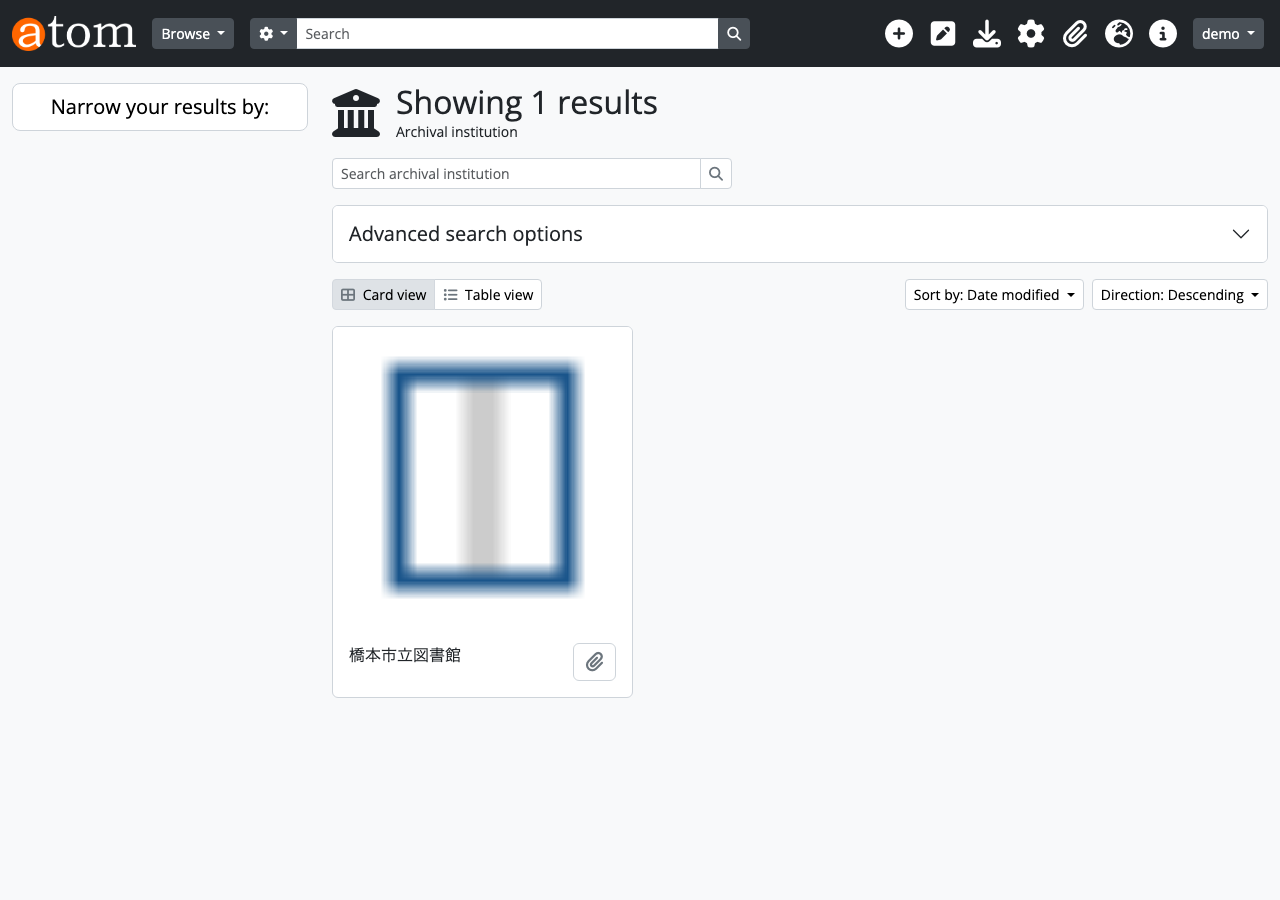
Step 2: Verify Repository Information
Retrieve the details of the created repository.
curl -s -H "REST-API-Key: $API_KEY" \
  $ATOM_URL/api/repositories/ayya-htm3-5wkd | python3 -m json.tool
{
    "id": 466,
    "slug": "ayya-htm3-5wkd",
    "identifier": "hashimoto-library",
    "authorized_form_of_name": "橋本市立図書館",
    "history": "橋本市立図書館は1965年に設立された公共図書館です。2020年より歴史資料のデジタルアーカイブ事業を開始しました。",
    "mandates": "図書館法に基づく公共図書館",
    "internal_structures": "デジタルアーカイブ室",
    "geocultural_context": "和歌山県橋本市",
    "collecting_policies": "橋本市および周辺地域の歴史資料、古文書、写真資料を収集対象とする。",
    "upload_limit": -1,
    "desc_status": "Final",
    "desc_detail": "Full",
    "created_at": "2026-02-15 01:33:36",
    "updated_at": "2026-02-15 01:34:50"
}
All fields specified in Step 1 are correctly registered.
Web UI verification: Repository detail page
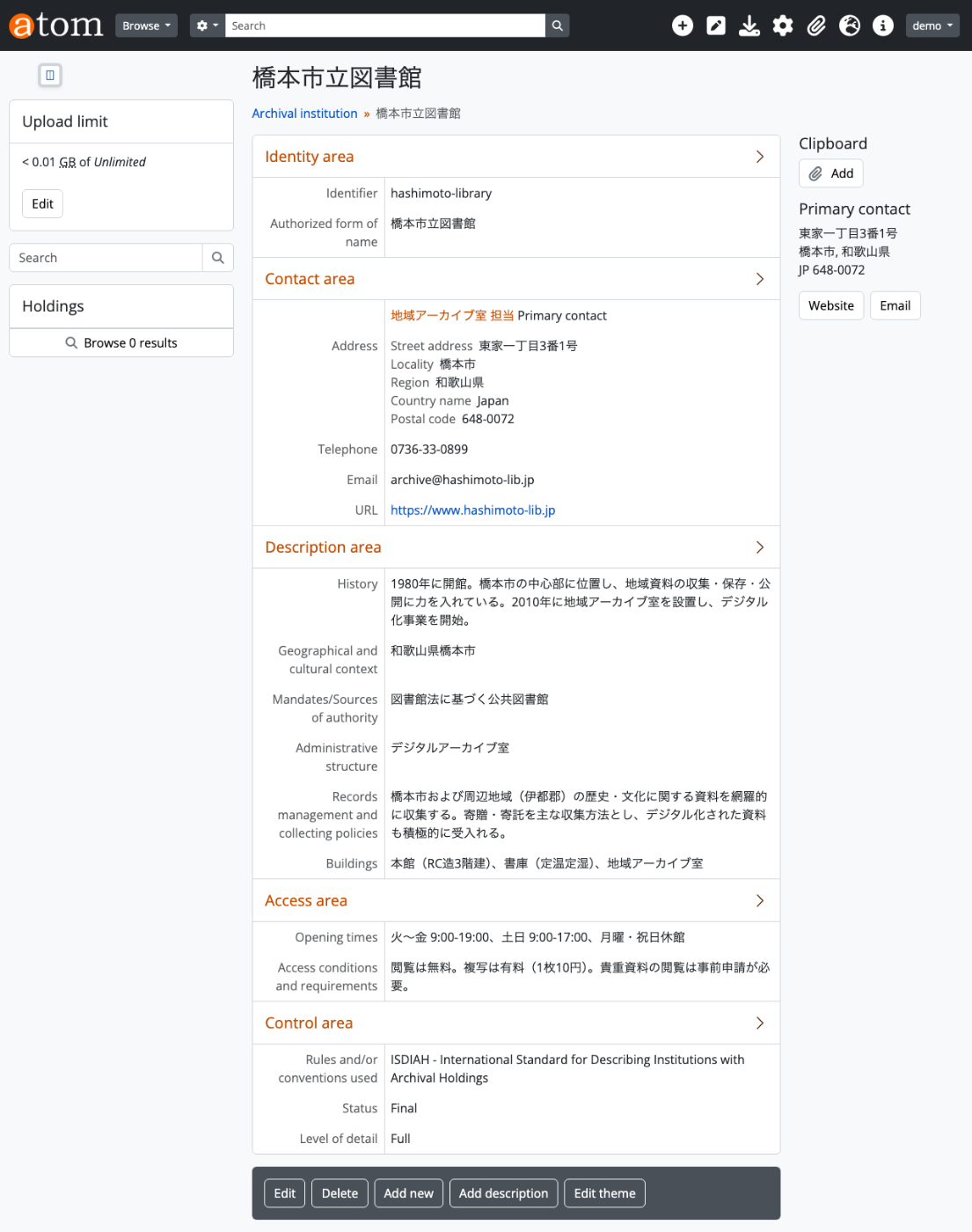
Step 3: Add Contact Information
Add address and telephone information to the repository.
curl -s -X PUT \
  -H "REST-API-Key: $API_KEY" \
  -H "Content-Type: application/json" \
  -d '{
    "contact_information": {
      "city": "橋本市",
      "region": "和歌山県",
      "country_code": "JP",
      "postal_code": "648-0072",
      "street_address": "東家一丁目6番27号",
      "telephone": "0736-33-0899"
    }
  }' \
  $ATOM_URL/api/repositories/ayya-htm3-5wkd
{
    "id": 466,
    "slug": "ayya-htm3-5wkd"
}
Web UI verification: Repository detail page (with contact information)
The Contact area shows the address and telephone number.
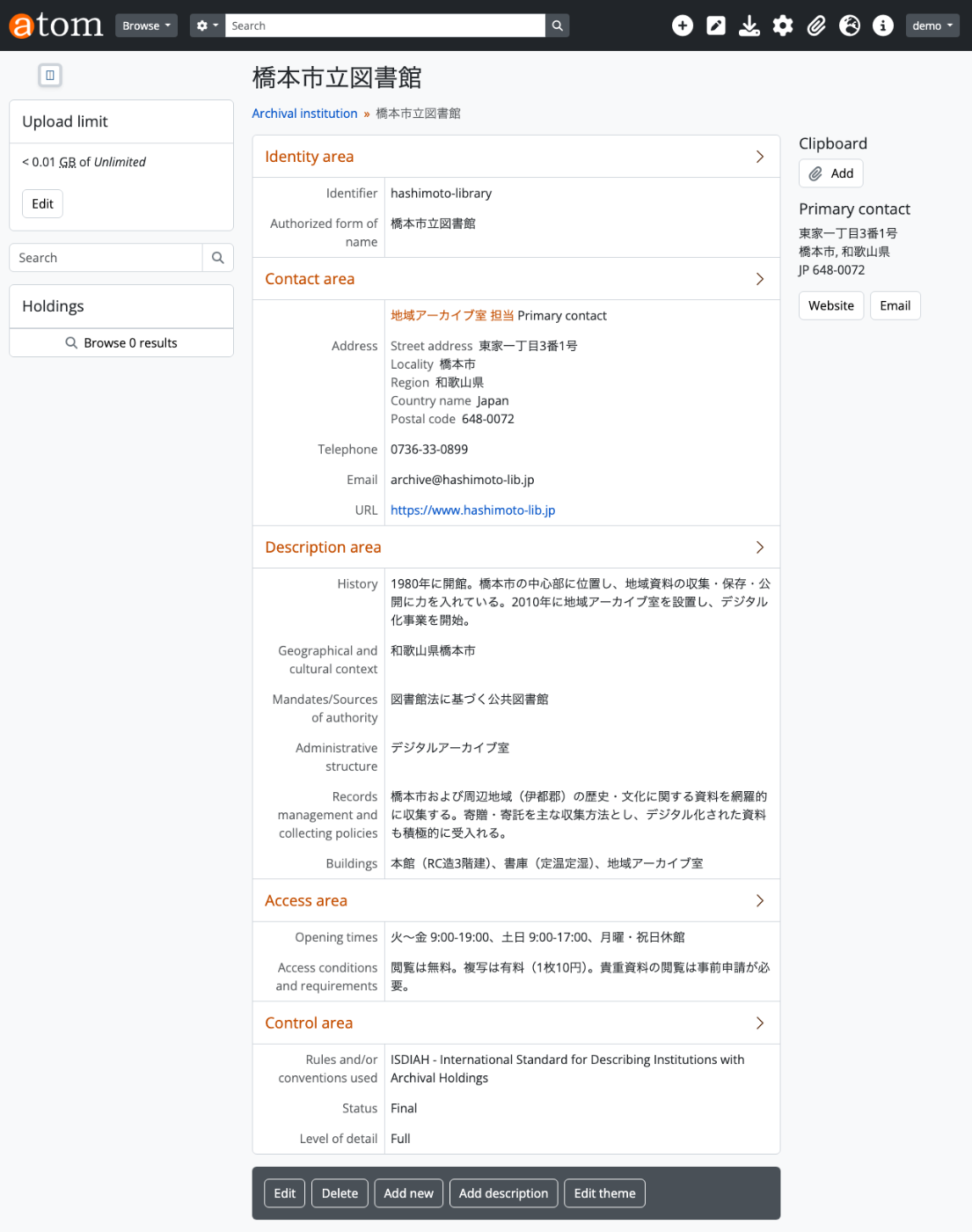
Step 4: Register the Donor (Authority Record)
Register Hanako Yamada, the donor of the historical photograph collection, as an authority record.
curl -s -X POST \
  -H "REST-API-Key: $API_KEY" \
  -H "Content-Type: application/json" \
  -d '{
    "authorized_form_of_name": "山田花子",
    "entity_type_id": 132,
    "history": "橋本市在住の郷土史研究家。2025年に自身が収集した橋本市の古写真コレクション(明治〜昭和期)を橋本市立図書館に寄贈した。",
    "dates_of_existence": "1950年〜",
    "places": "和歌山県橋本市"
  }' \
  $ATOM_URL/api/actors
{
    "id": 487,
    "slug": "wmdg-q5q2-4zy2"
}
entity_type_id: 132 means “Person” (individual). Other options include 131=Corporate body and 133=Family.
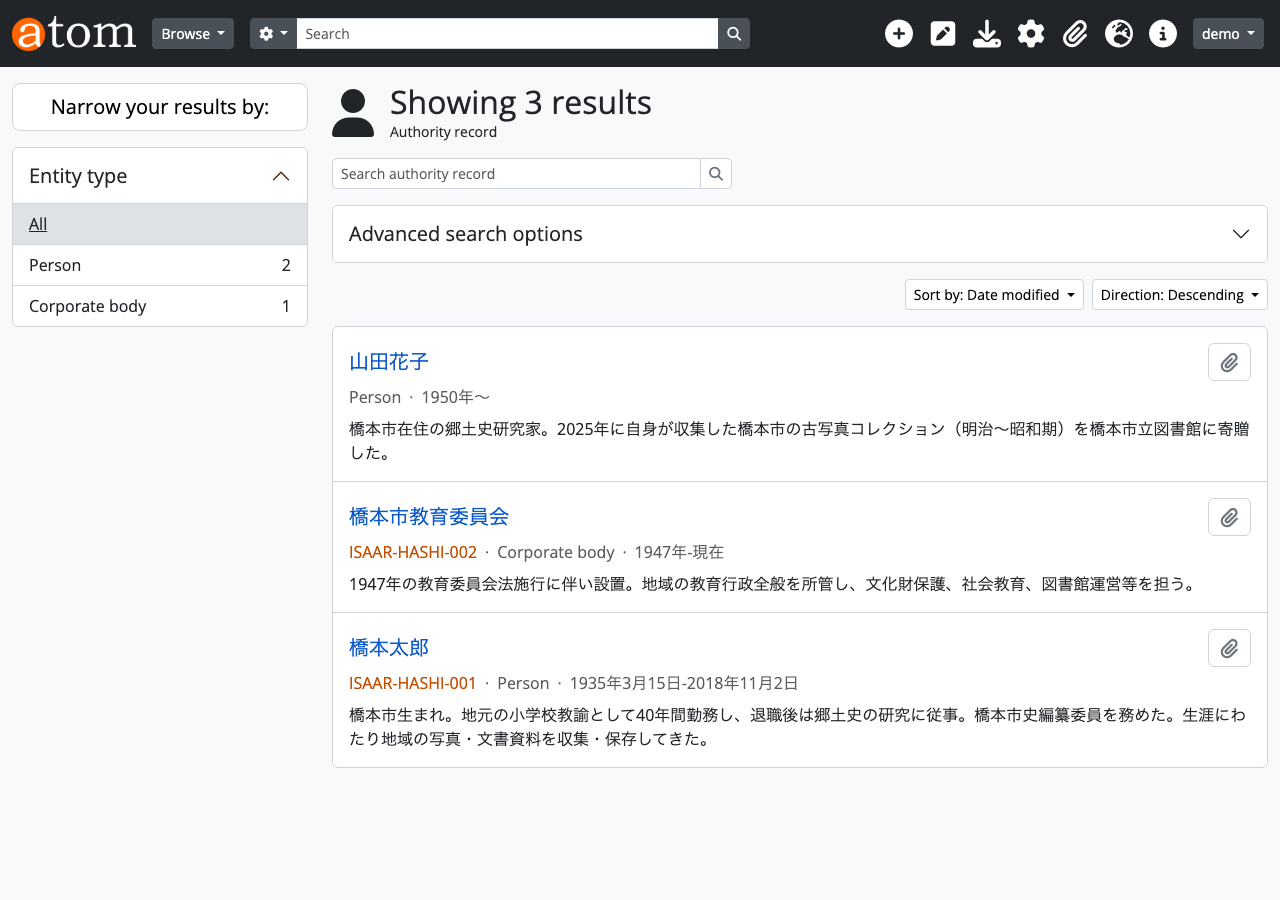
Web UI verification: Authority record list
Step 5: Verify Donor Information
curl -s -H "REST-API-Key: $API_KEY" \
  $ATOM_URL/api/actors/wmdg-q5q2-4zy2 | python3 -m json.tool
{
    "id": 487,
    "slug": "wmdg-q5q2-4zy2",
    "authorized_form_of_name": "山田花子",
    "dates_of_existence": "1950年〜",
    "history": "橋本市在住の郷土史研究家。2025年に自身が収集した橋本市の古写真コレクション(明治〜昭和期)を橋本市立図書館に寄贈した。",
    "places": "和歌山県橋本市",
    "entity_type": "Person",
    "entity_type_id": 132,
    "created_at": "2026-02-15 01:44:10",
    "updated_at": "2026-02-15 01:44:10"
}
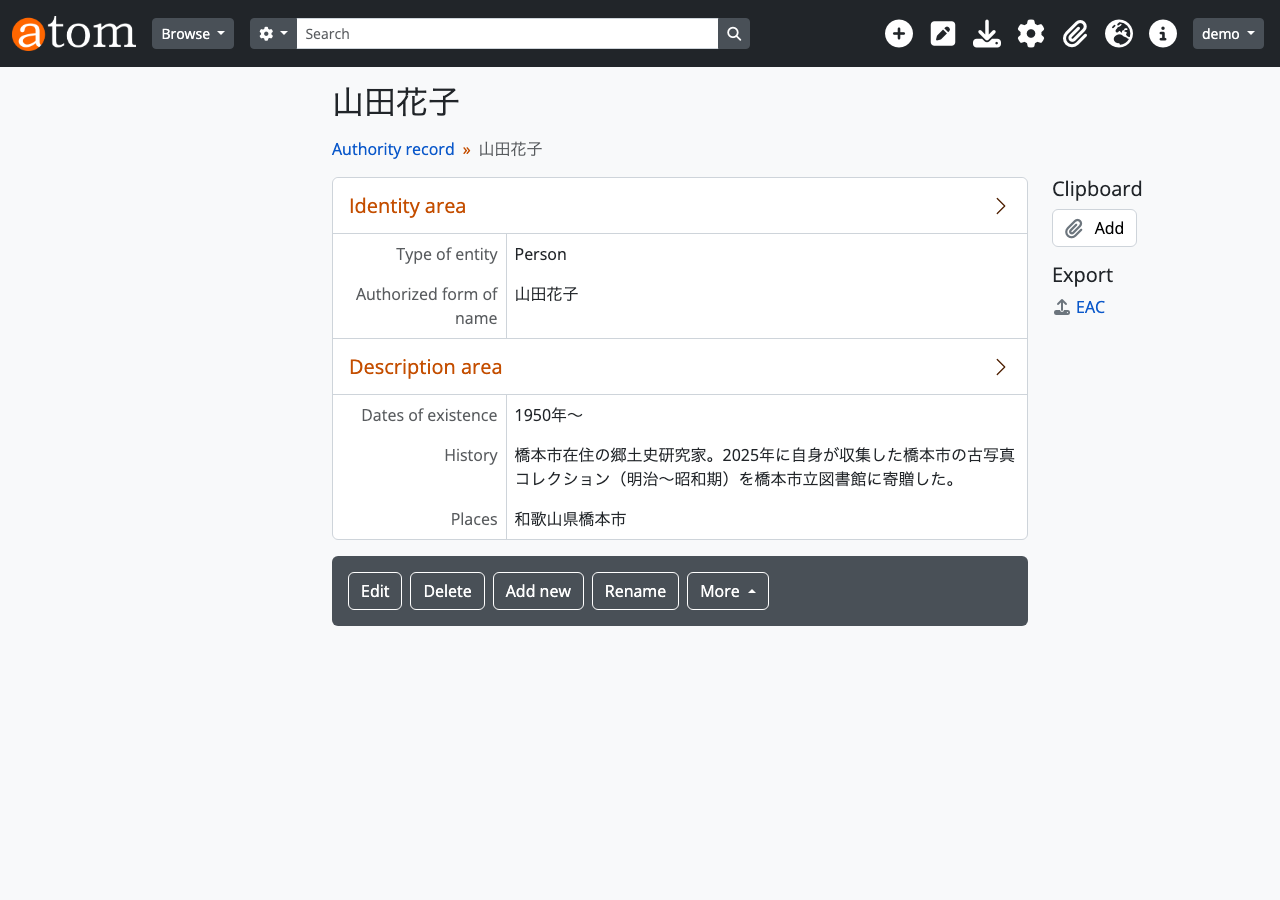
Web UI verification: Authority record detail page
The Identity area shows “Yamada Hanako” and “Person”, and the Description area shows dates of existence, history, and places.
Step 6: Create an Accession Record
Create an accession record for the donated materials. In archival work, recording and managing the accession of materials is an essential procedure.
curl -s -X POST \
  -H "REST-API-Key: $API_KEY" \
  -H "Content-Type: application/json" \
  -d '{
    "identifier": "2026-003",
    "date": "2026-01-15",
    "title": "山田花子寄贈 橋本市古写真コレクション",
    "source_of_acquisition": "山田花子氏(橋本市在住の郷土史研究家)からの寄贈",
    "location_information": "橋本市立図書館 デジタルアーカイブ室 資料保管庫A-3",
    "scope_and_content": "明治後期から昭和30年代にかけての橋本市内の風景・建築物・祭事を撮影した写真コレクション。約200点。銀塩プリントおよびガラス乾板を含む。",
    "appraisal": "橋本市の近代史を記録する一次資料として高い価値を有する。",
    "archival_history": "撮影者は主に山田花子の祖父・山田一郎(1888-1965)。山田家で保管されていたものを花子氏が整理し寄贈。",
    "acquisition_type_id": 332,
    "processing_status_id": 339,
    "resource_type_id": 330,
    "creators": [487]
  }' \
  $ATOM_URL/api/accessions
{
    "id": 490,
    "slug": "2026-003",
    "identifier": "2026-003"
}
Key field descriptions:
date: Accession date (required)source_of_acquisition: Source of acquisition (required)location_information: Storage location (required)acquisition_type_id: 332-> Giftprocessing_status_id: 339-> Incompleteresource_type_id: 330-> Private transfercreators: [487]-> ID of Hanako Yamada created in Step 4
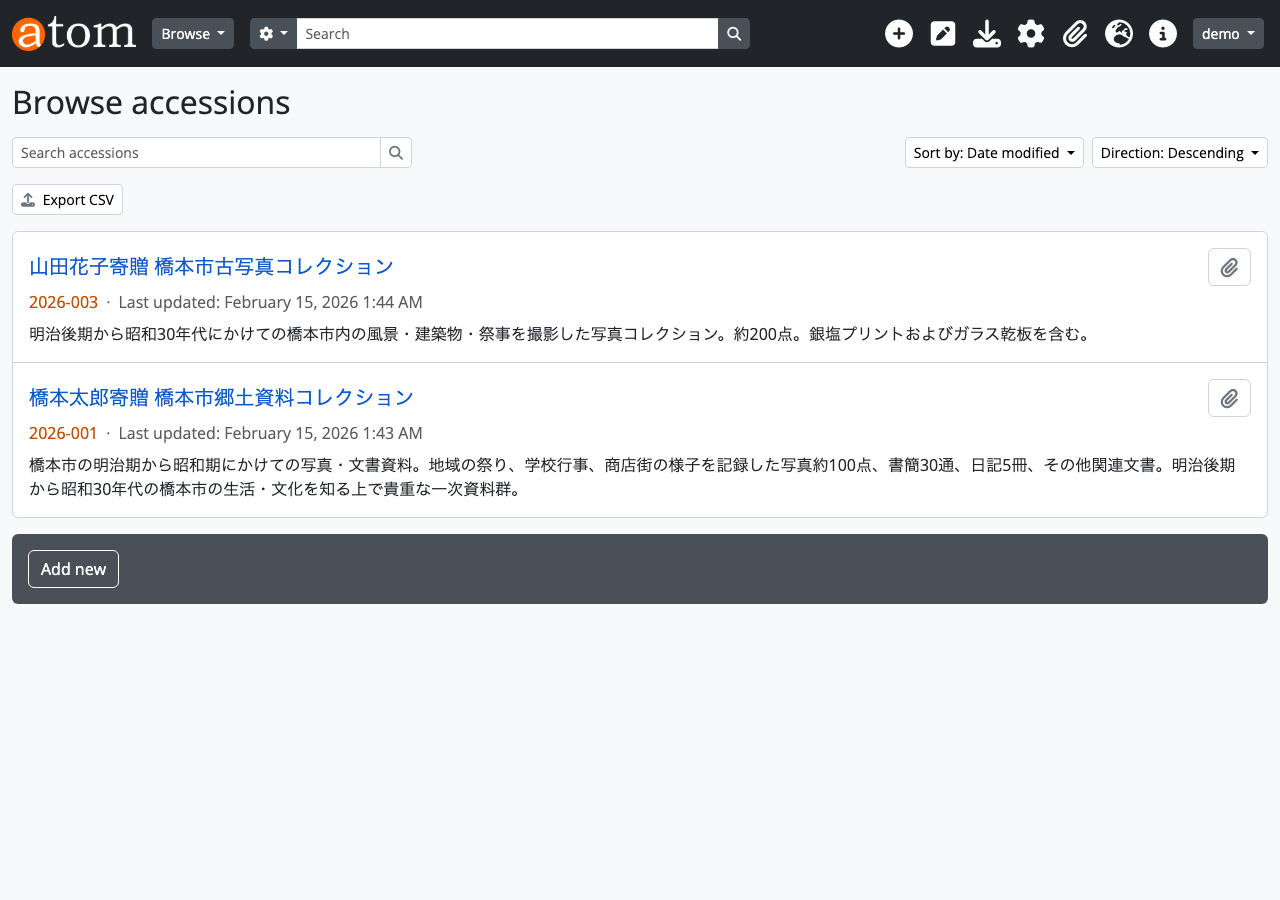
Web UI verification: Accession record list
Step 7: Update Processing Status
Since digitization work has begun, change the status to “In-Progress”.
curl -s -X PUT \
  -H "REST-API-Key: $API_KEY" \
  -H "Content-Type: application/json" \
  -d '{
    "processing_status_id": 340,
    "processing_notes": "2026年2月15日: デジタル化作業開始。まず状態の良い銀塩プリント50点からスキャンを実施。"
  }' \
  $ATOM_URL/api/accessions/2026-003
{
    "id": 490,
    "slug": "2026-003",
    "identifier": "2026-003"
}
Verification:
curl -s -H "REST-API-Key: $API_KEY" \
  $ATOM_URL/api/accessions/2026-003 | python3 -m json.tool
{
    "id": 490,
    "slug": "2026-003",
    "identifier": "2026-003",
    "date": "2026-01-15",
    "title": "山田花子寄贈 橋本市古写真コレクション",
    "source_of_acquisition": "山田花子氏(橋本市在住の郷土史研究家)からの寄贈",
    "location_information": "橋本市立図書館 デジタルアーカイブ室 資料保管庫A-3",
    "scope_and_content": "明治後期から昭和30年代にかけての橋本市内の風景・建築物・祭事を撮影した写真コレクション。約200点。銀塩プリントおよびガラス乾板を含む。",
    "archival_history": "撮影者は主に山田花子の祖父・山田一郎(1888-1965)。山田家で保管されていたものを花子氏が整理し寄贈。",
    "appraisal": "橋本市の近代史を記録する一次資料として高い価値を有する。",
    "processing_notes": "2026年2月15日: デジタル化作業開始。まず状態の良い銀塩プリント50点からスキャンを実施。",
    "acquisition_type": "Gift",
    "acquisition_type_id": 332,
    "processing_status": "In-Progress",
    "processing_status_id": 340,
    "resource_type": "Private transfer",
    "resource_type_id": 330,
    "created_at": "2026-02-15 01:44:35",
    "updated_at": "2026-02-15 02:54:00"
}
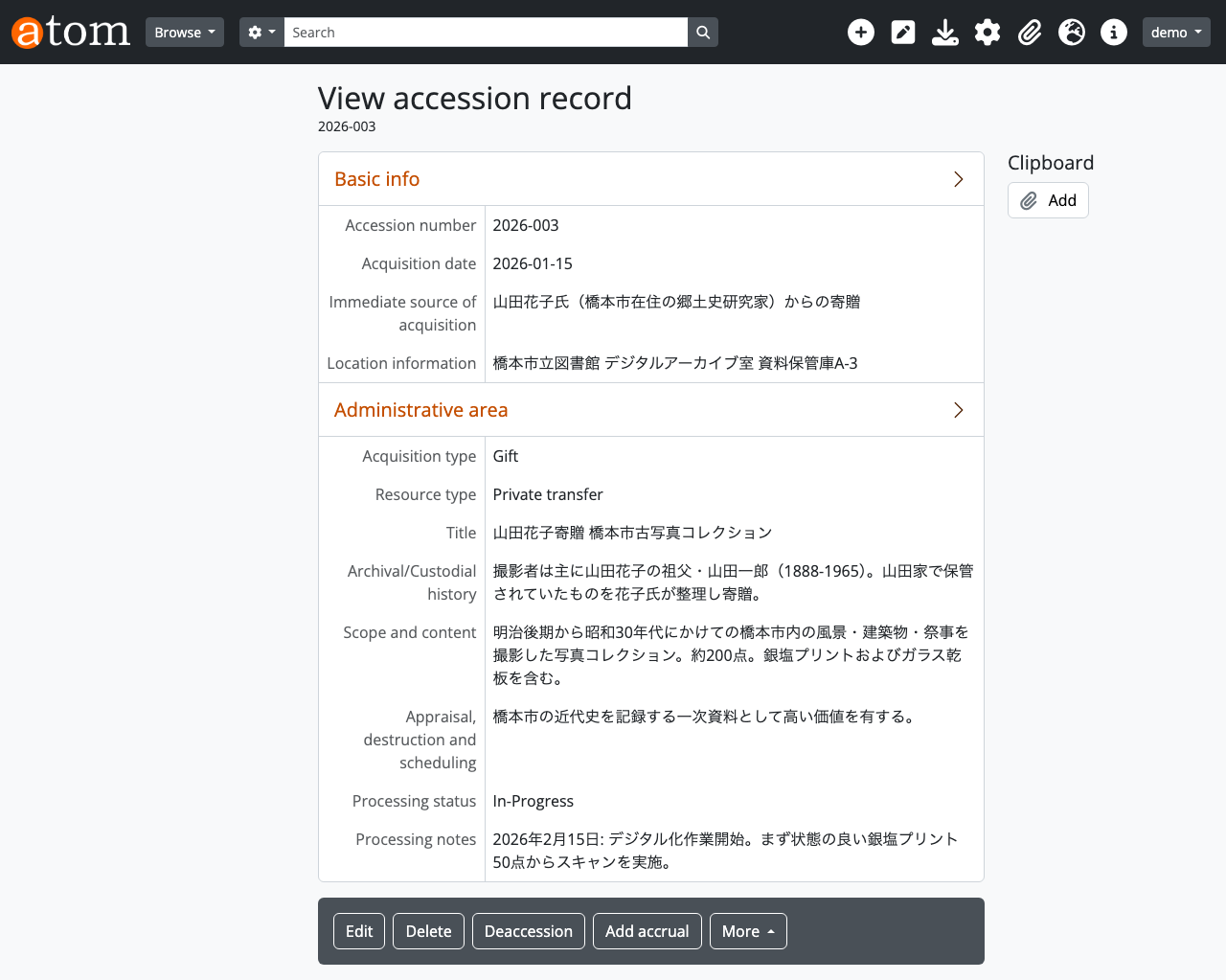
Processing status has changed to “In-Progress”, and the digitization start log has been added to processing_notes.
Web UI verification: Accession record detail page
Step 8: Check Taxonomies (Controlled Vocabularies)
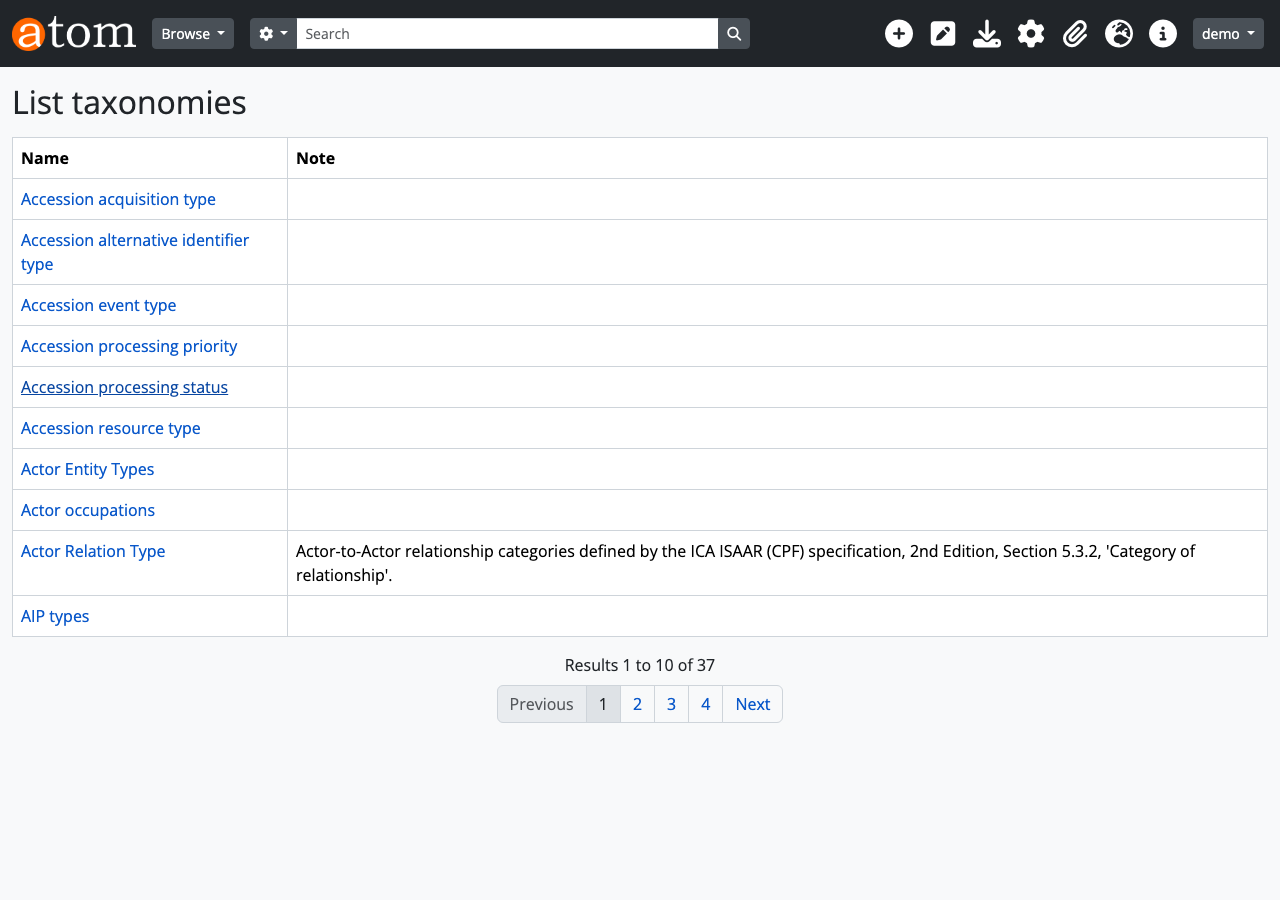
In AtoM, values such as entity types, description levels, and acquisition types are managed as taxonomies (controlled vocabularies). The entity_type_id and acquisition_type_id values used in previous steps are all taxonomy term IDs.
curl -s -H "REST-API-Key: $API_KEY" \
  $ATOM_URL/api/taxonomies | python3 -m json.tool
{
    "total": 49,
    "results": [
        { "id": 63, "name": "Accession acquisition type" },
        { "id": 65, "name": "Accession processing status" },
        { "id": 62, "name": "Accession resource type" },
        { "id": 32, "name": "Actor Entity Types" },
        { "id": 31, "name": "Description Detail Levels" },
        { "id": 33, "name": "Description Statuses" },
        { "id": 43, "name": "ISDF Function Types" },
        { "id": 34, "name": "Levels of description" },
        { "id": 42, "name": "Places" },
        { "id": 35, "name": "Subjects" },
        "..."
    ]
}
Frequently used taxonomy term ID reference table:
| Taxonomy | ID | Term |
|---|---|---|
| Actor Entity Types (32) | 131 | Corporate body |
| 132 | Person | |
| 133 | Family | |
| Levels of description (34) | 236 | Fonds |
| 239 | Series | |
| 242 | Item | |
| Description Detail (31) | 233 | Full |
| 234 | Partial | |
| Description Status (33) | 230 | Final |
| 232 | Draft | |
| Accession acquisition type (63) | 332 | Gift |
| 333 | Purchase | |
| Accession processing status (65) | 338 | Complete |
| 339 | Incomplete | |
| 340 | In-Progress |
Web UI verification: Taxonomy management screen
Step 9: Add Subject Classification
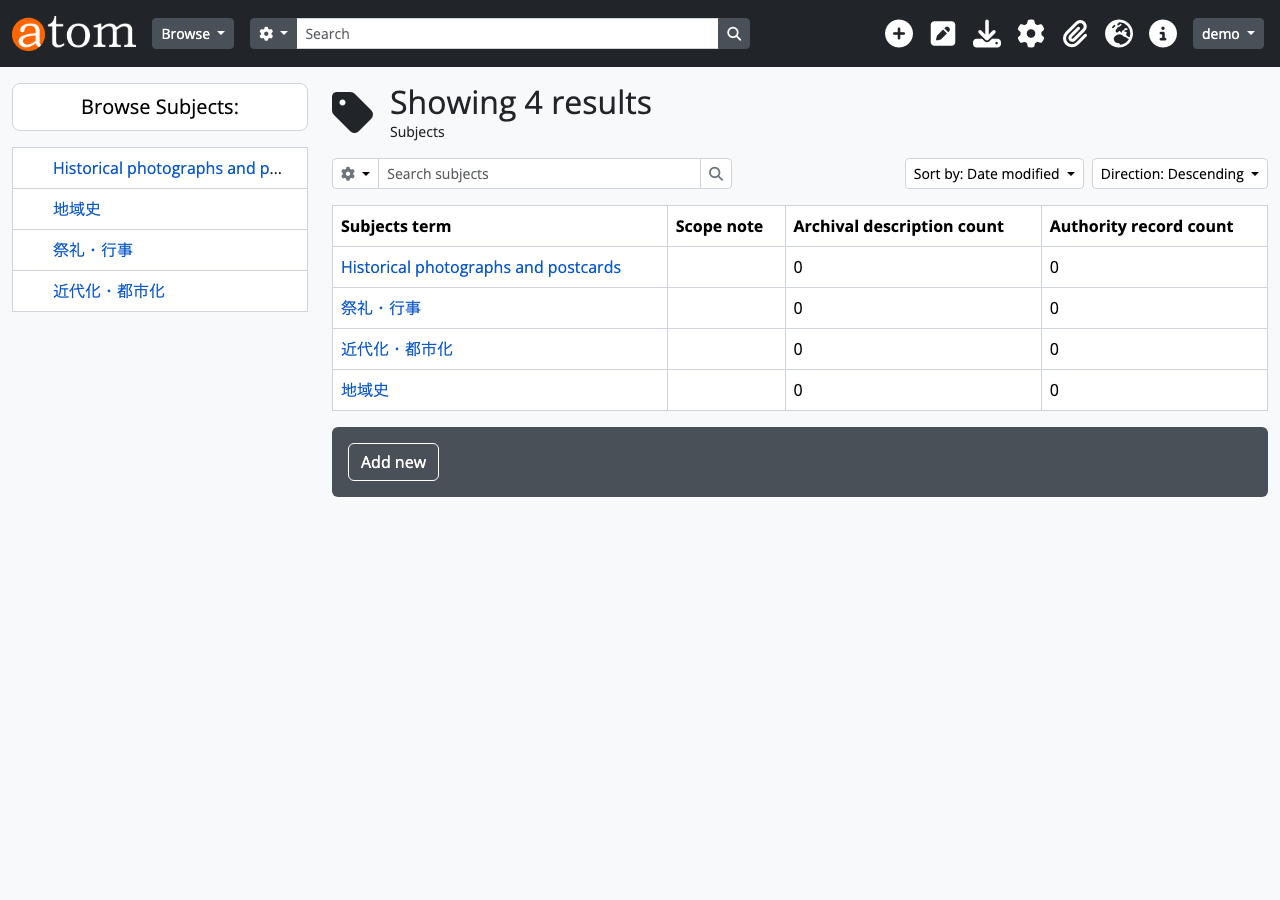
Add “Historical photographs” to the Subjects taxonomy (id=35) as a subject classification for the collection.
curl -s -X POST \
  -H "REST-API-Key: $API_KEY" \
  -H "Content-Type: application/json" \
  -d '{
    "name": "古写真",
    "i18n": {
      "en": { "name": "Historical photographs" }
    }
  }' \
  $ATOM_URL/api/taxonomies/35/terms
{
    "id": 495,
    "slug": "historical-photographs",
    "name": "Historical photographs",
    "taxonomy_id": 35
}
The i18n field enables multilingual support. The Japanese name is automatically saved based on the culture setting at creation time.
Web UI verification: Subjects taxonomy
Step 10: Correct Classification Name
Change the term name to be more specific.
curl -s -X PUT \
  -H "REST-API-Key: $API_KEY" \
  -H "Content-Type: application/json" \
  -d '{
    "name": "古写真・絵葉書",
    "i18n": {
      "en": { "name": "Historical photographs and postcards" }
    }
  }' \
  $ATOM_URL/api/taxonomies/terms/495
{
    "id": 495,
    "slug": "historical-photographs",
    "name": "Historical photographs and postcards",
    "taxonomy_id": 35
}
Step 11: Create Archival Description
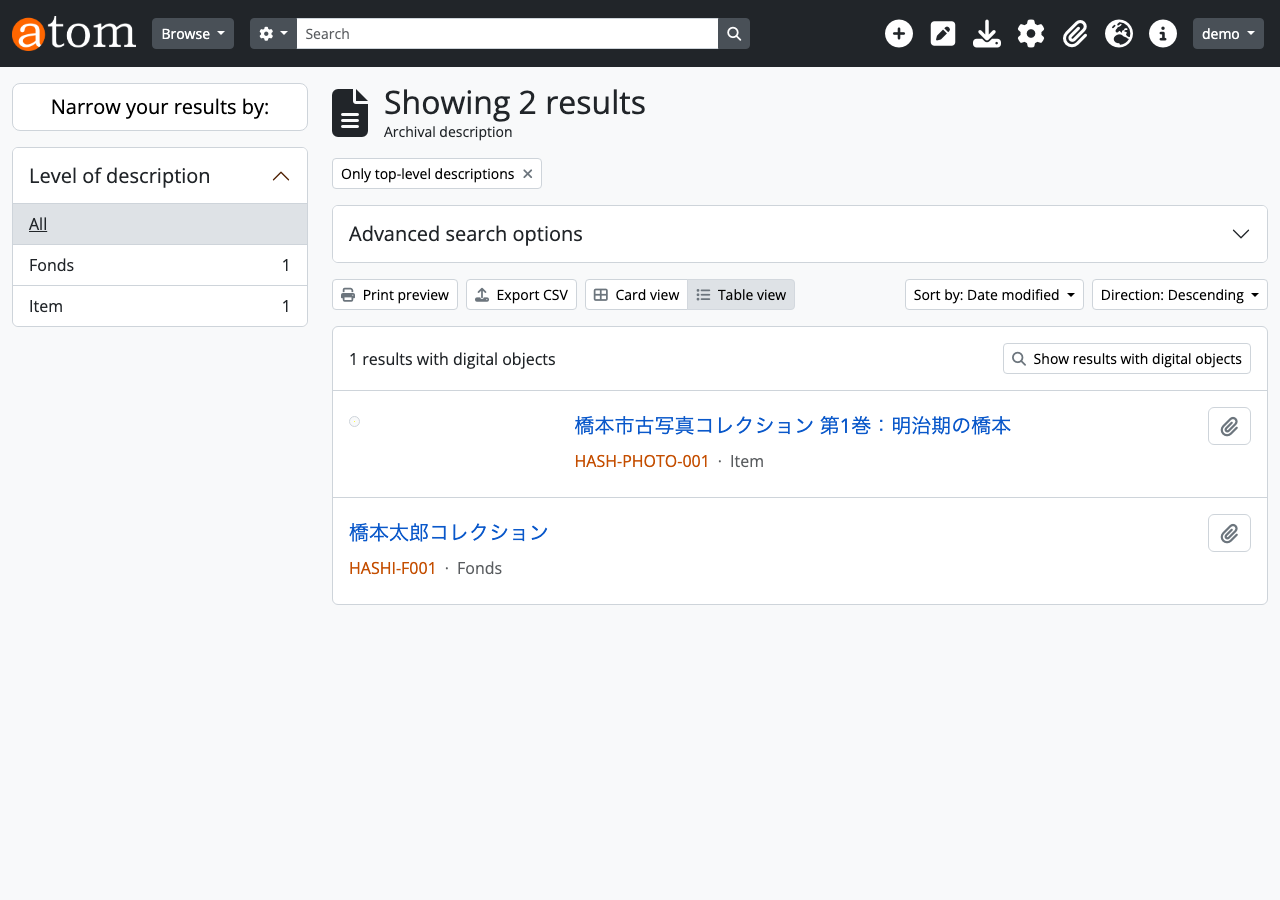
Now, create the archival description (Information Object) for the collection. This uses the existing arRestApiPlugin API.
curl -s -X POST \
  -H "REST-API-Key: $API_KEY" \
  -H "Content-Type: application/json" \
  -d '{
    "title": "橋本市古写真コレクション 第1巻:明治期の橋本",
    "identifier": "HASH-PHOTO-001",
    "level_of_description_id": 242,
    "publication_status_id": 160,
    "scope_and_content": "明治30年代から大正初期にかけての橋本市中心部の街並み、紀の川の風景、高野山参詣道の写真など32点を収録。",
    "repository_id": 466
  }' \
  $ATOM_URL/api/informationobjects
{
    "id": 470,
    "slug": "1",
    "parent_id": 1
}
level_of_description_id: 242-> Itempublication_status_id: 160-> Publishedrepository_id: 466-> ID of Hashimoto City Library created in Step 1
Web UI verification: Archival description list
Step 12: Attach Digital Image
Upload a scanned photograph image using base64 encoding.
# In practice, use the base64 of the scanned image
BASE64_IMAGE="iVBORw0KGgoAAAANSUhEUgAAAAEAAAABCAYAAAAfFcSJAAAADUlEQVR42mP8/5+hHgAHggJ/PchI7wAAAABJRU5ErkJggg=="

curl -s -X POST \
  -H "REST-API-Key: $API_KEY" \
  -H "Content-Type: application/json" \
  -d "{
    \"base64\": \"$BASE64_IMAGE\",
    \"filename\": \"hashimoto_meiji_001.png\"
  }" \
  $ATOM_URL/api/informationobjects/1/digitalobject
{
    "id": 473,
    "information_object_id": 470,
    "name": "hashimoto_meiji_001.png",
    "mime_type": "image/png",
    "byte_size": 70
}
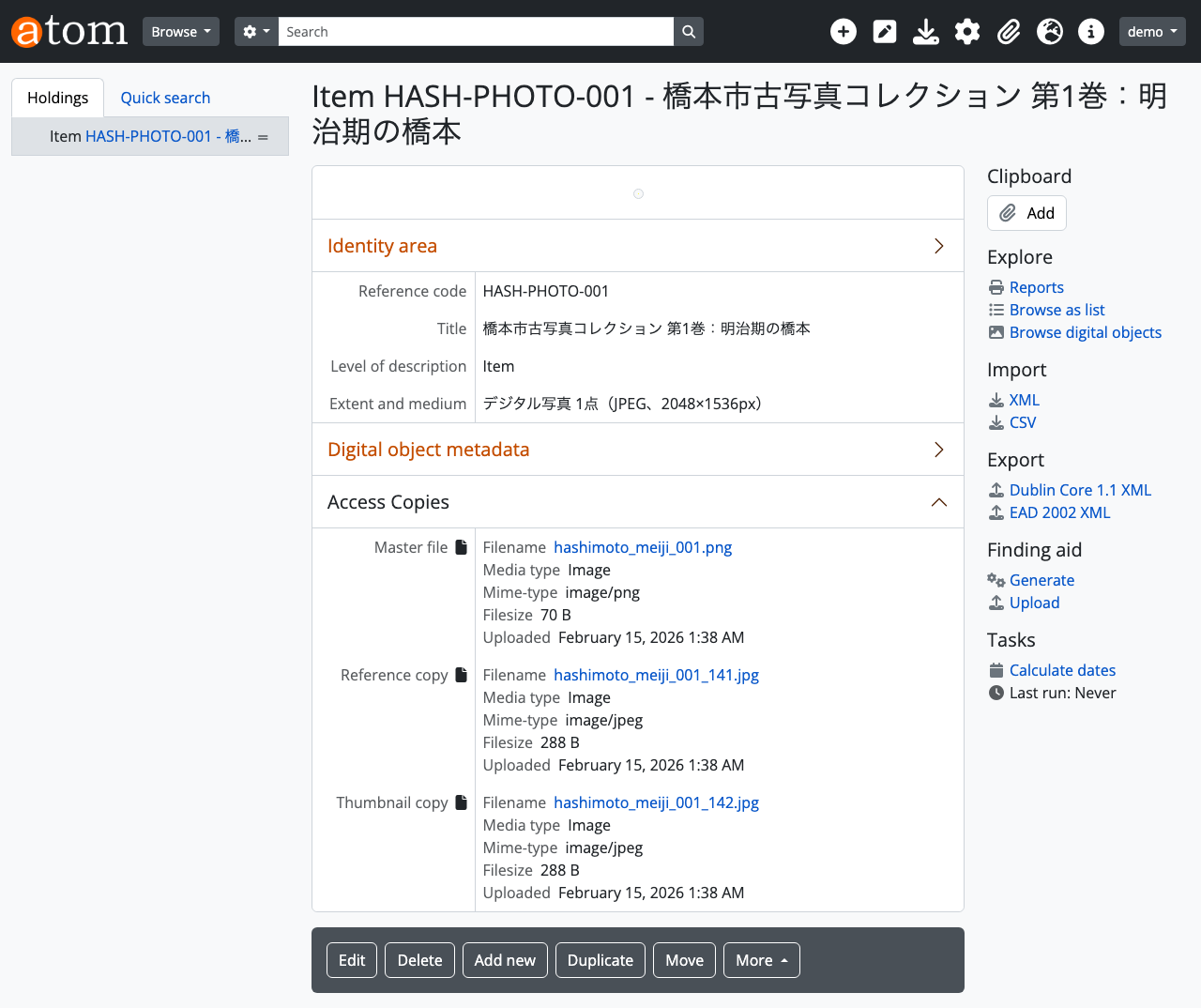
After uploading, AtoM automatically generates a reference copy and thumbnail.
Direct import from a URL is also possible:
curl -s -X POST \
  -H "REST-API-Key: $API_KEY" \
  -H "Content-Type: application/json" \
  -d '{
    "url": "https://example.com/images/hashimoto_photo.jpg"
  }' \
  $ATOM_URL/api/informationobjects/:slug/digitalobject
Web UI verification: Resource detail page
The Identity area shows the title and identifier, and the Digital object metadata displays the uploaded file’s metadata. Master file, Reference copy, and Thumbnail copy are automatically generated.
Step 13: Check Final State
Check the data counts after completing all steps.
curl -s -H "REST-API-Key: $API_KEY" \
  $ATOM_URL/api/summary | python3 -m json.tool
{
    "information_objects": 6,
    "repositories": 1,
    "actors": 12,
    "accessions": 2,
    "terms": 327,
    "digital_objects": 6
}
Compared to the initial state in Step 0, repositories, authority records, accession records, archival descriptions, and digital objects have increased.
Web UI verification: Top page
Additional Features
In addition to the basic scenario, here are other features available through arExtendedApiPlugin.
Function Description (ISDF) Management
Function descriptions compliant with ISDF (International Standard for Describing Functions) can be managed. This is a mechanism for systematically recording the business functions of archival institutions.
# Create function description
curl -s -X POST \
  -H "REST-API-Key: $API_KEY" \
  -H "Content-Type: application/json" \
  -d '{
    "authorized_form_of_name": "文化財保護",
    "type_id": 323,
    "description_identifier": "ISDF-001",
    "classification": "行政機能 > 教育文化 > 文化財保護",
    "dates": "1950年-現在",
    "description": "文化財保護法に基づき、有形・無形文化財の調査、指定、保存、活用を行う機能。",
    "history": "1950年の文化財保護法制定により体系的な文化財保護行政が開始された。",
    "legislation": "文化財保護法(昭和25年法律第214号)"
  }' \
  $ATOM_URL/api/functions
type_id: 323-> Function. 324=Subfunction is also available- Corresponds to ISDF fields (classification, dates, description, history, legislation)
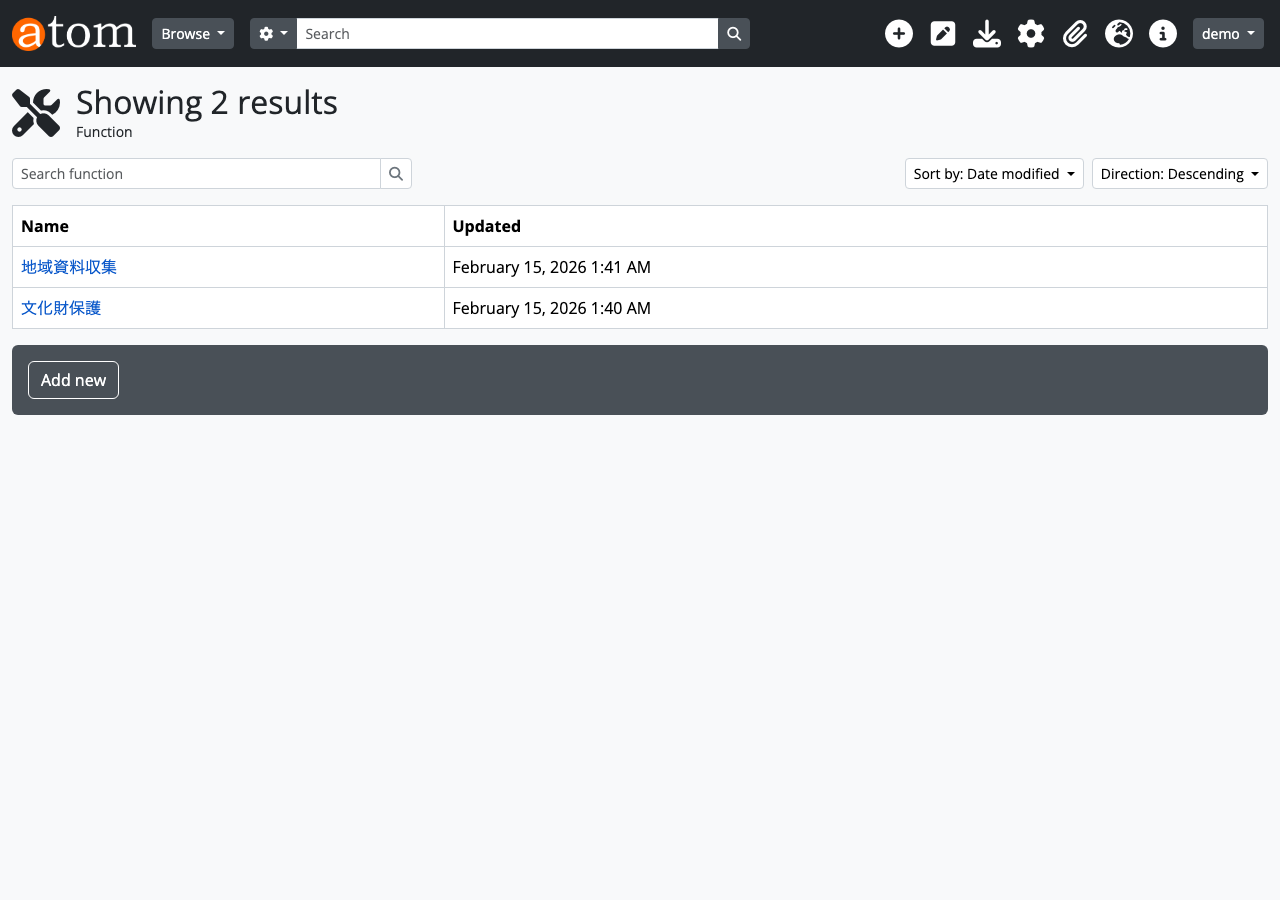
Web UI verification: Function description list
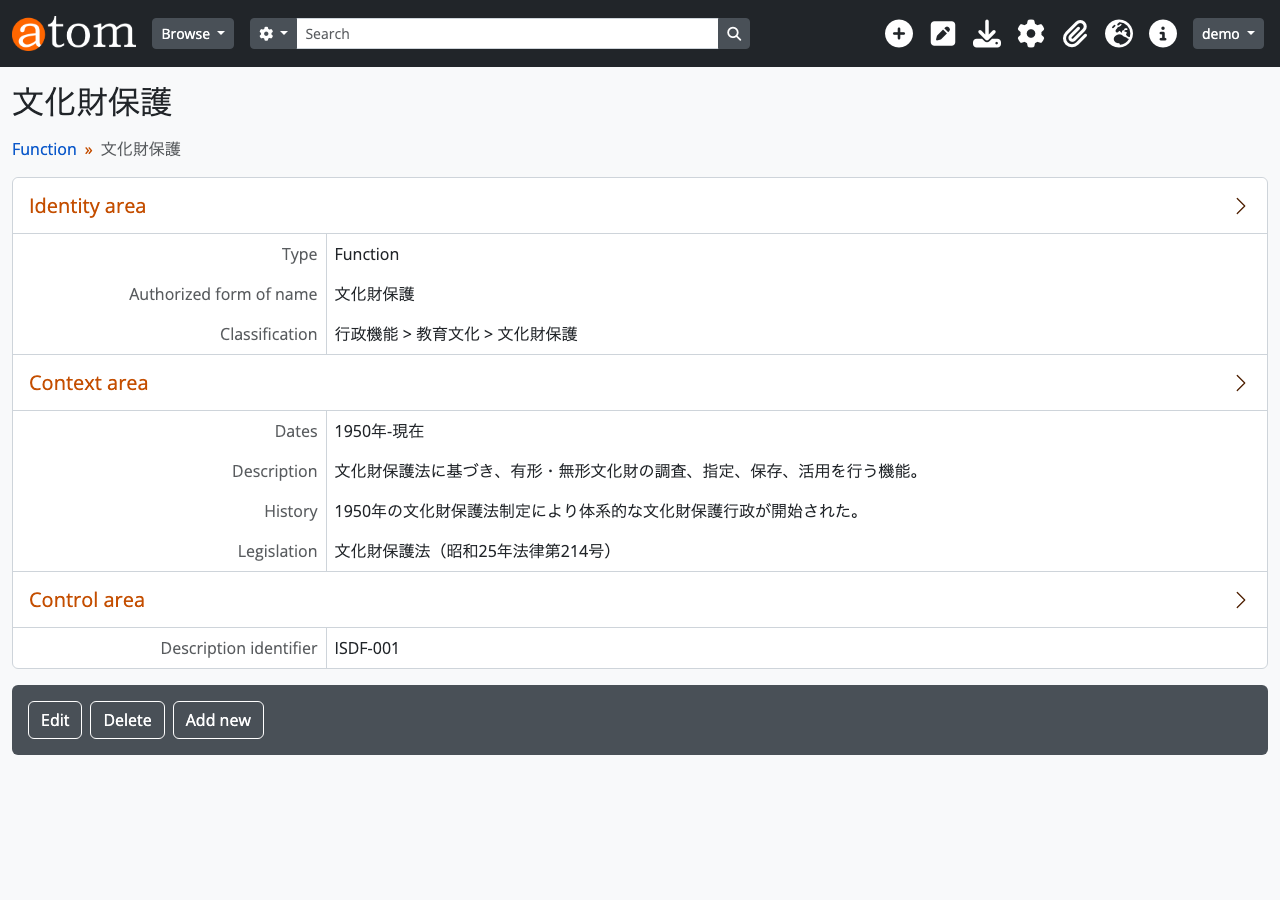
Web UI verification: Function description detail
The Identity area shows the function name, type, and classification. The Context area shows dates, description, and legislation information. The Control area shows the Description identifier.
Places Taxonomy Management
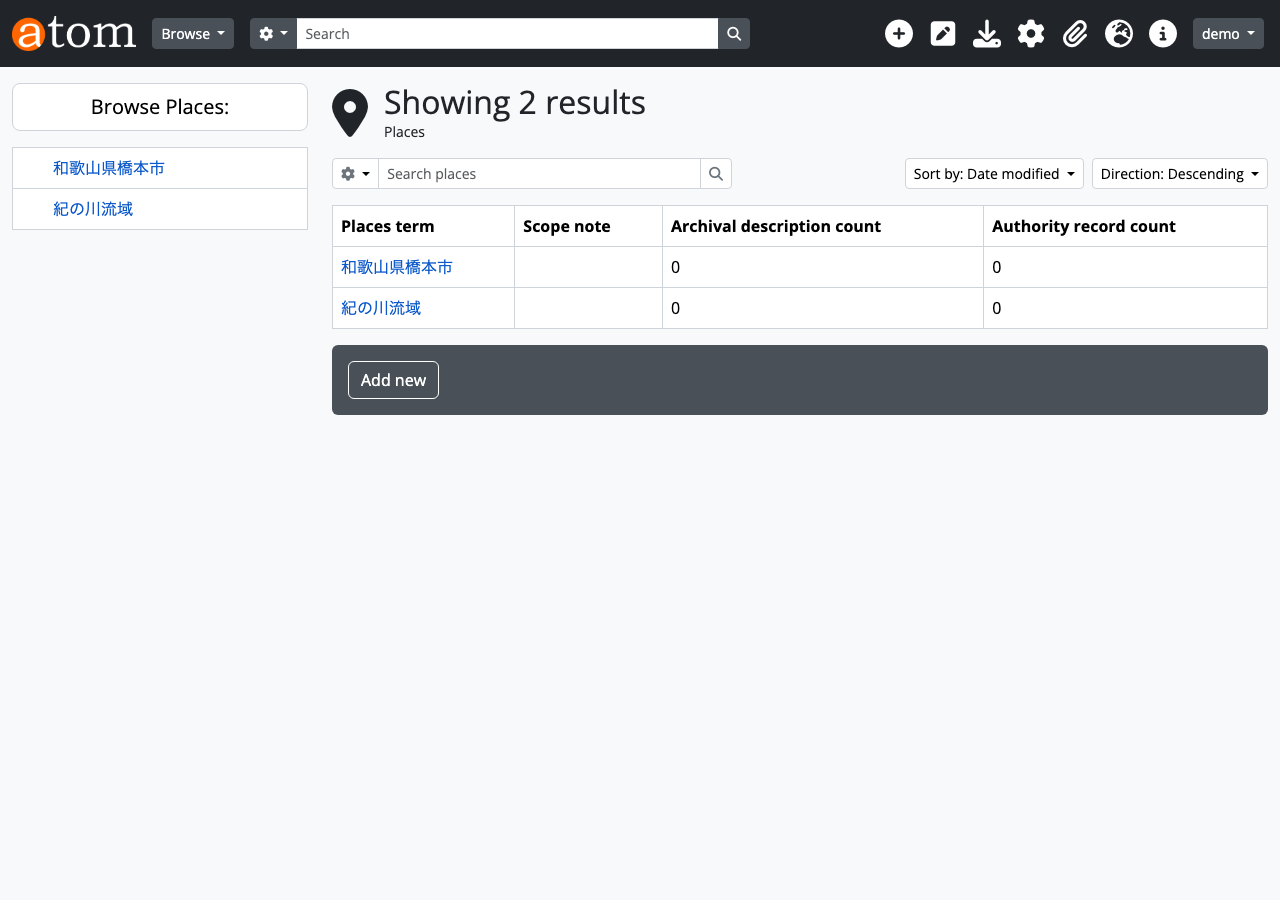
Similar to Subjects, terms can be added to the Places taxonomy.
# Create place term
curl -s -X POST \
  -H "REST-API-Key: $API_KEY" \
  -H "Content-Type: application/json" \
  -d '{"name": "和歌山県橋本市"}' \
  $ATOM_URL/api/taxonomies/42/terms
Web UI verification: Places taxonomy
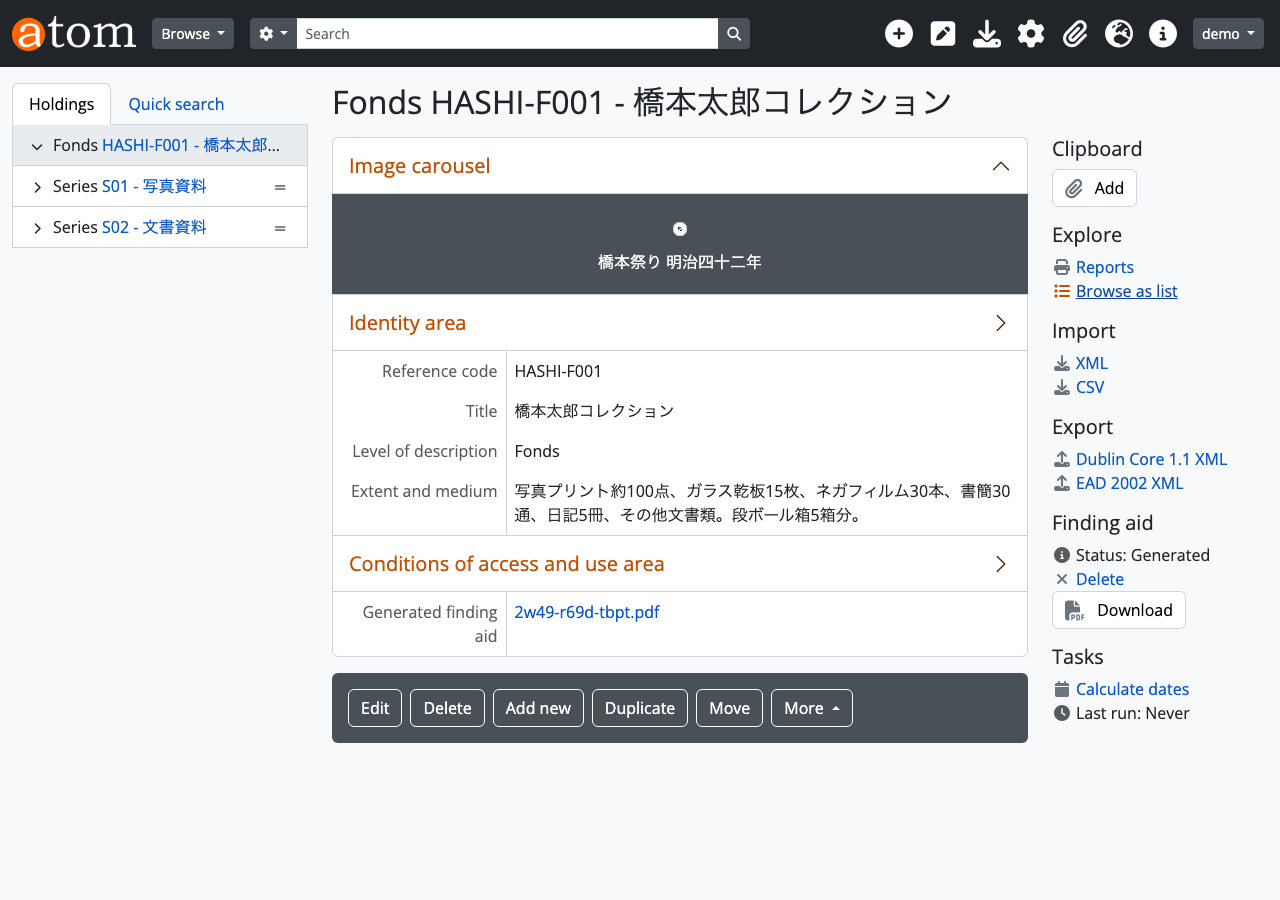
Hierarchical Archival Description
In AtoM, materials can be described in a hierarchical structure of Fonds > Series > Item. Parent-child relationships are built by specifying parent_id.
# Create Fonds (top level)
curl -s -X POST \
  -H "REST-API-Key: $API_KEY" \
  -H "Content-Type: application/json" \
  -d '{
    "title": "橋本太郎コレクション",
    "identifier": "HASHI-F001",
    "level_of_description_id": 236,
    "publication_status_id": 160,
    "repository_id": 466
  }' \
  $ATOM_URL/api/informationobjects

# Create Series (child) - link to Fonds via parent_id
curl -s -X POST \
  -H "REST-API-Key: $API_KEY" \
  -H "Content-Type: application/json" \
  -d '{
    "parent_id": ,
    "title": "写真資料",
    "identifier": "S01",
    "level_of_description_id": 239,
    "publication_status_id": 160
  }' \
  $ATOM_URL/api/informationobjects
Web UI verification: Archival description detail (with hierarchy tree)
The left-side tree displays the Fonds > Series > Item hierarchy.
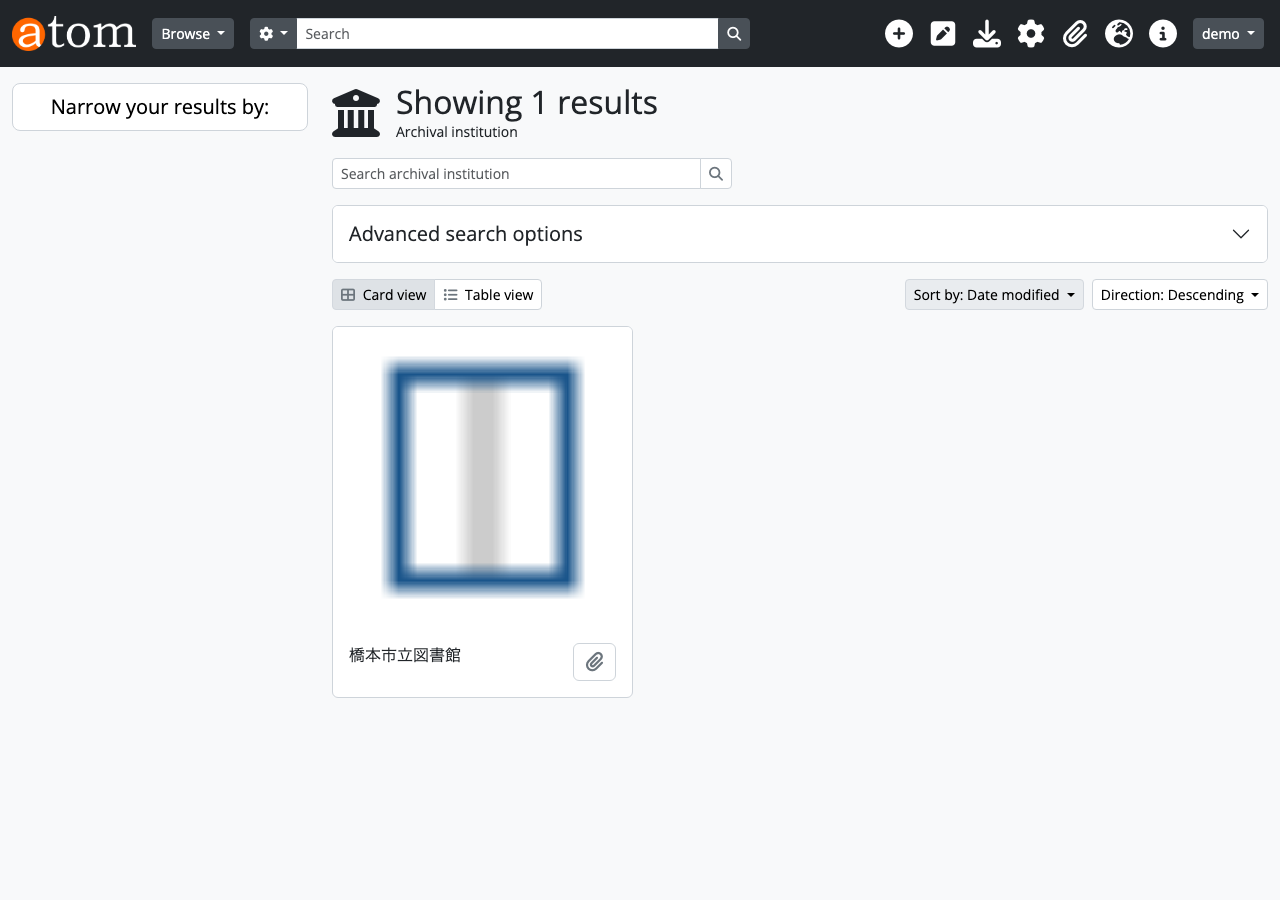
Repository Logo Image
Uploading a logo image to a repository enables card display on the list page.
# Upload logo image (base64-encoded PNG)
curl -s -X POST \
  -H "REST-API-Key: $API_KEY" \
  -H "Content-Type: application/json" \
  -d '{"base64": ""}' \
  $ATOM_URL/api/repositories/ayya-htm3-5wkd/logo
Web UI verification: Repository list (with logo card display)
Web UI Verification URL Reference
A summary of Web UI screens to verify at each step.
| Step | Screen | URL |
|---|---|---|
| 0 | Top page | http://localhost:63001 |
| 1 | Repository list | http://localhost:63001/index.php/repository/browse |
| 2-3 | Repository detail | http://localhost:63001/index.php/ayya-htm3-5wkd |
| 4 | Authority record list | http://localhost:63001/index.php/actor/browse |
| 5 | Authority record detail | http://localhost:63001/index.php/wmdg-q5q2-4zy2 |
| 6 | Accession record list | http://localhost:63001/index.php/accession/browse |
| 7 | Accession record detail | http://localhost:63001/index.php/2026-003 |
| 8 | Taxonomy list | http://localhost:63001/index.php/taxonomy/browse |
| 9-10 | Subjects taxonomy | http://localhost:63001/index.php/subjects |
| 11 | Archival description list | http://localhost:63001/index.php/informationobject/browse |
| 12 | Resource detail (with DO) | http://localhost:63001/index.php/1 |
| 13 | Top page | http://localhost:63001 |
| Additional | Function description list | http://localhost:63001/index.php/function/browse |
| Additional | Places taxonomy | http://localhost:63001/index.php/places |
| Additional | Repository list (with logos) | http://localhost:63001/index.php/repository/browse |
Summary
In this article, we walked through AtoM’s REST API following a realistic business scenario of building a library’s digital archive.
Using the API enables:
- Batch processing: Bulk registration of large amounts of archival data via scripts
- External integration: Easy data integration with other library systems and digitization vendors’ systems
- Automation: Automating the entire workflow from accession -> description -> digitization -> publication
- Quality control: Embedding data integrity checks by validating API responses
AtoM is proven software used by archival institutions worldwide. Leveraging REST API operations enables more efficient digital archive management.
Test environment for this article: AtoM 2.8.x (Docker), PHP 7.4, Percona 8.0, Elasticsearch 5.6