Overview
I had the opportunity to set up health checks for Virtuoso running on Amazon EC2, so this is a memo of the process.
Specifically, when Virtuoso (e.g., https://xxx.zzz/sparql) starts returning errors due to some issue, the details are sent via email notification.
Method
The following article introduces how to set up a Virtuoso RDF store on Amazon EC2.
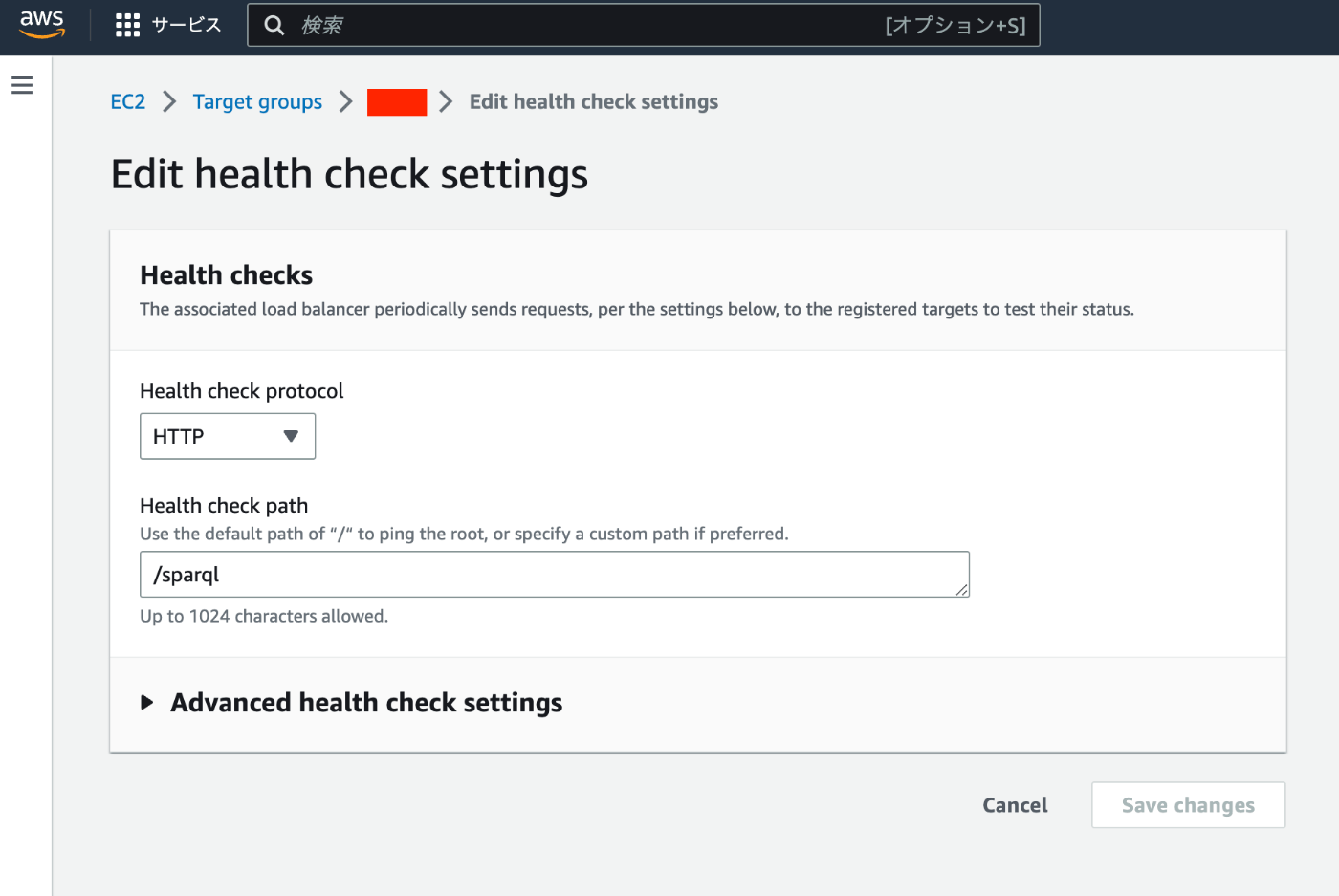
The above setup uses an ELB. Only one change needs to be made from the above article. The Health check path was set to /, but this should be changed to the path to the SPARQL endpoint (e.g., /sparql).
After that, I configured CloudWatch and Amazon SNS by referring to the following article.
https://dev.classmethod.jp/articles/elb-healthcheck-monitoring-by-cloudwatch-alarm/
Results
Monitoring is now possible as shown below.
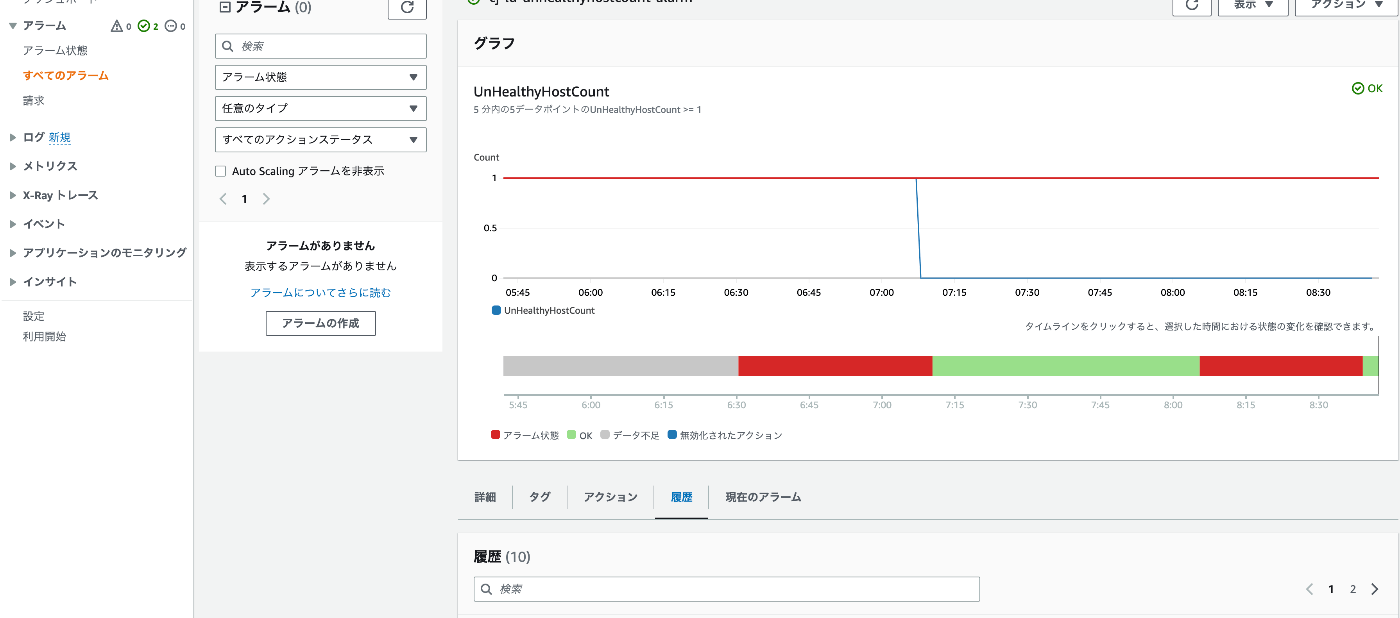
When an alert occurs, an email like the following is now sent.
You are receiving this email because your Amazon CloudWatch Alarm "virtuoso-unhealthyhostcount-alarm" in the US East (N. Virginia) region has entered the ALARM state, because "Threshold Crossed: no datapoints were received for 5 periods and 5 missing datapoints were treated as [Breaching]." at "Friday 14 July, 2023 08:05:30 UTC".

View this alarm in the AWS Management Console:
https://us-east-1.console.aws.amazon.com/cloudwatch/deeplink.js?region=us-east-1#alarmsV2:alarm/virtuoso-unhealthyhostcount-alarm

Alarm Details:
- Name:                       virtuoso-unhealthyhostcount-alarm
- State Change:               OK -> ALARM
- Reason for State Change:    Threshold Crossed: no datapoints were received for 5 periods and 5 missing datapoints were treated as [Breaching].
- Timestamp:                  Friday 14 July, 2023 08:05:30 UTC
- AWS Account:                xxxxxxxxxxxxxx
- Alarm Arn:                  arn:aws:cloudwatch:us-east-1:xxxxxxxxxxxxxx:alarm:virtuoso-unhealthyhostcount-alarm

Threshold:
- The alarm is in the ALARM state when the metric is GreaterThanOrEqualToThreshold 1.0 for at least 5 of the last 5 period(s) of 60 seconds.

Monitored Metric:
- MetricNamespace:                     AWS/ApplicationELB
- MetricName:                          UnHealthyHostCount
- Dimensions:                          [TargetGroup = targetgroup/virtuoso] [AvailabilityZone = us-east-1a] [LoadBalancer = app/virtuoso/yyyyyyyyyyyyyyy]
- Period:                              60 seconds
- Statistic:                           Minimum
- Unit:                                not specified
- TreatMissingData:                    breaching


State Change Actions:
- OK:
- ALARM: [arn:aws:sns:us-east-1:xxxxxxxxxxxxxx:Default_CloudWatch_Alarms_Topic]
- INSUFFICIENT_DATA:
Summary
I hope this serves as a helpful reference for those operating Virtuoso in a similar environment.