Overview
“SAT Daizokyo Text Database 2018” is described as follows.
https://21dzk.l.u-tokyo.ac.jp/SAT2018/master30.php
This site is the 2018 version of the digital research environment provided by the SAT Daizokyo Text Database Research Society. Since April 2008, the SAT Daizokyo Text Database Research Society has provided a full-text search service for all 85 volumes of the text portion of the Taisho Shinshu Daizokyo, while enhancing usability through collaboration with various web services and exploring the possibilities of web-based humanities research environments. In SAT2018, we have incorporated new services including collaboration with high-resolution images via IIIF using recently spreading machine learning technology, publication of modern Japanese translations understandable by high school students with linkage to the original text. We have also updated the Chinese characters in the main text to Unicode 10.0 and integrated most functions of the previously published SAT Taisho Image Database. However, this release also provides a framework for collaboration, and going forward, data will be expanded along these lines to further enhance usability. The web services provided by our research society rely on services and support from various stakeholders. For the new services in SAT2018, we received support from the Institute for Research in Humanities regarding machine learning and IIIF integration, and from the Japan Buddhist Federation and Buddhist researchers nationwide for creating modern Japanese translations. We hope that SAT2018 will be useful not only for Buddhist researchers but also for various people interested in Buddhist texts. Furthermore, we would be delighted if the approach to applying technology to cultural materials presented here serves as a model for humanities research.
This article attempts a simple analysis of the text data published by the above database.
Description
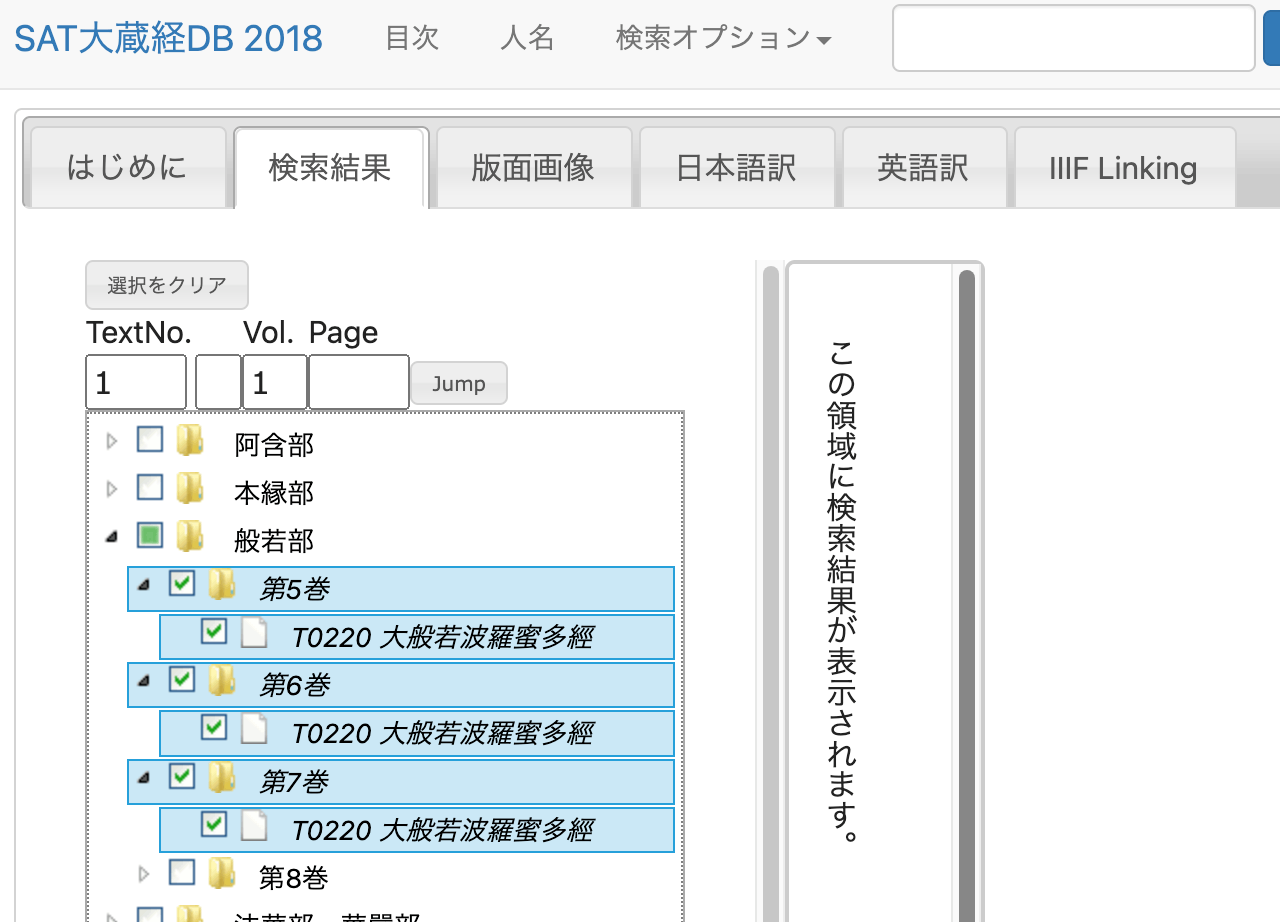
We will use the text of “T0220 Mahaprajnaparamita Sutra” as our subject.
Method
Retrieving Text Data
Upon examining the network traffic, I found that text data can be retrieved from a URL like the following.
https://21dzk.l.u-tokyo.ac.jp/SAT2018/satdb2018pre.php?mode=detail&ob=1&mode2=2&useid=0220_,05,0001
Regarding the 0220_,05,0001 portion, changing 05 to 06 retrieves the data for volume 6. Also, changing the trailing 0001 to 0011 retrieves the text including the context around 0011.
Based on this pattern, I executed the following program.
import os
import requests
import time
from bs4 import BeautifulSoup

def fetch_soup(url):
    """Fetches and parses HTML content from the given URL."""
        time.sleep(1)  # Sleep for 1 second before making a request
    response = requests.get(url)
    return BeautifulSoup(response.text, "html.parser")

def write_html(soup, filepath):
    """Writes the prettified HTML content to a file."""
    with open(filepath, "w") as file:
        file.write(soup.prettify())

def read_html(filepath):
    """Reads HTML content from a file and returns its parsed content."""
    with open(filepath, "r") as file:
        return BeautifulSoup(file.read(), "html.parser")

def process_volume(vol):
    """Processes each volume by iterating over pages until no new page is found."""
    page_str = "0001"
    while True:
        url = f"https://21dzk.l.u-tokyo.ac.jp/SAT2018/satdb2018pre.php?mode=detail&ob=1&mode2=2&useid=0220_{vol}_{page_str}"
        id = url.split("useid=")[1]
        opath = f"html/{id}.html"

        if os.path.exists(opath):
            soup = read_html(opath)
        else:
            soup = fetch_soup(url)
            write_html(soup, opath)

        new_page_str = get_last_page_id(soup)
        if new_page_str == page_str:
            break
        page_str = new_page_str

def get_last_page_id(soup):
    """Extracts the last page ID from the soup object."""
    spans = soup.find_all("span", class_="ln")
    if spans:
        last_id = spans[-1].text
        return last_id.split(".")[-1][0:4]
    return None

def main():
    vols = ["05", "06", "07"]
    for vol in vols:
        process_volume(vol)

if __name__ == "__main__":
    main()
The above process downloads the HTML files.
Parsing HTML Files
Execute the following program to extract text by ID.
import glob
import json
from bs4 import BeautifulSoup
from tqdm import tqdm

def read_html_file(filepath):
    """Reads HTML content from a file."""
    with open(filepath, "r") as file:
        return BeautifulSoup(file.read(), "html.parser")

def extract_mappings(soup):
    """Extracts mappings from BeautifulSoup object."""
    mappings = {}
    text_blocks = str(soup).split("<span class=\"ln\">")[1:]  # Skip the first split as it does not contain relevant data
    for block in text_blocks:
        ln = block.split("</span>")[0].strip()[:-1]
        text = block.split("</span>")[1].split("<span class=\"tx\">")[1].split("</span>")[0].strip()
        mappings[ln] = text
    return mappings

def save_to_json(data, filename):
    """Saves the dictionary to a JSON file."""
    with open(filename, "w") as file:
        json.dump(data, file, indent=4, sort_keys=True, ensure_ascii=False)

def main():
    files = sorted(glob.glob("html/*.html"))
    overall_mappings = {}
    for file in tqdm(files):
        soup = read_html_file(file)
        mappings = extract_mappings(soup)
        overall_mappings.update(mappings)  # Update the overall dictionary with new mappings

    save_to_json(overall_mappings, "mappings.json")

if __name__ == "__main__":
    main()
As a result, the following JSON data is obtained.
{
    "T0220_.05.0001a01": "",
    "T0220_.05.0001a02": "No.220.",
    "T0220_.05.0001a03": "",
    "T0220_.05.0001a04": "大般若經初會序",
    "T0220_.05.0001a05": "<button class=\"ftntf\" style=\"font-size:8px;padding:2px\" title=\"(唐)+西<明>\">\n     1\n    </button>\n    西明寺沙門玄則製",
    "T0220_.05.0001a06": "大般若經者。乃希代之絶唱。曠劫之遐津。光",
    "T0220_.05.0001a07": "被人天。括嚢眞俗。誠入神之奧府。有國之靈",
...
Analysis Example
Let’s analyze the character occurrence frequency.
import json
from collections import Counter

def load_data(filepath):
    """Loads JSON data from a file."""
    with open(filepath, "r") as file:
        return json.load(file)

def count_characters(data):
    """Counts the frequency of each character in the provided data."""
    freq = Counter()
    for text in data.values():
        freq.update(text)
    return freq

def get_top_characters(freq, top_n=30):
    """Returns the top N characters by frequency."""
    return freq.most_common(top_n)

def print_top_characters(top_chars):
    """Prints the top characters and their frequencies."""
    for char, count in top_chars:
        print(f"{char},{count}")

def main():
    path = "mappings.json"
    data = load_data(path)
    freq = count_characters(data)
    top_chars = get_top_characters(freq)
    print_top_characters(top_chars)

if __name__ == "__main__":
    main()
The following results were obtained. Since HTML tags and other artifacts were not completely removed in the previous step, the results are not perfectly accurate, but they provide an overview of which characters are most frequently used.
。,468928
無,181480
若,120870
不,114409
淨,103570
故,88018
薩,86213
清,85740
智,71457
空,69488
一,67606
菩,63463
是,61219
切,59426
 ,56781
羅,55111
法,54864
所,53651
界,53392
有,52919
性,52075
如,51931
爲,50332
多,49391
善,48412
波,46373
蜜,46066
摩,43507
諸,43002
得,39413
Summary
This article presented a very simple analysis example of the texts published in “SAT Daizokyo Text Database 2018.”
I am grateful to everyone involved in the publication of this database.