Overview
This is a memo documenting one example method for converting TEI/XML files to vertical-writing (tategaki) PDF.
You can try the program targeting “Koui Genji Monogatari” (Collated Tale of Genji) in the following notebook.
https://colab.research.google.com/github/nakamura196/ndl_ocr/blob/main/TEI_XMLファイルを縦書きPDFに変換する.ipynb
Conversion Workflow
This time, I used Quarto.
Please refer to the following for installation instructions.
https://quarto.org/docs/get-started/
TEI/XML -> qmd
First, convert the contents of the TEI/XML file to a qmd file. Below is a sample conversion script.
from bs4 import BeautifulSoup
soup = BeautifulSoup(open(file,'r'), "xml")
elements = soup.findChildren(text=True, recursive=True)

import os

id = os.path.splitext(os.path.basename(file))[0]

title = soup.find("title").text
author = soup.find("author").text

elements = soup.find("body").find("p").findChildren()

text = ""

for e in elements:

    if e.name == "pb":
        text += "\n"

    if e.name == "seg":
        text += e.text + "  \n"

opath = f"data/{id}.qmd"
os.makedirs(os.path.dirname(opath), exist_ok=True)

text = f"""---
title: "{title}"
author: "{author}"
format:
    docx:
        reference-doc: /content/kouigenjimonogatari/tools/genji-doc-style.docx
---
{text.strip()}
"""

with open(opath, "w") as f:
    f.write(text)
Below is an example of a qmd file.
---
title: "校異源氏物語・きりつぼ"
author: "池田亀鑑"
format:
    docx:
        reference-doc: /content/kouigenjimonogatari/tools/genji-doc-style.docx
---
いつれの御時にか女御更衣あまたさふらひ給けるなかにいとやむことなきゝは
にはあらぬかすくれて時めき給ありけりはしめより我はと思あかり給へる御方
〱めさましきものにおとしめそねみ給おなしほとそれより下らうの更衣たち
はましてやすからすあさゆふの宮つかへにつけても人の心をのみうこかしうら
みをおふつもりにやありけむいとあつしくなりゆきもの心ほそけにさとかちな
るをいよ〱あかすあはれなる物におもほして人のそしりをもえはゝからせ給
はす世のためしにもなりぬへき御もてなし也かんたちめうへ人なともあいなく
めをそはめつゝいとまはゆき人の御おほえなりもろこしにもかゝることのおこ
りにこそ世もみたれあしかりけれとやう〱あめのしたにもあちきなう人のも
てなやみくさになりて楊貴妃のためしもひきいてつへくなりゆくにいとはした
なきことおほかれとかたしけなき御心はへのたくひなきをたのみにてましらひ
給ちゝの大納言はなくなりてはゝ北の方なんいにしへの人のよしあるにておや
うちくしさしあたりて世のおほえはなやかなる御方〱にもいたうおとらすな
にことのきしきをももてなしたまひけれととりたてゝはか〱しきうしろみし

なけれは事ある時はなをより所なく心ほそけ也さきの世にも御ちきりやふかか
qmd -> Word (docx)
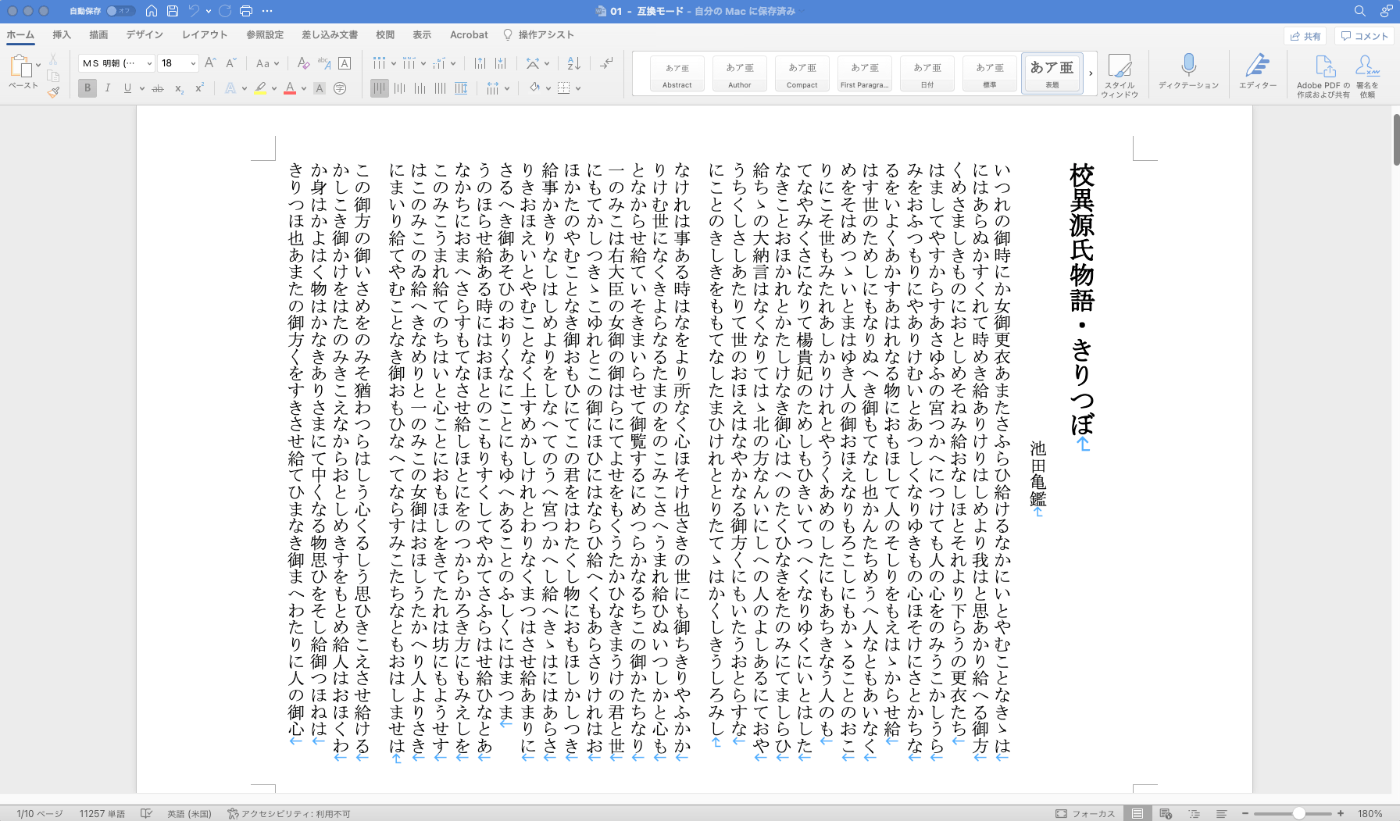
Next, convert the qmd file to a Word file. By referencing a pre-prepared vertical-writing Word template, you can convert markdown-formatted text into a vertical-writing Word file.
The following articles are helpful references for this process.
https://quarto.org/docs/output-formats/ms-word-templates.html
As a result, a Word file like the following is created.
Word (docx) -> PDF
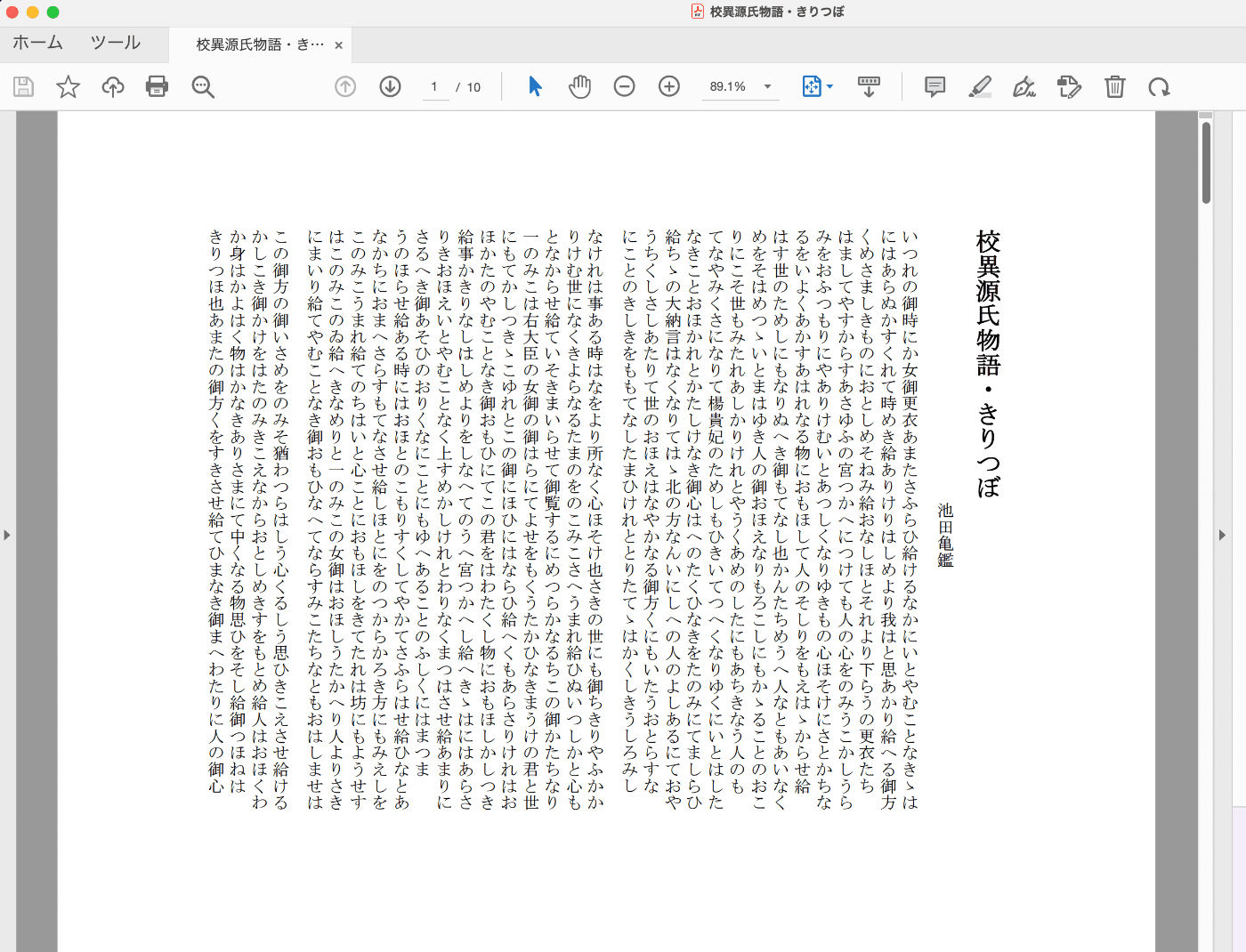
Finally, convert the Word file to PDF. In addition to manual conversion, automatic conversion is also possible using the following library.
https://pypi.org/project/docx2pdf/
This allows you to mechanically convert TEI/XML to PDF files.
Summary
There are likely more efficient conversion methods available. I hope this serves as one example to consider when exploring conversion approaches.
One limitation of this workflow is that going through the qmd file format introduces some constraints on layout. Using a library like python-docx below to create Word files directly from TEI/XML may also be an effective approach.
https://pypi.org/project/python-docx/
Of course, conversion using xslt is also effective. There are many other methods available, and I plan to continue exploring them.
I have also documented an example method for converting to epub below. I hope it serves as a useful reference.