Overview
Regarding Bulk Import, one of the modules for bulk data registration in Omeka S, the latest version as of August 21, 2022 (ver.3.3.33.4) appears to contain a bug.
Specifically, the following issue describes a bug that occurs during bulk media registration.
https://gitlab.com/Daniel-KM/Omeka-S-module-BulkImport/-/issues/11
This bug has already been addressed in the following commit.
However, as of today, a release version has not yet been published, so installation from source code is necessary.
Installation from Source Code
Please also refer to the following article.
Here, I will explain the installation method again.
Downloading the Source Code
Navigate to the Omeka S modules directory and download the source code. Delete any previously downloaded BulkImport-related files and folders as needed.
cd modules
rm -rf BulkImport*
git clone https://github.com/Daniel-KM/Omeka-S-module-BulkImport.git BulkImport
Composer
Next, run composer install.
cd BulkImport
composer install --no-dev
If composer is not found as shown below:
composer: Command not found.
A simple solution is to run the following.
curl -sS https://getcomposer.org/installer | php
php composer.phar install --no-dev
With the above, the module installation is complete.
Operations in the Omeka S Admin Panel
Module Upgrade
Access the Modules list page in the admin panel from a browser.
http://xxx.xyz/omeka-s/admin/module
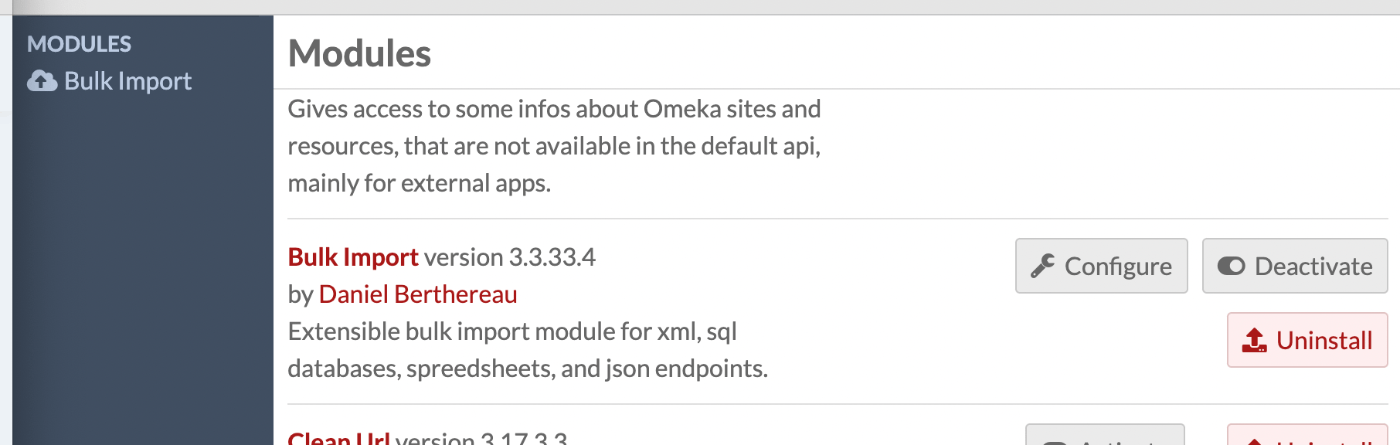
Find Bulk Import in the list, and if an “Upgrade” button is displayed, perform the upgrade.
Notes for Import
The basic operations remain unchanged, but you may need to modify the “Identifier to use for linked resources or update” on the Start import screen.
The following metadata.csv and image.csv are assumed to be used.
https://gist.github.com/nakamura196/fa50591426c43eec319e71bfdb8b6460
Below is the registration screen.
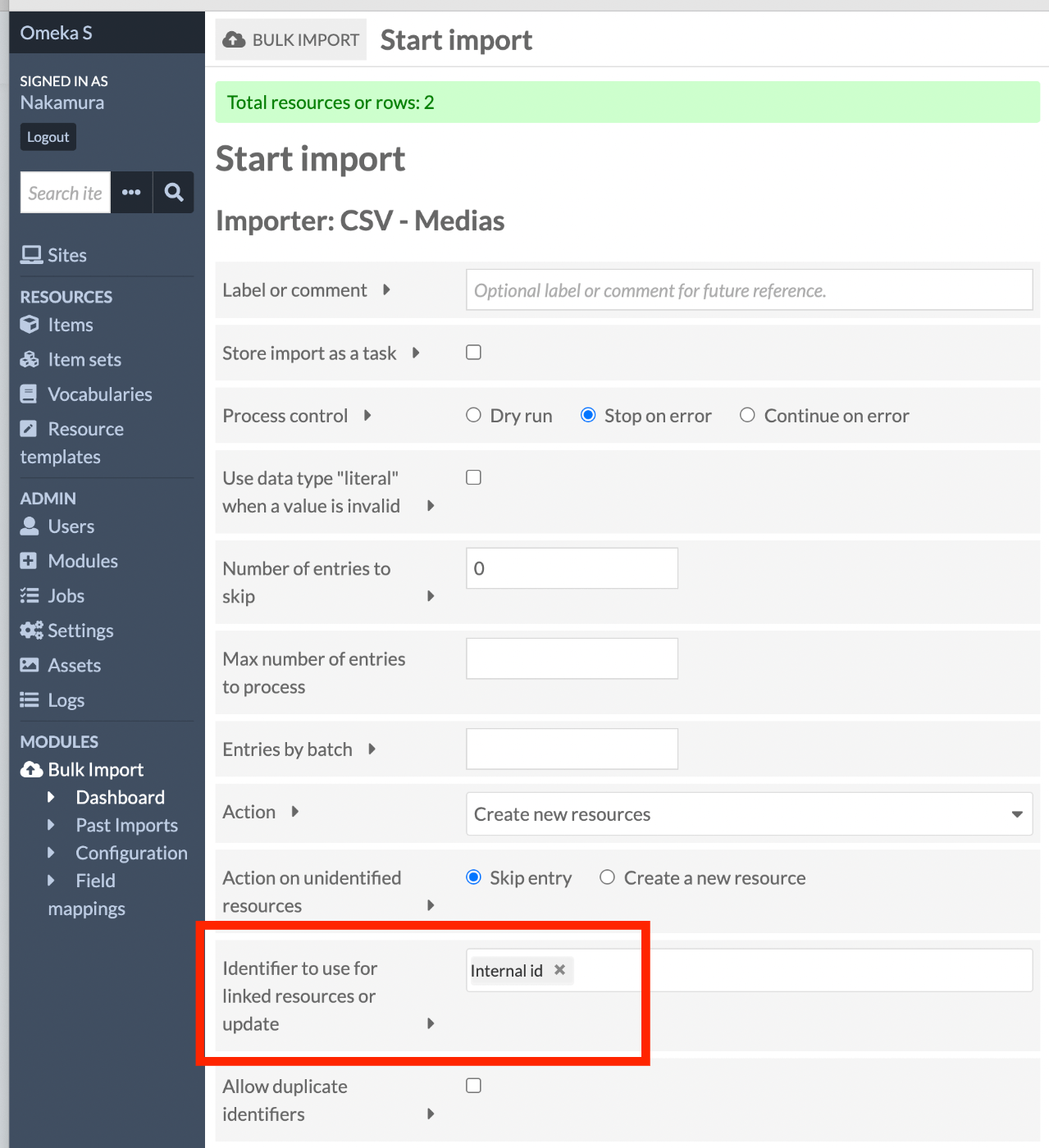
If only internal id is selected as shown above, add DC Identifier.

Summary
A release version should be published soon, but I hope this serves as a useful reference for those experiencing this bug.