This article was created by AI with human additions.
Overview
We migrated the map component of the IIIF Georeference Viewer from Leaflet to MapLibre GL and implemented multiple feature improvements. This article explains the major features implemented and their technical details.
https://nakamura196.github.io/iiif_geo/
Major Improvements
1. Automatic Image Rotation
To display IIIF images in the correct orientation on the map, we implemented a feature that automatically calculates the rotation angle from control points (corresponding points).
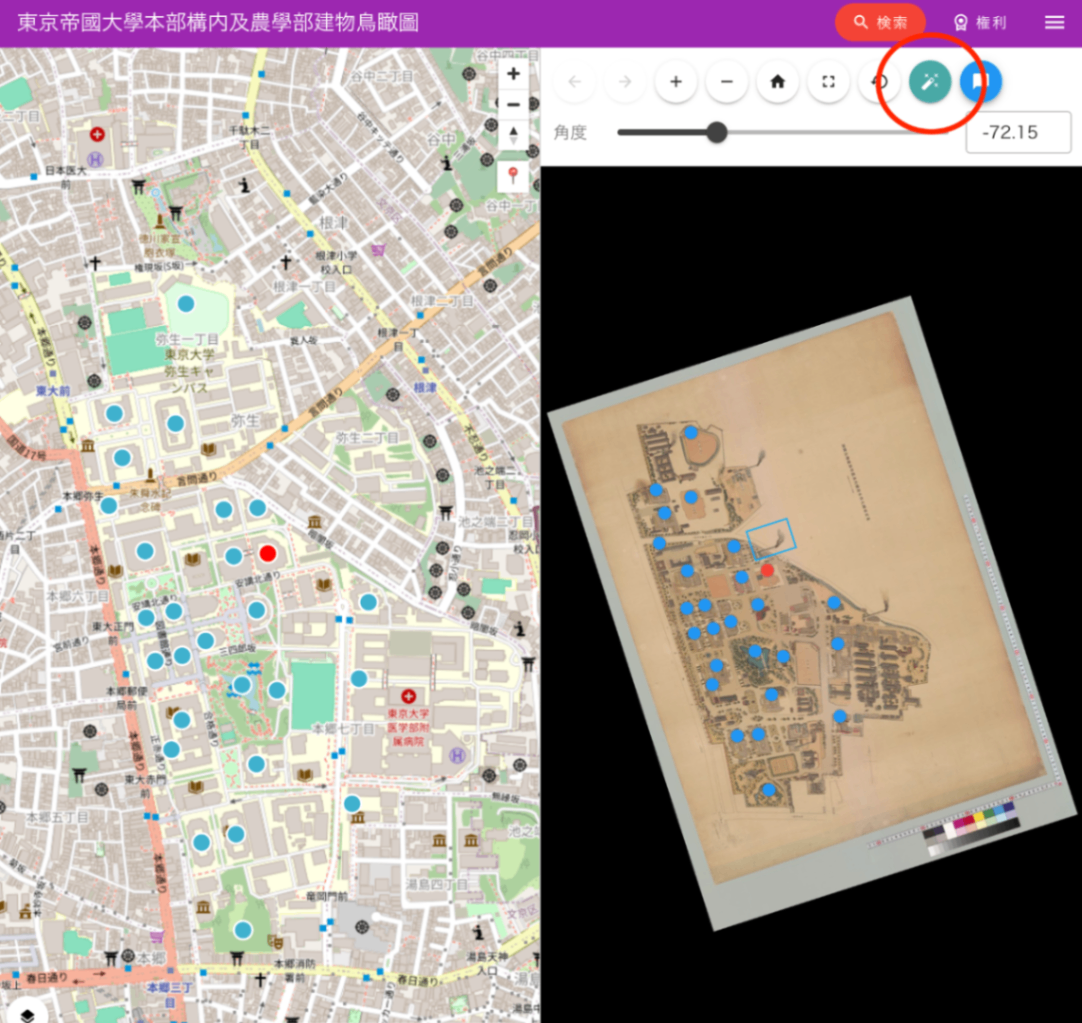
Feature Overview
- Automatically calculates the angle to rotate the image so that north faces up, based on corresponding points between image coordinates and geographic coordinates
- Determines the optimal rotation angle from distribution patterns of 2 points or 3 or more points
- Saving and restoring rotation angles via URL parameters
Implementation Highlights
// utils/calculateImageRotation.ts
export function calculateImageRotation(features: Feature[]): RotationCalculationResult | null {
  // Find the two most distant points (for more accurate angle calculation)
  const validFeatures = features.filter((f) =>
    f.properties?.resourceCoords && f.geometry?.coordinates
  );

  // Calculate rotation angle from vectors in image coordinate system and geographic coordinate system
  const imgVector = { x: img2.x - img1.x, y: img2.y - img1.y };
  const geoVector = { x: geo2.lng - geo1.lng, y: geo2.lat - geo1.lat };

  // Calculate the angular difference relative to north
  const rotationDeg = geoAngleFromNorthDeg - imgAngleDeg;
  return normalizeAngle(rotationDeg);
}
UI Implementation
- Auto-rotation button (wrench icon) placed in the OSD viewer
- Automatically calculates rotation angle when the rotation parameter is not specified
- Manual angle adjustment slider also provided
2. Migration from Leaflet to MapLibre GL
Background of Migration
- Performance improvement: MapLibre GL’s WebGL-based rendering improves performance when displaying large numbers of markers
- Smooth animations: Smoother animations during map panning and zooming
- Vector tile support: Ability to display vector tiles in addition to raster tiles
Implementation Highlights
import { Map, NavigationControl, Marker, Popup } from "maplibre-gl";
import "maplibre-gl/dist/maplibre-gl.css";

const mapInstance = ref<Map | null>(null);

// MapLibre GL initialization
mapInstance.value = new Map({
  container: mapContainer.value!,
  style: mapStyles.value[0].style,
  center: initialCenter,
  zoom: zoom_.value,
  attributionControl: false
});
3. Current Location Display
We implemented a feature to display the user’s current location on the map using the browser’s Geolocation API.
Implementation Details
- Custom control button addition (pin icon)
- Current location retrieval and automatic map navigation
- Current location visualization with a blue marker
const focusCurrentLocation = () => {
  if (navigator.geolocation) {
    navigator.geolocation.getCurrentPosition(
      (position) => {
        const { latitude, longitude } = position.coords;
        const currentLngLat: LngLatLike = [longitude, latitude];

        mapInstance.value!.flyTo({
          center: currentLngLat,
          zoom: 15
        });

        currentLocationMarker.value = new Marker({ color: '#4080FF' })
          .setLngLat(currentLngLat)
          .setPopup(new Popup().setHTML(t('Current Location')))
          .addTo(mapInstance.value);
      },
      (error) => {
        alert(t('Failed to retrieve location information'));
      }
    );
  }
};
4. Multiple Map Style Switching
We implemented the ability to dynamically switch between different map styles.
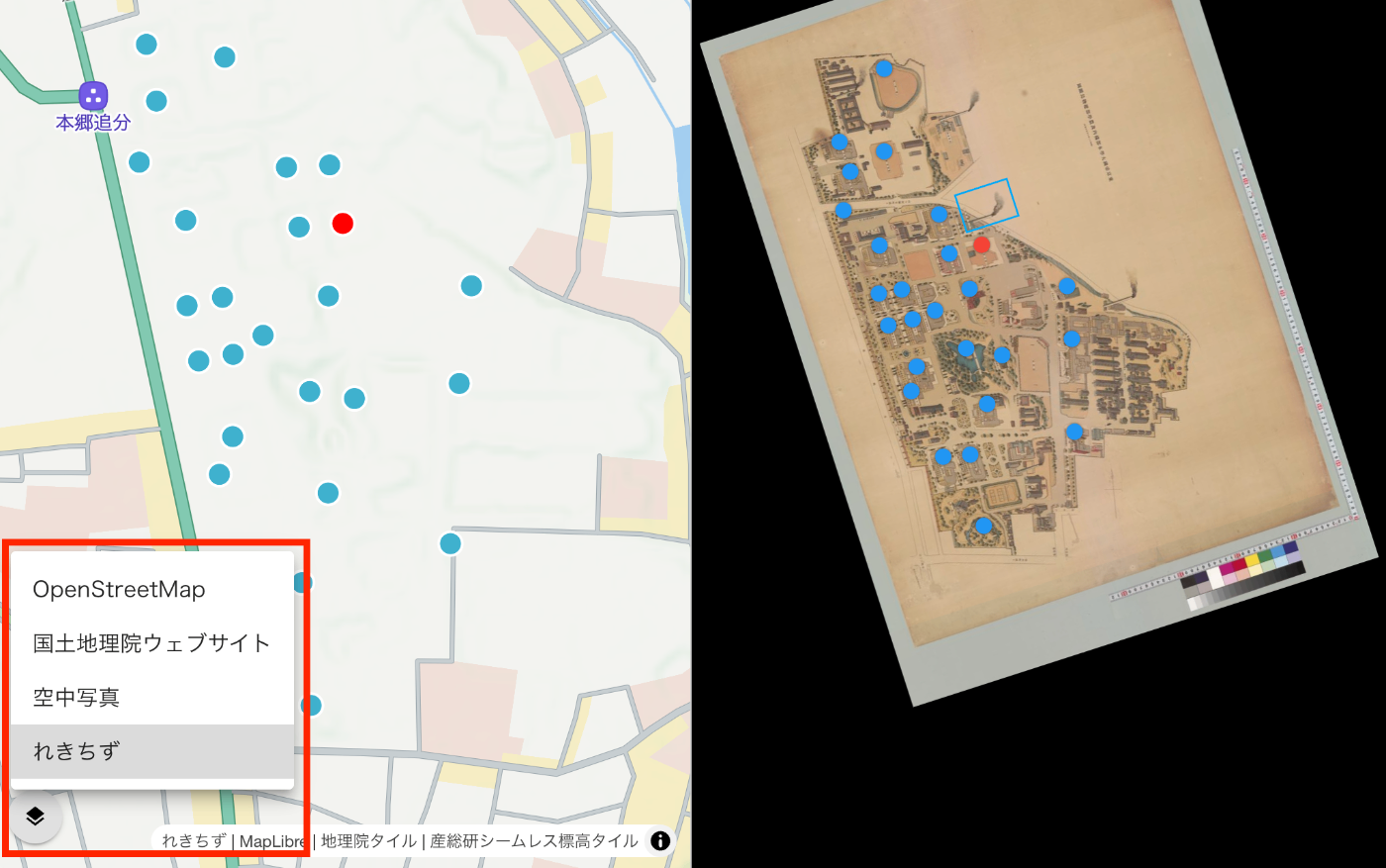
Supported Map Styles
- OpenStreetMap: Standard map display
- Aerial Photography: Aerial photos provided by the Geospatial Information Authority of Japan
- Rekichizu: Historical map style provided by Mierune
Implementation Highlights
- Data persistence during style switching
- Reconfiguration of clustering and markers
- Layer selector UI
const switchMapStyle = (index: number) => {
  if (index === currentStyleIndex.value) return;

  currentStyleIndex.value = index;
  const style = mapStyles.value[index].style;

  // Save data before style change
  let currentLocationData = currentLocationMarker.value ? {...} : null;

  // Apply new style
  mapInstance.value.setStyle(style);

  // Restore data after style loads
  mapInstance.value.once('idle', () => {
    if (currentLocationData) {
      // Re-add current location marker
    }
    if (geojsonData.value) {
      setupClusteringWithData(geojsonData.value);
    }
  });
};
5. Marker Clustering
We implemented clustering functionality for efficiently displaying a large number of markers.
Feature Details
- Automatic grouping of nearby markers
- Display of marker count within clusters
- Zoom-in behavior on click
- Popup display for individual markers
const setupClusteringWithData = (geojson: any) => {
  mapInstance.value.addSource('points', {
    type: 'geojson',
    data: geojson,
    cluster: true,
    clusterMaxZoom: 14,
    clusterRadius: 50
  });

  // Cluster layer
  mapInstance.value.addLayer({
    id: 'clusters',
    type: 'circle',
    source: 'points',
    filter: ['has', 'point_count'],
    paint: {
      'circle-color': [
        'step', ['get', 'point_count'],
        '#51bbd6', 10,
        '#f1f075', 30,
        '#f28cb1'
      ],
      'circle-radius': [
        'step', ['get', 'point_count'],
        20, 10,
        30, 30,
        40
      ]
    }
  });
};
6. State Management via URL Parameters
We implemented a feature that saves the map state (zoom level, center coordinates) as URL parameters, generating shareable links.
Supported Parameters
mapZoom: Zoom levelmapLat: LatitudemapLng: Longitudelat,lng: Direct coordinate specification (legacy support)
const updateMapURLParams = () => {
  const params = new URLSearchParams(window.location.search);
  params.set('mapZoom', zoom_.value.toString());
  params.set('mapLat', lat.toFixed(6));
  params.set('mapLng', lng.toFixed(6));

  const newUrl = `${window.location.pathname}?${params.toString()}`;
  window.history.replaceState({}, '', newUrl);
};
7. Other Improvements
Enhanced TypeScript Support
- Improved code quality through added type definitions
- Leveraging MapLibre GL type definitions
Responsive Design
- Improved usability on mobile devices
- Touch gesture support
Performance Optimization
- Optimized URL updates using debounce
- Efficient data management during style switching
Technology Stack
- Framework: Vue 3 + Nuxt 3
- Map Library: MapLibre GL JS v4.7.1
- UI: Vuetify 3
- Language: TypeScript
Summary
The migration from Leaflet to MapLibre GL achieved both performance improvements and feature enhancements. In particular, the multiple map style switching feature makes it easier to compare historical and modern maps, enabling deeper understanding of the geographic context of IIIF images.
In the future, we are considering adding 3D terrain display and more advanced visualization features.