Overview
Let’s try the overlay feature provided by Cantaloupe.
https://cantaloupe-project.github.io/manual/5.0/overlays.html
BasicStrategy
With BasicStrategy, overlays are applied based on the settings in cantaloupe.properties.
As shown below, you can overlay an image on another image. I used the following image from Irasutoya.
https://www.irasutoya.com/2020/12/blog-post_279.html
Since I set position to bottom right in the configuration file described below, the specified image appeared in the bottom right as shown below.
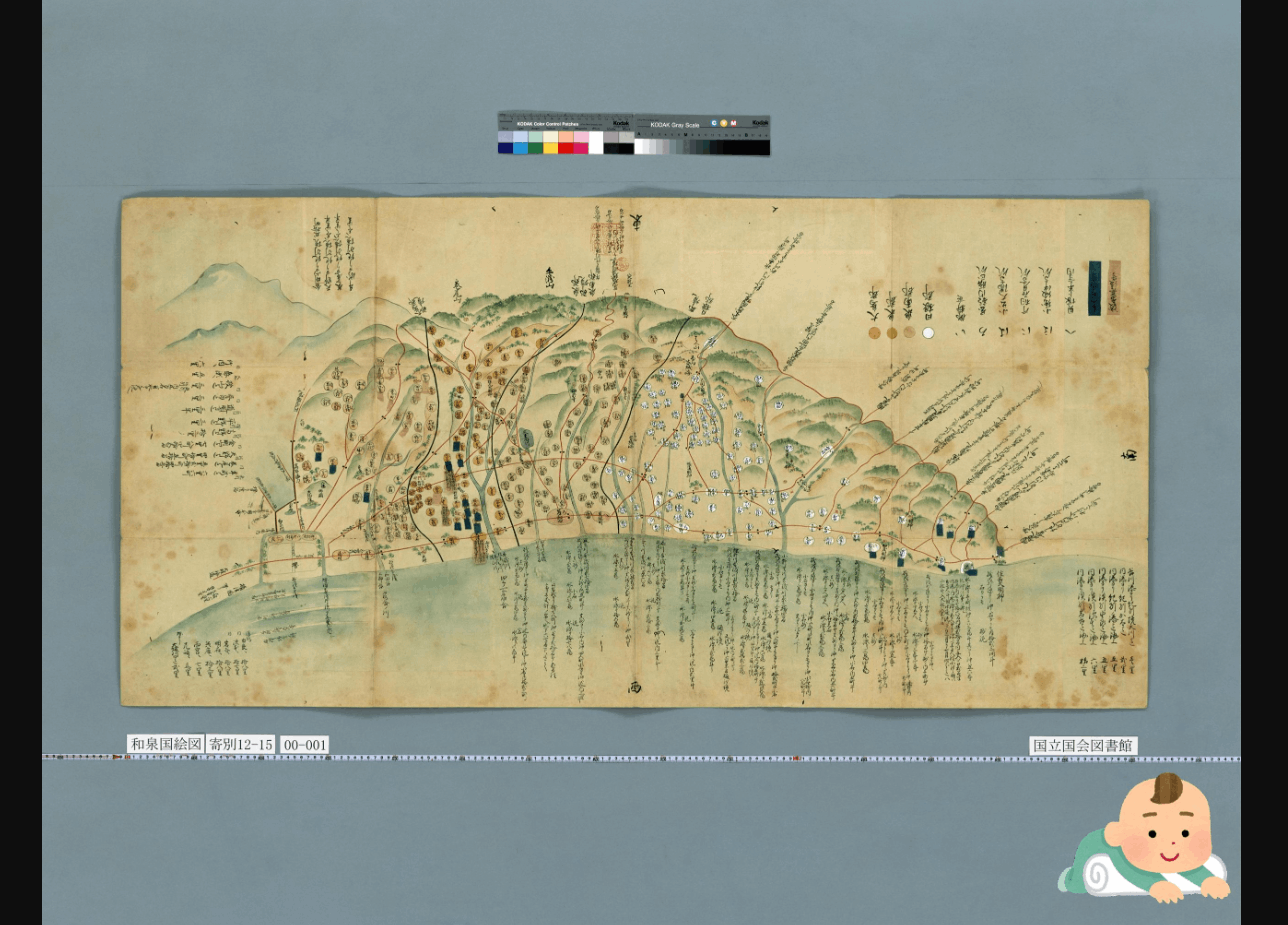
I modified overlays.BasicStrategy.enabled and overlays.BasicStrategy.image in cantaloupe.properties.
###########################################################################
# OVERLAYS
###########################################################################

# Controls how overlays are configured. `BasicStrategy` will use the
# `overlays.BasicStrategy.*` keys in this section. `ScriptStrategy` will
# use a delegate method. (See the user manual.)
overlays.strategy = BasicStrategy

# Whether to enable overlays using the BasicStrategy.
overlays.BasicStrategy.enabled = true # false

# `image` or `string`.
overlays.BasicStrategy.type = image

# Absolute path or URL of the overlay image. Must be a PNG file.
overlays.BasicStrategy.image = https://1.bp.blogspot.com/-8FUEz6vBnoQ/X7zMVAuhQMI/AAAAAAABcZ0/VI1Z9eN76pIj2rfHshveNbFoMKubXYTpACNcBGAsYHQ/s400/baby_role_towel_utsubuse.png
ScriptStrategy
With ScriptStrategy, overlays are applied based on the overlay function in the script set in delegate_script.pathname of cantaloupe.properties.
In this case, the target script file is /home/ubuntu/delegates.rb.
By setting position to repeat in the script described below, I was able to overlay images as shown below.
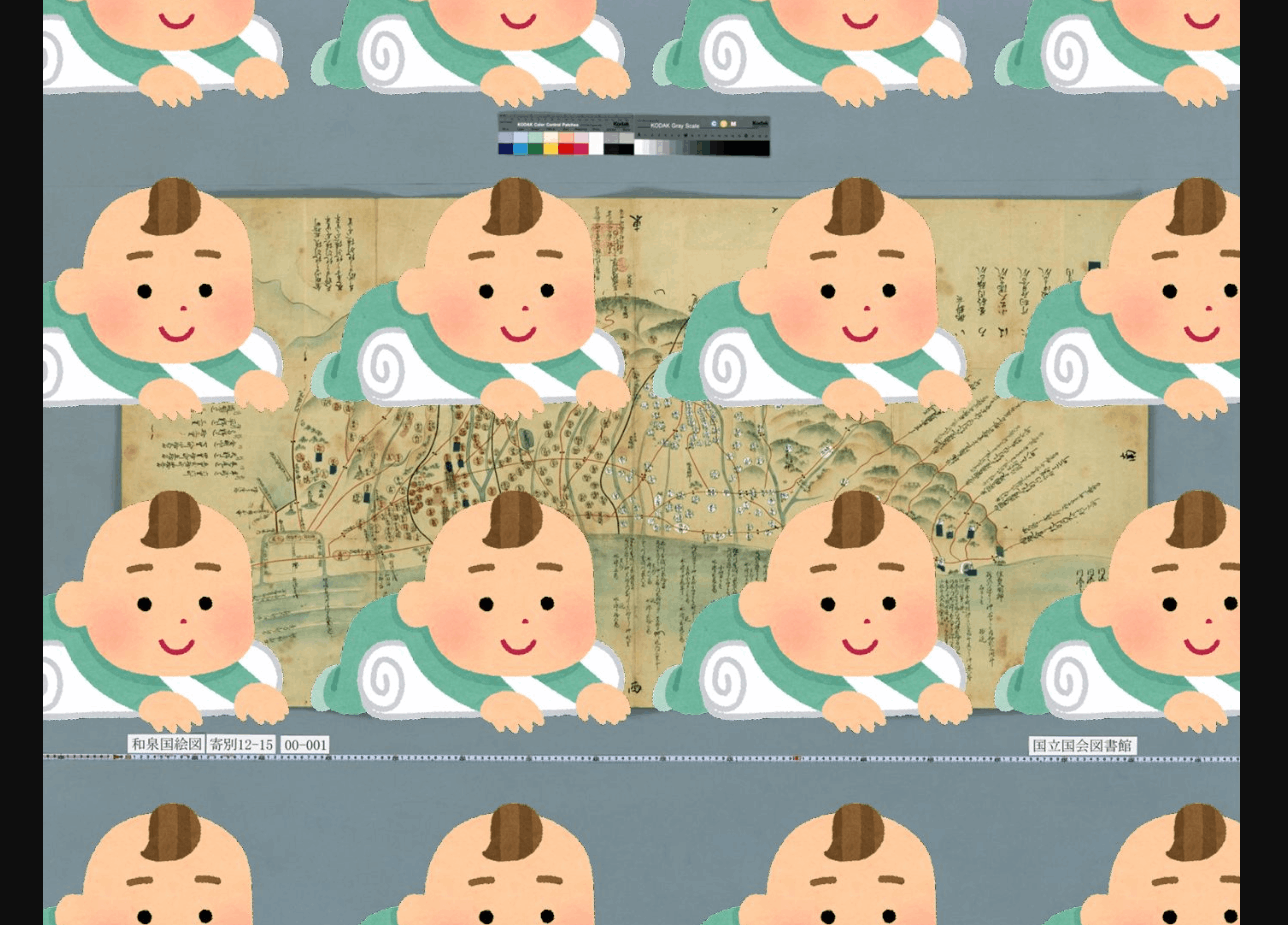
An example of the script is as follows:
def overlay(options = {})
    return {
     'image' => 'https://1.bp.blogspot.com/-8FUEz6vBnoQ/X7zMVAuhQMI/AAAAAAABcZ0/VI1Z9eN76pIj2rfHshveNbFoMKubXYTpACNcBGAsYHQ/s400/baby_role_towel_utsubuse.png',
      'position' => 'repeat'
    }
  end
When I tried the following example from the official site, resulting_size was nil and it did not work properly. I plan to continue investigating.
class CustomDelegate
  MIN_SIZE_CUTOFF = 300

  def overlay(options = {})
    resulting_size = context['resulting_size']
    return nil if resulting_size['width'] < MIN_SIZE_CUTOFF or
        resulting_size['height'] < MIN_SIZE_CUTOFF
    {
      'image' => '/path/to/overlay.png',
      'position' => 'bottom right',
      'inset' => 5
    }
  end
end
Text Overlay
As shown below, not only images but also text string overlays are possible. The text string is displayed in the bottom right.
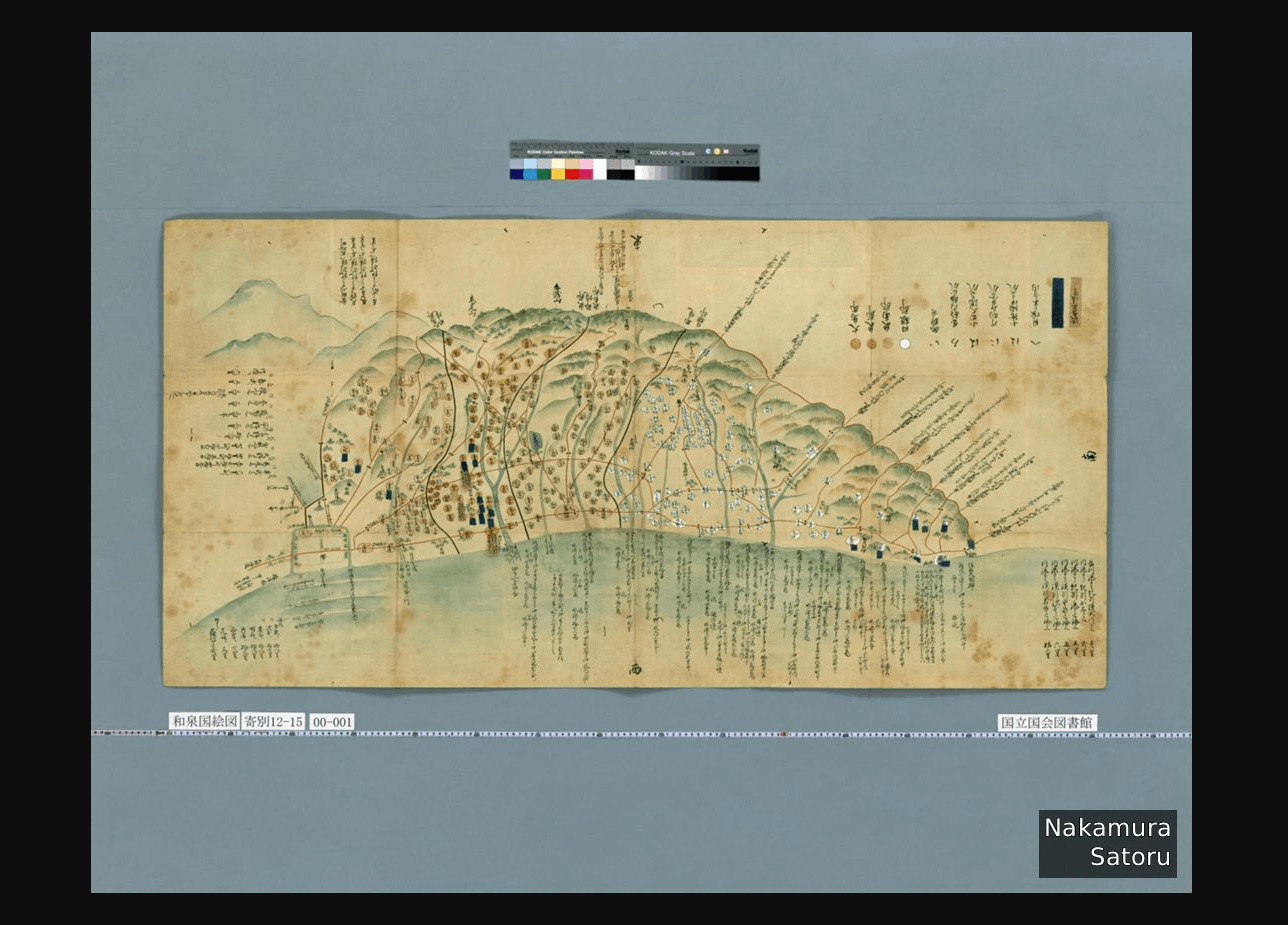
This time I used the BasicStrategy described above and modified cantaloupe.properties as follows:
##########################################################################
# OVERLAYS
###########################################################################

# Controls how overlays are configured. `BasicStrategy` will use the
# `overlays.BasicStrategy.*` keys in this section. `ScriptStrategy` will
# use a delegate method. (See the user manual.)
overlays.strategy = BasicStrategy

# Whether to enable overlays using the BasicStrategy.
overlays.BasicStrategy.enabled = true

# `image` or `string`.
overlays.BasicStrategy.type = string

# Overlay text.
overlays.BasicStrategy.string = Nakamura\nSatoru

# For a list of possible values, launch with the -list-fonts argument.
overlays.BasicStrategy.string.font = Helvetica
Summary
Cantaloupe provides a diverse range of features, and I felt that it has wide applicability. I plan to continue investigating.