Home Articles Books Search About
日本語

Latest Articles

Drupal Update Procedure on Sakura Rental Server

Drupal Update Procedure on Sakura Rental Server

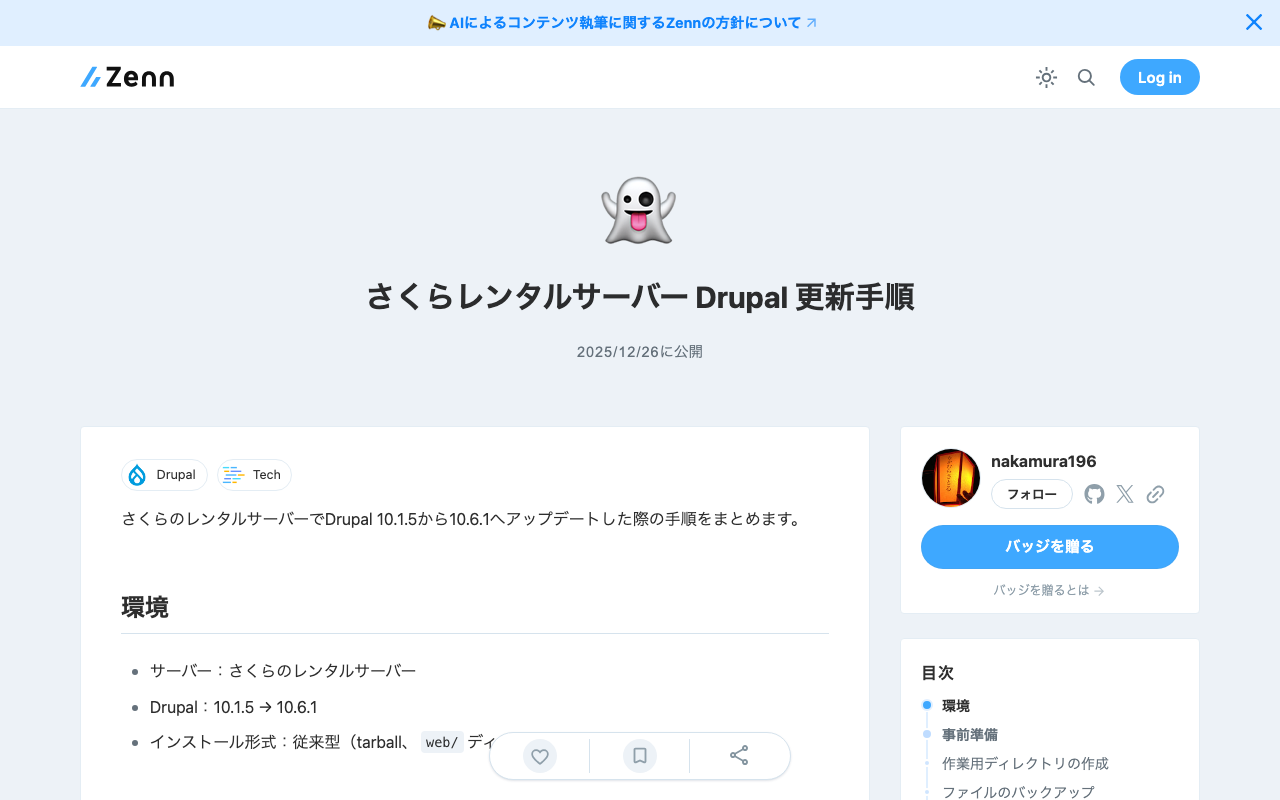
This article summarizes the procedure for updating Drupal from 10.1.5 to 10.6.1 on Sakura rental server. Environment Server: Sakura rental server Drupal: 10.1.5 -> 10.6.1 Installation type: Traditional (tarball, no web/ directory) Preparation Creating a Working Directory Store backups outside of www (to prevent web access). mkdir -p /home/[username]/backups/drupal Backing Up Files cd /home/[username]/www tar -czvf /home/[username]/backups/drupal/drupal_backup_$(date +%Y%m%d).tar.gz [drupal-directory]/ Backing Up the Database On Sakura rental server, the --no-tablespaces option is required. ...

Created a Tool to Extract Opening Pages of Each Volume from IIIF Manifests

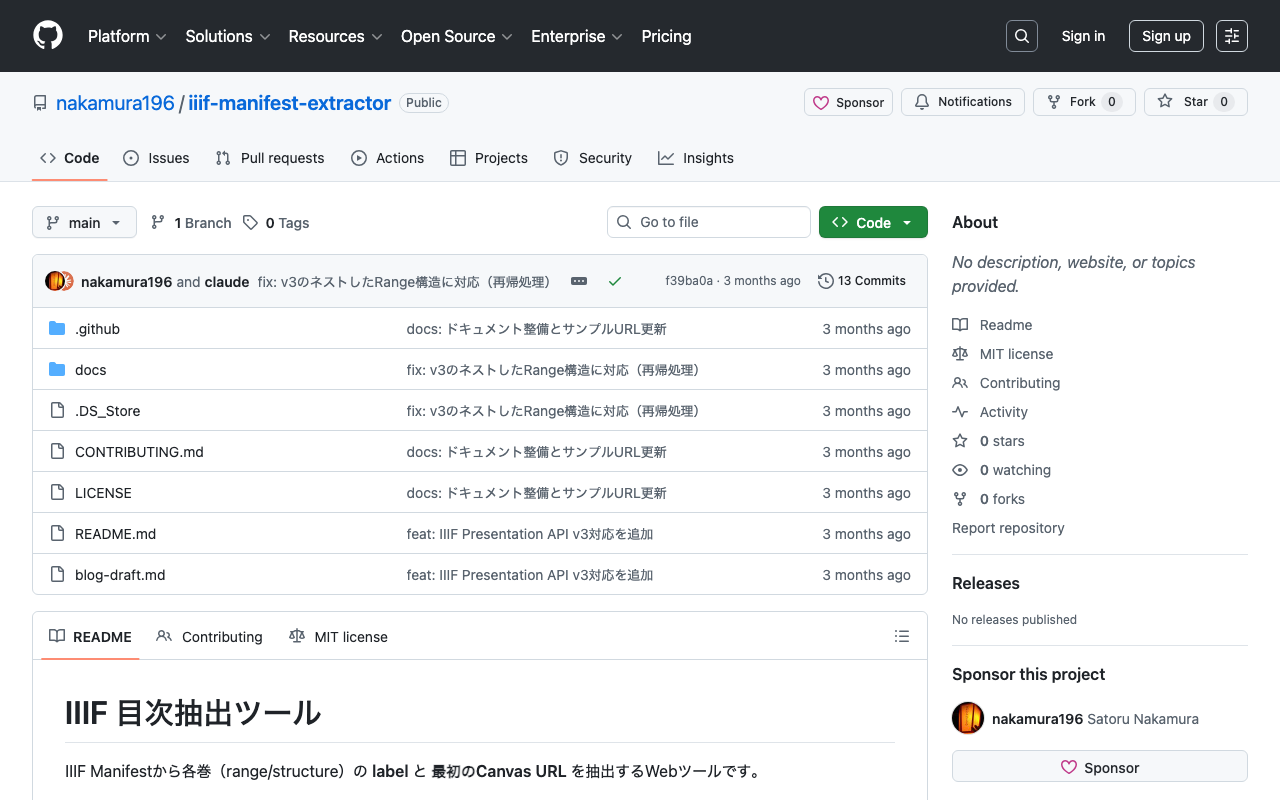
Created a Tool to Extract Opening Pages of Each Volume from IIIF Manifests

Introduction In digital archives using IIIF (International Image Interoperability Framework), materials consisting of multiple volumes or chapters are sometimes combined into a single Manifest. In such cases, there is a need to create links to the opening page of each volume or chapter. This time, I created a simple web tool that extracts the label and first Canvas URL of each volume (range/structure) from IIIF Manifests. Tool URL: https://nakamura196.github.io/iiif-manifest-extractor/ GitHub: https://github.com/nakamura196/iiif-manifest-extractor ...

Investigation Record of 404 Errors with CloudFront + App Runner

Investigation Record of 404 Errors with CloudFront + App Runner

Introduction When trying to host Cantaloupe (an IIIF image server) on AWS App Runner with CloudFront placed in front of it, I encountered a problem where all requests returned 404 errors when accessed through CloudFront. This article records the investigation of the cause, the solutions I tried, and the conclusion. Environment Application: Cantaloupe 5.0.5 (IIIF image server) Hosting: AWS App Runner CDN: Amazon CloudFront Region: ap-northeast-1 (Tokyo) Problem Overview Symptoms Access Method Result Direct access to App Runner 200 OK Access via CloudFront 404 Not Found What Was Confirmed When 404 was returned via CloudFront, the response header contained server: envoy. This indicates that the request was reaching App Runner’s internal proxy (Envoy). ...

How to Correctly Load Local JSON Files in Nuxt 4 SSG

How to Correctly Load Local JSON Files in Nuxt 4 SSG

Introduction When performing Static Site Generation (SSG) with Nuxt 4, there are cases where you want to load data from local JSON files to generate static pages. However, unlike Next.js’s getStaticProps, it is not straightforward, and there are several pitfalls to watch out for. This article introduces the correct approach discovered through trial and error. The Problem: Why Simple fs Reading Does Not Work The First Approach We Tried (Failed) // This does not work const fetchLocalData = async (filePath: string) => { if (import.meta.server) { const fs = await import('fs'); const path = await import('path'); const fullPath = path.resolve(process.cwd(), 'public/data', filePath); const data = fs.readFileSync(fullPath, 'utf-8'); return JSON.parse(data); } // Client-side const response = await fetch(`/data/${filePath}`); return await response.json(); }; This approach has the following problems: ...

Implementing a Multilingual Historical Map with MapLibre GL JS + Rekichizu

Implementing a Multilingual Historical Map with MapLibre GL JS + Rekichizu

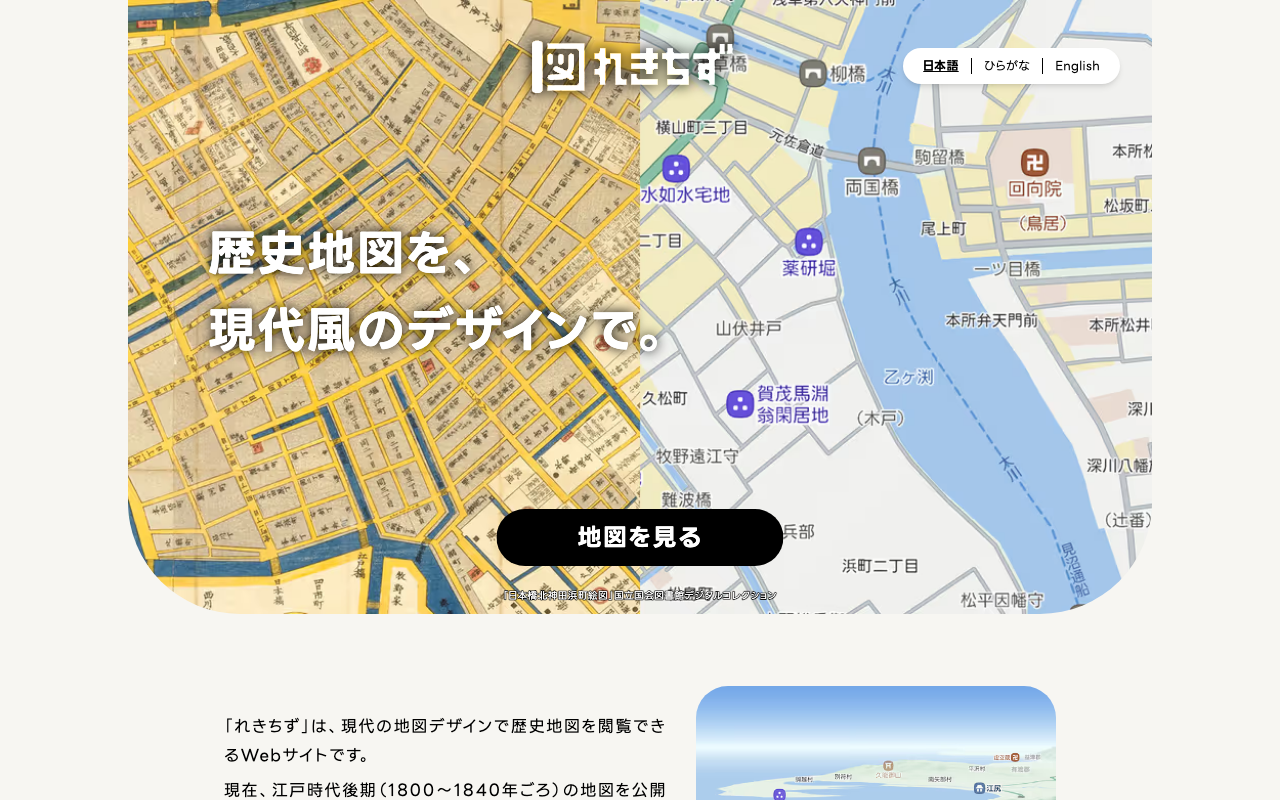
Following the multilingual support (Japanese, Hiragana, English) added to the historical map service “Rekichizu,” this article introduces how to implement a map with language switching using MapLibre GL JS. What is Rekichizu? Rekichizu is a web service that lets you browse maps of the late Edo period (around 1800-1840) in a modern design. Multilingual support was added in November 2025, and the following three styles are provided. Language Style URL Japanese https://mierune.github.io/rekichizu-style/styles/street/style.json Hiragana https://mierune.github.io/rekichizu-style/styles/street/style_hira.json English https://mierune.github.io/rekichizu-style/styles/street/style_en.json Simple HTML Version Here is an example implemented with plain HTML + JavaScript without any framework. The display language is switched based on a GET parameter (?lang=en). ...

Constraint Design for IIIF-Compatible Facsimile Description Using TEI ODD

Constraint Design for IIIF-Compatible Facsimile Description Using TEI ODD

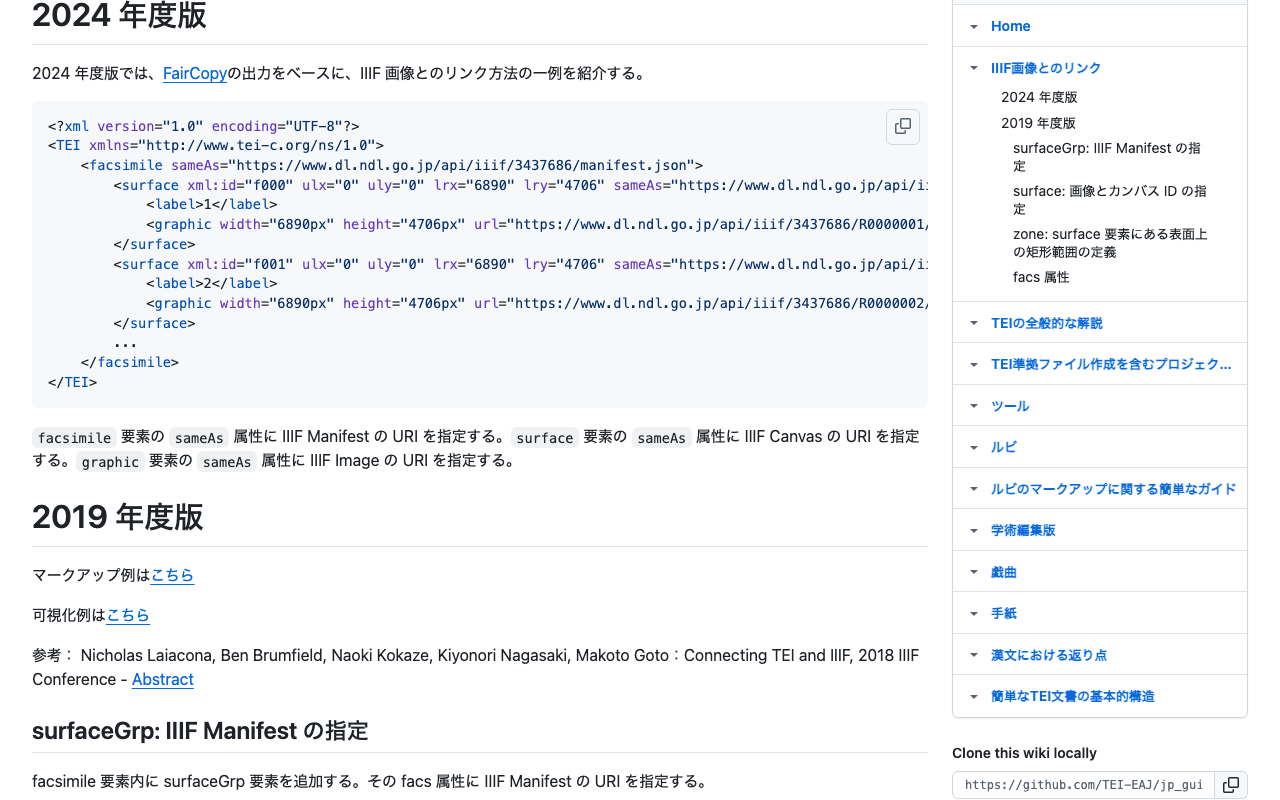
Introduction When describing metadata for digital images in TEI (Text Encoding Initiative), the facsimile element is used. Particularly in IIIF (International Image Interoperability Framework) compatible digital archives, it is important to properly describe references to manifests, canvases, and the Image API. This article introduces how to define the constraints needed for facsimile descriptions as a schema using ODD (One Document Does it all). Guidelines Followed This ODD is based on the “Linking with IIIF Images” specification introduced in the Japanese TEI guidelines: ...

ODD Chain Tutorial

ODD Chain Tutorial

A tutorial for learning how to customize schemas using the TEI ODD “chain” feature. What is an ODD Chain There are two approaches to ODD chains: 1. Inheritance (Vertical Chain) Uses the source attribute to reference a parent ODD and inherit customizations. TEI_all → Base ODD → Derived ODD → Further derivations... 2. Combination (Horizontal Chain) Uses specGrp and specGrpRef to combine multiple ODDs. Header ODD ──┬──→ Combined schema Body ODD ────┘ Directory Structure tutorials/ ├── 01-inheritance/ # Inheritance examples │ ├── base.odd # Base ODD │ └── derived.odd # Derived ODD inheriting from base.odd ├── 02-chain/ # Combination examples │ ├── header-specs.odd # Header-related customizations │ ├── text-specs.odd # Body text-related customizations │ ├── main.odd # Main ODD for integration │ └── merge-specs.xsl # XSLT for expanding specGrpRef ├── output/ # Generated files │ ├── base.rng # Generated from 01 base ODD │ ├── base.html # HTML documentation for the above │ ├── derived.rng # Generated from 01 derived ODD │ ├── derived.html # HTML documentation for the above │ ├── combined.rng # Generated from 02 combined ODD │ ├── combined.html # HTML documentation for the above │ └── intermediate/ # Intermediate files │ ├── base.compiled.odd │ ├── derived.compiled.odd │ ├── combined.merged.odd │ └── combined.compiled.odd ├── build.sh # Build script └── README.md # This file Prerequisites Saxon (XSLT 2.0 processor) TEI Stylesheets (installed at ../scripts/Stylesheets) Build Instructions cd tutorials ./build.sh Generated Files Source ODD RNG HTML 01-inheritance/base.odd output/base.rng output/base.html 01-inheritance/derived.odd output/derived.rng output/derived.html 02-chain/main.odd (after combination) output/combined.rng output/combined.html File Descriptions 01-inheritance (Inheritance) base.odd The base ODD containing minimal modules and basic customizations. ...

Customizing the TEI Classical Text Viewer to Display Illegible Sections (gap)

Customizing the TEI Classical Text Viewer to Display Illegible Sections (gap)

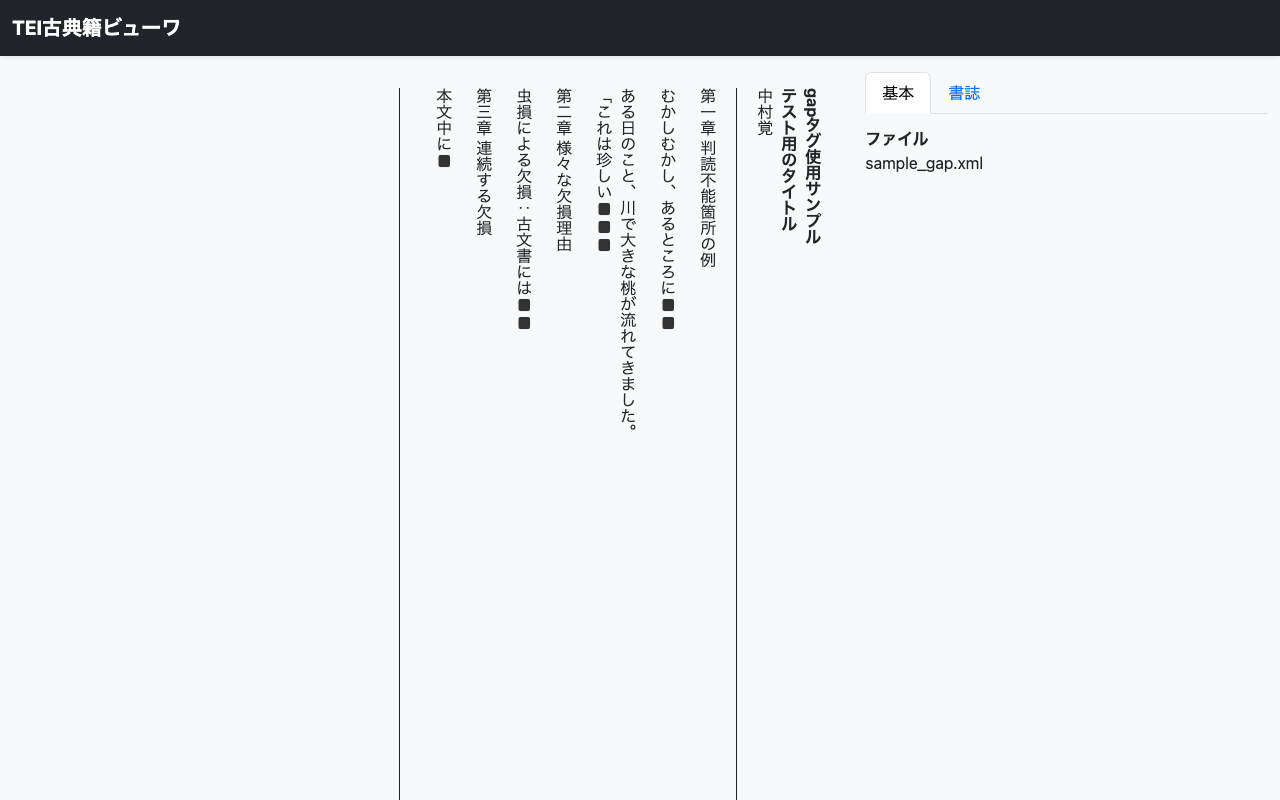
Introduction When digitizing East Asian classical texts, it has become common to mark them up in XML following TEI (Text Encoding Initiative) guidelines. The “TEI Classical Text Viewer” developed by the International Institute of Humanistic Research is a convenient tool that can easily display such TEI/XML files in a browser. Official site: https://tei.dhii.jp/teiviewer4eaj Web version: https://candra.dhii.jp/nagasaki/tei/tei_viewer/ This time, I customized this viewer to support displaying <gap> tags that indicate illegible sections. This article introduces the customization method. ...

How to Highlight Arbitrary Regions in Mirador 4

How to Highlight Arbitrary Regions in Mirador 4

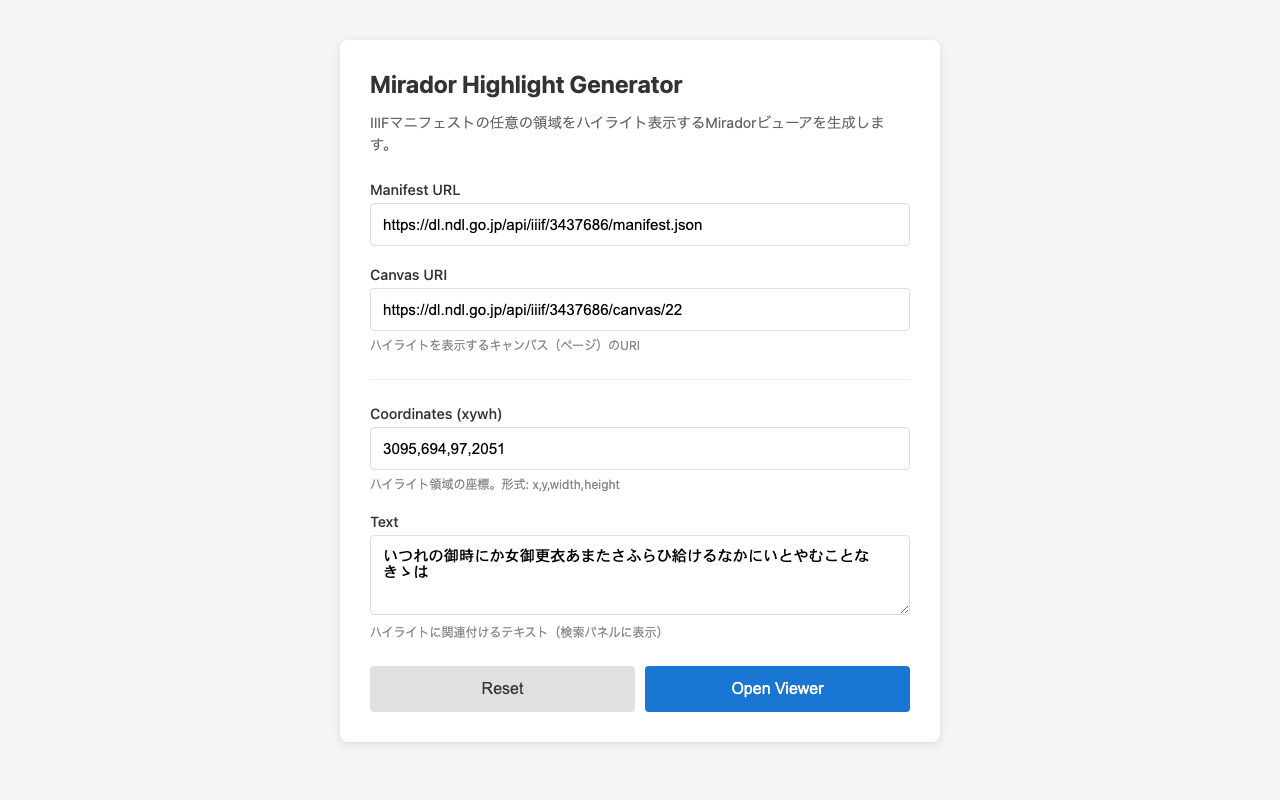
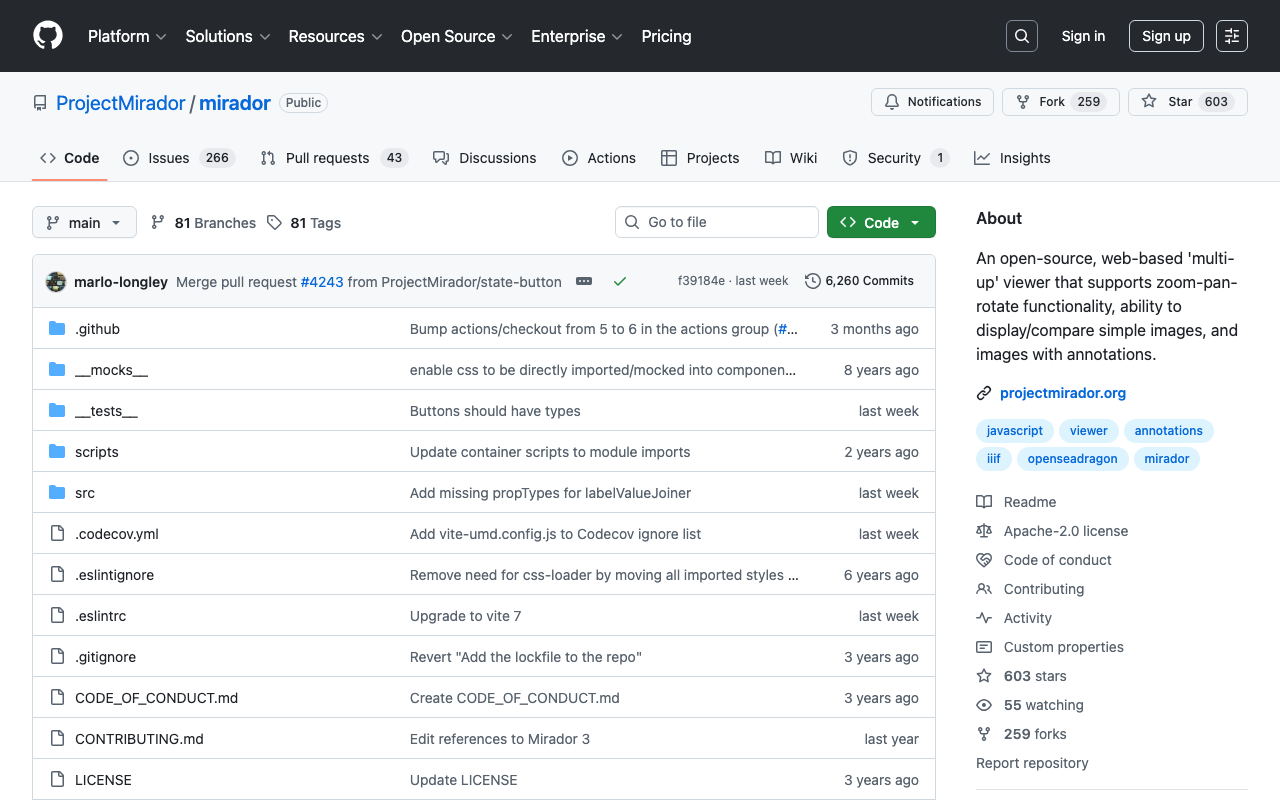
Introduction The IIIF viewer Mirador has a search feature that can highlight search results for manifests supporting the IIIF Search API. However, there are cases where you want to highlight arbitrary regions even for manifests that do not support the Search API. This article introduces a method to achieve highlighting based on annotation information from external data sources by using Mirador’s internal API. Demo Highlight Generator Form - Generate highlights from a form Use Cases Highlighting text regions extracted by a custom OCR system Displaying regions of objects detected by machine learning Visualizing annotations stored in an external database Displaying search results for IIIF servers that do not support the Search API Implementation Basic Mechanism Mirador uses Redux internally, and search results can be registered through the receiveSearch action. By passing IIIF Search API format JSON to this action, highlights from any data source can be displayed. ...

How to Simultaneously Specify Canvas and Highlight Search Terms in Mirador 4

How to Simultaneously Specify Canvas and Highlight Search Terms in Mirador 4

Introduction I implemented functionality in Mirador, a widely used IIIF (International Image Interoperability Framework) viewer, to meet the following requirements: Display the canvas (page) specified by URL parameters on initial load Highlight search terms within the specified canvas This article shares the approach and implementation method for achieving these requirements. Exploring Approaches defaultSearchQuery Option In Mirador 4, you can automatically execute a search at initialization by specifying the defaultSearchQuery option in the window settings: ...

Japanese Localization of RAWGraphs 2.0

Japanese Localization of RAWGraphs 2.0

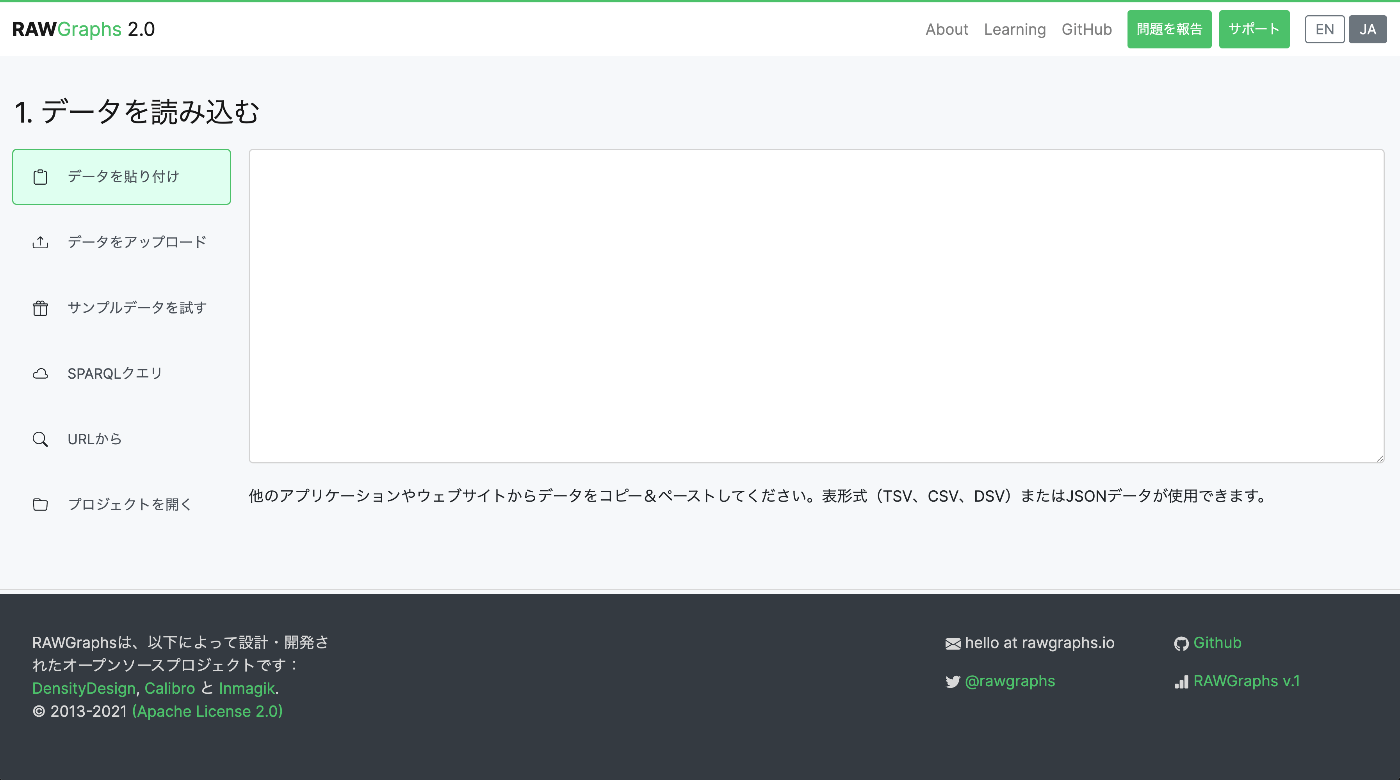
Introduction I localized and published a Japanese version of the data visualization tool RAWGraphs. https://rawgraphs-ja.vercel.app/ RAWGraphs is an open-source web application that can transform complex data into beautiful visualizations. Without any coding, you can create various charts simply by dragging and dropping CSV or JSON data. What is RAWGraphs? RAWGraphs is a data visualization tool developed by DensityDesign Research Lab in Italy. https://www.rawgraphs.io/ Key features: ...

Language Switching Implementation Guide with Next.js + next-intl

Language Switching Implementation Guide with Next.js + next-intl

This article summarizes how to implement language switching without page reload in a multilingual application using Next.js App Router and next-intl. Environment Next.js 16 (App Router) next-intl TypeScript Configuration Overview localePrefix: ‘as-needed’ Using the localePrefix: 'as-needed' setting in next-intl, the default language does not have a URL prefix, while other languages do. Example (when the default language is Japanese): Japanese: /, /gallery, /viewer English: /en, /en/gallery, /en/viewer Implementation Steps 1. Middleware Configuration (Important) next-intl uses middleware to handle locale routing. It is important to configure the matcher so that static files are not redirected by the middleware. ...

Creating Pyramidal Tiled TIFFs with vips and Comparing Compression Methods

Creating Pyramidal Tiled TIFFs with vips and Comparing Compression Methods

Introduction To comfortably view high-resolution images on the web, pyramidal structures (multiple resolutions) and tile segmentation are essential. In this article, we used vips to create pyramidal tiled TIFFs from JPEG2000 images and compared the file sizes of various compression methods. Test Environment vips 8.17.3 macOS (darwin) Source image: 764029-1.jp2 (274MB) Source: National Archives of Japan Digital Archive vips Commands JPEG Compression (Lossy) # Quality 100 (nearly lossless) vips tiffsave input.jp2 output_q100.tif --tile --pyramid --compression=jpeg --Q=100 # Quality 75 (balanced) vips tiffsave input.jp2 output_q75.tif --tile --pyramid --compression=jpeg --Q=75 # Quality 25 (high compression) vips tiffsave input.jp2 output_q25.tif --tile --pyramid --compression=jpeg --Q=25 Lossless Compression # Deflate compression (zlib) vips tiffsave input.jp2 output_deflate.tif --tile --pyramid --compression=deflate # LZW compression vips tiffsave input.jp2 output_lzw.tif --tile --pyramid --compression=lzw # Uncompressed (BigTIFF format required if over 4GB) vips tiffsave input.jp2 output_none.tif --tile --pyramid --compression=none --bigtiff Test Results File Compression Method Size Ratio to Original Notes Original JPEG2000 274MB - Input q25.tif JPEG Q=25 57MB 0.21x Lossy, high compression q75.tif JPEG Q=75 167MB 0.61x Lossy, balanced q100.tif JPEG Q=100 2.4GB 8.8x Lossy, high quality deflate.tif Deflate 2.8GB 10.2x Lossless lzw.tif LZW 3.2GB 11.7x Lossless none.tif Uncompressed 4.3GB 15.7x Lossless Image Quality Comparison We visually compared the differences in JPEG compression quality (from left: Q=25, Q=75, Q=100). ...

Performance Improvement for Annotation Display

Performance Improvement for Annotation Display

Overview When there are many annotations in a 3D viewer, backface culling (Raycast) processing becomes a performance bottleneck. This document explains the improvement techniques adopted. Problem Backface culling for annotations requires executing a Raycast (ray-mesh intersection test) for each annotation. This processing becomes heavy for the following reasons: Intersection testing with all mesh vertices is required Computation increases proportionally with the number of annotations Executing every frame makes it difficult to maintain 60 FPS Solution: Execute Raycast Only During Idle We adopted an approach that executes Raycast processing only when the camera has stopped. ...

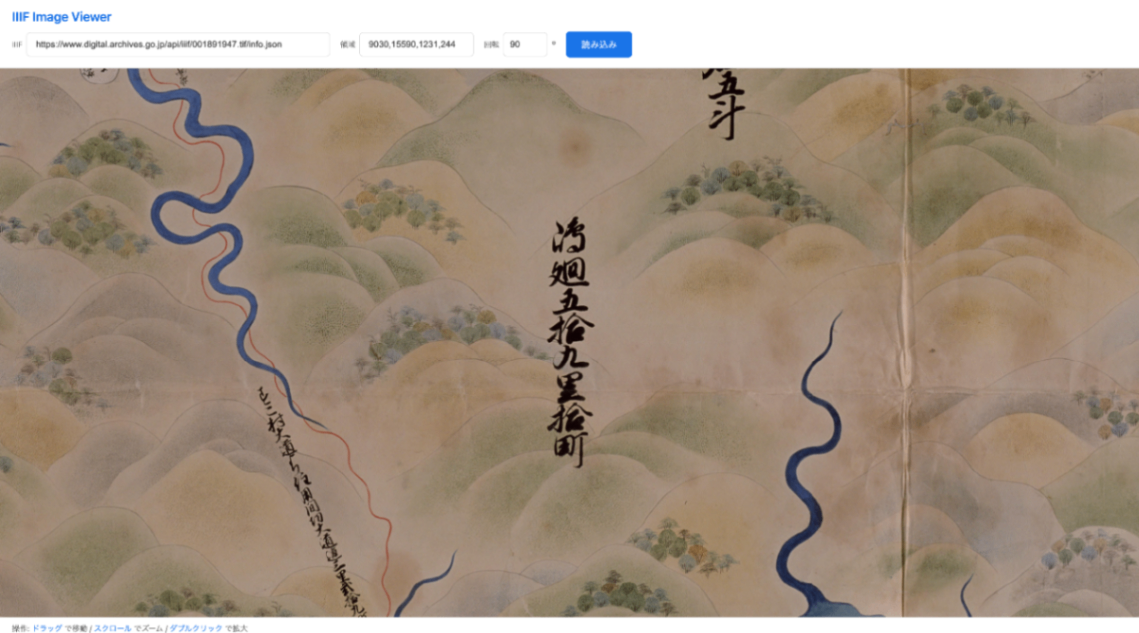
Annotating Tilted Characters and IIIF Image Cropping

Annotating Tilted Characters and IIIF Image Cropping

Introduction Historical maps and old manuscripts contain characters oriented in various directions. This tool uses polygon annotations to accurately mark up tilted characters and leverages the tilt information to retrieve rotation-corrected images via the IIIF Image API. How Tilt Calculation Works Vertex Ordering Rules When creating polygon annotations, vertices are specified in the following order: Top-left -> 2. Bottom-left -> 3. Bottom-right -> 4. Top-right By following this counterclockwise order, the tilt angle can be uniquely calculated. ...

Elasticsearch/OpenSearch Data Migration Guide Between Clusters

Elasticsearch/OpenSearch Data Migration Guide Between Clusters

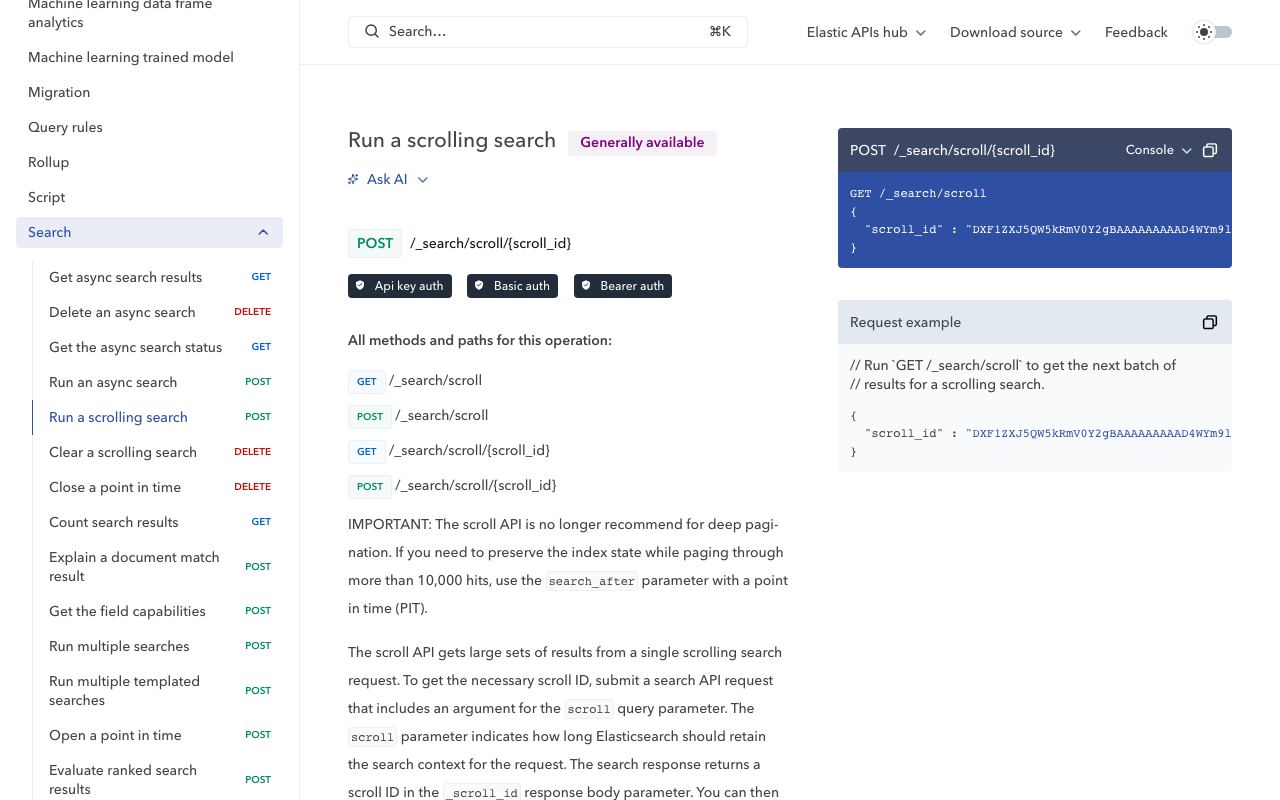
This article explains how to migrate data from Amazon Elasticsearch Service to another OpenSearch cluster. It introduces a simple and reliable migration method using the Scroll API and Bulk API. Background The need to migrate data between Elasticsearch/OpenSearch clusters can arise due to cloud service migration or cost optimization. This time, we performed a migration between the following environments. Source: Amazon Elasticsearch Service (AWS) Destination: Self-hosted OpenSearch Migration Flow Check indices on source and destination Retrieve and adjust mapping information Create indices on the destination Migrate data with Scroll API + Bulk API Verify migration results Preparation: Checking Indices First, check the index lists on both the source and destination. ...

Docker + GitHub Actions Deployment Configuration

Docker + GitHub Actions Deployment Configuration

This document explains the setup procedure for automatically deploying Docker containers with GitHub Actions. Table of Contents Docker Configuration GitHub Actions Configuration Server-Side Configuration Troubleshooting Docker Configuration Dockerfile (Static Site + nginx) Generates static HTML and serves it with nginx. FROM node:22-alpine AS builder WORKDIR /app COPY package*.json ./ RUN npm install COPY . . RUN npm run generate # nginx for serving static files FROM nginx:alpine # Nuxt 3: .output/public # Nuxt 2: dist COPY --from=builder /app/.output/public /usr/share/nginx/html COPY nginx.conf /etc/nginx/conf.d/default.conf EXPOSE 80 CMD ["nginx", "-g", "daemon off;"] nginx.conf (SPA Configuration) For SPAs, dynamic routes (such as /item/:id) need to fall back to index.html. ...

How to Create Distortion-Free Thumbnails from 360-Degree Videos and Photos

How to Create Distortion-Free Thumbnails from 360-Degree Videos and Photos

This article explains how to create natural-looking thumbnail images from 360-degree content (equirectangular format) captured with cameras like the Insta360. The Problem: Simple Resizing Causes Distortion 360-degree videos and photos are stored in equirectangular (equidistant cylindrical projection) format. This format unfolds a sphere onto a flat plane, causing horizontal stretching that increases toward the top and bottom edges. Simply resizing this to create a thumbnail results in a distorted, unnatural image. ...

How to Programmatically Determine Whether Insta360 Video Files Contain GPS Information

How to Programmatically Determine Whether Insta360 Video Files Contain GPS Information

This article introduces how to programmatically check from the command line whether GPS information is contained in 360-degree video files (.insv) shot with Insta360. Background Videos shot with Insta360 cameras have location information embedded when the GPS function is enabled. However, depending on the shooting settings and GPS signal reception conditions, files with and without GPS information may be mixed. When organizing a large number of files, there are cases where you want to classify files by the presence or absence of GPS information. ...

Complete Restoration of Deep Zoom Images: Converting Tile Images to BigTIFF

Complete Restoration of Deep Zoom Images: Converting Tile Images to BigTIFF

Introduction Deep Zoom technology is used to smoothly zoom and display high-resolution images on websites. There are cases where you need to restore the original high-resolution image from tiled image data generated by tools such as Microsoft Deep Zoom Composer. This article explains the technology for restoring original high-resolution TIFF images from image data published in Deep Zoom format. How Deep Zoom Images Work Tile Structure Deep Zoom images divide a single large image into multiple small tile images and store them in a pyramid structure: ...