Home Articles Books Search About
日本語

Latest Articles

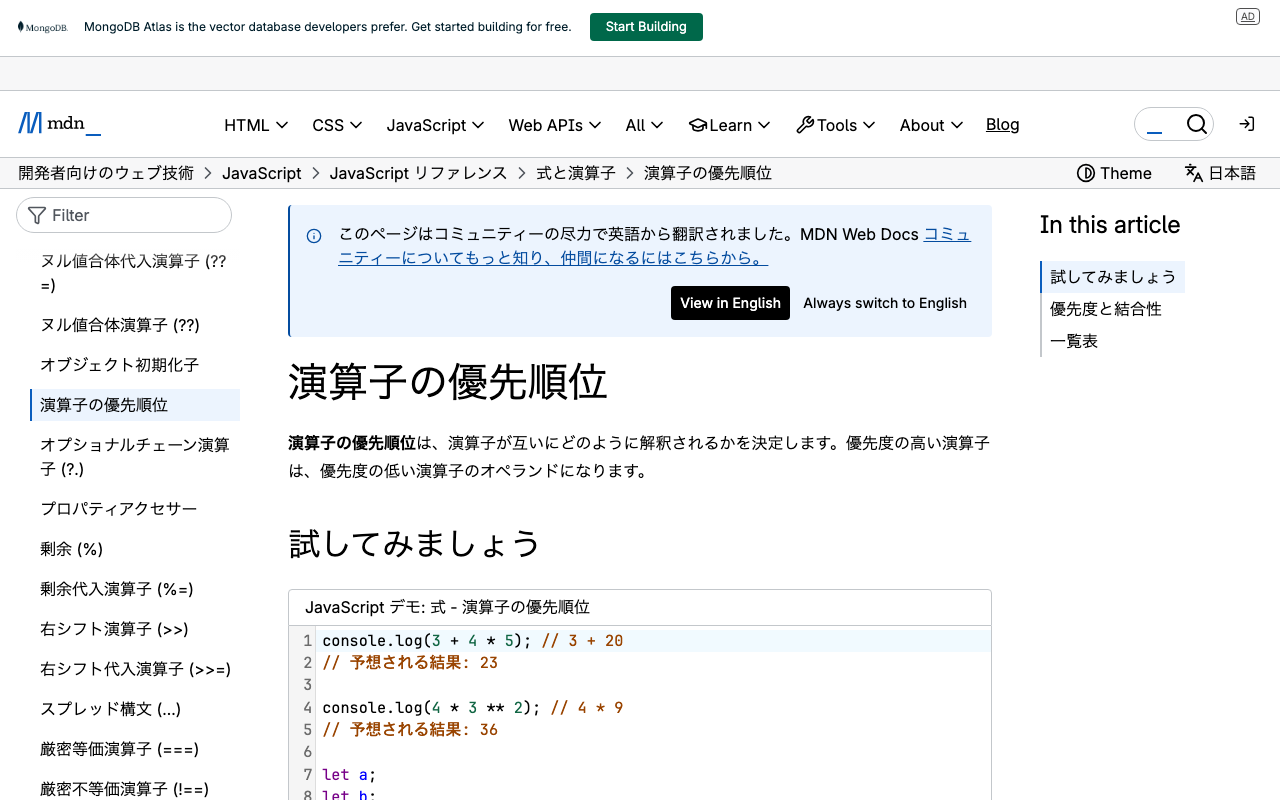
The Pitfall of JavaScript Operator Precedence - Investigating a Vercel Build Error

The Pitfall of JavaScript Operator Precedence - Investigating a Vercel Build Error

Introduction When trying to deploy a Next.js application to Vercel, we encountered a problem where the build succeeded locally but failed on Vercel. The error messages were vague, making it difficult to identify the cause. This article shares the process from discovering the problem to resolving it, and summarizes what we learned about JavaScript operator precedence. Symptoms Error Message Error occurred prerendering page "/en/smells/22-03" [Error: An error occurred in the Server Components render. The specific message is omitted in production builds to avoid leaking sensitive details.] Notable Behavior Local build succeeds, but Vercel build fails Errors occur on different pages each time (22-03, 24-03, 25-04, etc.) Error details are hidden in production builds Discovering the Cause While investigating multiple files, we found the following code pattern: ...
Building a Web App to Download and Display GLB Files Using the Sketchfab API

Building a Web App to Download and Display GLB Files Using the Sketchfab API

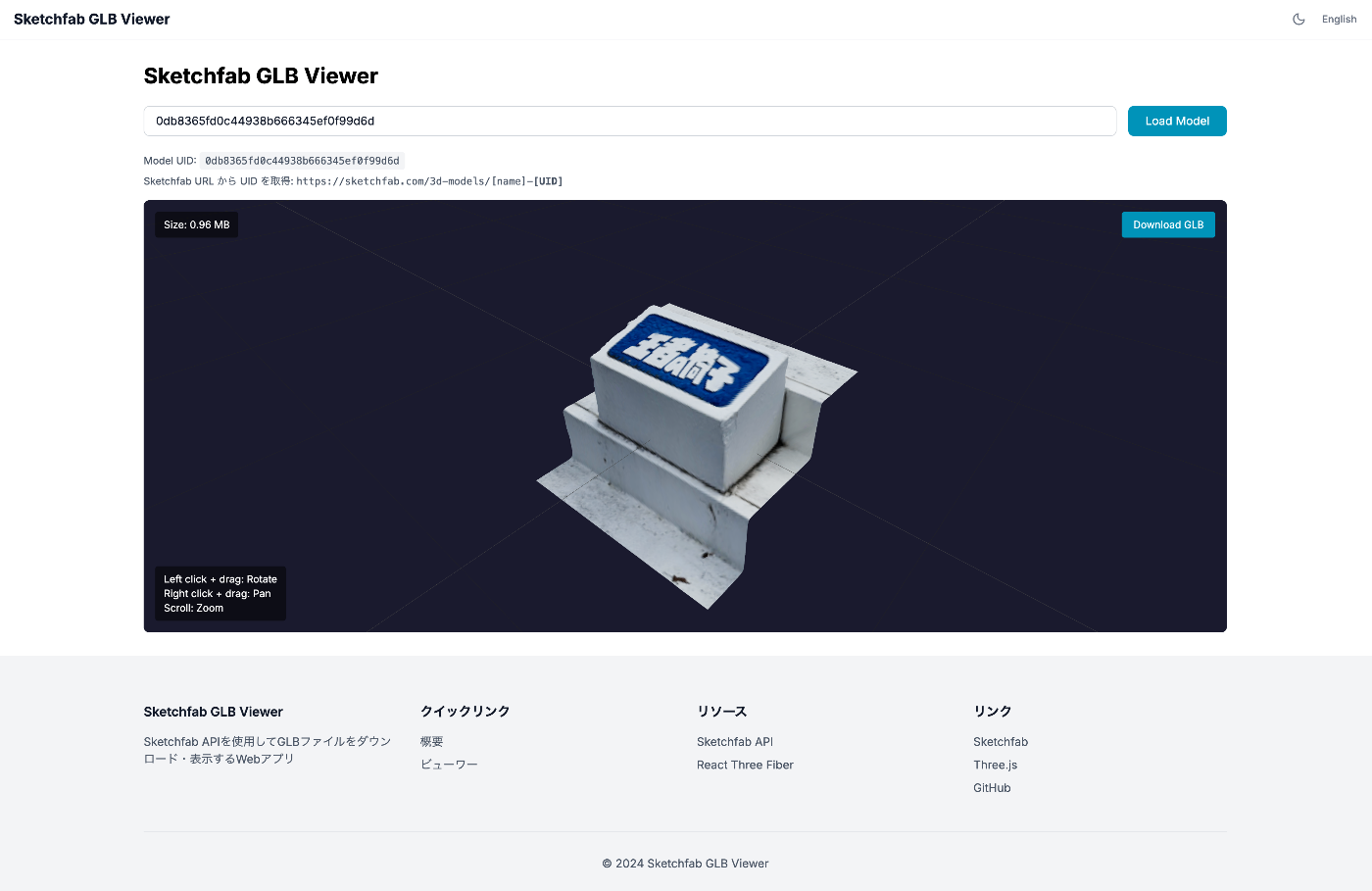
I built a web app that uses the Sketchfab API to download 3D models as GLB files and display them in the browser using Three.js. This article covers everything from the security-conscious architecture design to implementation. What I Wanted to Do Download 3D models from Sketchfab in GLB format Display downloaded GLB files in 3D within the browser Manage API tokens securely Tech Stack Next.js 16 (App Router) React Three Fiber / @react-three/drei TypeScript First Attempt: Client-Side Only Implementation Initially, I tried implementing it with just HTML + JavaScript. ...

ODD Editing Tips: Part 1

ODD Editing Tips: Part 1

Restricting an Element’s Attributes to Specific Ones Only By default in TEI, elements inherit many attribute classes (att.global, att.datable, etc.), making numerous attributes available. If you want to allow only specific attributes, configure it as follows. Example: Allowing Only xml:id and corresp on persName <elementSpec ident="persName" mode="change"> <classes mode="change"> <!-- 属性クラスを削除(モデルクラスは維持) --> <memberOf key="att.global" mode="delete"/> <memberOf key="att.cmc" mode="delete"/> <memberOf key="att.datable" mode="delete"/> <memberOf key="att.editLike" mode="delete"/> <memberOf key="att.personal" mode="delete"/> <memberOf key="att.typed" mode="delete"/> </classes> <attList> <attDef ident="xml:id" mode="add" usage="opt"> <desc>要素の一意な識別子</desc> <datatype> <dataRef name="ID"/> </datatype> </attDef> <attDef ident="corresp" mode="add" usage="opt"> <desc>関連する人物情報へのリンク</desc> <datatype> <dataRef key="teidata.pointer"/> </datatype> </attDef> </attList> </elementSpec> Key Points Use <classes mode="change">: If you use mode="replace" and leave it empty, the model classes will also be deleted, making the element itself unusable Delete attribute classes individually: Remove unnecessary attribute classes with <memberOf key="att.xxx" mode="delete"/> Add required attributes: Define the attributes you want to allow with <attDef ident="xxx" mode="add"> Notes You can check which attribute classes an element belongs to in the TEI Guidelines Deleting att.global will also remove xml:id, xml:lang, etc., so add them individually as needed Adding Attributes to an Element When adding a new attribute while keeping existing attribute classes: ...

Why AUTH_URL Is Required in Production for Next Auth (Auth.js v5)

Why AUTH_URL Is Required in Production for Next Auth (Auth.js v5)

Overview When deploying an application using Next Auth (Auth.js v5) to a Docker container or production environment, the following error occurs with GitHub OAuth authentication if the AUTH_URL environment variable is not configured: Be careful! The redirect_uri is not associated with this application. Development Environment vs Production Environment Development Environment (npm run dev) In the development environment, Next.js automatically detects host information, so configuring AUTH_URL is not required. # This alone works npm run dev Production Environment (Docker / npm run build && npm start) In the production environment, Next Auth cannot automatically detect host information, so configuring AUTH_URL is required. ...

Publishing a YOLOv11x Model on Hugging Face

Publishing a YOLOv11x Model on Hugging Face

This article introduces the steps to publish a YOLOv11x model trained on the Japanese Classical Kuzushiji Dataset on Hugging Face and create a demo with Gradio Spaces. Overview Model: YOLOv11x (for kuzushiji character detection) Dataset: Japanese Classical Kuzushiji Dataset Publication: Hugging Face Models + Spaces 1. Register the Model on Hugging Face Models 1.1 Install huggingface_hub pip install huggingface_hub 1.2 Login huggingface-cli login Or from Python: from huggingface_hub import login login() You can obtain a token from https://huggingface.co/settings/tokens (Write permission required). ...

Serving IIIF Images via Web Tile Map Service

Serving IIIF Images via Web Tile Map Service

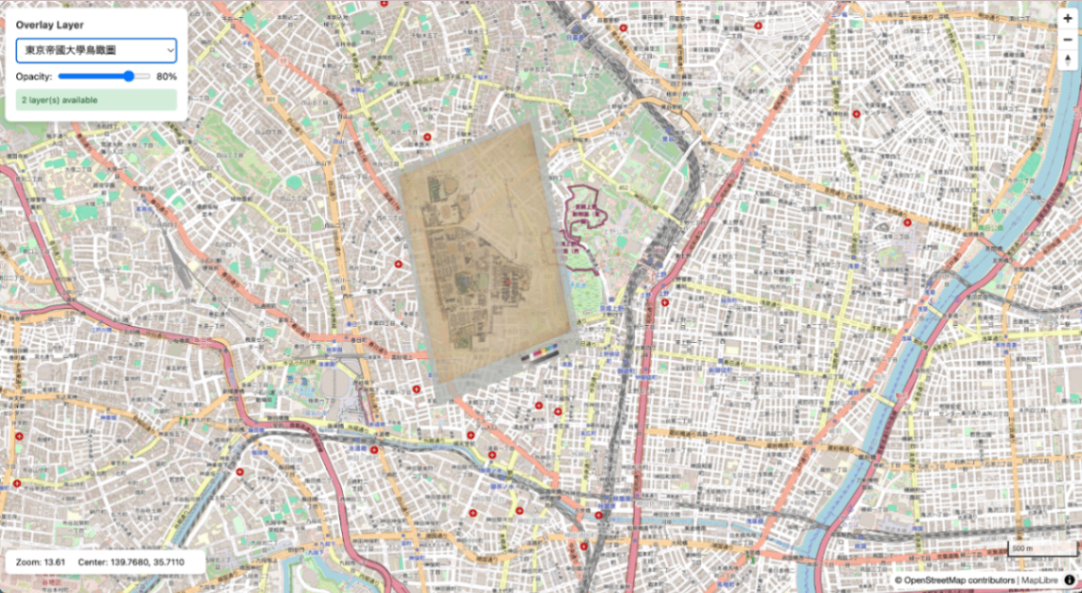
This article summarizes the procedure for generating XYZ tiles from IIIF Georeference Extension JSON, serving them with TileServer GL, and displaying them with MapLibre GL JS. Aerial view of the University of Tokyo overlaid on OSM Overview IIIF Georeference JSON | v +------------------------+ | iiif-georef-tiles | | (XYZ tile generation) | +------------------------+ | v +------------------------+ | mb-util | | (mbtiles conversion) | +------------------------+ | v +------------------------+ | TileServer GL | | (tile serving) | +------------------------+ | v +------------------------+ | MapLibre GL JS | | (map display) | +------------------------+ Requirements Docker / Docker Compose Python 3.x GDAL (gdal_translate, gdalwarp, gdal2tiles.py) Pillow (pip3 install pillow) mb-util Installing GDAL # macOS (Homebrew) brew install gdal # Ubuntu/Debian sudo apt install gdal-bin python3-gdal Installing mb-util pip3 install mbutil 1. Project Structure wtms/ ├── docker-compose.yml ├── data/ # mbtiles files ├── styles/ # Custom styles (optional) ├── frontend/ # MapLibre viewer └── docs/ 2. Docker Compose Configuration docker-compose.yml: ...

Nuxt 3 Project Package Update Summary

Nuxt 3 Project Package Update Summary

Overview I performed a large-scale dependency package update, including a major update from Nuxt 3.2.3 to 3.20.2. Major Package Updates Package Before After nuxt 3.2.3 3.20.2 @nuxt/content 2.5.2 3.11.0 @nuxtjs/i18n 8.0.0-beta.10 10.2.1 vuetify 3.1.8 3.7.6 sass 1.58.3 1.83.4 @mdi/js 7.1.96 7.4.47 Newly Added Packages better-sqlite3: ^12.5.0 - Dependency of @nuxt/content v3 vue-i18n: ^11.0.0 - Dependency of the i18n module Changes That Required Action 1. Migration to @nuxt/content v3 Creating a new content.config.ts was required. ...

IIIF Georeference to XYZ Tiles

IIIF Georeference to XYZ Tiles

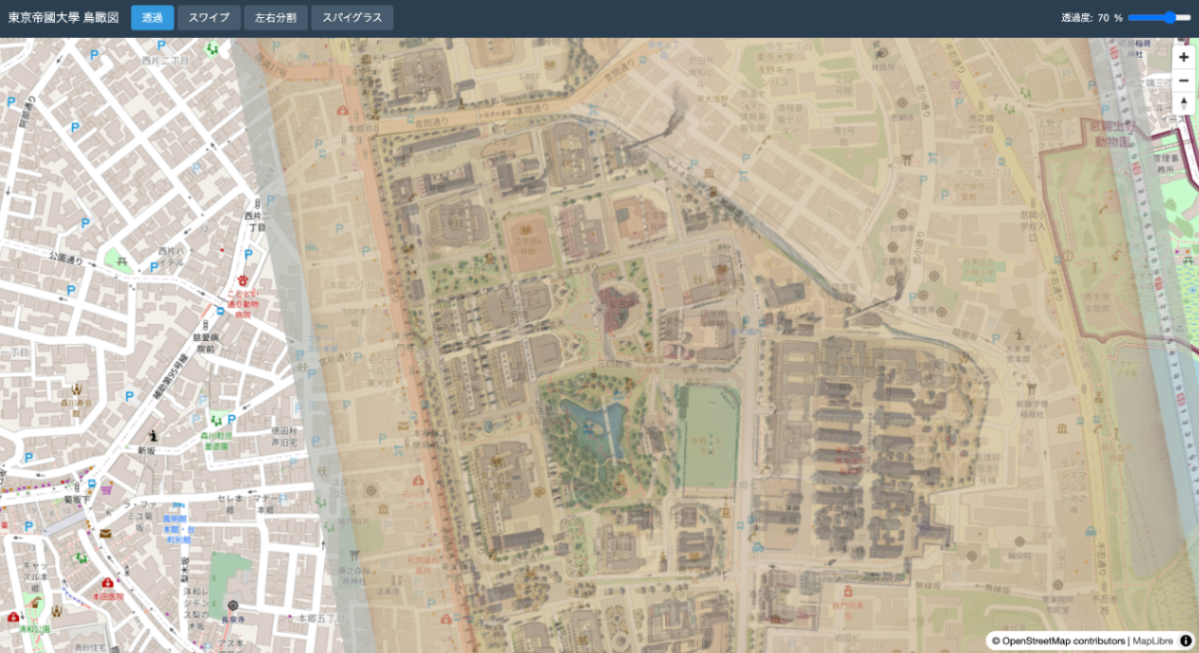
A tool for generating XYZ tiles from IIIF Georeference Extension JSON and displaying them with MapLibre GL JS. Repository: https://github.com/nakamura196/iiif-georef-tiles GitHub Pages: https://nakamura196.github.io/iiif-georef-tiles/ Requirements Python 3.x GDAL (gdal_translate, gdalwarp, gdal2tiles.py) Installing GDAL # macOS (Homebrew) brew install gdal # Ubuntu/Debian sudo apt install gdal-bin python3-gdal Usage python3 scripts/iiif_georef_to_tiles.py <IIIF_GEOREF_JSON_URL> Example python3 scripts/iiif_georef_to_tiles.py https://nakamura196.github.io/iiif_geo/canvas.json Options Option Default Description --scale 0.25 Image scale factor --zoom 14-18 Tile zoom level range --output-dir docs Output directory --name tiles Tile folder name --work-dir work Working directory --keep-work - Do not delete working files Processing Flow IIIF Georeference JSON │ ▼ ┌───────────────────────┐ │ 1. Fetch JSON │ │ (fetch from URL) │ └───────────────────────┘ │ ▼ ┌───────────────────────┐ │ 2. Download image │ │ (IIIF Image API) │ └───────────────────────┘ │ ▼ ┌───────────────────────┐ │ 3. Embed GCPs │ │ (gdal_translate) │ └───────────────────────┘ │ ▼ ┌───────────────────────┐ │ 4. Coordinate │ │ transformation │ │ (gdalwarp) │ └───────────────────────┘ │ ▼ ┌───────────────────────┐ │ 5. Generate tiles │ │ (gdal2tiles.py) │ └───────────────────────┘ │ ▼ ┌───────────────────────┐ │ 6. Generate HTML │ │ viewer │ │ (MapLibre GL JS) │ └───────────────────────┘ Conversion Results Original image After georeferencing Output Files docs/ ├── index.html # MapLibre GL JS viewer ├── source.json # Original IIIF Georeference JSON └── tiles/ # XYZ tiles ├── 14/ ├── 15/ ├── 16/ ├── 17/ └── 18/ Local Preview cd docs && python3 -m http.server 8000 # Open http://localhost:8000/ IIIF Georeference Extension The IIIF Georeference Extension is an extension specification for adding georeference information to IIIF images. ...

Auto-Generating English Subtitles and Audio for Videos with Azure OpenAI Whisper + Speech Services

Auto-Generating English Subtitles and Audio for Videos with Azure OpenAI Whisper + Speech Services

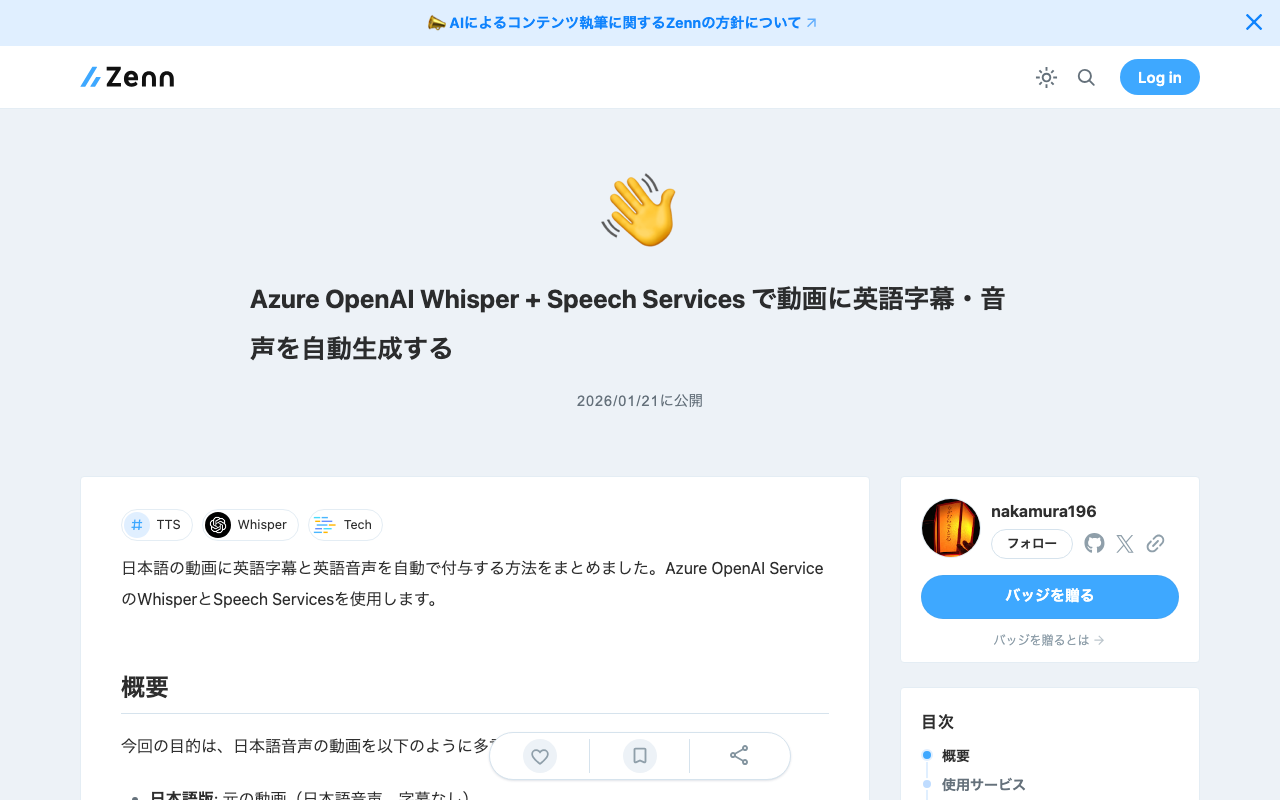
I have summarized how to automatically add English subtitles and English audio to Japanese videos. This uses Azure OpenAI Service’s Whisper and Speech Services. Overview The goal this time is to make a Japanese audio video multilingual as follows: Japanese version: Original video (Japanese audio, no subtitles) English version: English audio + English subtitles Services Used Service Purpose Azure OpenAI Service (Whisper) Translation from Japanese audio to English text Azure Speech Services (TTS) Synthesis from English text to English audio FFmpeg Audio extraction and video merging Procedure 1. Environment Setup Required Tools # Install FFmpeg (macOS) brew install ffmpeg # Python libraries pip install python-dotenv requests Azure Configuration (.env) AZURE_OPENAI_ENDPOINT=https://xxxxx.openai.azure.com AZURE_OPENAI_API_KEY=your-api-key AZURE_OPENAI_DEPLOYMENT_NAME=whisper AZURE_OPENAI_API_VERSION=2024-06-01 2. Extract Audio from Video Since the Azure Whisper API has a 25MB file size limit, the audio is compressed and extracted. ...

Introduction to Dataspaces with Eclipse EDC - Experiencing Data Exchange Flows in a Local Environment

Introduction to Dataspaces with Eclipse EDC - Experiencing Data Exchange Flows in a Local Environment

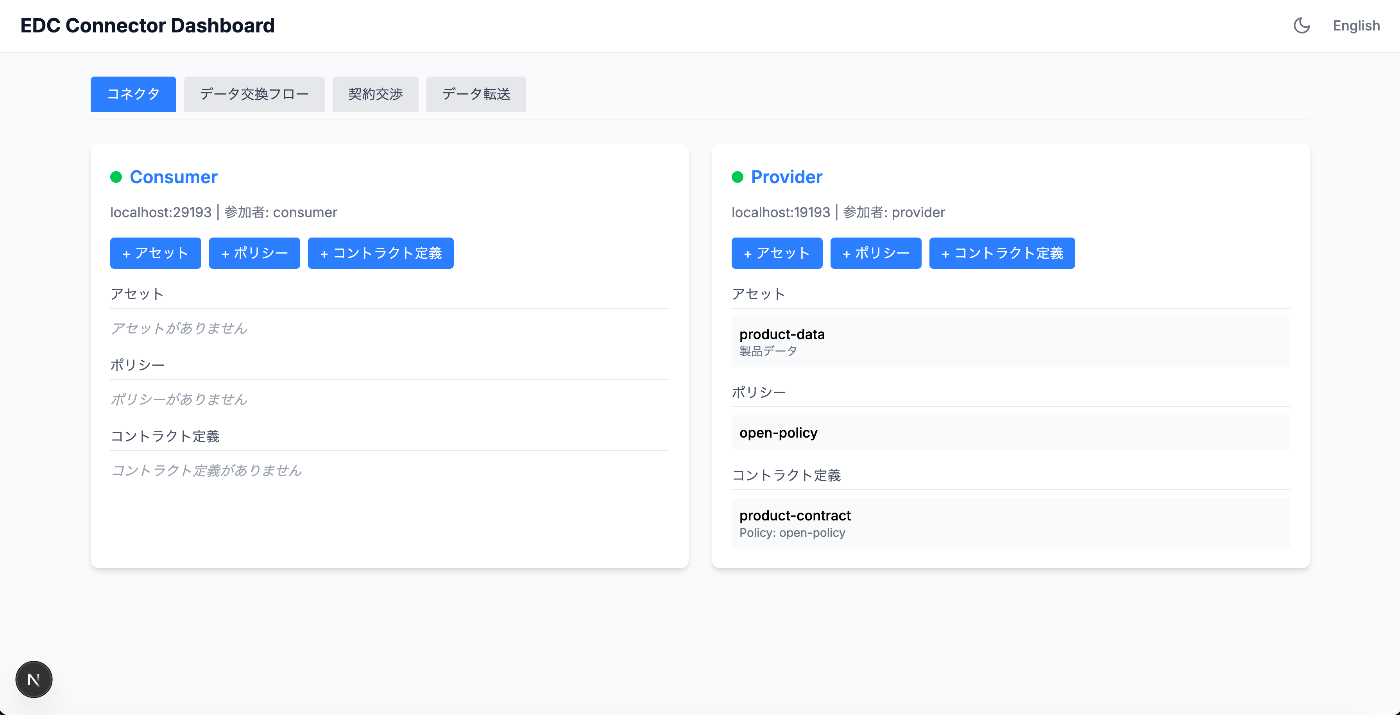
Overview In recent years, the importance of data sharing and distribution between organizations has been growing. However, simply exposing APIs makes it difficult to control “who” can access “which data” under “what conditions.” Dataspaces are a concept designed to solve this challenge. They provide a mechanism for data owners to maintain sovereignty while securely sharing data with trusted parties. This article uses Eclipse EDC (Eclipse Dataspace Components), a dataspace implementation framework, to experience data exchange flows in a local environment. ...

How to Use @elastic/react-search-ui with React 19 + Next.js 15.5

How to Use @elastic/react-search-ui with React 19 + Next.js 15.5

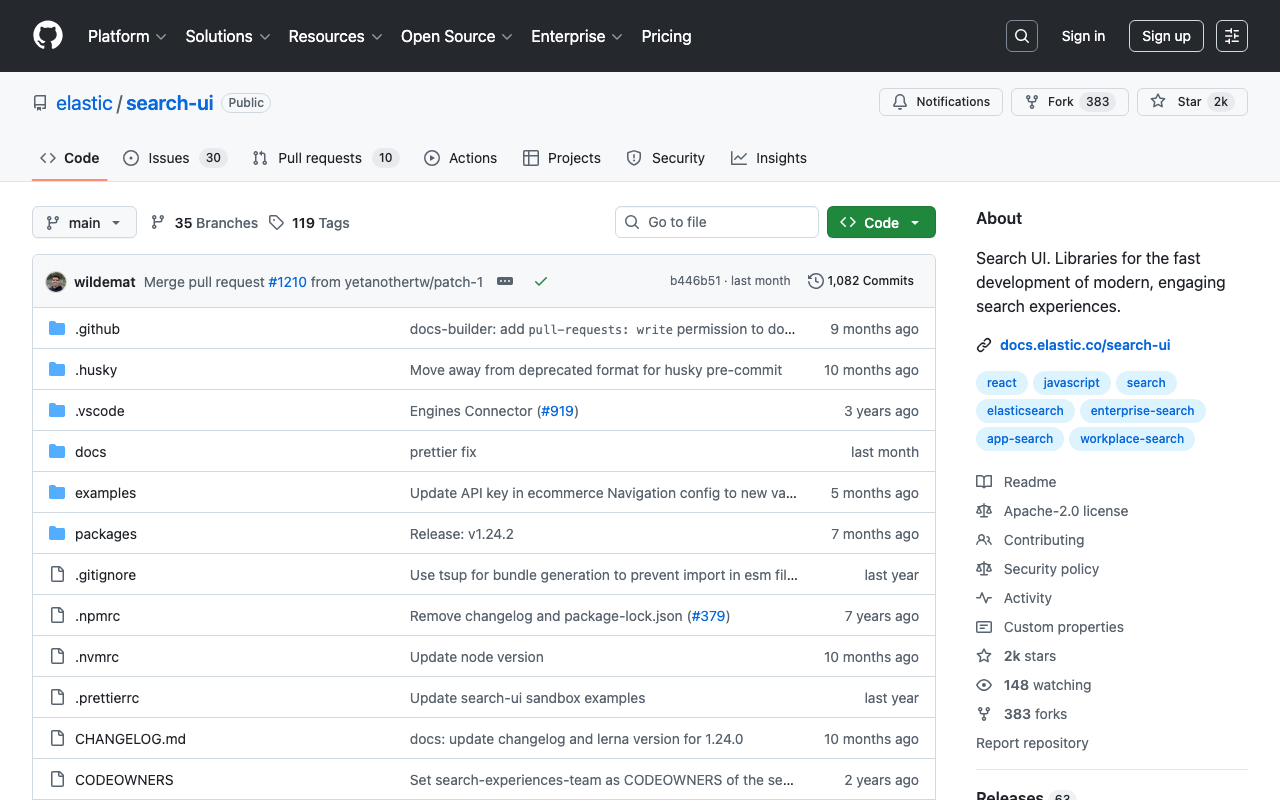
Introduction When trying to use @elastic/react-search-ui in a project using React 19 and Next.js 15, you may encounter the following dependency error: npm error ERESOLVE could not resolve npm error peer react@">= 16.8.0 < 19" from @elastic/react-search-ui@1.23.1 This article explains the cause of this problem and the solution in detail. Cause of the Problem The peer dependency of @elastic/react-search-ui@1.23.1 was set to react@">= 16.8.0 < 19", which did not support React 19. ...

Draco Compression of GLB Files - 87% Size Reduction and Impact on Precision

Draco Compression of GLB Files - 87% Size Reduction and Impact on Precision

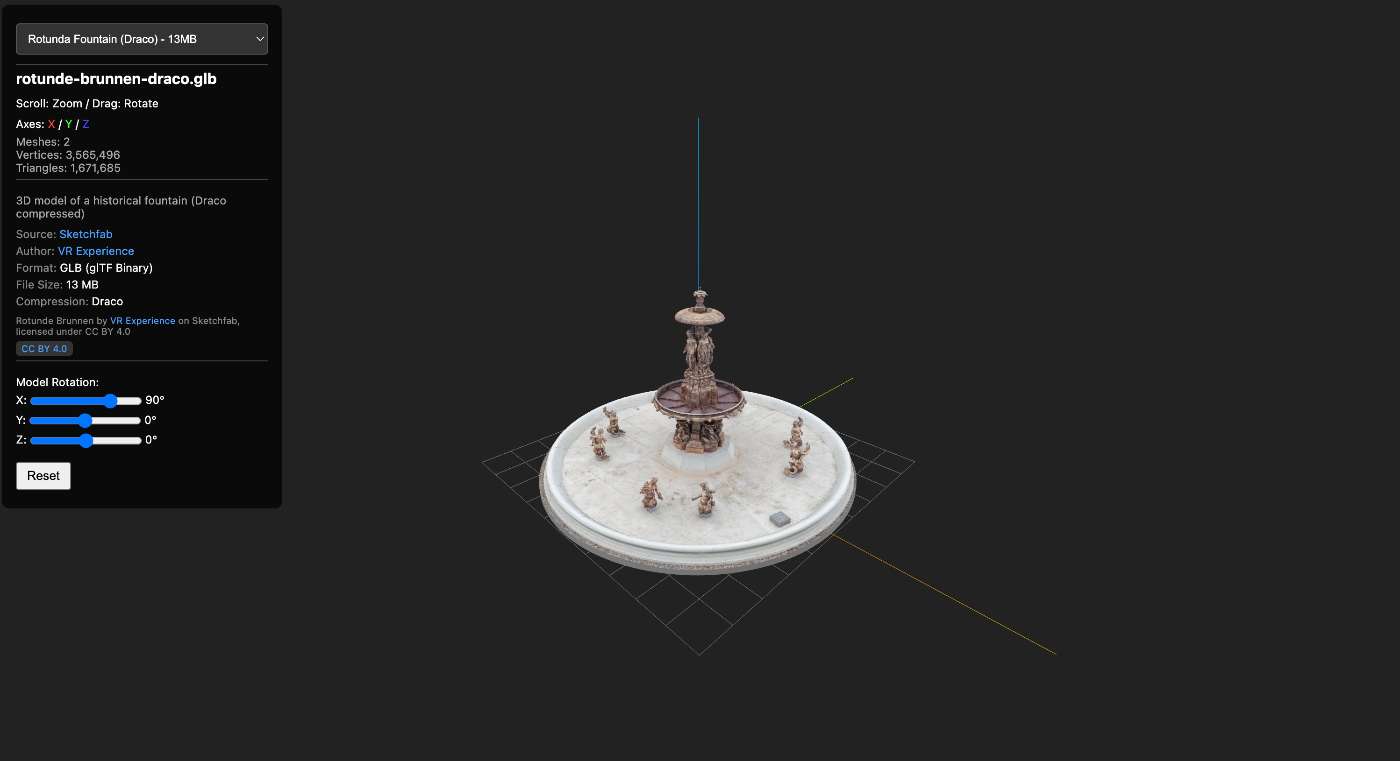
When delivering 3D models on the web, file size is a critical concern. This article describes a case where Draco compression was used to reduce a GLB file by 87%, along with precautions during compression (particularly regarding UV coordinates). https://3dtiles-viewer.vercel.app/glb-viewer.html Data Used Model: Rotunde Brunnen (a rotunda with a fountain) Source: Sketchfab Format: GLB (glTF 2.0 Binary) What is Draco Compression? Draco is an open-source 3D mesh compression library developed by Google. It is supported as a standard extension in glTF 2.0 as KHR_draco_mesh_compression. ...

Displaying Over 3 Million Point Cloud Data Points Smoothly in a Browser - Building a Potree LOD Viewer

Displaying Over 3 Million Point Cloud Data Points Smoothly in a Browser - Building a Potree LOD Viewer

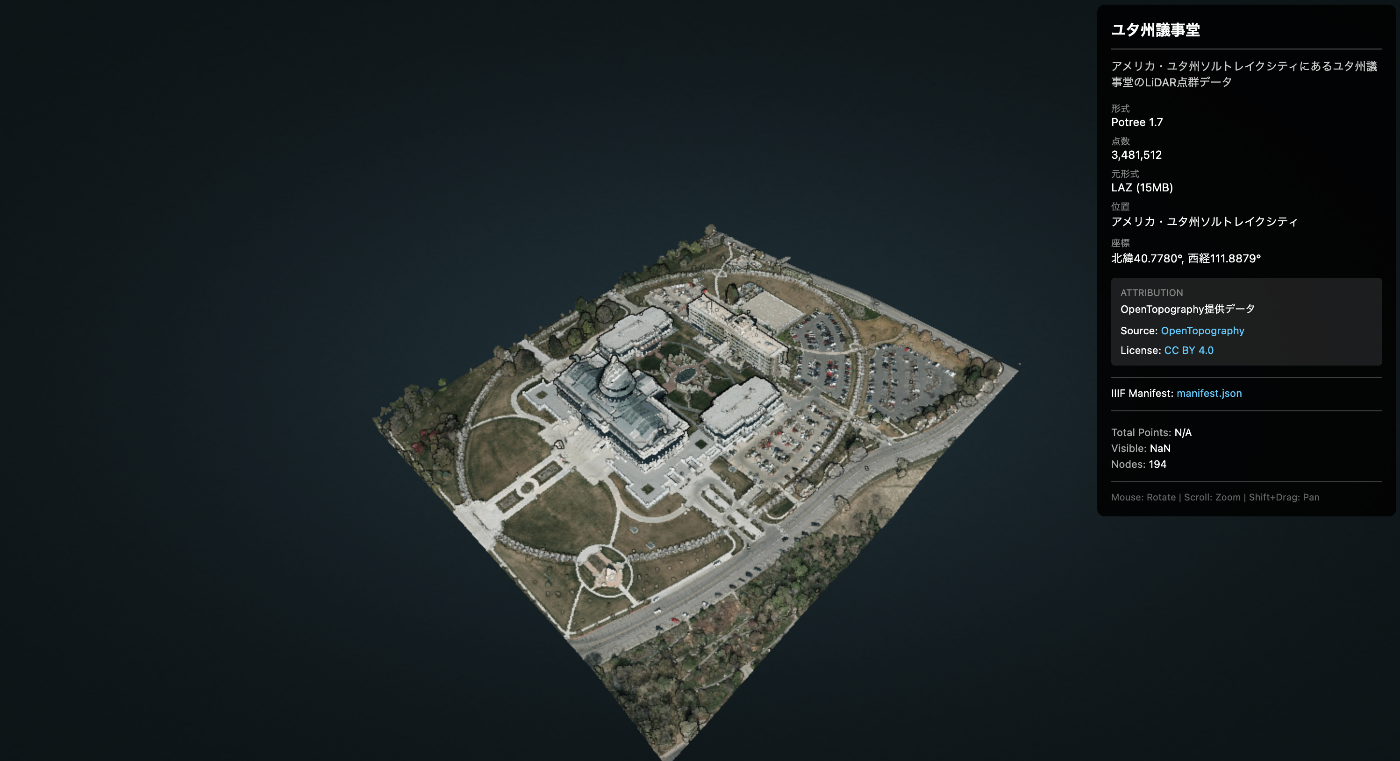
When trying to display large-scale point cloud data (LiDAR/LAZ) in a web browser, the browser may crash due to insufficient memory. This article introduces how to display millions of points without stress using Potree’s LOD (Level of Detail) technology. https://3dtiles-viewer.vercel.app/potree-lod-viewer.html Data Used Data Name: Utah State Capitol Source: OpenTopography Download URL: https://object.cloud.sdsc.edu/v1/AUTH_opentopography/www/education/MatlabTopo/Utah_state_capitol.laz File Size: 15MB (LAZ compressed) Point Count: 3,481,512 points Location: Salt Lake City, Utah, USA Challenge Trying to load this data directly with Three.js or similar libraries may cause the browser to freeze. ...

Record of Migrating mirador-annotations to Mirador 4.x

Record of Migrating mirador-annotations to Mirador 4.x

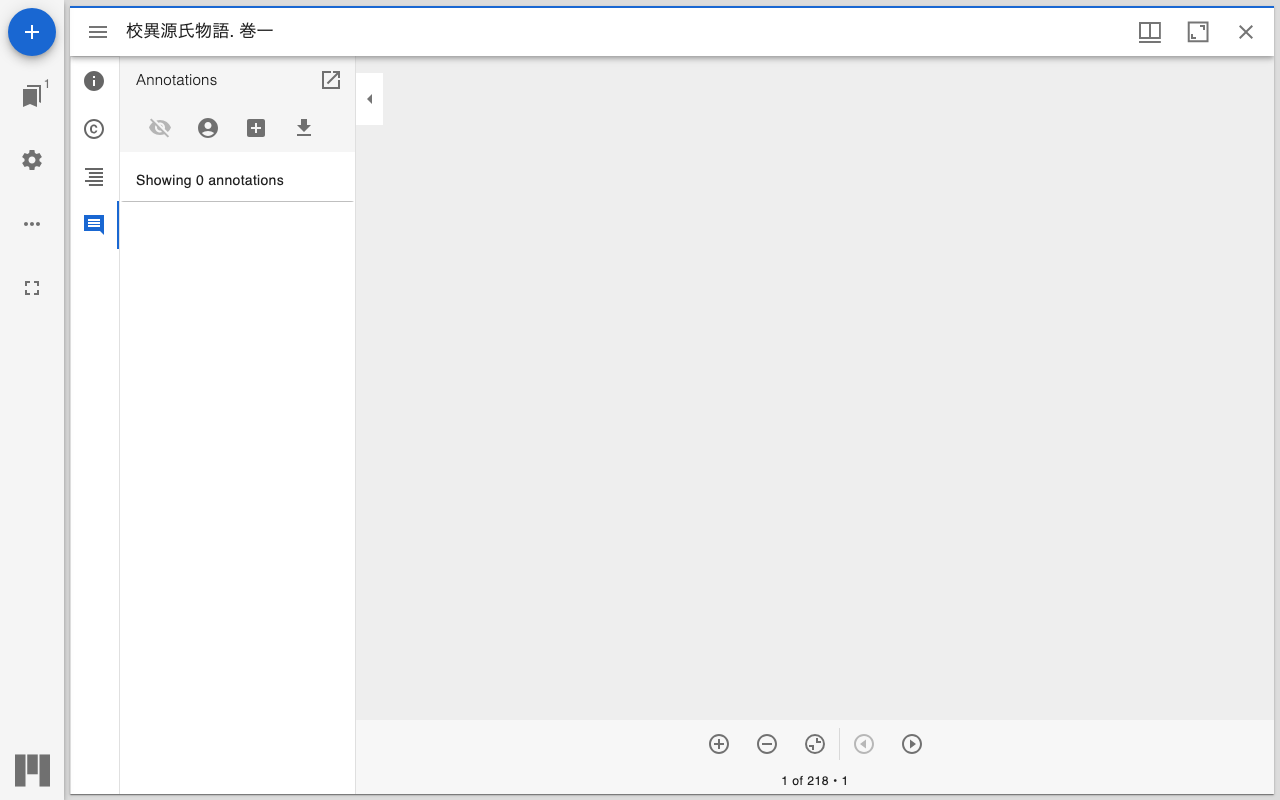
Background mirador-annotations is a plugin that adds annotation functionality to the IIIF viewer Mirador. The previous project configuration was as follows: Build tool: nwb (Create React App based) UI library: Material-UI v4 Mirador: 3.x React: 17.x However, the following issues had arisen: nwb maintenance discontinued - nwb had not been updated for a long time, and dependency conflicts occurred frequently npm install failures - Old dependencies made setup in new environments difficult Security vulnerabilities - Numerous vulnerability warnings from outdated packages To resolve these issues, we decided to migrate to: ...

mirador-rotation-plugin Feature Enhancements

mirador-rotation-plugin Feature Enhancements

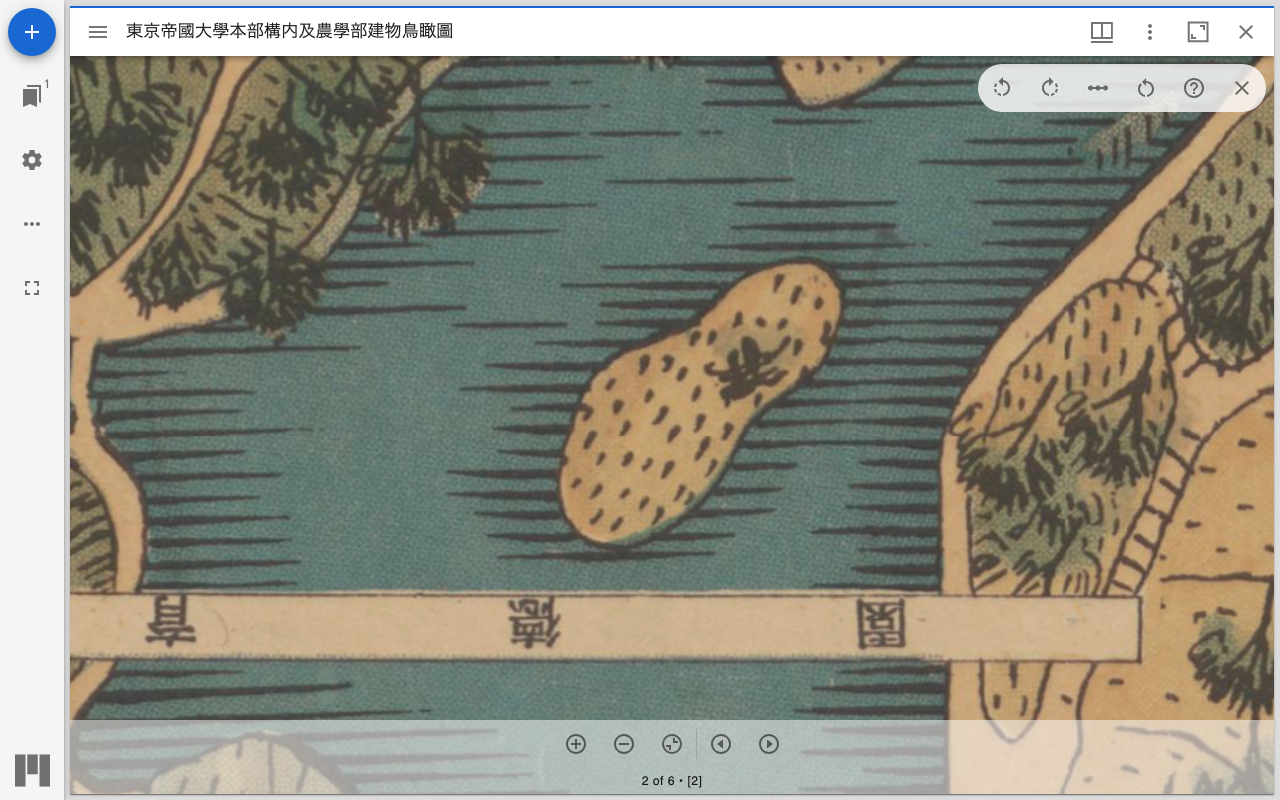
Overview The following features have been added to mirador-rotation-plugin: 90-degree rotation buttons Manifest and rotation angle specification via URL parameters UI improvements (reset button icon change) Help feature (dialog explaining how to use) New Feature Details 1. 90-Degree Rotation Buttons Previously only a 1-degree increment slider was available, but buttons for quick 90-degree rotation have been added. Implementation Details The following changes were made to src/plugins/MiradorRotation.js: import RotateLeftIcon from '@mui/icons-material/RotateLeft'; import RotateRightIcon from '@mui/icons-material/RotateRight'; // 90度回転のハンドラー const handleRotate90 = (direction) => { const newRotation = rotation + (direction * 90); updateViewport(windowId, { rotation: newRotation }); }; Two buttons were added to the UI: ...

Integrating Next.js + next-auth with GakuNin RDM via OAuth2

Integrating Next.js + next-auth with GakuNin RDM via OAuth2

Introduction This article explains how to integrate the research data management platform “GakuNin RDM” with a Next.js application using OAuth2. Since GakuNin RDM provides an API compatible with OSF (Open Science Framework), implementation can be based on the OSF OAuth2 flow. This article provides a detailed explanation of the implementation using next-auth and the pitfall of automatic access token refresh. What is GakuNin RDM? GakuNin RDM (Research Data Management) is a research data management service provided by the National Institute of Informatics (NII). ...

[AWS Amplify] Pitfalls When Setting Up Custom Domains with Sakura Internet Domains

[AWS Amplify] Pitfalls When Setting Up Custom Domains with Sakura Internet Domains

Introduction When I tried to set up a subdomain managed by Sakura Internet for an app hosted on AWS Amplify, I encountered an issue where it was stuck at “Verifying domain ownership…” and would not proceed. The cause was a specification unique to Sakura’s DNS. I hope this is helpful for those experiencing the same issue. Environment AWS Amplify Hosting Sakura Internet Domain Control Panel Name servers: ns1.dns.ne.jp / ns2.dns.ne.jp Symptoms After setting the CNAME records as instructed by Amplify’s custom domain setup screen, the status remained at “Verifying domain ownership…” indefinitely. ...

Dydra JSON-LD Serialization Behavior and Workaround

Dydra JSON-LD Serialization Behavior and Workaround

Overview Dydra is an excellent cloud-based RDF triple store, but in some cases its JSON-LD serialization may produce output that differs from expectations. This blog post explains the observed behavior and the workaround we implemented. Observed Behavior Expected Output In the JSON-LD specification, URI references are commonly output in object form as follows: { "@id": "https://example.com/item/1", "@type": ["prov:Entity"], "prov:wasAttributedTo": { "@id": "https://sepolia.etherscan.io/address/0x1234..." }, "prov:wasGeneratedBy": { "@id": "https://sepolia.etherscan.io/tx/0xabcd..." } } Output Observed in Dydra In Dydra’s JSON-LD endpoint, some URI references were observed to be output as plain strings: ...

How to Navigate to the Detail Page of a File Uploaded via the GakuNin RDM Waterbutler API

How to Navigate to the Detail Page of a File Uploaded via the GakuNin RDM Waterbutler API

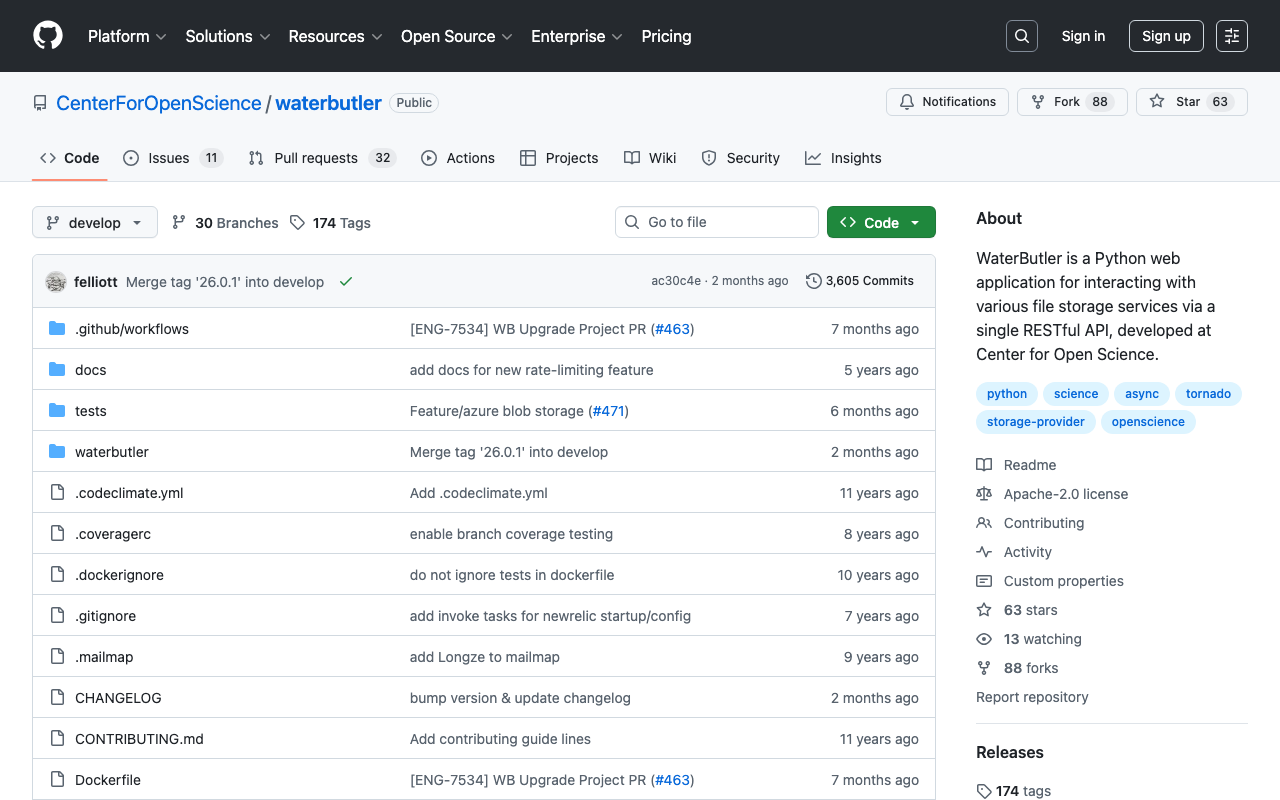
What is the Waterbutler API Waterbutler is a file storage abstraction layer developed by the Center for Open Science (COS). It is used in OSF (Open Science Framework) and GakuNin RDM, providing a unified API for file operations across various storage providers (OSF Storage, Amazon S3, Google Drive, Dropbox, etc.). Main Features File upload and download File/folder creation, deletion, move, and copy Metadata retrieval Endpoints GakuNin RDM: https://files.rdm.nii.ac.jp/v1 OSF: https://files.osf.io/v1 Reference Links Waterbutler GitHub OSF API Documentation Problem After uploading a file using the GakuNin RDM Waterbutler API, there are cases where you want to navigate directly to the file’s detail page. ...

Pinata V3 API Group Feature Implementation Guide

Pinata V3 API Group Feature Implementation Guide

This article summarizes the pitfalls and solutions when using the group feature with Pinata’s Files API v3. Background There are cases where you want to manage files uploaded to Pinata by groups and retrieve only files belonging to a specific group. For example, storing input images used in an NFT registration form in an “input” group and allowing image selection only from that group. Pitfalls 1. Legacy API and V3 API File Management Are Separate Problem: Files uploaded with the legacy API (pinFileToIPFS) cannot be retrieved with the V3 API (/v3/files). The reverse is also true. ...