Home Articles Books Search About
日本語

Latest Articles

Bringing a Specified Marker to the Front in nuxt3-leaflet

Bringing a Specified Marker to the Front in nuxt3-leaflet

Overview This is a memo on how to bring a specified marker to the front in nuxt3-leaflet. Method By using the z-index-offset attribute on LMarker as shown below, I was able to bring a specified marker to the front. <template v-for="marker in markers"> <LMarker @click="selectMarker(marker)" :lat-lng="[marker.lat, marker.lng]" :z-index-offset="selectedSpotId === marker.id ? 1000 : 0" > <LTooltip> {{ marker.title }} </LTooltip> <LIcon :iconUrl="marker.icon" :iconSize="[25, 41]" :iconAnchor="[12, 41]" :popupAnchor="[1, -34]" :tooltipAnchor="[16, -28]" shadowUrl="https://esm.sh/leaflet@1.9.2/dist/images/marker-shadow.png" :shadowSize="[41, 41]" :shadowAnchor="[12, 41]" ></LIcon> </LMarker> </template> Summary I hope this is helpful when using nuxt3-leaflet. ...

LEAF Writer: Adding Mirador

LEAF Writer: Adding Mirador

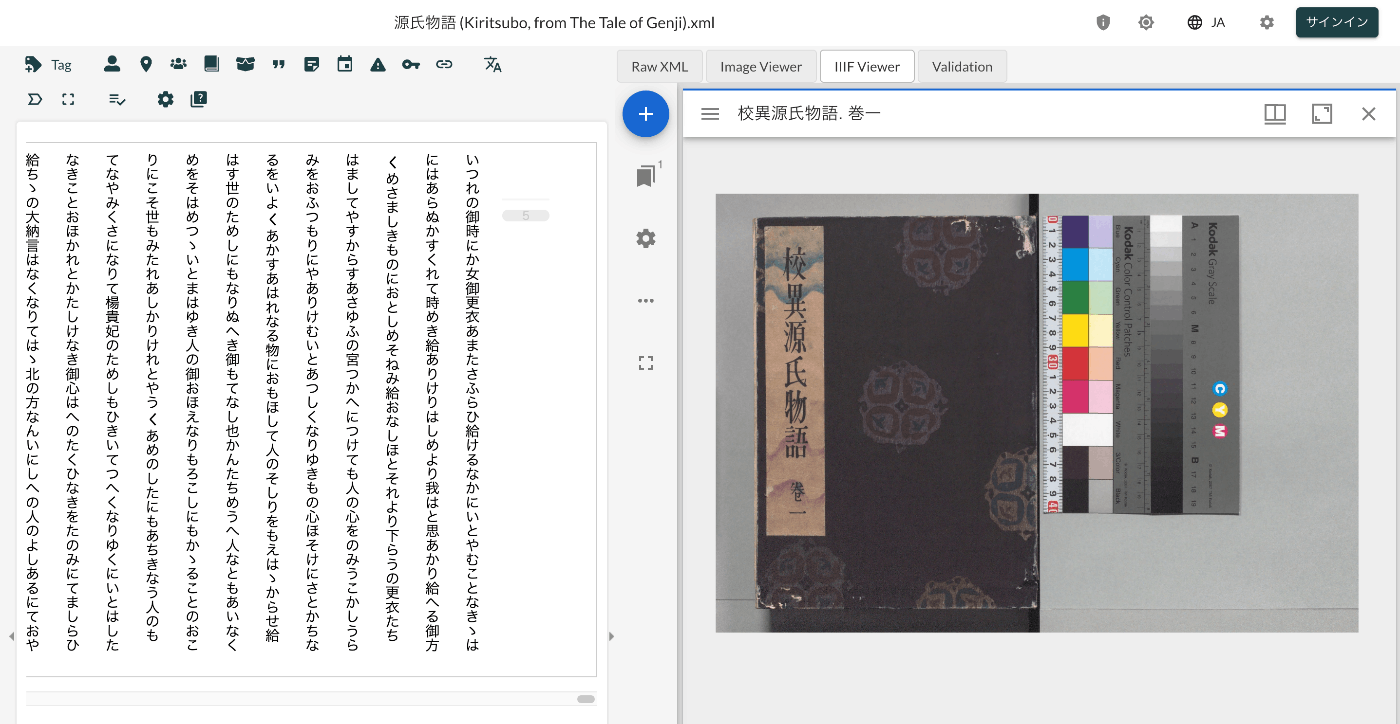
Overview This is a record of investigating how to customize LEAF Writer. https://gitlab.com/calincs/cwrc/leaf-writer/leaf-writer This time, we add Mirador as shown below. Method Please refer to the following. https://gitlab.com/nakamura196/leaf-writer/-/commit/377438739cdeb0a7b770ee9d4b9fea86081179d8 The file that needs to be modified is as follows. import $ from 'jquery'; import 'jquery-ui'; import Writer from '../../../Writer'; // @ts-ignore import Mirador from 'mirador'; interface IiifViewerProps { attribute?: string; parentId: string; tag?: string; writer: Writer; } class IiifViewer { readonly writer: Writer; readonly id: string; readonly tagName: string; readonly attrName: string; // eslint-disable-next-line @typescript-eslint/no-explicit-any, @typescript-eslint/no-redundant-type-constituents miradorInstance: any | null; $pageBreaks: unknown; currentIndex = -1; ignoreScroll = false; constructor({ attribute, parentId, tag, writer }: IiifViewerProps) { this.writer = writer; this.id = `${parentId}_iiifViewer`; this.tagName = tag ?? 'pb'; // page break element name this.attrName = attribute ?? 'facs'; // attribute that stores the image URL $(`#${parentId}`).append(` <div id="${this.id}" style="position: absolute; top: 0; bottom: 0; left: 0; right: 0"></div> `); this.writer.event('loadingDocument').subscribe(() => this.reset()); this.writer.event('documentLoaded').subscribe((success: boolean, body: HTMLElement) => { console.log('documentLoaded', success, body); if (!success) return; this.processDocument(body); }); this.writer.event('writerInitialized').subscribe(() => { if (!this.writer.editor) return; }); } private processDocument(doc: HTMLElement) { // (doc).find const $facsimile = $(doc).find(`*[_tag="facsimile"]`); const manifestUri = $facsimile.attr('sameas'); const config = { id: this.id, windows: [ { loadedManifest: manifestUri, }, ], window: { sideBarOpen: false, }, }; // eslint-disable-next-line @typescript-eslint/no-unsafe-assignment, @typescript-eslint/no-unsafe-call, @typescript-eslint/no-unsafe-member-access this.miradorInstance = Mirador.viewer(config); } reset() { this.$pageBreaks = null; this.currentIndex = -1; } } export default IiifViewer; The following section retrieves information from <facsimile sameAs="https://dl.ndl.go.jp/api/iiif/3437686/manifest.json">. ...

Bug in Omeka S IIIF Server Module [3.6.19, 3.6.20]

Bug in Omeka S IIIF Server Module [3.6.19, 3.6.20]

Overview A bug has been confirmed in versions 3.6.19 and 3.6.20 of the Omeka S IIIF Server module where URIs are malformed. Specifically, the FQDN becomes incorrect, like the following. https://xxx.yyy.zzz.jp//aaa.bbb.ccc.jp/iiif/3/1234/manifest Workaround As of the time of writing this article, version 3.6.21 has not been released, so I recommend using version 3.6.18 or earlier of the module. Summary I hope this serves as a useful reference.

A Library for Creating RDF Files from VSDX Files

A Library for Creating RDF Files from VSDX Files

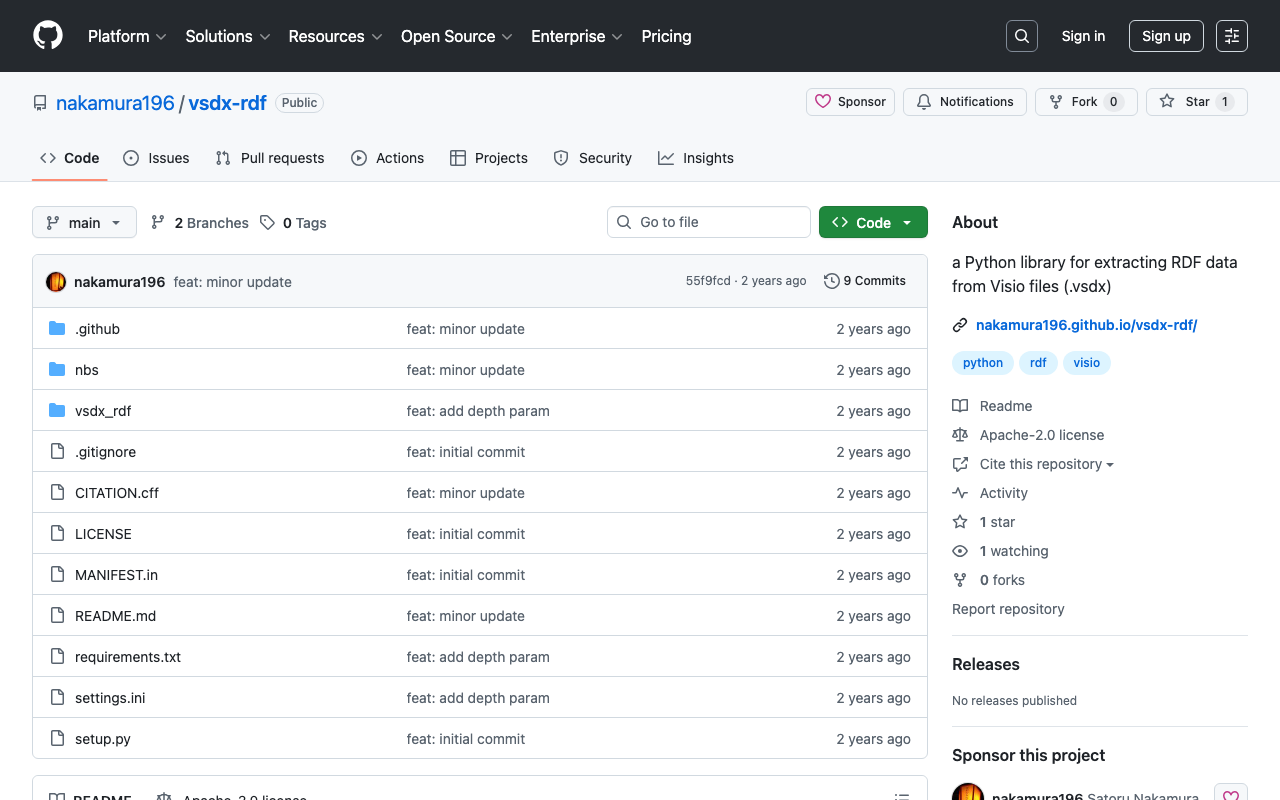
Overview This is a memo about a library I created for generating RDF files from VSDX files. https://github.com/nakamura196/vsdx-rdf Background I have been exploring methods for creating RDF data using Microsoft Visio in articles like the following. This article corresponds to the note in the above article that said “This library will be introduced in a separate article.” Usage Please refer to the following. https://nakamura196.github.io/vsdx-rdf/ Google Colab A notebook is available for trying out this library. ...

Handling concurrent.futures.process.BrokenProcessPool

Handling concurrent.futures.process.BrokenProcessPool

Overview When running nbdev_prepare with nbdev, the following error occurred. concurrent.futures.process.BrokenProcessPool: A process in the process pool was terminated abruptly while the future was running or pending. Solution Running the following command beforehand resolved the error. export OBJC_DISABLE_INITIALIZE_FORK_SAFETY=YES Summary I hope this is helpful for anyone experiencing the same issue.

Using Node.js to Validate JSON:API Compliance

Using Node.js to Validate JSON:API Compliance

Overview This is a note about using the following repository to validate JSON:API compliance. https://github.com/elliotttf/jsonapi-validator At the time of writing this article, it appears to have not been updated for 7 years, so it may not support the latest schemas, but I was able to perform simple validation. Usage I prepared the following repository to try the library above. https://github.com/nakamura196/jsonapi-validator-demo Installation This assumes the use of nvm, but it is not required. ...

Trying Out virtual-museum-tour-threejs

Trying Out virtual-museum-tour-threejs

Overview I had the opportunity to try out the following repository, so this is a memo of my experience. https://github.com/theringsofsaturn/virtual-museum-tour-threejs A tutorial video was also available at the following link. https://www.youtube.com/watch?v=8oQC0ICNtL0 Fork I forked the repository, made some modifications, and made the build results available on GitHub Pages. https://nakamura196.github.io/virtual-museum-tour-threejs/ Summary This should be a useful reference for developing apps with Three.js.

Fetching All Records from an OAI-PMH Repository Using Python

Fetching All Records from an OAI-PMH Repository Using Python

Here is a script for fetching all records from an OAI-PMH repository using Python. I hope it serves as a useful reference. import requests from requests import Request import xml.etree.ElementTree as ET # Define the endpoint base_url = 'https://curation.library.t.u-tokyo.ac.jp/oai' # Initial OAI-PMH request params = { 'verb': 'ListRecords', 'metadataPrefix': 'curation', 'set': '97590' } response = requests.get(base_url, params=params) # Prepare the initial request req = Request('GET', base_url,params=params) prepared_req = req.prepare() print("Sending request to:", prepared_req.url) # Output the URL root = ET.fromstring(response.content) data = [] # Fetch all data while True: # Process records for record in root.findall('.//{http://www.openarchives.org/OAI/2.0/}record'): identifier = record.find('.//{http://www.openarchives.org/OAI/2.0/}identifier').text print(f'Record ID: {identifier}') # Other data can be processed here as well data.append(record) # Get resumptionToken and execute next request token_element = root.find('.//{http://www.openarchives.org/OAI/2.0/}resumptionToken') if token_element is None or not token_element.text: break # End loop if no token params = { 'verb': 'ListRecords', 'resumptionToken': token_element.text } response = requests.get(base_url, params=params) root = ET.fromstring(response.content) print("All records have been fetched.") print(len(data))

Retrieving the URL of Site Pages Where Items Are Published in the Omeka S OaiPmh Repository Module

Retrieving the URL of Site Pages Where Items Are Published in the Omeka S OaiPmh Repository Module

Overview This is a personal note on how to retrieve the URL of site pages where items are published in the Omeka S OaiPmh Repository module. Background The following article introduces how to create custom vocabularies using OaiPmhRepository. https://nakamura196.hatenablog.com/entry/2021/07/25/222651 Please refer to it as well. Retrieving the URL of Site Pages Where Items Are Published Before Fix In a certain customization case, the site page URL was retrieved as follows. This does not work properly when something other than dcterms:identifier is configured in the Clean URL module. Additionally, hardcoded paths like /s/db/record/ can be seen. ...

Bulk Deleting Multiple Content Items Using the Drupal REST API

Bulk Deleting Multiple Content Items Using the Drupal REST API

Overview I had the opportunity to bulk delete multiple content items using the Drupal REST API, so this is a memo of the process. References For a method to bulk delete content without using the REST API, please refer to the following. Preparation First, enable the HTTP Basic Authentication module and the JSON:API module. Additionally, enable DELETE in REST resources. /admin/config/services/rest Execution Example The following custom library is used. ...

Adding Images to IIIF Manifest Files for Audio Materials

Adding Images to IIIF Manifest Files for Audio Materials

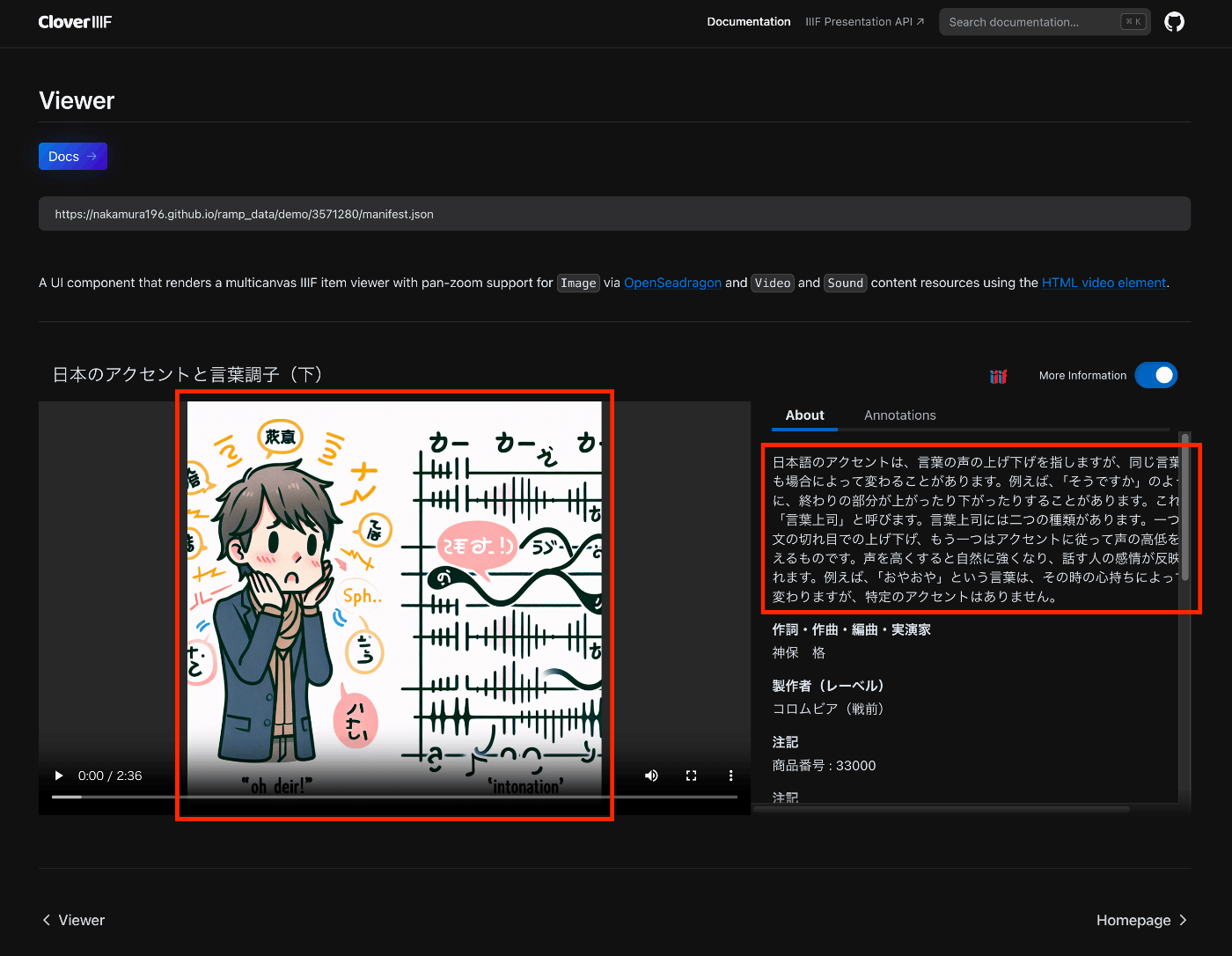
Overview This is a note on trying out the Audio Presentation with Accompanying Image recipe. https://iiif.io/api/cookbook/recipe/0014-accompanyingcanvas/ The following is an example displayed in Clover, where the configured image appears in the player. https://samvera-labs.github.io/clover-iiif/docs/viewer/demo?iiif-content=https://nakamura196.github.io/ramp_data/demo/3571280/manifest.json Manifest File Description An example is stored at the following location. https://github.com/nakamura196/ramp_data/blob/main/docs/demo/3571280/manifest.json Specifically, it was necessary to add an accompanyingCanvas to the Canvas as follows. { "id": "https://nakamura196.github.io/ramp_data/demo/3571280/canvas", "type": "Canvas", "duration": 156.07999999999998, "accompanyingCanvas": { "id": "https://nakamura196.github.io/ramp_data/demo/3571280/canvas/accompanying", "type": "Canvas", "height": 1024, "width": 1024, "items": [ { "id": "https://nakamura196.github.io/ramp_data/demo/3571280/canvas/accompanying/annotation/page", "type": "AnnotationPage", "items": [ { "id": "https://nakamura196.github.io/ramp_data/demo/3571280/canvas/accompanying/annotation/image", "type": "Annotation", "motivation": "painting", "body": { "id": "https://nakamura196.github.io/ramp_data/demo/3571280/3571280_summary_image.jpg", "type": "Image", "height": 1024, "width": 1024, "format": "image/jpeg" }, "target": "https://nakamura196.github.io/ramp_data/demo/3571280/canvas/accompanying/annotation/page" } ] } ] }, It may be a bit hard to follow, but here is the code example using iiif_prezi3. The accompanyingCanvas is created via create_accompanying_canvas() and associated with the canvas. ...

IIIF Audio/Visual: Describing Multiple VTT Files

IIIF Audio/Visual: Describing Multiple VTT Files

Overview This is a note on how to describe multiple VTT files for Audio/Visual materials using IIIF. Here, we describe transcription text in both Japanese and English as shown below. https://ramp.avalonmediasystem.org/?iiif-content=https://nakamura196.github.io/ramp_data/demo/3571280/manifest.json Manifest File Description An example is stored at the following location. https://github.com/nakamura196/ramp_data/blob/main/docs/demo/3571280/manifest.json Please also refer to the following article. Specifically, by describing them as multiple annotations as shown below, they were correctly processed by the Ramp viewer. ...

App Development Using Zotero's API and Streamlit

App Development Using Zotero's API and Streamlit

Overview I prototyped an app using Zotero’s API and Streamlit. https://nakamura196-zotero.streamlit.app/ This article is a memo on developing this app. Streamlit The following article was very helpful. https://qiita.com/sypn/items/80962d84126be4092d3c Zotero’s API Zotero’s API is described at the following page. https://www.zotero.org/support/dev/web_api/v3/start This time, I used the following library introduced on the above page. https://github.com/urschrei/pyzotero To use the API, you need to obtain a personal library ID and an API key, which could be obtained by following the Quickstart steps in the README. ...

Displaying Audio Files with Subtitles in an IIIF Viewer

Displaying Audio Files with Subtitles in an IIIF Viewer

Overview I had the opportunity to display audio files with subtitles in an IIIF viewer, so this is a memo. The target is “Accents and Intonation of the Japanese Language (Part 2)” published in the National Diet Library Historical Sound Archive. OpenAI’s Speech to text was used. Please note that the transcription results may contain errors. The following is a display example in Ramp. https://ramp.avalonmediasystem.org/?iiif-content=https://nakamura196.github.io/ramp_data/demo/3571280/manifest.json The following is a display example in Clover. ...

Uploading Multiple Files to mdx.jp Object Storage

Uploading Multiple Files to mdx.jp Object Storage

Overview This is a personal note on how to upload multiple files to mdx.jp object storage. It references the following video. https://youtu.be/IN_4NS9hO2Y Preparation Working on macOS. brew install s3cmd Configuration (please refer to the video for details.) s3cmd --configure Batch Registration (Sync) The following syncs files in the local rekion folder to s3://rekion/iiif/. s3cmd sync docs/rekion/ s3://rekion/iiif/ --exclude '.DS_Store' Reference find . -name '.DS_Store' -type f -delete Batch ACL Change s3cmd setacl s3://rekion/iiif/ --acl-public --recursive Note (CORS Permission) I prepared the following XML file and attempted to enable CORS. ...

Converting Audio Published on the NDL Historical Sound Archive to mp4

Converting Audio Published on the NDL Historical Sound Archive to mp4

Overview I had an opportunity to convert audio published on the National Diet Library Historical Sound Archive (hereinafter “Rekion”) to mp4, so here are my notes. Format Provided by Rekion Rekion provides files in m3u8 format. For example, let’s check the following: “Lecture: Union of Morality and Economy (Part 1).” https://rekion.dl.ndl.go.jp/pid/3574643 By checking with developer tools, you can confirm that it is accessible from the following URL. https://rekion.dl.ndl.go.jp/contents/3574643/83389ec6-2b45-4fdd-88d6-89628841039f/317d6ab4-32ec-4085-88e6-cfe36ffd34c3/317d6ab4-32ec-4085-88e6-cfe36ffd34c3_hls.m3u8 The IDs that make up this URL can be found in the response from the following API. ...

Customizing Ramp

Customizing Ramp

Overview This is a memo on how to customize Ramp. As a result of customization, the UI is partially localized to Japanese, with the media player and metadata/transcription displayed side by side. Additionally, the query parameter t can be used to specify the playback start time for audio. For example, playback starting from the 140-second mark can be accessed from the following URL. https://ramp-iiif.vercel.app/?iiif-content=https://nakamura196.github.io/ramp_data/demo/3571280/manifest.json&t=140 Below is the pre-customization state. ...

Running Ramp Locally

Running Ramp Locally

Overview This is a memo on running Ramp locally. Background Ramp is described as follows. Interactive, IIIF powered audio/video media player React components library. The source code is available on the following GitHub repository. https://github.com/samvera-labs/ramp Starting Up It can be started with the following commands. git clone https://github.com/samvera-labs/ramp pnpm i pnpm demo Details are described here. https://github.com/samvera-labs/ramp?tab=readme-ov-file#styleguidist-development Note that the following command will display the style guide page instead. ...

Trying the Mirador 3 Annotations Plugin with an IIIF Manifest Specified via URL Parameters

Trying the Mirador 3 Annotations Plugin with an IIIF Manifest Specified via URL Parameters

Overview I prepared a demo page where you can try the Mirador 3 annotations plugin with an IIIF manifest specified via URL parameters. https://mirador-annotations.vercel.app/ By using the iiif-content or manifest parameter, you can target a specified IIIF manifest. https://mirador-annotations.vercel.app/?iiif-content=https://dl.ndl.go.jp/api/iiif/1301543/manifest.json This article is a memo about creating this demo page. Background There is an annotation plugin for Mirador 3 called mirador-annotations. https://github.com/ProjectMirador/mirador-annotations I introduced usage examples in the following article. A demo page is already available at the following link, but it does not provide the ability to specify an IIIF manifest file via URL parameters. ...

Delivering IIIF Images Using mdx.jp Object Storage and Cantaloupe Image Server

Delivering IIIF Images Using mdx.jp Object Storage and Cantaloupe Image Server

Overview This is a personal note on how to deliver IIIF images using mdx.jp object storage and Cantaloupe Image Server, one of the IIIF image servers. Background In the following article, I introduced how to deliver images using mdx.jp object storage. In the following article, I introduced how to deliver images stored in Amazon S3 using Cantaloupe Image Server. By combining these approaches, we aim to address the cost challenges of IIIF image delivery in digital archives. ...