Home Articles Books Search About
日本語

Latest Articles

Prototyping a Digital Cultural Heritage Management System Using Blockchain and Pinata IPFS

Prototyping a Digital Cultural Heritage Management System Using Blockchain and Pinata IPFS

Notice: 2025-06-14 The development progress is summarized at the following link. https://zenn.dev/nakamura196/books/41693d2d017082 Overview As part of learning blockchain technology, I created a prototype management system for digital cultural heritage. Since the purpose is learning blockchain, there are many missing features, but I plan to add and improve them in the future. https://digital-heritage-five.vercel.app/ Technologies Used The Ethereum Sepolia network is used. Since the purpose is blockchain learning and prototype development, a test network is used. Pinata is used as the hosting service for the distributed file storage IPFS. https://pinata.cloud/ ...
Part 2: Creating Annotated IIIF Manifest Files and TEI/XML Files Using NDL Classical Book OCR-Lite

Part 2: Creating Annotated IIIF Manifest Files and TEI/XML Files Using NDL Classical Book OCR-Lite

Overview In the following article, I introduced how to create annotated IIIF manifest files and TEI/XML files using NDL Classical Book OCR-Lite. Since the explanation above was insufficient in many areas, I will re-introduce how to use it. Supplement Along with writing this article, the following improvements were made. Process 1: Creating IIIF Manifest Files Added support for IIIF Presentation API v3. Process 2: Creating TEI/XML Files Added a form that accepts string input, considering the connection with Process 1. Usage Process 1: Creating IIIF Manifest Files Access the following. ...

Describing Hierarchical Table of Contents with Omeka S IIIF Server Module

Describing Hierarchical Table of Contents with Omeka S IIIF Server Module

Overview This article introduces how to describe a hierarchical table of contents using the Omeka S IIIF Server module. Documentation The documentation is somewhat complex, but explanations are available at: https://github.com/Daniel-KM/Omeka-S-module-IiifServer?tab=readme-ov-file#input-format-of-the-property-for-structures-table-of-contents Simple Table of Contents The following example from “Toyo Bunko Media Repository” is used: https://app.toyobunko-lab.jp/s/main/document/9f9d95c2-d33d-7402-742b-47db12748688 Specify {Range ID},{Range name},{Canvas index} as follows: r1,延享、寛延、宝暦,1 r2,明和,25 r3,安永一,55 r4,安永二,79 r5,天明一,110 r6,天明二,142 r7,寛政一,177 r8,寛政二,218 r9,享和,255 r10,文化一,279 r11,文化、文政、二,313 This results in the following table of contents display: ...

Registering Resources (Items and Images) in Omeka S Using an MCP Server

Registering Resources (Items and Images) in Omeka S Using an MCP Server

Overview As part of learning about MCP servers, I created an MCP server that registers resources (items and images) in Omeka S. https://github.com/nakamura196/omeka-s-mcp-sample Related Articles I referenced the following articles. https://zenn.dev/himara2/articles/14eb2260c4f0e4 https://zenn.dev/meson_tech_blog/articles/simple-mcp-server Setup I will leave the details of how to use the MCP server with Claude Desktop to other articles. Add configuration like the following. { "mcpServers": { ... "omeka": { "command": "python", "args": [ "<absolute_path>/omeka_s_mcp_sample/server/omeka_server.py" ], "env": { "OMEKA_API_URL": "<Omeka S URL>/api", "OMEKA_KEY_IDENTITY": "<OMEKA_KEY_IDENTITY>", "OMEKA_KEY_CREDENTIAL": "<OMEKA_KEY_CREDENTIAL>" } }, ... } } As a result, the tools are registered as shown below. ...

Applying Filters to created and changed Fields in Drupal's JSON:API

Applying Filters to created and changed Fields in Drupal's JSON:API

Overview This is a memo on how to apply filters to created and changed fields in Drupal’s JSON:API. Background The following was used as a reference. https://www.drupal.org/docs/core-modules-and-themes/core-modules/jsonapi-module/filtering For example, when trying to filter only items updated on or after June 2, the following query did not work correctly. ?filter[a-label][condition][path]=changed&filter[a-label][condition][operator]=%3E%3D&filter[a-label][condition][value]=2025-06-02 Correct Method The following article was helpful. https://www.reddit.com/r/drupal/comments/1bdvu61/json_api_drupal_filter_on_date/ Note that timestamp fields (like created or changed) currently must use a timestamp for filtering: ...

DTS Viewer Update: Pagination Support

DTS Viewer Update: Pagination Support

Overview This is a note about adding pagination support to the DTS (Distributed Text Services) viewer. https://dts-viewer.vercel.app/ja/ Background When providing a large number of resources through DTS, it appears that the view property is used to present pagination information, as shown below. https://distributed-text-services.github.io/specifications/versions/unstable/#collection-endpoint { "@context": "https://distributed-text-services.github.io/specifications/context/1-alpha1.json", "dtsVersion": "1-alpha", "@id" : "lettres_de_poilus", "@type" : "Collection", "collection": "/api/dts/collection/{?id,page,nav}", "totalParents": 1, "totalChildren": 10000, "title": "Lettres de Poilus", "dublinCore": { "publisher": ["École Nationale des Chartes", "https://viaf.org/viaf/167874585"], "title": [ {"lang": "fr", "value" : "Lettres de Poilus"} ] }, "member": [ "..." ], "view": { "@id": "/api/dts/collection/?id=lettres_de_poilus&page=19", "@type": "Pagination", "first": "/api/dts/collection/?id=lettres_de_poilus&page=1", "previous": "/api/dts/collection/?id=lettres_de_poilus&page=18", "next": "/api/dts/collection/?id=lettres_de_poilus&page=20", "last": "/api/dts/collection/?id=lettres_de_poilus&page=500" } } I updated the DTS Viewer to support the view property described above. ...

Using Pagination in IIIF Collections with IIIF Presentation API v2

Using Pagination in IIIF Collections with IIIF Presentation API v2

Overview I had the opportunity to use pagination in IIIF collections with IIIF Presentation API v2, so this is a memo of the process. Background IIIF collections allow you to provide a list of multiple manifest files (and collections) as shown below. https://iiif.io/api/presentation/2.1/#collection { "@context": "http://iiif.io/api/presentation/2/context.json", "@id": "http://example.org/iiif/collection/top", "@type": "sc:Collection", "label": "Top Level Collection for Example Organization", "viewingHint": "top", "description": "Description of Collection", "attribution": "Provided by Example Organization", "manifests": [ { "@id": "http://example.org/iiif/book1/manifest", "@type": "sc:Manifest", "label": "Book 1" } ] } When the number of target manifest files becomes large, it becomes difficult to deliver them in a single IIIF collection. ...

How to Allow Non-Admin Users to Access Configuration Pages in Drupal

How to Allow Non-Admin Users to Access Configuration Pages in Drupal

Parts of this article were generated by AI. Overview When creating configuration pages for custom modules in Drupal, you may want to allow non-admin users to access them. This article explains how to solve this issue, using the GitHub Webhook module as an example. The Problem Initially, the routing configuration was as follows: # github_webhook.routing.yml github_webhook.settings: path: '/admin/config/github_webhook' defaults: _form: '\Drupal\github_webhook\Form\SettingsForm' _title: 'GitHub Webhook Settings' requirements: _permission: 'administer site configuration' With this configuration, only administrators with the administer site configuration permission could access the page, and general users could not. ...

Creating Annotated IIIF Manifest Files and TEI/XML Files Using NDL Klasseki OCR-Lite

Creating Annotated IIIF Manifest Files and TEI/XML Files Using NDL Klasseki OCR-Lite

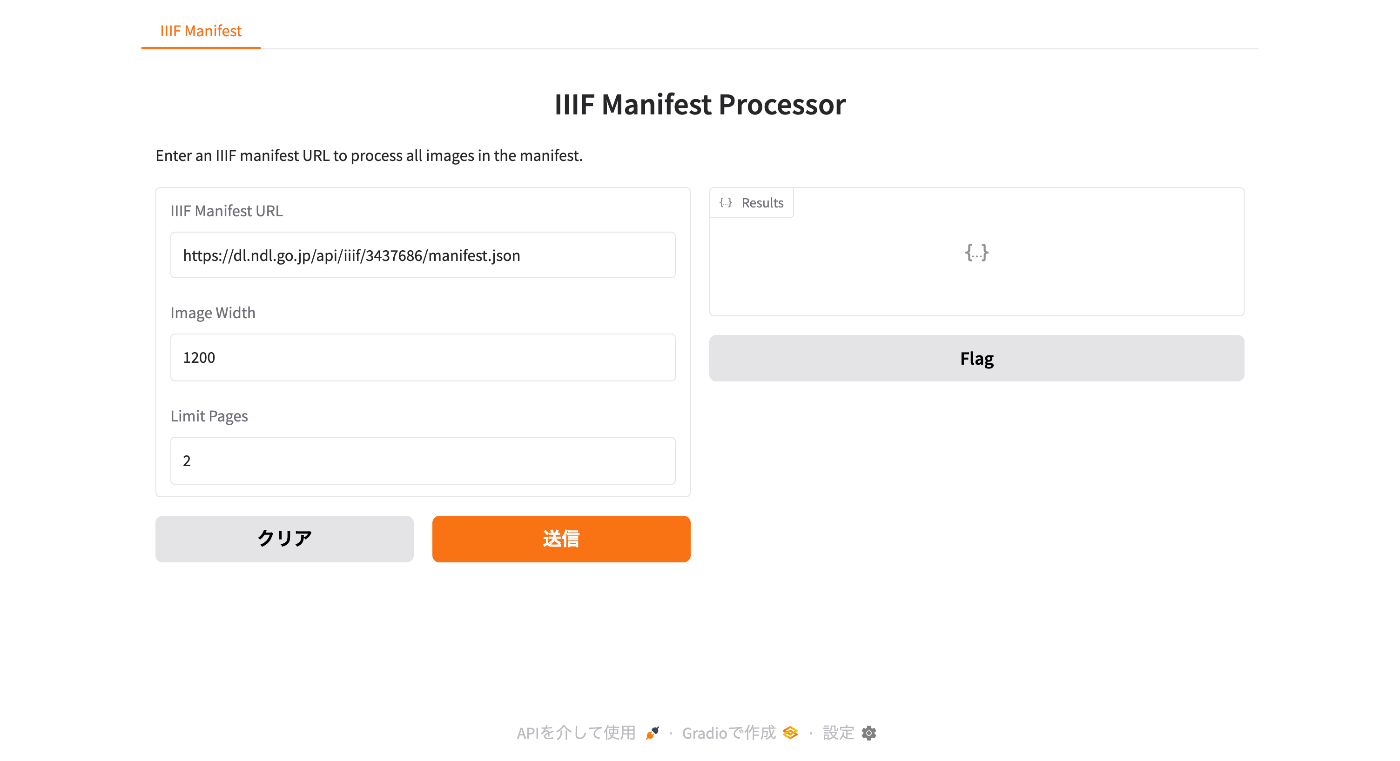
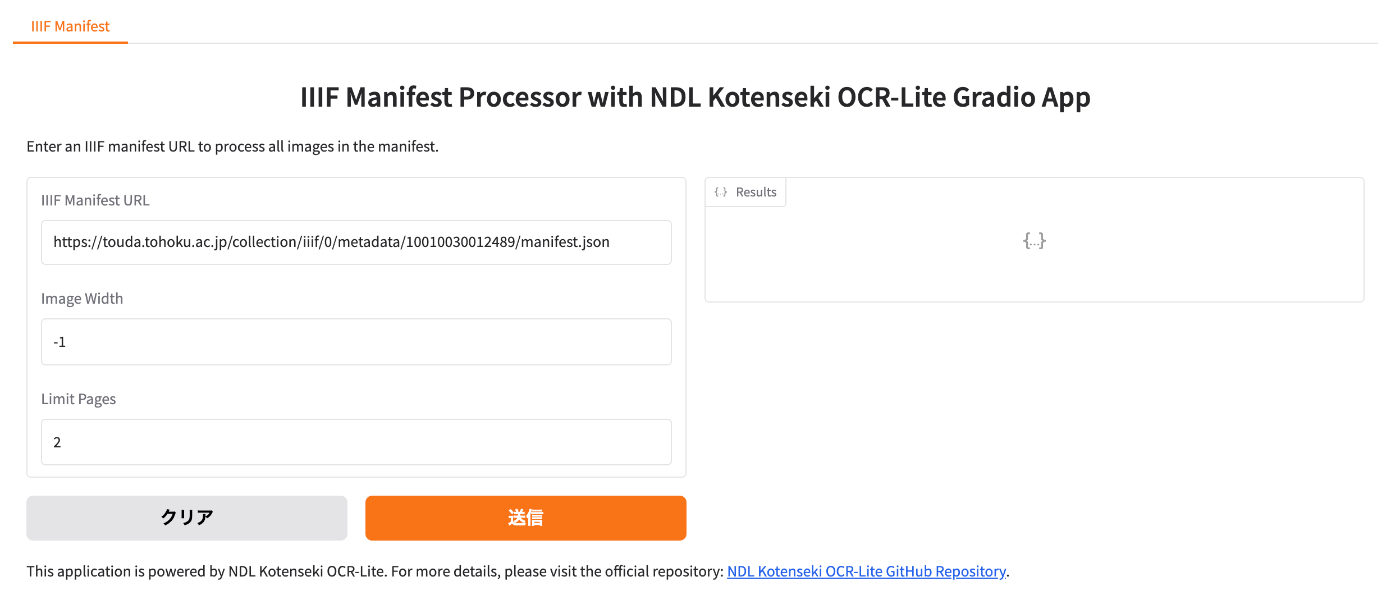
Notice I have created a more accessible article explaining the workflow introduced in this article. Please also refer to the following. Overview I would like to introduce a prototype tool for creating annotated IIIF manifest files and TEI/XML files using NDL Klasseki OCR-Lite. Creating Annotated IIIF Manifest Files First, I created a Gradio app that takes an IIIF manifest file as input and outputs an annotated IIIF manifest file using NDL Klasseki OCR-Lite. It is published using Hugging Face Spaces. ...

Creating a CSV File Containing a List of Image URLs from a IIIF Manifest File

Creating a CSV File Containing a List of Image URLs from a IIIF Manifest File

Overview This is a note about creating an app that generates a CSV file containing a list of image URLs from a IIIF manifest file. You can access it from the following. https://iiif-demo-next.vercel.app/csv-converter Usage We will use “Koigenshimonogatari, Volume 1” from the National Diet Library collection as the target. https://dl.ndl.go.jp/api/iiif/3437686/manifest.json Enter the manifest file URL in the form below and press the “Download CSV” button. As a result, a CSV file containing URL and size information is downloaded as follows. ...

Using the JSON Field Module to Handle JSON Format Fields in Drupal

Using the JSON Field Module to Handle JSON Format Fields in Drupal

Overview I had the opportunity to use the “JSON Field” module for handling JSON format fields in Drupal, so this is a personal note for future reference. https://www.drupal.org/project/json_field As a result, JSON can now be handled together with an editor as shown below. Installation Download it with the following commands. composer require 'drupal/json_field:^1.4' drush en json_field Furthermore, enable the widget as well with the following. drush en json_field_widget If enabling from the GUI, enable the following two modules. ...

Hosting TEI/XML Files on S3-Compatible Object Storage

Hosting TEI/XML Files on S3-Compatible Object Storage

Overview This is a memo about hosting TEI/XML files on S3-compatible object storage. Specifically, we target the mdx I object storage. https://mdx.jp/mdx1/p/about/system Background We are building a web application (Next.js) that loads TEI/XML files and visualizes their content. When the number and size of files were small, they were stored in the public folder, but as these grew larger, we considered hosting them elsewhere. There are many options for storage locations, but this time we target mdx I’s S3-compatible object storage. ...

Updating the DTS (Distributed Text Services) API for the Koui Genji Monogatari Text DB

Updating the DTS (Distributed Text Services) API for the Koui Genji Monogatari Text DB

Overview This is a memo about updating the DTS (Distributed Text Services) API for the Koui Genji Monogatari Text DB. Background The DTS (Distributed Text Services) API is described at the following link. https://distributed-text-services.github.io/specifications/ The following article introduced the creation of the DTS API. However, the following was noted as a remaining issue. Please note that the DTS API developed this time may have areas that do not comply with the above guidelines. ...

Investigating and Resolving Disk Pressure Caused by Docker [Ubuntu 22.04 Case Study]

Investigating and Resolving Disk Pressure Caused by Docker [Ubuntu 22.04 Case Study]

Introduction This article documents a case where Elasticsearch errors occurred due to disk pressure caused by Docker containers and images, along with the investigation and resolution methods. We hope this serves as a useful reference for those facing similar issues. The Problem The following error occurred in a running Elasticsearch instance: { "error": { "type": "search_phase_execution_exception", "reason": "all shards failed", "phase": "query", ... }, "status": 503 } Initial investigation revealed that indices had entered a close state, and insufficient disk space was suspected. ...

Improvements to the Polygon Annotation Support Tool for IIIF Images

Improvements to the Polygon Annotation Support Tool for IIIF Images

Overview I made improvements to “IIIF Annotator,” a polygon annotation support tool for IIIF images. Specifically, I worked on the following three points: Support for manifest files that do not use an Image Server Export function for IIIF manifest files with annotations Export function for TEI/XML files The following sections explain these improvements. Background The following article explained the reasons for creating a new annotation tool. The features added this time are also available in other tools, but were implemented for improved convenience. ...

Developing a DTS (Distributed Text Services) Viewer

Developing a DTS (Distributed Text Services) Viewer

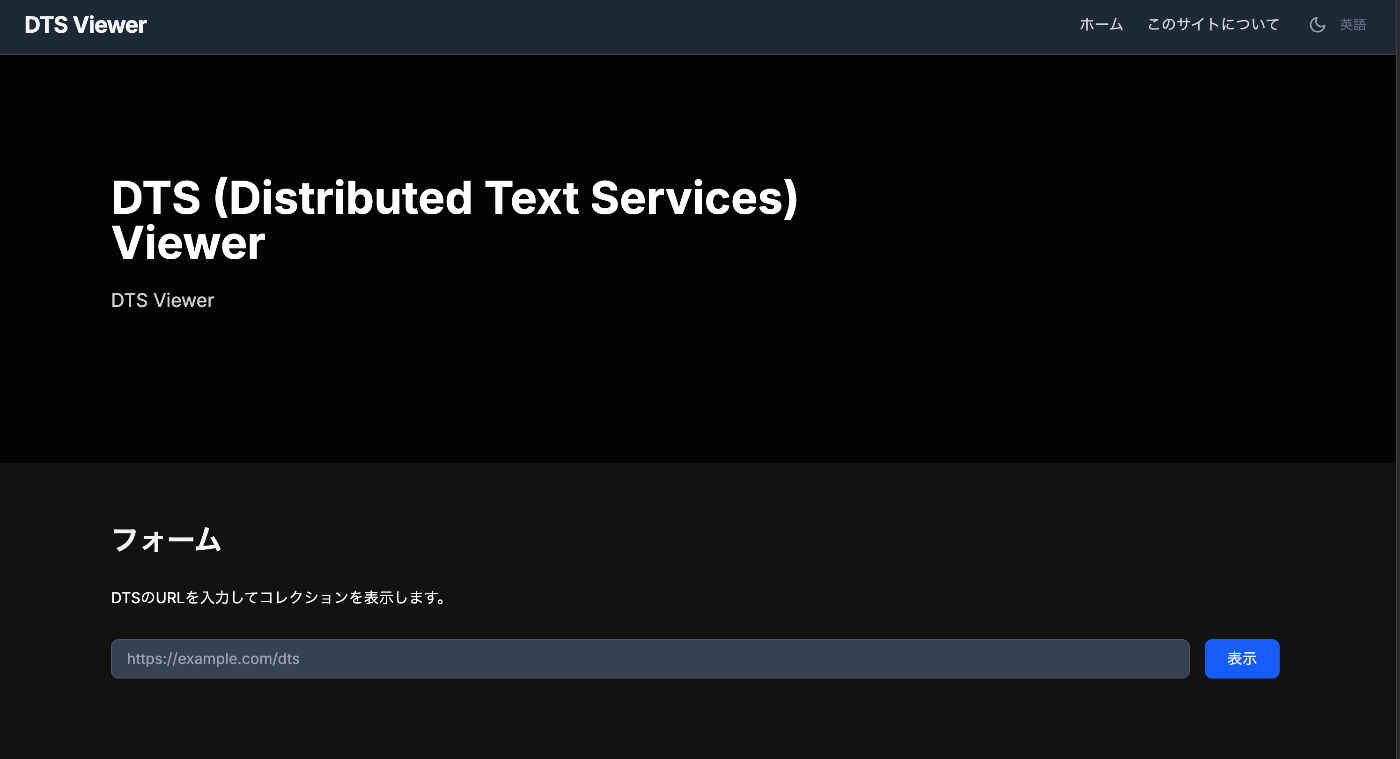
Overview I developed a viewer for DTS (Distributed Text Services), so this is a memo of the process. You can try it at the following URL. https://dts-viewer.vercel.app/ja/ Background The official page for DTS (Distributed Text Services) is below. https://distributed-text-services.github.io/specifications/ I also covered this in the following article. This time, I developed a viewer that partially conforms to this DTS specification. Usage The following is the top page. Enter the DTS URL in the form. Examples are provided at the bottom of the page. Technically, it uses the Entry point. ...

Creating Polylines Using the Polygon Tool in Annotorious v2

Creating Polylines Using the Polygon Tool in Annotorious v2

Overview This is a memo on how to create polylines using the polygon tool in Annotorious v2. Background The Annotorious v2 website is available at the following link. https://annotorious.github.io/getting-started/ As shown below, polygons can be drawn. However, a tool for drawing polylines in a similar manner did not appear to be provided, including the following plugin. https://github.com/annotorious/annotorious-v2-selector-pack Customization When a polygon like the following is created: The following JSON file is generated: ...

How to Specify Initial Sort Order in Elasticsearch Search UI

How to Specify Initial Sort Order in Elasticsearch Search UI

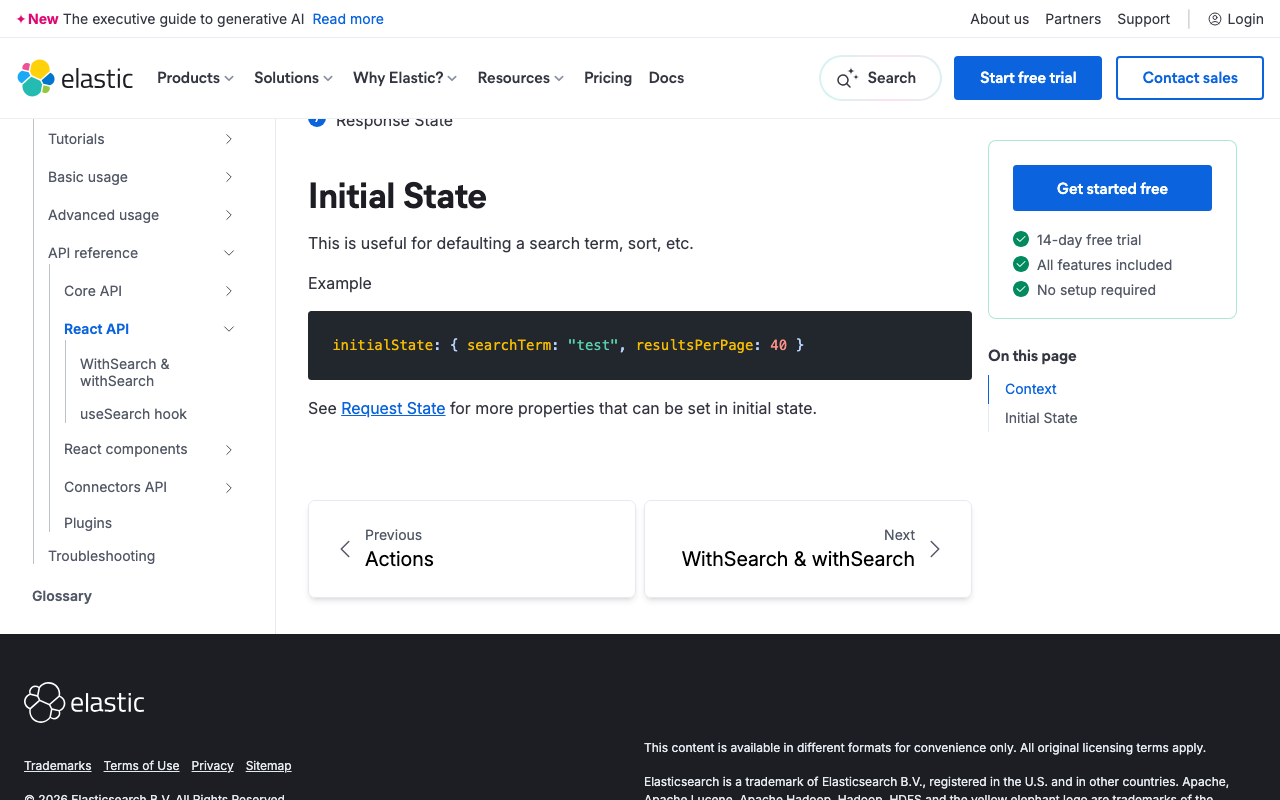
Overview This article was generated by AI. When building a search interface using Elasticsearch and Search UI, controlling the sort order of search results is a common requirement. This guide explains how to configure sorting in the Search UI React library. References https://www.elastic.co/docs/reference/search-ui/api-react-search-provider#api-react-search-provider-initial-state Understanding Initial State and Sort Configuration In the Search UI library, you can specify the initial state of the search, including the sort direction and the field to sort by. This is particularly useful when you want search results to be displayed in a predetermined order when the user first accesses the page. ...

Handling CORS for Express Deployed on Vercel Using vercel.json

Handling CORS for Express Deployed on Vercel Using vercel.json

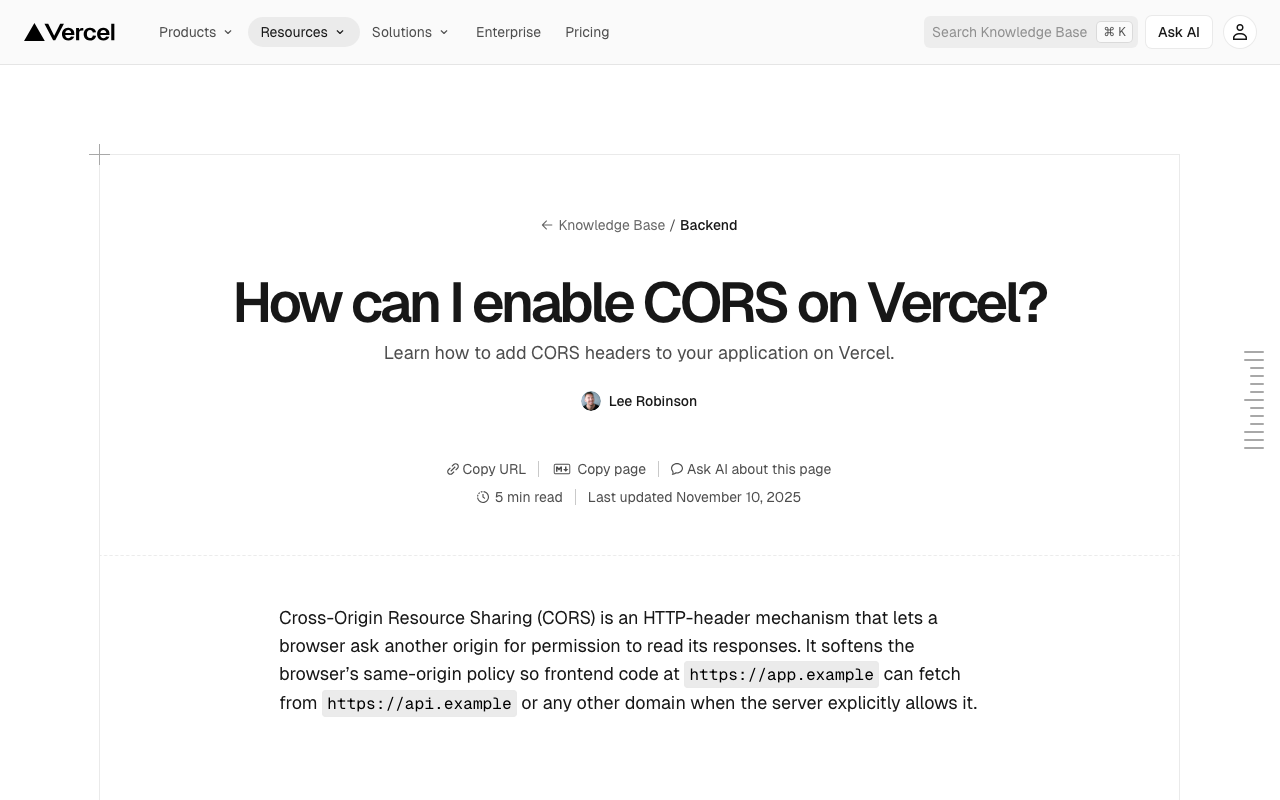
Overview This is a memo on how to handle CORS for Express deployed on Vercel using vercel.json. Background I implemented CORS handling for the program introduced in the following article. The following was used as a reference. https://vercel.com/guides/how-to-enable-cors Method The solution is as follows. While there may be other approaches, adding headers resolved the issue. https://github.com/nakamura196/dts-typescript/commit/4c28f66b2af68950656dcb812f3e941d1b9b5feb { "version": 2, "builds": [ { "src": "src/index.ts", "use": "@vercel/node" } ], "rewrites": [ { "source": "/api/dts(.*)", "destination": "/src/index.ts" } ], "redirects": [ { "source": "/", "destination": "/api/dts", "permanent": true } ], "headers": [ { "source": "/api/(.*)", "headers": [ { "key": "Access-Control-Allow-Credentials", "value": "true" }, { "key": "Access-Control-Allow-Origin", "value": "*" }, { "key": "Access-Control-Allow-Methods", "value": "GET,OPTIONS,PATCH,DELETE,POST,PUT" }, { "key": "Access-Control-Allow-Headers", "value": "X-CSRF-Token, X-Requested-With, Accept, Accept-Version, Content-Length, Content-MD5, Content-Type, Date, X-Api-Version" } ] } ] } Summary I hope this serves as a helpful reference. ...

Adding Normalization Rules in Archivematica's Preservation Planning

Adding Normalization Rules in Archivematica's Preservation Planning

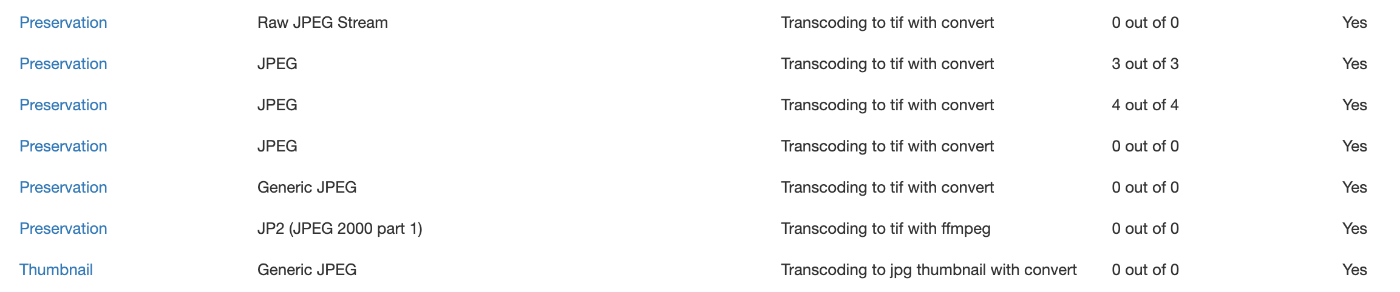
Overview This is a memo on how to add Normalization rules in Archivematica’s Preservation planning. Background When ingesting images with the .jpg extension into Archivematica, there were cases where tif files were not created for preservation, despite having a rule to create tif files for items with Format of JPEG as shown below. I checked the task details from the history screen shown below. The results were as follows. ...