Home Articles Books Search About
RSS 日本語
[Omeka S Module Development] Developed a Module to Add Various Export Links to the Item Detail Page

[Omeka S Module Development] Developed a Module to Add Various Export Links to the Item Detail Page

We developed a module that adds various export links to the item detail page. github.com By installing this module, export links like the following are displayed: Specifically, it adds export buttons for JSON-LD, text data, citation, and content sharing. The visibility of each can be configured from the following settings screen: By modifying the Omeka S theme to work with this module’s output, you can achieve buttons and functionality like the following example. (We plan to cover how to modify Omeka S themes in a separate article.) ...

[Omeka S Module Development] Developed a Module to Add IIIF Content Search API URIs to IIIF Manifests

[Omeka S Module Development] Developed a Module to Add IIIF Content Search API URIs to IIIF Manifests

Overview I developed an Omeka S module that adds IIIF Content Search API URIs to IIIF manifests. github.com By using the IIIF Content Search API, text search becomes possible in viewers such as Universal Viewer, as shown below. This module uses an IIIF Content Search API that is provided independently of Omeka S. Therefore, to use this module, you need to separately set up an environment that provides this API. While there remains the challenge of the cost of building this environment, I hope this is helpful for those who already have an IIIF Content Search API environment and are considering using it with Omeka S. ...

[Omeka S Module Info] Bug in the Clean Url Module and Temporary Fix

[Omeka S Module Info] Bug in the Clean Url Module and Temporary Fix

Bug We identified a bug where, after installing the Clean Url module on Omeka S3 and performing the initial configuration, the configured item identifiers were not displayed on the site’s item detail pages and elsewhere. Instead, the automatically assigned Omeka IDs were displayed as-is. Affected Versions OmekaS 3.1.1 CleanUrl 3.17.3.3 Temporary Fix On the settings screen shown below, first check the “Skip ’s/site-slug/’ for default site” checkbox and click “Submit” in the upper right corner. Then, uncheck “Skip ’s/site-slug/’ for default site” again and click “Submit” once more. After this operation, the property ID configured in “Property for identifier” was correctly displayed as the item identifier. ...

Released a Chrome Extension for Searching Japan Knowledge

Released a Chrome Extension for Searching Japan Knowledge

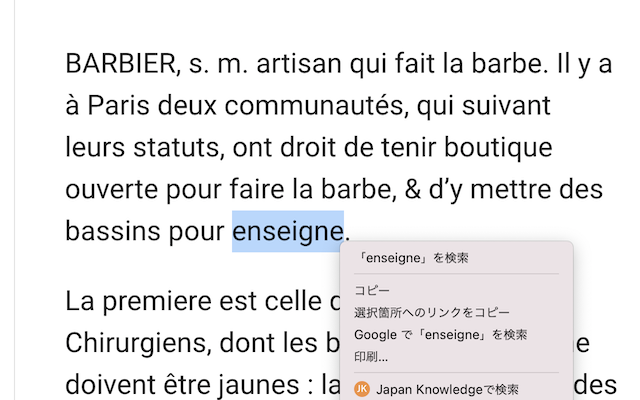
Overview I released a Chrome extension for searching Japan Knowledge. As shown below, it uses the selected text as a query and displays Japan Knowledge search results from the right-click context menu. This article explains how to use this extension. Installation Access the following page and click the “Add to Chrome” button. chrome.google.com Settings Enter the following URL in Chrome’s address bar to configure search settings. There are two input fields: “URL” and “Other queries.” ...

How to Enable Mirador 3 Image Tools (Image Rotation, etc.) by Default

How to Enable Mirador 3 Image Tools (Image Rotation, etc.) by Default

Overview This article explains how to enable image tools (such as image rotation) by default in Mirador 3. The default Mirador 3 does not include features that were available by default in Mirador 2, such as image rotation and adjustments for brightness, contrast, and saturation. To add these features, you need to install the image tools plugin: github.com Below, we explain how to install and configure the plugin. Installation In addition to the page above, the following repositories are helpful for installing the image tools plugin. ...

[Omeka S Module Introduction] IIIF-Compatible Viewers Available for Omeka S

[Omeka S Module Introduction] IIIF-Compatible Viewers Available for Omeka S

Overview This article summarizes the IIIF-compatible viewers available as Omeka S modules as of September 15, 2021. Viewer List Universal Viewer github.com Mirador github.com Diva IIIF Viewer github.com Summary You can see installation examples at the following page. We hope this serves as a useful reference for IIIF image delivery using Omeka S. diyhistory.org

[Feature Development] Added Table of Contents Functionality to the Omeka S IIIF Module (Part 2: Registering Hierarchical Tables of Contents)

[Feature Development] Added Table of Contents Functionality to the Omeka S IIIF Module (Part 2: Registering Hierarchical Tables of Contents)

Overview In the previous article, I explained how to add a flat table of contents using the Omeka S IIIF Server module. nakamura196.hatenablog.com This time, I explain how to add a hierarchical table of contents. The official manual is available here, and I also created an article translating this manual into Japanese. While the translation is imperfect, I hope it serves as a useful reference. nakamura196.hatenablog.com Details In the previous article, we created a flat table of contents by entering the following information: ...

[Feature Development] Added Table of Contents Functionality to the Omeka S IIIF Module (Part 1: Registering Flat Tables of Contents)

[Feature Development] Added Table of Contents Functionality to the Omeka S IIIF Module (Part 1: Registering Flat Tables of Contents)

Overview I developed an additional feature for the Omeka S IIIF Server module that adds a table of contents to IIIF manifests. This feature is available from ver 3.6.5.3 onward. github.com This article explains how to add a table of contents using this module. A video tutorial is also available. I hope it serves as a useful reference. youtu.be Details Setup The official documentation is available at: https://github.com/Daniel-KM/Omeka-S-module-IiifServer#config-options-for-manifest First, on the module’s settings screen, select the property to specify for “Property for structures.” By entering table of contents information as the value of the selected property, the table of contents information will be reflected in the IIIF manifest. Here, for example, select “Dublin Core: Table of Contents.” ...

[Feature Development] Bug Fix for License Property in the Omeka S IIIF Server Module

[Feature Development] Bug Fix for License Property in the Omeka S IIIF Server Module

We fixed a bug in the license property of the Omeka S IIIF Server module when using IIIF Presentation API version 2. Specifically, we fixed an issue where the license-related settings in the IIIF Server module were not reflected in the IIIF manifest. The module with this fix is available from version 3.6.5.3 onward. github.com We hope this serves as a useful reference for those affected by this bug. ...

[Translation] How to Add Table of Contents Information in the Omeka S IIIF Server Module

[Translation] How to Add Table of Contents Information in the Omeka S IIIF Server Module

This is a Japanese translation of the manual on how to add table of contents information in the Omeka S IIIF Server module. The official manual is available below. github.com I hope this serves as a reference when adding table of contents information to IIIF manifests using this module. Config options for manifest Input format of the property for structures (table of contents) The default structure is a simple sequential list of IIIF media. ...

How to Embed Mirador 3 in a Specific Area of a Page

How to Embed Mirador 3 in a Specific Area of a Page

In a previous article, we introduced how to embed Mirador in a specific area of a page using Nuxt.js. nakamura196.hatenablog.com This time, we introduce how to embed Mirador without using frameworks like Vue.js. Specifically, please check the source code of the following page. https://nakamura196.github.io/nuxt-mirador/embedded2 The above is a simple HTML file. When embedding Mirador on a page, you specify the ID of the element where Mirador will be displayed (e.g., mirador). By applying the following CSS, you can embed it within a portion of the page. ...

How to Add a Line Break Before the lb Tag in Oxygen Auto-Formatting

How to Add a Line Break Before the lb Tag in Oxygen Auto-Formatting

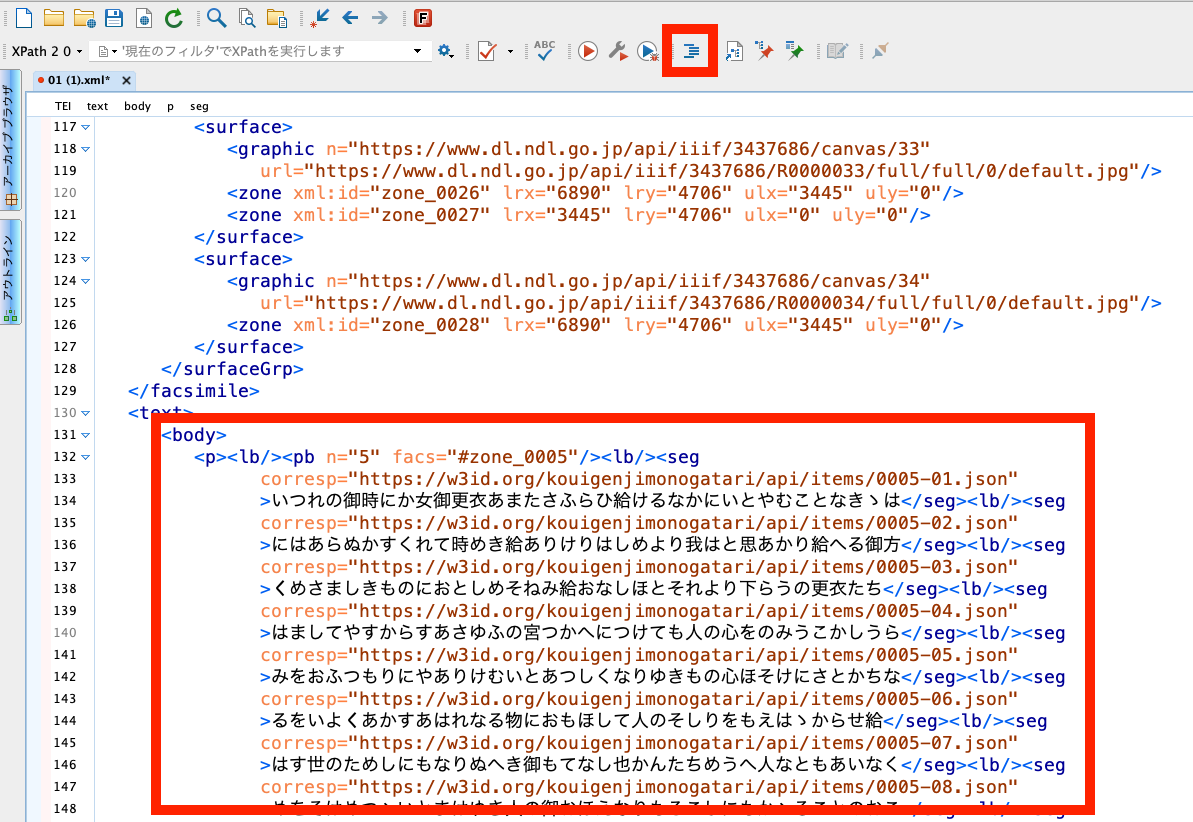
Overview This article introduces how to change the auto-formatting and indentation rules in “Oxygen XML Editor,” a useful tool for working with TEI/XML. Specifically, the goal is to ensure that a line break is inserted before the lb tag, which marks the beginning of a line. Background In “Oxygen XML Editor,” there is an auto-formatting and indentation feature. It is the icon shown at the top of the figure below. ...

Created a Repository Demonstrating How to Use Mirador 3 with Nuxt.js

Created a Repository Demonstrating How to Use Mirador 3 with Nuxt.js

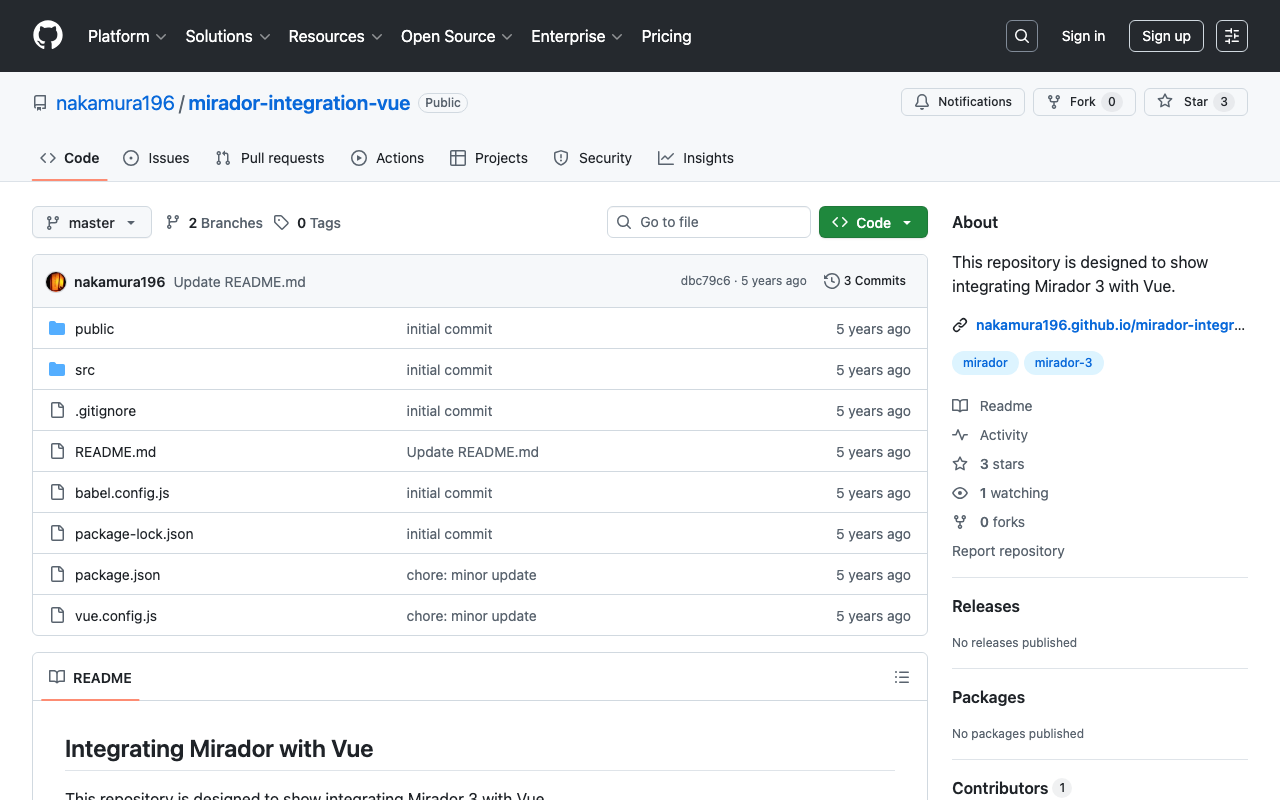
Overview In the following article, I introduced how to use Mirador 3 with Vue. nakamura196.hatenablog.com Following up on that, I created a GitHub repository demonstrating how to use Mirador 3 with Nuxt.js. github.com In the above repository, I have prepared examples of displaying Mirador full-page as well as embedding it in a specific area within a page. https://nakamura196.github.io/nuxt-mirador/embedded This article provides an explanation of the above page and introduces some aspects of how to use Mirador. ...

[Omeka S Tips] Notes on Using the BulkImport Module on Windows

[Omeka S Tips] Notes on Using the BulkImport Module on Windows

Overview In the following article, I introduced the “BulkImport” module for batch registering metadata and images using CSV files. nakamura196.hatenablog.com That article introduced how to create and register CSV files. While this works without issues on macOS, there were reports of the following error occurring when creating CSV files on Windows and registering them in Omeka S: File “media_template.csv” has media type “application/vnd.ms-excel”, not “text/csv”. This error was resolved by registering with an ODS file instead. ...

[Omeka S Tips] About Auto-Adding New Items to Each Site

[Omeka S Tips] About Auto-Adding New Items to Each Site

Overview In the latest version of Omeka S, you can configure whether new items registered in Omeka S are automatically added as resources to each site. The official manual documents this at: https://omeka.org/s/docs/user-manual/sites/site_settings/#general-settings Since Omeka S is designed to manage multiple sites, you can change the items (resources) that are searchable on a per-site basis. However, when using Omeka S to manage only a single site, it is more efficient to have items automatically added to the site as searchable resources when they are registered in Omeka S. ...

[Omeka S Module Introduction] Numeric Data Types: Enabling Range Search for Date Data, and More

[Omeka S Module Introduction] Numeric Data Types: Enabling Range Search for Date Data, and More

Overview This article explains the “Numeric Data Types” module, which enables specific properties to be configured as numeric data. Properties can be specified as date and time (ISO) or as numbers. A key benefit is that it enables range searches on date data. github.com The official manual is available at: omeka.org Using the manual above as a reference, I will explain how to use this module. Creating or Editing a Resource Template To use this module, you need to create or edit a resource template to configure specific properties as numeric data types. Instructions for using resource templates are available at the following link, and I hope to write an introductory article about them in the future: ...

Created a GitHub Repository Demonstrating How to Use vis.js with Nuxt.js

Created a GitHub Repository Demonstrating How to Use vis.js with Nuxt.js

Overview We created a GitHub repository demonstrating how to use vis.js with Nuxt.js. github.com You can check the demo site from the following page: https://nuxt-visjs.netlify.app/ Details Nuxt.js is a framework that allows you to use Vue.js more effectively. vis.js is a visualization library that can create network diagrams and timelines. visjs.org We created a GitHub repository demonstrating how to use vis.js with Nuxt.js. The repository includes basic visualization examples using “Timeline,” “Network,” and “Graph2d.” ...

[Omeka S Module Introduction] Metadata Browse: Adding Links to Search for Items with the Same Metadata

[Omeka S Module Introduction] Metadata Browse: Adding Links to Search for Items with the Same Metadata

Overview This article introduces the “Metadata Browse” module, which adds links to item detail pages in Omeka S that allow searching for items with the same metadata. omeka.org For example, the following becomes possible: a “See all items with this value” link is added to the “Subject” value on the item detail page, and clicking this link navigates to a search results page showing items with the same metadata. ...

[Omeka S Module Customization] OaiPmhRepository: Creating Custom Vocabularies

[Omeka S Module Customization] OaiPmhRepository: Creating Custom Vocabularies

This article explains how to customize the OaiPmhRepository module for Omeka S to publish metadata by mapping it to DC-NDL (Simple). Please refer to the following GitLab repository as needed. gitlab.com Note: A separate introductory article on OaiPmhRepository is planned. File Modifications Please refer to the following commit. https://gitlab.com/nakamura196/Omeka-S-module-OaiPmhRepository/-/commit/702f1c693a62ae21ef03da495e3b4efd6060c561#d57ba0f1ebb8e2008538c451770f3fe535e1c2ca Specifically, modifications are made to the following files. OaiPmhRepository/config/module.config.php Add the information for the custom vocabulary. OaiPmhRepository/src/OaiPmh/Metadata/DCNDLSimple.php This file defines the mapping between Omeka S properties and the output fields. The mapping rules in the commit above are specific to that repository. You will need to modify them according to the metadata description rules of your own Omeka S installation. ...

【Omeka S モジュール紹介】Advanced Search Plus:詳細検索機能を拡張する

概要 Advanced Search PlusはOmeka Sでのより柔軟な検索を可能とするための、詳細検索に項目などを追加するモジュールです。 omeka.org 本記事では、本モジュールの使い方について説明します。 使い方 本モジュールをインストールすることにより、以下の項目が利用可能となります。 before/on/after creation/modification date/time of any resouce:日付や時間に対する範囲検索を可能とします。 has media (for item):画像を持つアイテムの絞り込み has original:オリジナル画像を持つアイテムの絞り込み has thumbnail:サムネイル画像を持つアイテムの絞り込み mutiple media types (for item) multiple media types for media (included in core since Omeka S 2.0.2 for a single value) visibility public/private:公開/非公開設定に基づく絞り込み media by item set:アイテムセットに基づくメディアの絞り込み 具体的には、例えば管理者画面のアイテムに対する詳細検索画面において、以下のような検索フォームが追加されます。「has media(画像を持つアイテムの絞り込み)」などはニーズが高い検索条件かと思います。 また、メタデータ別の検索フォームにおいて、以下の検索条件が追加されます。 start with end with in list (via api only). exclude one or multiple properties (except title):(タイトルを除く)単一または複数のプロパティを検索対象から除外する。 以下のように、検索条件の指定方法が拡張されます。 ...