Home Articles Books Search About
RSS 日本語
Testing Drupal REST Resource Cookie Authentication Using Postman

Testing Drupal REST Resource Cookie Authentication Using Postman

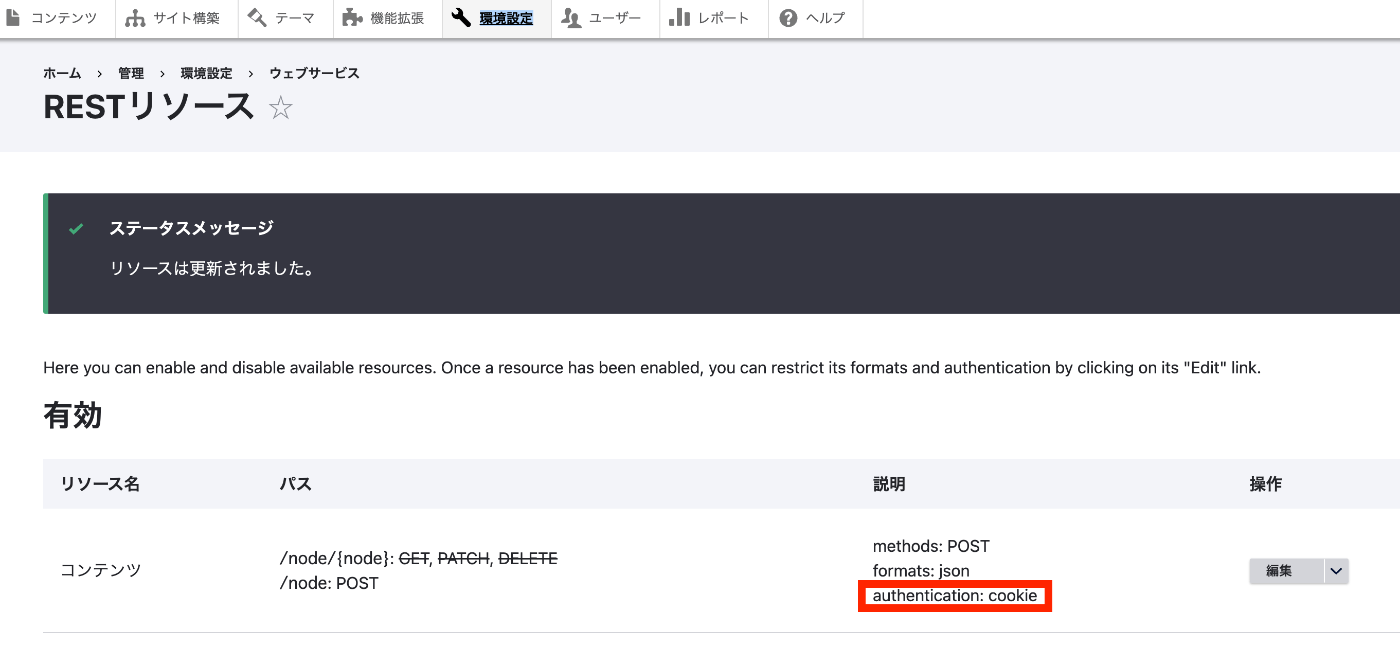
Overview In the following article, I tried JWT authentication using the JWT module. This time, I will try cookie authentication. Installation If the restui module is not installed, install and enable it with a command like the following. composer.phar require 'drupal/restui:^1.21' vendor/bin/drush en restui Configuration This time, I will use cookie authentication as shown below. For details on the configuration method, please refer to the related article at the beginning. ...

Trying the Drupal JSON Web Token Authentication Module

Trying the Drupal JSON Web Token Authentication Module

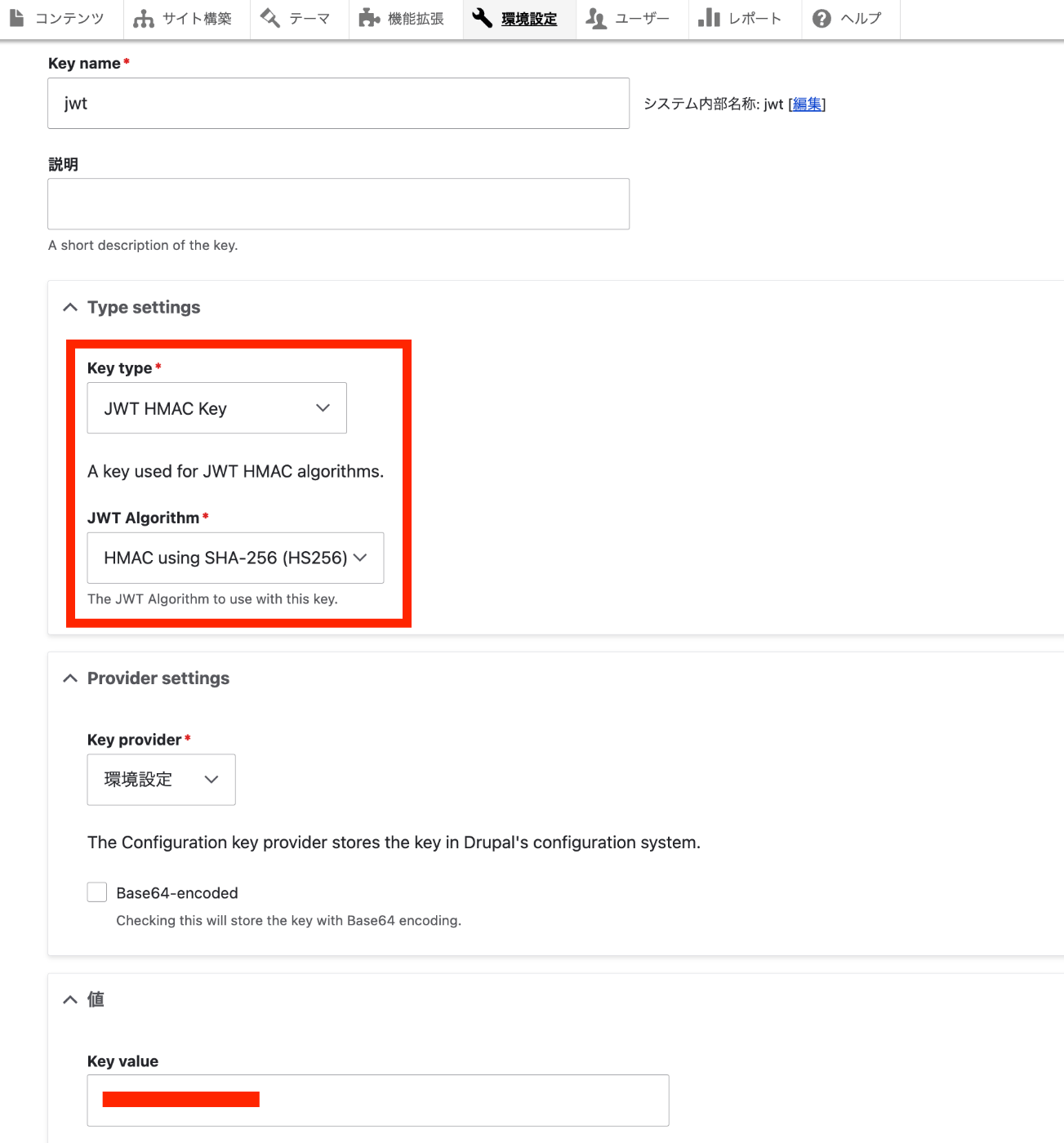
Overview I will try the Drupal JSON Web Token Authentication module. https://www.drupal.org/project/jwt I referenced the following page. https://preston.so/writing/decoupled-drupal-authentication-with-json-web-tokens/ Note that the following is a similar module. https://www.drupal.org/project/rest_api_authentication JWT authentication using the above module is described here. https://www.drupal.org/docs/contributed-modules/api-authentication/jwt-authentication However, as described in the following article, it appears that using JWT authentication with the above module requires a paid plan. Therefore, this time I will try the jwt module instead. Installation and Activation jwt module ...

Updating Drupal on Sakura Rental Server

Updating Drupal on Sakura Rental Server

Overview This is a note on the procedure for updating Drupal on Sakura rental server. First, we referred to the following site. https://www.drupal.org/docs/updating-drupal/updating-drupal-core-via-drush However, it contained the following note: Use Composer to manage Drupal dependencies. Drush 9 and newer no longer supports updating Drupal. We also referred to the following: https://drupalfan.com/drupal10を最新版にアップデートする/ Procedure ! This may contain incorrect or unnecessary steps. Please use it as a reference only. Navigate to the directory where Drupal was downloaded. ...

Troubleshooting Errors When Running lando start

Troubleshooting Errors When Running lando start

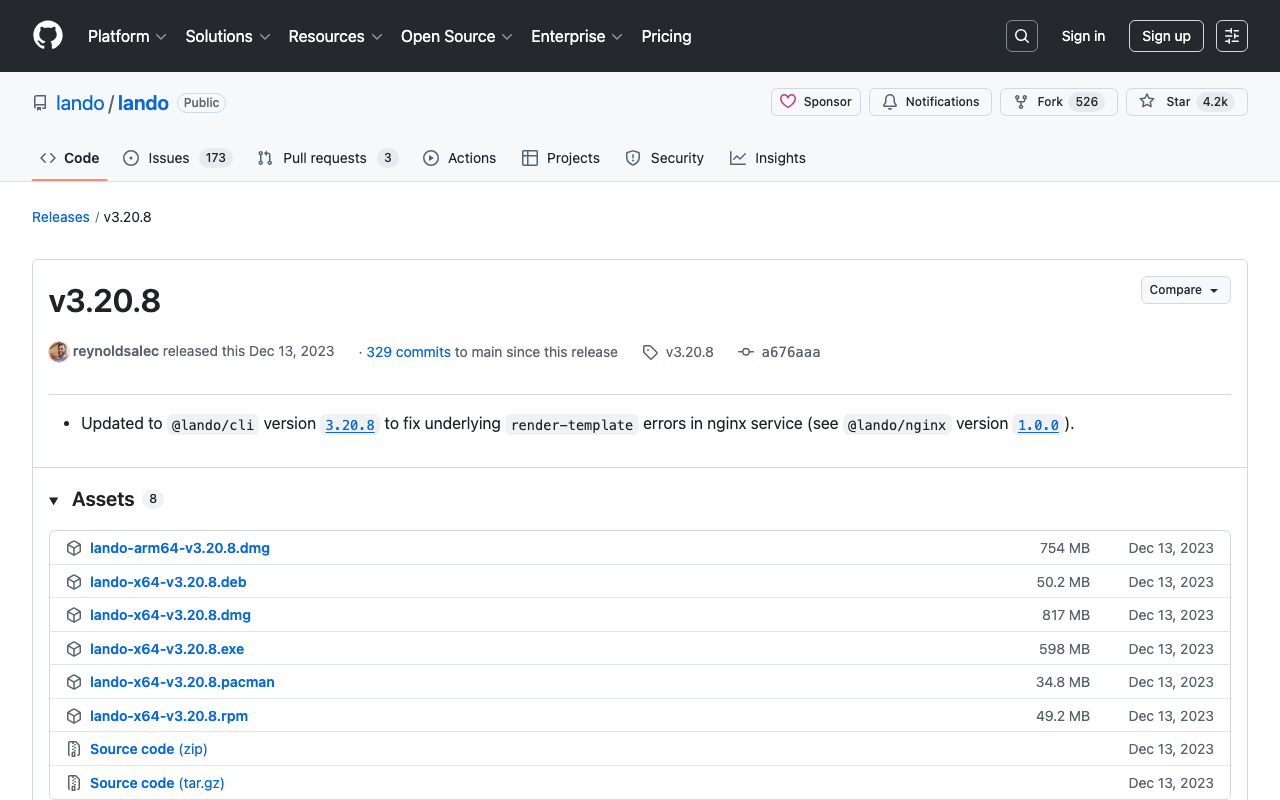
While developing Drupal and Omeka modules using Lando, a local development environment tool, the following error occasionally occurred. lando start __ __ __ __ ___ _ __ __ __ ______ / / / /__ ___/ /__ _/ /____ / _ |_ _____ _(_) /__ _/ / / /__ / / / / / /_/ / _ \/ _ / _ `/ __/ -_) / __ | |/ / _ `/ / / _ `/ _ \/ / -_)_/_/_/ \____/ .__/\_,_/\_,_/\__/\__/ /_/ |_|___/\_,_/_/_/\_,_/_.__/_/\__(_|_|_) /_/ Updating helps us provide the best support and saves us tons of time Use the link below to get the latest and greatest https://github.com/lando/lando/releases/tag/v3.20.8 Lando is FREE and OPEN SOURCE software that relies on contributions from developers like you! If you like Lando then help us spend more time making, updating and supporting it by contributing at the link below https://github.com/sponsors/lando If you would like to customize the behavior of this message then check out: https://docs.lando.dev/config/releases.html Let's get this party started! Starting app my-lando-app... ERROR ==> connect ENOENT /var/run/docker.sock ██╗ ██╗██╗ ██╗ ██████╗ ██╗ ██╗██╗ ██║ ██║██║ ██║ ██╔═══██╗██║ ██║██║ ██║ ██║███████║ ██║ ██║███████║██║ ██║ ██║██╔══██║ ██║ ██║██╔══██║╚═╝ ╚██████╔╝██║ ██║ ╚██████╔╝██║ ██║██╗ ╚═════╝ ╚═╝ ╚═╝ ╚═════╝ ╚═╝ ╚═╝╚═╝ An error occurred while starting up your app! Here are a few things you can try to get back into a good state: ■ Try running lando rebuild ■ Try restarting in debug mode lando restart -vvv ■ Try checking the logs with lando logs If those fail then consult the troubleshooting materials: ■ https://docs.lando.dev/help/logs.html ■ https://docs.lando.dev/help/updating.html Or post your issue to Slack or GitHub ■ Slack - https://launchpass.com/devwithlando ■ GitHub - https://github.com/lando/lando/issues/new/choose ERROR ==> connect ENOENT /var/run/docker.sock This issue was mentioned in the following GitHub issue. ...

Drush Command Cheat Sheet

Drush Command Cheat Sheet

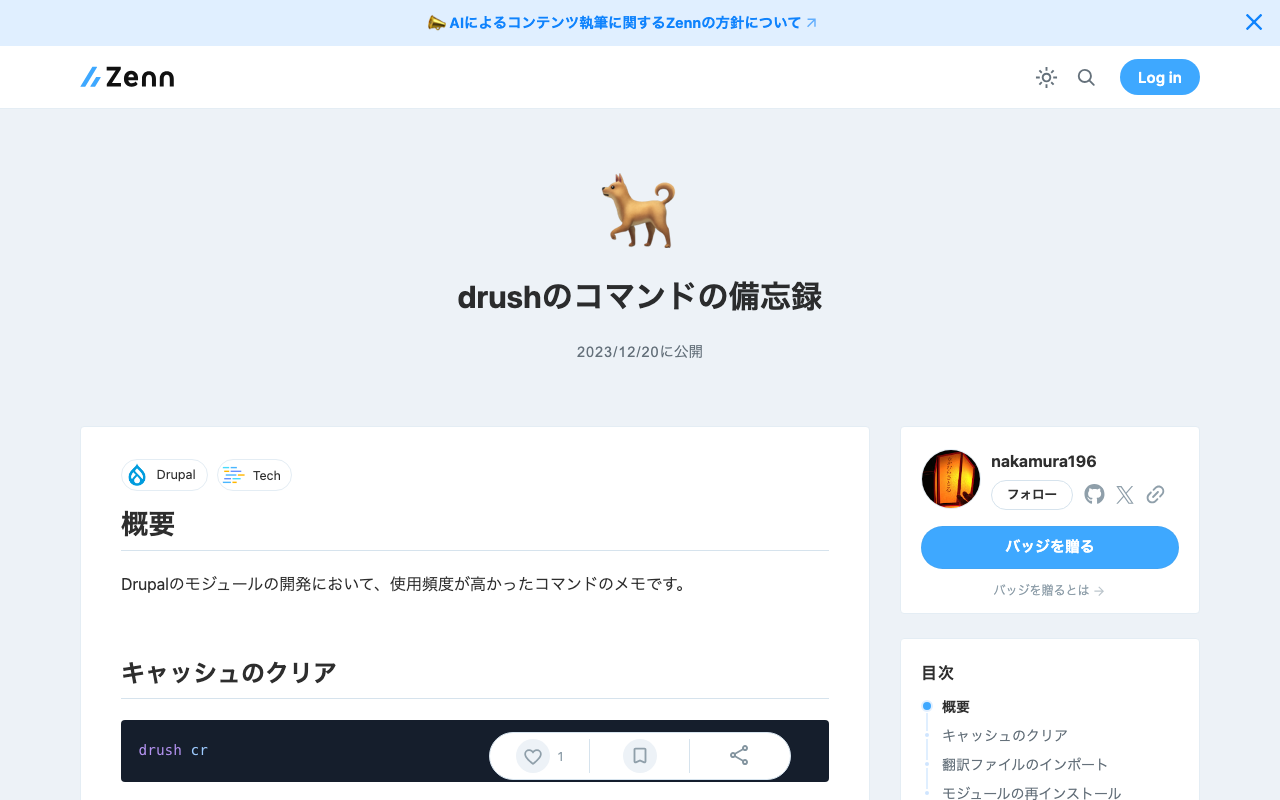
Overview These are notes on frequently used commands during Drupal module development. Clearing Cache drush cr Importing Translation Files The following is an example of importing a Japanese language file for a module called itaiji. drush locale:import ja /app/web/modules/custom/Drupal-module-itaiji/translations/itaiji.ja.po Reinstalling a Module drush pm-uninstall itaiji && drush en itaiji

Usage Example of the Image Map Editor in Oxygen XML Editor

Usage Example of the Image Map Editor in Oxygen XML Editor

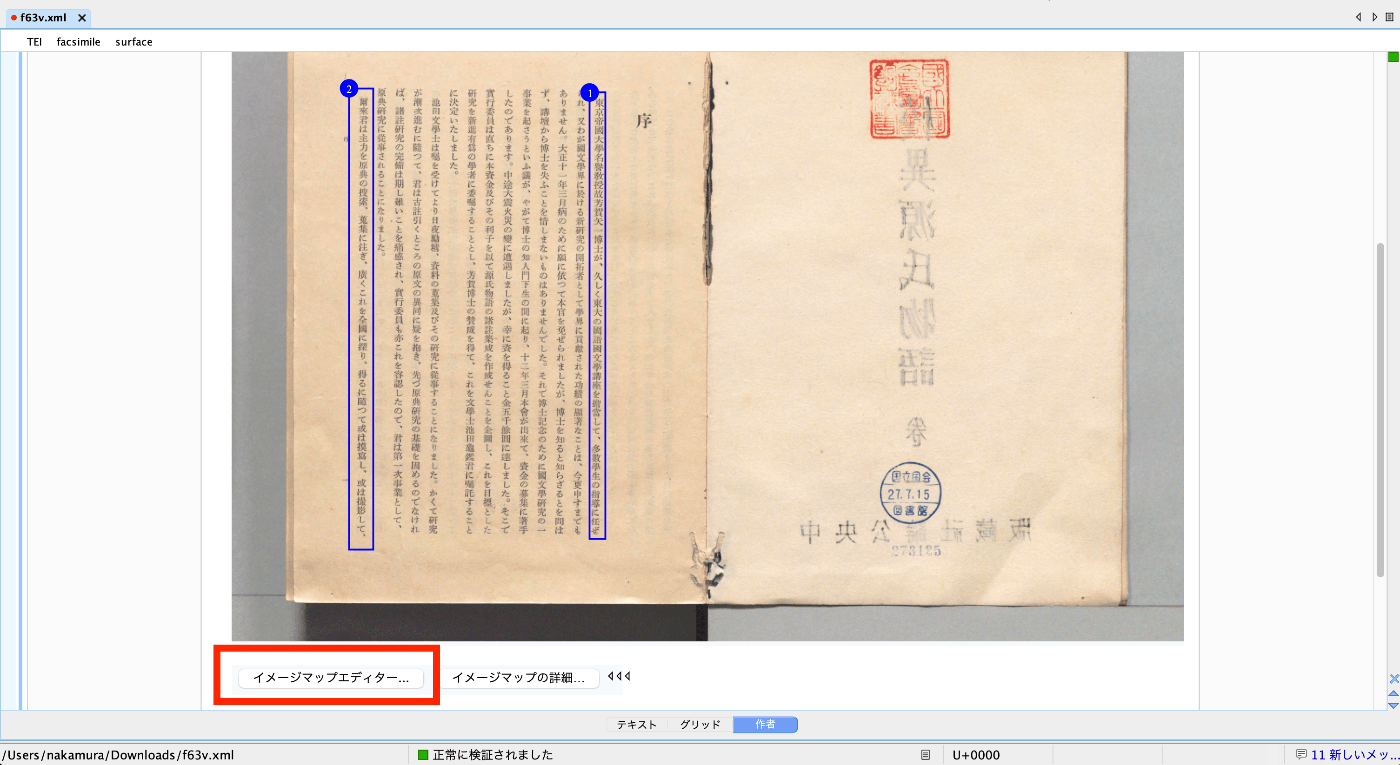
Overview This is an explanation of how to use the Image Map Editor in Oxygen XML Editor. Video https://youtu.be/9dZQ1v0Rky0?si=8EhAZdVsLqgPz2Rf Usage Prepare a TEI/XML file like the following. The url value of <graphic> can specify a relative path from the file, an absolute path on your PC, or a URL published on the internet. In the following example, the file digidepo_3437686_pn_null_9c48d89b-e2ec-4593-8d00-6fbc1d29d1bd.jpg stored in the same folder as the TEI/XML file is referenced. ...

Nuxt3 x Vuetify x Cesium

Nuxt3 x Vuetify x Cesium

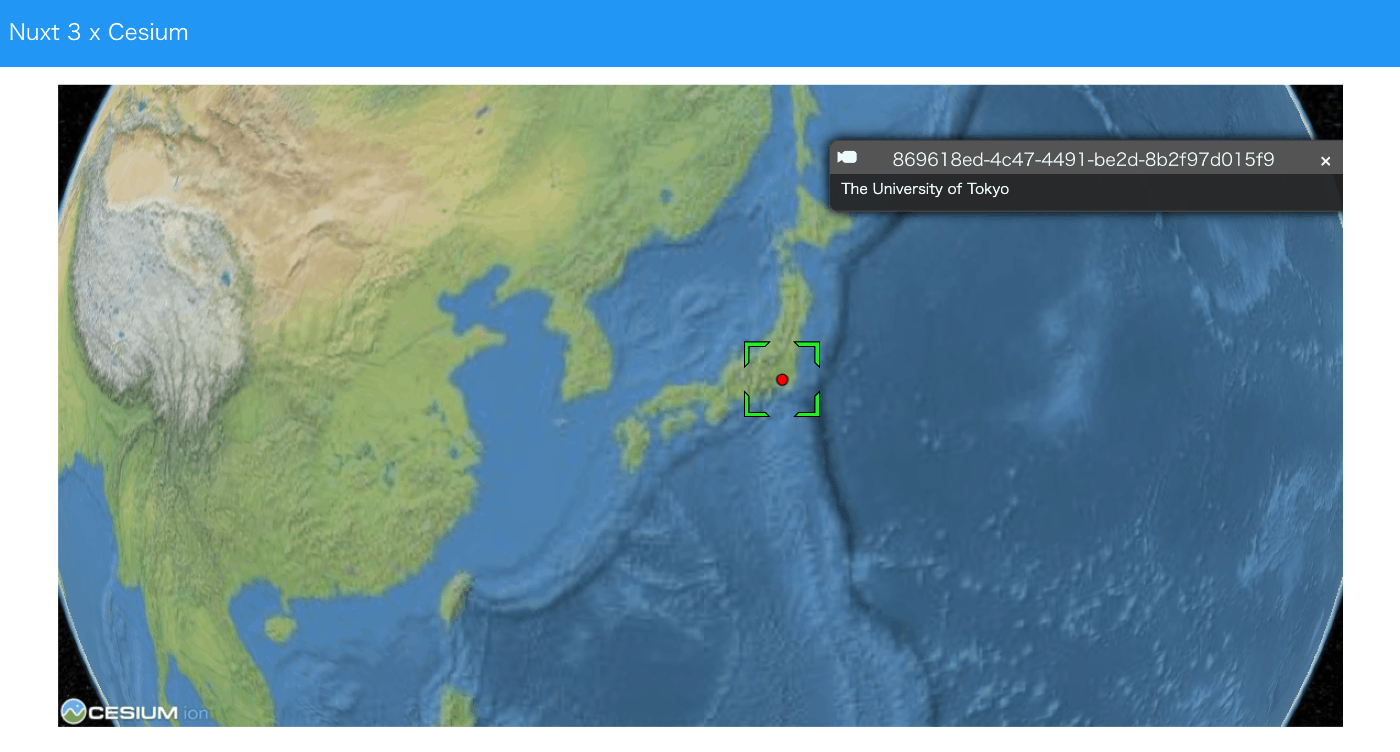
Overview I created a sample repository using Nuxt3, Vuetify, and Cesium. Source Code vue-cesium is used. https://github.com/zouyaoji/vue-cesium The GitHub repository is as follows. https://github.com/nakamura196/nuxt3-vuetify-cesium Demo Site https://nakamura196.github.io/nuxt3-vuetify-cesium/ Summary We hope this serves as a useful reference.

Trying Nuxt 3 and Decap CMS

Trying Nuxt 3 and Decap CMS

Overview I tried out Nuxt 3 and Decap CMS, so here are my notes. https://decapcms.org/ Preparing the Nuxt 3 Project I referred to the following for adding Decap CMS to an existing site. https://decapcms.org/docs/add-to-your-site/ First, prepare a Nuxt 3 project that includes the nuxt/content module. Here is an example of the source code. https://github.com/nakamura196/nuxt3-decapcms The following two files were created. # when using the default proxy server port local_backend: true # This line should *not* be indented publish_mode: editorial_workflow backend: name: git-gateway branch: main # Branch to update (optional; defaults to master) media_folder: public/img public_folder: /img collections: - name: 'blog' label: 'Blog' folder: 'content/blog' format: 'frontmatter' create: true slug: '{{year}}-{{month}}-{{day}}-{{slug}}' fields: - { label: 'Title', name: 'title', widget: 'string' } - { label: 'Publish Date', name: 'date', widget: 'datetime' } - { label: 'Description', name: 'description', widget: 'string' } - { label: 'Body', name: 'body', widget: 'markdown' } <!DOCTYPE html> <html> <head> <meta charset="utf-8" /> <meta name="viewport" content="width=device-width, initial-scale=1.0" /> <title>Content Manager</title> <!-- Include the script that enables Netlify Identity on this page. --> <script src="https://identity.netlify.com/v1/netlify-identity-widget.js"></script> </head> <body> <!-- Include the script that builds the page and powers Decap CMS --> <script src="https://unpkg.com/decap-cms@^3.0.0/dist/decap-cms.js"></script> </body> </html> Then, it was pushed to GitHub. ...

Handling AttributeError: 'ImageDraw' object has no attribute 'textsize'

Handling AttributeError: 'ImageDraw' object has no attribute 'textsize'

When using the following in Python’s Pillow: textsize = 14 font = ImageFont.truetype("Arial Unicode.ttf", size=textsize) txw, txh = draw.textlength(label, font=font) The following error occurred. AttributeError: ‘ImageDraw’ object has no attribute ’textsize’ The following was helpful as a solution. https://stackoverflow.com/questions/77038132/python-pillow-pil-doesnt-recognize-the-attribute-textsize-of-the-object-imag Specifically, I rewrote it as follows. textsize = 14 font = ImageFont.truetype("Arial Unicode.ttf", size=textsize) txw = draw.textlength(label, font=font) txh = textsize I hope this is helpful.

Restarting Virtuoso on EC2 Using Amazon SNS

Restarting Virtuoso on EC2 Using Amazon SNS

Overview In the following article, I described how to perform health checks. I also described the command for restarting Virtuoso when it stops in the following article. This time, I will try restarting Virtuoso in conjunction with Amazon SNS notifications. Method To send a command like sudo rm -rf /usr/local/var/lib/virtuoso/db/virtuoso.lck && ... to an EC2 instance, SSM (AWS Systems Manager) configuration was required. IAM Roles and Policies I created a new IAM role and granted the AmazonSSMFullAccess policy. Initially, I had granted the AmazonSSMManagedInstanceCore policy, but the following error occurred when executing the Lambda function described later, and it did not work properly. ...

Resolving SAM Error: Running AWS SAM Projects Locally Requires Docker

Resolving SAM Error: Running AWS SAM Projects Locally Requires Docker

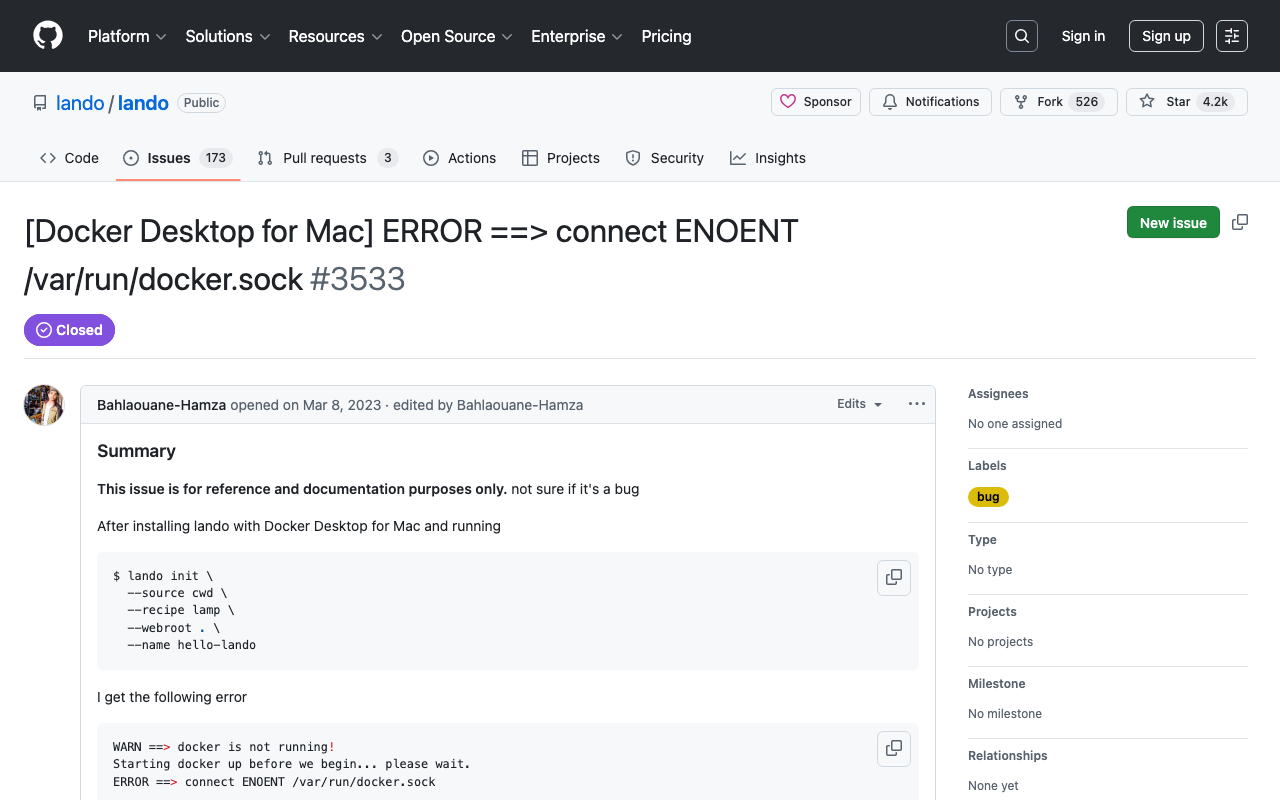
Overview When trying sam local invoke with AWS SAM, the following message was displayed. Error: Running AWS SAM projects locally requires Docker. Have you got it installed and running? The environment was Mac, and Docker was running. Solution Running the following command resolved the issue. sudo ln -s ~/.docker/run/docker.sock /var/run/docker.sock I referenced the following. https://github.com/lando/lando/issues/3533 Summary I hope this is helpful for anyone facing the same issue.

Trying Leaflet Marker Cluster with Nuxt 3 and Composition API

Trying Leaflet Marker Cluster with Nuxt 3 and Composition API

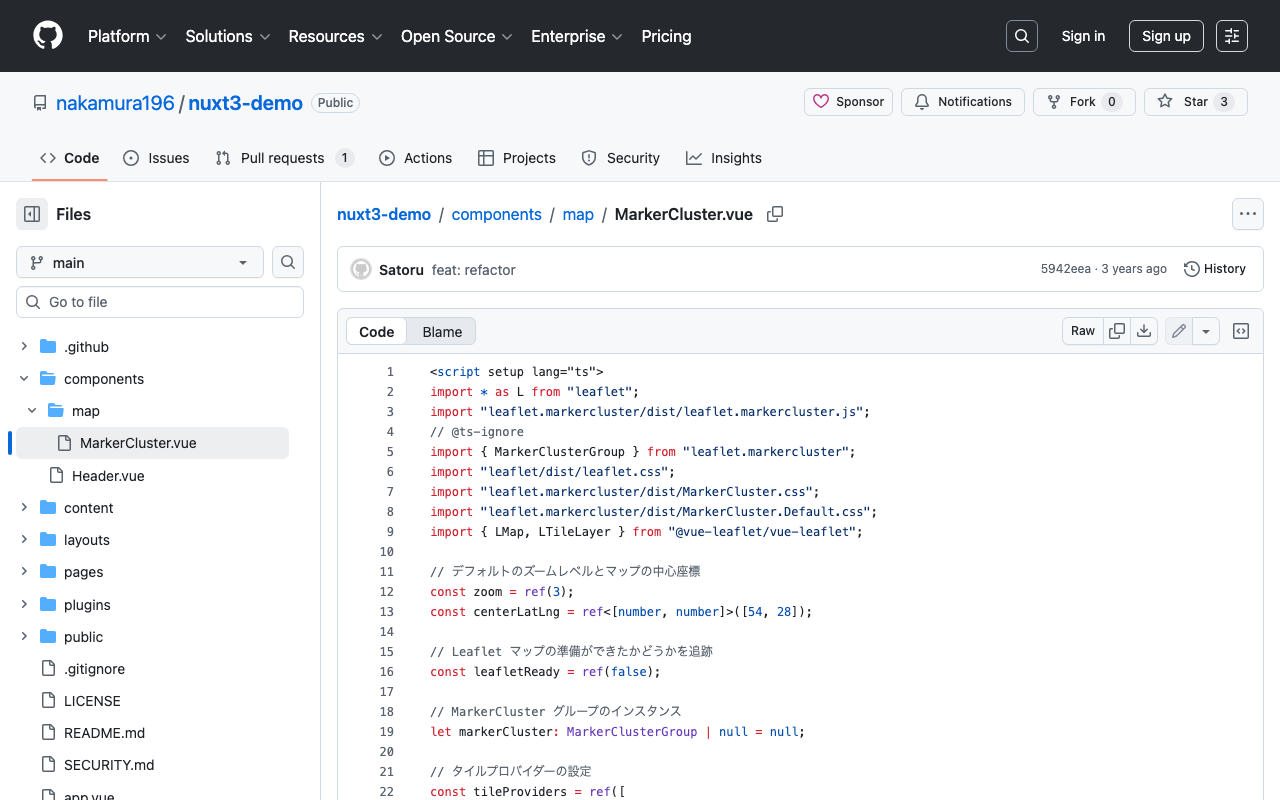
Overview In the following article, I introduced how to use Leaflet Marker Cluster with Nuxt 3. This time, I updated it to use the Composition API, so here are my notes. Installation Install the following: npm i leaflet leaflet.markercluster @vue-leaflet/vue-leaflet npm i -D @types/leaflet @types/leaflet.markercluster Source Code Please refer to the following: https://github.com/nakamura196/nuxt3-demo/blob/main/components/map/MarkerCluster.vue Summary There are some parts where TypeScript support is incomplete, but I hope this serves as a useful reference. ...

Nuxt3 x Vuetify x Cytoscape

Nuxt3 x Vuetify x Cytoscape

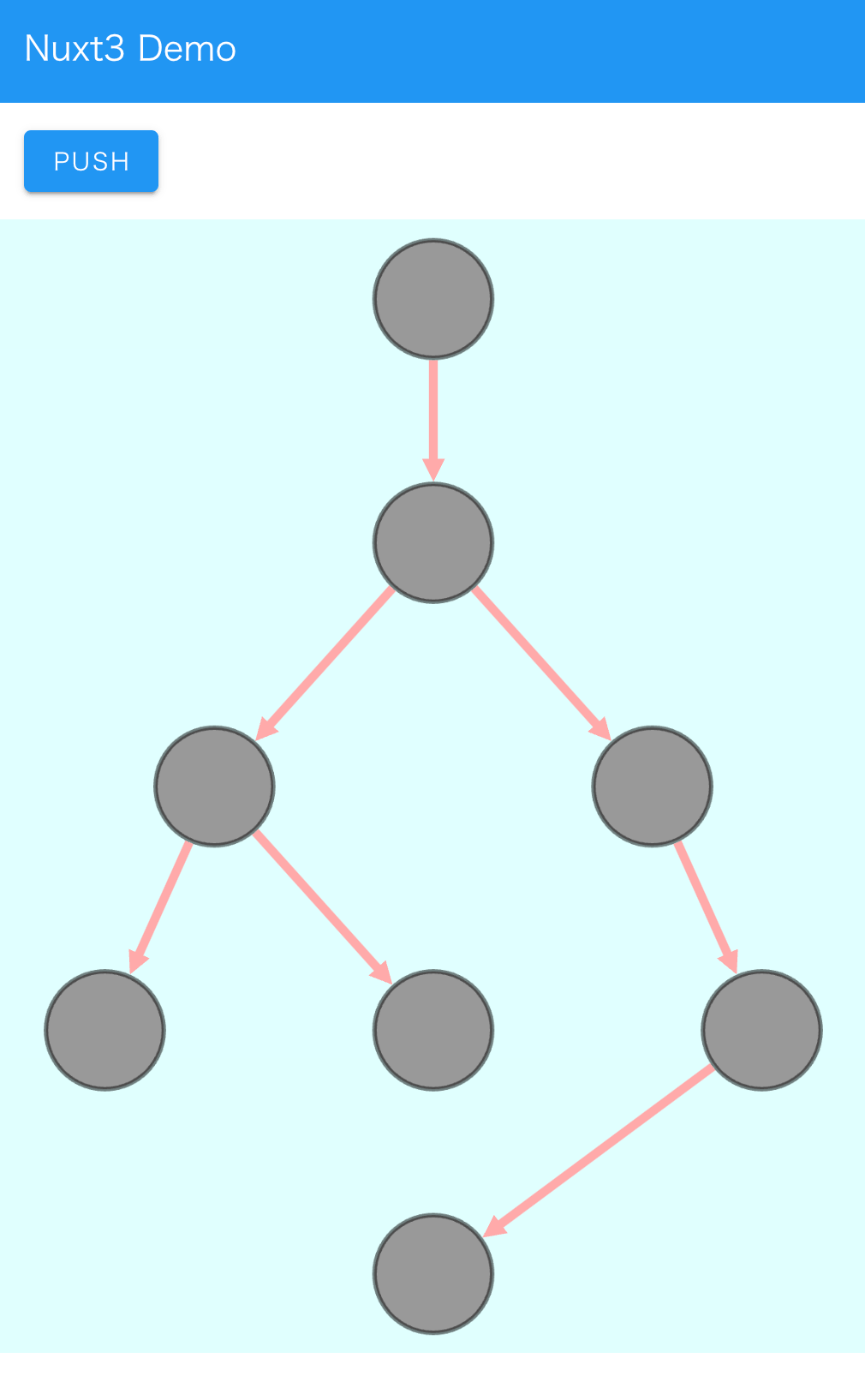
Overview I added a Cytoscape demo to a sample repository using Nuxt3 and Vuetify. https://github.com/nakamura196/nuxt3-demo You can check it working on the following page. https://nakamura196.github.io/nuxt3-demo/ Installation I ran the following. npm i cytoscape npm i @types/cytoscape Source Code <template> <div id="view"> <v-btn class="ma-4" color="primary" v-on:click="addNode">push</v-btn> <div id="cy"></div> </div> </template> <script setup lang="ts"> import cytoscape from "cytoscape"; let cy: any = null; // = ref(null); //reactive({}); //: any const count: number = 0; // = ref(0); //reactive(0); const addNode = () => { cy.add([ { group: "nodes", data: { id: "node" + count }, position: { x: 300, y: 200 }, }, { group: "edges", data: { id: "edge" + count, source: "node" + count, target: "cat" }, }, ]); }; onMounted(() => { cy = cytoscape({ container: document.getElementById("cy"), boxSelectionEnabled: false, autounselectify: true, style: cytoscape .stylesheet() .selector("node") .css({ height: 80, width: 80, "background-fit": "cover", "border-color": "#000", "border-width": 3, "border-opacity": 0.5, content: "data(name)", "text-valign": "center", }) .selector("edge") .css({ width: 6, "target-arrow-shape": "triangle", "line-color": "#ffaaaa", "target-arrow-color": "#ffaaaa", "curve-style": "bezier", }), elements: { nodes: [ { data: { id: "cat" } }, { data: { id: "bird" } }, { data: { id: "ladybug" } }, { data: { id: "aphid" } }, { data: { id: "rose" } }, { data: { id: "grasshopper" } }, { data: { id: "plant" } }, { data: { id: "wheat" } }, ], edges: [ { data: { source: "cat", target: "bird" } }, { data: { source: "bird", target: "ladybug" } }, { data: { source: "bird", target: "grasshopper" } }, { data: { source: "grasshopper", target: "plant" } }, { data: { source: "grasshopper", target: "wheat" } }, { data: { source: "ladybug", target: "aphid" } }, { data: { source: "aphid", target: "rose" } }, ], }, layout: { name: "breadthfirst", directed: true, padding: 10, }, }); }); </script> <style scoped> #cy { width: 100%; height: 80%; position: absolute; background-color: lightcyan; } </style> Summary I hope this is helpful. ...

Cantaloupe: Running as a Service

Cantaloupe: Running as a Service

Overview The Cantaloupe Image Server can be run with the following command. java -Dcantaloupe.config=cantaloupe.properties -Xmx2g -jar cantaloupe-5.0.5.jar However, with this method, the Cantaloupe server stops when the SSH connection is lost, for example. Here I introduce how to run it as a service. Method Create a service file: Create a service file (e.g., cantaloupe.service) in the /etc/systemd/system/ directory with sudo privileges. [Unit] Description=Cantaloupe Image Server [Service] User=ubuntu # Please modify the following paths as appropriate WorkingDirectory=/home/ubuntu/cantaloupe-5.0.5 ExecStart=/usr/bin/java -Dcantaloupe.config=cantaloupe.properties -Xmx2g -jar cantaloupe-5.0.5.jar SuccessExitStatus=143 [Install] WantedBy=multi-user.target In this file, the Java command to execute is specified in ExecStart. Also, User and WorkingDirectory need to be set appropriately. ...

Cantaloupe: Serving Images Stored in Amazon S3

Cantaloupe: Serving Images Stored in Amazon S3

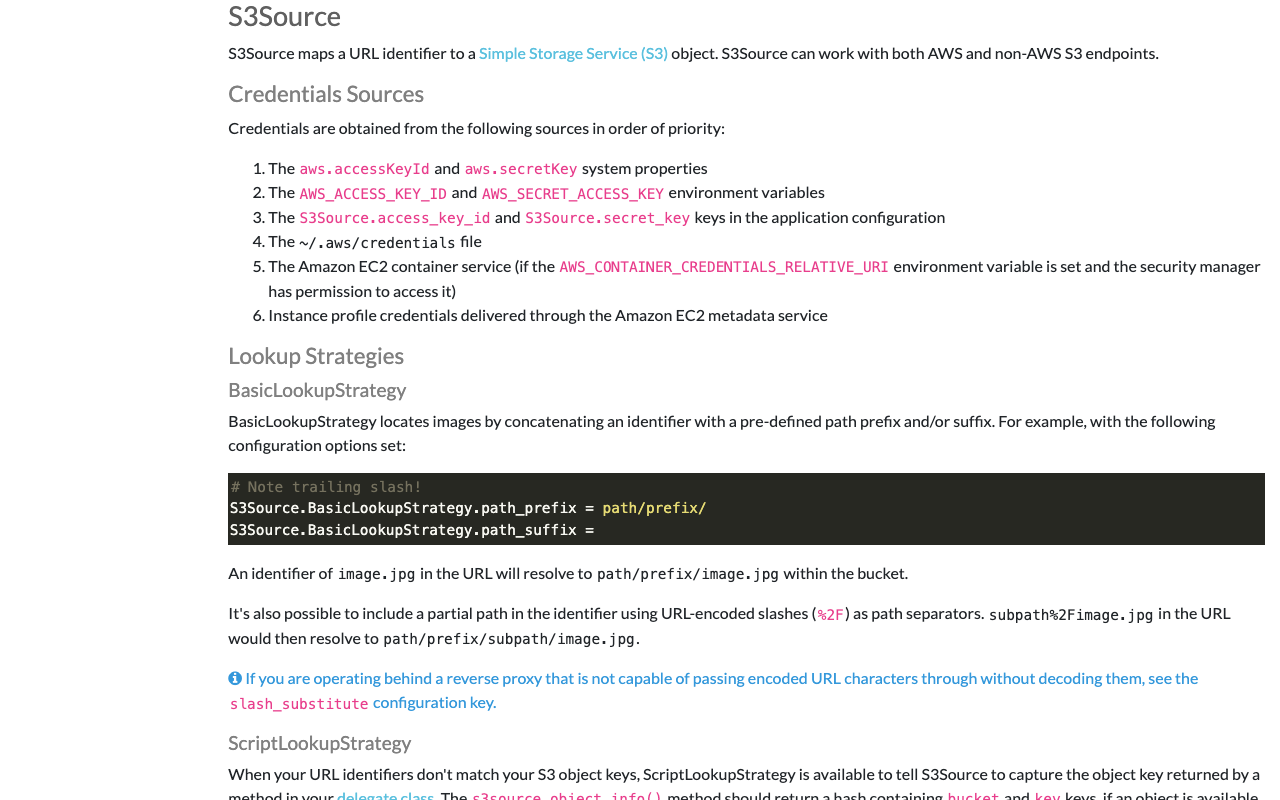
Overview This is a note on how to serve images stored in Amazon S3 using Cantaloupe Image Server, one of the IIIF image servers. As an alternative method for serving images stored in Amazon S3, I also introduced an approach in the following article. (The tools may have been updated since the article was written, so the instructions may not work exactly as described.) Configuration The official manual is available at the following link. ...

TEI Publisher: Visualization Examples from the TEI Publisher Demo Collection (Part 1)

TEI Publisher: Visualization Examples from the TEI Publisher Demo Collection (Part 1)

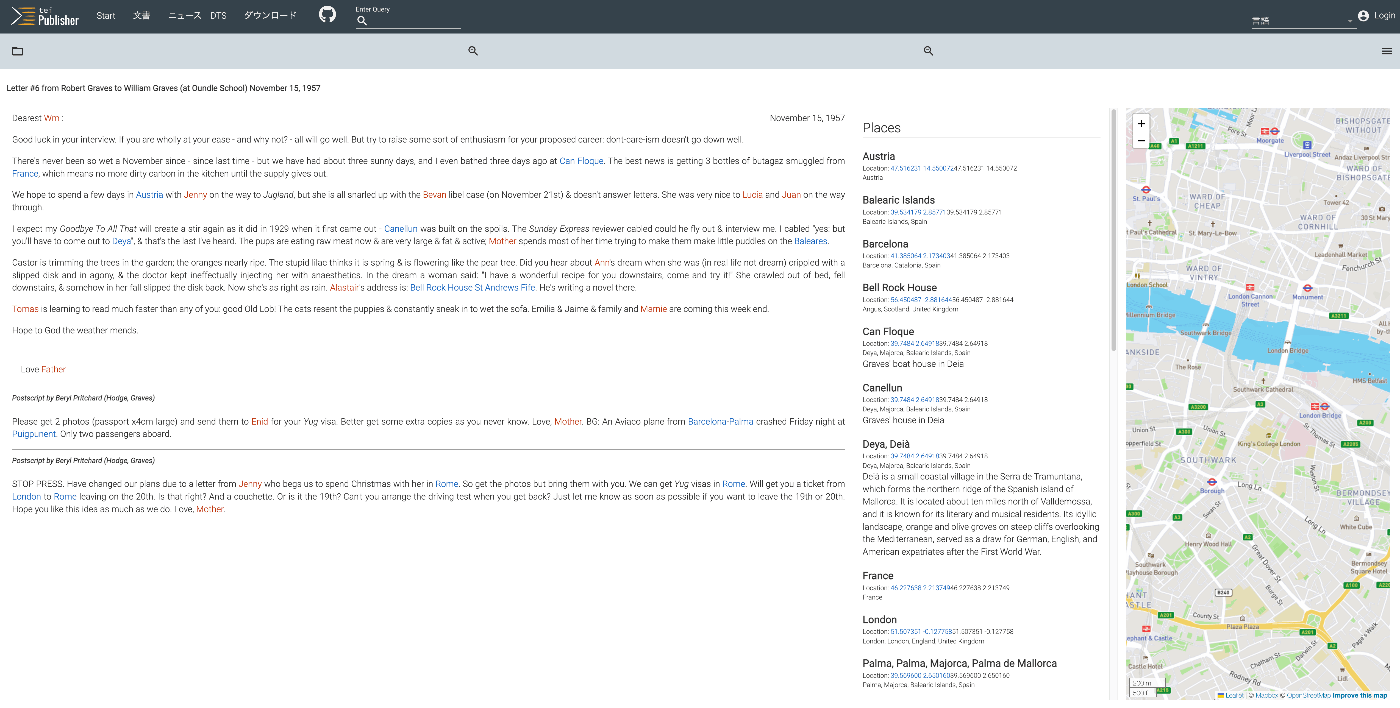
Overview The following page on TEI Publisher showcases various visualization examples. https://teipublisher.com/exist/apps/tei-publisher/index.html?query=&collection=test&sort=title&field=text&start=1 In this and subsequent articles, I will introduce the above visualization examples. Letter #6 from Robert Graves to William Graves (at Oundle School) November 15, 1957 Overview https://teipublisher.com/exist/apps/tei-publisher/test/graves6.xml As shown below, the text is displayed alongside a list of place names and person names, as well as a map. It is described as follows: A 20th century manuscript letter from Robert Graves where emphasis has been put on visualizing rich encoding of semantic information in the letter, in particular geographic and prosopographical data. The map is displayed with a pb-leaflet component. ...

Vue.js: Handling Panes with iframes When Using Splitpanes

Vue.js: Handling Panes with iframes When Using Splitpanes

Splitpanes is a Vue.js library that enables pane splitting and resizing, as shown below. https://github.com/antoniandre/splitpanes When using this library, I encountered an issue where resizing did not work properly when a pane contained an iframe element. A solution was described in the following pull request. https://github.com/antoniandre/splitpanes/pull/162 As described there, adding the following CSS resolved the issue and allowed correct resize operations even with panes containing iframe elements. .splitpanes--dragging .splitpanes__pane { pointer-events: none; } I hope this helps anyone experiencing the same issue. ...

Formatting and Syntax Highlighting XML in Nuxt3

Formatting and Syntax Highlighting XML in Nuxt3

Overview As shown in the following image, I had the opportunity to display XML text data using Nuxt3, so this is a memo. Installation I used the following two libraries. npm i xml-formatter npm i highlight.js Usage I created the following file as a Nuxt3 component. It formats XML strings with xml-formatter and then applies syntax highlighting with highlight.js. <script setup lang="ts"> import hljs from "highlight.js"; import "highlight.js/styles/xcode.css"; import formatter from "xml-formatter"; interface PropType { xml: string; } const props = withDefaults(defineProps<PropType>(), { xml: "", }); const formattedXML = ref<string>(""); onMounted(() => { // `highlightAuto` 関数が非同期でない場合は、 // `formattedXML` を直接アップデートできます。 // そうでない場合は、適切な非同期処理を行ってください。 formattedXML.value = hljs.highlightAuto(formatXML(props.xml)).value; }); const formatXML = (xmlstring: string) => { return formatter(xmlstring, { indentation: " ", filter: (node) => node.type !== "Comment", }); }; </script> <template> <pre class="pa-4" v-html="formattedXML"></pre> </template> <style> pre { /* 以下のスタイルは適切で、pre要素内のテキストの折り返しを制御しています。 */ white-space: pre-wrap; /* CSS 3 */ white-space: -moz-pre-wrap; /* Mozilla, 1999年から2002年までに対応 */ white-space: -pre-wrap; /* Opera 4-6 */ white-space: -o-pre-wrap; /* Opera 7 */ word-wrap: break-word; /* Internet Explorer 5.5+ */ } </style> Summary I hope this is helpful for visualizing TEI/XML data. ...

Using Versioning Machine (VM5.0) with Visual Studio Code (VSCode)

Using Versioning Machine (VM5.0) with Visual Studio Code (VSCode)

Overview Versioning Machine (VM5.0) is an application for visualizing textual variant information. http://v-machine.org/ This article explains how to use Visual Studio Code (VSCode) to display your own TEI/XML files in this application. The target TEI/XML files contain variant information described using the <listWit> tag, as shown below: <TEI xmlns="http://www.tei-c.org/ns/1.0"> <teiHeader> <fileDesc> <titleStmt> ... </titleStmt> <publicationStmt> ... </publicationStmt> <sourceDesc> <listWit> <witness xml:id="WA"> <title xml:lang="ja">ヴァイマル版ゲーテ全集(略称WA)</title> <title xml:lang="de">Goethes Werke. herausgegeben im Auftrage der Großherzogin Sophie von Sachsen</title> </witness> <witness xml:id="UTL"> <title xml:lang="ja">東京大学総合図書館所蔵のゲーテ自署付書簡</title> <title xml:lang="de">Der Brief von Goethe an Ludwig Wilhelm Cramer vom 29. Dezember 1822 im Besitz der Universitätsbibliothek Tokio</title> </witness> </listWit> <msDesc sameAs="#UTL"> ... As described later, this article uses text data from a letter with Goethe’s autograph held in the University of Tokyo General Library, which is publicly available at the following link: ...

[Omeka S Module Introduction] BulkExport: Adding Export Functionality to Item Detail Pages

[Omeka S Module Introduction] BulkExport: Adding Export Functionality to Item Detail Pages

Overview In the following article, I introduced how to bulk export data using the BulkExport module. This module also provides functionality to display an export button on item detail pages. I will introduce how to use this feature. Usage The installation method is the same as for general modules. It is also briefly explained in the article above. After activating the module, export links in various formats are displayed on item detail pages as shown below. ...