Home Articles Books Search About
日本語
Google Spreadsheet + GAS (Google Apps Script) onEdit Executing Twice

Google Spreadsheet + GAS (Google Apps Script) onEdit Executing Twice

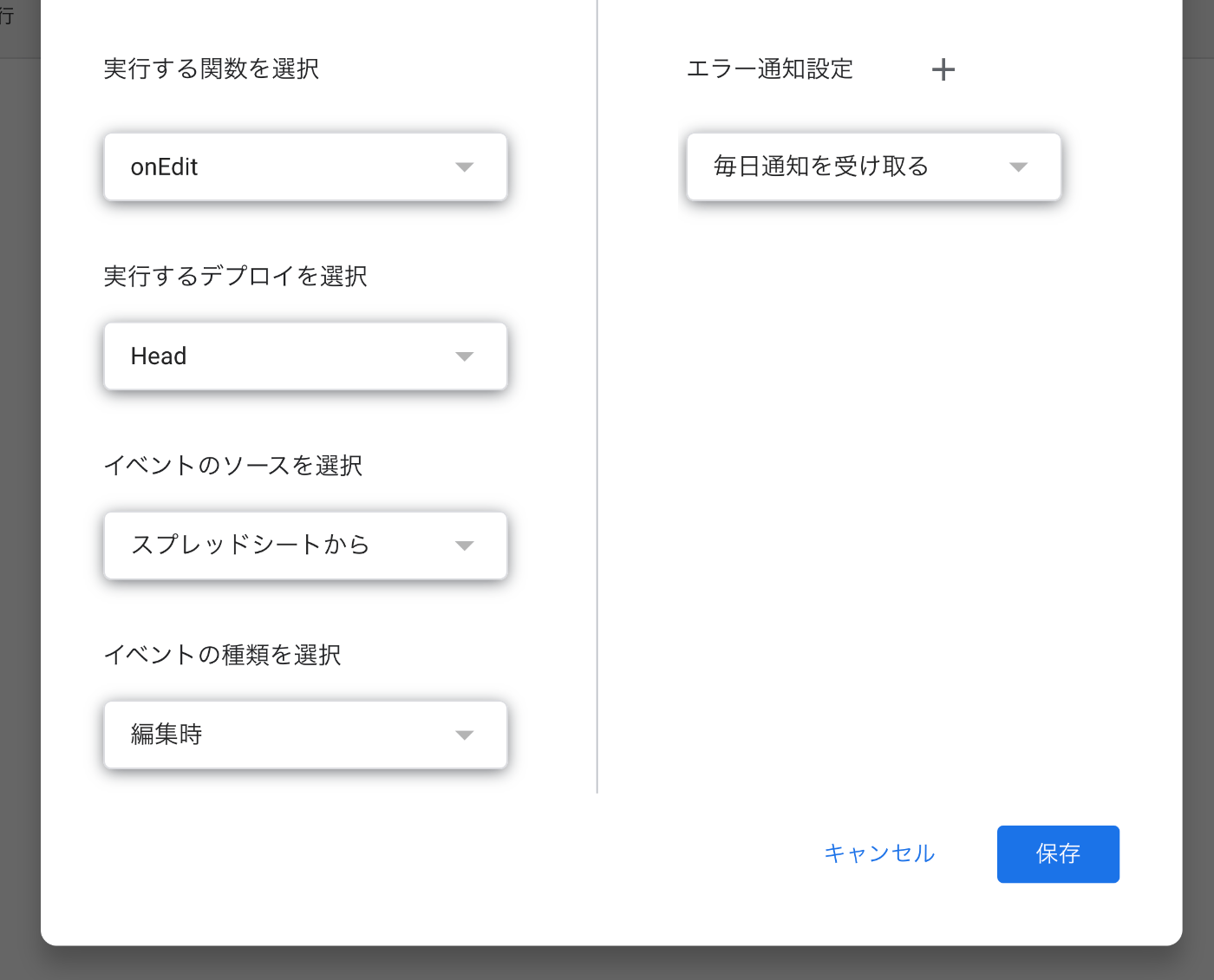
Overview When using GAS (Google Apps Script) to add processing when editing a Google Spreadsheet, there were cases where the onEdit function was executed twice upon editing the spreadsheet. Cause and Solution The cause was that the onEdit function was also selected as a trigger for spreadsheet editing. Since onEdit is a reserved function, there was no need to set up a trigger for it. Summary I hope this is helpful for anyone experiencing the same issue. ...
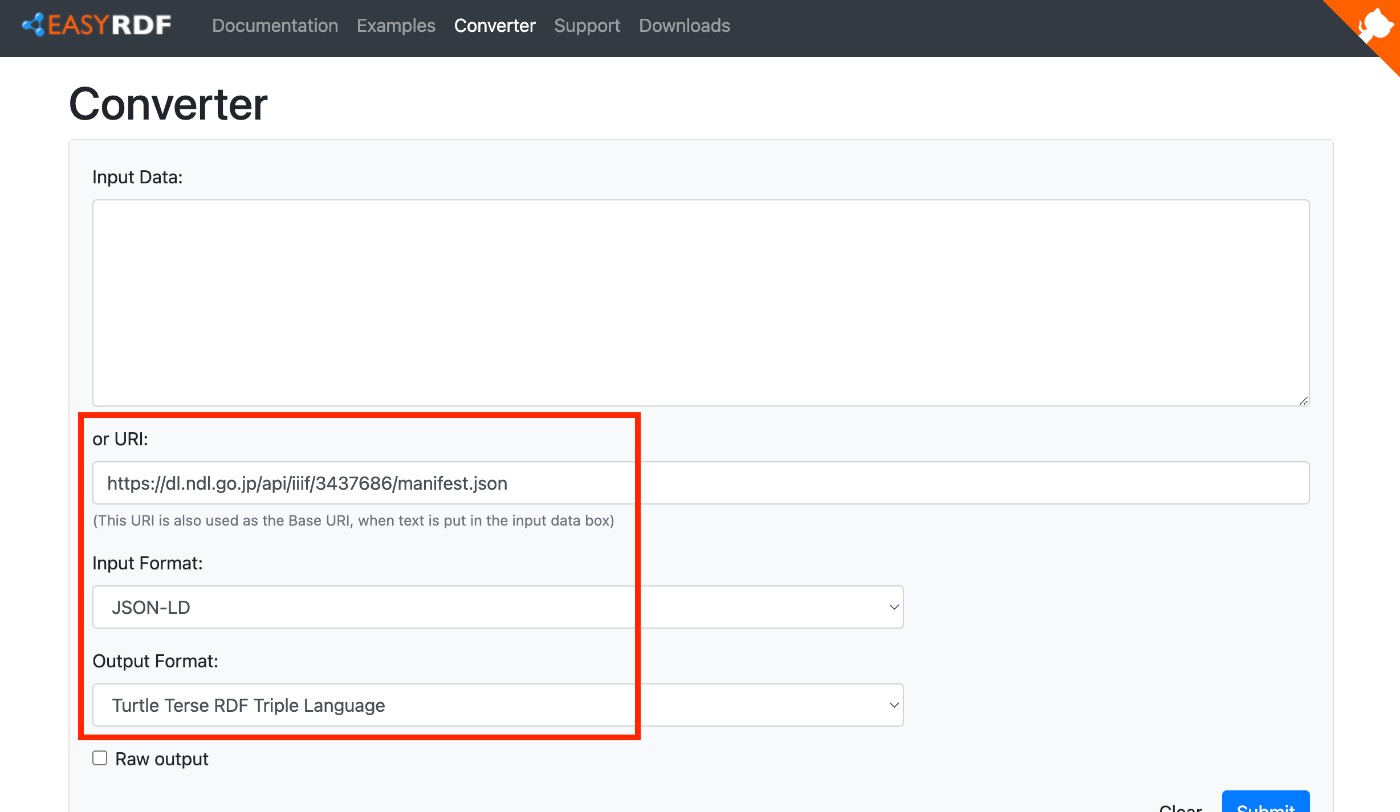
Understanding the Relationship Between RDF, Turtle, JSON-LD, and IIIF Manifest Files

Understanding the Relationship Between RDF, Turtle, JSON-LD, and IIIF Manifest Files

Overview To verify that IIIF manifests are written in JSON-LD, I tried converting them to other formats, so this is a memo of that process. We hope this serves as a useful reference for understanding the relationship between RDF and file formats such as JSON-LD and Turtle, as well as their relationship with IIIF manifest files described in JSON-LD. Target For this exercise, we will use the following manifest file published on the NDL Digital Collection. ...

Partial Update to TEI/XML Published in the Koui Genji Monogatari Text Data Repository

Partial Update to TEI/XML Published in the Koui Genji Monogatari Text Data Repository

Overview I publish TEI/XML files for the Koui Genji Monogatari (Variorum Tale of Genji) in the following repository. https://github.com/kouigenjimonogatari I made some changes to the TEI/XML published here, so this is a note about those changes. Folder Structure Files before the modifications are stored here. There are no changes from before. https://github.com/kouigenjimonogatari/kouigenjimonogatari.github.io/tree/master/tei The updated files are stored here. https://github.com/kouigenjimonogatari/kouigenjimonogatari.github.io/tree/master/xml/lw This directory contains XML files with the modifications described below. Modifications Adding a Schema The following rng file was added. ...

Publishing a Customized Mirador 4 as an npm Package

Publishing a Customized Mirador 4 as an npm Package

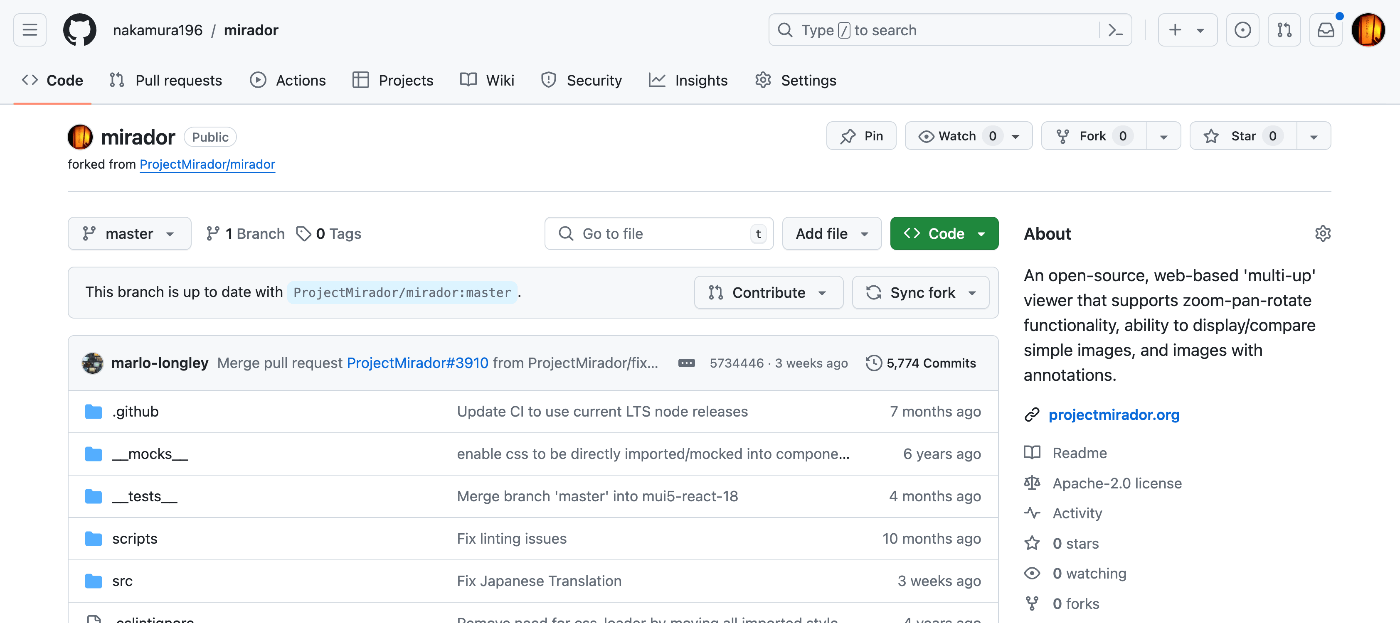
Overview I had the opportunity to publish a customized Mirador 4 as an npm package, so this is a memo of the process. Fork Fork the repository from the following official site. https://github.com/projectmirador/mirador The result looks like this: Create a Branch Clone and create a branch. git clone https://github.com/nakamura196/mirador cd mirador git checkout -b feature-add-immediately-property The following output appears: Switched to a new branch 'feature-add-immediately-property' Development Make modifications as introduced in the following article. ...

Examining Zoom, Scale, and Rotation Behavior in Mirador 4

Examining Zoom, Scale, and Rotation Behavior in Mirador 4

Overview I needed to change the zoom, scale, and rotation behavior of Mirador 4, so this is a memo on how to make those changes. Setup Start Mirador 4 locally with the following commands. git clone https://github.com/projectmirador/mirador cd mirador pnpm i pnpm start It starts on port 4444. Customizing the zoomIn Processing As an example, let’s modify the processing when the zoomIn button is clicked as follows. ... handleZoomInClick() { const { windowId, updateViewport, viewer } = this.props; updateViewport(windowId, { // zoom: viewer.zoom * 2, zoom: viewer.zoom * 1.1, // added rotation: viewer.rotation + 5, // added x: viewer.x * 1.1, // added y: viewer.y * 1.1, // added }); } ... As a result, when pressing the zoomIn button, you can see that zoom and rotation occur while the center shifts slightly. ...

Publishing Materials on Zenodo

Publishing Materials on Zenodo

Overview I registered materials on Zenodo as part of learning how to use it, so here are my notes. The DOI assigned to the registered material is: https://zenodo.org/doi/10.5281/zenodo.12508032 DOI Regarding DOIs, there is one that accesses the latest version and ones assigned to each version. The DOI above is the former. Version 1 is: https://zenodo.org/doi/10.5281/zenodo.12508033 For more information about versioning, please also refer to the following article: Versioning It seems unnecessary to change the version unless you add or update files. When I uploaded a PDF, a DOI was assigned, and even after subsequently editing the metadata, the version did not change. ...

Handling nbdev Errors on macOS

Handling nbdev Errors on macOS

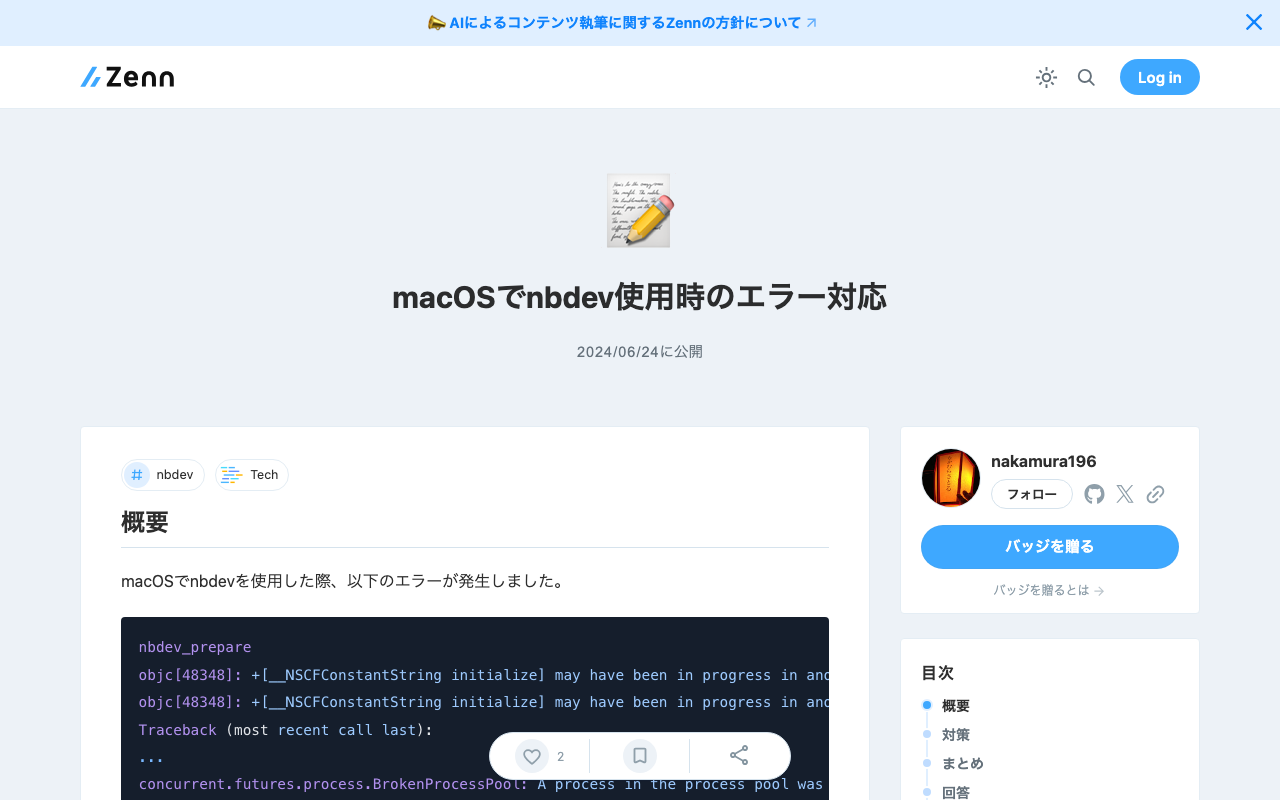
Overview When using nbdev on macOS, the following error occurred. nbdev_prepare objc[48348]: +[__NSCFConstantString initialize] may have been in progress in another thread when fork() was called. objc[48348]: +[__NSCFConstantString initialize] may have been in progress in another thread when fork() was called. We cannot safely call it or ignore it in the fork() child process. Crashing instead. Set a breakpoint on objc_initializeAfterForkError to debug. Traceback (most recent call last): ... concurrent.futures.process.BrokenProcessPool: A process in the process pool was terminated abruptly while the future was running or pending. This is a personal note on addressing this error. ...

Applied Examples of Data Description Using Linked Data

Applied Examples of Data Description Using Linked Data

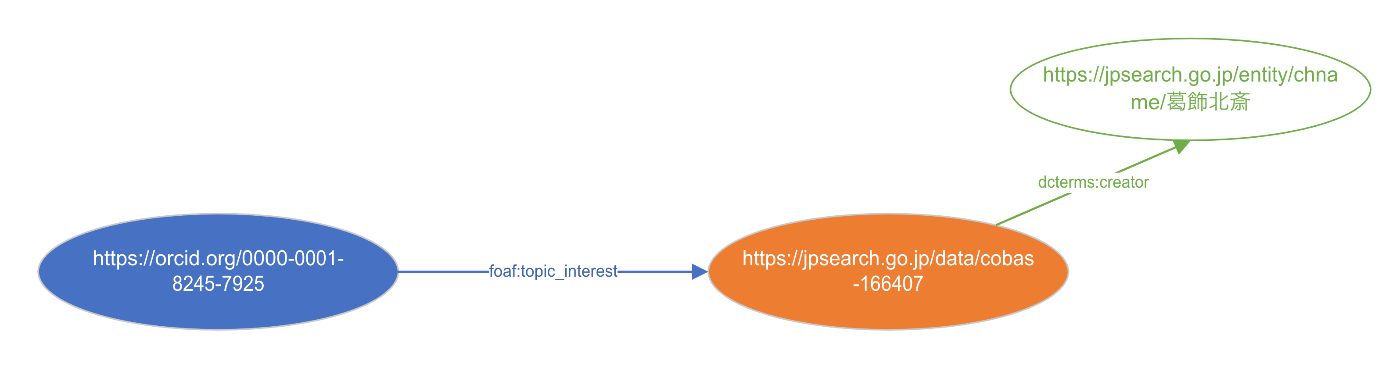
Overview I have written the following articles related to RDF. I tried visualizing these together, so here are my notes. Data The following data was used this time. I described information such as: a person named “Satoru Nakamura (0000-0001-8245-7925)” is interested in “Thirty-Six Views of Mount Fuji: Fine Wind, Clear Morning (cobas-166407)” held by the Tokyo National Museum, and its creator is “Katsushika Hokusai.” The TTL description is as follows. ...

Developing a Zoom Disable Plugin for Mirador 3 (4)

Developing a Zoom Disable Plugin for Mirador 3 (4)

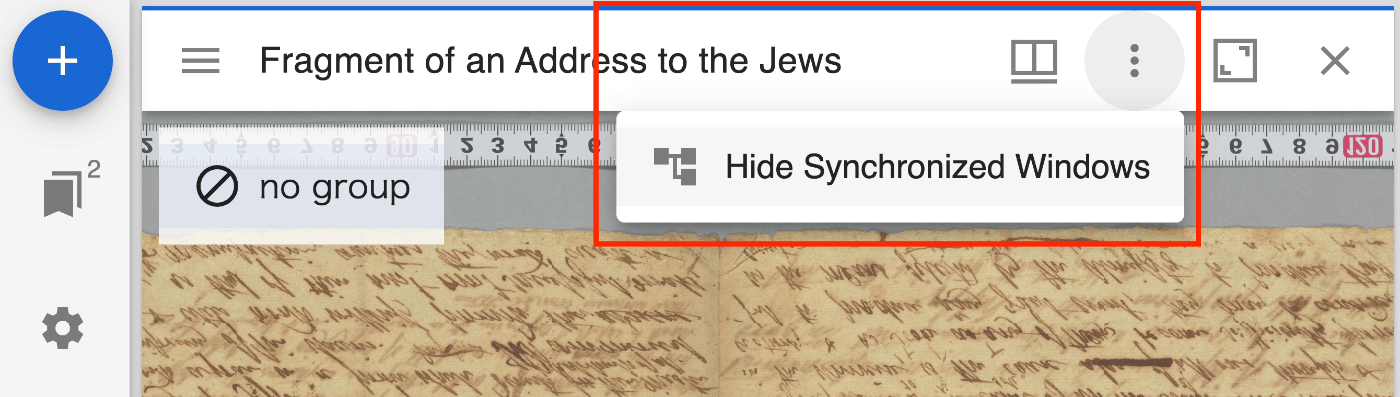
Overview I created a plugin for Mirador 3 (actually Mirador 4) that disables zoom operations. https://github.com/nakamura196/mirador-disable-zoom/ Here is a demo video. https://youtu.be/RN2V4b7IYoI You can try it at the following URL. https://nakamura196.github.io/mirador-disable-zoom/ This plugin is based on the following plugin created by UCLA Library for Mirador 2. https://github.com/UCLALibrary/mirador-disable-zoom This time, I will note some findings from developing this plugin. Specifying the Target The target property allows you to specify where to place the plugin button. In this case, by specifying WindowTopBarPluginArea, I was able to display the icon directly on the per-window bar. ...

Using prefix.cc

Using prefix.cc

Overview This is a memo about trying prefix.cc for resolving prefixes in RDF data. https://prefix.cc/ Namespace Lookup API This is a service that allows you to retrieve URIs by providing a prefix. https://prefix.cc/about/api For example, providing the following: https://prefix.cc/foaf.file.json Returns the following result. { "foaf": "http://xmlns.com/foaf/0.1/" } Reverse Lookup API For example, providing the following: https://prefix.cc/reverse?uri=http://xmlns.com/foaf/0.1/&format=json Returns the same JSON result as above. Adding New Entries The following jps prefix used by Japan Search was not available. ...

Notes on Adding and Visualizing RDF Data

Notes on Adding and Visualizing RDF Data

Overview This article explains the process of converting data created with Microsoft Visio to RDF format, and the method for adding RDF data when a specific URI (in this case, a Japan Search URI containing information about Katsushika Hokusai) is specified. We introduce techniques for handling Visio data in RDF format through the conversion process, and present the results of incorporating information about Katsushika Hokusai as a concrete example. Background In the following article, I introduced an example of converting data created with Microsoft Visio to RDF: ...

Retrieving RDF from URIs Using Content Negotiation in Python

Retrieving RDF from URIs Using Content Negotiation in Python

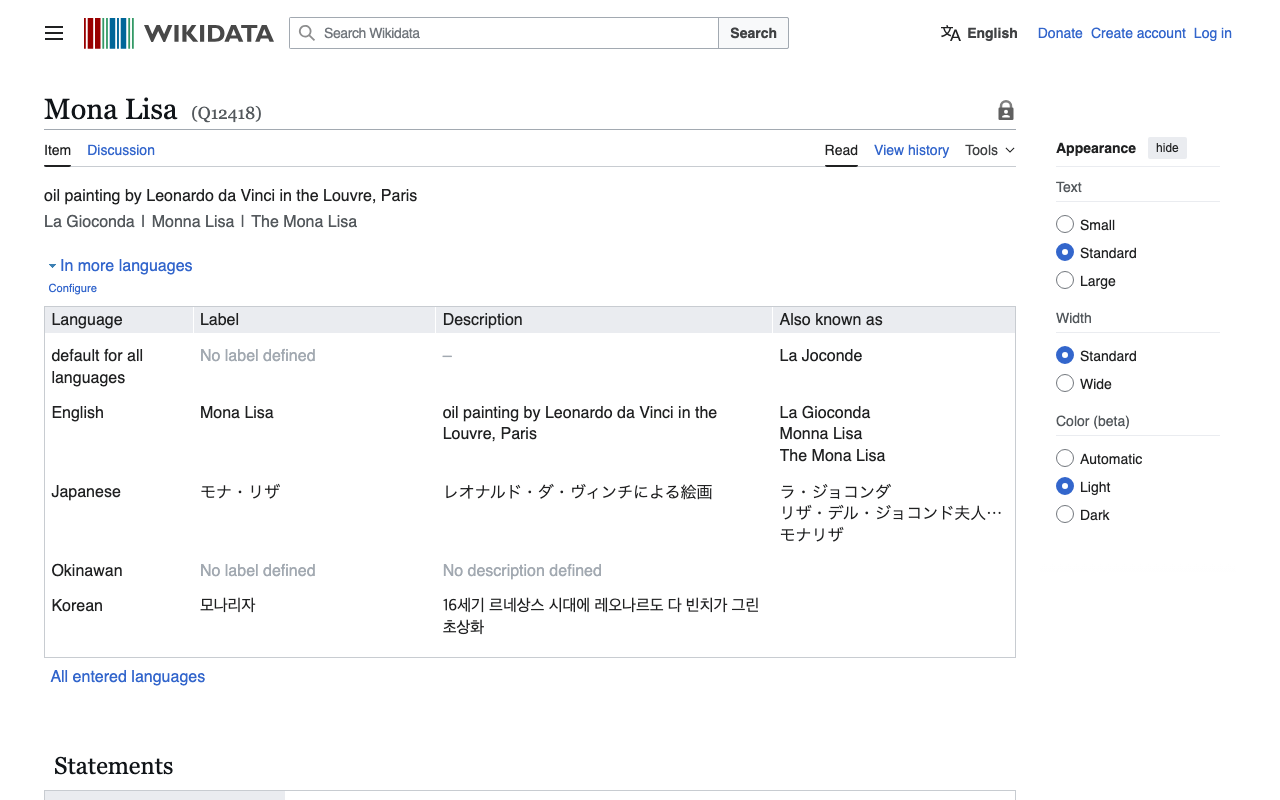
Overview I had an opportunity to retrieve RDF data from Wikidata entity URIs, so here are my notes. Without Content Negotiation First, make a request with empty headers as follows. import requests # URL for the Wikidata entity in RDF format url = "http://www.wikidata.org/entity/Q12418" headers = { } # Sending a GET request to the URL response = requests.get(url, headers=headers) # Checking if the request was successful if response.status_code == 200: text = response.text print(text[:5000]) else: print("Failed to retrieve RDF data. Status code:", response.status_code) In this case, you can retrieve text data in JSON format as follows. ...

Trying iiif-prezi3

Trying iiif-prezi3

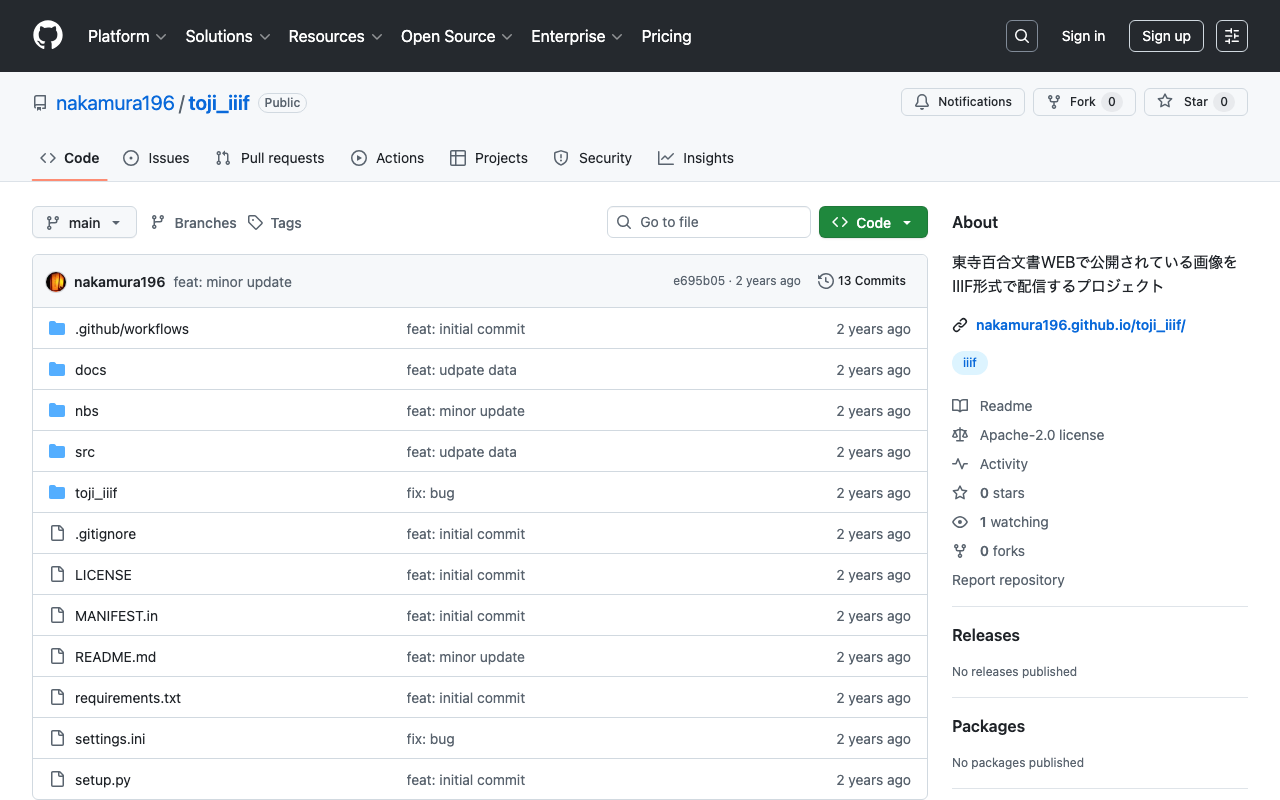
Overview As IIIF Presentation API 3 becomes more widespread, I found it increasingly difficult to understand the specification and create JSON files directly. So I tried using the following Python library, and this is a note for reference. https://github.com/iiif-prezi/iiif-prezi3 I used this library for converting the data published on the Toji Hyakugo Monjo WEB to IIIF, as introduced in the following article. The source code may be hard to read, but it is also published in the following repository, and I hope it is helpful. ...

Fixing Japanese Filename Conversion in Archivematica

Fixing Japanese Filename Conversion in Archivematica

Overview When inputting files with Japanese filenames into Archivematica with default settings, a filename like “ユースケース公募提案書.docx” (Use Case Call for Proposals.docx) is converted as follows: yu-suke-suGong_Mu_Ti_An_Shu_.docx This article explains how to customize this filename conversion. Details The filename conversion is performed in the following file: https://github.com/artefactual/archivematica/blob/qa/1.x/src/MCPClient/lib/clientScripts/change_names.py Specifically, the conversion is done here: decoded_name = unidecode(basename) A Google Colab execution example is available here: https://colab.research.google.com/github/nakamura196/000_tools/blob/main/unidecodeを試す.ipynb Customization This time, we will use pykakasi. ...

Examining the Contents of the DHC Format

Examining the Contents of the DHC Format

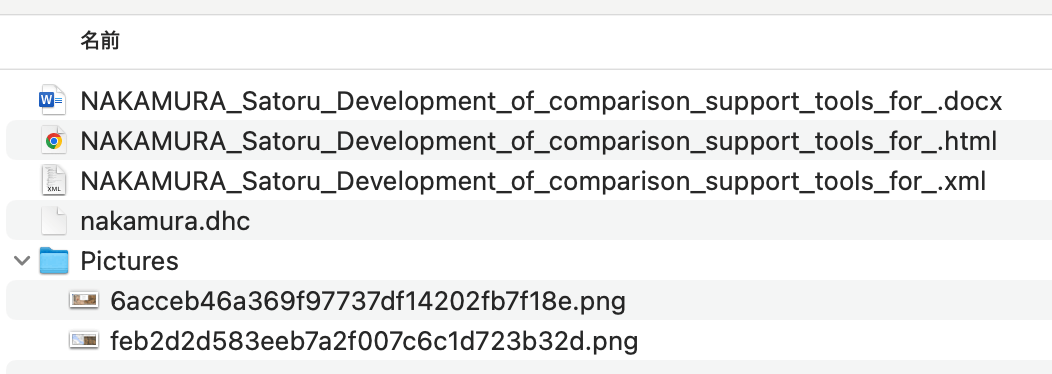
Overview At the annual conferences of Digital Humanities and The Japanese Association for Digital Humanities (JADH), it is common to use a tool called dhconvalidator to convert DOCX or ODT files into DHC files for submission. https://github.com/ADHO/dhconvalidator This article is a note for understanding this format. Examining the Contents DHC files are described as follows. This is essentially a ZIP archive containing their original OCT/DOCX file, an HTML rendering and an XML-TEI rendering, plus a folder with the image files, properly renamed). ...

Trying Out a3m

Trying Out a3m

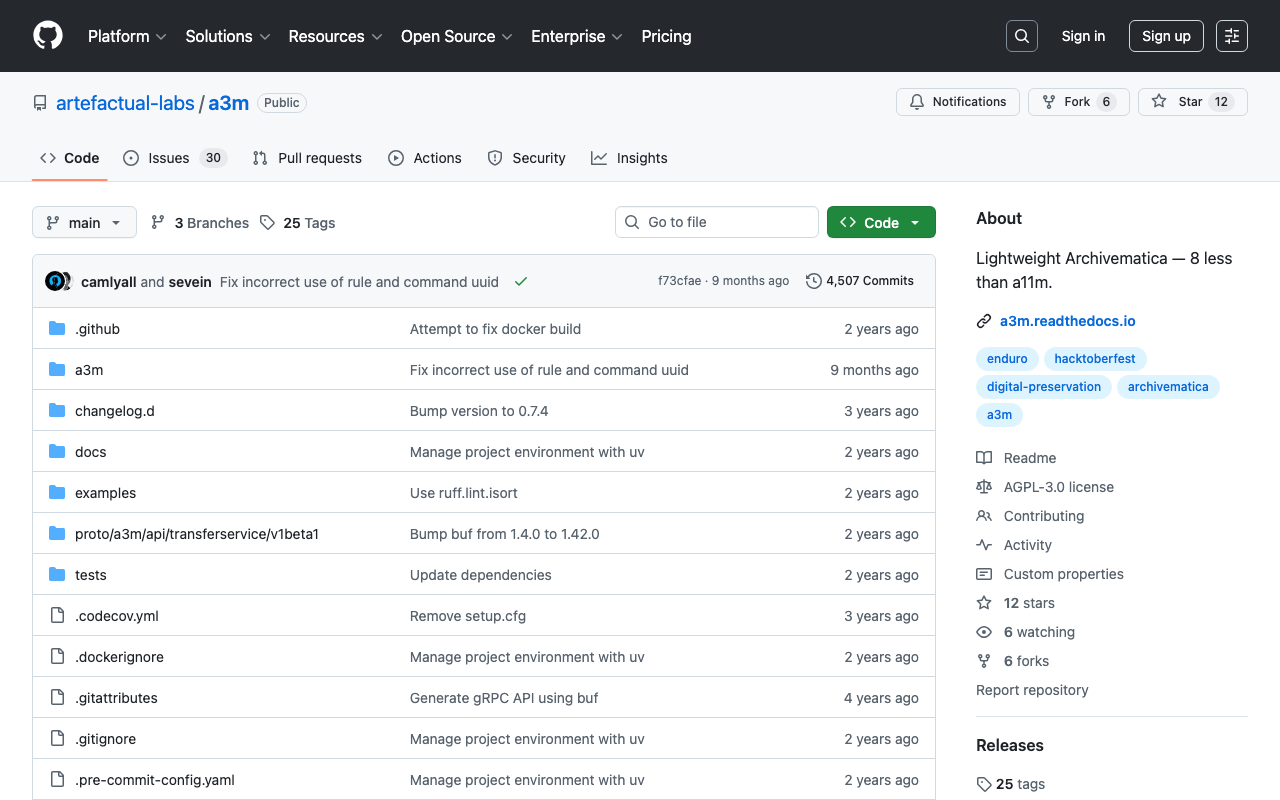
Overview This article covers trying out a3m. https://github.com/artefactual-labs/a3m a3m is described as follows: a3m is a lightweight version of Archivematica focused on AIP creation. It has neither external dependencies, integration with access sytems, search capabilities nor a graphical interface. Differences from Archivematica The main differentiator is the lack of service dependencies. a3m does not depend on Gearman or external workers, MySQL, Elasticsearch or Nginx. a3m provides its own API server based on the gRPC stack and all processing is performed via system threads and spawned child processes. An embedded database based on SQLite is used to store temporary processing state. ...

How to Handle When SSH Connection to Sakura VPS Becomes Unavailable

How to Handle When SSH Connection to Sakura VPS Becomes Unavailable

When SSH connection to Sakura VPS becomes unavailable, you can log in using the serial console. The serial console functions as an emergency workaround for accessing your VPS even when normal SSH connection over the network is not available. The method to access the serial console is as follows: Log in to the Sakura VPS control panel. Select the target VPS. Find and click the “Serial Console” option. Follow the instructions to connect to the serial console. Using the serial console, you can perform system configuration and repair work even if SSH keys are incorrectly configured or communication is blocked by a firewall. However, proper authentication credentials are required to use the console securely. ...

Rebuilding and Restarting Containers with docker-compose

Rebuilding and Restarting Containers with docker-compose

When you want to rebuild and restart containers simultaneously using the docker-compose command, you can execute the following commands. Here are methods for running the build and restart separately, and for executing them in a single command. Running Build and Restart Separately Build: docker-compose -f ./docker-compose.prod.yml build Restart: docker-compose -f ./docker-compose.prod.yml restart Running Build and Restart in a Single Command To build and then restart services, you can use the up command with the --build option and the restart policy. However, since a restart option does not exist for the up command, you actually stop and restart the services. ...

Trying Strapi's Data Transfer

Trying Strapi's Data Transfer

Overview I had the opportunity to deploy local environment data to a production environment in Strapi, so I tried using the following Data transfer feature. https://docs.strapi.io/dev-docs/data-management/transfer Steps Production Environment Side Issue a Transfer Token on the production environment side. Local Environment Let’s say the production site is https://strapi.example.org and the token is xxx. With the following command, I was able to deploy the local environment data to the production environment. ...

Trying Out @iiif/parser

Trying Out @iiif/parser

Overview I learned about an npm module called @iiif/parser, so I tried out some of its features. https://github.com/IIIF-Commons/parser Usage Below is an example. It converts a v2 IIIF manifest to v3. "use client"; import { useState } from "react"; import { convertPresentation2 } from "@iiif/parser/presentation-2"; import { Button, Label, TextInput } from "flowbite-react"; import ComponentsPagesParserPre from "./pages/parser/pre"; type ManifestData = any; export default function ComponentsParser() { const [url, setUrl] = useState<string>( "https://iiif.dl.itc.u-tokyo.ac.jp/repo/iiif/fbd0479b-dbb4-4eaa-95b8-f27e1c423e4b/manifest" ); const [data, setData] = useState<ManifestData>(null); const fetchAndConvertManifest = async ( manifestUrl: string ): Promise<void> => { try { const response = await fetch(manifestUrl); const manifestJson = await response.json(); const convertedManifest = convertPresentation2(manifestJson); setData(convertedManifest); } catch (error) { console.error("Failed to fetch or convert manifest", error); setData("Error fetching or converting manifest."); } }; const handleSubmit = (event: React.FormEvent<HTMLFormElement>): void => { event.preventDefault(); fetchAndConvertManifest(url); }; return ( <> <form className="flex flex-col gap-4" onSubmit={handleSubmit}> <div> <Label htmlFor="url" value="IIIF Manifest URL (v2)" /> <TextInput id="url" type="text" value={url} placeholder="https://example.com/iiif/manifest.json" required onChange={(e) => setUrl(e.target.value)} /> </div> <Button type="submit">Submit</Button> </form> <div className="mt-8"> <ComponentsPagesParserPre data={data} /> </div> </> ); } First, import it as follows. ...