Home Articles Books Search About
日本語
Trying Azure Logic Apps

Trying Azure Logic Apps

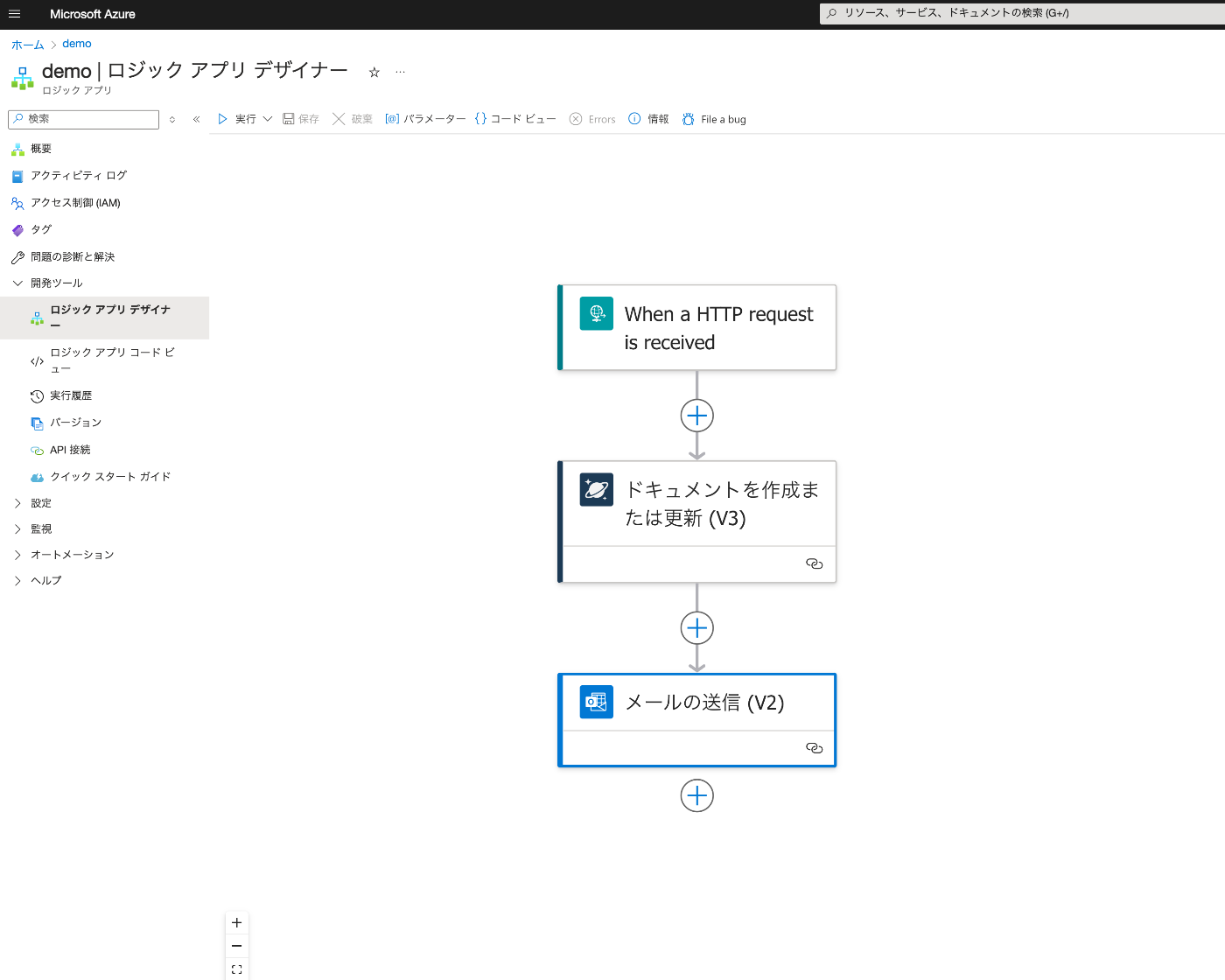
Overview This is a note from trying Azure Logic Apps for the purpose of investigating no-code or low-code development. Result Below is the Logic App Designer screen. We create a workflow that receives an HTTP request, saves data to Cosmos DB, and sends an email upon success. Creating Azure Cosmos DB Everything except “Account name” was left as default. It was created with the name “my-first-azure-cosmos-db-account.” Create an “Items” container. ...

Creating Apps with Azure OpenAI Assistants API Using Gradio and Next.js

Creating Apps with Azure OpenAI Assistants API Using Gradio and Next.js

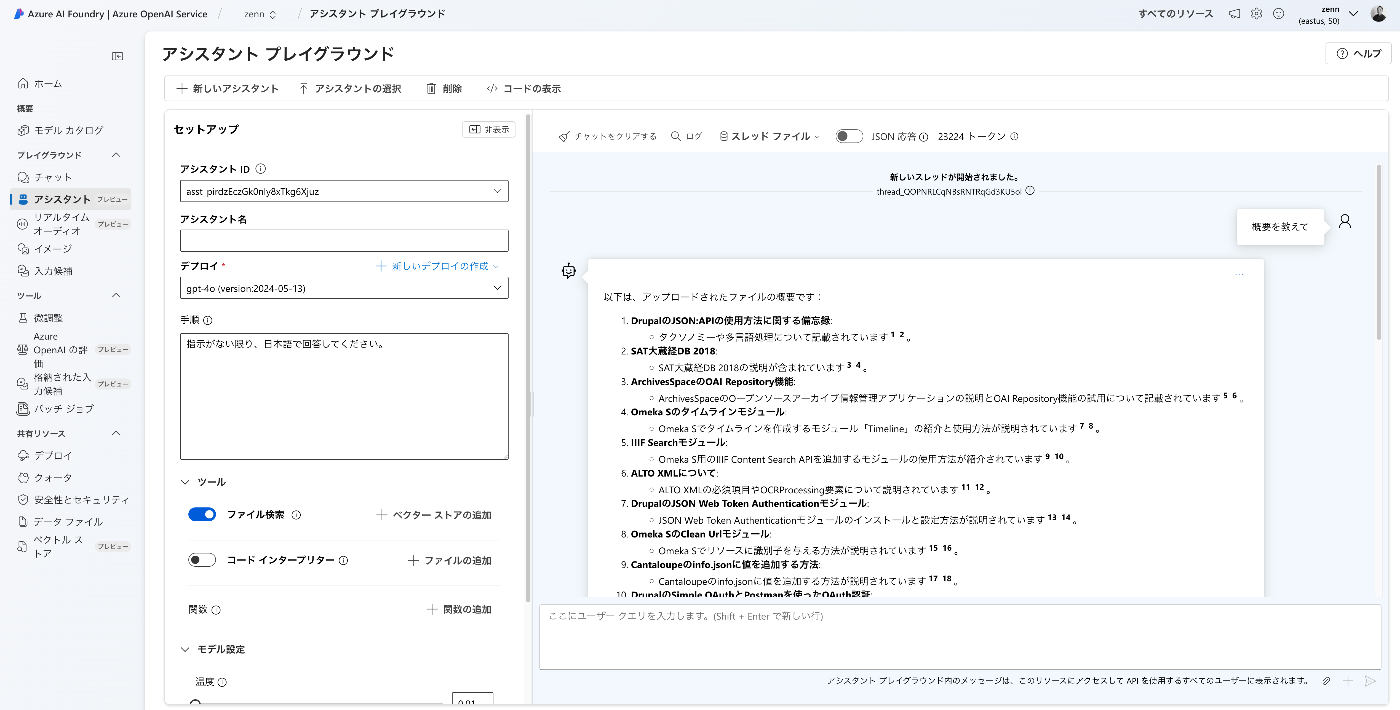
Overview I created apps using the Azure OpenAI Assistants API with Gradio and Next.js, so here are my notes. Target Data I used articles published on Zenn as the target data. First, I bulk downloaded them with the following code. import requests from bs4 import BeautifulSoup import os from tqdm import tqdm page = 1 urls = [] while 1: url = f"https://zenn.dev/api/articles?username=nakamura196&page={page}" response = requests.get(url) data = response.json() articles = data['articles'] if len(articles) == 0: break for article in articles: urls.append("https://zenn.dev" + article['path']) page += 1 for url in tqdm(urls): text_opath = f"data/text/{url.split('/')[-1]}.txt" if os.path.exists(text_opath): continue response = requests.get(url) soup = BeautifulSoup(response.text, "html.parser") html = soup.find(class_="znc") txt = html.get_text() os.makedirs(os.path.dirname(text_opath), exist_ok=True) with open(text_opath, "w") as f: f.write(txt) Registering to the Vector Store Upload data files with the following code. ...

How to Upload Media to Omeka S Using Python

How to Upload Media to Omeka S Using Python

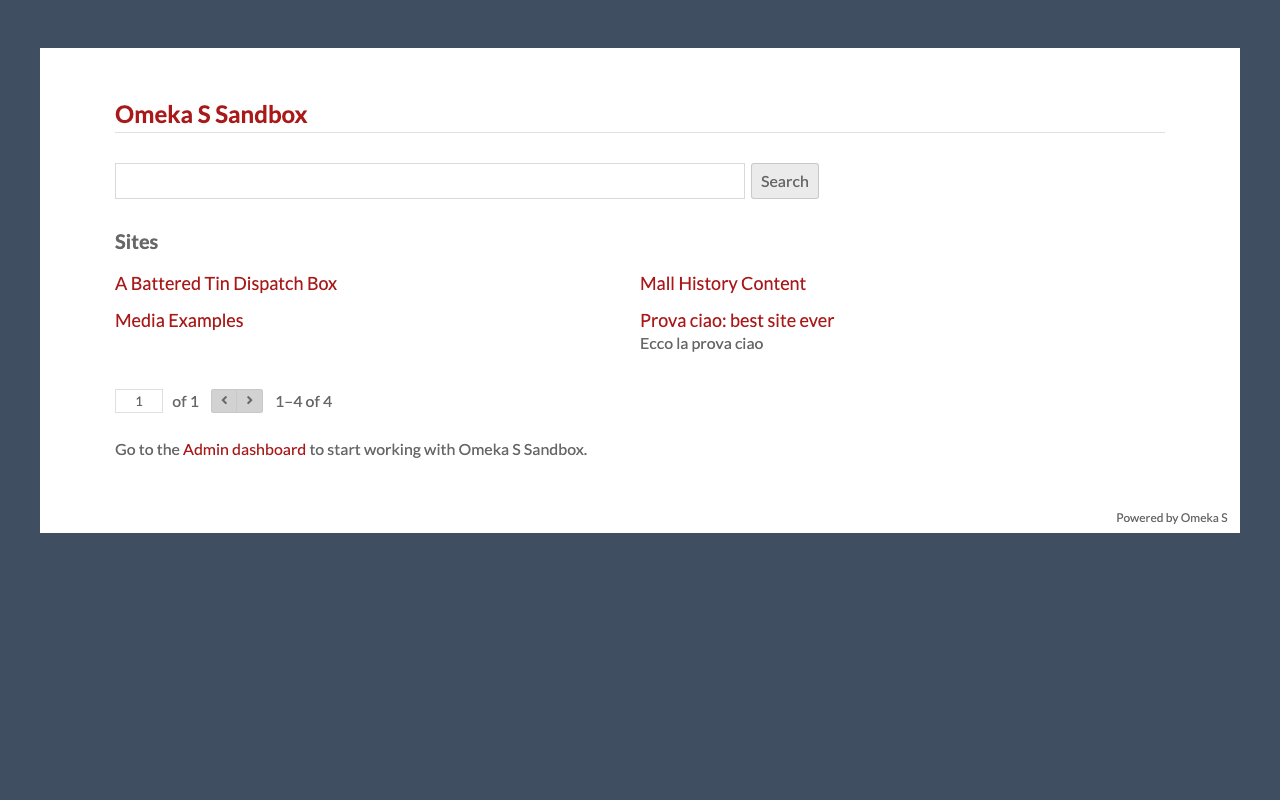
Overview This is a personal note on how to upload media to Omeka S using Python. Preparation Prepare environment variables. OMEKA_S_BASE_URL=https://dev.omeka.org/omeka-s-sandbox # Example OMEKA_S_KEY_IDENTITY= OMEKA_S_KEY_CREDENTIAL= Initialize. import requests from dotenv import load_dotenv import os def __init__(self): load_dotenv(verbose=True, override=True) OMEKA_S_BASE_URL = os.environ.get("OMEKA_S_BASE_URL") self.omeka_s_base_url = OMEKA_S_BASE_URL self.items_url = f"{OMEKA_S_BASE_URL}/api/items" self.media_url = f"{OMEKA_S_BASE_URL}/api/media" self.params = { "key_identity": os.environ.get("OMEKA_S_KEY_IDENTITY"), "key_credential": os.environ.get("OMEKA_S_KEY_CREDENTIAL") } Uploading a Local File def upload_media(self, path, item_id): files = {} payload = {} file_data = { 'o:ingester': 'upload', 'file_index': '0', 'o:source': path.name, 'o:item': {'o:id': item_id} } payload.update(file_data) params = self.params files = [ ('data', (None, json.dumps(payload), 'application/json')), ('file[0]', (path.name, open(path, 'rb'), 'image')) ] media_response = requests.post( self.media_url, params=params, files=files ) # Check the response if media_response.status_code == 200: return media_response.json()["o:id"] else: return None Uploading a IIIF Image Specify a IIIF image URL like the following to register it. ...

Trying Annotations in Sketchfab

Trying Annotations in Sketchfab

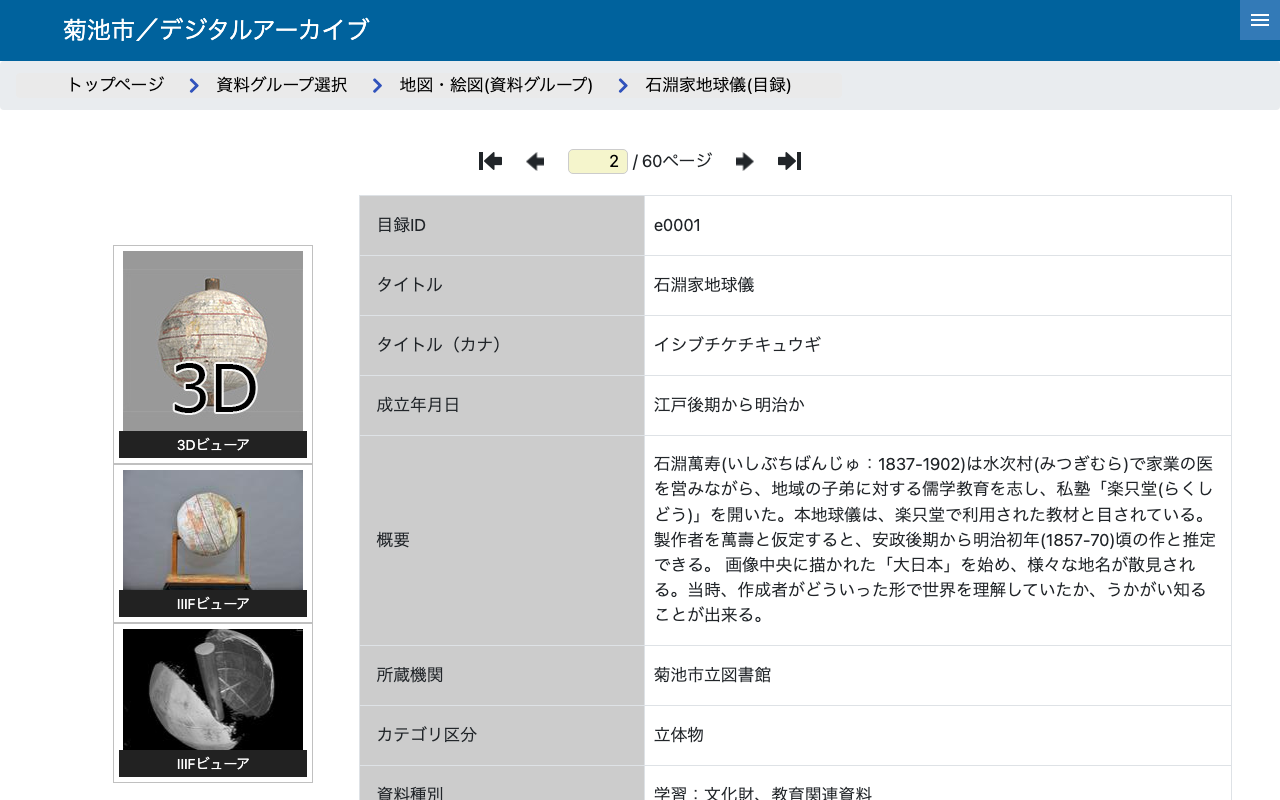
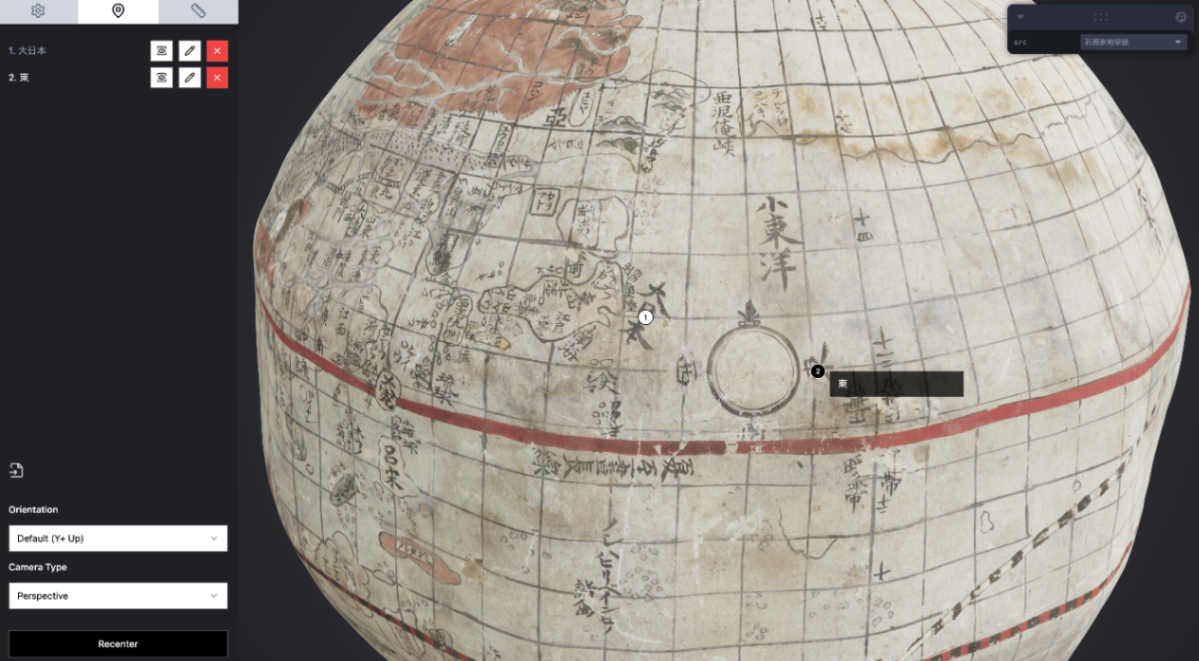
Overview I tried out annotations in Sketchfab, so this is a personal note for future reference. Ultimately, I created the following viewer. https://nakamura196.github.io/SketchfabAnnotationViewer/ https://youtu.be/iEe6TbI3X70 Data Used We will use the “Ishibuchi Family Globe” from the “Kikuchi City / Digital Archive.” https://adeac.jp/kikuchi-city/catalog/e0001 Usage Example First, I uploaded the 3D data to Sketchfab. https://skfb.ly/pt8oU Then I added annotations. As a result, the following page was prepared. Using the API Please also refer to the following repository. ...

Converting OBJ Files to glTF and GLB Files

Converting OBJ Files to glTF and GLB Files

Overview These are notes on how to convert OBJ files to glTF and GLB files. Target Data The target is the “Ishibuchi Family Globe” from the “Kikuchi City / Digital Archive.” https://adeac.jp/kikuchi-city/catalog/e0001 The OBJ file can be accessed from the following URL. https://adeac.jp/viewitem/kikuchi-city/viewer/3d/dc-e0097/models/Kikuchi_Globe_180820.obj Downloading the Target Data Download the library. npm i axios Prepare the following file. const axios = require('axios'); const fs = require('fs'); const path = require('path'); // Function to download a file from a specified URL async function downloadFile(url, outputPath) { const writer = fs.createWriteStream(outputPath); const response = await axios({ url, method: 'GET', responseType: 'stream', }); response.data.pipe(writer); return new Promise((resolve, reject) => { writer.on('finish', resolve); writer.on('error', reject); }); } // Load .obj file and download related files async function processObjFile(objUrl, outputDir) { try { // Download .obj file and get its content const objResponse = await axios.get(objUrl); const objContent = objResponse.data; // Save .obj file const objFileName = path.basename(objUrl); const objFilePath = path.join(outputDir, objFileName); fs.writeFileSync(objFilePath, objContent); console.log(`Downloaded OBJ file: ${objFilePath}`); // Search for .mtl file path const mtlMatch = objContent.match(/^mtllib\s+(.+)$/m); if (mtlMatch) { const mtlFileName = mtlMatch[1]; const mtlUrl = new URL(mtlFileName, objUrl).href; const mtlFilePath = path.join(outputDir, mtlFileName); // Download .mtl file await downloadFile(mtlUrl, mtlFilePath); console.log(`Downloaded MTL file: ${mtlFilePath}`); // Get .mtl file content and find related files const mtlContent = fs.readFileSync(mtlFilePath, 'utf-8'); const textureMatches = [...mtlContent.matchAll(/^map_Kd\s+(.+)$/gm)]; for (const match of textureMatches) { const textureFileName = match[1]; const textureUrl = new URL(textureFileName, objUrl).href; const textureFilePath = path.join(outputDir, path.basename(textureFileName)); // Download texture image await downloadFile(textureUrl, textureFilePath); console.log(`Downloaded texture file: ${textureFilePath}`); } } else { console.log('No MTL file referenced in the OBJ file.'); } } catch (error) { console.error(`Error processing OBJ file: ${error.message}`); } } // Usage example const objUrl = 'https://adeac.jp/viewitem/kikuchi-city/viewer/3d/dc-e0097/models/Kikuchi_Globe_180820.obj'; const outputDir = './downloads'; if (!fs.existsSync(outputDir)) { fs.mkdirSync(outputDir, { recursive: true }); } processObjFile(objUrl, outputDir); Execute it. ...

Trying aleph-r3f

Trying aleph-r3f

Overview In the following article, I introduced the Aleph 3D viewer. After further investigation, I also discovered the following repository. https://github.com/aleph-viewer/aleph-r3f It is described as follows, with the key difference being its use of react-three-fiber and shadcn/ui. Aleph is a 3D object viewer and annotation/measurement tool built with react-three-fiber and shadcn/ui The annotation features also appeared to be improved, as shown below. In this article as well, I use 3D data of the “Ishibuchi Family Globe” published in the Kikuchi City Digital Archive. ...

Cantaloupe: Serving Images Stored in Microsoft Azure Blob Storage

Cantaloupe: Serving Images Stored in Microsoft Azure Blob Storage

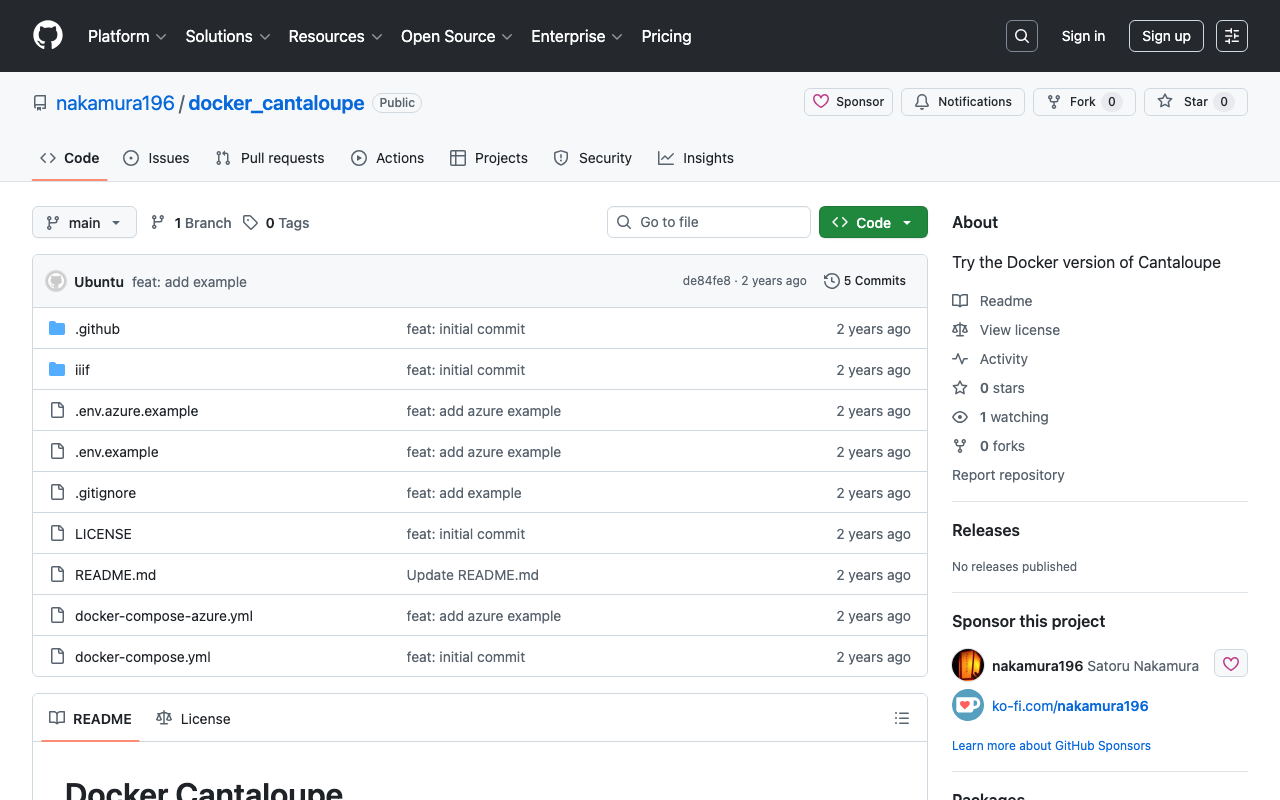
Overview This is a memo on how to serve images stored in Microsoft Azure Blob Storage using Cantaloupe Image Server, one of the IIIF image servers. This is the Microsoft Azure Blob Storage version of the following article. Method This time we will use the Docker version. Please clone the following repository. https://github.com/nakamura196/docker_cantaloupe In particular, rename .env.azure.example to .env and set the environment variables. # For Microsoft Azure Blob Storage CANTALOUPE_AZURESTORAGESOURCE_ACCOUNT_NAME= CANTALOUPE_AZURESTORAGESOURCE_ACCOUNT_KEY= CANTALOUPE_AZURESTORAGESOURCE_CONTAINER_NAME= # For Traefik CANTALOUPE_HOST= LETS_ENCRYPT_EMAIL= The last two settings also include HTTPS configuration using Traefik. ...

Building an NDLOCR Gradio App Using Azure Virtual Machines

Building an NDLOCR Gradio App Using Azure Virtual Machines

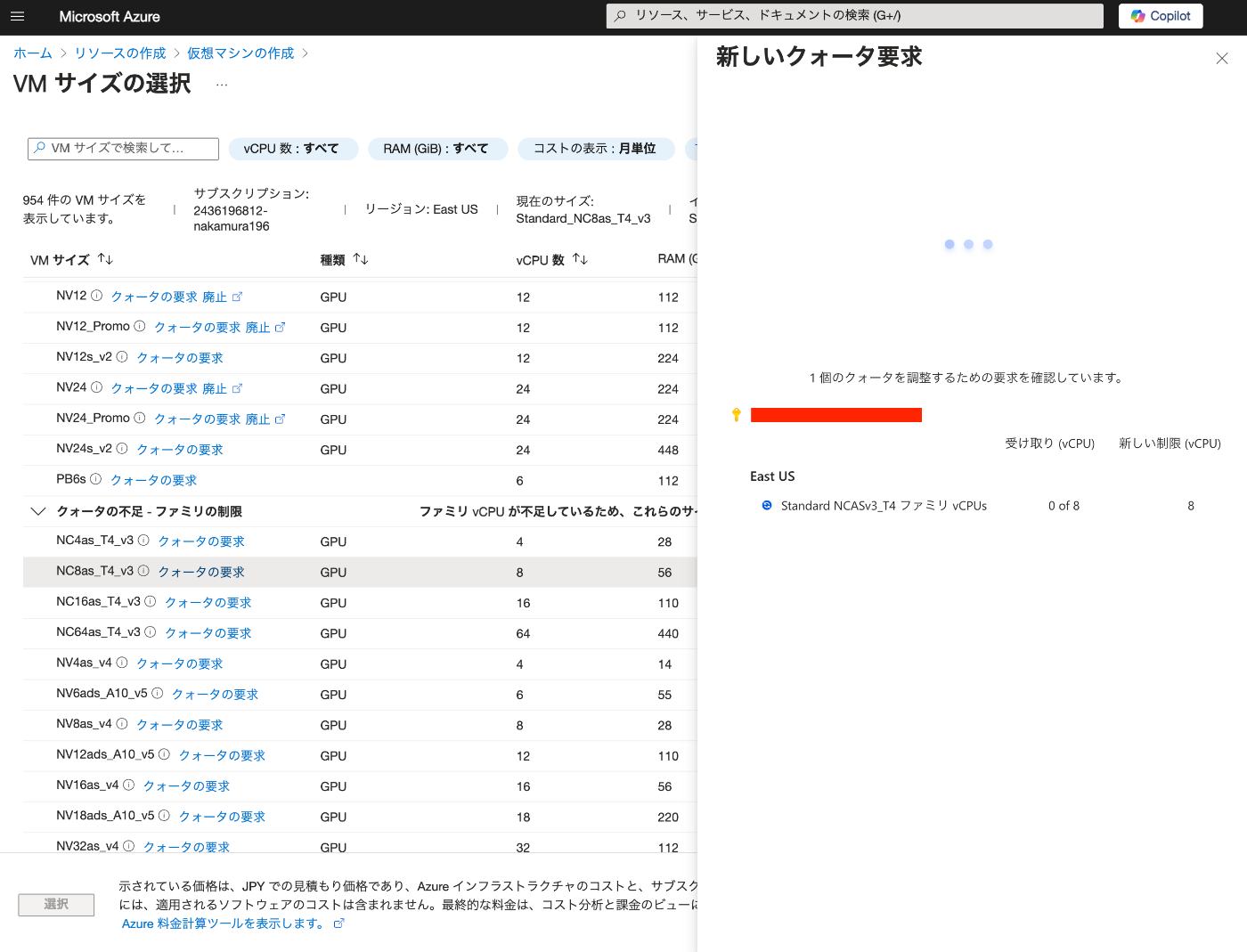
Overview In the following article, I introduced a Gradio app using Azure virtual machines and NDLOCR. This article provides notes on how to build this app. Building the Virtual Machine To use a GPU, it was necessary to request a quota. After the request, “NC8as_T4_v3” was used for this project. Building the Docker Environment The following article was used as a reference. https://zenn.dev/koki_algebra/scraps/32ba86a3f867a4 Disabling Secure Boot The following is stated: ...

Authenticating with GakuNin RDM Using Nuxt 3 and @sidebase/nuxt-auth

Authenticating with GakuNin RDM Using Nuxt 3 and @sidebase/nuxt-auth

Overview This article describes how to authenticate with GakuNin RDM using Nuxt 3 and @sidebase/nuxt-auth. Demo App https://nuxt-rdm.vercel.app/ Repository https://github.com/nakamura196/nuxt-rdm Notes Initially, the following warning was displayed. AUTH_NO_ORIGIN: No origin - this is an error in production, see https://sidebase.io/nuxt-auth/resources/errors. You can ignore this during development Therefore, based on the following reference: https://auth.sidebase.io/resources/error-reference I configured it as follows, which resulted in an error. ... auth: { baseURL: process.env.NEXTAUTH_URL, }, ... The cause was that I was using an rc version of the library. ...

Building a RAG-based Chat Using Azure OpenAI, LlamaIndex, and Gradio

Building a RAG-based Chat Using Azure OpenAI, LlamaIndex, and Gradio

Overview I tried building a RAG-based chat using Azure OpenAI, LlamaIndex, and Gradio, so here are my notes. Azure OpenAI Create an Azure OpenAI resource. Then, click “Endpoint: Click here to view endpoint” to note down the endpoint and key. Then, navigate to the Azure OpenAI Service. Go to “Model catalog” and deploy “gpt-4o” and “text-embedding-3-small”. The result is displayed as follows. Downloading the Text This time, we target “The Tale of Genji” published on Aozora Bunko (a free digital library of Japanese literature). ...

Using the "Tale of Genji in Textbooks LOD"

Using the "Tale of Genji in Textbooks LOD"

Overview This is a memo about trying out the “Tale of Genji in Textbooks LOD” (Kyokasho no Naka no Genji Monogatari LOD). https://linkdata.org/work/rdf1s10294i It is described as follows. The “Tale of Genji in Textbooks LOD” is an LOD conversion of data on The Tale of Genji published in post-war authorized textbooks for the classical literature section of high schools. I would like to thank all those involved in creating and publishing the “Tale of Genji in Textbooks LOD”. ...

Trying Out Peripleo

Trying Out Peripleo

Overview I investigated how to use “Peripleo,” so here are my notes. “Peripleo” is described as follows. Peripleo is a browser-based tool for the mapping of things related to place. https://github.com/britishlibrary/peripleo This time, I will introduce how to use it in combination with “Rekichizu” (Historical Maps), which was introduced in the following article. Result You can try it out at the following URL. https://nakamura196.github.io/peripleo/ The repository is available here. ...

Developed a Simple Viewer for CSV Files Published on the Internet

Developed a Simple Viewer for CSV Files Published on the Internet

Overview I developed a simple viewer for CSV files published on the internet. You can try it at the following URL: https://nakamura196.github.io/csv_viewer/ Here is an example with a CSV file actually loaded: https://nakamura196.github.io/csv_viewer/?u=https%3A%2F%2Fraw.githubusercontent.com%2Fomeka-j%2FOmeka-S-module-BulkImport-Sample-Data%2Frefs%2Fheads%2Fmain%2Fitem.csv Repository It is published in the following repository: https://github.com/nakamura196/csv_viewer/ Summary While there are many similar services available, I hope this serves as a useful reference for quickly viewing CSV files published on the internet.

Building a Gradio App Using NDL Kotenseki OCR-Lite

Building a Gradio App Using NDL Kotenseki OCR-Lite

Overview I built a Gradio App using NDL Kotenseki OCR-Lite. You can try it at the following URL. https://huggingface.co/spaces/nakamura196/ndlkotenocr-lite “NDL Kotenseki OCR-Lite” provides a desktop application, so an execution environment is available without the need for a web app like Gradio. Therefore, the intended use cases for this web app include usage from smartphones or tablets, and integration via web API. Development Notes and Bug Fixes Using Submodules The original ndlkotenocr-lite was introduced as a submodule. ...

Trying Out Geocoding Libraries

Trying Out Geocoding Libraries

Overview I had the opportunity to try out geocoding libraries, so here are my notes. Target This time, we will use the following text as our target: 岡山市旧御野郡金山寺村。現在の岡山市金山寺。市の中心部からは直線で北方約一〇キロを隔てた金山の中腹にある。 (Okayama City, former Mino District, Kinzanji Village. Currently Kinzanji, Okayama City. Located on the hillside of Kanayama, approximately 10 kilometers north of the city center in a straight line.) Tool 1: Jageocoder - A Python Japanese geocoder First, let’s try “Jageocoder.” ...

Using IIIF Manifest Files Stored in mdx.jp Object Storage from NestJS

Using IIIF Manifest Files Stored in mdx.jp Object Storage from NestJS

Overview I had the opportunity to use IIIF manifest files stored in mdx.jp object storage from NestJS, so here are my notes. Background After a brief investigation into mdx.jp object storage, it appeared that CORS settings could not be configured, making it difficult to use IIIF manifest files uploaded to mdx.jp object storage directly from other viewers. https://tech.ldas.jp/en/posts/ad76f58db4e098/#Note (CORS permission) Therefore, we use NestJS to load the IIIF manifest files uploaded to object storage and return them. ...

Notes on LLM-Related Tools

Notes on LLM-Related Tools

Overview This is a memo on tools related to LLMs. LangChain https://www.langchain.com/ It is described as follows. LangChain is a composable framework to build with LLMs. LangGraph is the orchestration framework for controllable agentic workflows. LlamaIndex https://docs.llamaindex.ai/en/stable/ It is described as follows. LlamaIndex is a framework for building context-augmented generative AI applications with LLMs including agents and workflows. LangChain and LlamaIndex The response from gpt-4o was as follows. ...

Minor Modifications to openai-assistants-quickstart

Minor Modifications to openai-assistants-quickstart

Overview When building a chat interface using RAG (Retrieval-augmented generation) with OpenAI’s Assistants API, I used the following repository. https://github.com/openai/openai-assistants-quickstart A modification was needed regarding the handling of citation, so I am documenting it here as a memo. Background I used the above repository to try RAG with OpenAI’s Assistants API. With the default settings, citation markers like “4:13†” were displayed as-is, as shown below. Solution I modified annotateLastMessage as follows. By changing file_path to file_citation, the citation markers could be replaced. ...

Authenticating with ORCID, The Open Science Framework, and GakuNin RDM Using NextAuth.js

Authenticating with ORCID, The Open Science Framework, and GakuNin RDM Using NextAuth.js

Overview This article describes how to perform authentication with ORCID, OSF (The Open Science Framework), and GRDM (GakuNin RDM) using NextAuth.js. Demo Apps ORCID https://orcid-app.vercel.app/ OSF https://osf-app.vercel.app/ GRDM https://rdm-app.vercel.app/ Repository ORCID https://github.com/nakamura196/orcid_app Below is an example of the options configuration. https://github.com/nakamura196/orcid_app/blob/main/src/app/api/auth/[…nextauth]/authOptions.js export const authOptions = { providers: [ { id: "orcid", name: "ORCID", type: "oauth", clientId: process.env.ORCID_CLIENT_ID, clientSecret: process.env.ORCID_CLIENT_SECRET, authorization: { url: "https://orcid.org/oauth/authorize", params: { scope: "/authenticate", response_type: "code", redirect_uri: process.env.NEXTAUTH_URL + "/api/auth/callback/orcid", }, }, token: "https://orcid.org/oauth/token", userinfo: { url: "https://pub.orcid.org/v3.0/[ORCID]", async request({ tokens }) { const res = await fetch(`https://pub.orcid.org/v3.0/${tokens.orcid}`, { headers: { Authorization: `Bearer ${tokens.access_token}`, Accept: "application/json", }, }); return await res.json(); }, }, profile(profile) { return { id: profile["orcid-identifier"].path, // Get ORCID ID name: profile.person?.name?.["given-names"]?.value + " " + profile.person?.name?.["family-name"]?.value, email: profile.person?.emails?.email?.[0]?.email, }; }, }, ], callbacks: { async session({ session, token }) { session.accessToken = token.accessToken; session.user.id = token.orcid; // Add ORCID ID to session return session; }, async jwt({ token, account }) { if (account) { token.accessToken = account.access_token; token.orcid = account.orcid; } return token; }, }, }; OSF https://github.com/nakamura196/osf-app ...

Building a Character Detection Model Using YOLOv11x and the Japanese Classical Character Dataset

Building a Character Detection Model Using YOLOv11x and the Japanese Classical Character Dataset

Overview I had the opportunity to build a character detection model using YOLOv11x and the Japanese Classical Character (Kuzushiji) Dataset, so this is a memo of the process. http://codh.rois.ac.jp/char-shape/ References Previously, I performed a similar task using YOLOv5. You can check the demo and pre-trained models at the following Spaces. https://huggingface.co/spaces/nakamura196/yolov5-char Below is an example of application to publicly available images from the “National Treasure Kanazawa Bunko Documents Database.” ...