Home Articles Books Search About
日本語
Prototyping a TEI/XML File Creation App Using Google Cloud Vision API and GakuNin RDM

Prototyping a TEI/XML File Creation App Using Google Cloud Vision API and GakuNin RDM

Overview I prototyped a TEI/XML file creation app using Google Cloud Vision API and GakuNin RDM, so this is a memo of that work. Background I needed an environment for creating TEI/XML files that reflect OCR results using Google Cloud Vision API. So I prototyped an environment that uses GakuNin RDM as the backend to manage files per user and execute OCR. How to Use Creating a Folder Access the following. ...

Added Route Registration Feature to the "Rekichizu x Next.js" Site

Added Route Registration Feature to the "Rekichizu x Next.js" Site

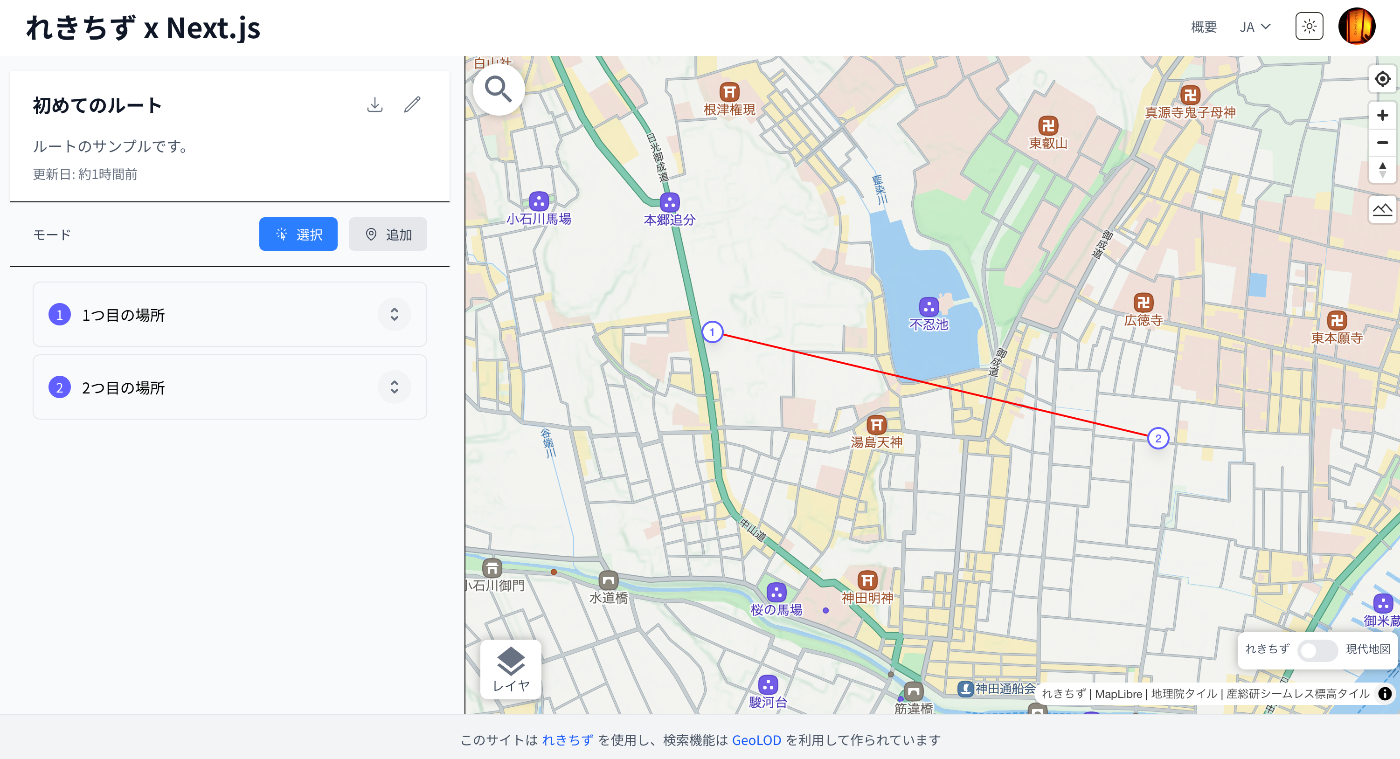
Overview I added a route registration feature to the “Rekichizu x Next.js” site. Below is a display example. References The “Rekichizu x Next.js” site is introduced in the following article. As a precedent for displaying routes using “Rekichizu”, the following example exists. https://codh.rois.ac.jp/edomi/route/ This time, I added a route creation feature based on the above example. Usage Access the site. https://rekichizu-next.vercel.app/ja/ Click “Manage My Routes”. Login is required, so log in using the button in the upper right. ...

How to Disable Browser Language Detection in Nuxt i18n

How to Disable Browser Language Detection in Nuxt i18n

Overview (Created by ChatGPT) The Nuxt i18n module has a feature that detects the user’s browser language and redirects them to the appropriate language page. However, in certain situations you may want to disable this feature. This article explains how to completely disable browser language detection using detectBrowserLanguage: false. https://v8.i18n.nuxtjs.org/guide/browser-language-detection Configuration To disable the browser language detection feature, set the detectBrowserLanguage option to false in your nuxt.config.js file. export default defineNuxtConfig({ // その他の設定 i18n: { // 言語検出を無効化 detectBrowserLanguage: false }, // その他の設定 }) Use Cases Where This Is Helpful When you want users to directly access specific URLs: If you intend for users to directly visit specific content, redirects can be an obstacle. Optimizing crawling: When you want search engine crawlers to be able to directly access specific language pages. Consistent user experience: For example, when you want to avoid unexpected redirects for users navigating between linked language pages. Summary By using detectBrowserLanguage: false, you can control site access for user experience and SEO optimization without relying on redirects. Using this setting in appropriate situations can improve your site’s usability. ...

How to Add Dark Mode Using Tailwind CSS V4 with Next.js 15 App Router

How to Add Dark Mode Using Tailwind CSS V4 with Next.js 15 App Router

Overview This article describes how to add dark mode using Tailwind CSS V4 with the Next.js 15 App Router. The following article was helpful as a reference. https://sujalvanjare.vercel.app/blog/dark-mode-nextjs15-tailwind-v4 I was able to switch between dark mode and light mode as shown below. The following is a Japanese translation of the above article by ChatGPT. Learn how to implement dark mode and light mode using Tailwind CSS V4 in a Next.js 15 App Router project. This step-by-step guide covers the latest changes in Tailwind V4 and Next.js 15 to achieve a seamless theme switcher! ...

Handling the Error: Do not use <img>. Use Image from 'next/image' instead.

Handling the Error: Do not use <img>. Use Image from 'next/image' instead.

Overview The following article was helpful for handling the error: “Error: Do not use . Use Image from ’next/image’ instead.” https://stackoverflow.com/questions/68203582/error-do-not-use-img-use-image-from-next-image-instead-next-js-using-ht Based on the article above, I am posting a ChatGPT-generated response below. There may be some inaccuracies, but I hope it serves as a helpful reference. Changing Next.js ESLint Rules and Configuring Flat Config Since Next.js 11, ESLint configuration has been provided by default, and the @next/next/no-img-element rule was added. This rule restricts the use of regular <img> tags and recommends using Next.js’s next/image component. ...

Rotating Images and Specifying Regions on Initial Load in Mirador 4

Rotating Images and Specifying Regions on Initial Load in Mirador 4

Overview I introduce how to rotate images and specify regions on initial load in Mirador 4. Background As of March 2025, development of Mirador 4 is underway. The alpha version can be checked at the following link. https://github.com/ProjectMirador/mirador/releases This is probably a feature from Mirador 4, and the following FAQ describes the initial configuration method. https://github.com/ProjectMirador/mirador/wiki/Frequently-Asked-Questions#q-how-do-i-change-the-view-of-an-image-to-zoom-to-a-certain-area Specifically, as shown below, initial configuration was achieved by using initialViewerConfig. https://github.com/ProjectMirador/mirador/blob/main/__tests__/integration/mirador/mirador-configs/initial-viewer-config.js export default { id: 'mirador', windows: [{ canvasId: 'https://iiif.harvardartmuseums.org/manifests/object/299843/canvas/canvas-47174892', initialViewerConfig: { thumbnailNavigationPosition: 'far-bottom', x: 934, y: 782, // you need to specify zoom for this to look good zoom: 0.0007, }, manifestId: 'https://iiif.harvardartmuseums.org/manifests/object/299843', }], }; Application Building on the above, I tried the following initial configuration. ...

Building a Proxy Server for mdx I Object Storage

Building a Proxy Server for mdx I Object Storage

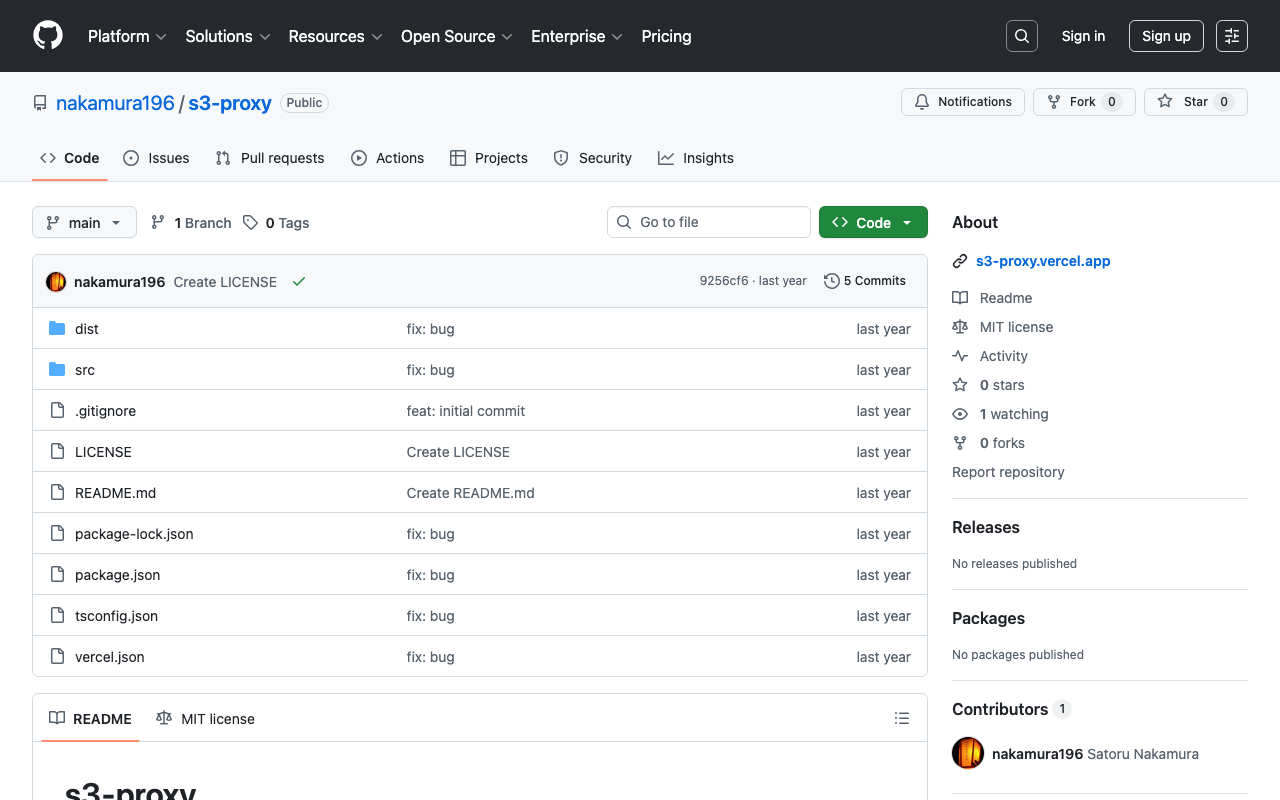
Overview This is a memo on building a proxy server for mdx I’s object storage. Background The mdx I user guide explains the following. https://docs.mdx.jp/ja/index.html#オブジェクトストレージ This is a DataDirect Networks manual describing the API specifications handled by the S3 Data Service (DDN EXAScaler S3 Data Service) provided by mdx. Please review it together with the object storage usage examples in Tips. https://docs.mdx.jp/ja/_downloads/b5d961f2c152387fa10ed951d5278f47/S3 Data Services 5.2.7 API Reference Guide.pdf ...

Using the Universal Viewer npm Package in Next.js

Using the Universal Viewer npm Package in Next.js

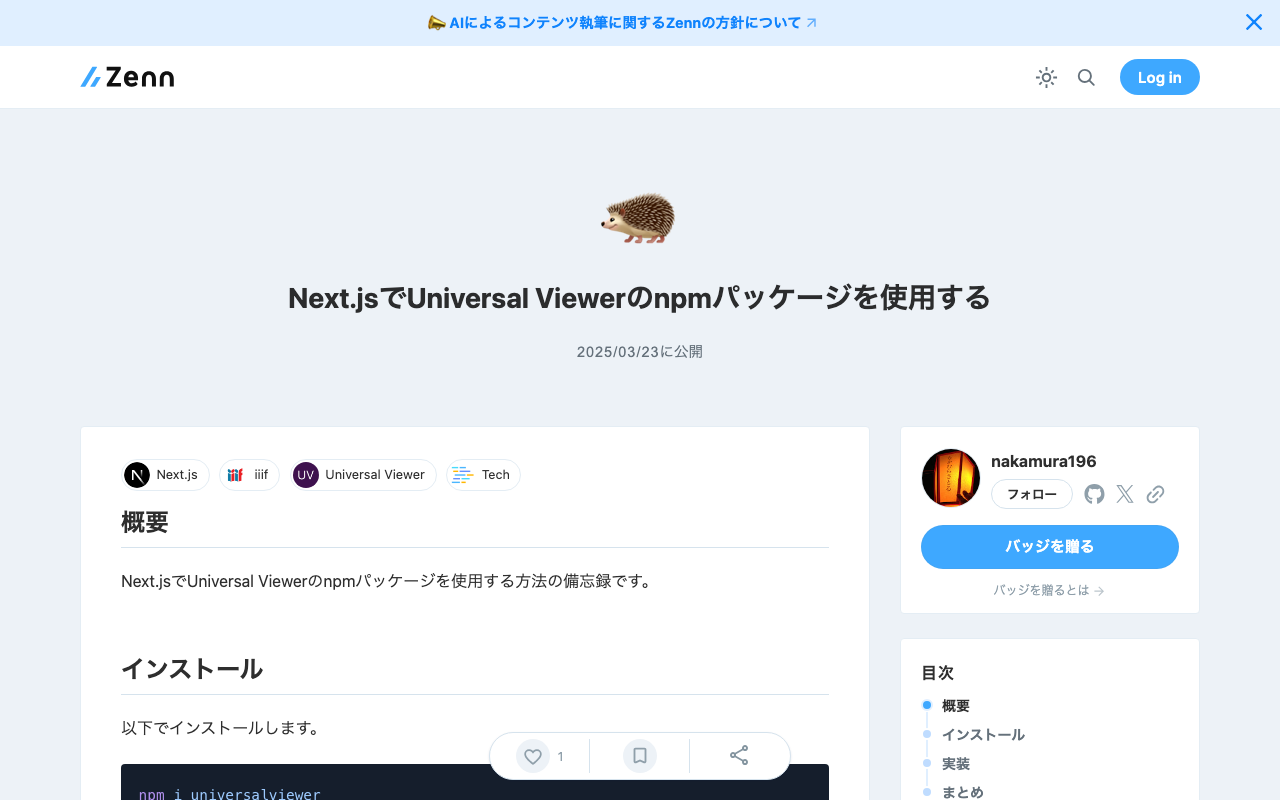
Overview Here are my notes on how to use the Universal Viewer npm package in Next.js. Installation Install with the following command. npm i universalviewer Implementation Since it uses useEffect, it appeared necessary to implement it as a client component. Also, by adding the uv class to the div tag, the CSS was applied correctly. 'use client' import { useEffect } from 'react' import dynamic from 'next/dynamic' interface ViewerProps { manifest: string cv?: number xywh?: string } // Component implementation function ViewerComponent({ manifest, cv, xywh }: ViewerProps) { useEffect(() => { // Import and initialize universalviewer const { init } = require('universalviewer') require('universalviewer/dist/esm/index.css') init('uv', { manifest, canvasIndex: cv, xywh }) }, [manifest, cv, xywh]) return ( <div id="uv" className="uv" style={{ width: '100%', height: '60vh' }}></div> ) } // Component that disables SSR and renders only on the client side const Viewer = dynamic(() => Promise.resolve(ViewerComponent), { ssr: false, loading: () => ( <div style={{ width: '100%', height: '60vh', display: 'flex', justifyContent: 'center', alignItems: 'center', background: '#f0f0f0', }} > Loading viewer... </div> ), }) export default Viewer There may be other available options, but I was able to specify the canvas index to initially load with cv and the display rectangle with xywh. ...

Searching Files in Linked Storage Using the GakuNin RDM API

Searching Files in Linked Storage Using the GakuNin RDM API

Overview In the following article, I introduced building applications using the GakuNin RDM API. In this article, I introduce how to search files in linked storage using the GakuNin RDM API. Implementation Example I implemented the search API as follows. Since directly accessing https://rdm.nii.ac.jp/api/v1/search/file/ from the client caused CORS errors, I implemented it as a Next.js API Route. import { NextResponse } from "next/server"; import { authOptions } from "@/app/api/auth/[...nextauth]/authOptions"; import { getServerSession } from "next-auth"; export async function GET(req: Request) { const session = await getServerSession(authOptions); // Get query parameters from URL const url = new URL(req.url); const query = url.searchParams.get("filter[fulltext]") || ""; const offset = parseInt(url.searchParams.get("page[offset]") || "0", 10); const size = parseInt(url.searchParams.get("page[limit]") || "20", 10); const accessToken = session?.accessToken; const apiUrl = "https://rdm.nii.ac.jp/api/v1/search/file/"; const params = { api_version: { vendor: "grdm", version: 2 }, sort: "created_desc", highlight: "title:30,name:30,user:30,text:124,comments.*:124", elasticsearch_dsl: { query: { filtered: { query: { query_string: { default_field: "_all", fields: [ "_all", "title^4", "description^1.2", "job^1", "school^1", "all_jobs^0.125", "all_schools^0.125", ], query, analyze_wildcard: true, lenient: true, }, }, }, }, from: offset, size, }, }; const res = await fetch(apiUrl, { method: "POST", headers: { "Content-Type": "application/json", Authorization: `Bearer ${accessToken}`, }, body: JSON.stringify(params), }); const data = await res.json(); return NextResponse.json(data); } Usage Example You can try it at the following URL. (Login to GakuNin RDM is required.) ...

Prototyping a TEI/XML File Editing Environment Using LEAF Writer and GakuNin RDM

Prototyping a TEI/XML File Editing Environment Using LEAF Writer and GakuNin RDM

Overview This is a memo about prototyping a TEI/XML file editing environment using LEAF Writer and GakuNin RDM. References The following article introduced how to use LEAF Writer from Next.js. In particular, the following npm package is used. https://www.npmjs.com/package/@cwrc/leafwriter For the input/output of TEI/XML files to be edited above, GakuNin RDM is used. The following article may also be helpful regarding how to use the GakuNin RDM API from JavaScript. ...

Using Filters with the GakuNin RDM (OSF) API

Using Filters with the GakuNin RDM (OSF) API

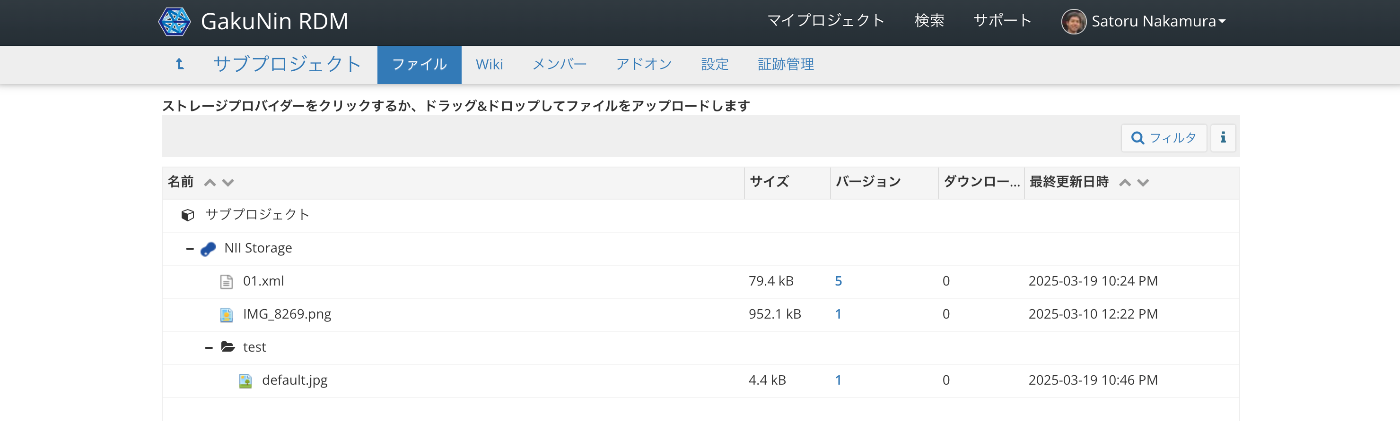
Overview This is a memo on how to use filters with the GakuNin RDM (OSF) API. Target Data We target “NII Storage” with the following file structure. Via the API, we target data accessible at URLs like the following. https://api.rdm.nii.ac.jp/v2/nodes/wzv9g/files/osfstorage/ An example of the JSON data is shown below. { "data": [ { "id": "67ce5b0b2fe4740010f753c0", "type": "files", "attributes": { "guid": "ungd3", "checkout": null, "name": "IMG_8269.png", "kind": "file", "path": "/67ce5b0b2fe4740010f753c0", "size": 952107, "provider": "osfstorage", "materialized_path": "/IMG_8269.png", "last_touched": null, "date_modified": "2025-03-10T03:22:51.750550Z", "date_created": "2025-03-10T03:22:51.750550Z", "extra": { "hashes": { "md5": "e57192b30103a7e995597ceaea39cbbf", "sha256": "5e282187067a53aaab0f1f00daaefb9519d60b064831403e671662cfbcf6f41f" }, "downloads": 0 }, "tags": [], "current_user_can_comment": true, "current_version": 1 }, "relationships": { "parent_folder": { "links": { "related": { "href": "https://api.rdm.nii.ac.jp/v2/files/674034a483bdc200108b8a95/?format=json", "meta": {} } }, "data": { "id": "674034a483bdc200108b8a95", "type": "files" } }, "versions": { "links": { "related": { "href": "https://api.rdm.nii.ac.jp/v2/files/67ce5b0b2fe4740010f753c0/versions/?format=json", "meta": {} } } }, "comments": { "links": { "related": { "href": "https://api.rdm.nii.ac.jp/v2/nodes/wzv9g/comments/?format=json&filter%5Btarget%5D=ungd3", "meta": {} } } }, "metadata_records": { "links": { "related": { "href": "https://api.rdm.nii.ac.jp/v2/files/67ce5b0b2fe4740010f753c0/metadata_records/?format=json", "meta": {} } } }, "node": { "links": { "related": { "href": "https://api.rdm.nii.ac.jp/v2/nodes/wzv9g/?format=json", "meta": {} } }, "data": { "id": "wzv9g", "type": "nodes" } }, "target": { "links": { "related": { "href": "https://api.rdm.nii.ac.jp/v2/nodes/wzv9g/", "meta": { "type": "node" } } }, "data": { "type": "node", "id": "wzv9g" } } }, "links": { "info": "https://api.rdm.nii.ac.jp/v2/files/67ce5b0b2fe4740010f753c0/", "move": "https://files.rdm.nii.ac.jp/v1/resources/wzv9g/providers/osfstorage/67ce5b0b2fe4740010f753c0", "upload": "https://files.rdm.nii.ac.jp/v1/resources/wzv9g/providers/osfstorage/67ce5b0b2fe4740010f753c0", "delete": "https://files.rdm.nii.ac.jp/v1/resources/wzv9g/providers/osfstorage/67ce5b0b2fe4740010f753c0", "download": "https://rdm.nii.ac.jp/download/ungd3/", "render": "https://mfr.rdm.nii.ac.jp/render?url=https://rdm.nii.ac.jp/download/ungd3/?direct%26mode=render", "html": "https://rdm.nii.ac.jp/wzv9g/files/osfstorage/67ce5b0b2fe4740010f753c0", "self": "https://api.rdm.nii.ac.jp/v2/files/67ce5b0b2fe4740010f753c0/" } }, { "id": "67da847416000900109e0454", "type": "files", "attributes": { "guid": "b45mp", "checkout": null, "name": "01.xml", "kind": "file", "path": "/67da847416000900109e0454", "size": 79397, "provider": "osfstorage", "materialized_path": "/01.xml", "last_touched": null, "date_modified": "2025-03-19T13:24:27.868078Z", "date_created": "2025-03-19T08:46:44.636107Z", "extra": { "hashes": { "md5": "a3824b2f49471842d1046a2abe623284", "sha256": "83d18a6e52a52597ebac6fa1eb8a137ed6e1e64b9c0e2c1a0b49cf746a777d0a" }, "downloads": 0 }, "tags": [], "current_user_can_comment": true, "current_version": 5 }, "relationships": { "parent_folder": { "links": { "related": { "href": "https://api.rdm.nii.ac.jp/v2/files/674034a483bdc200108b8a95/?format=json", "meta": {} } }, "data": { "id": "674034a483bdc200108b8a95", "type": "files" } }, "versions": { "links": { "related": { "href": "https://api.rdm.nii.ac.jp/v2/files/67da847416000900109e0454/versions/?format=json", "meta": {} } } }, "comments": { "links": { "related": { "href": "https://api.rdm.nii.ac.jp/v2/nodes/wzv9g/comments/?format=json&filter%5Btarget%5D=b45mp", "meta": {} } } }, "metadata_records": { "links": { "related": { "href": "https://api.rdm.nii.ac.jp/v2/files/67da847416000900109e0454/metadata_records/?format=json", "meta": {} } } }, "node": { "links": { "related": { "href": "https://api.rdm.nii.ac.jp/v2/nodes/wzv9g/?format=json", "meta": {} } }, "data": { "id": "wzv9g", "type": "nodes" } }, "target": { "links": { "related": { "href": "https://api.rdm.nii.ac.jp/v2/nodes/wzv9g/", "meta": { "type": "node" } } }, "data": { "type": "node", "id": "wzv9g" } } }, "links": { "info": "https://api.rdm.nii.ac.jp/v2/files/67da847416000900109e0454/", "move": "https://files.rdm.nii.ac.jp/v1/resources/wzv9g/providers/osfstorage/67da847416000900109e0454", "upload": "https://files.rdm.nii.ac.jp/v1/resources/wzv9g/providers/osfstorage/67da847416000900109e0454", "delete": "https://files.rdm.nii.ac.jp/v1/resources/wzv9g/providers/osfstorage/67da847416000900109e0454", "download": "https://rdm.nii.ac.jp/download/b45mp/", "render": "https://mfr.rdm.nii.ac.jp/render?url=https://rdm.nii.ac.jp/download/b45mp/?direct%26mode=render", "html": "https://rdm.nii.ac.jp/wzv9g/files/osfstorage/67da847416000900109e0454", "self": "https://api.rdm.nii.ac.jp/v2/files/67da847416000900109e0454/" } }, { "id": "67daca9916000900109e1d98", "type": "files", "attributes": { "guid": null, "checkout": null, "name": "test", "kind": "folder", "path": "/67daca9916000900109e1d98/", "size": null, "provider": "osfstorage", "materialized_path": "/test/", "last_touched": null, "date_modified": null, "date_created": null, "extra": { "hashes": { "md5": null, "sha256": null } }, "tags": [], "current_user_can_comment": true, "current_version": 1 }, "relationships": { "parent_folder": { "links": { "related": { "href": "https://api.rdm.nii.ac.jp/v2/files/674034a483bdc200108b8a95/?format=json", "meta": {} } }, "data": { "id": "674034a483bdc200108b8a95", "type": "files" } }, "files": { "links": { "related": { "href": "https://api.rdm.nii.ac.jp/v2/nodes/wzv9g/files/osfstorage/67daca9916000900109e1d98/?format=json", "meta": {} } } }, "node": { "links": { "related": { "href": "https://api.rdm.nii.ac.jp/v2/nodes/wzv9g/?format=json", "meta": {} } }, "data": { "id": "wzv9g", "type": "nodes" } }, "target": { "links": { "related": { "href": "https://api.rdm.nii.ac.jp/v2/nodes/wzv9g/", "meta": { "type": "node" } } }, "data": { "type": "node", "id": "wzv9g" } } }, "links": { "info": "https://api.rdm.nii.ac.jp/v2/files/67daca9916000900109e1d98/", "move": "https://files.rdm.nii.ac.jp/v1/resources/wzv9g/providers/osfstorage/67daca9916000900109e1d98/", "upload": "https://files.rdm.nii.ac.jp/v1/resources/wzv9g/providers/osfstorage/67daca9916000900109e1d98/", "delete": "https://files.rdm.nii.ac.jp/v1/resources/wzv9g/providers/osfstorage/67daca9916000900109e1d98/", "new_folder": "https://files.rdm.nii.ac.jp/v1/resources/wzv9g/providers/osfstorage/67daca9916000900109e1d98/?kind=folder", "self": "https://api.rdm.nii.ac.jp/v2/files/67daca9916000900109e1d98/" } } ], "links": { "first": null, "last": null, "prev": null, "next": null, "meta": { "total": 3, "per_page": 10 } } } Search Examples Since it conforms to JSON:API, the filter parameter is used. ...

Nuxt Content: Addressing 'Cannot find name queryContent'

Nuxt Content: Addressing 'Cannot find name queryContent'

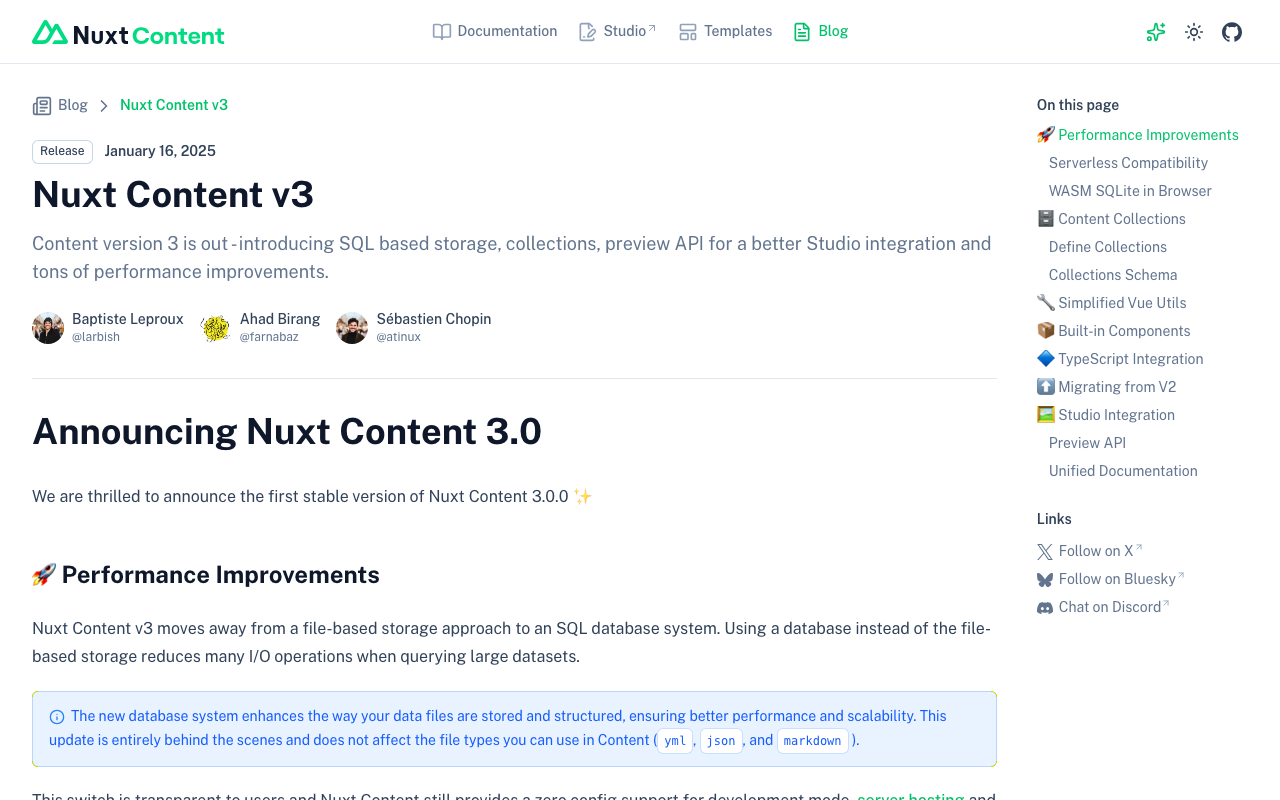
Overview This is a memo on how to address the error “Cannot find name ‘queryContent’.” that occurred in Nuxt Content. Cause It appears that Nuxt Content v3 was released on 2025/1/16. https://content.nuxt.com/blog/v3 As a result, queryContent has been changed to queryCollection and similar. Solution As described in the following, it appears necessary to create a content.config.ts file and change to using queryCollection and similar. https://content.nuxt.com/blog/v3#️-content-collections By applying the above changes, the error was resolved. ...

Using Route 53 DNS Records with Sakura Rental Server (Shared SSL)

Using Route 53 DNS Records with Sakura Rental Server (Shared SSL)

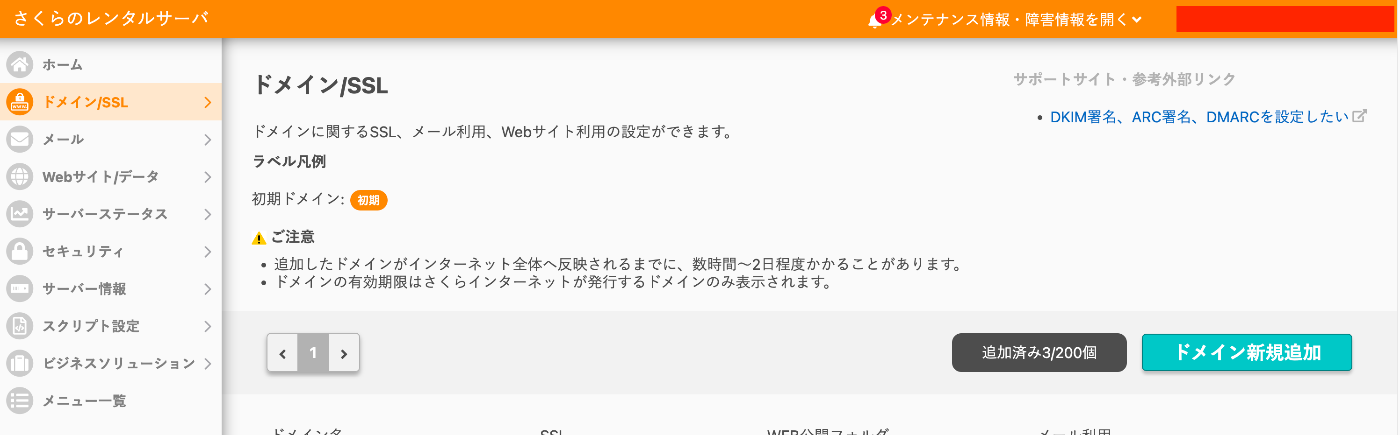
Overview This is a memo on using DNS records configured in AWS Route 53 with Sakura Rental Server. Additionally, we use free SSL with Let’s Encrypt. Sakura Rental Server Go to Domain/SSL and click the “Add New Domain” button. Click the “Add” button under “Use a domain acquired from another provider without transferring” at the bottom of the screen. Enter the custom domain and click the “Add” button. In the following example, “aaa.example.org” is used. ...

A Sample App Displaying Images with Mirador and Text with CETEIcean

A Sample App Displaying Images with Mirador and Text with CETEIcean

Overview I created a sample app that loads TEI/XML files, displays images with Mirador, and displays text with CETEIcean. You can try it from the following URL. Demo Site https://nakamura196.github.io/ceteicean-mirador/ Background I have previously developed applications that provide similar functionality. Implementation example using Next.js Implementation example using XSLT This time, I introduce an approach using only HTML and plain JavaScript. Target Data The target is the following Koui Genji Monogatari Text DB. ...

Registering Objects Using the AtoM (Access to Memory) API

Registering Objects Using the AtoM (Access to Memory) API

Overview This is a memo on how to register objects using the AtoM (Access to Memory) API. Enabling the API Access the following. /sfPluginAdminPlugin/plugins Enable arRestApiPlugin. Obtaining an API Key The following explains how to generate an API key. https://www.accesstomemory.org/en/docs/2.9/dev-manual/api/api-intro/#generating-an-api-key-for-a-user While it appears you can also connect to the API with a username and password, this time I issued a REST API Key. Endpoints AtoM provides multiple menus such as “Authority records” and “Functions,” but it appears that only the following are available via the API. ...

Running AtoM (Access to Memory) with Docker

Running AtoM (Access to Memory) with Docker

Overview I had the opportunity to run AtoM (Access to Memory) with Docker, so here are my notes. Manual The documentation is available at the following link. https://www.accesstomemory.org/es/docs/2.9/dev-manual/env/compose/ git clone -b qa/2.x https://github.com/artefactual/atom.git atom cd atom export COMPOSE_FILE="$PWD/docker/docker compose.dev.yml" docker compose up -d Then, run the following. docker compose exec atom php symfony tools:purge --demo This started AtoM on port 63001. Additionally, the manual includes instructions for Compile Theme Files, but there were cases where it started without running this and cases where it did not. ...

Cases Where ImageMagick May Not Work Properly for Creating Pyramidal TIFFs?

Cases Where ImageMagick May Not Work Properly for Creating Pyramidal TIFFs?

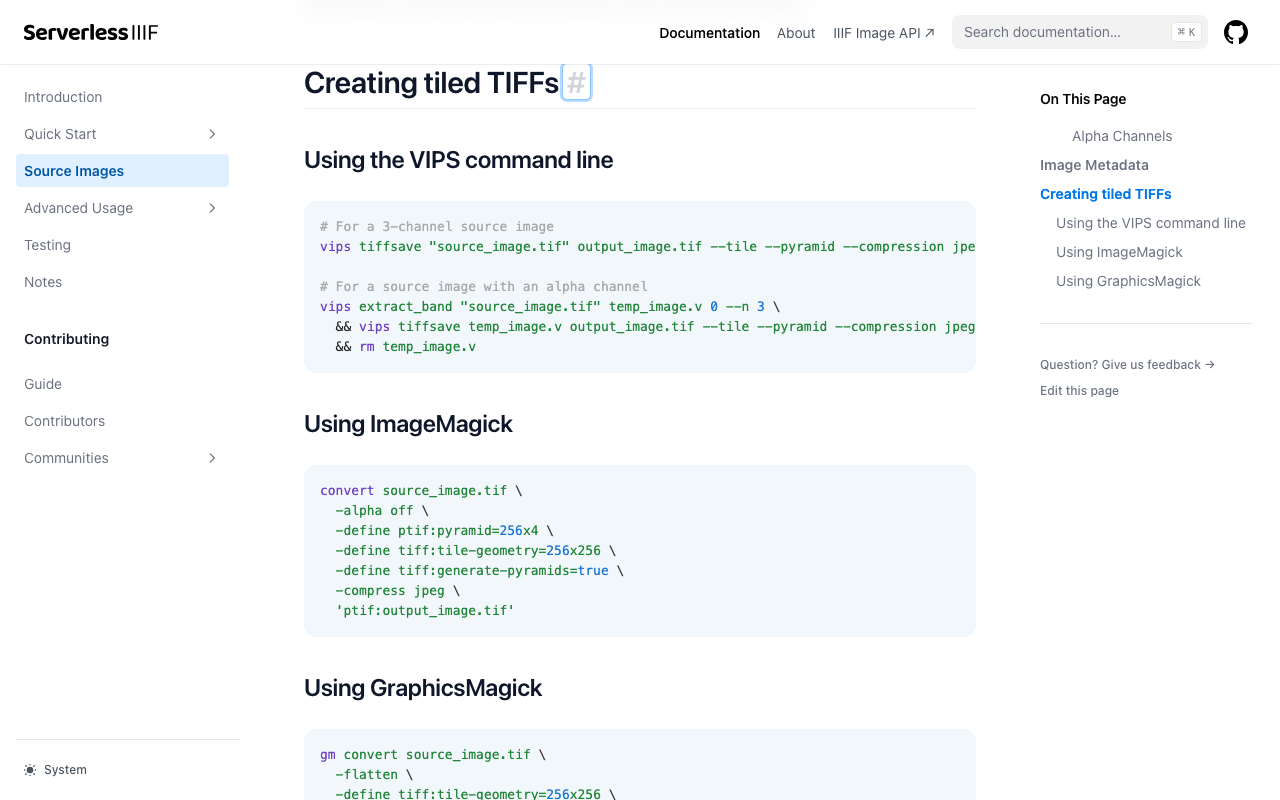
Overview I investigated cases where ImageMagick does not work properly when creating pyramidal TIFFs for IIIF image delivery. References Conversion methods are explained on pages like the following. https://samvera.github.io/serverless-iiif/docs/source-images#creating-tiled-tiffs Using the VIPS command line # For a 3-channel source image vips tiffsave source_image.tif output_image.tif --tile --pyramid --compression jpeg --tile-width 256 --tile-height 256 # For a source image with an alpha channel vips extract_band source_image.tif temp_image.v 0 --n 3 \ && vips tiffsave temp_image.v output_image.tif --tile --pyramid --compression jpeg --tile-width 256 --tile-height 256 \ && rm temp_image.v Using ImageMagick convert source_image.tif -alpha off \ -define tiff:tile-geometry=256x256 \ -define tiff:generate-pyramids=true \ -compress jpeg \ 'ptif:output_image.tif' Target Data The following image was used. ...

Serving IIIF Images Using mdx.jp Object Storage and IIP Image (IIIF Image Server)

Serving IIIF Images Using mdx.jp Object Storage and IIP Image (IIIF Image Server)

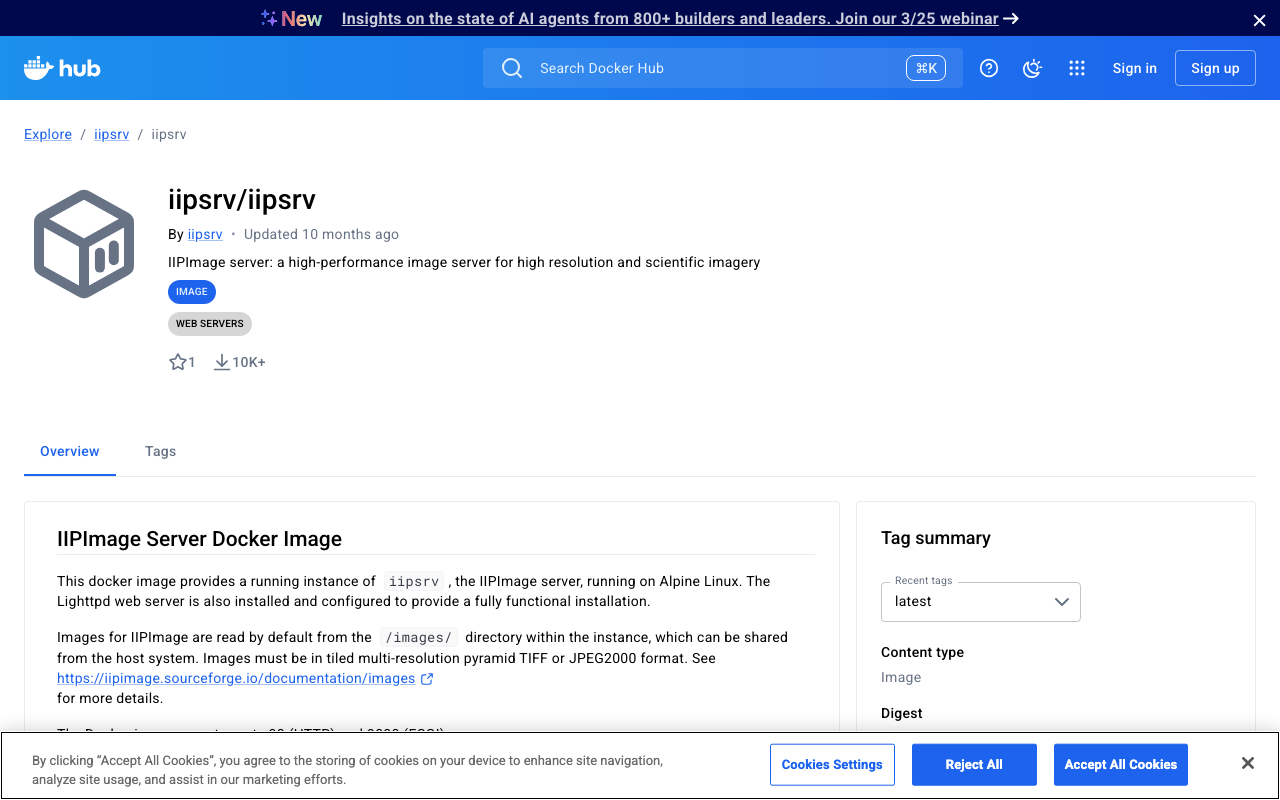
Overview This is a note on my experiment with serving IIIF images using mdx.jp object storage and IIP Image (IIIF Image Server). This is a continuation of the following article. Docker Version of IIP Image A Docker image for the IIPImage server is available at the following link, so I will use that. https://hub.docker.com/r/iipsrv/iipsrv Refer to the following article and others for installing Docker. https://qiita.com/Marron-chan/items/570c7c7baaae3b4d6b11 Execution Following the previous article, mount the mdx.jp object storage as follows. ...

Investigating Partial Match Search with AND Conditions Across Fields in Algolia

Investigating Partial Match Search with AND Conditions Across Fields in Algolia

This article was created by AI with some human edits. Introduction Among full-text search engines, Typesense, MeiliSearch, and Algolia are gaining attention as options for small-scale projects. However, whether partial match search with “field a contains x AND field b contains y” is possible is an important consideration for project requirements. This article examines the feasibility of partial match search in Algolia and compares it with Elasticsearch. Partial Match Search in Algolia Algolia offers full-text search (query), but there are limitations when performing partial match searches on specific fields. ...

How to Convert Word Files to TEI XML: A Guide to Using the TEIgarage API

How to Convert Word Files to TEI XML: A Guide to Using the TEIgarage API

This article was created by AI with some human modifications. Introduction In the world of digital humanities, it has become common to store documents in TEI (Text Encoding Initiative) format. TEI is a standard for structuring scholarly texts. This article explains how to convert documents created in Microsoft Word to TEI XML format using Python. What is TEIgarage? TEIgarage is an online service for converting documents in various formats to TEI XML. The service provides an API that can be called directly from programs. In this article, we will call this API from Python to convert Word files. ...