![[Omeka S] How to Configure Attribution in the IIIF Server Module](https://storage.googleapis.com/zenn-user-upload/d54d4ada597d-20220411.png)
[Omeka S] How to Configure Attribution in the IIIF Server Module
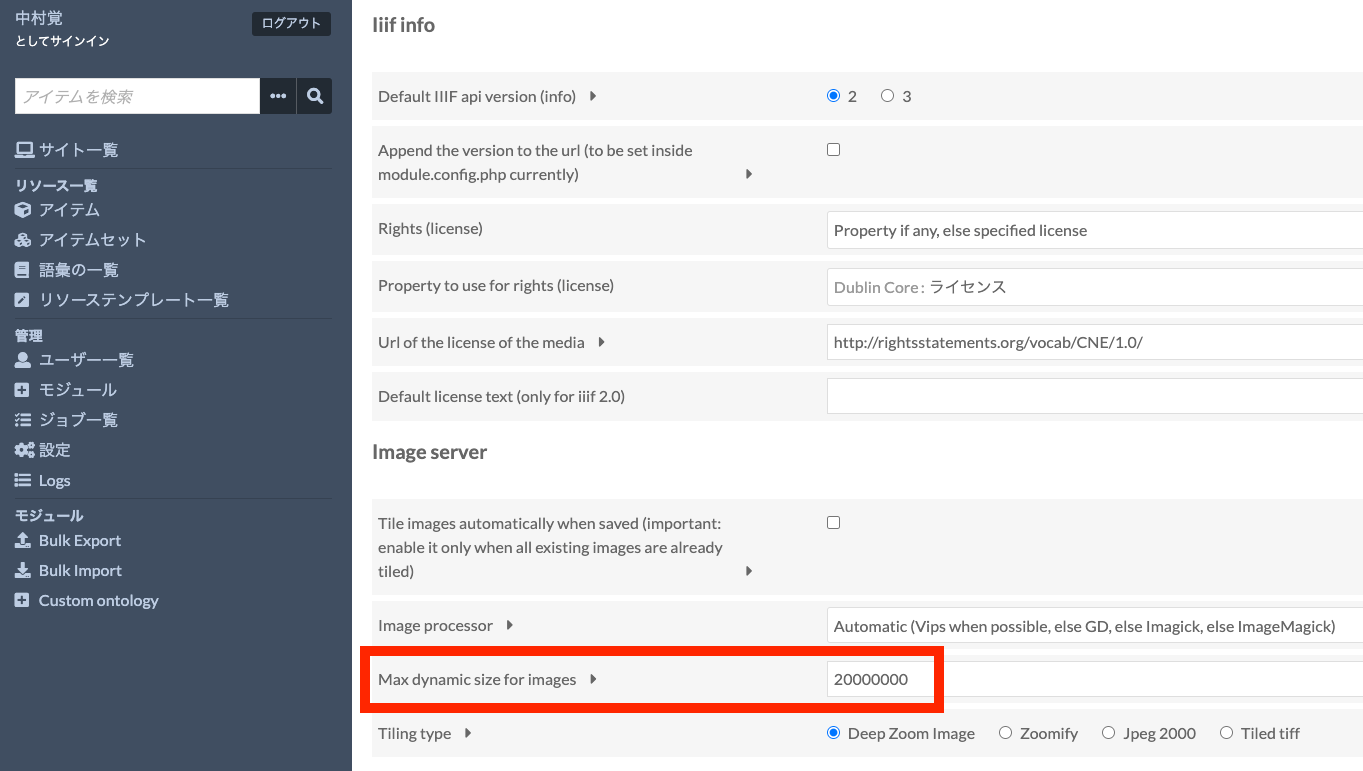
The IIIF Server module for Omeka S allows you to configure various settings. One of these is the attribution setting. As shown below, the value entered in Default attribution will be displayed in the attribution field of IIIF manifest files and similar resources. I recommend changing it to an appropriate value such as your organization’s name. Alternatively, as shown just above the field mentioned above, you can specify a property for entering attribution values, which allows you to change the attribution value for each item individually. ...
![[Development Guide] I Created an App to View OCR Results Published by the National Diet Library's Next-Generation Digital Library in an IIIF Viewer](https://storage.googleapis.com/zenn-user-upload/81f91c3fdbb3-20220404.png)
![[Omeka S Theme Development] Published a Bootstrap 5 Theme for Omeka S](https://storage.googleapis.com/zenn-user-upload/b8004aa5bf1f-20220323.png)